Intelligent Weather Analysis App
🌱 Inspiration
Pakistan has recently faced severe and unpredictable weather conditions — from record-breaking heatwaves to destructive urban flooding. This project was inspired by a need to make sense of local climate data, understand long-term trends, and raise awareness about the climate crisis using data-driven storytelling.
🧠 What it does
Our application allows users to:
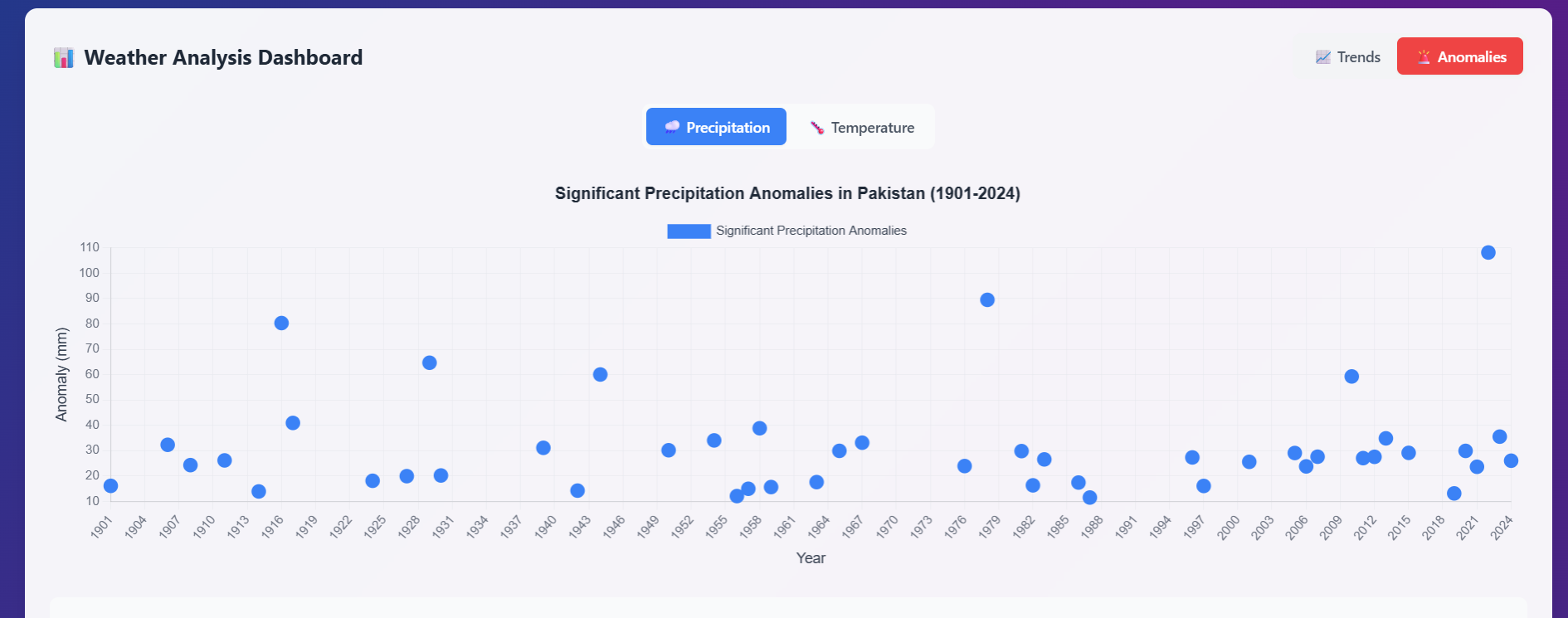
- Visualize historical trends in temperature and precipitation over multiple years
- Analyze monthly minimum, maximum, and average temperatures
- Explore precipitation patterns through time-series plots
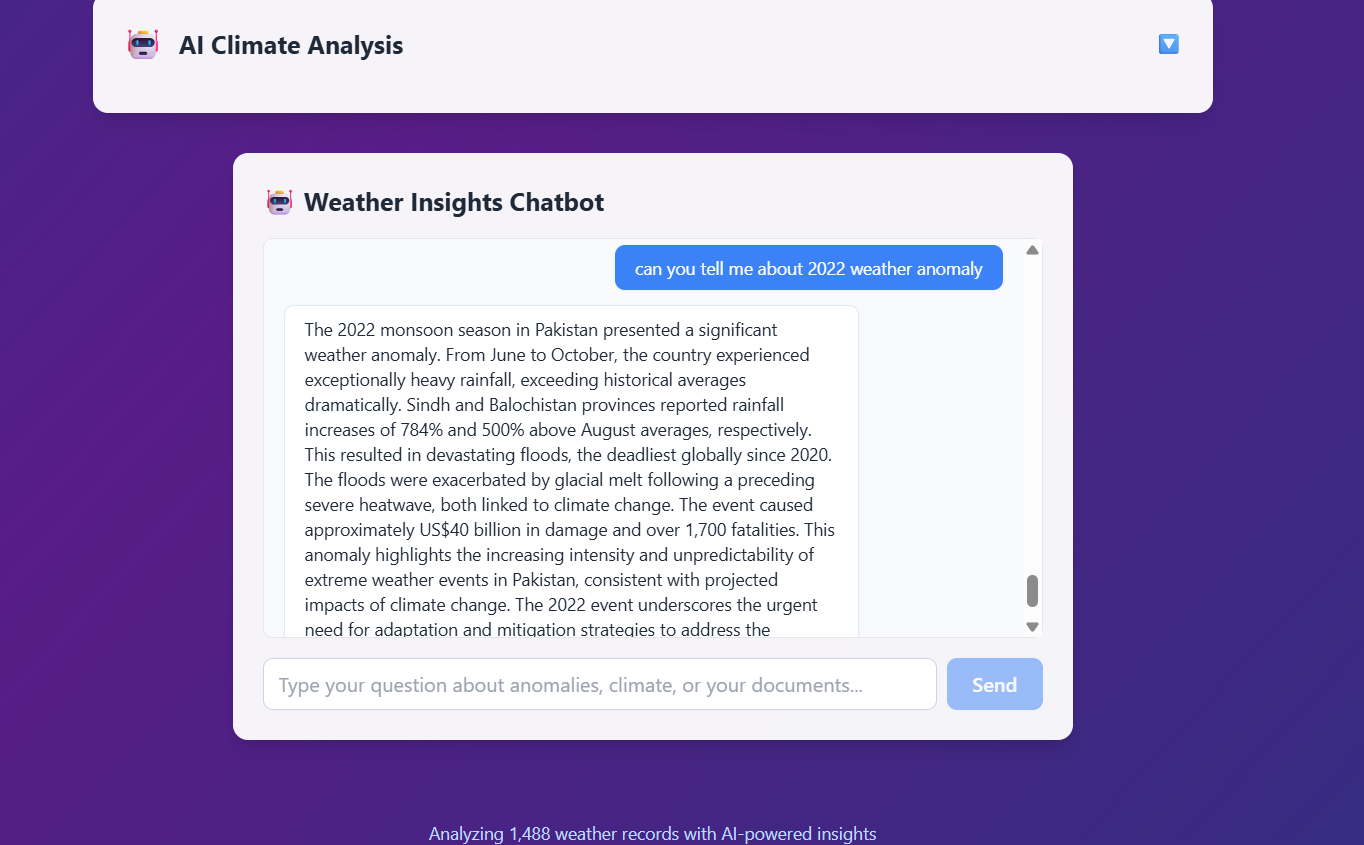
- Ask natural-language questions about climate data via an AI-powered chatbot
The combination of interactive visualizations and AI Q&A makes the app accessible and informative for both technical and non-technical audiences.
🔧 How we built it
⚔️ Challenges we ran into
- Vector upload: Learning how to convert our dataset into embeddings and correctly store them in MongoDB Atlas Search took time and experimentation.
- Limited documentation: Resources on combining Gemini embeddings with MongoDB vector search were scarce, so we had to try various configurations.
- Frontend integration: Connecting the chatbot interface with backend responses while maintaining performance required fine-tuning.
🏆 Accomplishments that we're proud of
- First real-world use of LLM embeddings + MongoDB vector search
- Built an end-to-end system: data to insight, not just a dashboard
- Made local climate data interactive and conversational
- Clean and modular design — flexible for adding more data or models
📚 What we learned
- How to build a pipeline from raw CSVs to intelligent Q&A
- Using vector-based semantic search with structured databases
- Integrating LLMs into traditional full-stack apps
- Frontend/backend communication best practices using REST APIs
🚀 What's next for Intelligent Weather Analysis App
- Add forecasting using models like ARIMA or Prophet
- Include extreme event detection (heatwaves, floods)
- Upload more datasets: air quality, wind speed, humidity
- Host the app publicly for public awareness and policy use
- Let users upload their own datasets for custom analysis
Backend
- Python for data preprocessing and embedding generation
- Historical weather data in CSV format (from local or public datasets)
- Google Gemini Pro API for generating text embeddings and chatbot responses
- MongoDB Atlas Search for storing and retrieving vectorized knowledge
- Custom scripts for CSV parsing, preprocessing, and embedding upload
Frontend
- React + TypeScript for the user interface
- TailwindCSS for sleek UI components
- Chart.js for plotting time-series weather data
- Integrated chat UI connected to the backend for dynamic question answering
⚔️ Challenges we ran into
- Vector upload: Learning how to convert our dataset into embeddings and correctly store them in MongoDB Atlas Search took time and experimentation.
- Limited documentation: Resources on combining Gemini embeddings with MongoDB vector search were scarce, so we had to try various configurations.
- Frontend integration: Connecting the chatbot interface with backend responses while maintaining performance required fine-tuning.
🏆 Accomplishments that we're proud of
- First real-world use of LLM embeddings + MongoDB vector search
- Built an end-to-end system: data to insight, not just a dashboard
- Made local climate data interactive and conversational
- Clean and modular design — flexible for adding more data or models
📚 What we learned
- How to build a pipeline from raw CSVs to intelligent Q&A
- Using vector-based semantic search with structured databases
- Integrating LLMs into traditional full-stack apps
- Frontend/backend communication best practices using REST APIs
🚀 What's next for Intelligent Weather Analysis App
- Add forecasting using models like ARIMA or Prophet
- Include extreme event detection (heatwaves, floods)
- Upload more datasets: air quality, wind speed, humidity
- Host the app publicly for public awareness and policy use
- Let users upload their own datasets for custom analysis


Log in or sign up for Devpost to join the conversation.