-
-
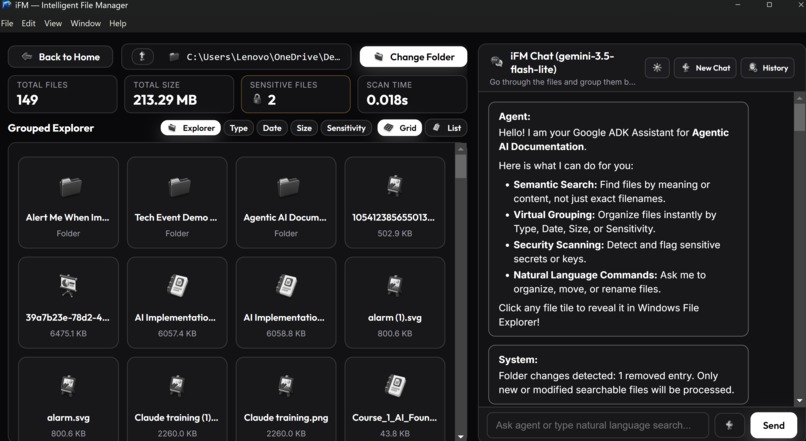
Begining a session with iMF
-
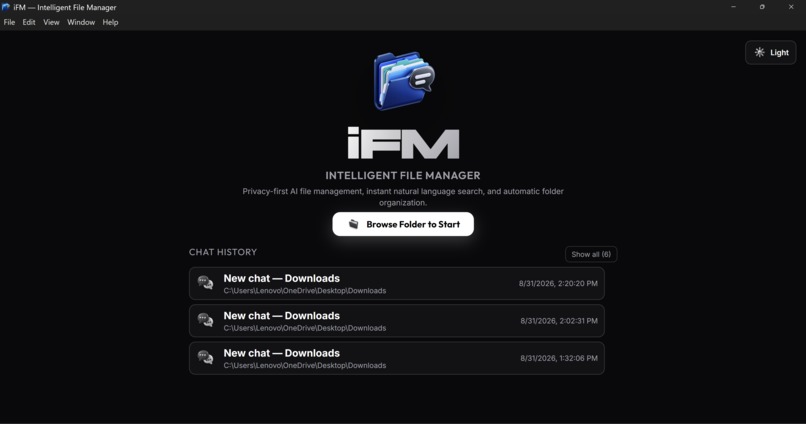
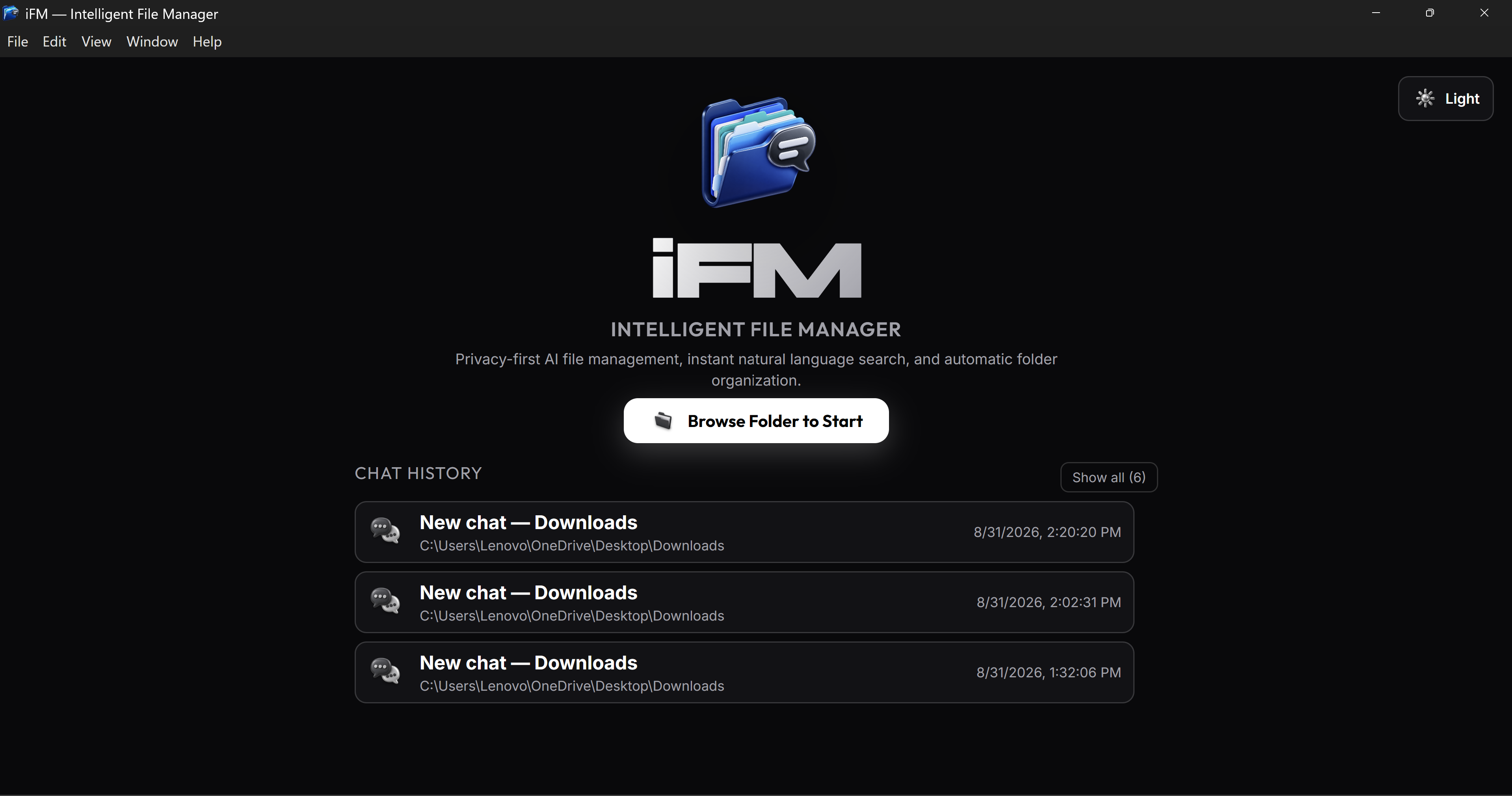
Splash screen showing logo and decription and also chat history
-
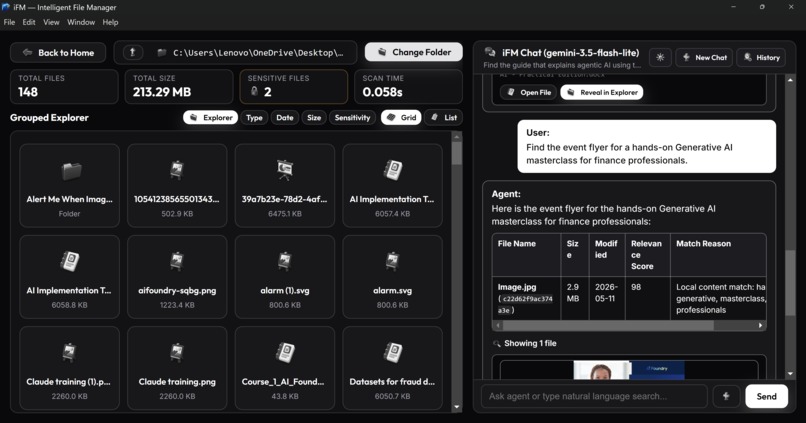
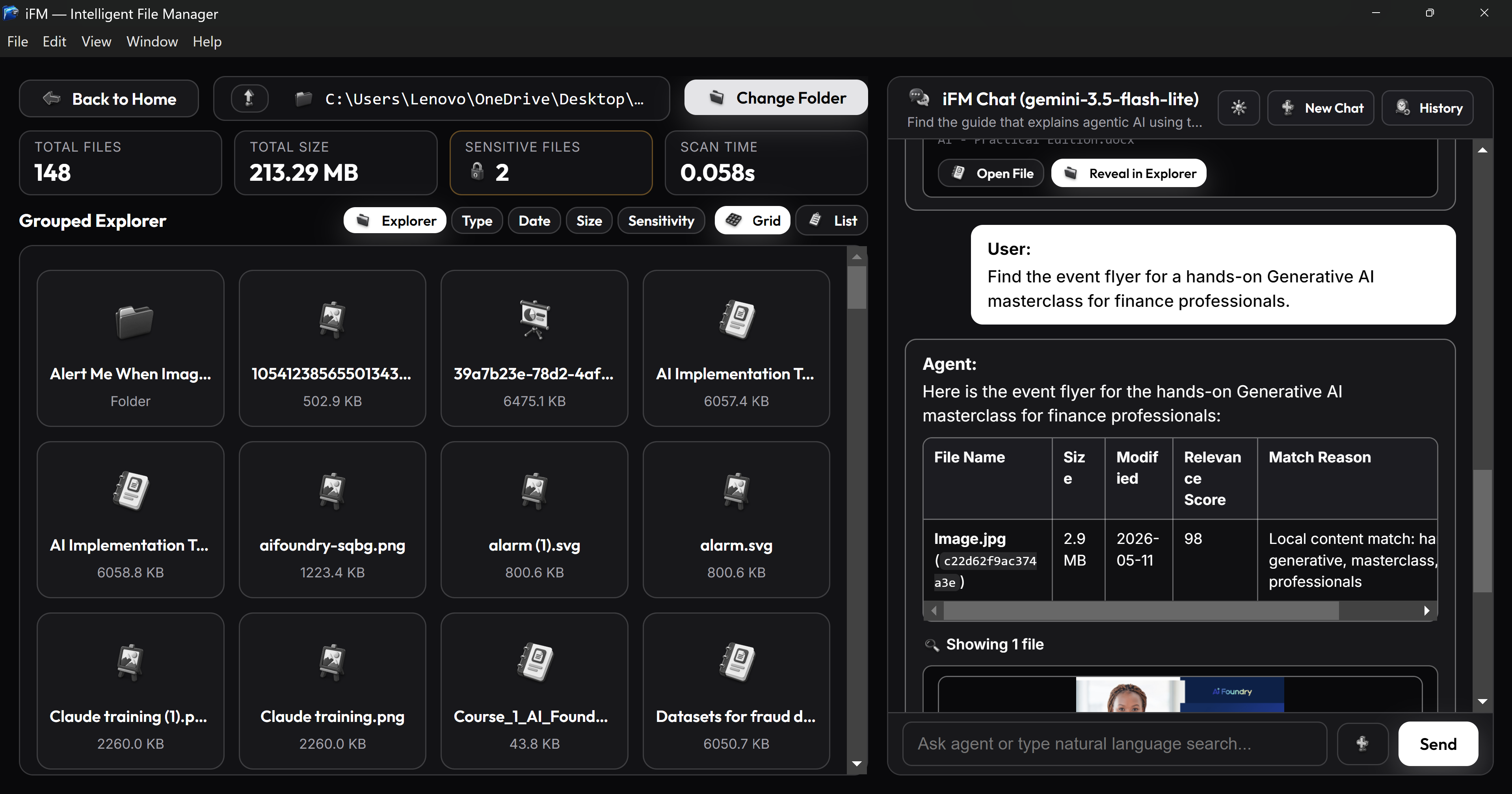
Chat session ongiong with folder explorer on the side
-
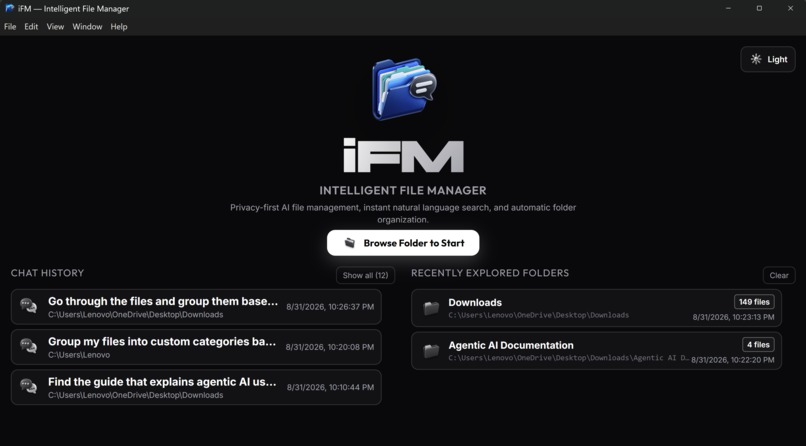
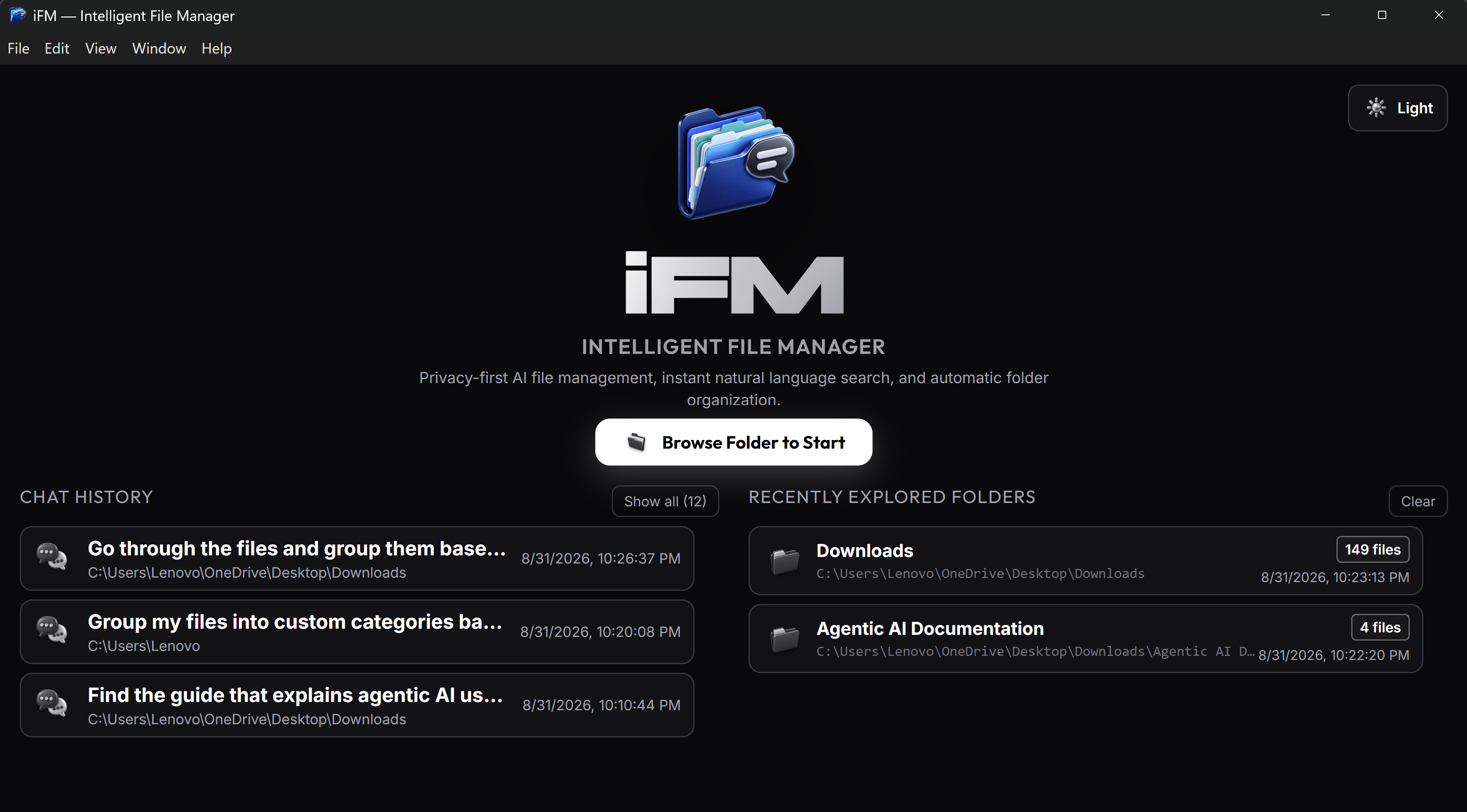
Splash screen showing logo and decription and also chat history and folder history
-
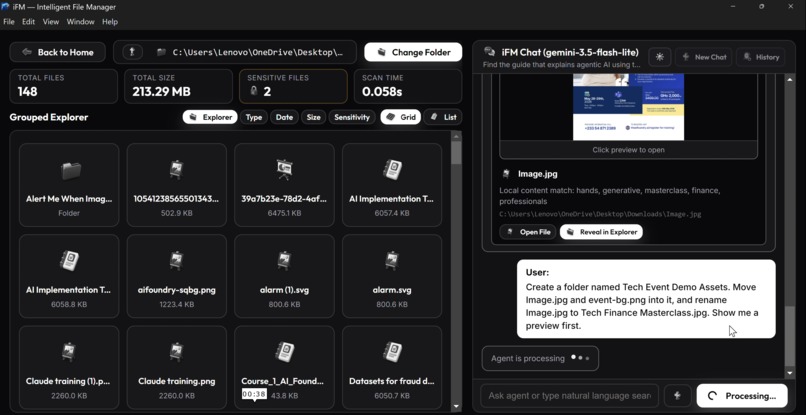
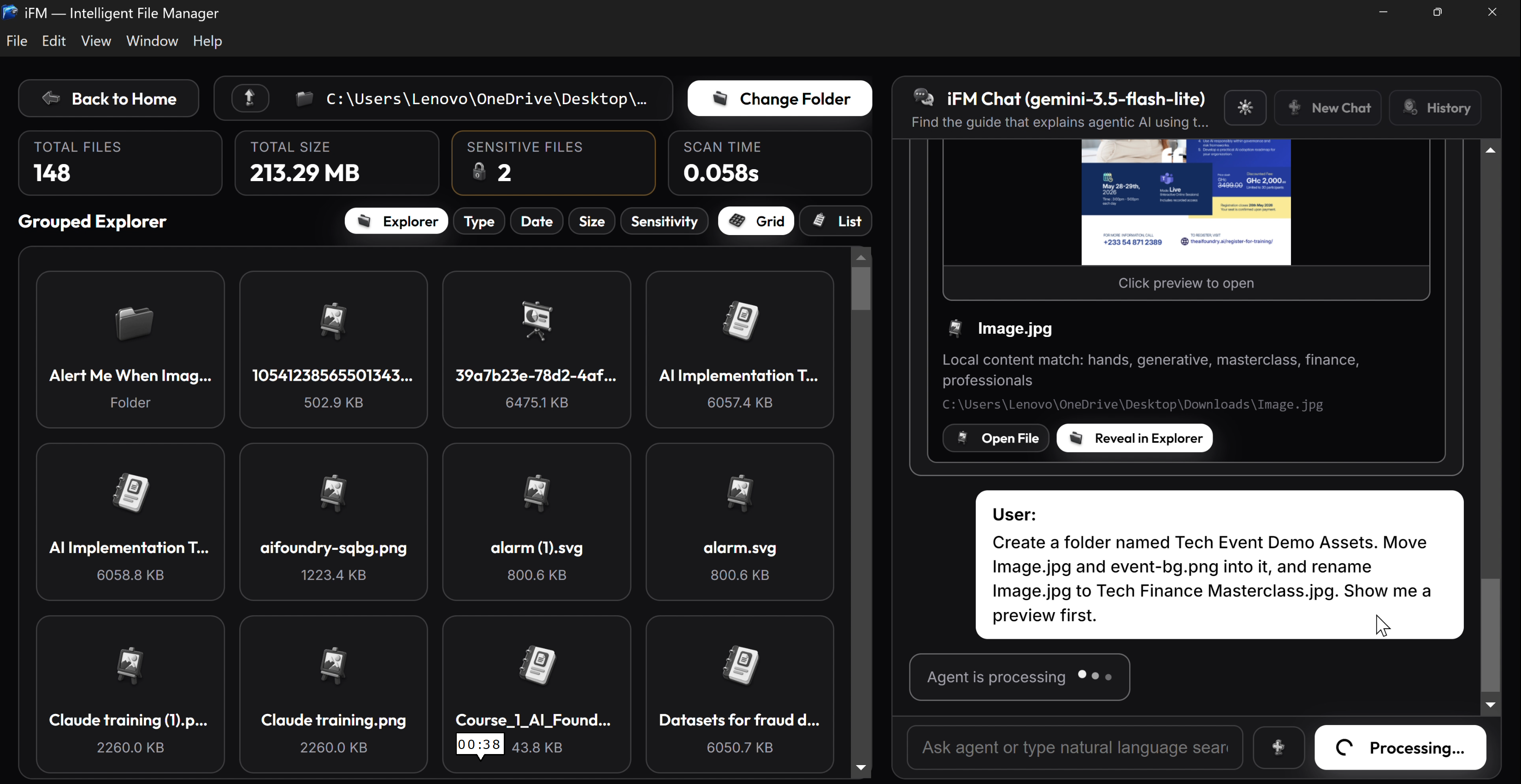
Chat session ongiong with folder explorer on the side
-
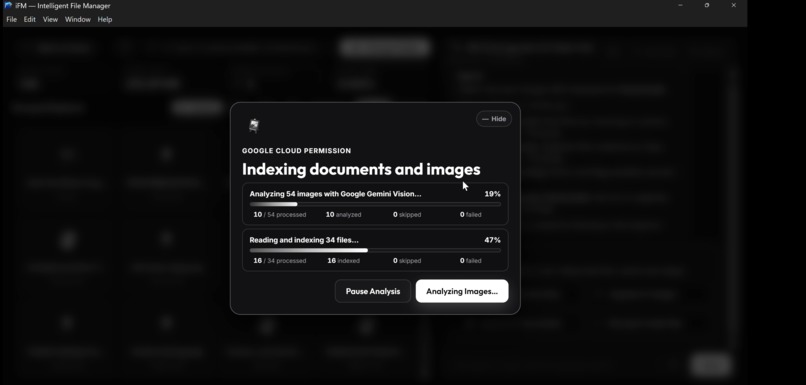
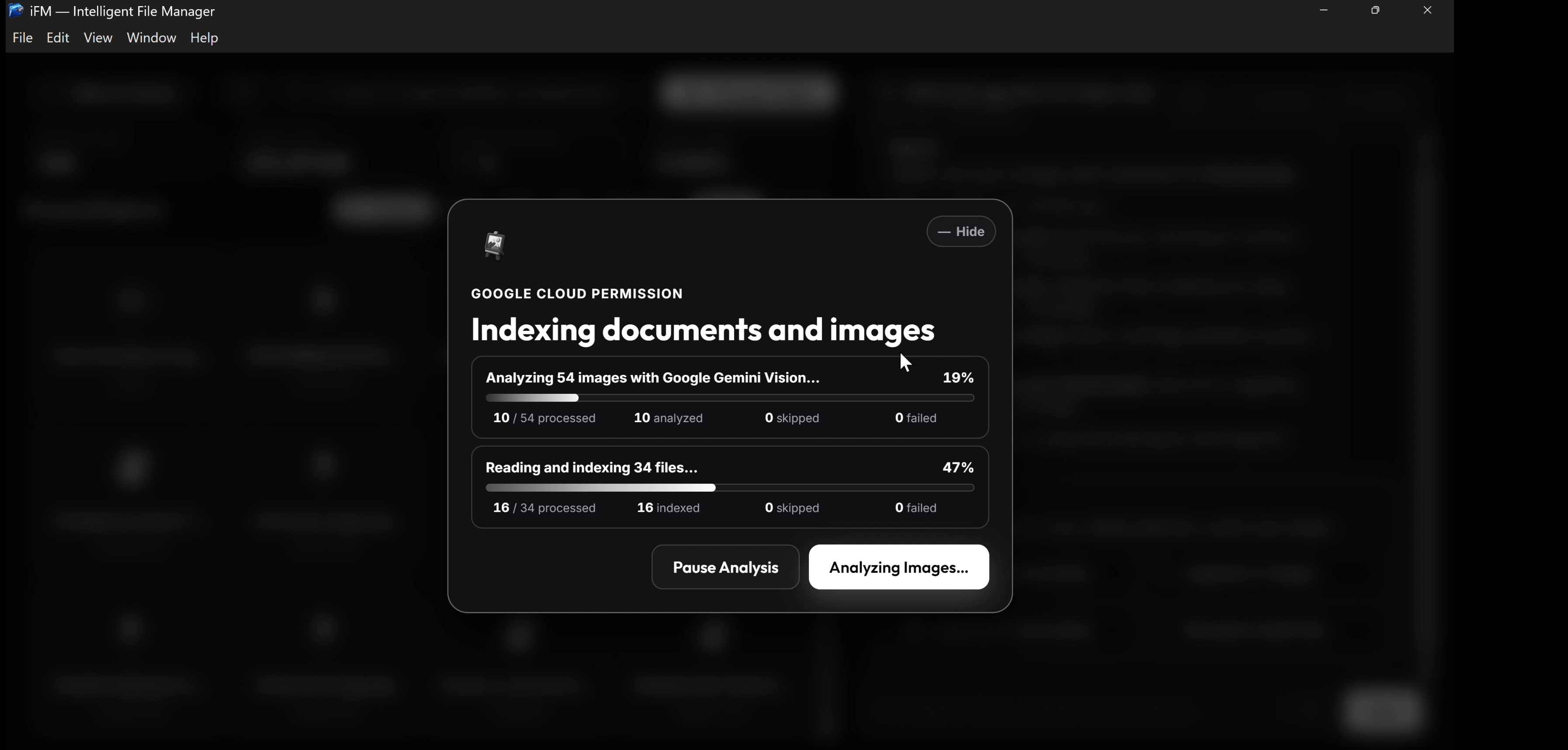
Indexing of Photos and images going on
-
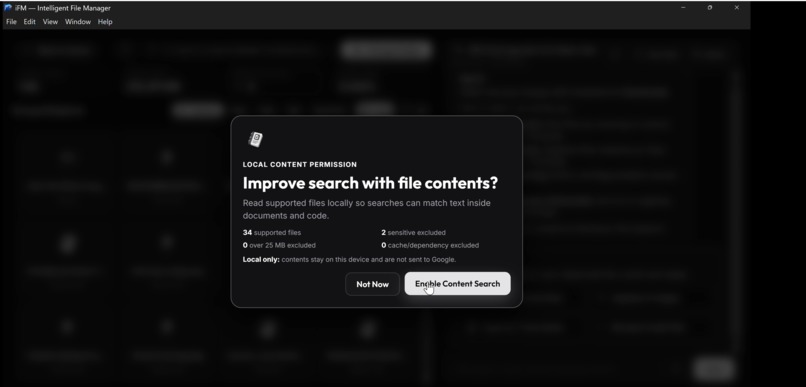
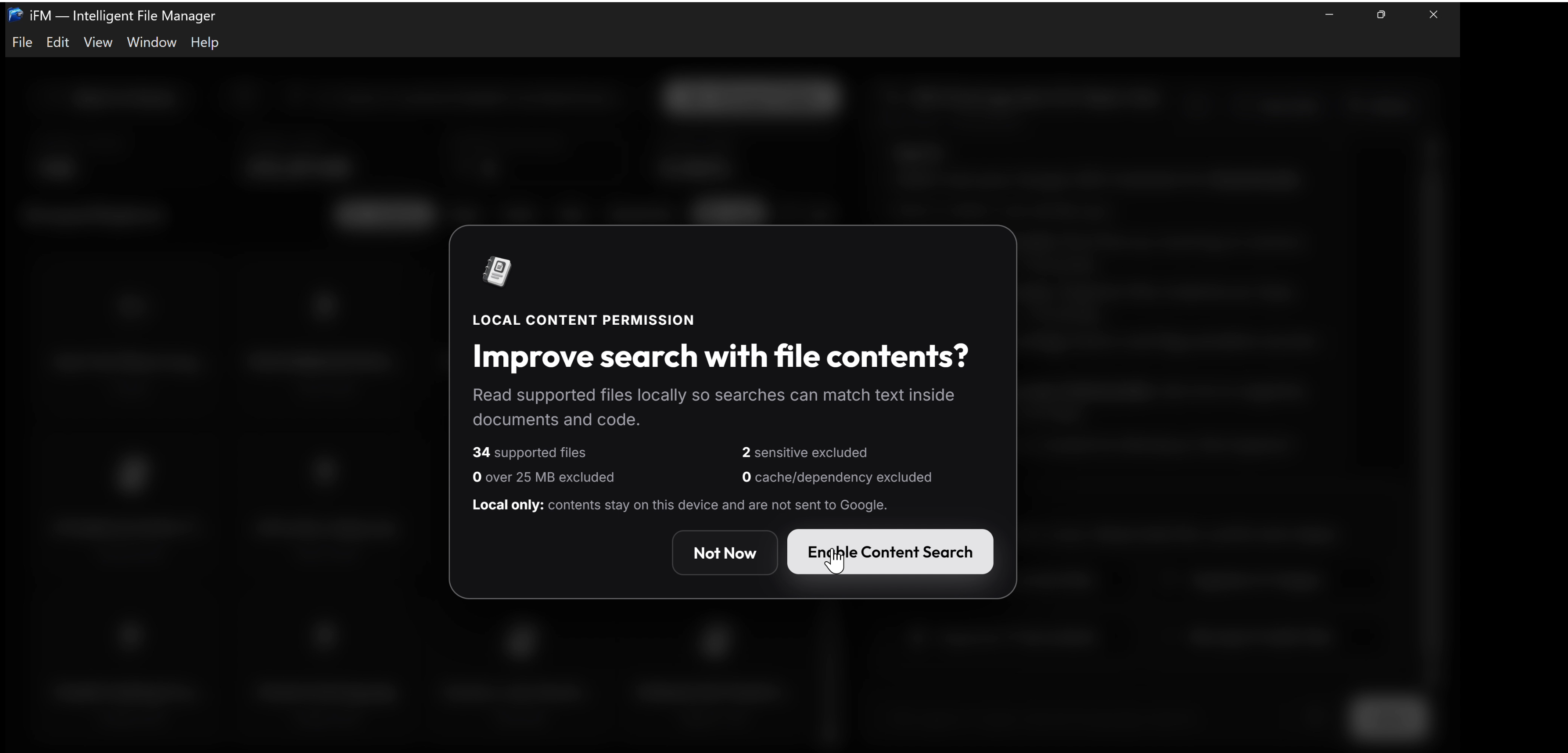
Asking for permission to go through files
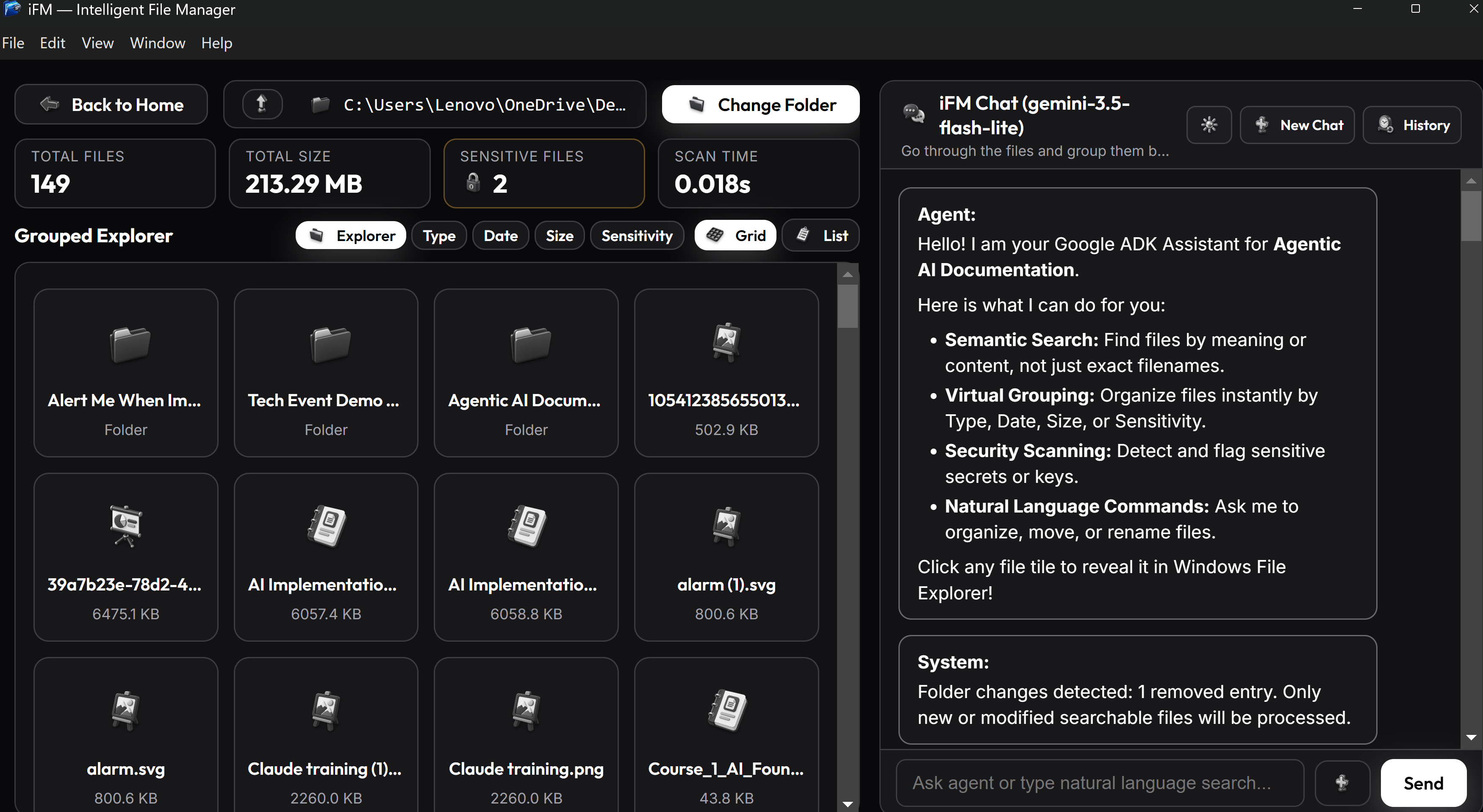
Intelligent File Manager (iFM)
The autonomous, privacy-first AI agent that cleans up your digital life—not just talks about it.
Category: The Taskmaster
Inspiration
Every desktop user has a "Downloads" folder or hard drive that is a chaotic graveyard of unnamed images (IMG_4921.jpg), obscure PDFs (Document(3).pdf), and forgotten presentations. Manually searching through hundreds of files takes hours, and standard OS filename search is completely useless when file names are vague.
I wanted to build an agent that solves real-world friction. Rather than building another chatbot that just gives text suggestions, I built Intelligent File Manager (iFM)—an autonomous, task-oriented agent that scans your filesystem, understands the visual and textual content of your files using multimodal AI, proposes smart organization plans, executes file movements safely with explicit user permission, and keeps an append-only undo journal.
What it does
iFM turns messy file management into a seamless, conversational workflow:
- Semantic Document & Image Search: Search by context, analogies, or visual content rather than file names (e.g., "Find the guide that explains agentic AI using the microwave vs chef analogy" or "Find the event flyer for the AI finance masterclass").
- Autonomous File Organization ("The Taskmaster"): Tell iFM to clean up a folder, and it generates a concrete file move/rename preview (e.g., creating
Tech Event Demo Assets/, moving files, and giving vague flyers descriptive titles). - Zero-Trust Privacy & Sensitive File Protection: Operates on a strict zero-trust safety model. Before reading document text or sending images off-device, iFM prompts for explicit consent. Patterns matching sensitive API keys or credentials are automatically detected and excluded from LLM context and indexing.
- Single-Click Instant Undo: Every approved action is logged to a persistent undo journal. One click restores every moved or renamed file to its exact original location.
- Smart AI Semantic Grouping: Automatically categorizes hundreds of unorganized files into thematic clusters based on actual document content and visual context.
How i built it
iFM is architected as a hybrid local desktop application paired with Google Cloud AI:
- Google ADK (Agent Development Kit): Serves as the core agent execution framework, managing tool routing, session state (
InMemorySessionService), and policy callbacks. - Gemini 3.5 Flash (via Gemini API): Powers the agent's multimodal reasoning, natural language parsing, and visual image understanding.
- FastAPI & Python Local Companion: Runs a local loopback server (
ifm-local-backend.exe) that securely handles filesystem operations, text extraction (PyMuPDF,python-docx), and zero-trust pre-read secret scanning. - ChromaDB & SQLite: Provides high-performance local vector storage (
.chroma_db) and metadata indexing (.catalog.db) for privacy-first, offline-capable semantic search without leaking local file content. - Electron & React Frontend: Provides a slick, responsive desktop GUI with live background progress indicators, visual search result tiles, dry-run action previews, and one-click undo controls.
Challenges i ran into
- Context Window Management & Tool Isolation: Directing an LLM at a folder containing hundreds of files can quickly overflow the context window. I resolved this by decoupling directory scanning from vector search, ensuring the agent only receives minimal, strictly necessary metadata per tool call.
- Implementing Zero-Trust Policy Callback Interception: Empowering an autonomous agent with local filesystem write permissions is risky. I heavily leveraged Google ADK's
before_tool_callbackto pause the LLM reasoning loop, emit anapproval_requiredsignal to the React UI, wait for explicit user confirmation, and resume execution without losing agent context. - Multimodal Background Processing: Indexing heavy document text and sending images to Gemini Vision concurrently without freezing the desktop UI required designing an asynchronous background job pipeline with progress tracking, pause/resume, and restart recovery.
Accomplishments that we're proud of
- Building a true autonomous action engine that doesn't just answer questions—it safely executes file operations on real files.
- Developing a zero-trust safety architecture that automatically flags secret credentials and requires explicit user consent before off-device AI processing.
- Creating a seamless single-click undo mechanism that gives users complete peace of mind when allowing an AI agent to re-organize their disk.
- Delivering a fast, beautiful desktop experience using Electron, React, Google ADK, and Gemini 3.5 Flash.
What i learned
- Agents need deterministic guardrails: Combining LLM reasoning with strict programmatic tool policy callbacks is the key to safe real-world agentic execution.
- Separation of concerns is critical: Keeping private file access and local vector indexes on the device while delegating cognitive reasoning and multimodal analysis to Gemini API creates the ideal balance between privacy and AI intelligence.
- Gemini 3.5 Flash is extraordinarily fast: Offloading complex multi-file grouping and visual OCR tasks to Gemini 3.5 Flash provided near-instant responses, making real-time autonomous file management practical.
What's next for Intelligent File Manager (iFM)
- Expanding native support to cloud storage providers (Google Drive, Dropbox) while keeping the same zero-trust permission model.
- Adding automated schedule-based cleanup rules (e.g., weekly background archiving of old downloads).
- Support for local open-weights embedding models for 100% offline semantic indexing fallback.


Log in or sign up for Devpost to join the conversation.