-
-
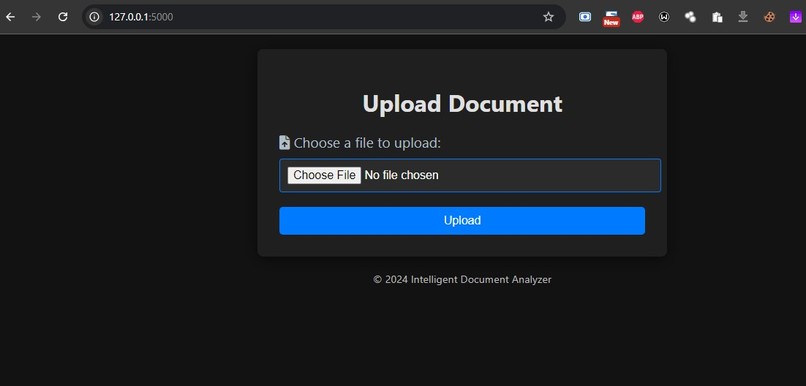
Front End
-
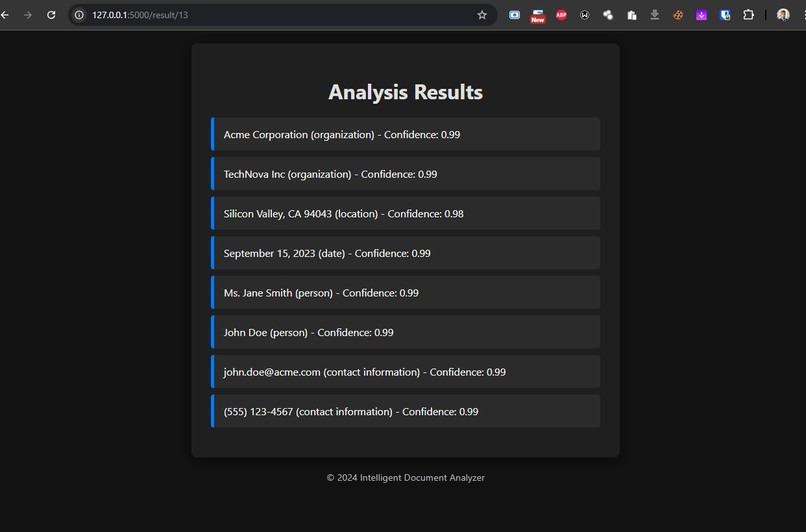
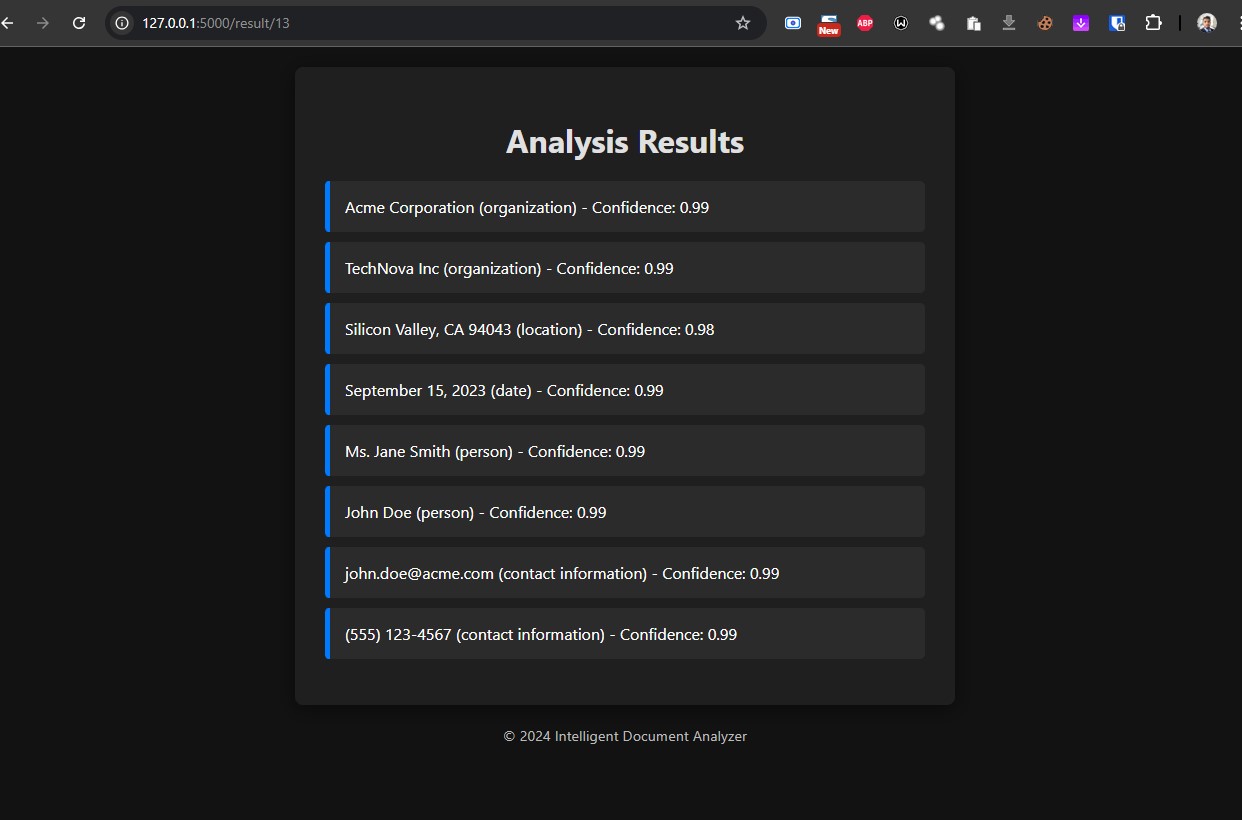
Analysis Results
Inspiration
The Intelligent Document Analyzer was born out of my experiences as a cybersecurity consultant. I often found myself buried in piles of business documents—everything from purchase orders to contracts. Extracting crucial information manually was not only time-consuming but also prone to errors. I thought, “What if there was a way to automate this process?” That’s when I realized the power of AI, especially with tools like Azure OpenAI. I wanted to create something that could make document analysis quicker, easier, and more reliable.
What it does
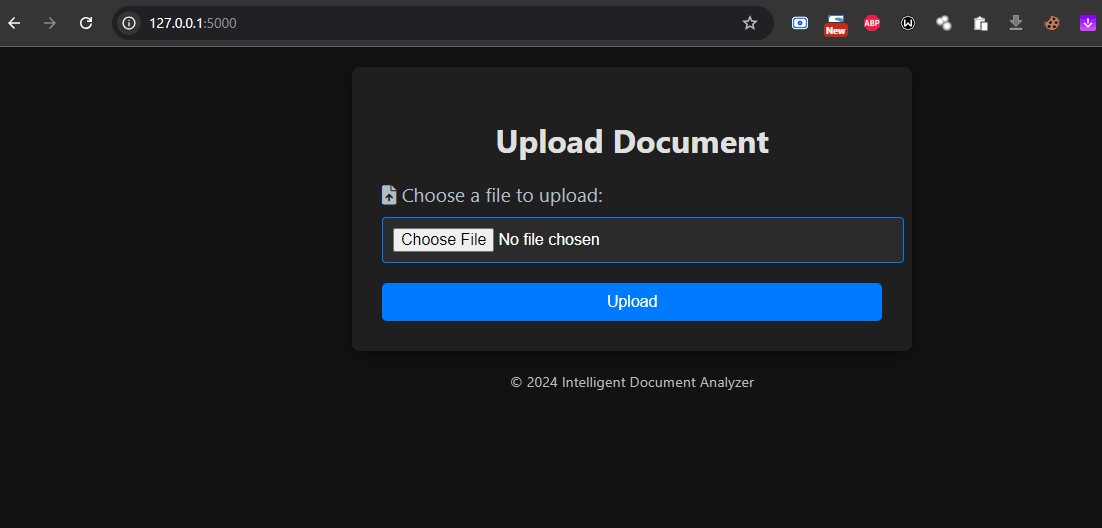
So, what exactly does the Intelligent Document Analyzer do? It’s a web application that allows users to upload PDF and DOCX files. Once a document is uploaded, the application automatically extracts the text and uses Azure OpenAI to analyze it for key entities. This includes organizations, people, locations, dates, and even product information. The results are presented in a user-friendly format, allowing users to easily access and understand the insights without the hassle of sifting through pages of text.
How we built it
Building this project was quite an adventure! Here’s a glimpse into the process:
Setting Up the Environment: I kicked things off by creating a Flask web application and setting up a virtual environment to manage all the necessary dependencies.
Implementing Document Uploads: I developed the functionality to let users upload PDF and DOCX documents through the web interface.
Text Extraction: For extracting text, I used libraries like
PyPDF2for PDFs andpython-docxfor DOCX files. This part was crucial for ensuring I had the content to analyze.Integrating Azure OpenAI: After setting up my Azure OpenAI account, I connected the API to analyze the extracted text and identify key entities. This was one of the most exciting parts!
Database Integration: To keep everything organized, I used SQLAlchemy to set up a database for storing uploaded documents and the results of the entity extraction.
Creating the User Interface: I designed a simple, intuitive HTML interface so users could easily upload documents and see the results without confusion.
Testing and Iteration: I ran through extensive testing, tweaking the prompts and error handling based on the API responses to refine the overall functionality.
Challenges we ran into
Of course, it wasn’t all smooth sailing. I faced several challenges along the way:
API Integration Issues: At first, I struggled with integrating the API due to version changes in the OpenAI library. Updating my code to fit the new interface was a bit of a hassle, but it was definitely worth it.
Text Extraction Errors: Getting accurate text from documents wasn’t always straightforward, especially with complex layouts. I had to try out different libraries to find the most reliable solution.
Entity Recognition: Making sure the AI model accurately identified relevant entities required a lot of tweaking to the prompts. It took several iterations to get it right.
Debugging: I encountered JSON parsing errors when handling responses from the OpenAI API, which pushed me to improve error handling in my code.
Accomplishments that we're proud of
Despite the challenges, I’m really proud of what I accomplished with this project:
- I successfully integrated Azure OpenAI services to provide real-time entity extraction.
- I developed a user-friendly web interface that simplifies the document analysis process.
- I created a robust database structure to store and retrieve uploaded documents along with their extracted entities.
- I achieved high accuracy in entity recognition thanks to the iterative improvements in the prompt design.
What we learned
Throughout this journey, I learned a lot:
Effective Prompt Engineering: Crafting the right prompts for AI models is crucial and can significantly impact the output quality.
Different Document Formats: Each document format requires a tailored approach for effective text extraction.
Importance of Error Handling: Robust error handling is essential for building reliable applications, especially when working with external APIs.
User Feedback Matters: Getting feedback from users can provide invaluable insights for refining the user interface and overall experience.
What's next for Intelligent Document Analyzer
Looking ahead, I have some exciting plans for the Intelligent Document Analyzer:
Feature Enhancements: I want to add support for more document formats and explore advanced analytics capabilities.
Improved Accuracy: I’ll work on further enhancing the accuracy of entity recognition through custom training or fine-tuning of the AI models.
Implementing User Feedback: I plan to actively seek user feedback to make iterative improvements based on real-world usage.
Scalability: As the user base grows, I’ll focus on optimizing the application for better performance and scalability.


Log in or sign up for Devpost to join the conversation.