💡 Inspiration
Let's face it: traditional calorie tracking is exhausting. Typing in every ingredient, guessing portion sizes, and searching through endless databases causes high user drop-off. We asked ourselves: What if tracking your health was as easy as taking a photo for Instagram? That inspired us to build Intake AI—a seamless, AI-powered health tracker that removes all friction from logging meals.
🚀 What it does
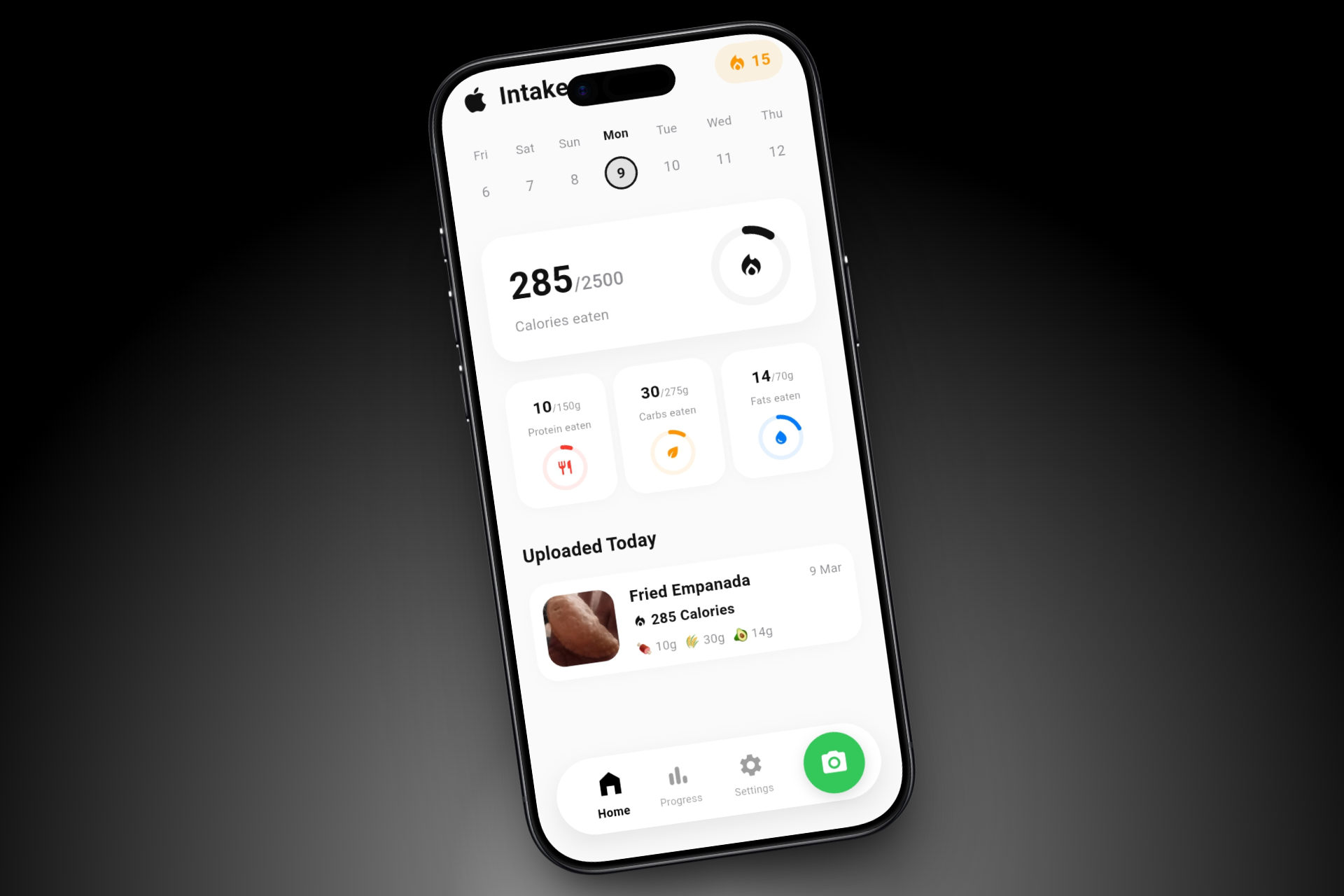
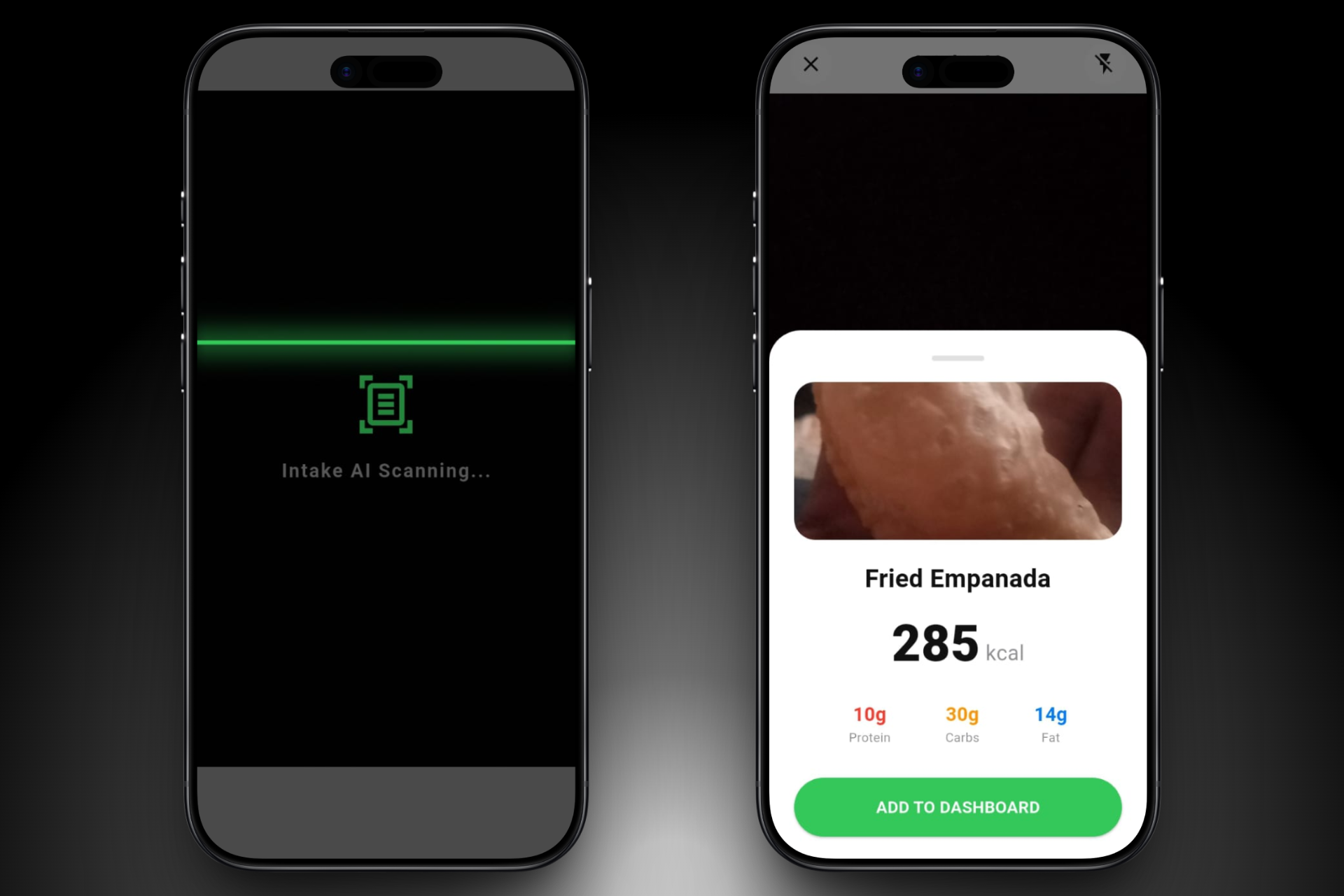
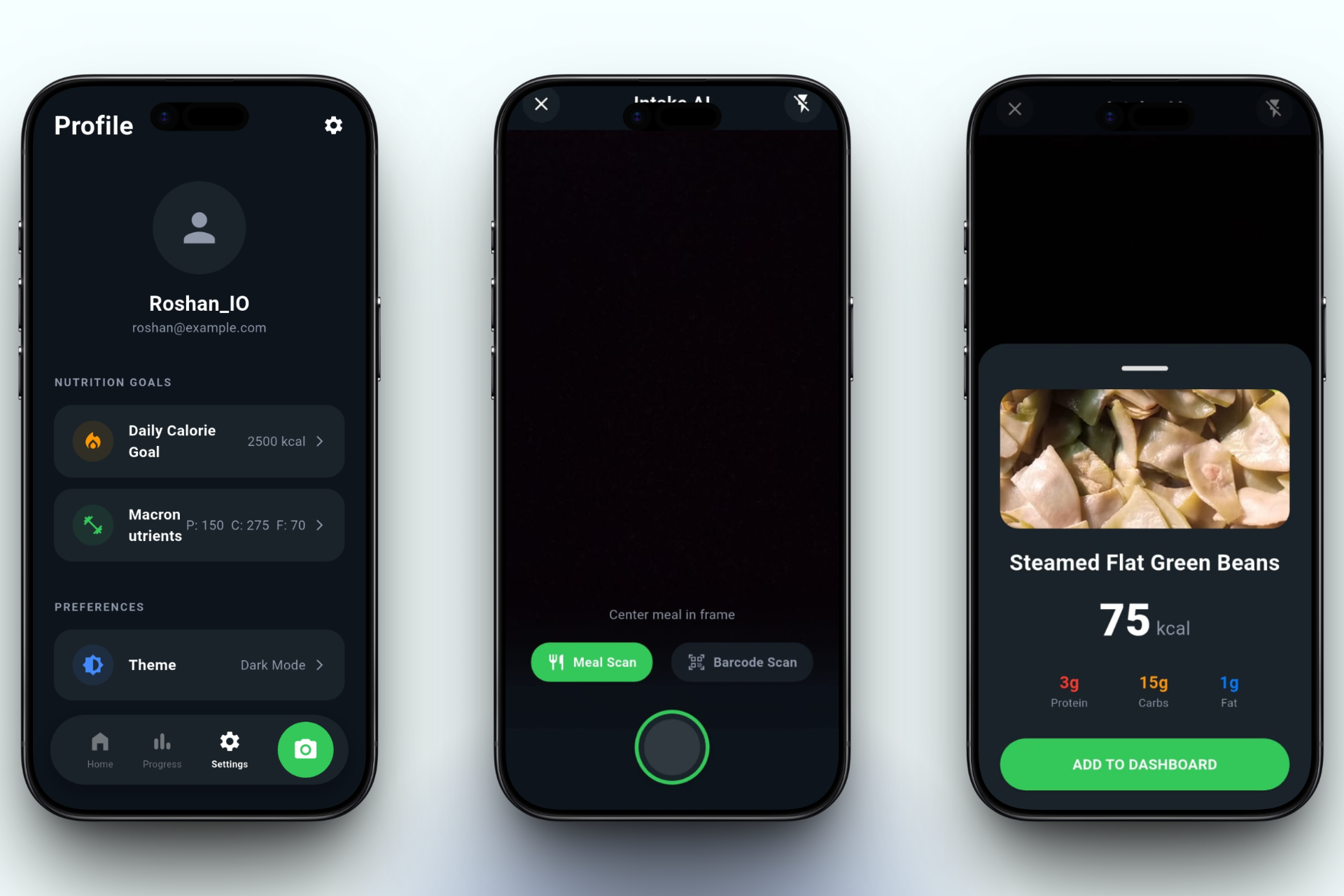
Intake AI is a premium, Next-Gen Computer Vision Nutrition Tracker. Instead of manual data entry, users simply snap a picture of their food. Using Google Gemini AI, the app instantly recognizes the meal and extracts highly accurate Macros (Calories, Protein, Carbs, Fats).
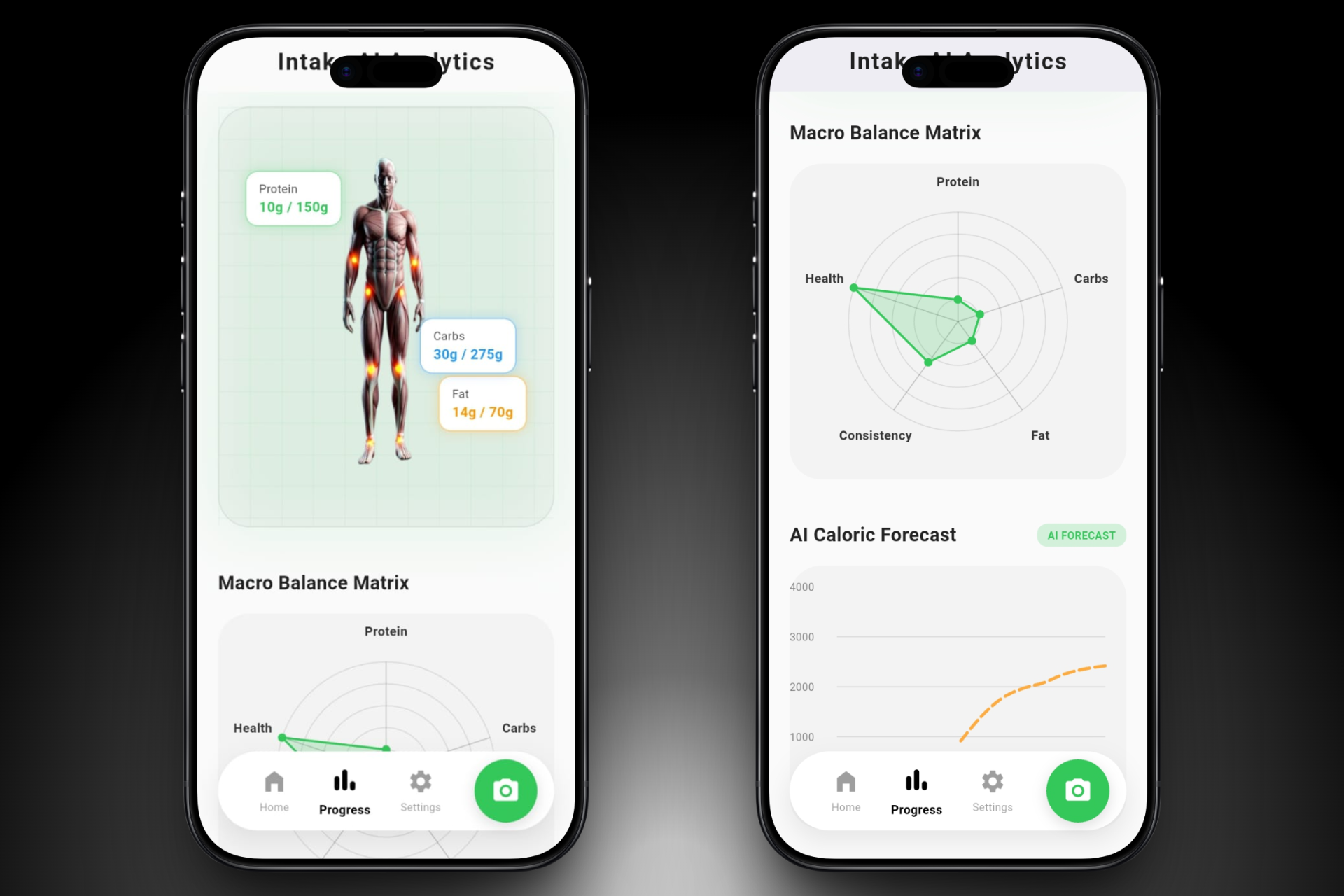
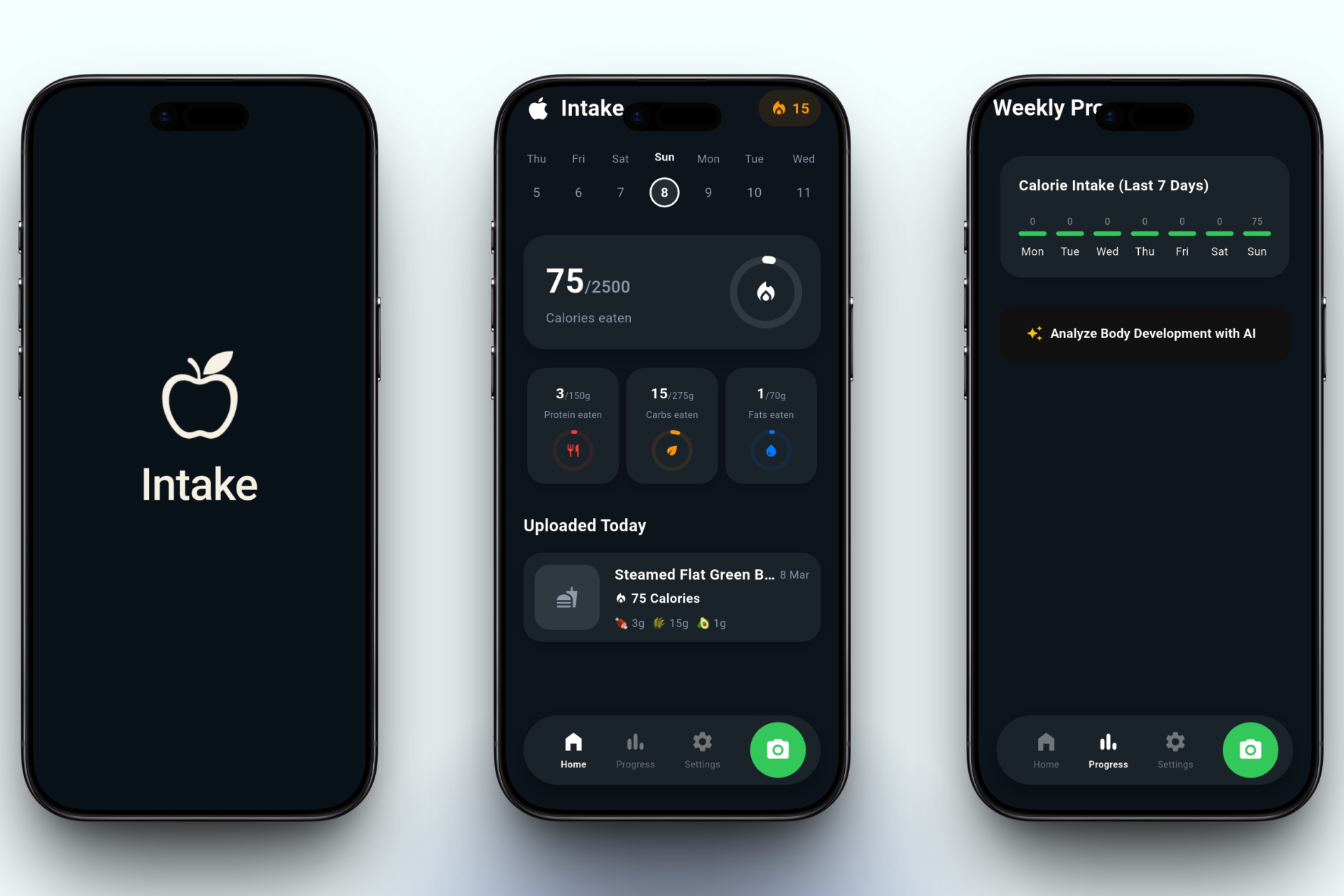
But it doesn't stop there! The app visualizes this data on a stunning, futuristic dashboard featuring:
- 3D Hologram Body Analytics: A dynamic model tracking physical progress.
- Macro Balance Matrix: A spider radar chart evaluating health and consistency.
- Predictive AI Forecast: Line charts forecasting caloric trends for the upcoming week based on user habits.
⚙️ How we built it
We wanted a "Million-Dollar SaaS" feel, so we focused heavily on UI/UX and performance:
- Frontend: Built with Flutter (Dart) for buttery-smooth 60fps cross-platform performance.
- AI Engine: Integrated Google Gemini 1.5 Flash (
google_generative_ai) for lightning-fast image recognition and complex JSON data extraction. - Local Storage: Used Sqflite for an offline-first, private, and secure local database.
- UI/UX & Animations: Implemented complex staggered animations using
animate_doandflutter_animate. We added tactile "bouncing" haptic feedback to buttons and floating glass-morphism elements.
⚠️ Challenges we ran into
The biggest challenge was AI Data Parsing. Generative AI models often return extra text (like markdown or conversational filler) along with JSON. If the app tries to parse this directly, it crashes.
The Fix: We engineered a custom "Smart JSON Extractor" within our try-catch blocks that scans the AI's response, strips away the garbage text, and perfectly extracts only the valid JSON. This made our app 100% crash-proof!
🏆 Accomplishments that we're proud of
- Flawless AI Vision: Successfully getting Gemini to recognize obscure local foods (like Indian Gujiya or Fried Empanadas) and return exact macro splits.
- God-Level UI/UX: Achieving a visually striking dark-mode interface with staggered Cascade animations that makes the app feel incredibly premium and alive.
📚 What we learned
- Deep Prompt Engineering to force LLMs into returning strict, parsable JSON formats.
- Advanced Flutter state management and handling seamless BottomSheet transitions alongside the device Camera feed.
- How to build a seamless bridge between local SQLite databases and real-time AI cloud APIs.
⏭️ What's next for Intake AI
- Barcode Scanning: Connecting the existing UI to a massive UPC food database API.
- Wearable Integration: Syncing with Apple Health & Google Fit to map "Calories Burned vs. Calories Consumed" automatically.
- Personal AI Coach: A chat interface where Gemini acts as your personal nutritionist based on your historical Intake data.
Built With
- android
- artificial-intelligence
- dart
- firebse
- flutter
- google-gemini
- idx
- ios
- machine-learning
- sqflite
- studio
- ui-ux

Log in or sign up for Devpost to join the conversation.