Inspiration
Doctors spend a large part of each consultation hunting for information: finding the patient’s record, locating old reports, checking vitals, and trying to remember past diagnoses. In small clinics this is worse, because the data is spread across paper files, PDFs, and separate tools. We wanted to give doctors one calm, clear screen that answers three questions quickly: who is next, how is this patient doing right now, and what has happened before?
What it does
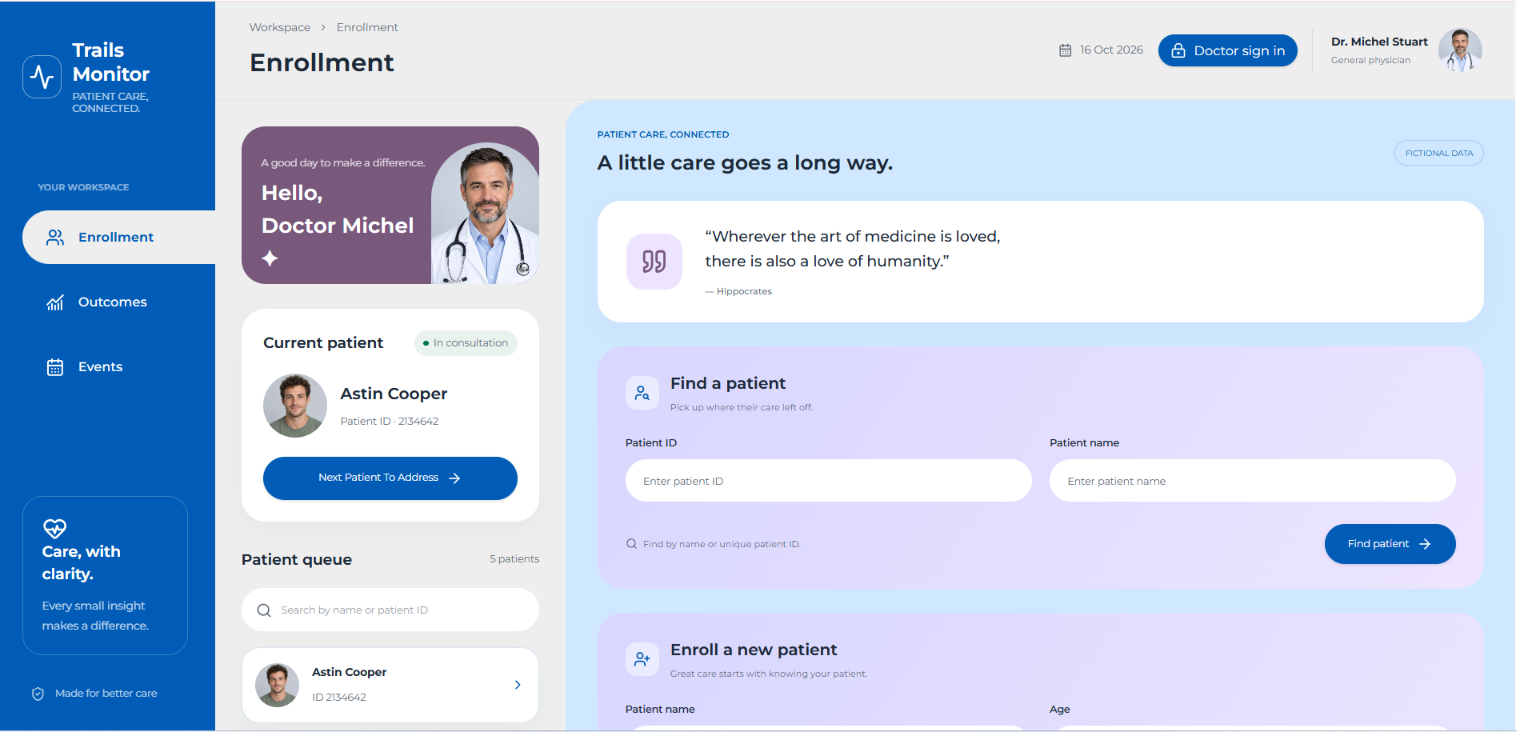
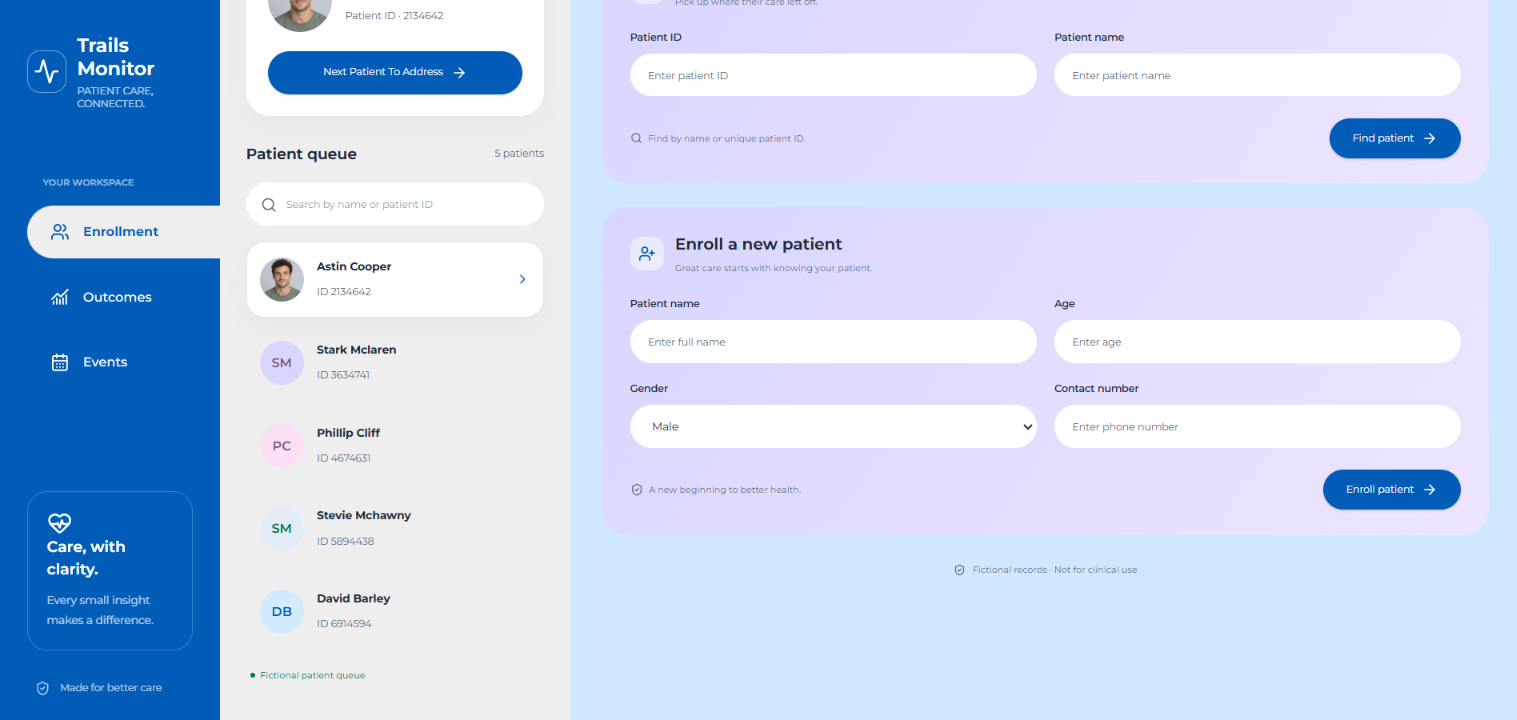
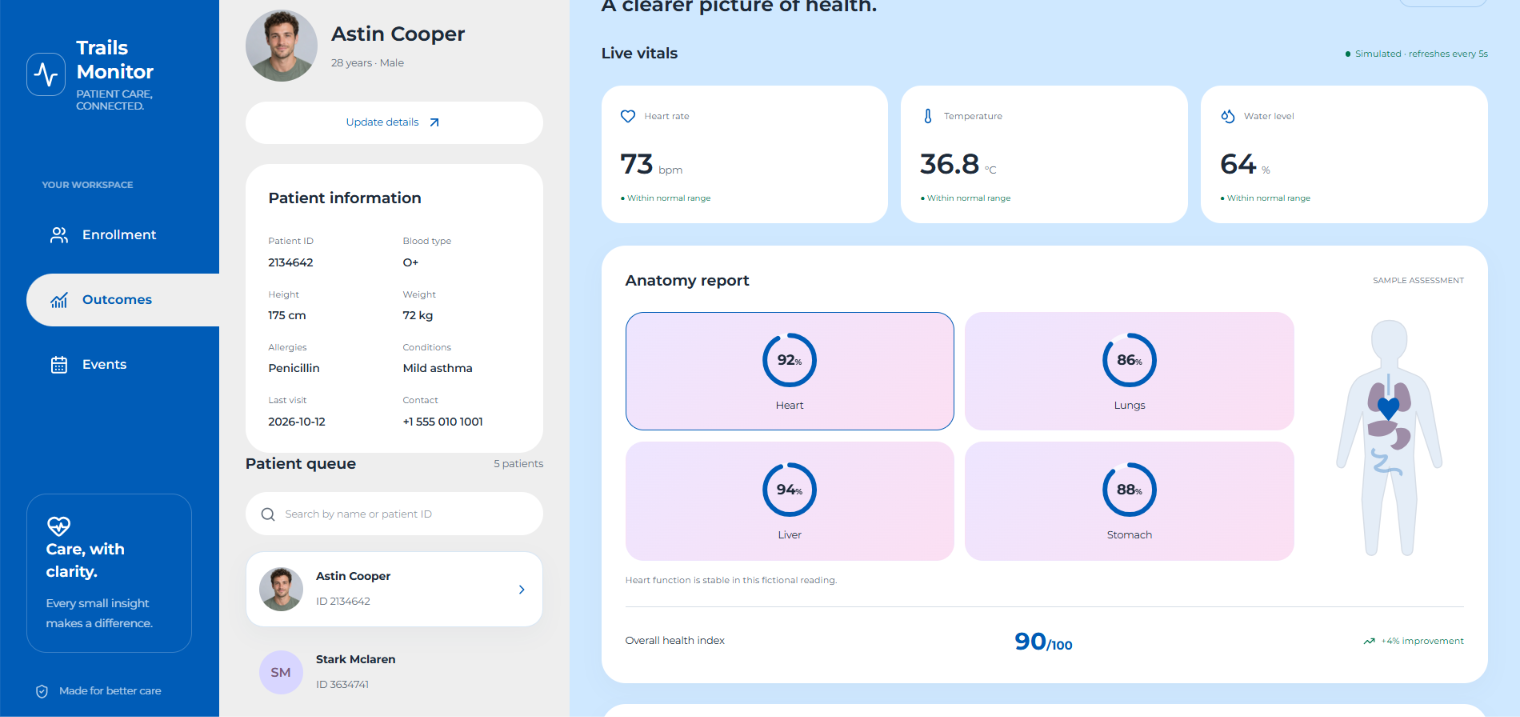
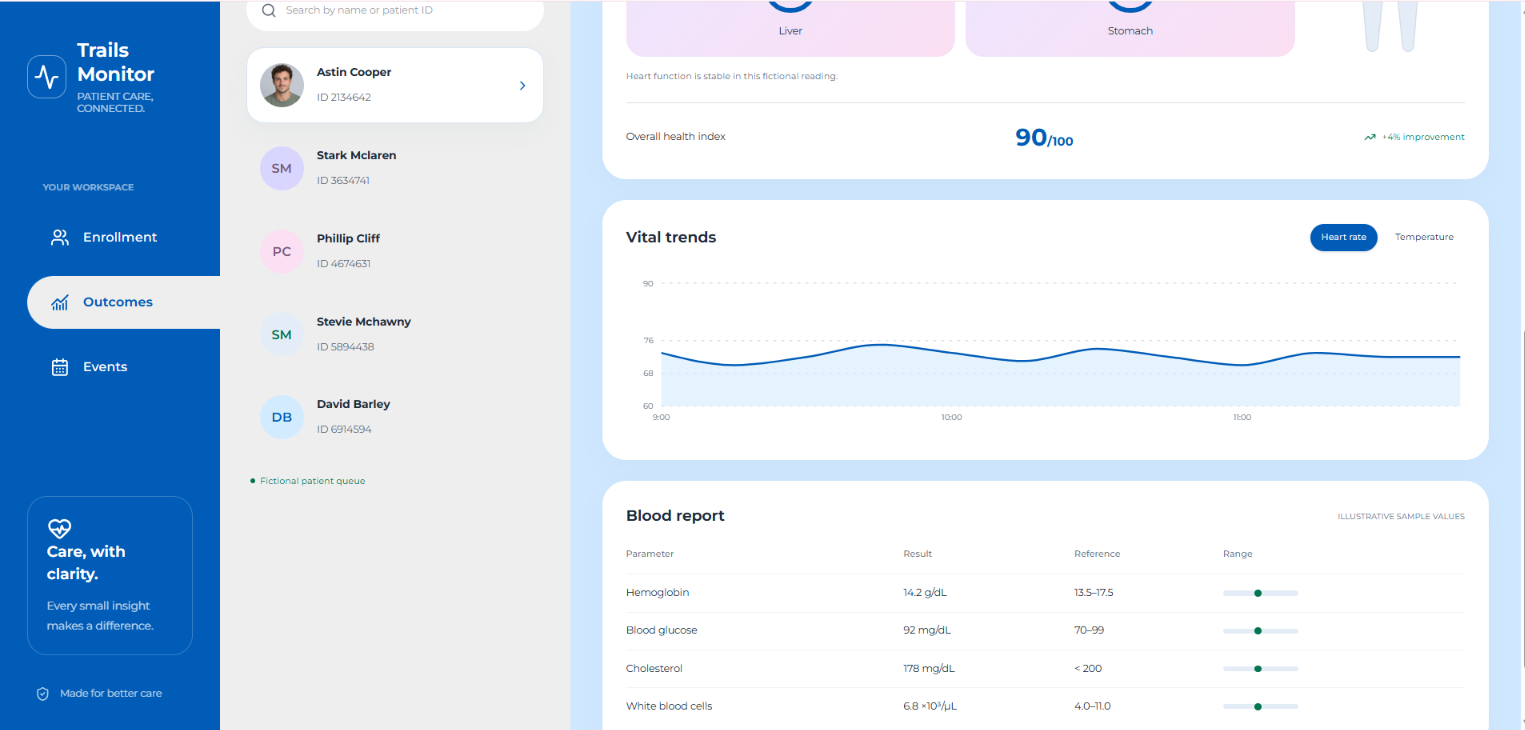
Trails Monitor Hub is a doctor-facing patient monitoring dashboard with three sections:
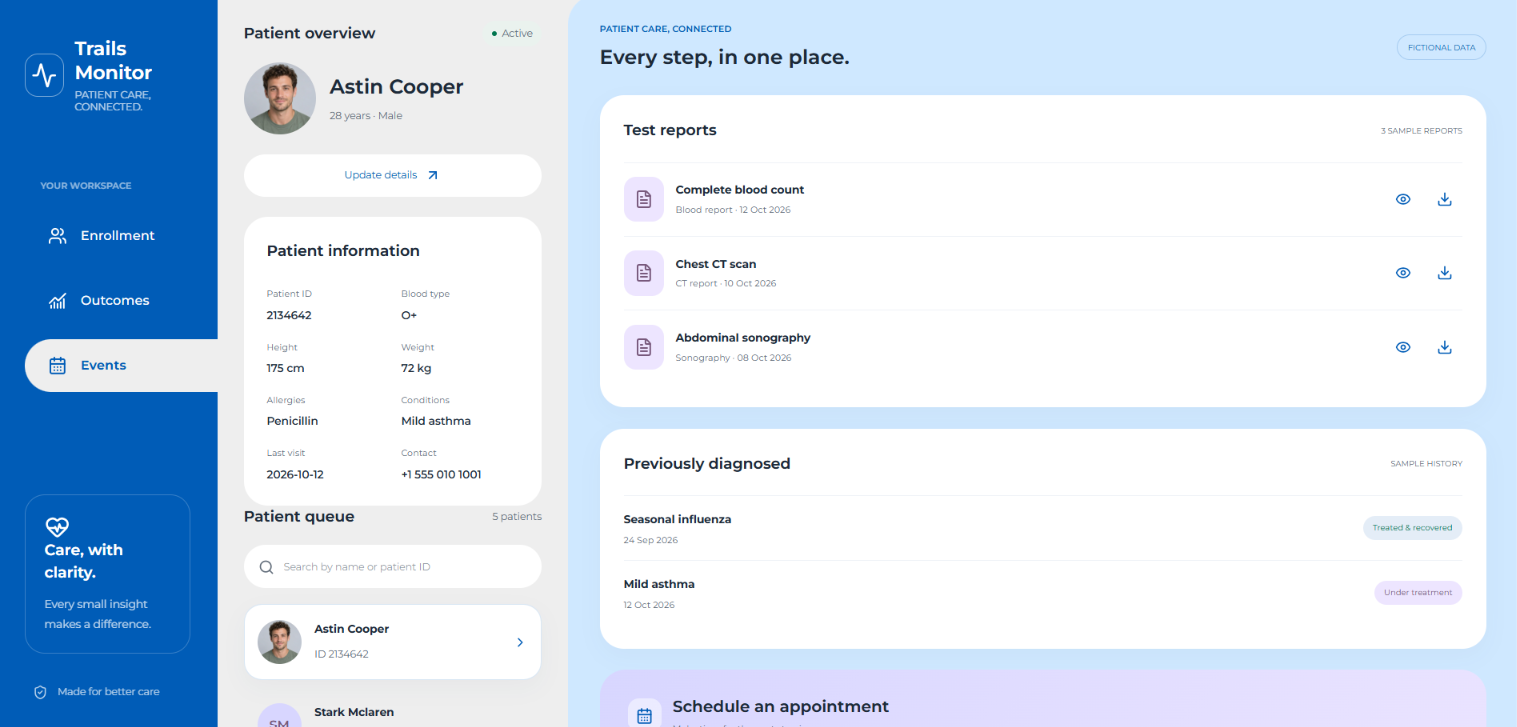
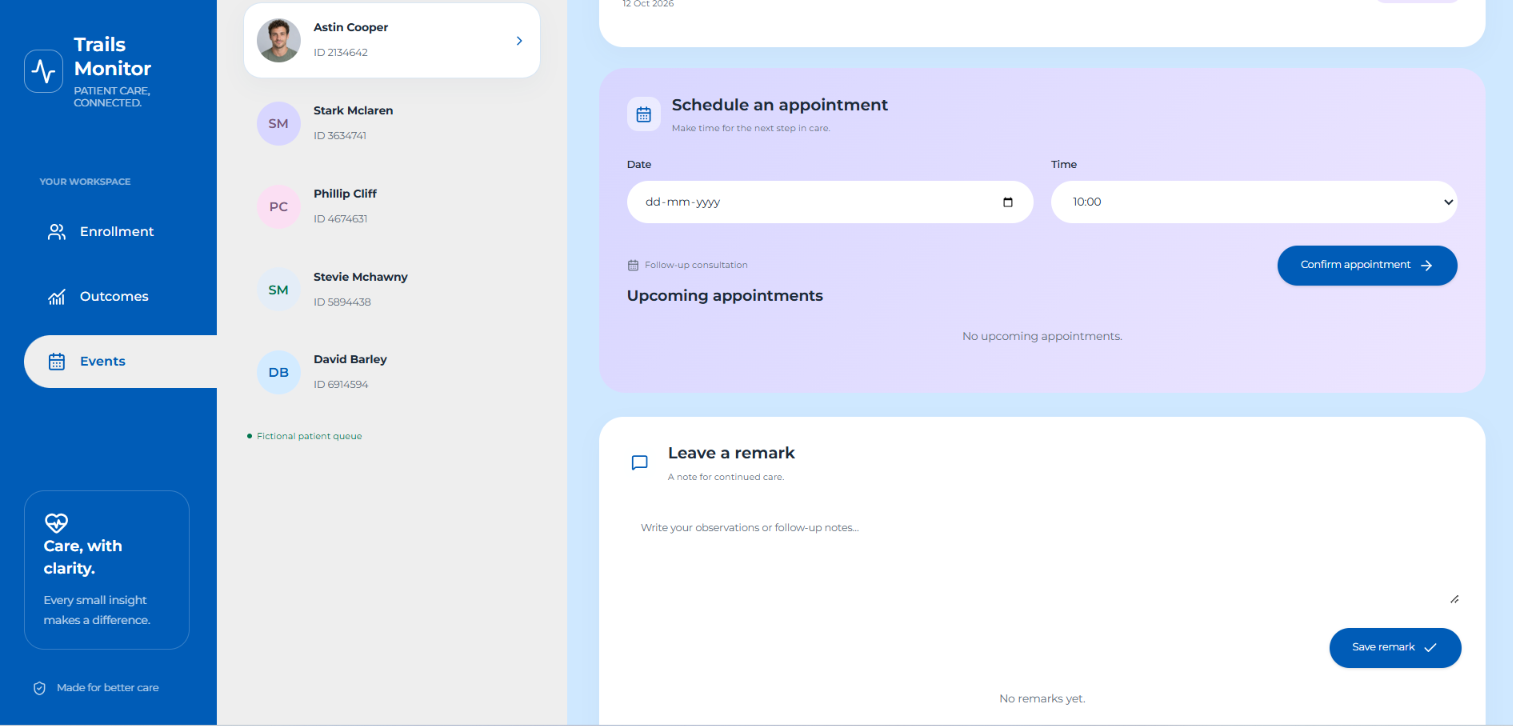
Enrollment: shows the patient queue, searches patients by name or ID, enrolls new patients, and moves to the next patient with one tap. Outcomes: shows a patient’s vitals (heart rate, temperature, water level), organ health scores for the heart, lungs, liver, and stomach, an overall health index, and an anatomy view. Events: lists test reports, previous diagnoses, an appointment scheduler, and a remarks box for notes.
The app starts on a “Tap to Start” splash screen and runs entirely in the browser with sample data.
How we built it
We started from a Figma design for the splash, Enrollment, Outcomes, and Events screens. Our tools couldn’t open Figma links directly, so we rebuilt the interface from screenshots of those screens.
Frontend: HTML, CSS, and vanilla JavaScript, with Montserrat for typography. Visuals: SVG for the health rings and icons, and the photos and anatomy image cropped from the design screenshots. Interactions: live patient search, queue navigation, patient enrollment, appointment booking, and remarks, all handled in the browser. Packaging: a single self-contained index.html that runs by double-clicking, with no install or server needed. Challenges we ran into Design handoff: we couldn’t open the Figma prototype directly, so we had to match the layout, colours, and spacing from screenshots alone. Assets: the photos and anatomy illustration only existed inside the screenshots, so we cropped and masked them into usable images. Packaging bug: the first zip showed only plain text for one tester because the stylesheet and script weren’t loaded when index.html was opened outside its folder. We fixed it by inlining everything into one file. Realistic scope: deciding what to simulate (vitals, reports, history) so the demo feels complete without pretending to be clinically accurate. Accomplishments that we’re proud of A working, clickable prototype of all four screens that follows the original design closely. A single-file build that runs anywhere, with no setup. A clear, calm interface that puts a patient’s current status and history in one place. Responsive layout that stacks cleanly on smaller screens. What we learned A design-to-code workflow is only as good as the assets and references you can access, so exported screenshots and images matter early. Small packaging choices, like relative file paths, can break a demo for someone else, so test it the way a stranger would open it. Health software needs careful framing: it should be presented as an organising and monitoring tool, with clear labels for sample data. What’s next for Trails Monitor Hub A real backend with a database and doctor login. Live vitals from connected devices such as smart watches and monitors. Report uploads and previews. Alerts for abnormal readings and trends over time. Multi-doctor teams, plus a patient-facing mobile app. Privacy and security work (for example HIPAA or India’s DPDP Act) before any real patient data is used.
Built With
- appointmentscheduling
- clinicmanagement
- digitalhealth
- doctordashboard
- doctortools
- ehr
- electronichealthrecords
- healthcareinnovation
- healthcaretechnology
- healthcareux
- healthdashboard
- healthit
- healthmonitoring
- healthtech
- heartratemonitoring
- medtech
- patientcare
- patientdashboard
- patientmonitoring
- patientrecords
- remotepatientmonitoring
- smartclinic
- trailsmonitorhub
- vitalsigns


Log in or sign up for Devpost to join the conversation.