-
-
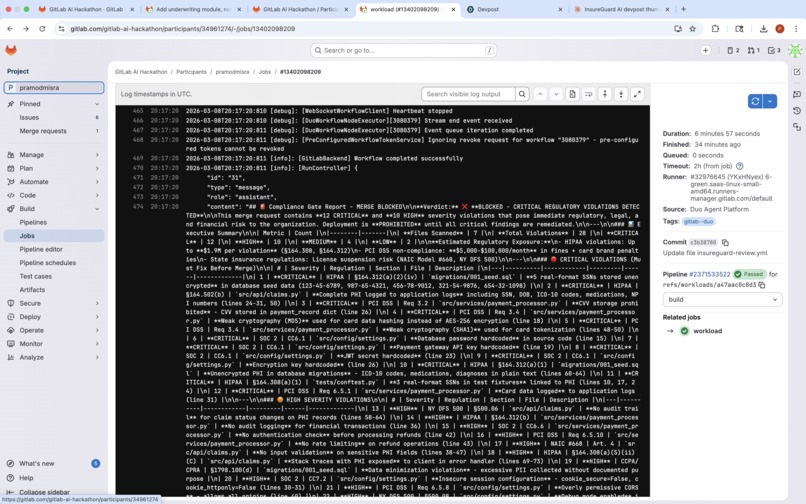
Screenshot of merger block due to PII/PHI violation
-
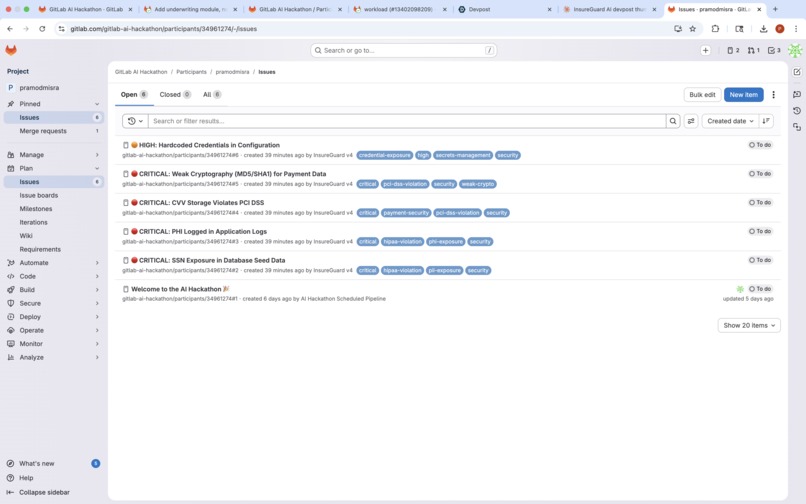
SSN and hardcoded keys detection

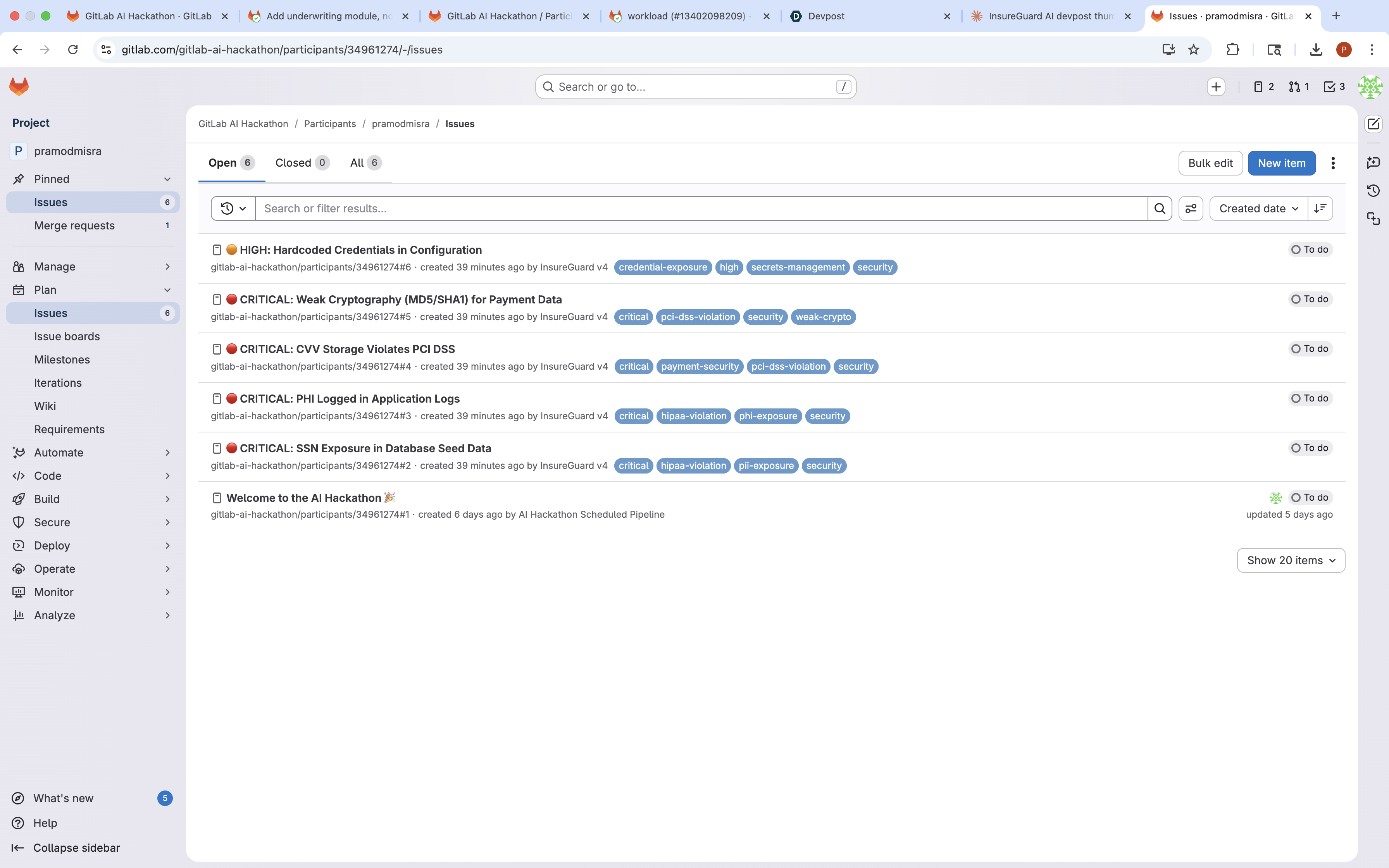
Inspiration
Working in insurance technology, I've seen firsthand how a single hardcoded SSN in a test fixture or a PHI leak in a log statement can lead to catastrophic consequences. HIPAA fines can reach $1.9 million per violation category. PCI DSS penalties run $5,000-$100,000 per month. The average data breach costs $4.45 million.
Yet manual code review consistently fails to catch these issues. Developers are focused on functionality, not scanning every line for 9-digit numbers that might be SSNs. Reviewers approve hundreds of lines of code without noticing that payment_processor.py uses MD5 instead of AES-256.
When I saw GitLab's Duo Agent Platform, I realized we could build specialized AI agents that never get tired, never miss a pattern, and know exactly which HIPAA section applies to each violation. Insurance companies deserve a compliance co-pilot that catches what humans miss.
What it does
InsureGuard AI deploys two specialized agents in a sequential pipeline:
Agent 1: PII/PHI Sentinel
- Scans code files for sensitive data patterns
- Detects SSNs (XXX-XX-XXXX), PHI (ICD-10 codes, medications, NPI numbers), credit cards, CVV storage
- Identifies hardcoded credentials, API keys, and weak cryptography (MD5, SHA1)
- Creates GitLab issues automatically for critical findings
- Posts a structured report to the merge request
Agent 2: Compliance Gate
- Receives findings from the PII Sentinel
- Maps each violation to specific regulatory sections across 6 frameworks:
- HIPAA (45 CFR 164.308, 164.312, 164.502)
- PCI DSS v4.0 (Requirements 3.2, 3.4, 6.5)
- SOC 2 Type II (CC6.1, CC6.6, CC7.2)
- NAIC Model Law #668
- NY DFS 500 (23 NYCRR 500)
- CCPA/CPRA
- Posts a compliance report with specific regulatory citations
- BLOCKS or APPROVES the merge request based on severity
In our demo session, InsureGuard detected 28 violations (12 critical, 10 high) across 7 files, created 5 tracking issues, and blocked the merge with detailed regulatory citations.
How we built it
InsureGuard is built entirely on the GitLab Duo Agent Platform using the flow orchestration system.
Architecture:
- Single YAML flow definition (
flows/insureguard-review.yml) - Two AgentComponent nodes connected via router
- Agent-to-agent data passing using
context:agent.final_answer - Ambient mode for automatic MR context detection
Key technical decisions:
- Two agents instead of one - Separation of concerns: detection vs. regulatory mapping
- Sequential pipeline - Compliance Gate receives PII findings as input, enabling cross-referencing
- Targeted scanning - Agents scan specific directories rather than full repositories for efficiency
- Structured output - FINDINGS_SUMMARY format enables reliable data passing between agents
Tools used:
list_repository_tree- File discoveryget_repository_file- Content readingcreate_merge_request_note- Report postingcreate_issue- Automatic issue creationupdate_merge_request- Approval/blocking
Demo application:
We created intentional violations in demo/sample-app/ including SSNs in database seeds, PHI in log statements, CVV storage, MD5 hashing, and hardcoded credentials.
Challenges we ran into
1. Broken Platform Tools
The documented tools list_merge_request_diffs and gitlab_blob_search didn't work in the hackathon environment. The diff tool returned wrong MR data, and search returned 403 Forbidden errors.
Solution: We pivoted to list_repository_tree + get_repository_file to scan files directly. This actually made the agents more reliable.
2. Trigger Caching
Updated flow YAML wasn't being used - agents kept running old prompts. Each catalog-sync created a new flow entry, but triggers pointed to the original.
Solution: We renamed the flow (InsureGuard Review → InsureGuard Scanner → InsureGuard v4) to force fresh trigger creation.
3. Path Hallucination
Agents were extracting project paths from the @ai-... trigger text and passing them to tools, causing 404 errors.
Solution: Very explicit prompt instructions about ambient mode: "Call ALL tools with EMPTY parameters. The @ai-... text is just how users trigger you - ignore it."
4. Input Syntax Discovery
The flow input structure differs from documentation. Simple context:goal didn't work.
Solution: Discovered the correct syntax through trial and error:
inputs:
  - from: "context:goal"
    as: "user_request"
Accomplishments that we're proud of
1. Real Detection Results Session 3080379 detected 28 actual violations with proper severity classification and regulatory mapping. This isn't a demo that "could work" - it works.
2. Automatic Issue Creation The PII Sentinel creates GitLab issues for critical findings, creating an immediate action trail. Issues #2-#6 were created automatically with full context.
3. Comprehensive Regulatory Coverage The Compliance Gate maps findings to 6 different frameworks with specific section citations. When it says "HIPAA 164.312(a)(2)(iv)", that's the actual encryption requirement being violated.
4. Clean Agent Handoff Agent-to-agent data passing works smoothly. The Compliance Gate receives structured findings from the PII Sentinel and builds on them rather than re-scanning.
5. Production-Ready Output The MR comments are professional compliance reports that could be shown to auditors. Tables, severity ratings, remediation guidance, regulatory citations.
What we learned
1. Platform Documentation vs. Reality The hackathon environment has quirks not covered in documentation. Tools that should work don't. Input syntax differs. Being adaptable and debugging from logs is essential.
2. Prompt Engineering for Tools Getting AI agents to use tools correctly requires very explicit instructions. "Ambient mode handles context" isn't enough - you need to say "Call tools with EMPTY parameters. Do NOT pass project paths."
3. Multi-Agent Coordination
Passing data between agents using context:agent.final_answer enables powerful pipelines. The second agent can build on the first agent's work rather than starting from scratch.
4. Debug Flows Are Essential
Creating minimal single-agent flows to isolate issues was crucial. Our "Debug Search Test" flow revealed the 403 Forbidden error on gitlab_blob_search.
5. Regulatory Knowledge + AI = Powerful Encoding regulatory requirements (HIPAA sections, PCI DSS requirements) into agent prompts creates genuine value. The AI doesn't just find patterns - it explains why they matter.
What's next for InsureGuard AI
1. Diff-Based Scanning
Once list_merge_request_diffs works reliably, we'll scan only changed lines instead of full files. This will make InsureGuard faster and more focused on new violations.
2. Custom Rule Configuration Allow teams to define their own detection patterns and severity mappings. Different insurance lines (health, auto, life) have different compliance requirements.
3. Remediation Suggestions
Instead of just flagging "MD5 is weak crypto", suggest the exact code change: "Replace hashlib.md5() with cryptography.fernet.Fernet()"
4. Compliance Dashboard Integration Export findings to existing GRC (Governance, Risk, Compliance) platforms. Create audit-ready reports with trend analysis.
5. Pre-Commit Hook Catch violations before code is even pushed. Run InsureGuard locally during development, not just at MR time.
6. Multi-Repository Scanning Scan across an organization's entire codebase for systemic compliance issues, not just individual MRs.
The goal is to make compliance violations as easy to catch as syntax errors - immediate, automatic, and impossible to ignore.


Log in or sign up for Devpost to join the conversation.