-
-
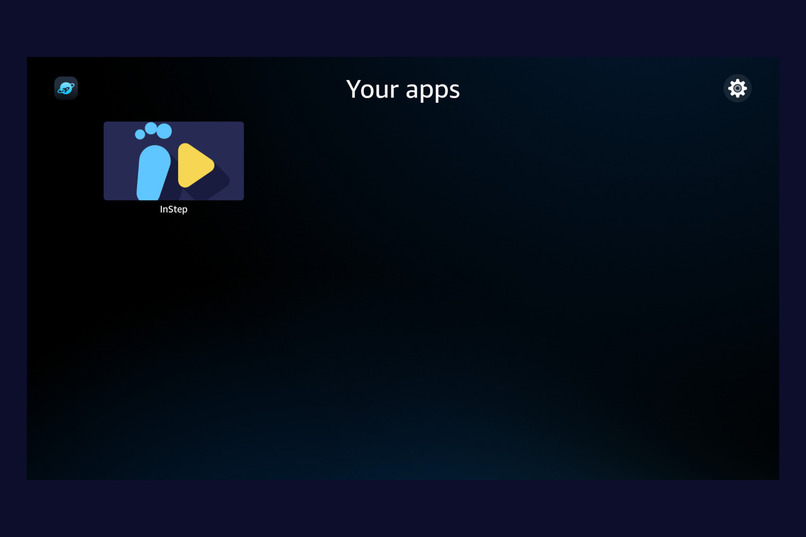
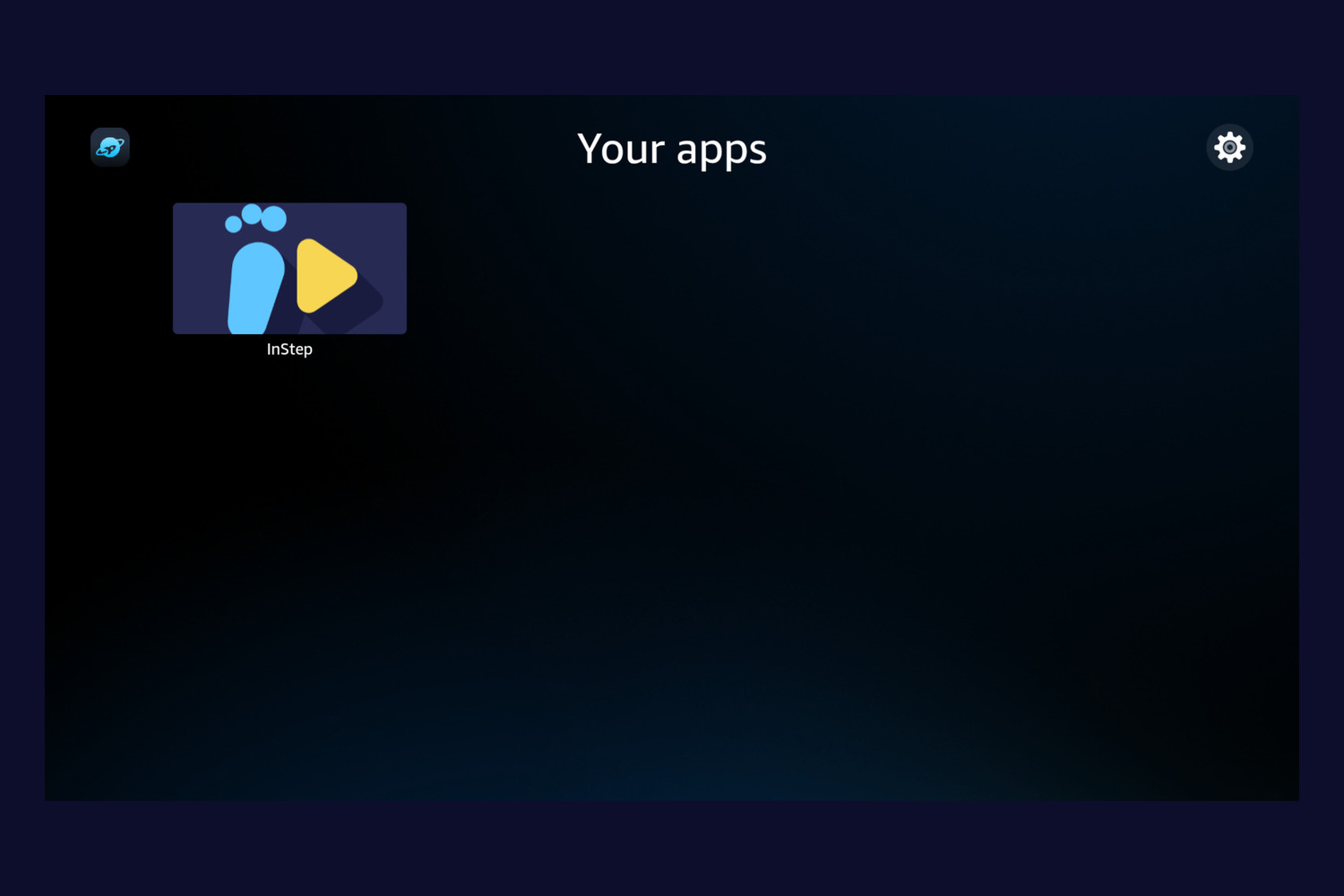
InStep on the Fire TV (Vega OS) launcher, with its own app icon.
-
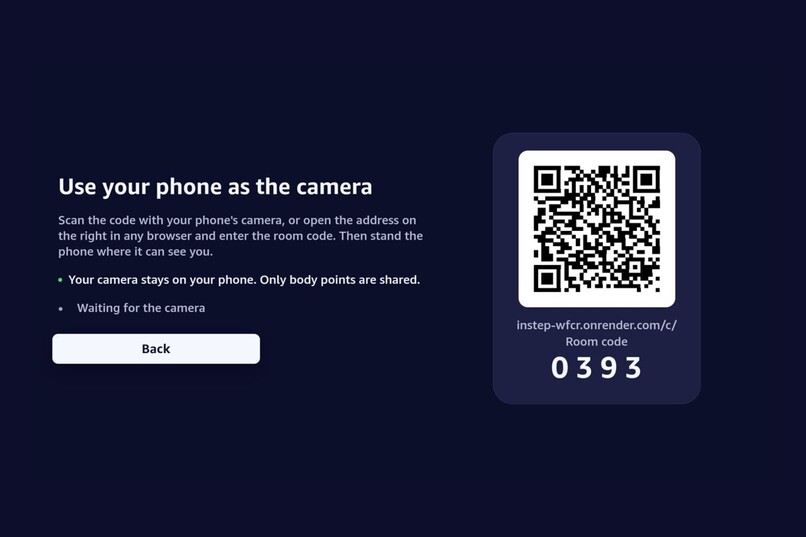
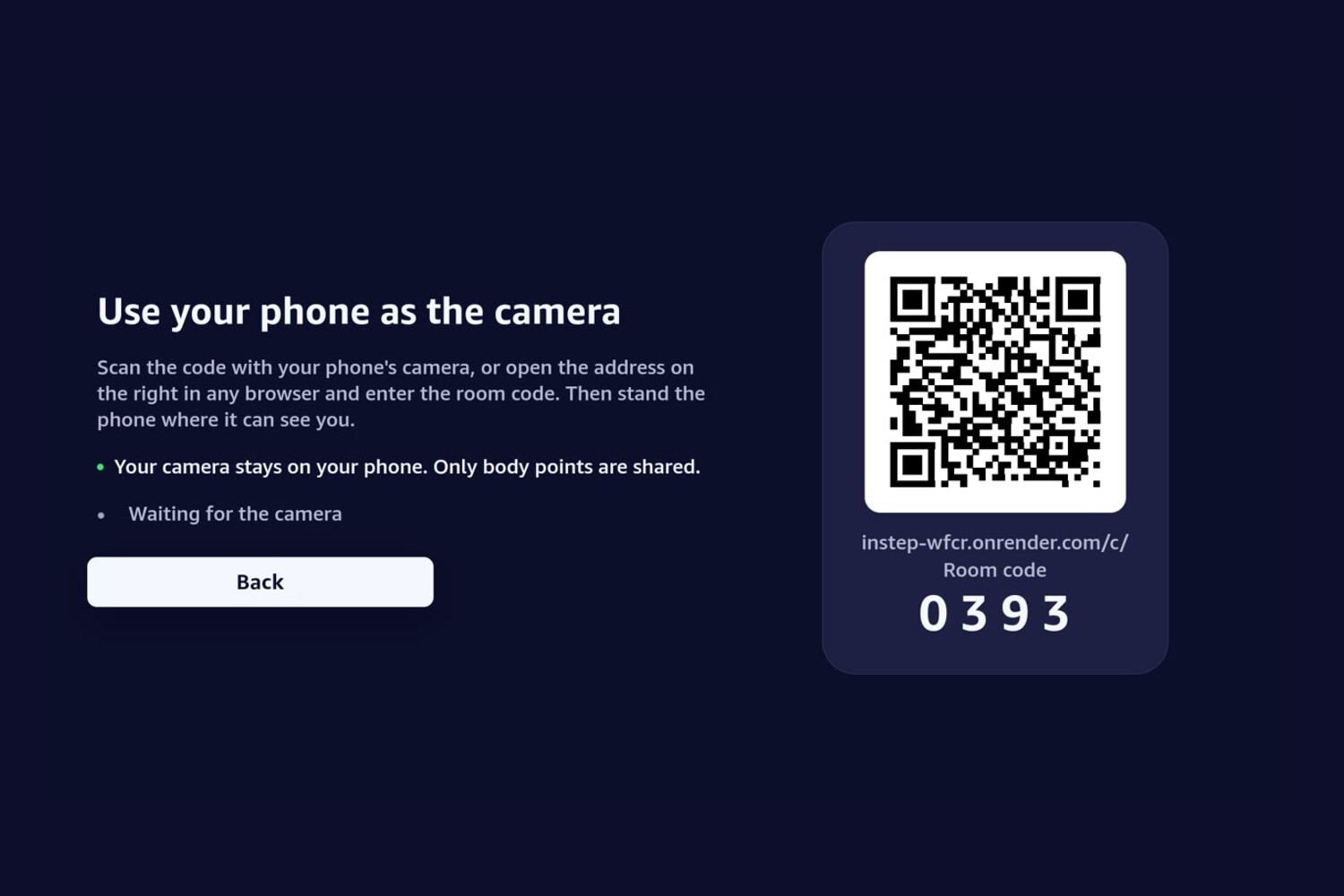
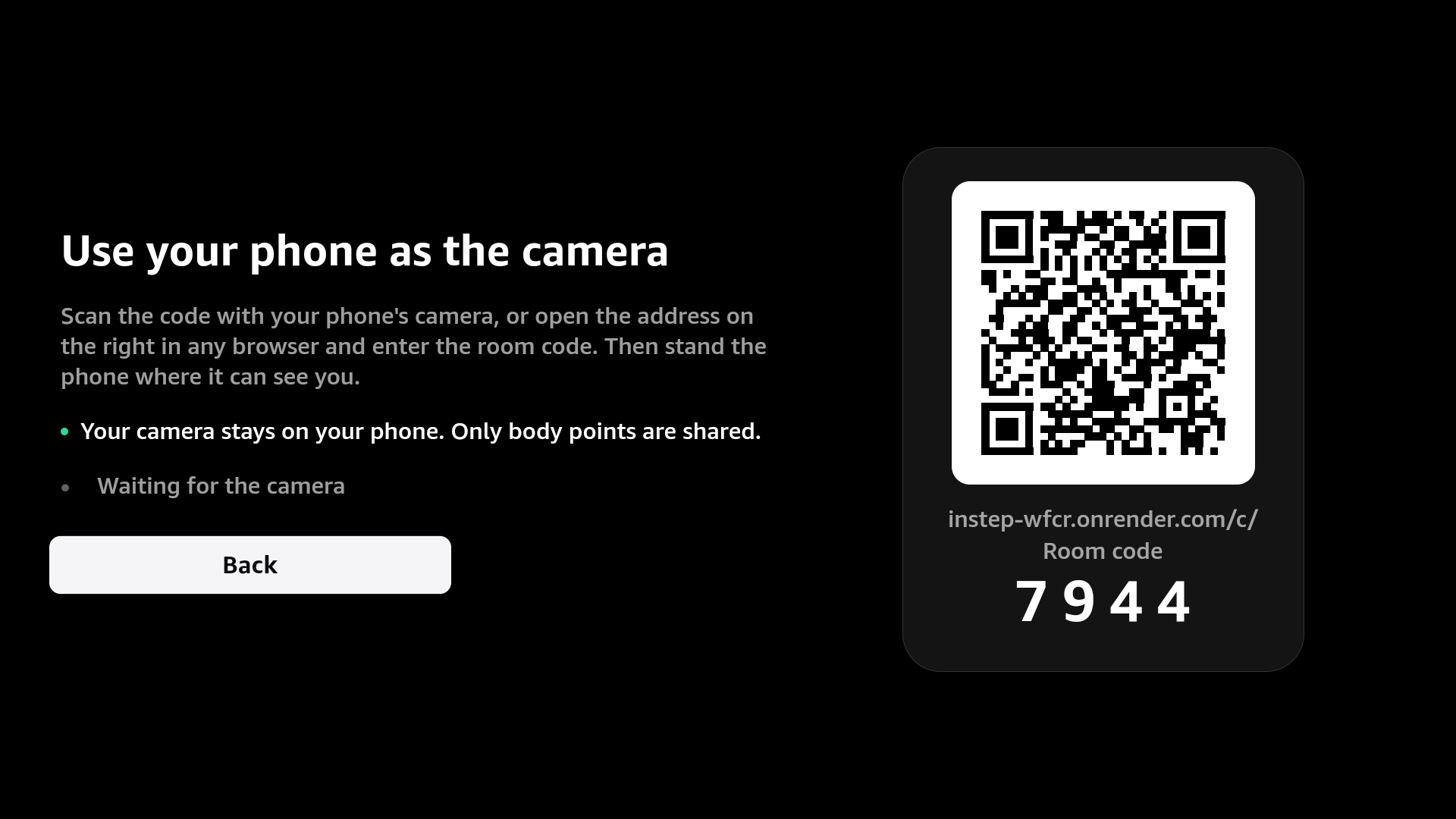
Pair in seconds: scan the QR code or enter the 4-digit room code on your phone or laptop — it becomes
-
-
-
-
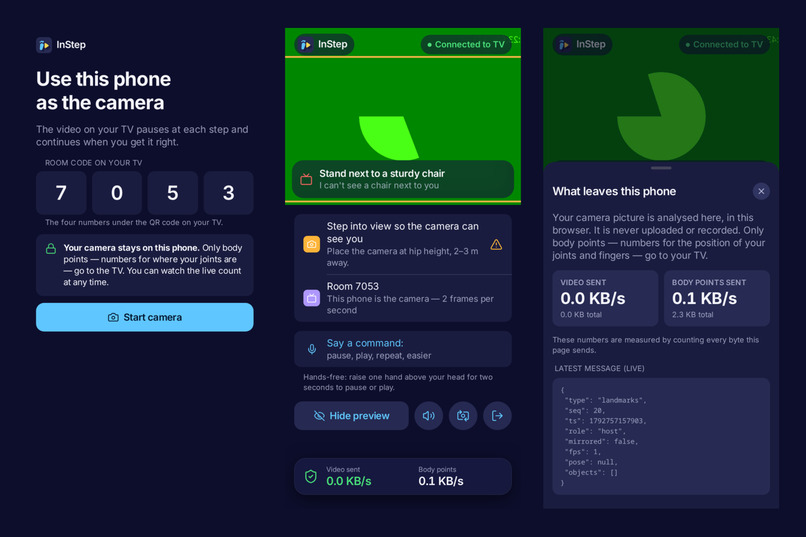
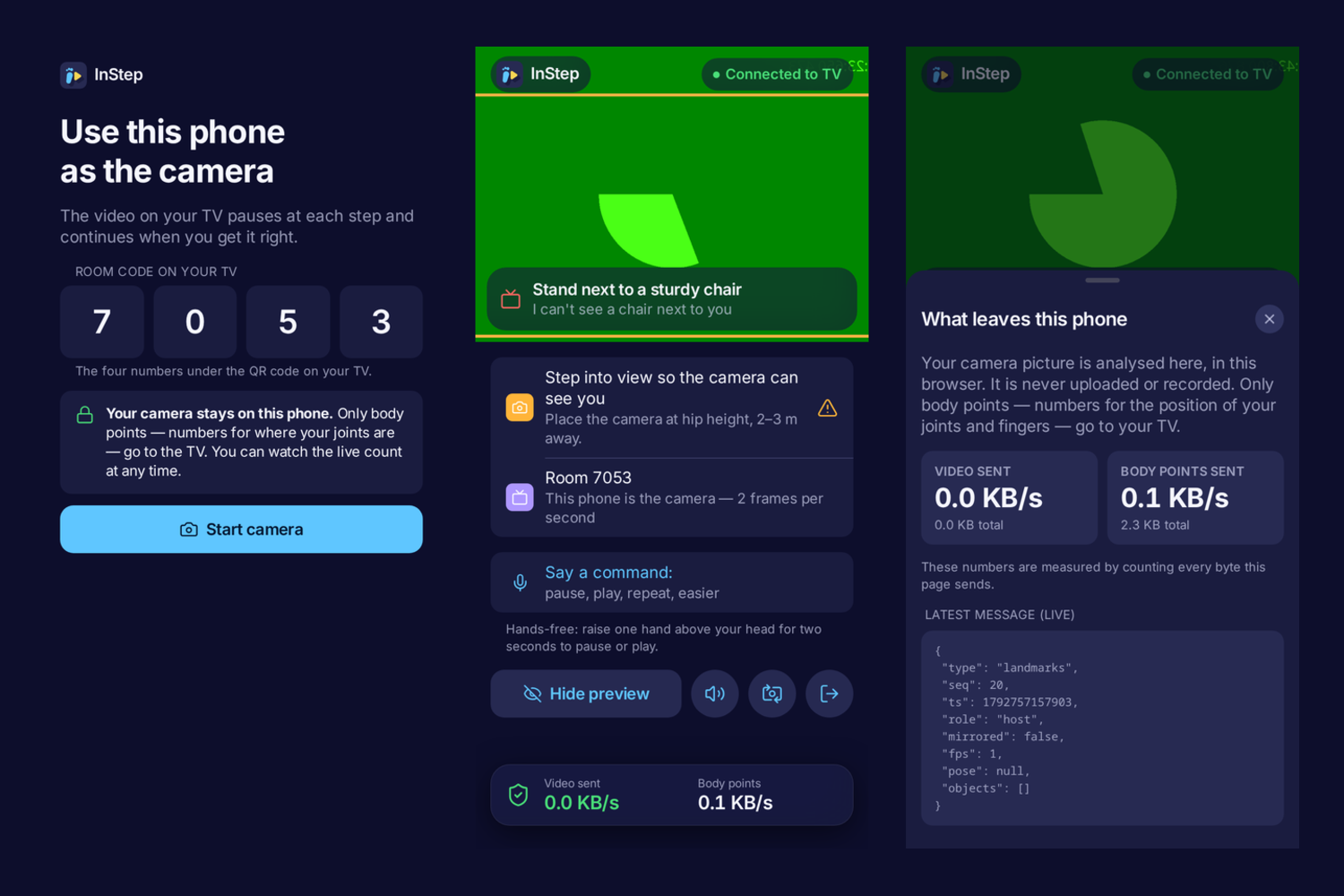
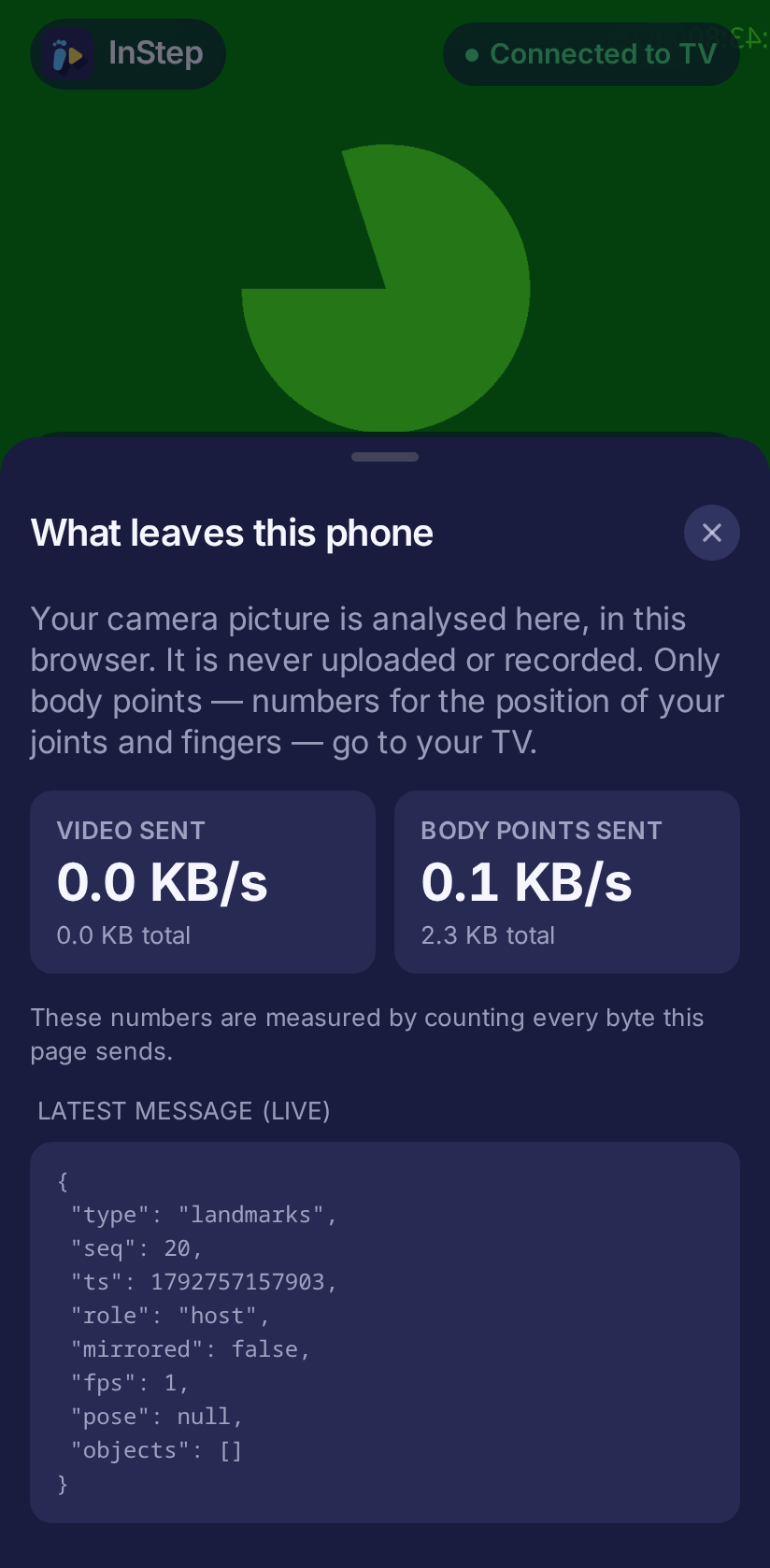
The phone companion: join with the room code, live feedback, and a privacy sheet that measures what leaves
-
-
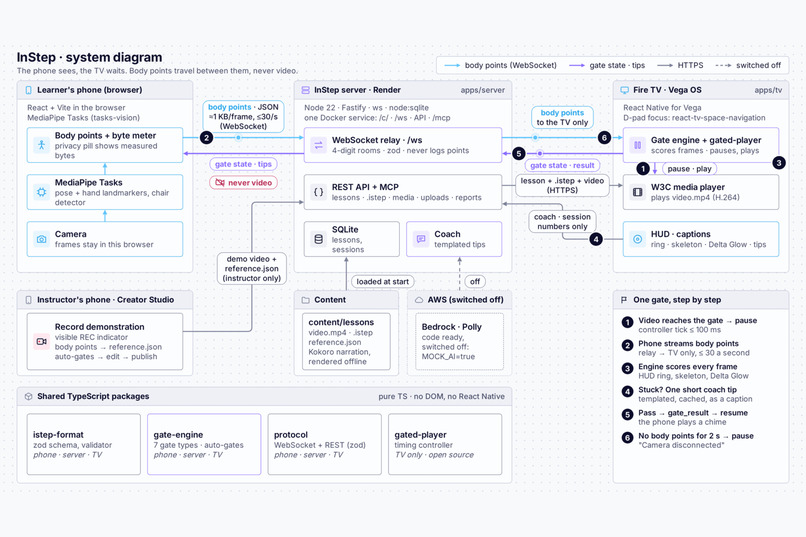
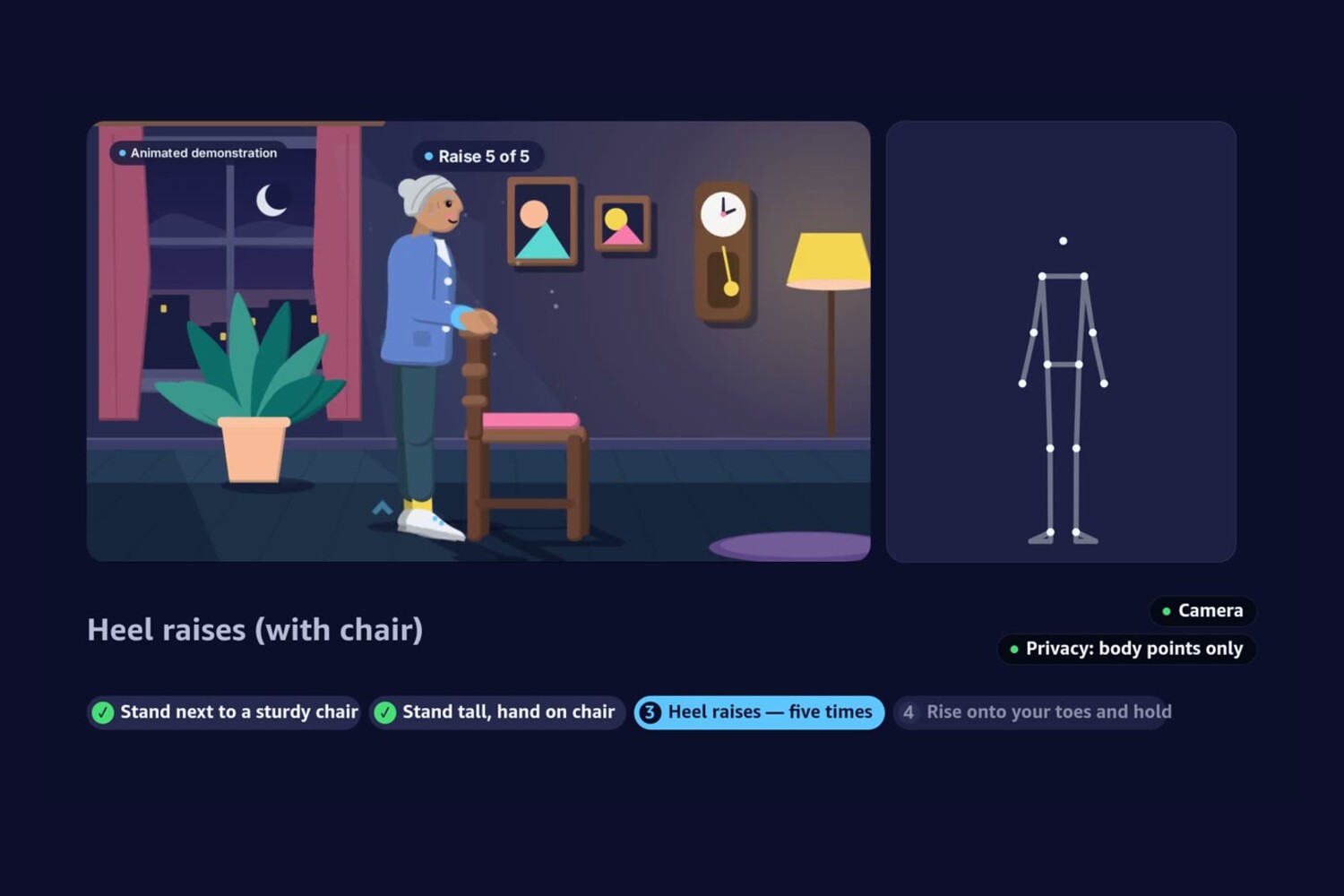
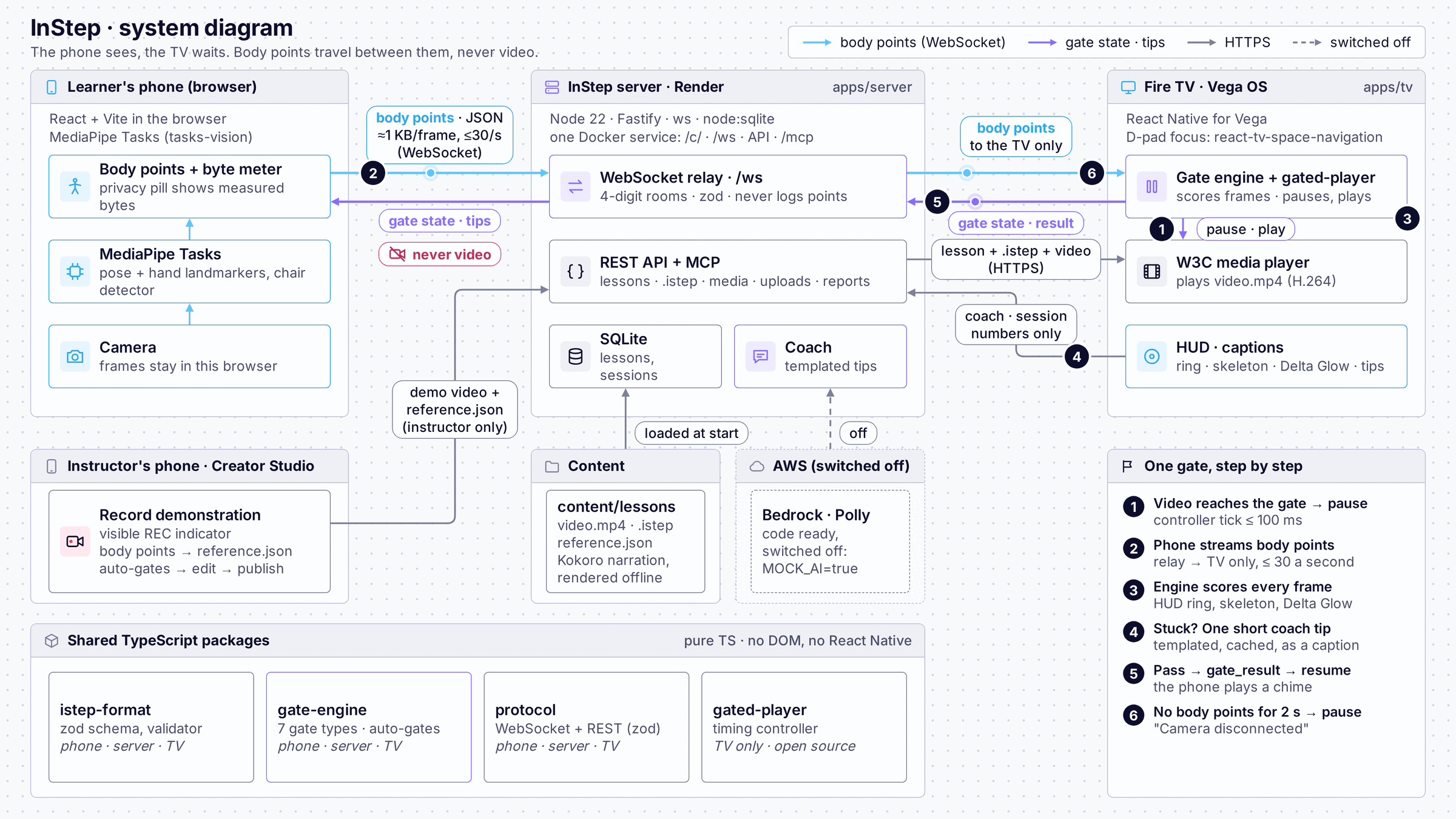
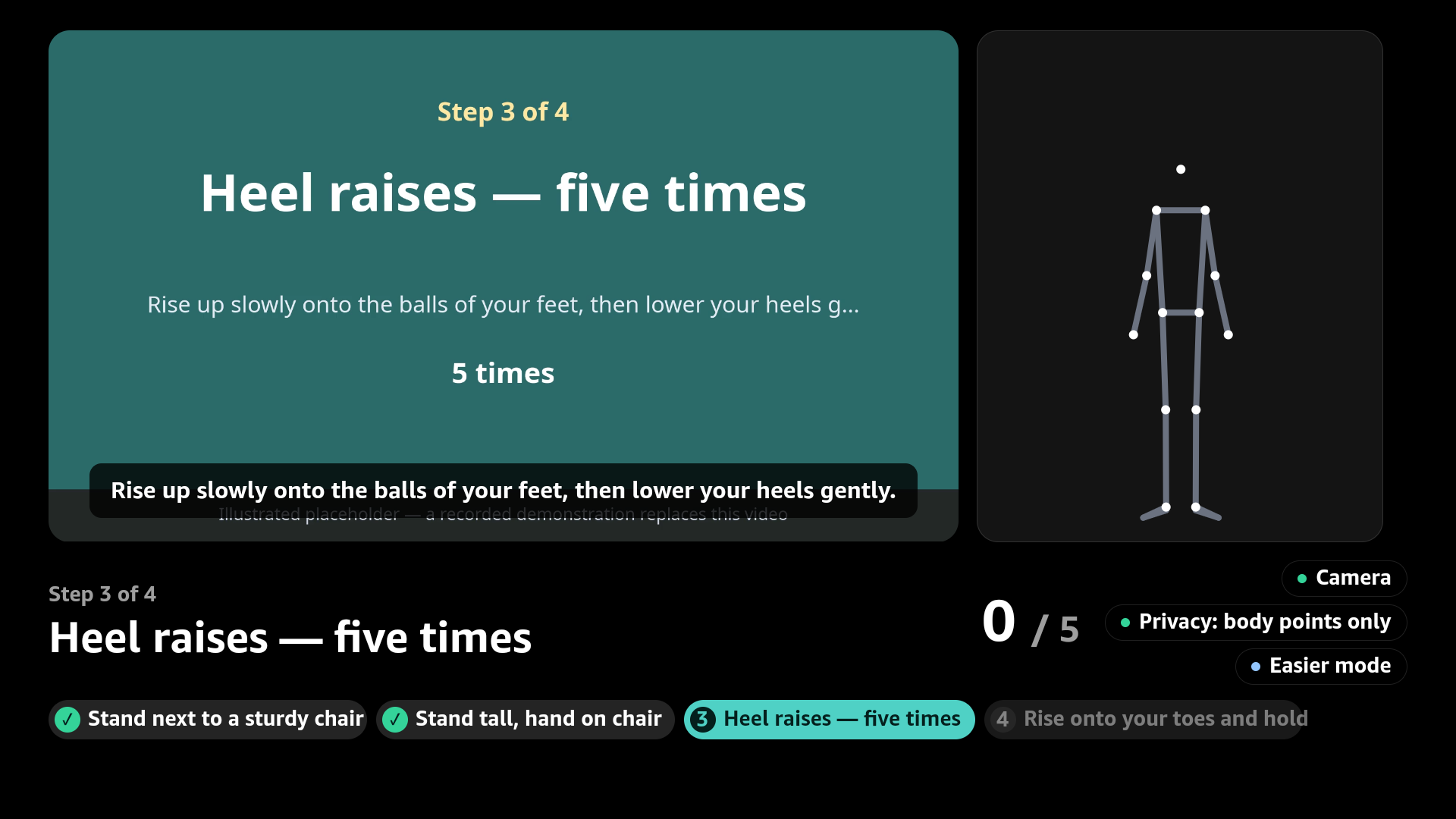
One gate, step by step: the video reaches the gate and pauses, the engine scores every frame, a coach tip helps
-
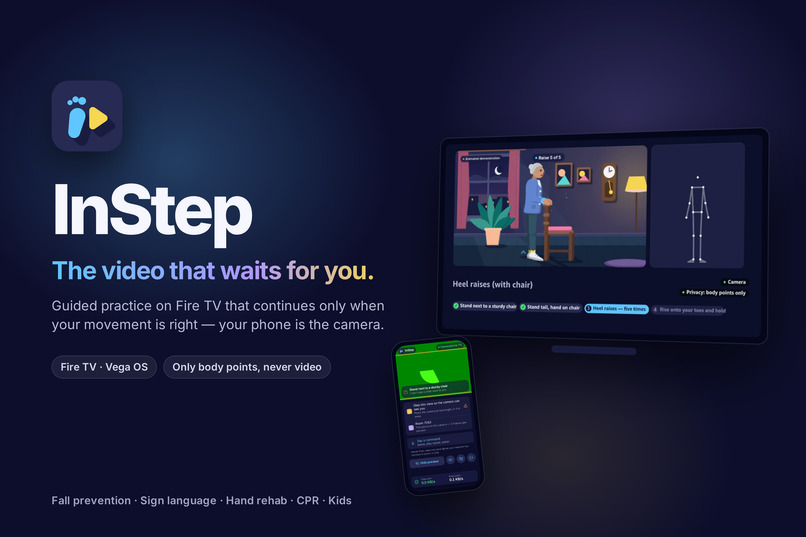
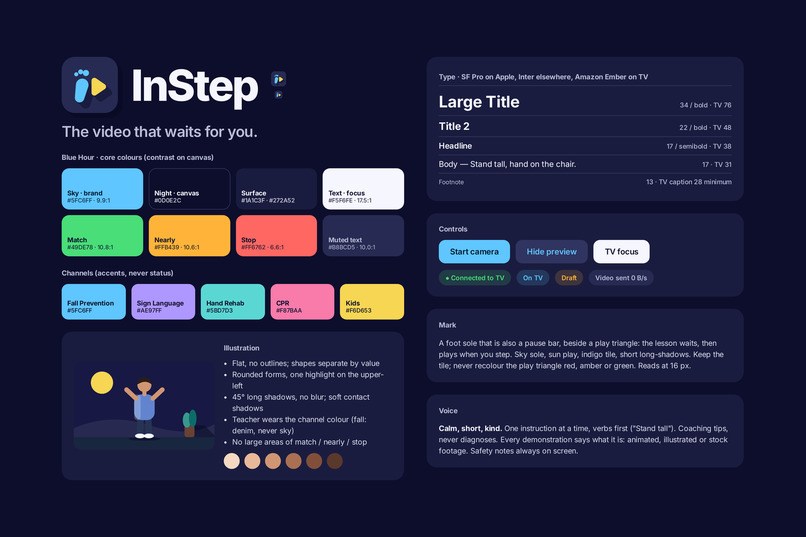
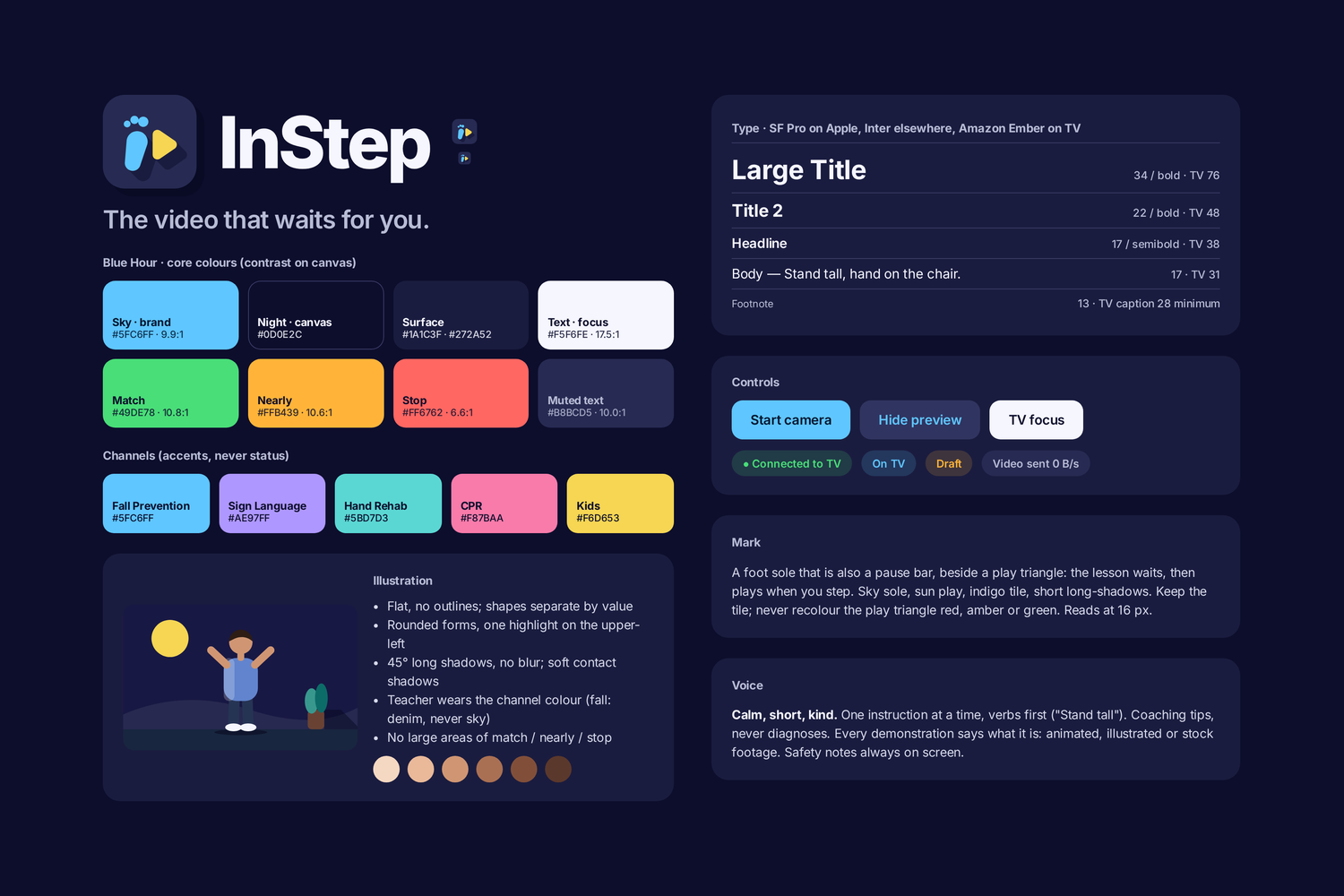
The Blue Hour brand: night-indigo for the living room, sky for the brand, sun for warmth — one design language
-
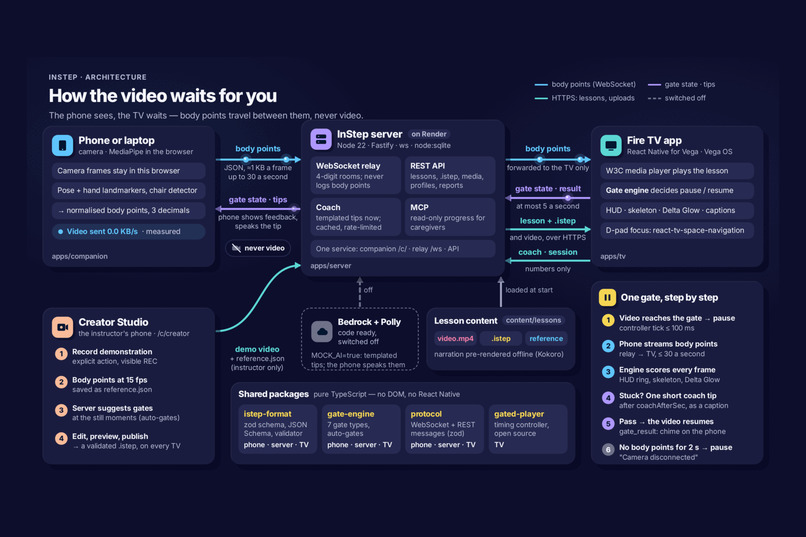
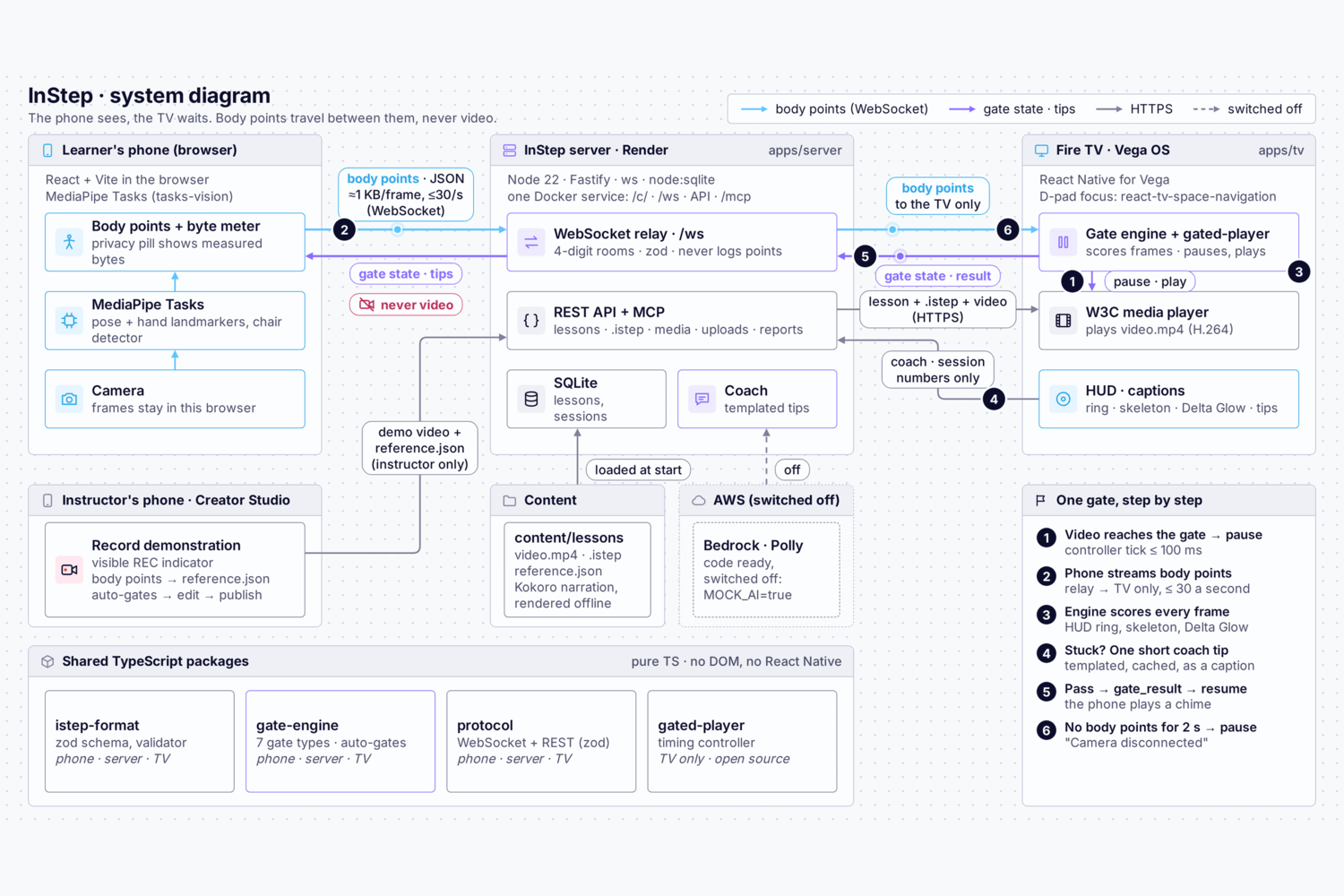
System diagram: MediaPipe runs in the phone's browser, only body points travel over a WebSocket relay to
-
 GIF
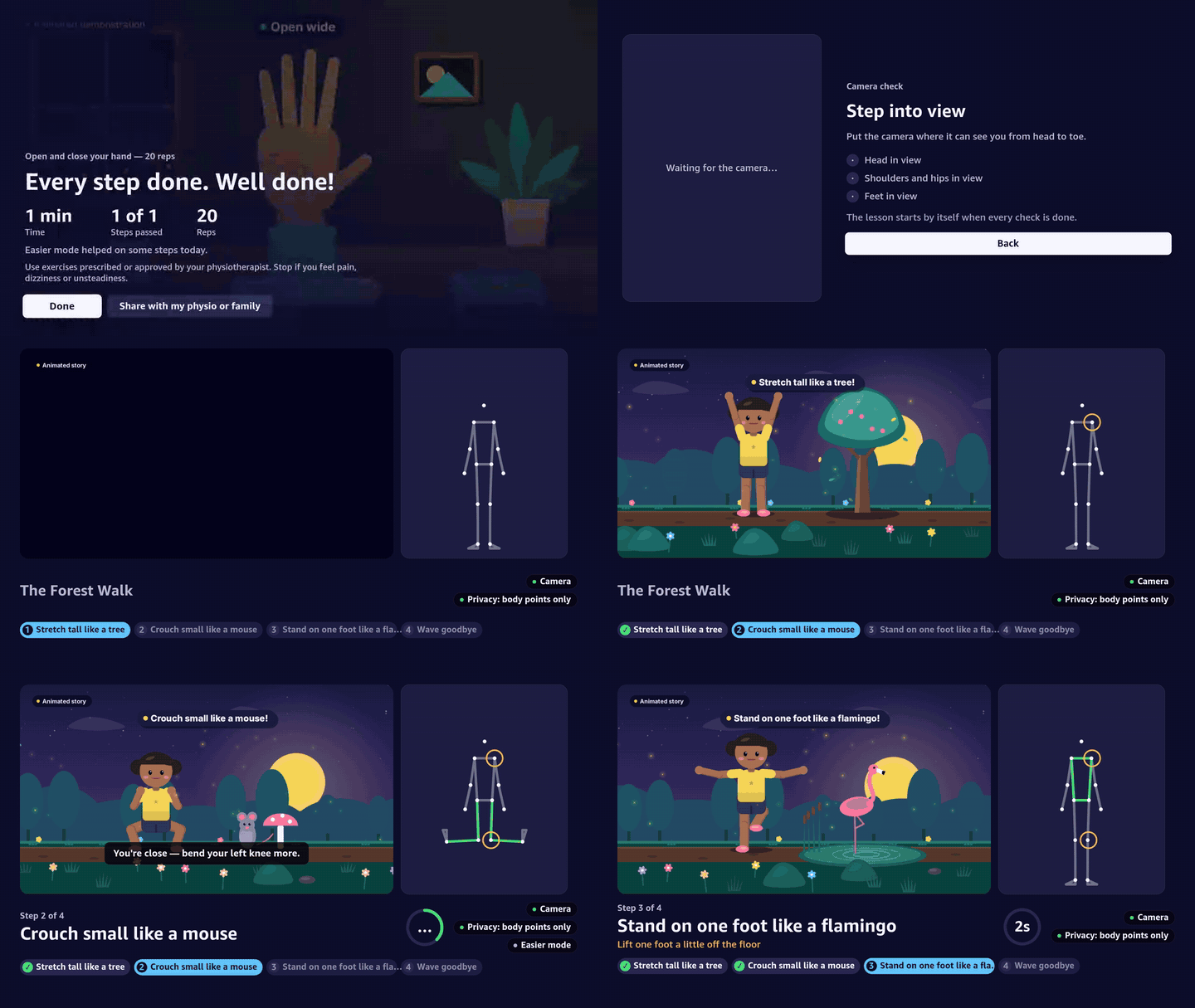
Kids' Active Storytime: act out The Forest Walk — stretch like a tree, crouch like a mouse, balance like
-
 GIF
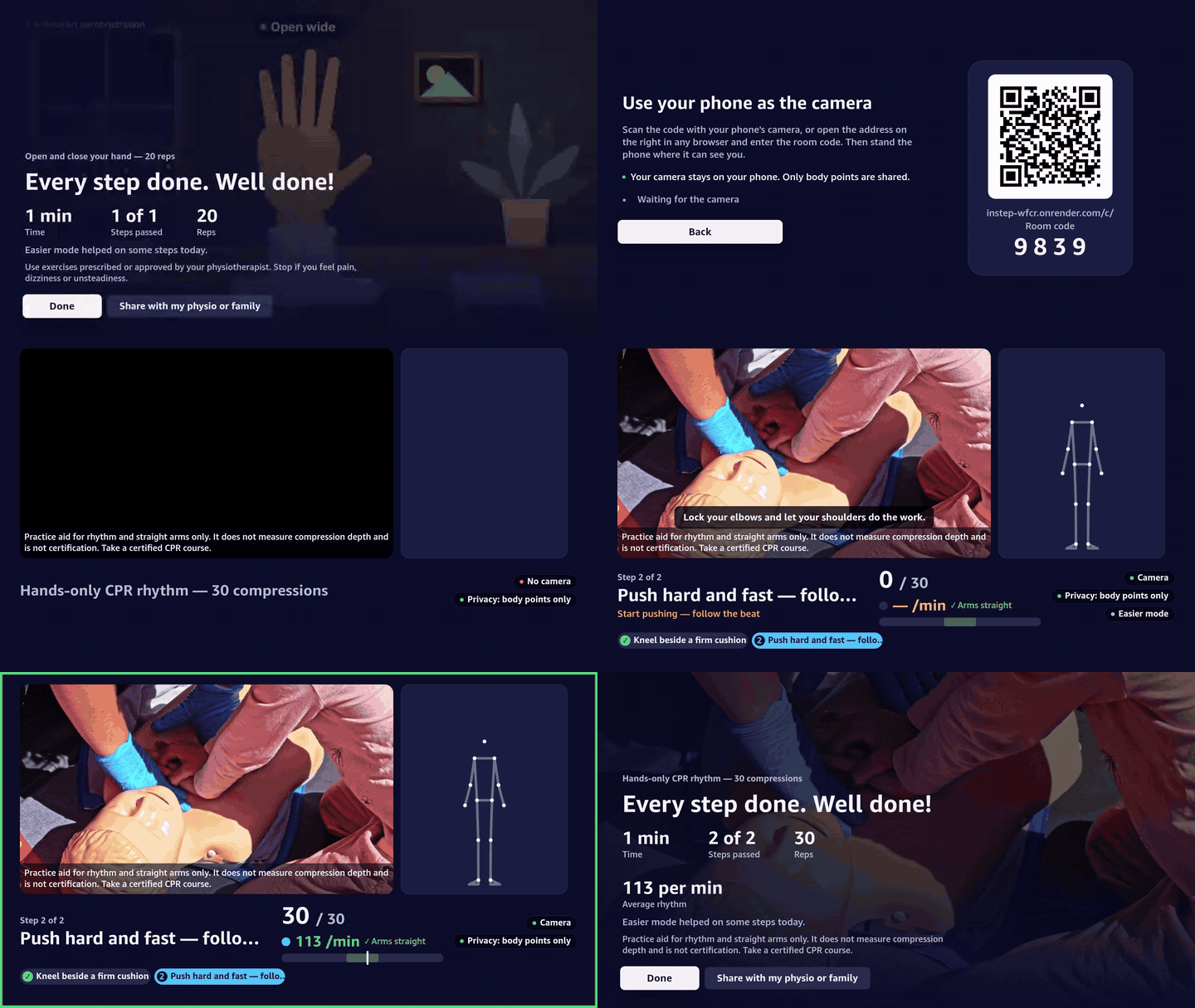
CPR Practice: compressions at 100–120 a minute with straight arms. A practice aid for rhythm only
-
 GIF
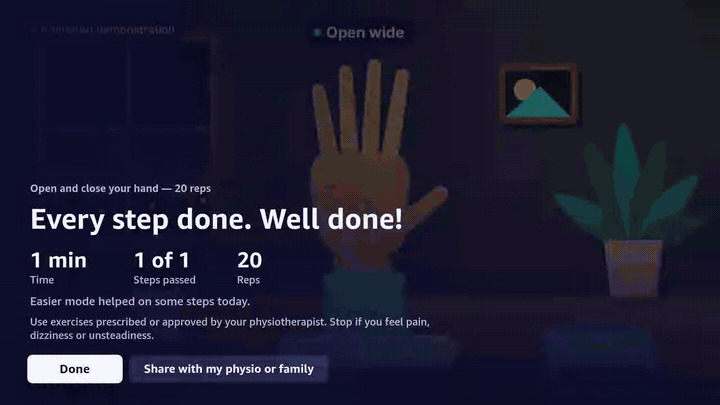
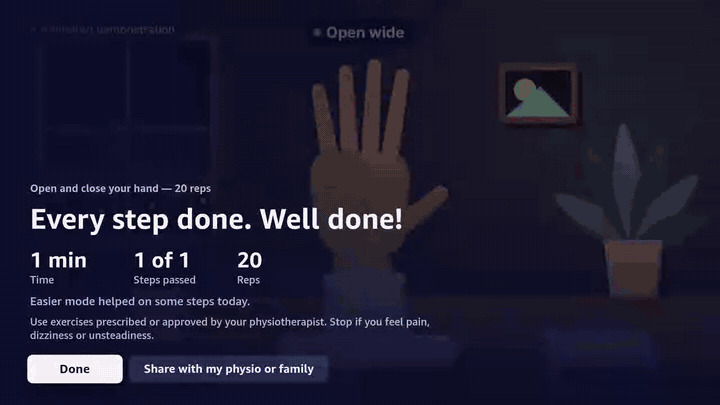
Stroke Hand Rehab: open and close your hand; only full-range reps count, and the video slows to your pace.
InStep
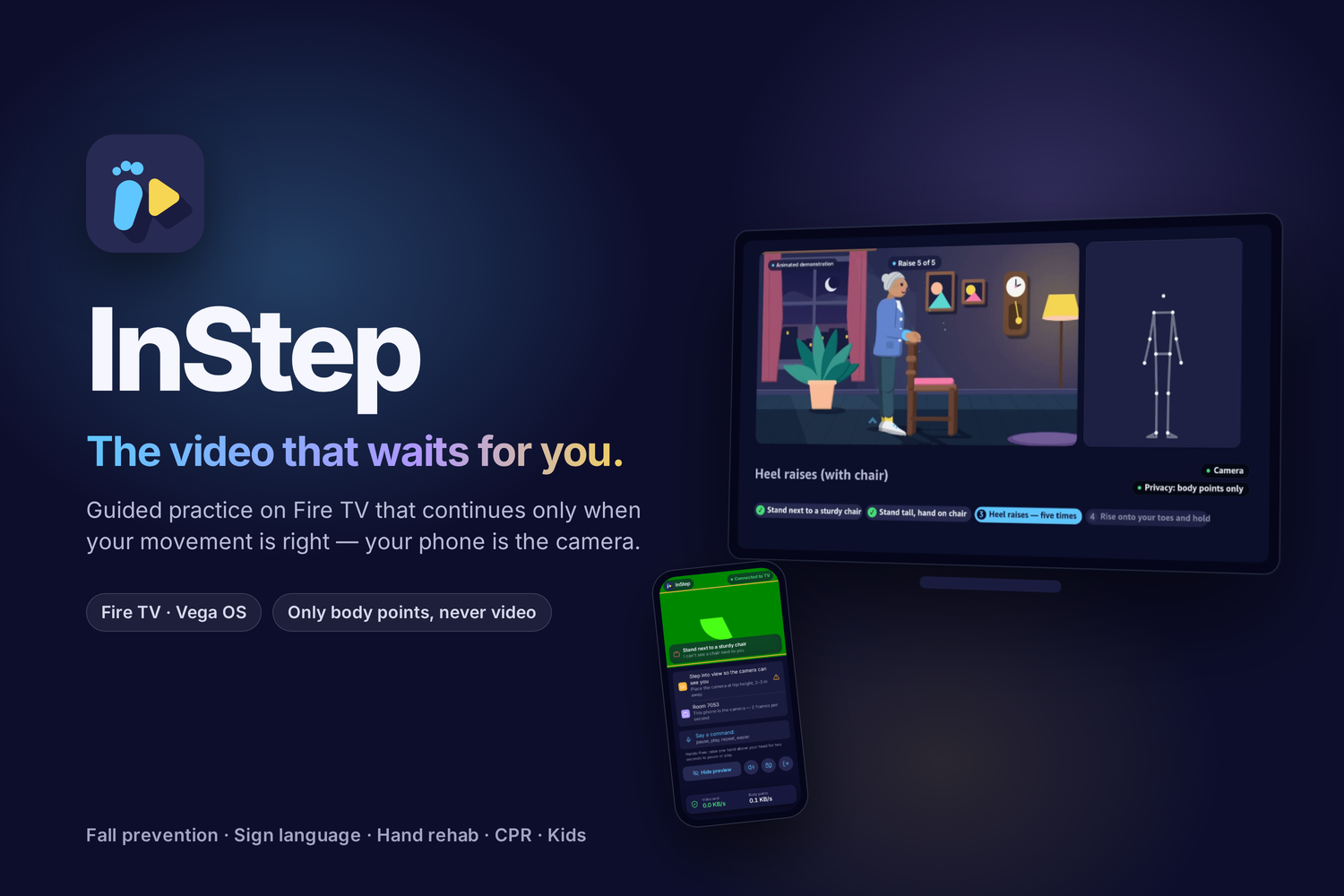
The video that waits for you.
How-to videos on Fire TV (Vega OS) that pause at each key moment and continue only when your pose, hand shape, rhythm or hold is right — using the phone or laptop you already own as the camera.





Website: lsudoko.github.io/InStep · Live: instep-wfcr.onrender.com/c — open it on a phone to use it as a camera (free Render instance: the first request after idle takes about a minute to wake).
Built for the Build, Ship, Shape: Amazon Developer Hackathon — Fire TV track, AWS Builder and Open Source mini challenges. Progress and honest limitations:
docs/PROGRESS.md· friction with the tooling:docs/FRICTION_LOG.md.
One brand on both screens: the TV follows tvOS (Amazon Ember, white focus platter), the phone follows iOS (SF Pro on
Apple devices, Inter elsewhere, inset grouped lists), both on true black with the InStep teal. Tokens:
apps/tv/src/theme/tokens.ts, apps/companion/src/styles.css,
notes in docs/09-design-system.md.
Why
Every how-to video has the same flaw: it doesn't wait for you. For people doing prescribed home exercises, parents learning sign language for their deaf child, or anyone practising CPR, that means doing it wrong — or giving up.
- Falls are the second leading cause of unintentional injury death worldwide; an estimated 684,000 people die from falls each year (WHO). The home-based Otago Exercise Programme reduced falls and fall injuries by 35% in controlled trials (Texas A&M summary).
- In a 2026 survey of 1,006 Americans, 76% did not complete all of their assigned at-home physical therapy exercises (Medical Economics).
- At least 90% of deaf children are born to hearing parents (summary).
InStep is designed to support practice. It is not a medical device and has not been clinically tested.
Every number above is listed with its source in docs/SOURCES.md.
How it works
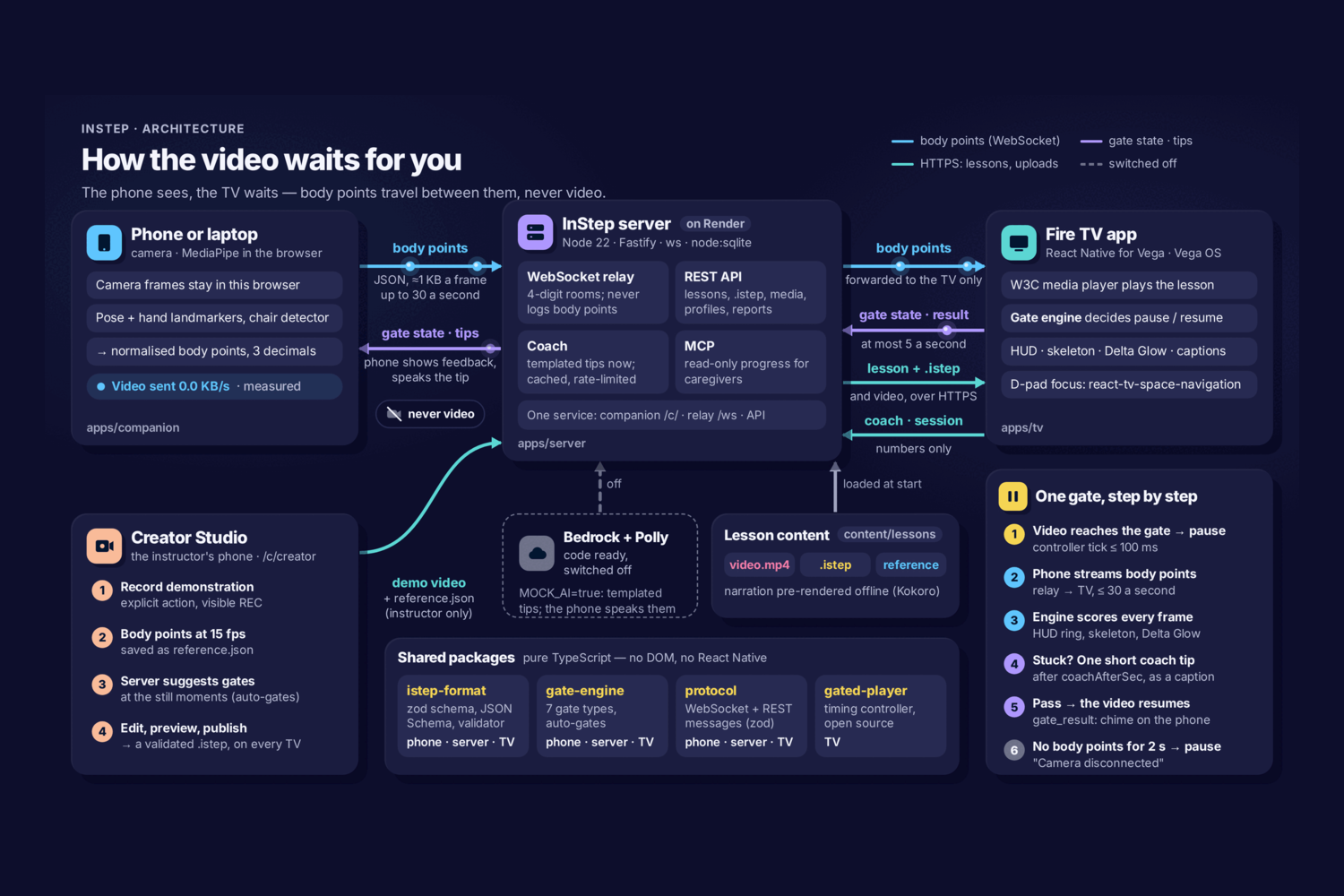
The same system as a poster (the animated architecture shot in the demo film):
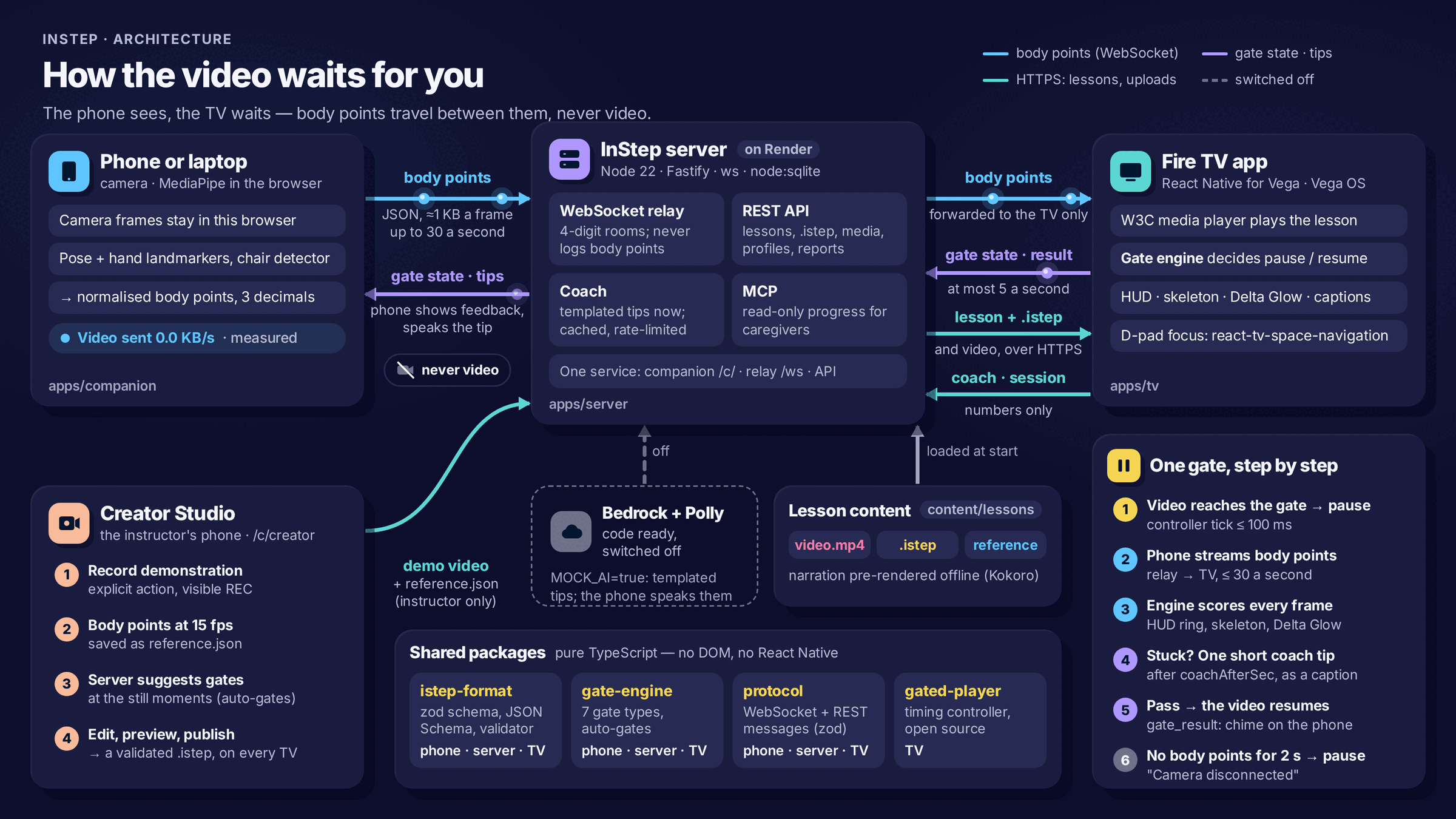
Step by step, with file paths: docs/02-architecture.md. The diagrams are code
(docs/architecture/system-diagram.html,
docs/architecture/architecture.html) and animate deterministically with
window.seek(seconds).
- The TV opens a lesson: a normal video plus an
.istepsidecar file listing timed gates. - The phone joins by QR code. MediaPipe runs in the phone's browser; only normalised body points leave it.
- At each gate the TV pauses. The shared gate engine checks every frame and resumes when you get it right.
- Stuck for a few seconds? A kind coach gives one short tip (Amazon Bedrock, or templates in mock mode).
Screenshots
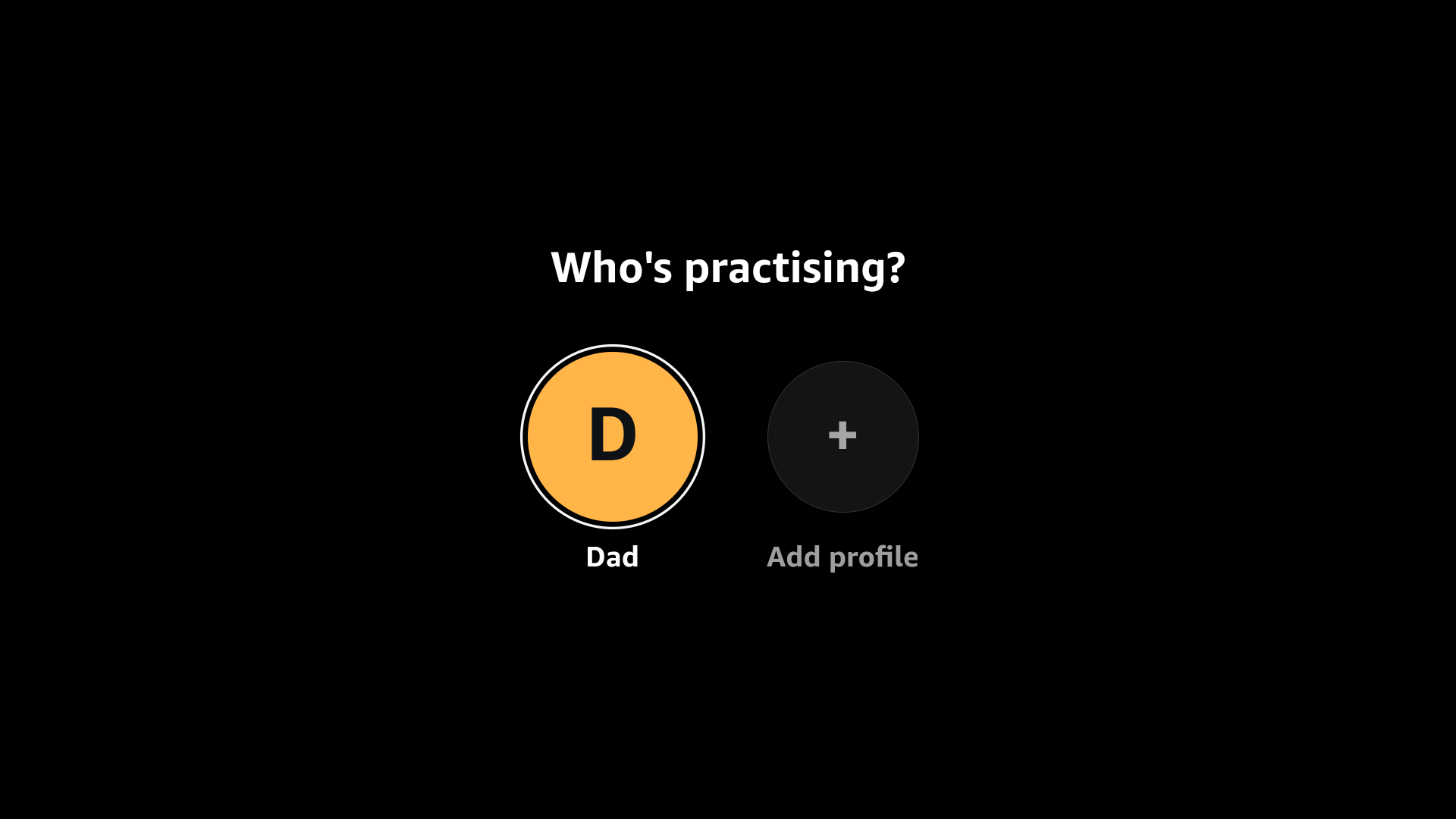
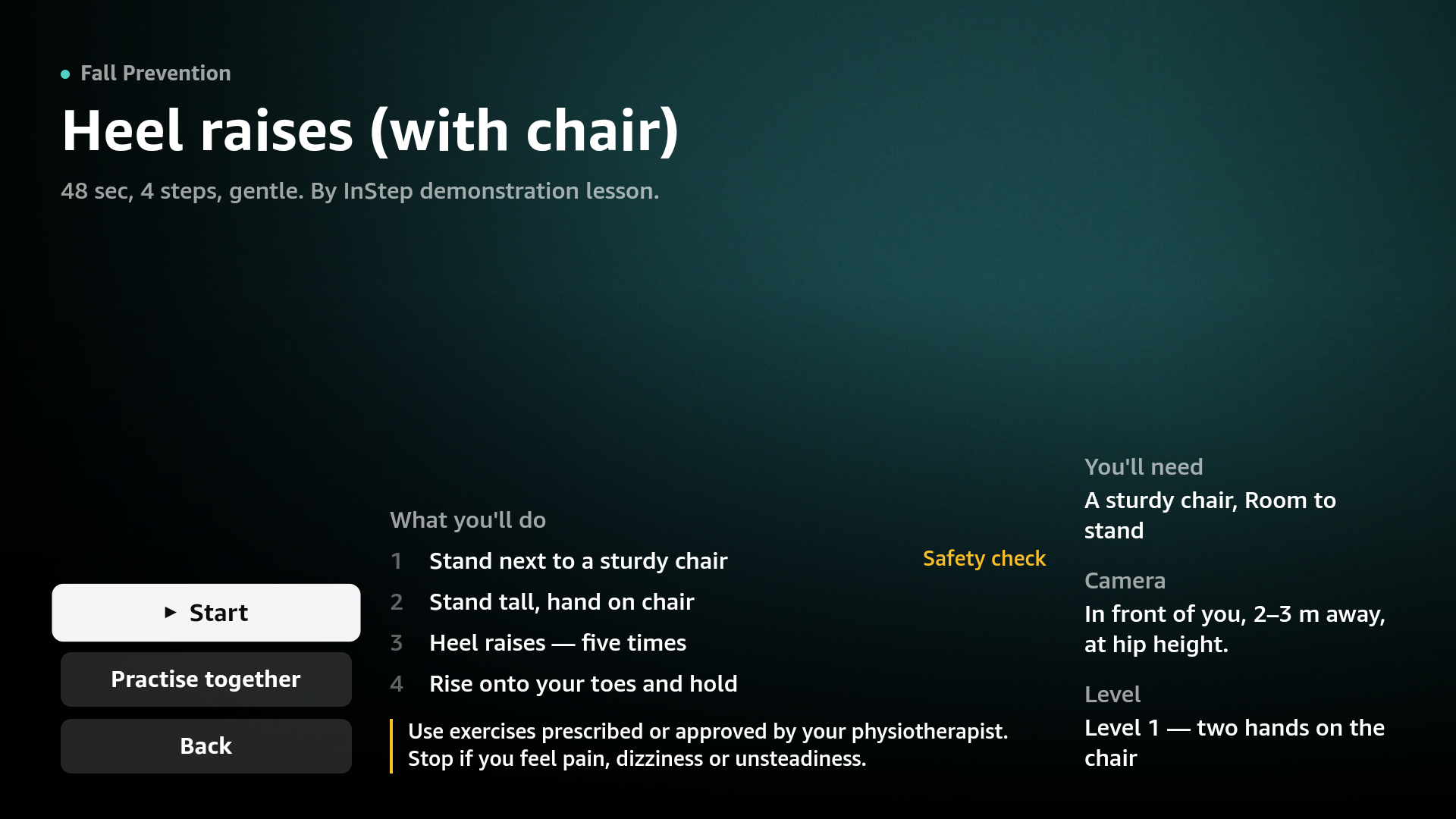
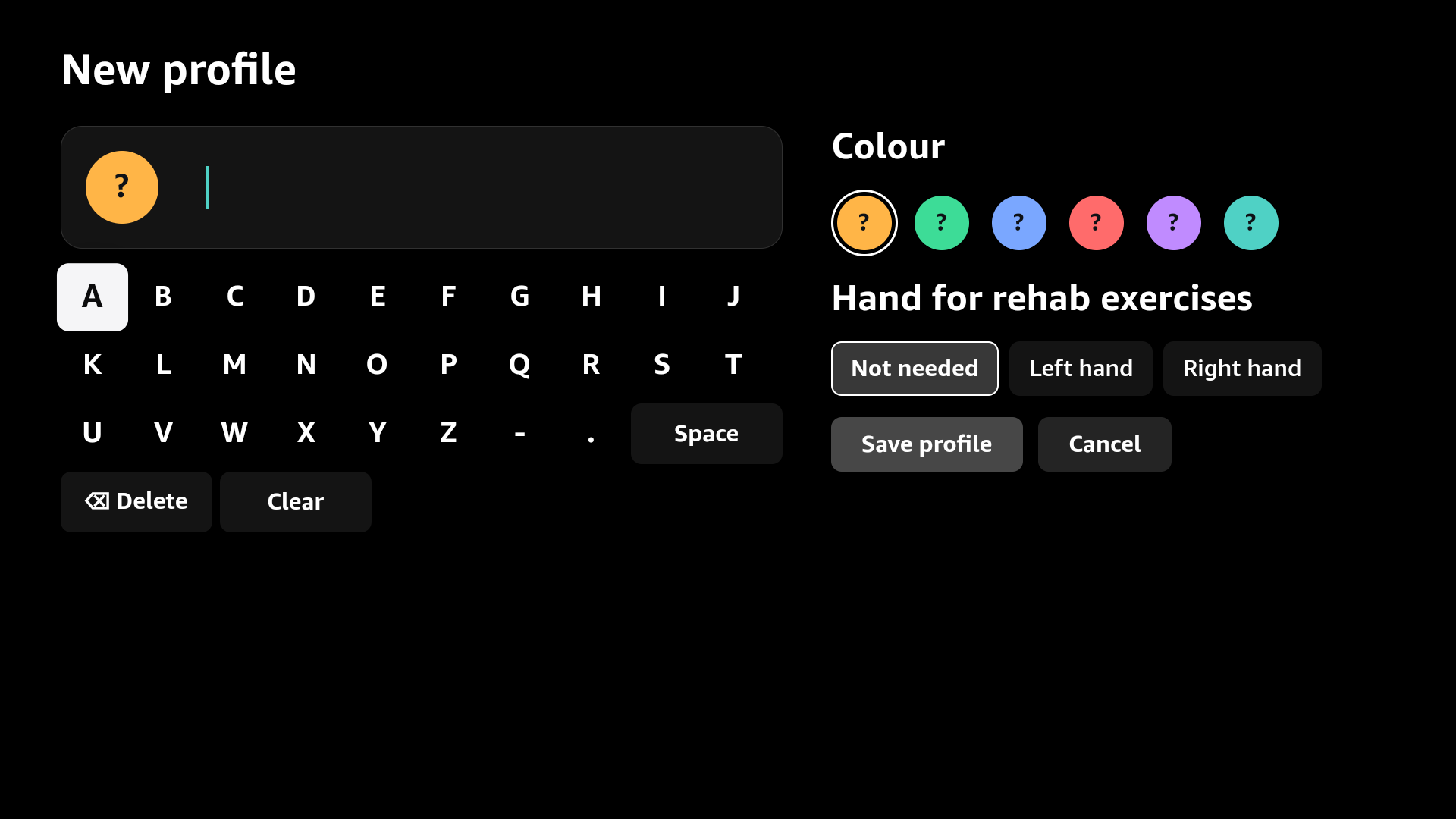
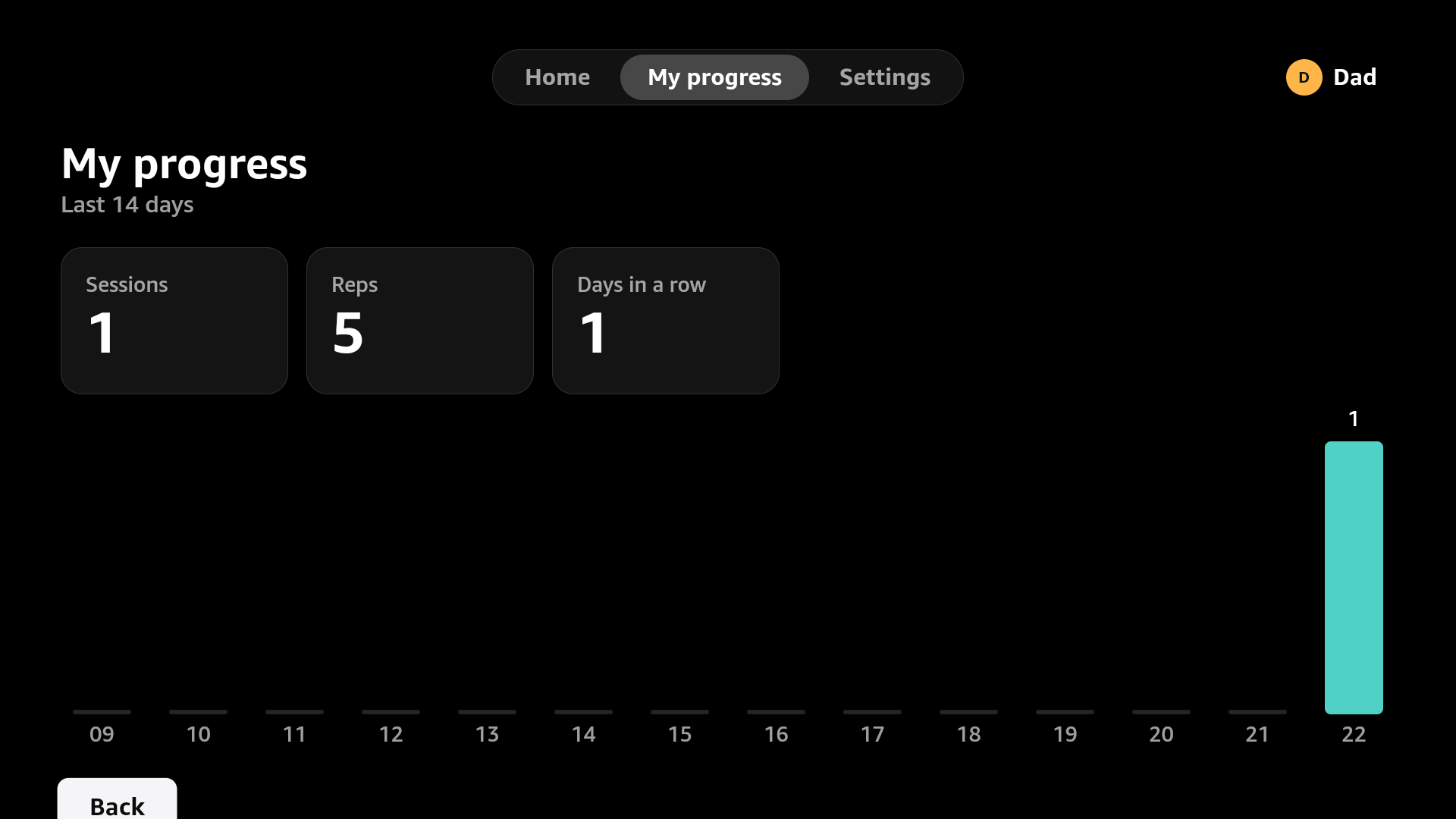
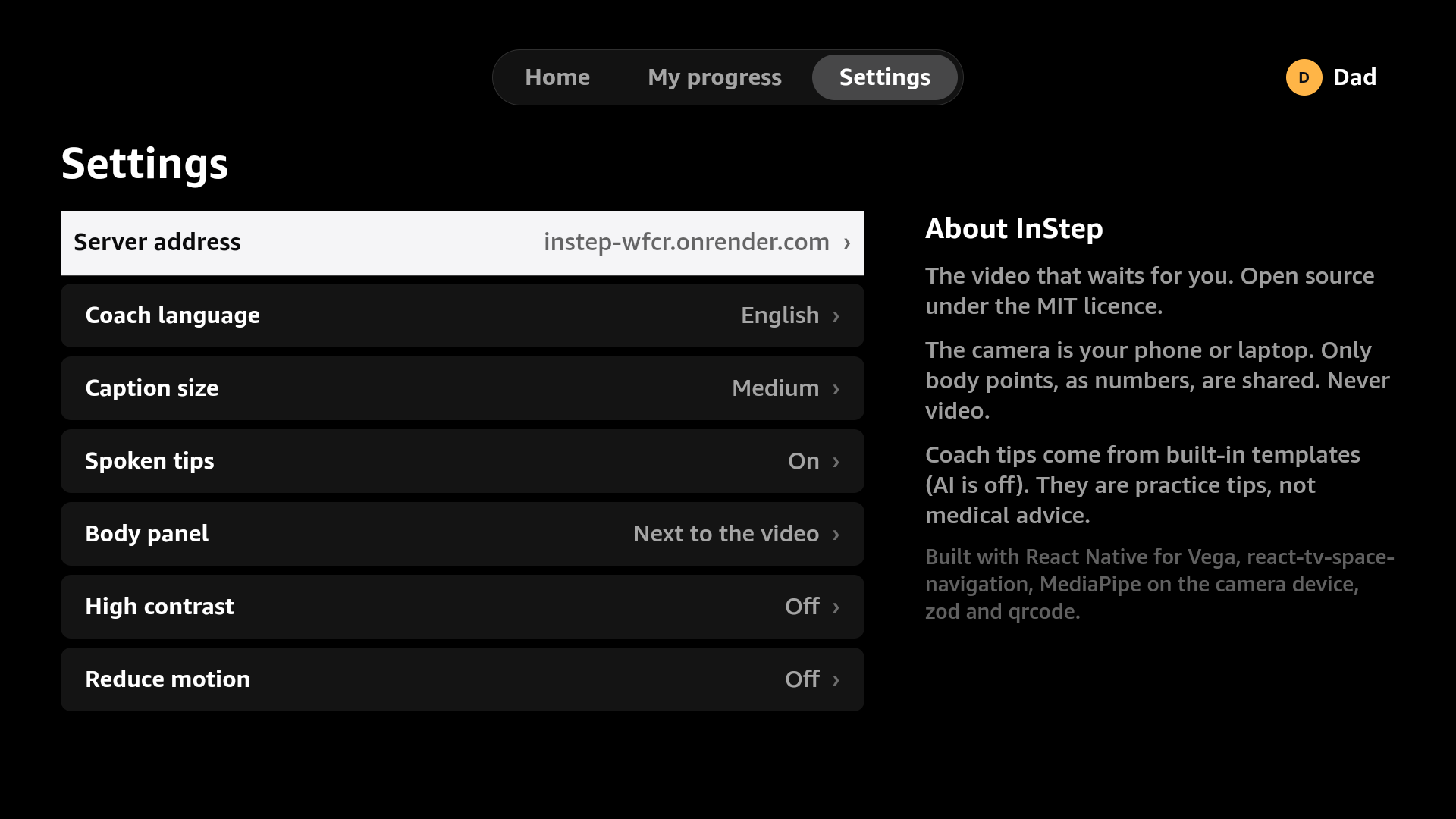
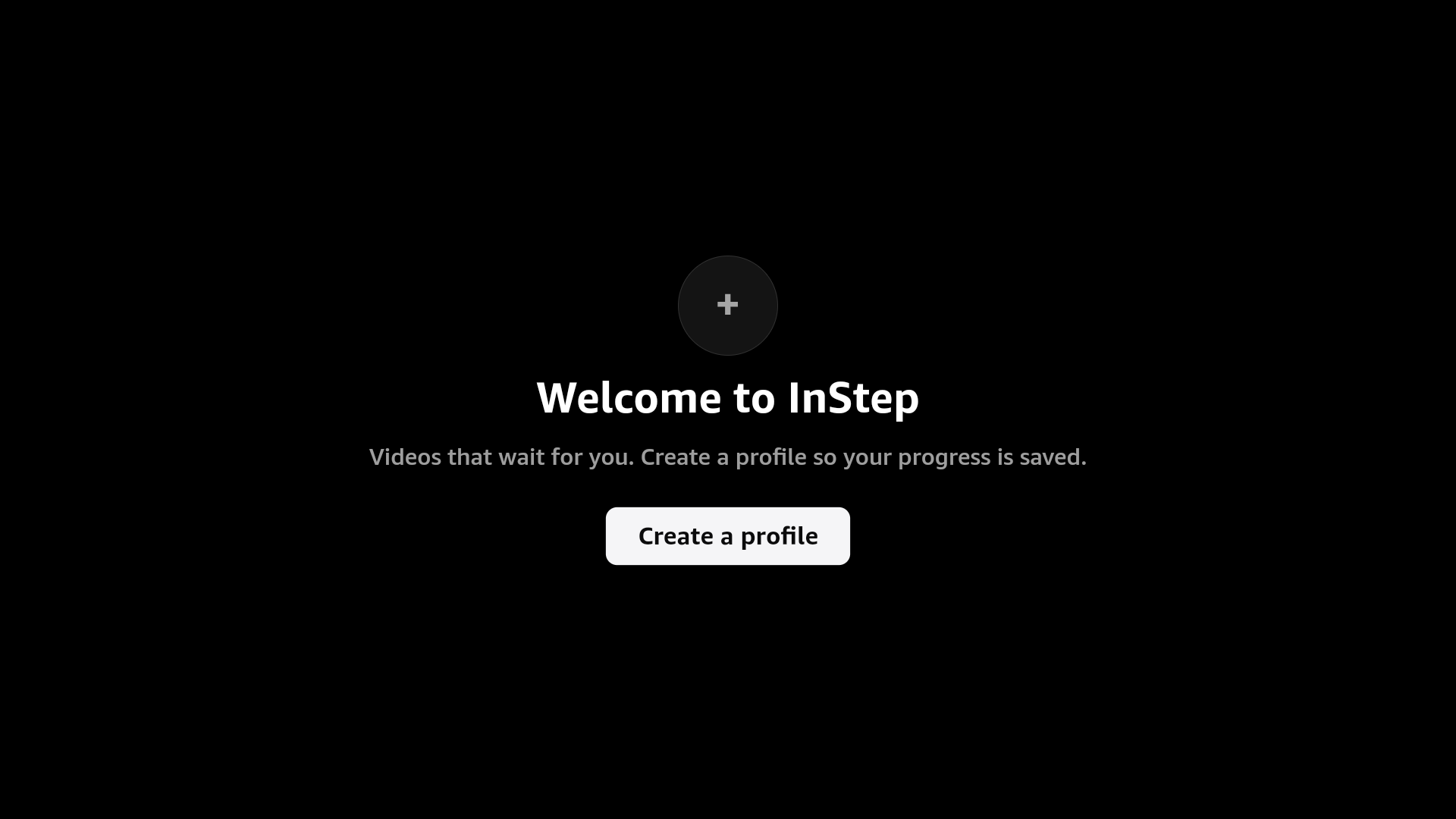
All images below are real captures of the running app: the TV frames come from the Vega Virtual Device (SDK 0.24, emulator console screenshots) running against the hosted server; the phone frames from Chrome with a test camera and real MediaPipe inference.
TV (Vega OS, Virtual Device)
| Profiles | Lesson | Pair by QR / room code |
|---|---|---|
 |
 |
 |
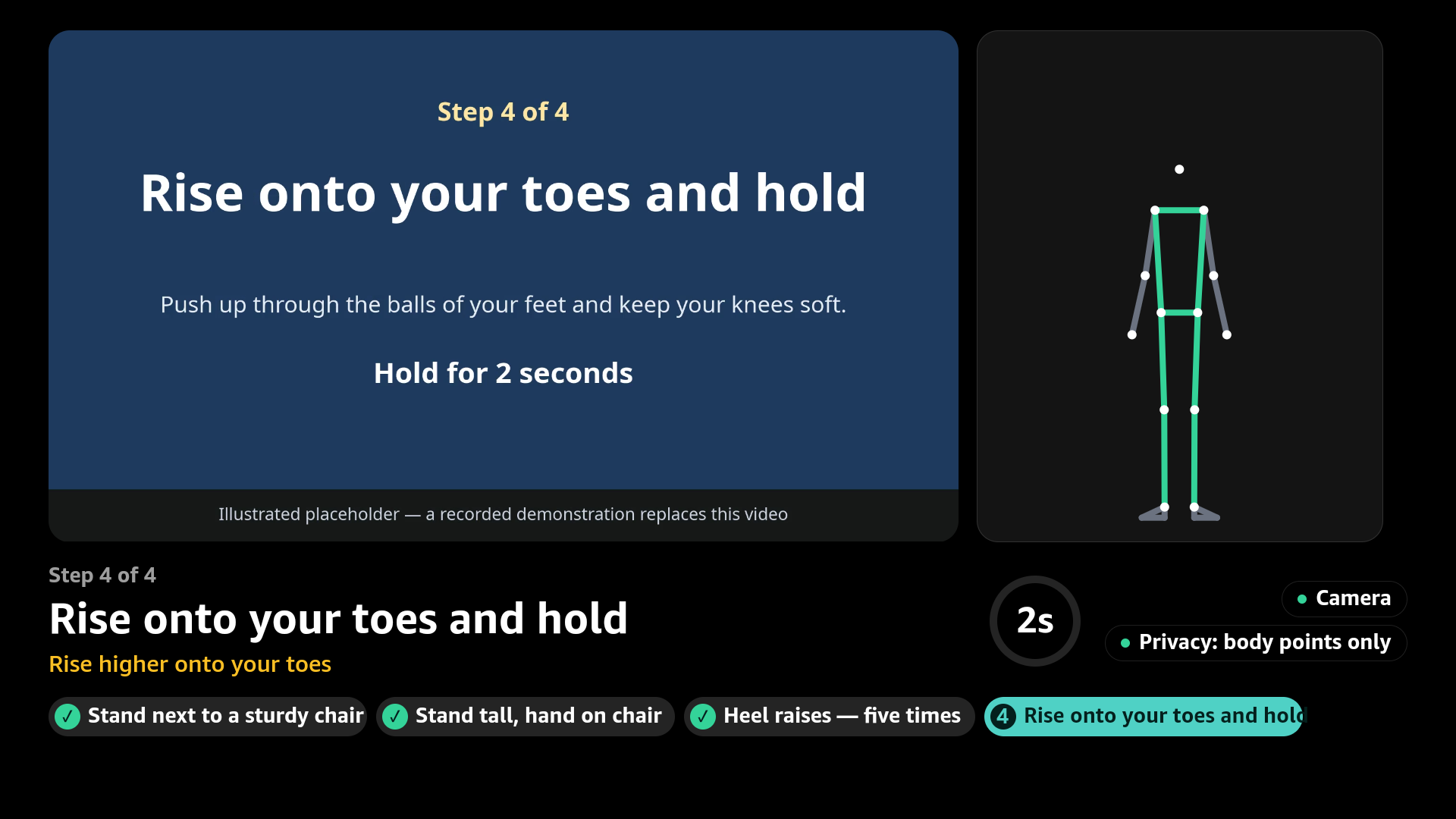
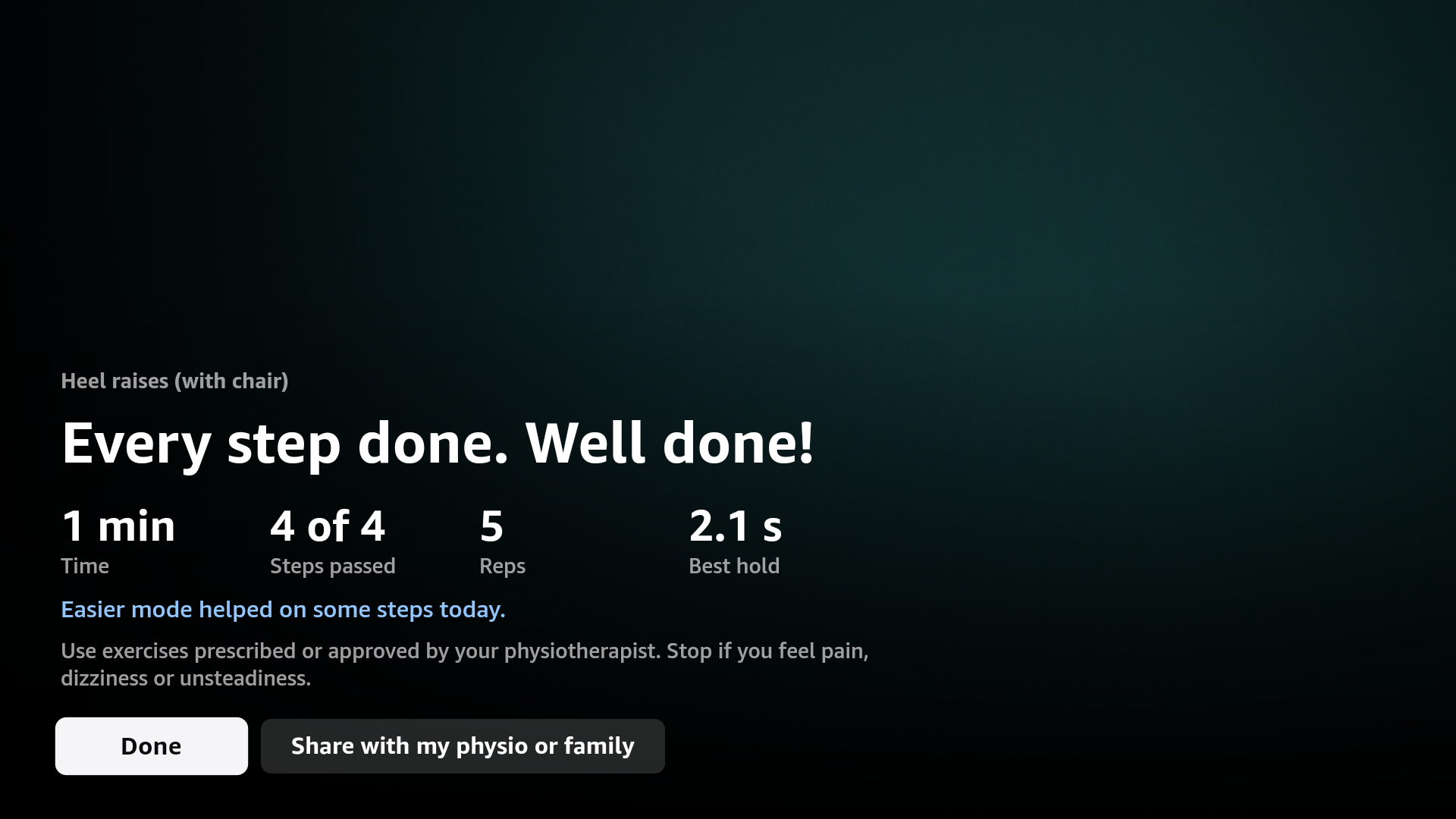
| Player: gate waiting | Player: hold gate | Summary |
|---|---|---|
 |
 |
 |
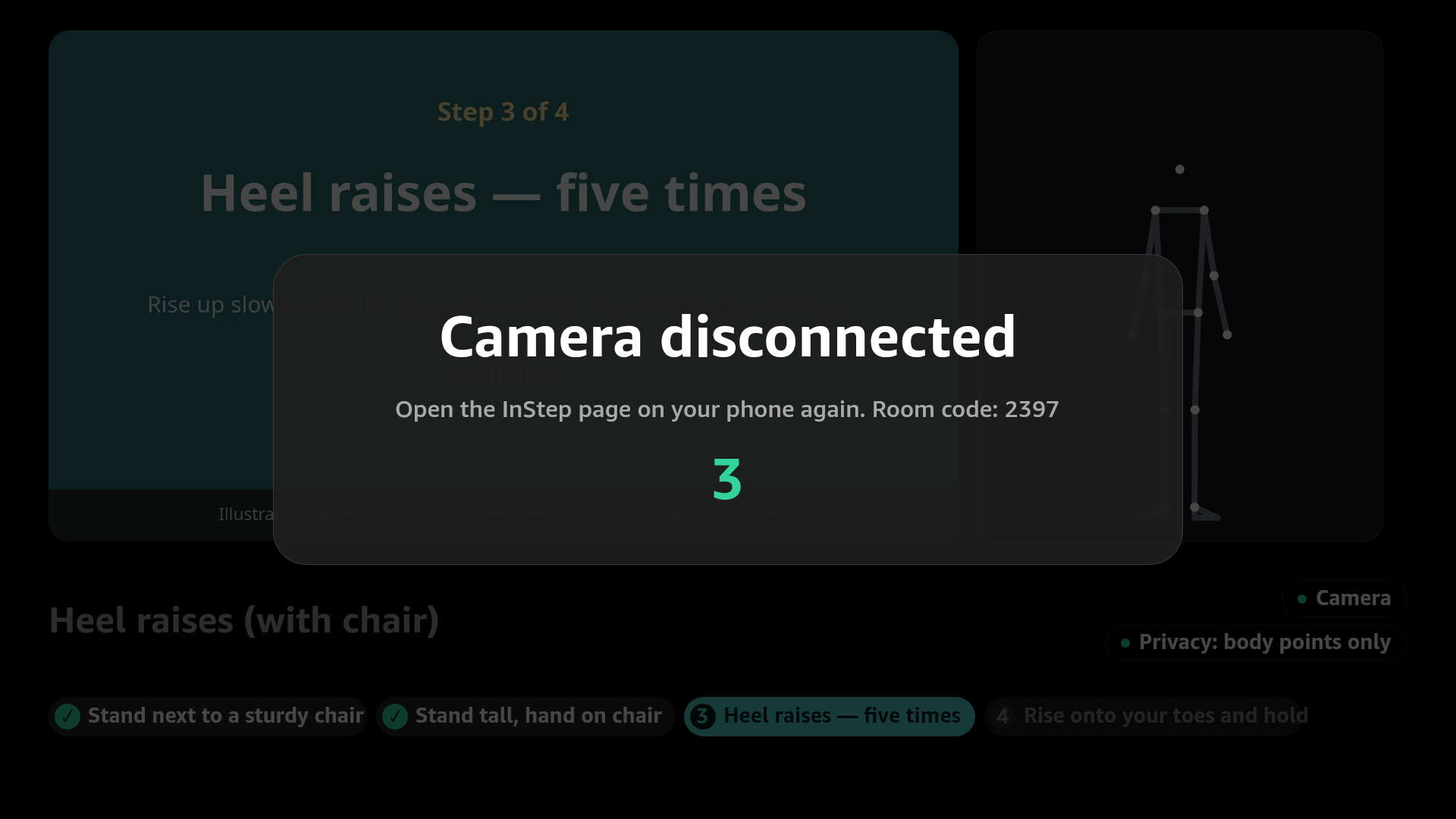
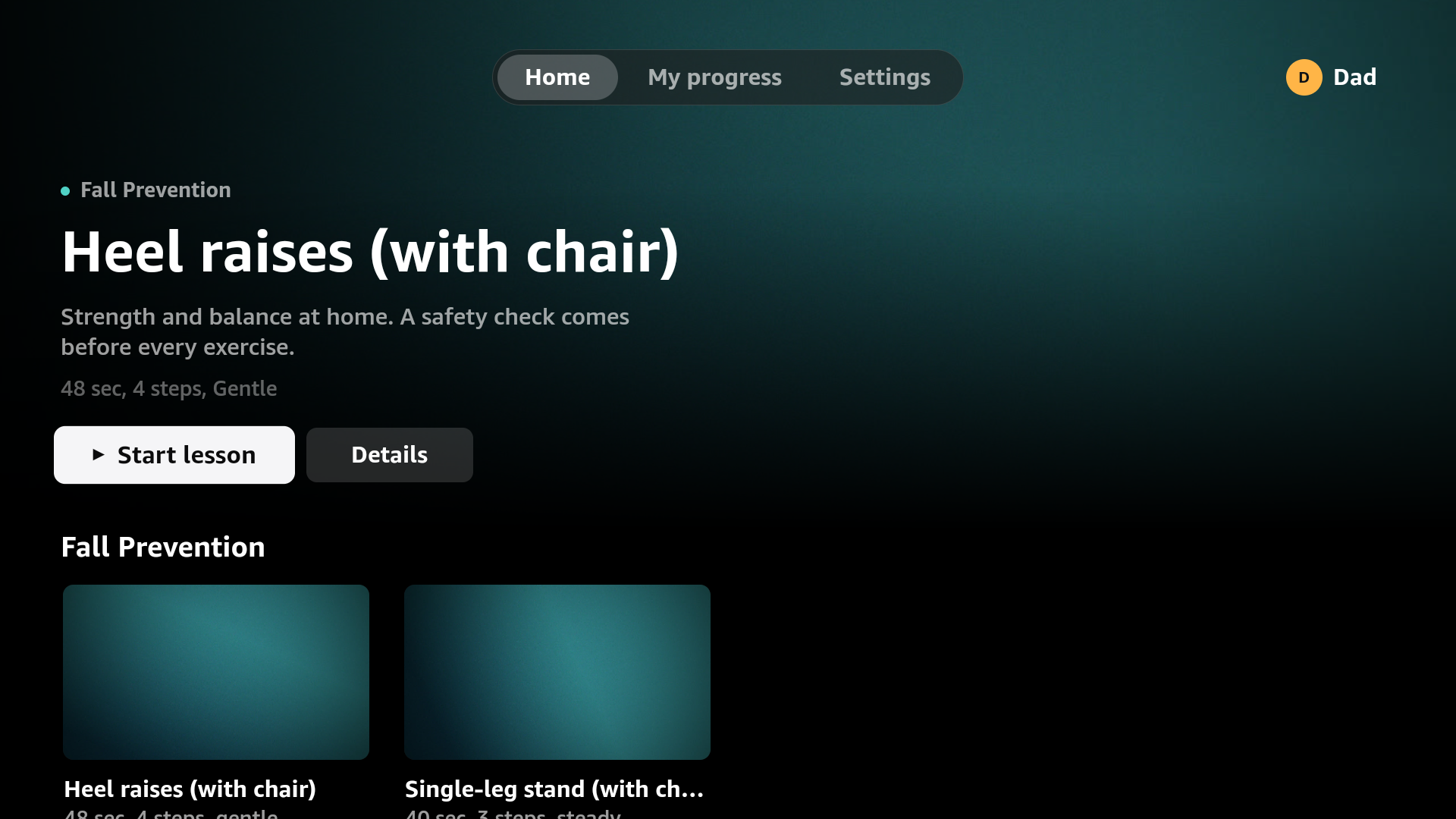
| Camera lost (safety pause) | Home | New profile (on-screen keyboard) |
|---|---|---|
 |
 |
 |
| My progress | Settings | Welcome |
|---|---|---|
 |
 |
 |
| Together mode: pairing (second QR for a family member) | Together mode: both learners in the player |
|---|---|
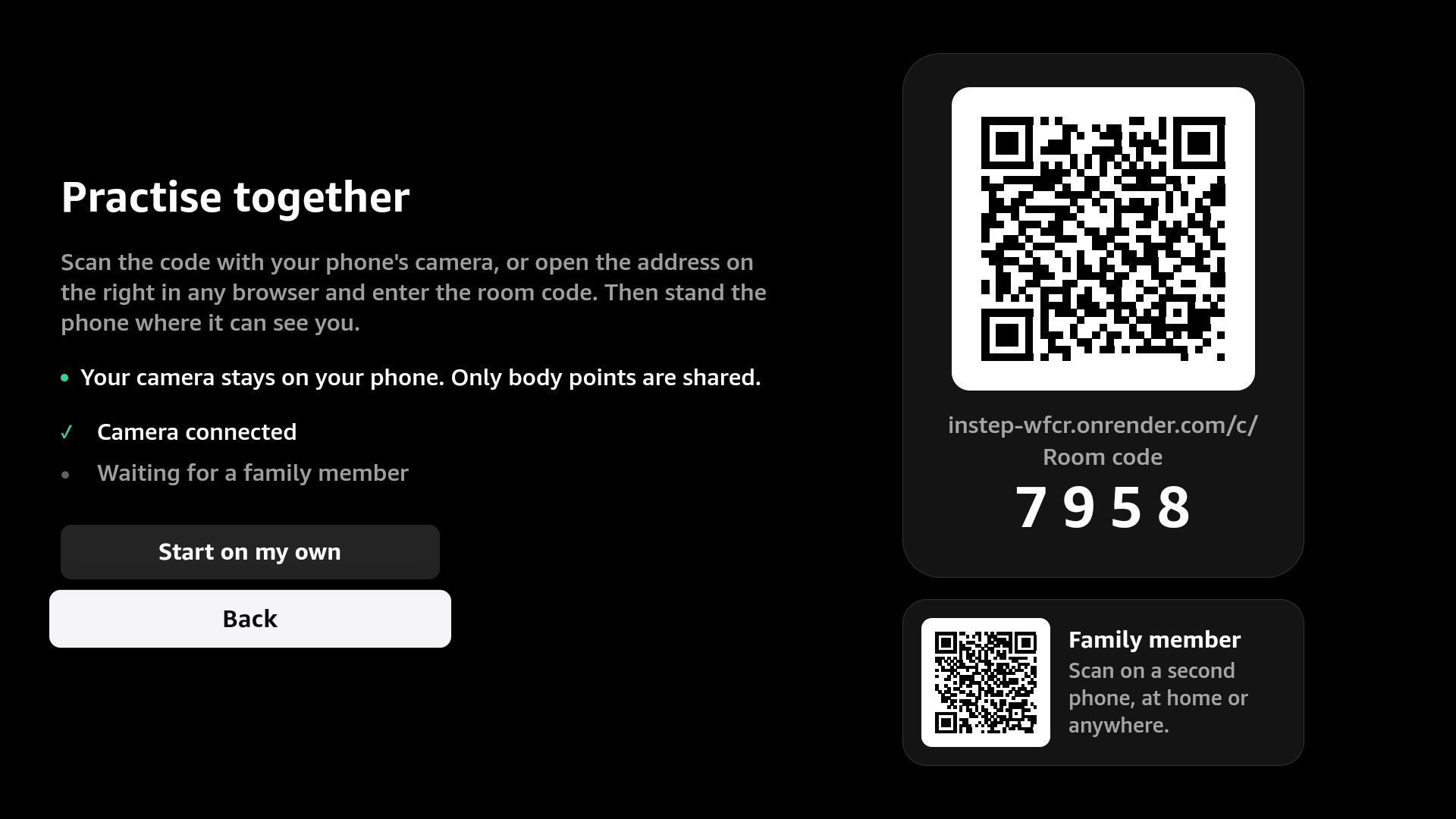 |
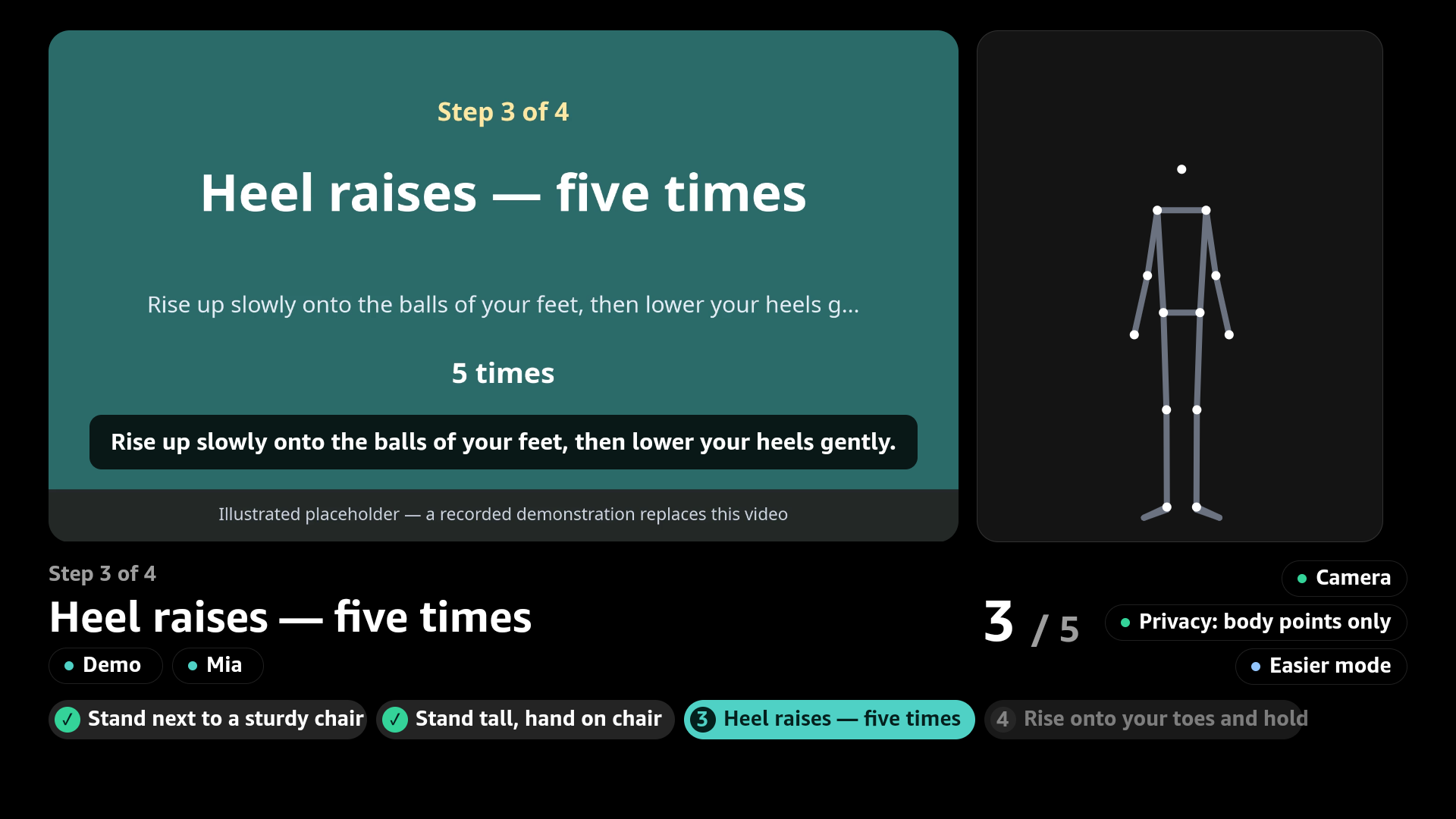 |
Design. The TV app follows Apple's tvOS 18 design templates for metrics and behaviour, not for branding: 80 × 60 px safe area, 4-up lockups (410 × 231, 40 px gutters), 72 px button platters that turn white with a dark label on focus, a pill tab bar holding only the three real destinations, the product-page layout for lessons, the QR sign-in layout for pairing and Post Play for the summary. Type is Amazon Ember (Vega's system face) on a tvOS-derived scale with a 28 px floor for older viewers at 2–3 m. Vega has no backdrop blur, so "materials" are translucent glass over black. Lesson artwork is placeholder until real footage is recorded.
Phone
| Phone as camera | Live tracking + TV feedback | Privacy pill (measured) |
|---|---|---|
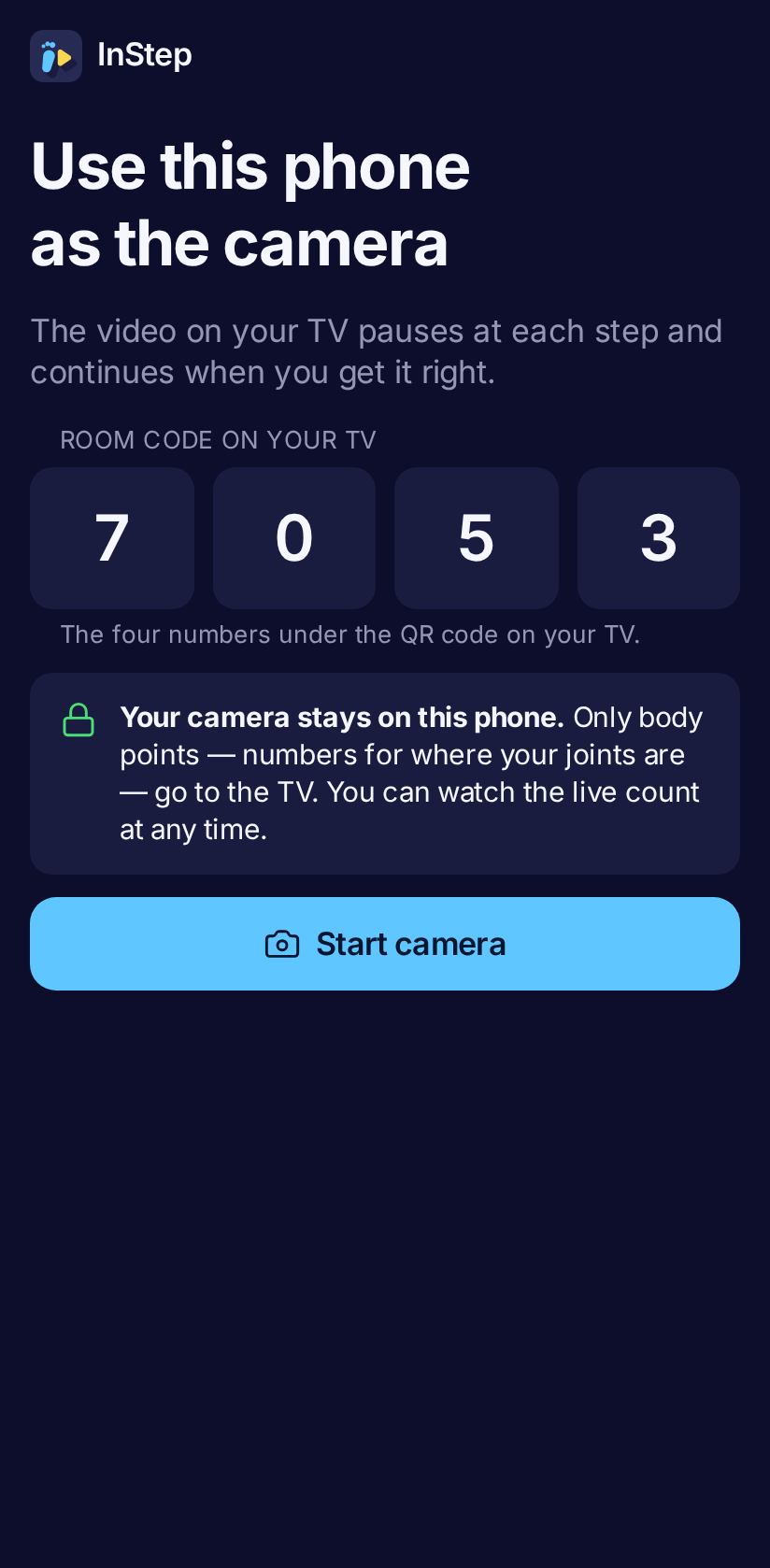 |
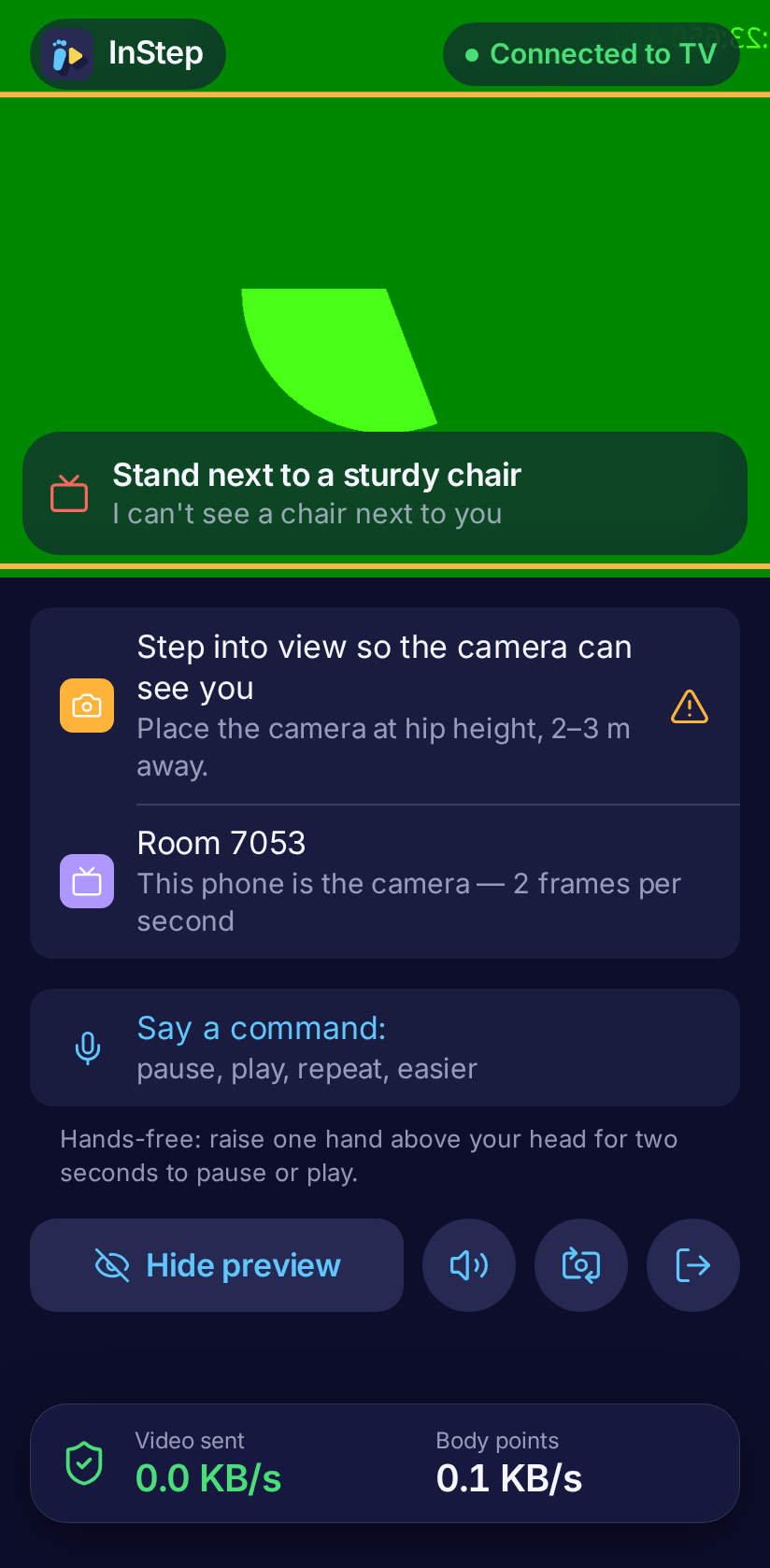 |
 |
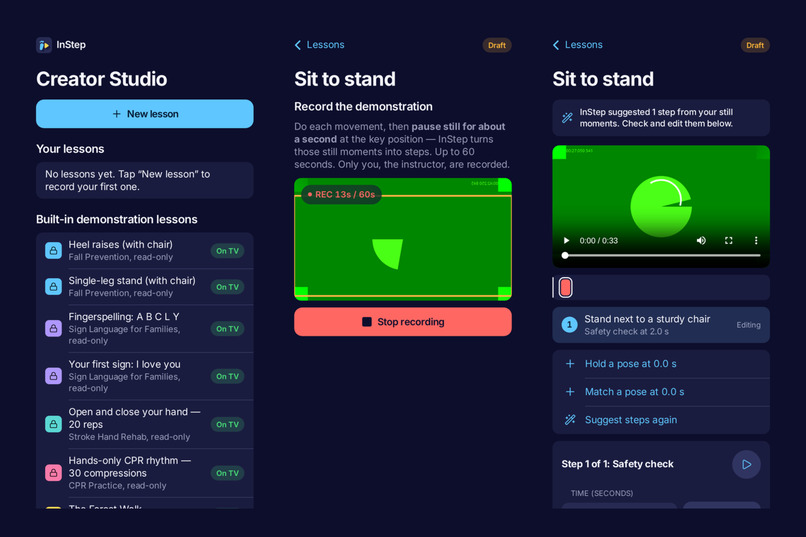
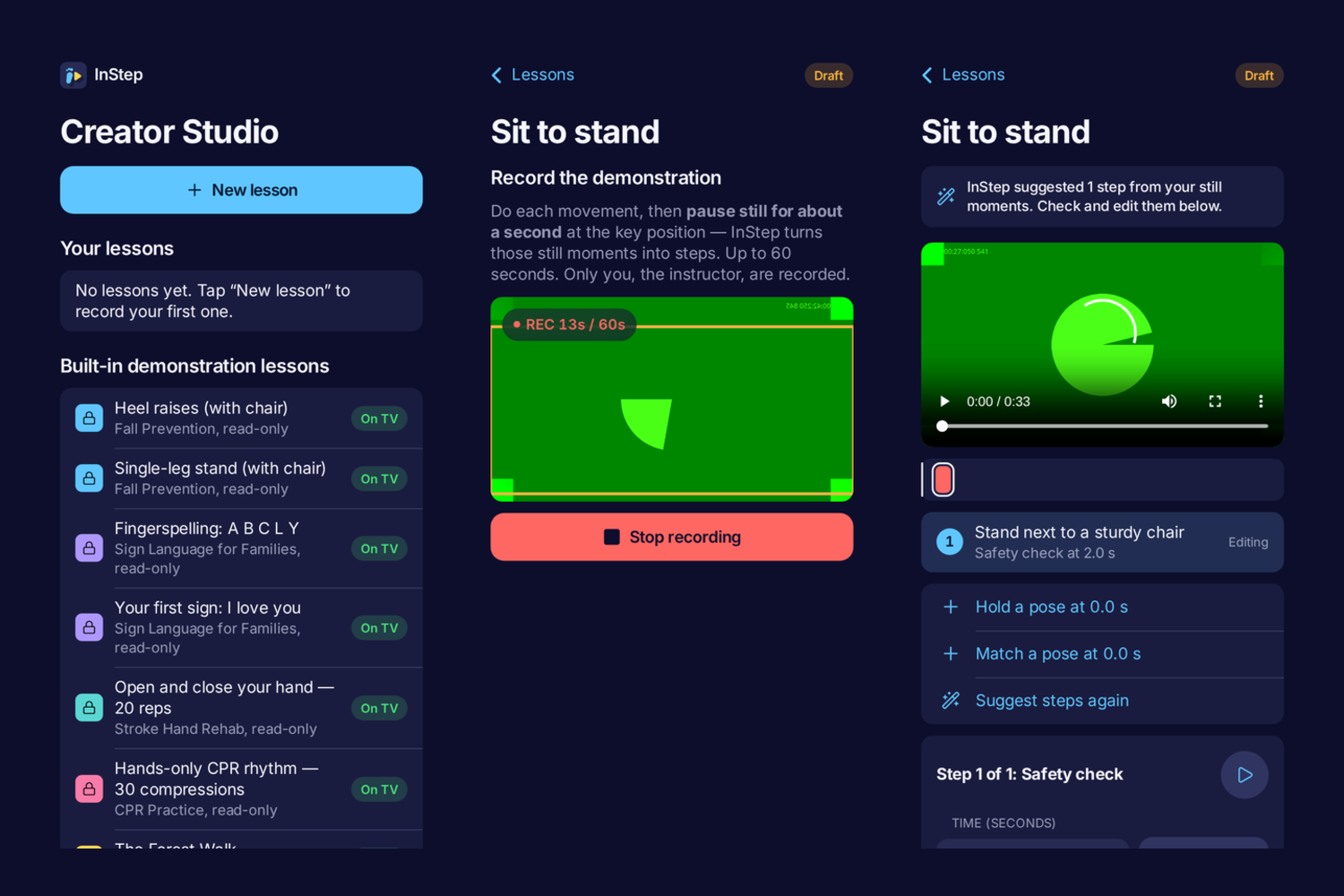
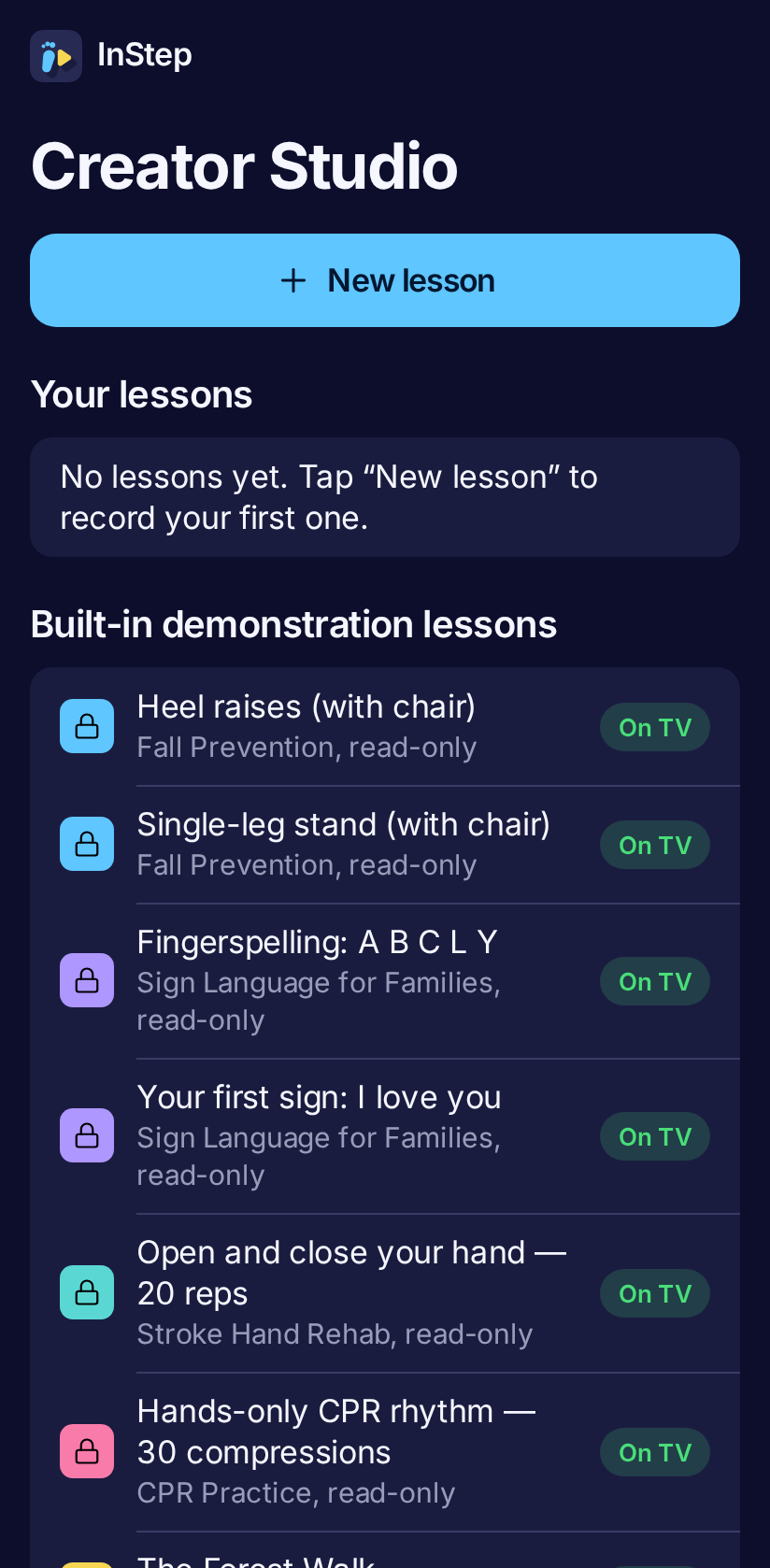
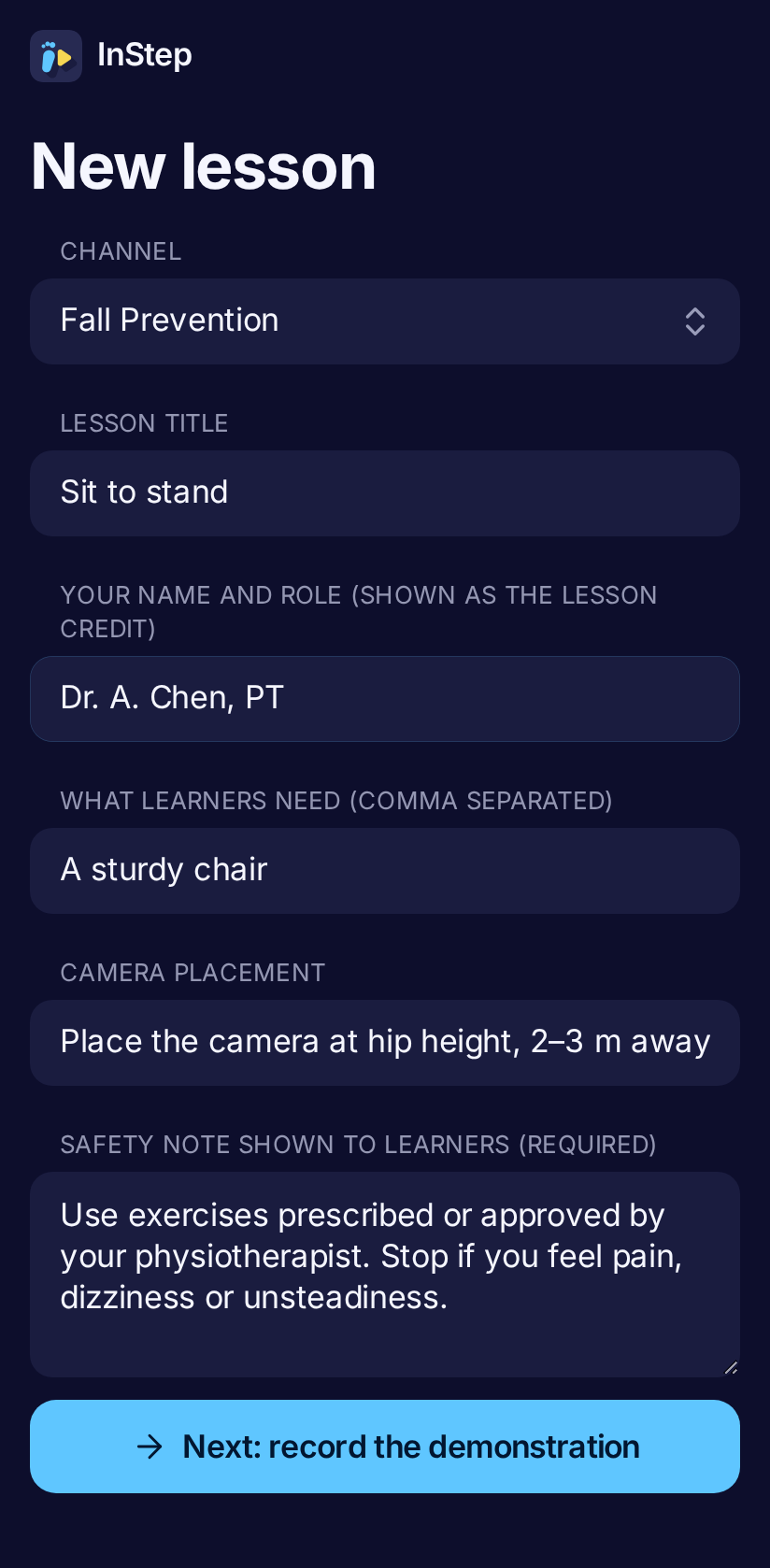
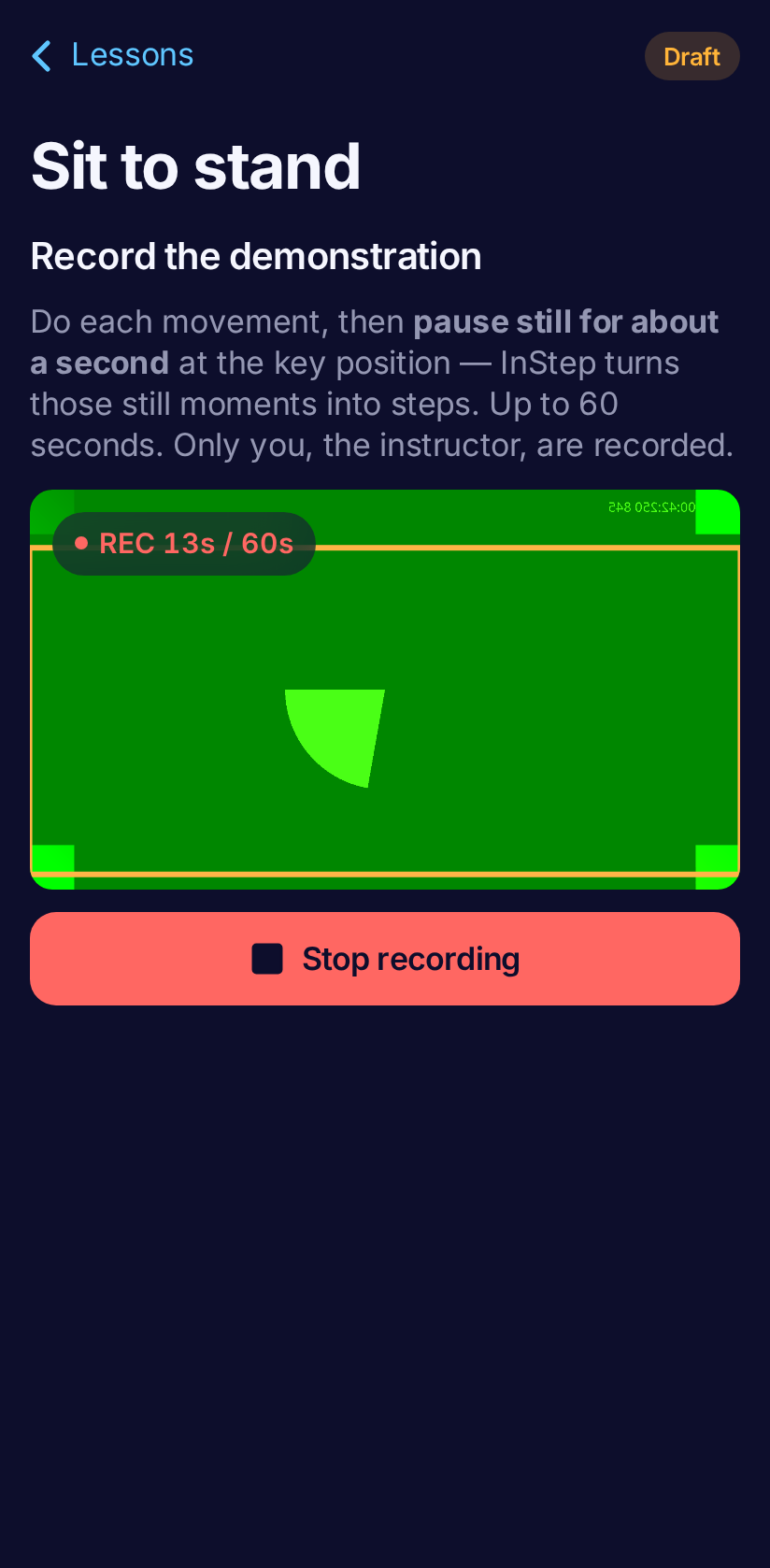
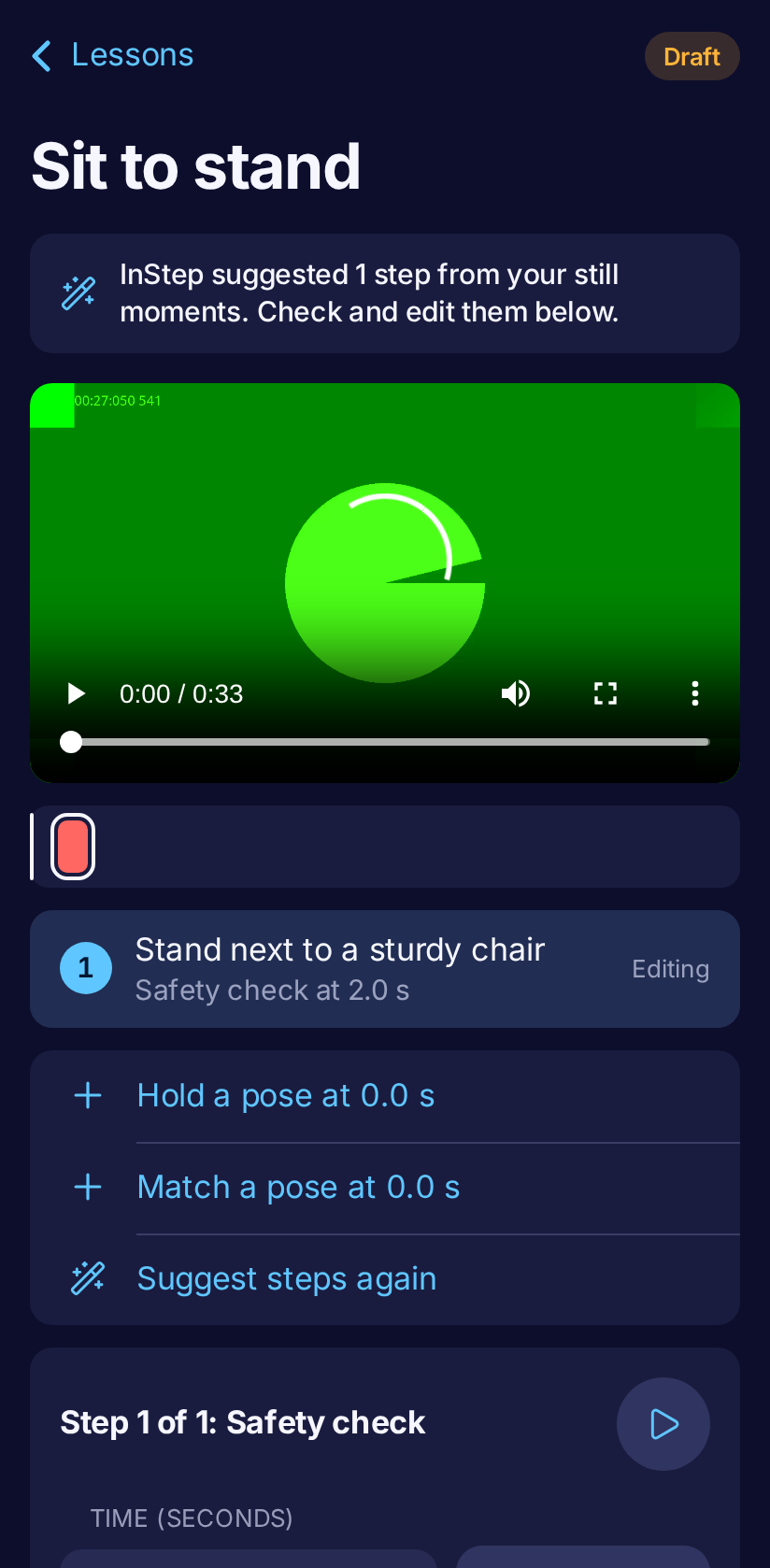
| Creator Studio | New lesson | Recording (visible REC) | Step editor with suggested steps |
|---|---|---|---|
 |
 |
 |
 |
Channels
Every channel below runs end to end on the Vega Virtual Device against the hosted server. Each GIF is a real
screen recording of the TV (emulator screen recorder, played 3× faster) with the synthetic learner performing
the steps (pnpm demo-learner). The gates, safety checks, reps, rhythm and hand shapes are the real engine.
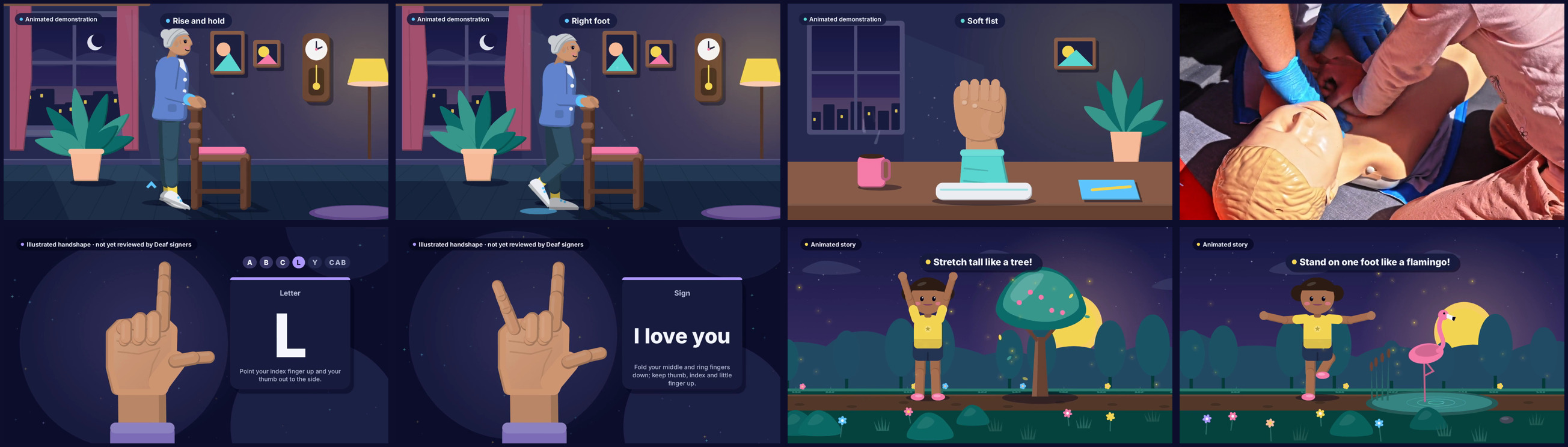
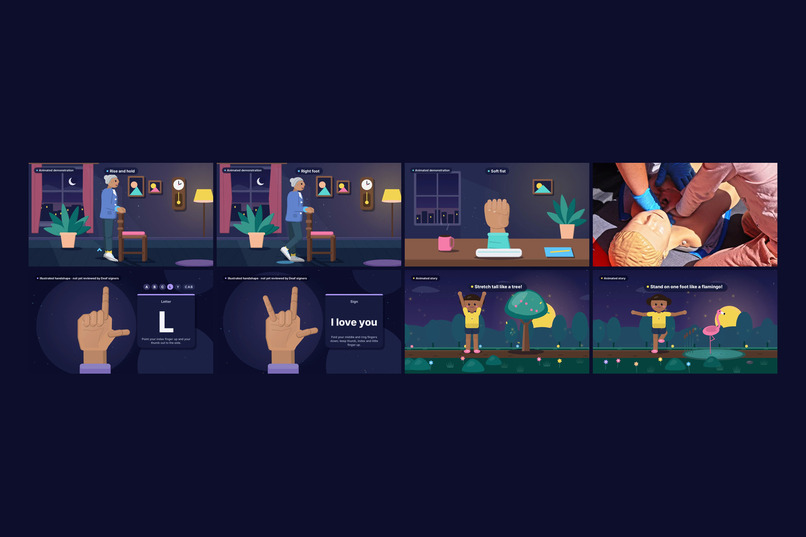
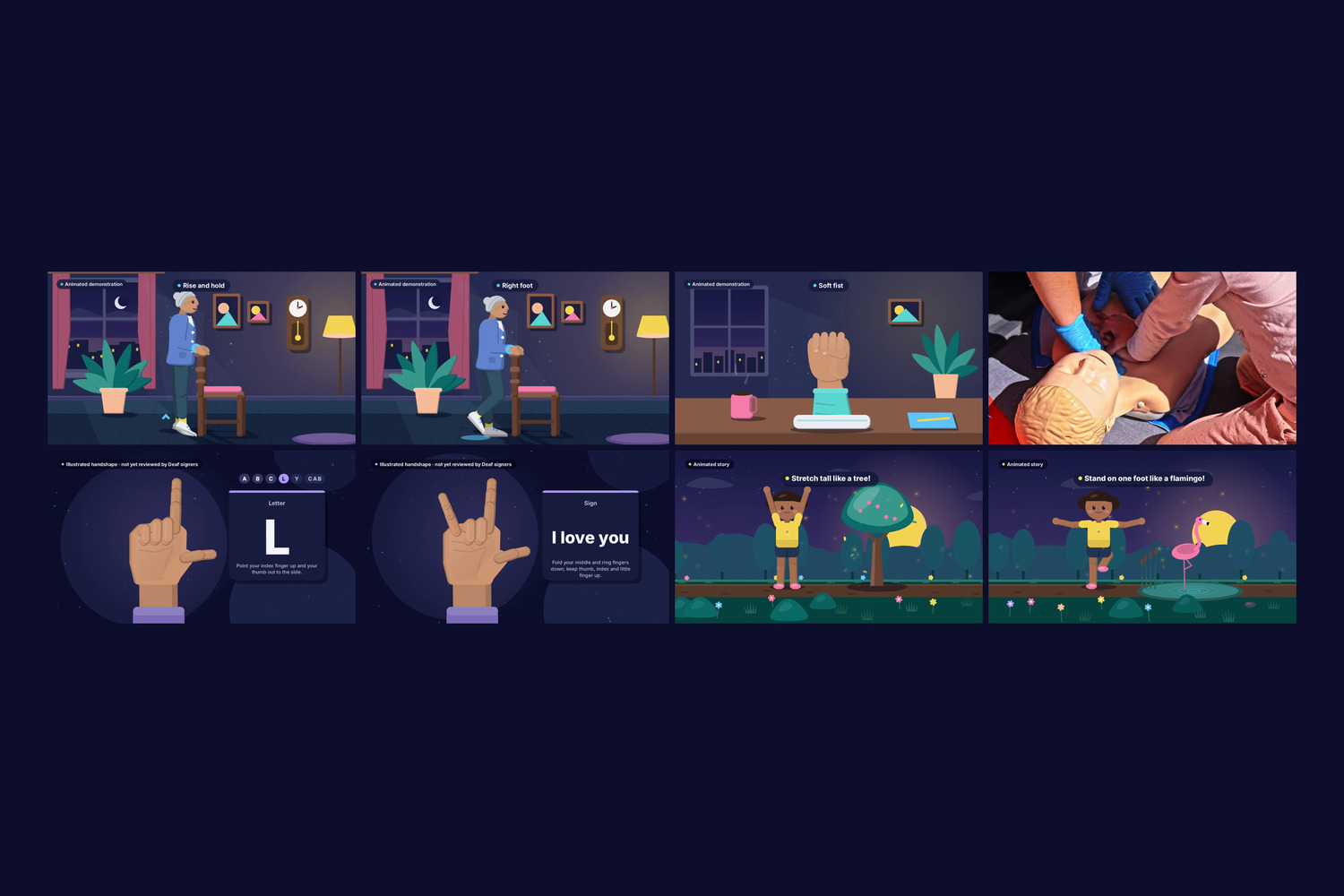
What the teacher video is, per lesson (each one says so on screen, and every one is narrated — see Sound and voice):
| Lesson | Video |
|---|---|
| Heel raises, single-leg stand | Animated demonstration — an older woman beside a sturdy chair in a living room does the exact move, timed to each gate |
| Open and close your hand | Animated demonstration — a hand resting on a table opens wide and closes to a soft fist at the teacher's 2 s pace (seamless loop) |
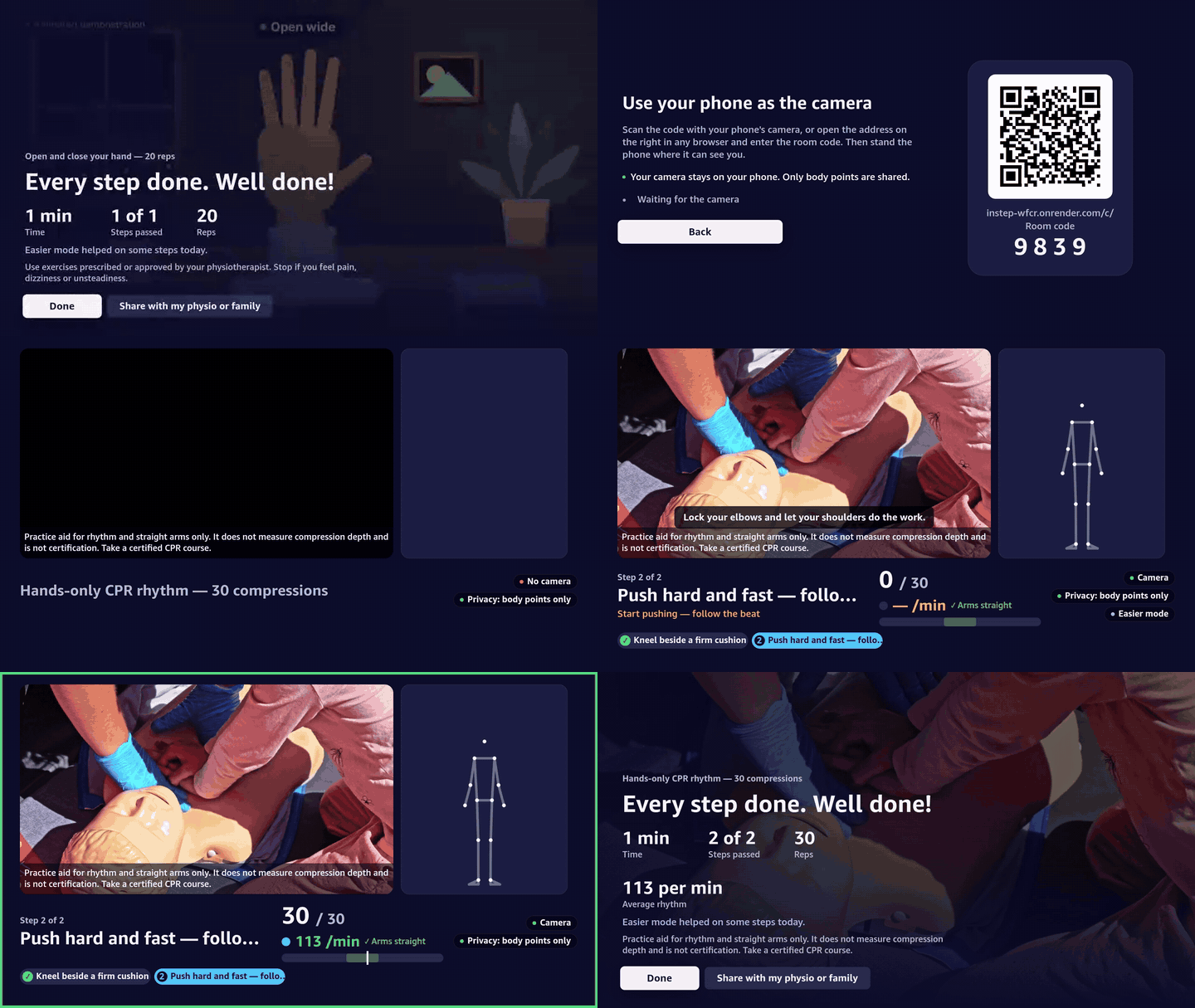
| Hands-only CPR rhythm | Real footage — compressions on a training manikin (Pexels stock, credited) |
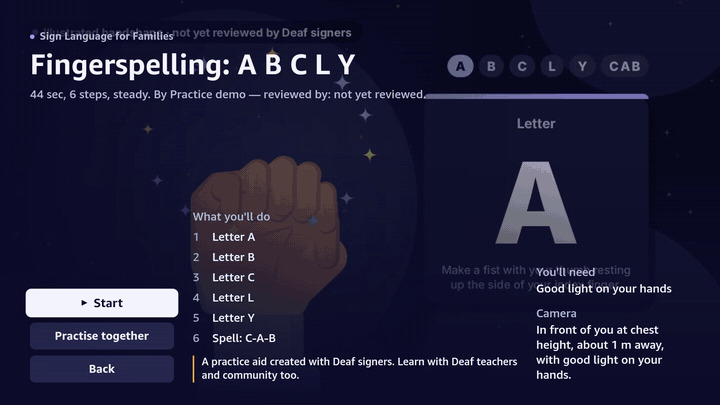
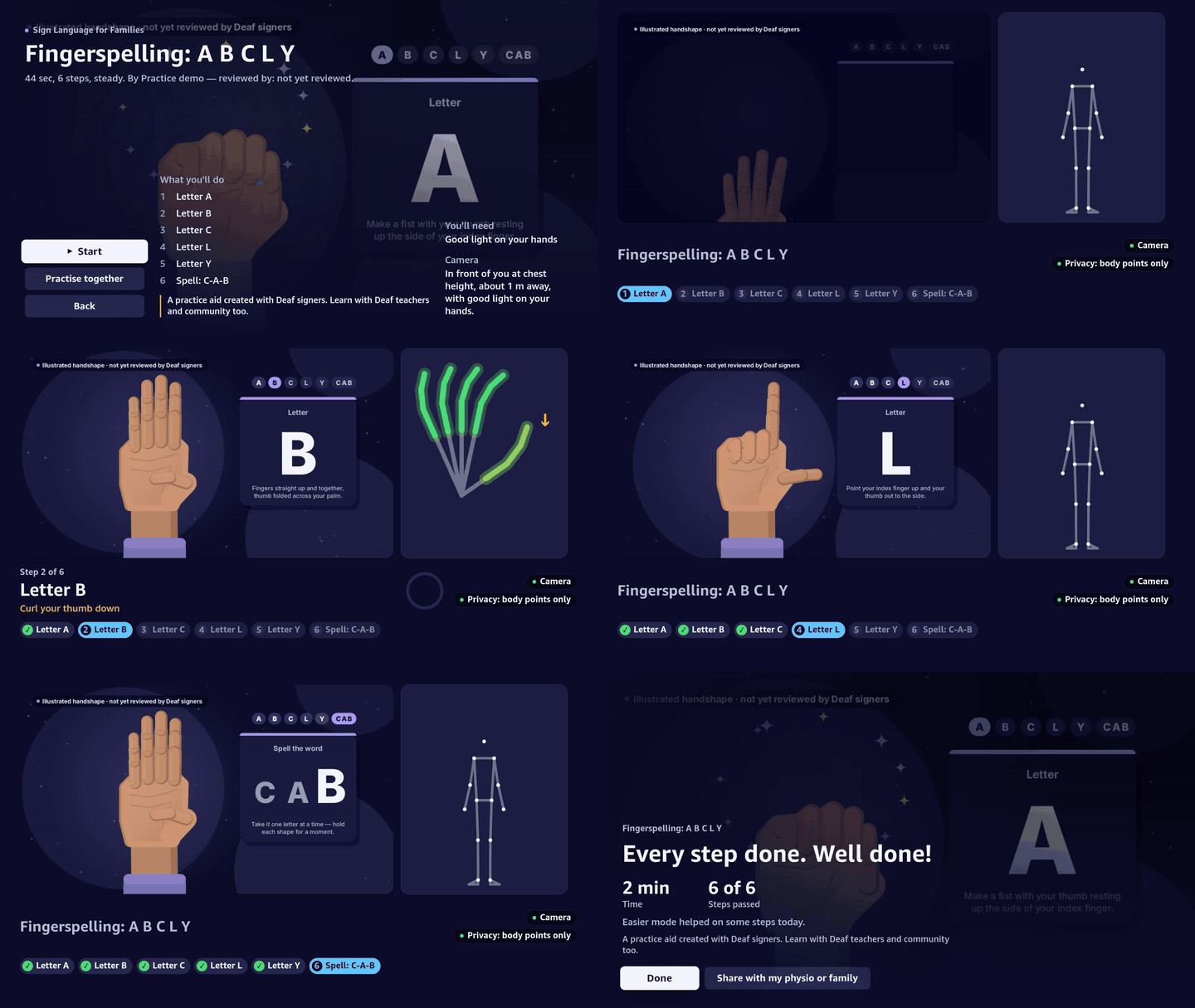
| Fingerspelling, "I love you" | Illustrated handshapes — one animated hand forms A B C L Y and I-love-you; labelled "not yet reviewed by Deaf signers" |
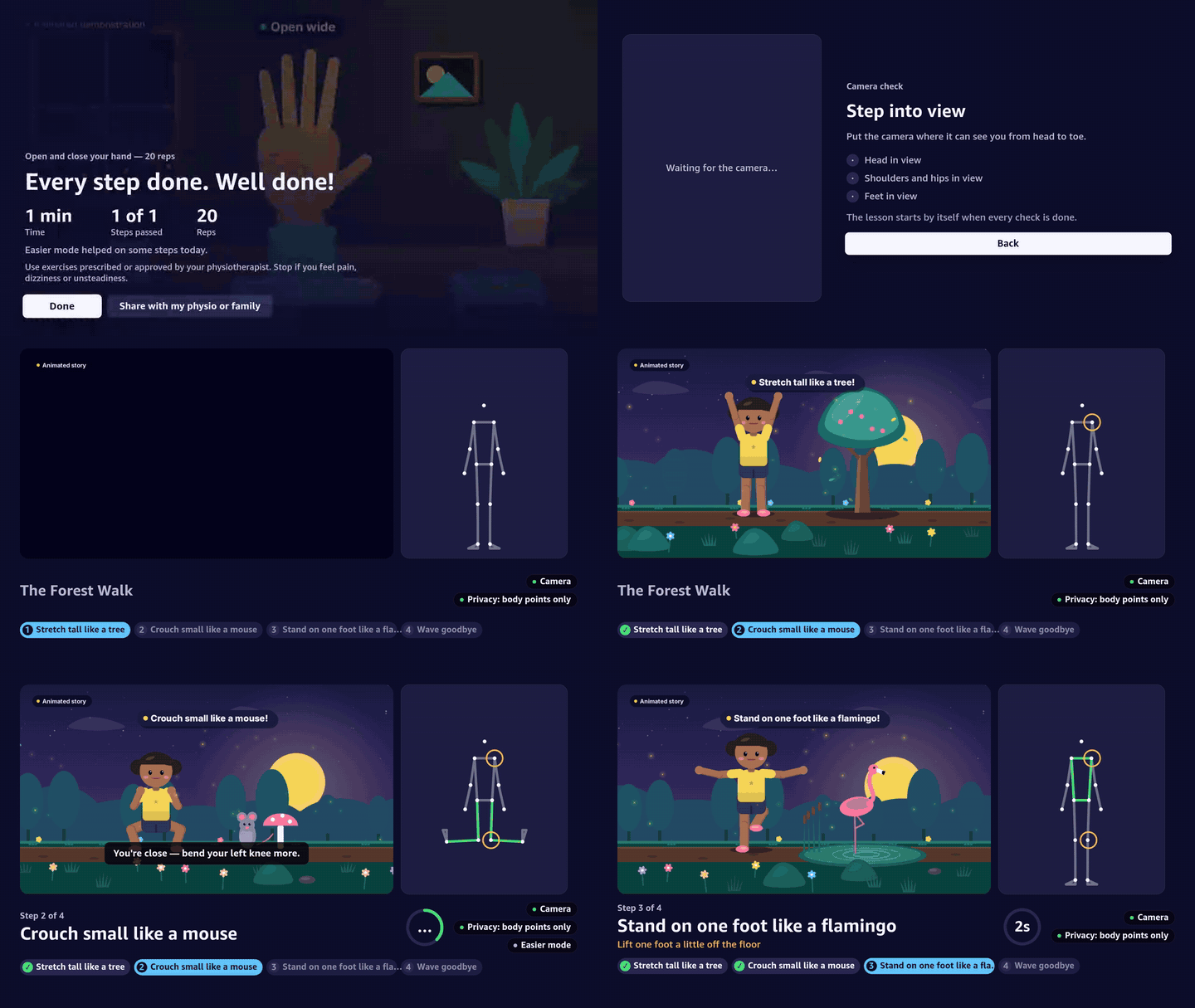
| The Forest Walk (kids) | Animated story — a child walks through a forest at dusk and acts out tree, mouse, flamingo and wave, with a star burst after each |
The illustrations are drawn in code on a canvas in the Blue Hour palette and rendered frame by frame with headless
Chromium + ffmpeg (scripts/motion/), following the method of the
huashu-art-motion skill (style frame first, then motion, then
contact-sheet QA); no art or code was copied from it. Looped segments start and end on the same frame, so a learner
who needs more time sees one continuous move. Credits and consent: content/CREDITS.md. A
recorded demonstration replaces any of them by dropping in a new video.mp4 (or by recording one in Creator Studio).
| Channel | What the gates check |
|---|---|
| Fall Prevention (hero) | Chair safety check before balance work, posture holds, heel-raise reps, automatic sway stop, progression levels |
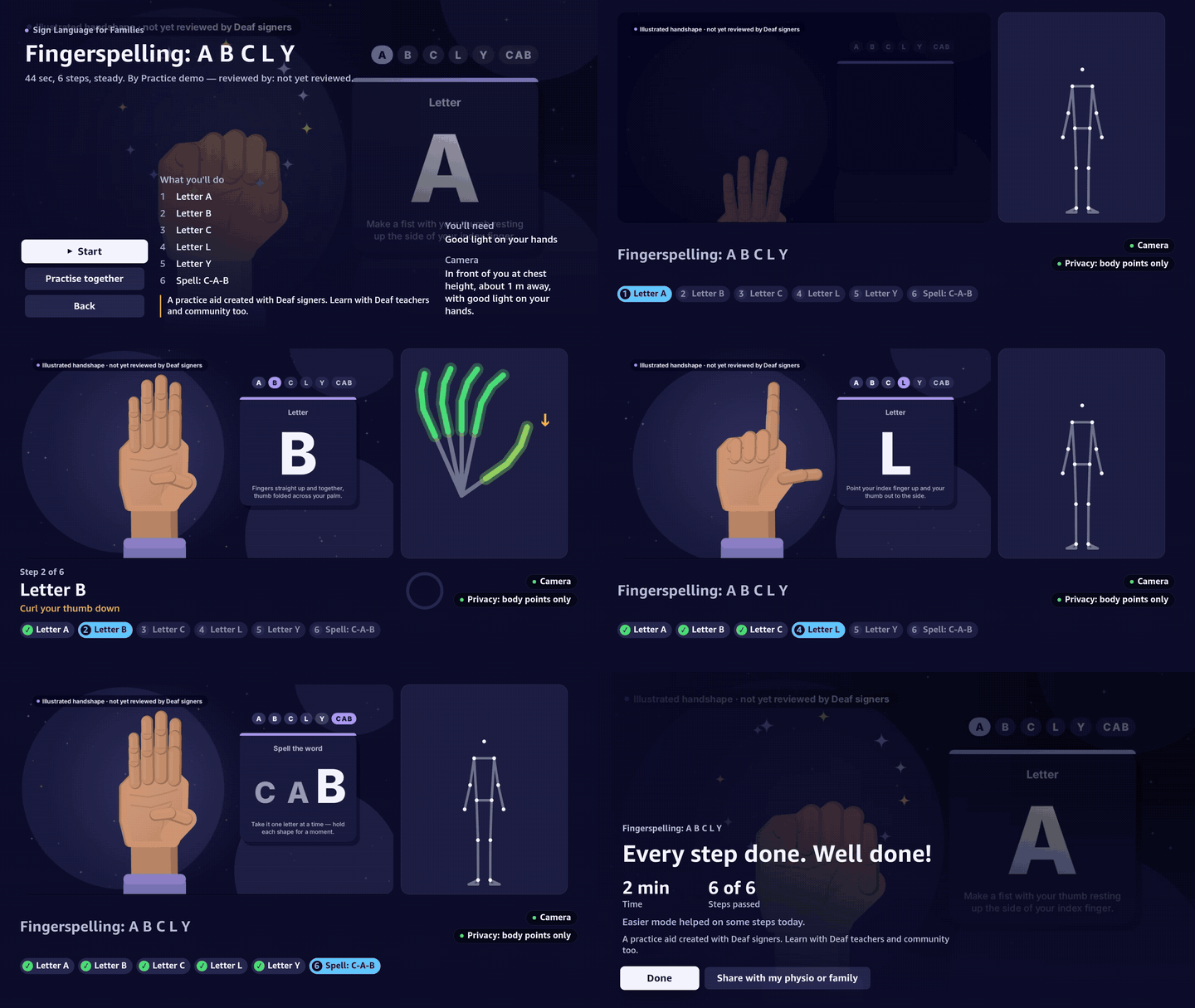
| Sign Language for Families (hero) | Static ASL handshapes with finger-level Delta Glow feedback (no sound needed), fingerspelling sequence, Together mode |
| Stroke Hand Rehab | Quality reps (full range of motion only), pace-follow slows the video for a slow learner |
| CPR Practice | Compression rhythm (100–120/min) and straight arms, metronome; does not measure depth, not certification |
| Kids' Active Storytime | Act out "The Forest Walk" with generous tolerances and a star burst on every pass |
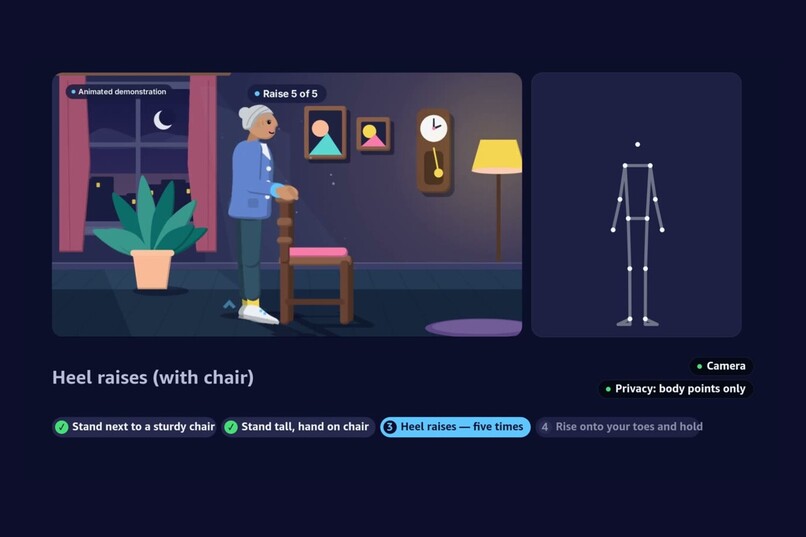
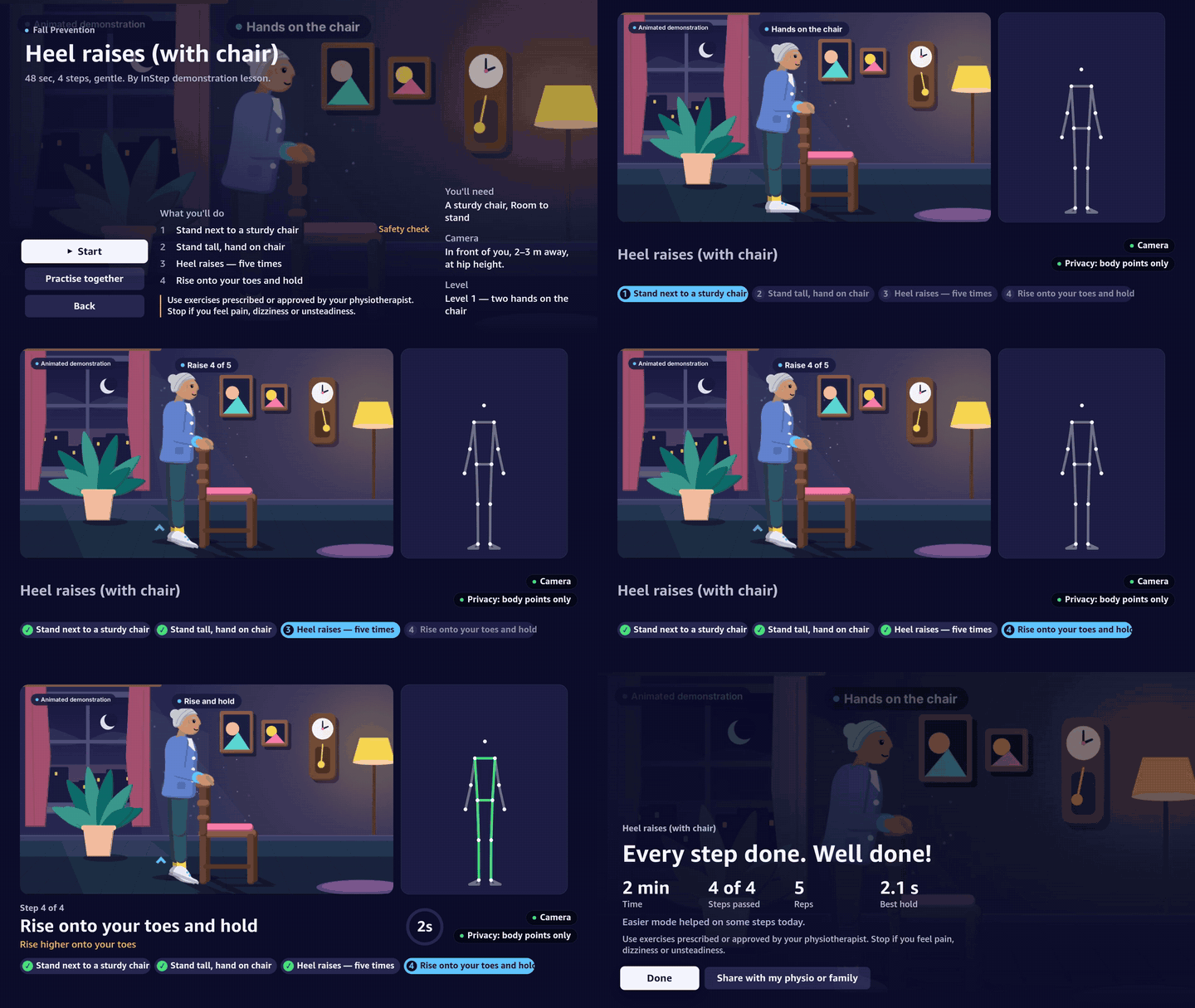
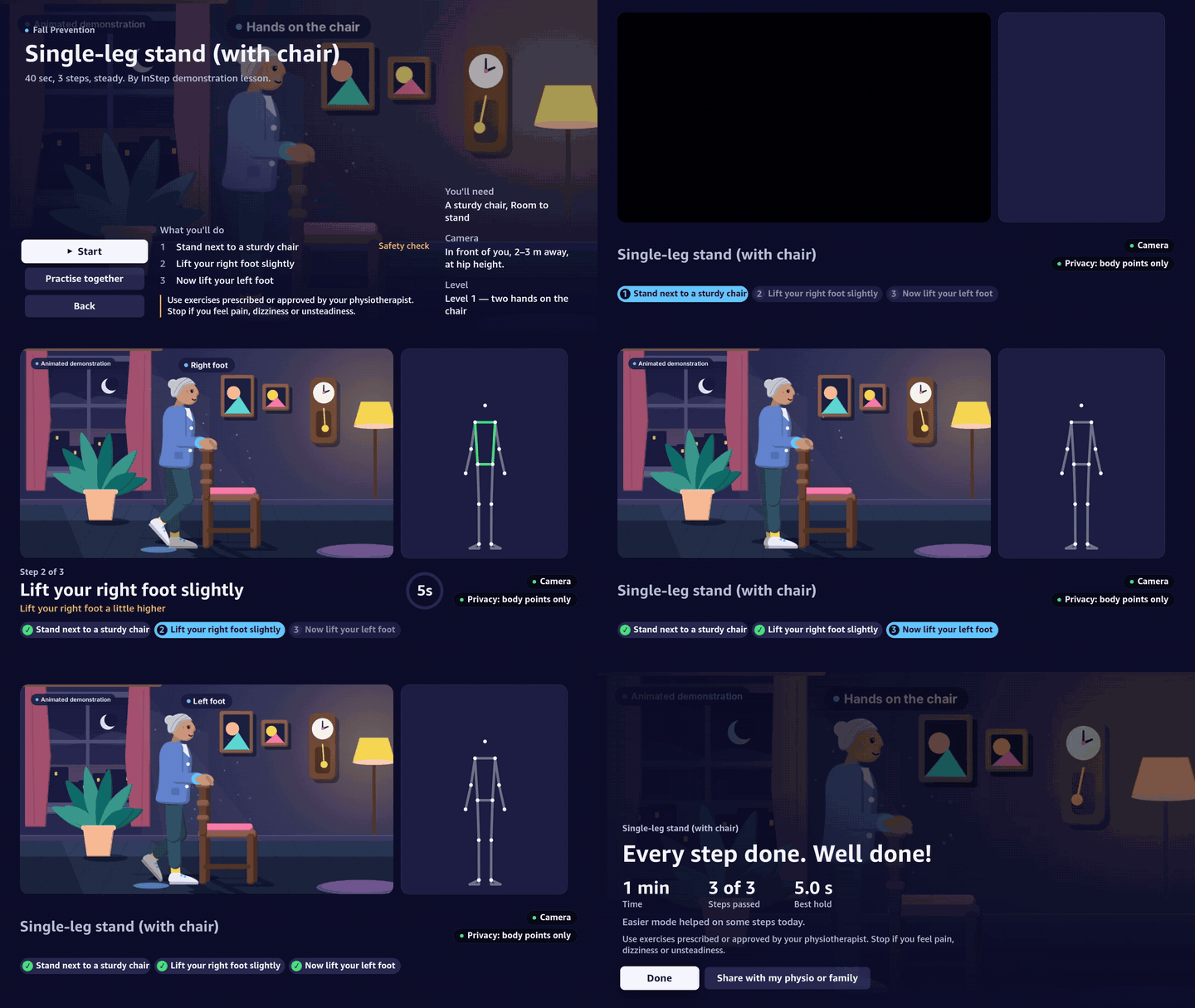
Fall Prevention — heel raises with a chair, and single-leg stand
The lesson refuses to start the balance work until a chair is detected beside the learner (safety gate, never loosened), then checks posture, counts five heel raises by heel height, and finishes with a 2 s hold.
Sign Language for Families — fingerspelling A B C L Y, and "I love you"
Each handshape is matched finger by finger; the Delta Glow panel shows exactly which finger to curl or extend. The last step is a sequence: C, A, B in order — out-of-order shapes never advance it.

Stroke Hand Rehab — open and close your hand, 20 quality reps
Only reps that reach both ends of the range count. Pace-follow slows the video when the learner is slower than the teacher.

CPR Practice — rhythm and straight arms
A placement check first (shoulders, arms and hands in view), then compressions must land at 100–120 per minute with locked elbows; the BPM meter and metronome guide the pace. The disclaimer stays on screen: a practice aid for rhythm and straight arms only, it does not measure depth and is not certification.
Kids' Active Storytime — The Forest Walk
Tree, mouse, flamingo, wave: four poses with generous tolerances and a star burst on every pass.
Safety notes shown in the app: exercises should be prescribed or approved by a physiotherapist; the CPR lesson is a practice aid for rhythm and straight arms only; sign lessons are a practice aid — learn with Deaf teachers and community too. The coach gives movement tips, never diagnoses.
Sound and voice
Every lesson video carries a spoken coach, a quiet original music bed and small sound cues, all made offline at zero cost — no cloud call, no recording of anyone:
- Narration: Kokoro-82M (Apache-2.0) run locally through
kokoro-onnx. Each line is timed to the gates: it ends at least 0.3 s before the video pauses, never runs across a pause, and lines inside a looped segment ("Up… and down.") repeat cleanly. Praise comes only after a step passes. The script checks all of this:node scripts/audio/mux.mjs --check. - Music and sparkles: synthesised in code per channel (calm pads for fall prevention and rehab, plucks for kids, none for CPR so the metronome leads). The bed fades out around every pause and loop point and ducks under speech.
- Mix: −16 LUFS, true peak ≤ −1.5 dBTP, AAC 48 kHz; video frames untouched.
- Phone: a soft chime when a step passes and a tick per counted rep (Web Audio, no files), with a mute switch; the CPR metronome shares the same output. Every sound has a visual twin, and sign-language lessons work fully with the sound off.
Regenerate: uv run scripts/audio/tts.py, uv run scripts/audio/bed.py, node scripts/audio/mux.mjs (details in
scripts/audio/README.md).
The .istep format
Like WebVTT for captions, .istep is an open JSON sidecar that attaches body-aware gates to any video.
{
  "istep": "1.0",
  "id": "asl-i-love-you-v1",
  "title": "Your first sign: I love you",
  "channel": "sign_language",
  "video": { "src": "video.mp4", "durationSec": 15 },
  "tracking": ["hands"],
  "gates": [
    {
      "id": "ily",
      "t": 7.5,
      "type": "hand_sign",
      "label": "Sign: I love you",
      "target": { "curl": [0, 0, 1, 1, 0], "spread": { "thumb_index": "open" } },
      "fallbackTip": "Fold your middle and ring fingers down; keep thumb, index and little finger up.",
    },
  ],
  // …camera placement, disclaimer, safety monitors, credits
}
Seven gate types: pose_match, hold_duration, rep_count, rhythm_bpm, hand_sign, sequence_order,
safety_prerequisite. Spec: docs/03-istep-format.md · JSON Schema:
packages/istep-format/schema/istep-1.0.schema.json.
pnpm --filter @instep/istep-format build
node packages/istep-format/bin/istep.mjs validate path/to/track.istep   # JSON-path errors on failure
Privacy, measured
- Camera frames are processed only in the phone's browser and are never uploaded, recorded or relayed.
- The privacy pill counts every byte the page actually sends:
Video sent: 0.0 KB/s · Body points: x KB/s. - The server sends a strict Content-Security-Policy (
connect-src 'self') on the companion, so the browser blocks every third-party request — including MediaPipe's built-in usage telemetry, which has no opt-out. - The relay never logs landmark payloads; rooms expire after 2 h idle. Reports and the MCP server expose aggregates only. The browser test asserts all of this on every push.
Related work
InStep is not the first system where a video waits for the learner:
- Kemtai — computer-vision physiotherapy exercises with real-time corrective feedback.
- Fingerspelling.xyz — webcam ASL alphabet practice with machine learning.
- DRAX Inc., EP 4458432 A1 — pausing or re-timing a workout guide video according to the user's posture.
What InStep adds: an open .istep format for any video plus an open-source Vega player; Creator
Studio that turns one phone recording into a gated lesson automatically; Fire TV / Vega OS as the screen with
a phone as the camera; one engine for five skill types (poses, holds, reps, rhythm, hand shapes); safety
first (chair check, sway stop, fixed safety thresholds); Together mode; and measured privacy.
Repository layout
packages/
  istep-format/   zod schema, JSON Schema, validator CLI, 7 example tracks
  gate-engine/    pure TypeScript gate engine + auto-gates (runs on TV, browser and Node)
  protocol/       WebSocket + REST message schemas
  gated-player/   platform-independent controller + <GatedPlayer/> for Vega (the OSS package)
apps/
  server/         Fastify + ws relay + SQLite + coach/voice/labels (Bedrock, Polly) + optional MCP
  companion/      Vite + React: camera node, Creator Studio, reports (served at /c/)
  tv/             Vega OS React Native app (installed with npm, like the official samples)
content/          demo lessons (track.istep, lesson.json, video.mp4 when recorded)
scripts/          dev cert, test TV, landmark replay, OSS export, kids video renderer
docs/             specification, progress and friction logs, submission kit, screenshots
Quick start (fresh clone → running in under 15 minutes)
Requirements: Node ≥ 22.13, pnpm 11, ffmpeg (Creator Studio transcode), mkcert (phone camera needs HTTPS).
pnpm install
pnpm test                              # 239 tests across all packages
cp .env.example .env
pnpm cert                              # mkcert cert for your LAN IP; prints the .env lines to paste
pnpm companion:build                   # downloads MediaPipe models into /models and builds /c/
pnpm server                            # https://<LAN-IP>:8787 (phones) · http://<LAN-IP>:8788 (TV)
Then on a phone open https://<LAN-IP>:8787/c/ (install the mkcert root CA first — pnpm cert tells you how).
Without a TV yet, pnpm test-tv prints a join QR code in the terminal and reports landmarks per second from each
connected phone.
The server listens twice: HTTPS for phones and laptops (camera access needs a secure context) and plain
HTTP/WS for the Vega TV app, so the TV never has to trust a self-signed certificate. Lessons in content/lessons/
are seeded on start; a lesson appears in the catalog only once its video exists.
TV app (Vega Virtual Device)
cd apps/tv && npm install
npm run typecheck
npm run build:debug                       # react-native build-kepler (needs the Vega Developer Tools)
vega run-app build/*/*.vpkg com.instep.tv.main -d VirtualDevice
The TV app defaults to the hosted server (https://instep-wfcr.onrender.com). For a local server enter
http://10.0.2.2:8788 (the host as seen from the Virtual Device) in Settings → Server address: REST and the
relay work over http, but video needs HTTPS — Vega's media player refuses http:// sources (friction F-06).
vega run-app takes one package: use build/x86_64-debug/tv_x86_64.vpkg for the Virtual Device.
No camera handy? pnpm demo-learner --room <code> --server https://instep-wfcr.onrender.com joins the room as a
synthetic learner that performs each step after a short delay — the whole lesson, gates and summary run end to end
on the device. Verified on the Virtual Device (see docs/PROGRESS.md, 2026-10-22).
Creator Studio
Open https://<LAN-IP>:8787/c/creator, enter the CREATOR_PIN, create a lesson, record the demonstration
(video + body points at 15 fps, visible REC indicator, max 60 s) or upload a video, review the suggested steps on the
timeline, try any step with your own camera, and publish — the lesson appears on every TV within seconds.
Testing without a camera
Open the companion with ?room=1234&record=1, do the movement, tap "Save landmarks recording" (a JSONL file of
numbers, saved on your device), then replay it into any TV room:
pnpm replay recording.jsonl --room <TV room> [--loop]
pnpm e2e                                 # Playwright: camera node, Creator Studio, report (fake camera)
AI on AWS — how it is used, and what was verified
InStep uses two AWS services, both behind a single switch. MOCK_AI=true (the default, and what the hosted
instance runs) means no AWS call is ever made: tips come from templates built from the gate engine's own hint,
labels from templates, voice from the phone's browser.
| Service | Used for | Guard rails in code |
|---|---|---|
Amazon Bedrock — Converse API (apps/server/src/ai/bedrock.ts, coach/coach.ts) |
One short, kind coaching tip when a learner is stuck on a step | model id only from BEDROCK_MODEL_ID; system prompt forbids diagnosis, injury, medication and numbers; maxTokens 80, temperature 0.4, 4 s abort; output filtered (≤ 25 words, banned medical terms, no digits) or the lesson's fallbackTip is used; cached by `lesson\ |
Amazon Bedrock — Converse API (ai/labeler.ts) |
Short labels and tips for the steps Creator Studio proposes | strict JSON reply validated with zod; any failure keeps the deterministic template labels; each label passes the same safety filter |
Amazon Polly — neural (ai/voice.ts) |
Spoken version of a tip in en-US / es-ES / hi-IN / fr-FR | voice map per language, MP3 cached on disk by text hash, falls back to browser speech on the phone |
Shared daily budget (ai/budget.ts) |
Every real call above | COACH_MAX_CALLS_PER_DAY (default 300) across tips, labels and voice; counter in the logs |
What leaves the server: for a tip, a JSON object of numbers and short strings (lesson, gate, which joint is off and by roughly how much, attempt count, audience). Never video, images, landmark streams or names.
MOCK_AI=false
BEDROCK_MODEL_ID=amazon.nova-micro-v1:0     # any on-demand text model your account can call
AWS_REGION=us-east-1
POLLY_ENABLED=true
pnpm aws:check                              # free calls only: identity, model list, Polly voices
pnpm aws:check --probe --tts                # + one 5-token tip and one short synthesis
Verified against a real AWS account (Oct 21, 2026)
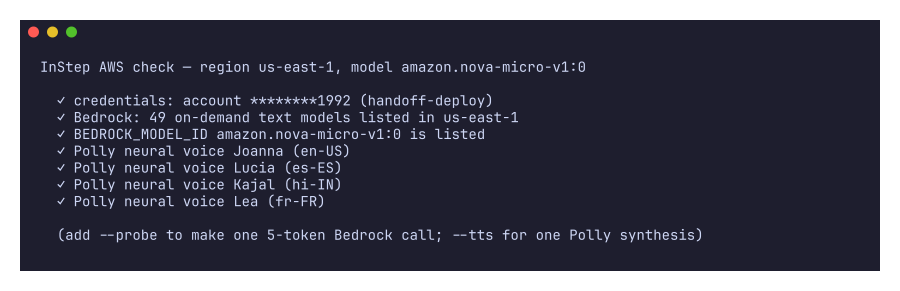
pnpm aws:check (free control-plane calls only) against the developer's account: credentials valid, 49 on-demand
text models listed in us-east-1 including amazon.nova-micro-v1:0, and all four neural Polly voices available.
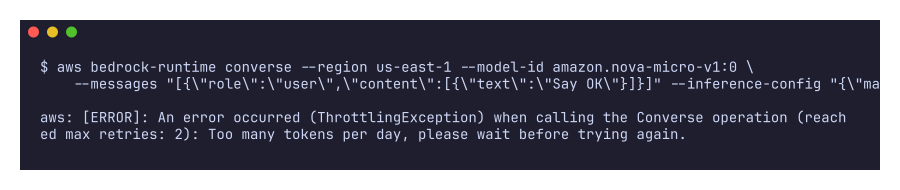
The first real Converse call hit the account's daily Bedrock token allowance (a small per-day cap on new
accounts, reset daily) — ThrottlingException: Too many tokens per day. That is exactly the case the coach is
built for: the server logs it and answers with the lesson's own fallback tip, and nothing is charged.
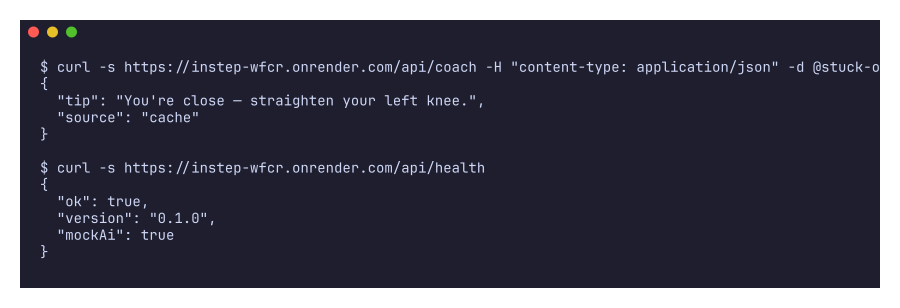
The hosted instance runs in mock mode. A real request to its coach endpoint answers in well under a second with the
template tip (first call source: "mock", repeats source: "cache"), and /api/health reports mockAi: true:
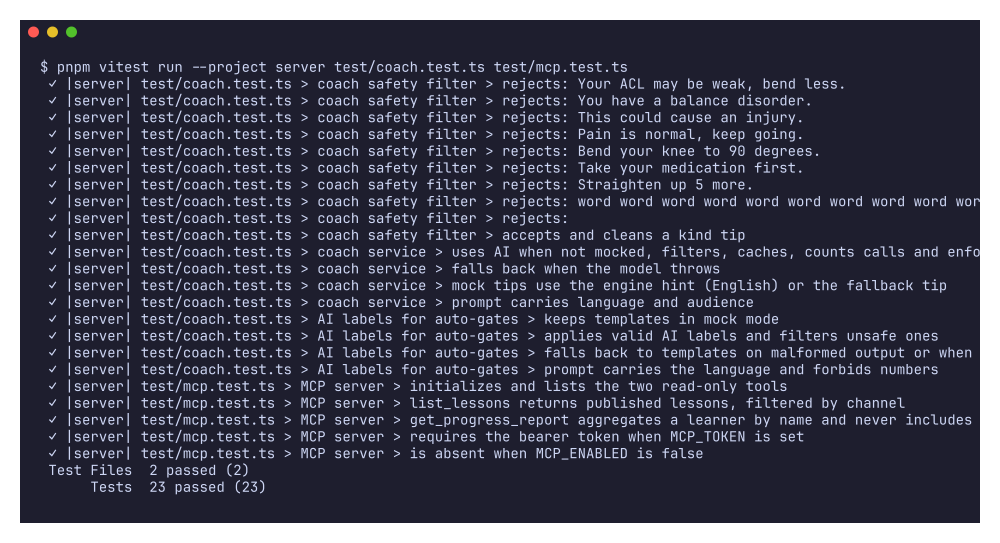
The coach, labeler and safety filter have 18 unit tests (model errors, malformed JSON, the daily cap, banned terms), plus 5 for the MCP server:
Not shown, on purpose: a successful AI-written tip end to end. On Oct 23 the free
freetier:GetAccountPlanState call reported the account on the paid plan with $0 credits left (a $1 zero-spend
budget is set), and the project rule is to spend only existing credits — so no metered Bedrock or Polly call is
made. The hosted server stays in mock mode: templated tips, and lesson narration rendered offline with a free local
voice model (see Sound and voice). Switching on Bedrock/Polly is one setting (MOCK_AI=false)
once credits exist; set a budget alert first: AWS console → Billing and Cost Management → Budgets → Create budget →
Monthly cost budget → $5 → your email.
Hosting (Render)
The project is deployed at https://instep-wfcr.onrender.com from this repo's Dockerfile (Node 22 + ffmpeg,
MediaPipe models baked in): one web service serves the companion over HTTPS (so phone cameras work without
mkcert), the WebSocket relay, the REST API, lesson media and the MCP endpoint. Every push to main redeploys.
- Companion:
/c/· Creator Studio:/c/creator· health:/api/health· MCP:/mcp(bearer token). - Point the TV app at
https://instep-wfcr.onrender.comin Settings → Server address (it connects overwss://). - It runs on Render's free plan: no persistent disk (SQLite and uploaded lessons reset on each deploy) and the
instance sleeps after 15 minutes idle.
render.yamldocuments the one-line change to a plan with a disk. MOCK_AIstaystruethere; no AWS credentials are configured on the hosted instance.
To host your own copy: Render → New → Blueprint → this repo (reads render.yaml, generates CREATOR_PIN and
MCP_TOKEN). The hosted instance was created through the Render API, so GitHub pushes don't auto-deploy it; a
deploy is triggered with render deploys create srv-<id> --wait (or the dashboard's "Manual deploy").
MCP server (optional)
MCP_ENABLED=true exposes a read-only Model Context Protocol endpoint at
/mcp (Streamable HTTP) with two tools — list_lessons and get_progress_report — so a caregiver can ask their
AI assistant "Did Dad finish his balance exercises this week?". Aggregates only. On a hosted server set
MCP_TOKEN; clients must then send Authorization: Bearer <token>.
{
  "mcpServers": {
    "instep": {
      "url": "https://<service>.onrender.com/mcp",
      "headers": { "Authorization": "Bearer <MCP_TOKEN>" }
    }
  }
}
Built With
- amazon-bedrock
- amazon-web-services
- firetv
- mediapipe
- pose-estimation
- sign-language
