-
-
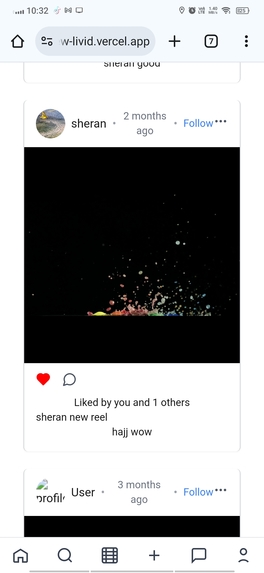
The feed of project
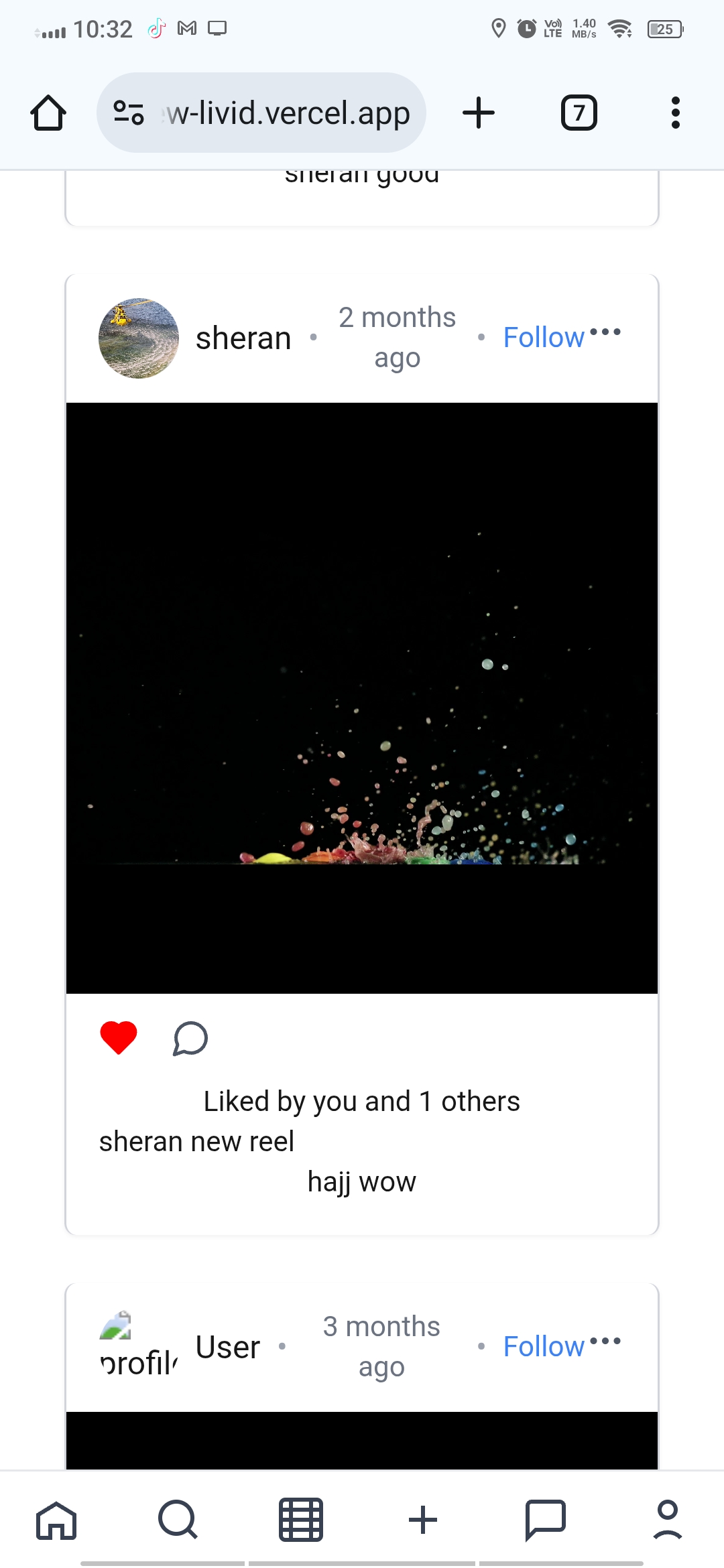
InstaView Project 🚀
Inspiration ✨
The inspiration behind InstaView came from my curiosity about how large-scale social media platforms like Instagram work under the hood. I wanted to challenge myself by recreating similar core features, such as stories, posts, explore, and search, to gain hands-on experience with modern web technologies.
What I Learned 📚
Through building InstaView, I strengthened my knowledge in several areas:
Next.js for server-side rendering and routing.
Firebase (Firestore, Auth, Storage) for real-time data handling, authentication, and file storage.
Cloudinary for efficient image and video hosting.
Redux Toolkit for global state management of authentication, posts, and stories.
Responsive UI design and layouts using React components.
Core concepts of scalability and performance optimization in modern apps.
I also deepened my understanding of user experience flows, such as how Instagram handles multi-story navigation, seen indicators, and explore grid layouts.
How I Built It 🛠️
Frontend: Built using Next.js and React, styled with responsive layouts.
Authentication: Implemented with Firebase Auth and integrated into Redux for global access.
Database & Storage: Used Firestore for storing user data, posts, and stories, while Cloudinary handled heavy image/video media uploads.
State Management: Leveraged Redux Toolkit slices for authentication, posts, and stories.
Features Implemented:
Instagram-like stories viewer with support for images, videos, progress tracking, and swipe navigation.
Post layout including profile details, follow button, and dropdown menus.
Explore page with a three-column grid and media dialog popups.
Profile page with editable profile, enlarged display, and settings dialog.
Search dialog to find users and navigate to their profiles.
Challenges Faced ⚡
Building InstaView wasn’t without hurdles:
Handling real-time updates in Firestore while keeping the UI smooth.
Implementing pause/resume functionality for stories with both hover and long-press interactions.
Optimizing media uploads and rendering videos efficiently with Cloudinary.
Managing state synchronization across multiple Redux slices (auth, posts, stories).
Designing a mobile-responsive search dialog that replaces the sidebar on small screens.
A Touch of Math 💡
When dealing with story progress bars, I calculated progress as a ratio:
\text{Progress} = \frac{\text{Current Time}}{\text{Total Duration}}
This simple formula allowed me to dynamically update the progress UI for each story segment.
Built With
- cloudinary
- firebase
- nextjs
- react
- tailwind


Log in or sign up for Devpost to join the conversation.