-
-
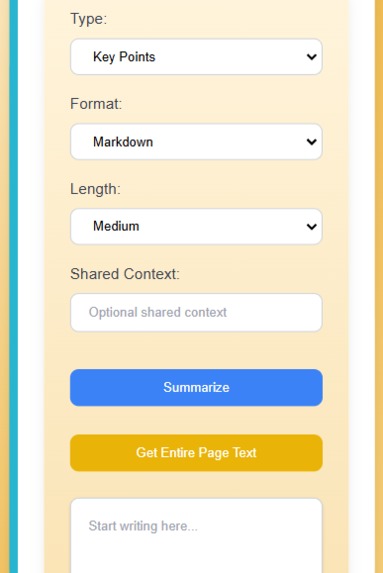
Summarize text directly from your webpage!
-
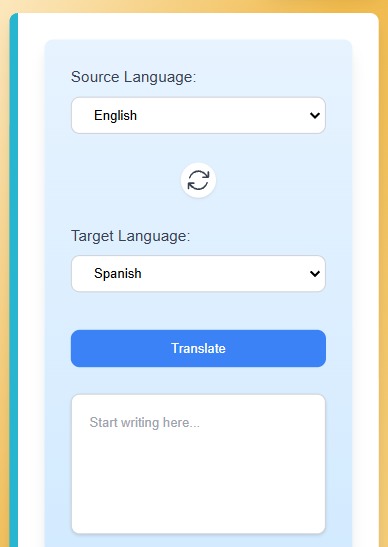
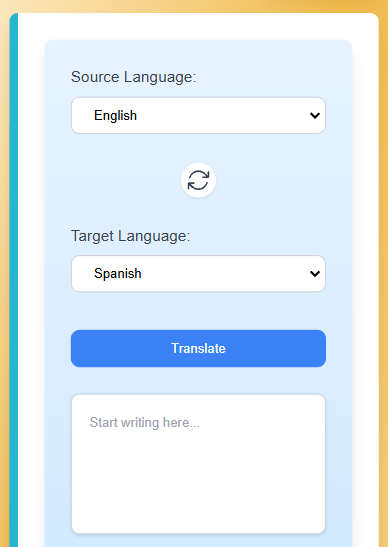
Translate text directly from your webpage!
-
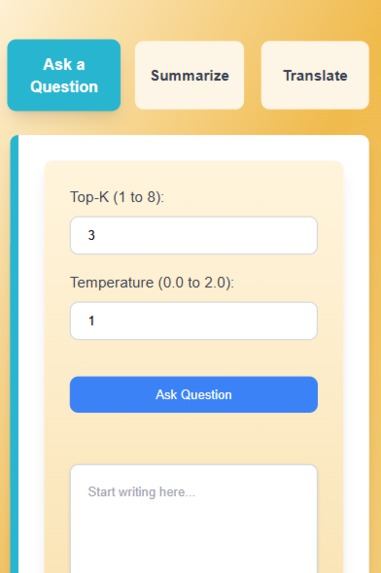
Ask questions from anywhere on the internet!
Inspiration
I wanted to find a way to centralize user questions, summaries, and translations without the user having to leave their browser. Often times, when users are talking to an AI software on their hosted platform, when the tab is closed, they lose all of the conversation context and most of these services do not offer a free way to save a session for re-use in the future. This browser extension fixes this issue and provides a seamless user experience.
What it does
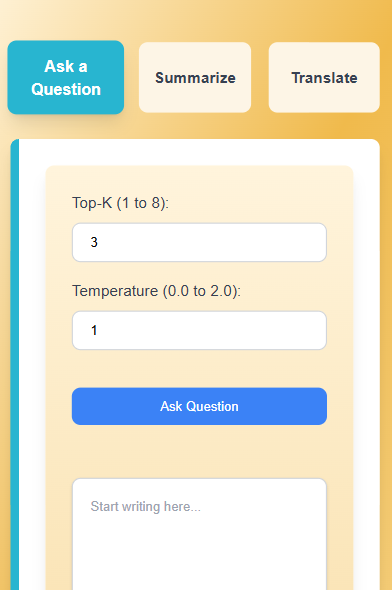
InstaQ is a browser extension where a user can ask questions, as well as summarize and translate text directly from a webpage. User questions can be saved into sessions, allowing users to save previous conversations for easy reference. Additionally, all question responses are always saved to the session and the user can collapse and unclasped the desired responses for ease of organization when referencing previous conversations. Users can adjust the Top-K and Temperature of the prompt API call to finetune the response they receive. Users can clone, rename, and remove conversation sessions as well. Each session remembers the context of previous conversations too as the context is stored on the backend.
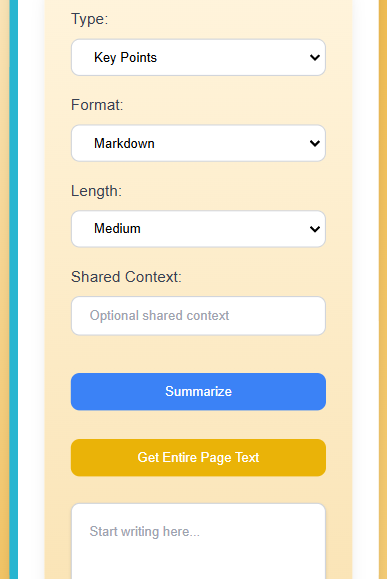
Moreover, a user can highlight text on a webpage and summarize it directly from the browser extension. Users can adjust the type, format, length and, shared context when summarizing text. Users also have the option to enter in free text as well when summarizing. There is also a button that copies all the text on a webpage that the user is on to the browser extension. Users can then review the copied text and click summarize when ready.
Similarly, users can also translate highlighted text on a webpage directly through the browser extension or enter in free text that need to be translated. Languages that are supported for translation are English, Spanish, Mandarin Chinese, Japanese, Portuguese, Russian, Turkish, Hindi, Vietnamese, and Bengali. There is also a button for the user to swap the source and target language easily and it will automatic re-translate the text.
The browser extension is also completely persistent, meaning that when it loses focus, users can resume right where they left off. All the text input and output fields are also persistent allowing for selected parameters, responses, etc. to always be saved to the browser extension.
How I built it
I built it using React Tailwind TypeScript/Javascript and used a manifest file to convert it to a browser extension. I then integrated the APIs: Prompt API in Extensions, Summarizer API, and Translator API. I did all the API calls in a background script to ensure that when an API call is being requested, even if the browser extension is closed, the API call will continue as normal for a smooth user experience.
Challenges I ran into
Making the browser extension completely persistent was a huge challenge and took a lot of time. I had to ensure variables are being stored in the background script appropriately to ensure that when the browser extension is re-opened, variable states are retained. Making the different sessions completely persistent in this way with the prompt API was also the biggest challenge of them all, but felt very rewarding once I got it working.
Another challenge is that the translator API does not work with service workers (the background script). Therefore, I had to use this API call in the offscreen.js file in which it runs offscreen and the background script communicates with it accordingly when triggered on the frontend.
Accomplishments that I'm proud of
I am super proud that I was able to complete this before the deadline and persevere through the technical challenges getting this far. I am very thankful to the google support team for answering questions in the discord, as this really helped me get on the right track as I was integrating these APIs.
What I learned
I learned a lot making this project. I never knew about offscreen scripts, as it was the first time I encountered an API that doesn't work with service workers. Also, making the browser extension persistent, I learned a lot about chrome's API and storing variables in the background script appropriately. It was also my first time using these Google APIs, as well as Google Canary and it really taught me a lot about them and I quite enjoyed using them in this project.
What's next for InstaQ
Next for InstaQ, is taking the summarizer and translator to the next level. I would like it to be able to summarize and translate videos using its URL. I was originally going to try to do this for the hackathon, but then realized that there are privacy restrictions on certain sites, as per youtube's policies, so I decided to omit that from my submissions due to time. I could have potentially done it with captions, but not all videos use captions and it may have been inconsistent, but this would be the next step for me to find a suitable solution to take this browser extension to the next level.
I would also like to drastically improve the UI and user experience. I left the technical names for some of the input parameters for the hackathon to make it more clear, such as Top-K and Temperature, but if this were to actually be released, I would change those input fields to a more user friendly name.
Built With
- javascript
- prompt
- react
- summarizer
- tailwind
- translator
- typescript

Log in or sign up for Devpost to join the conversation.