-
-
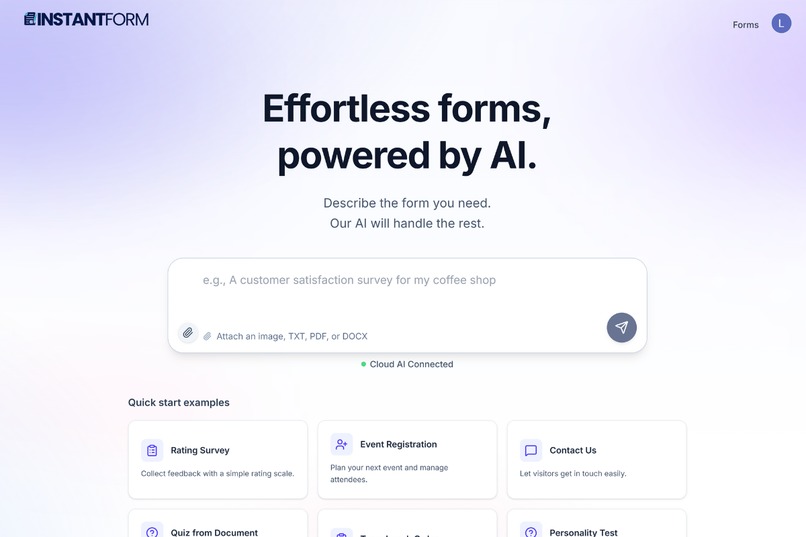
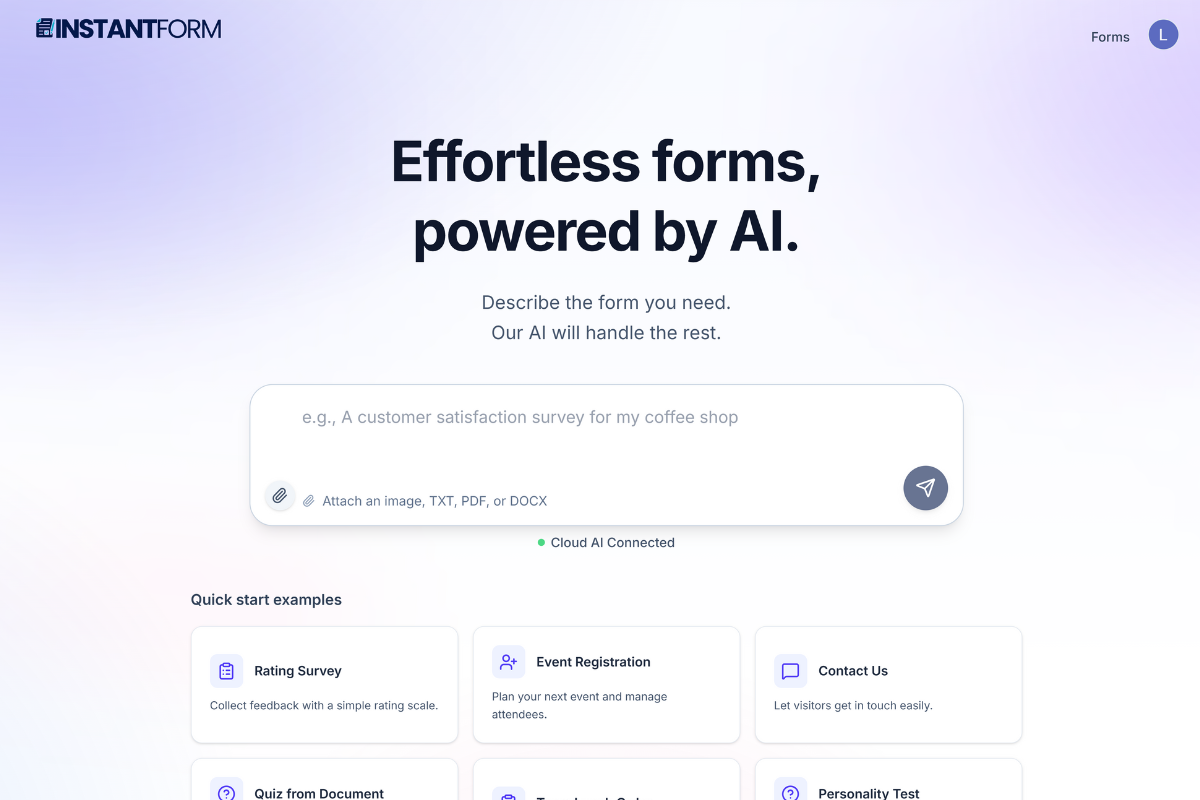
AI form builder with complete offline capabilities - create, edit, and analyze forms from text, images, or documents. Powered by Gemini Nano
-
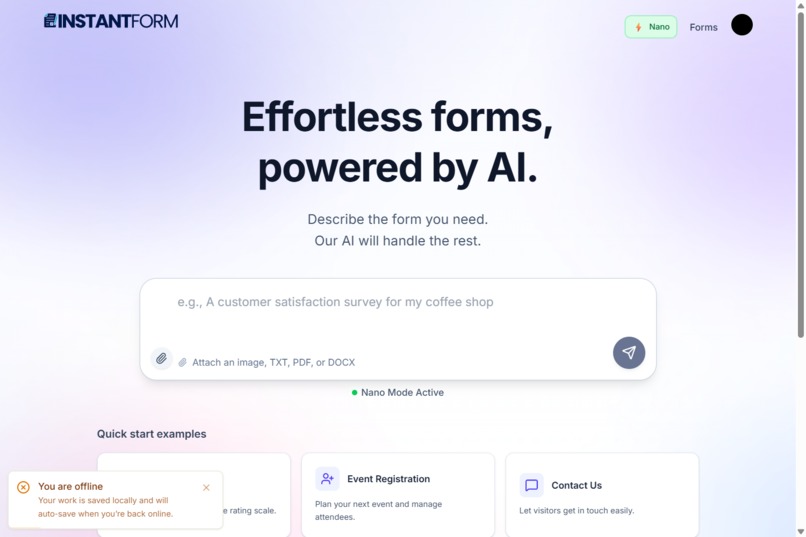
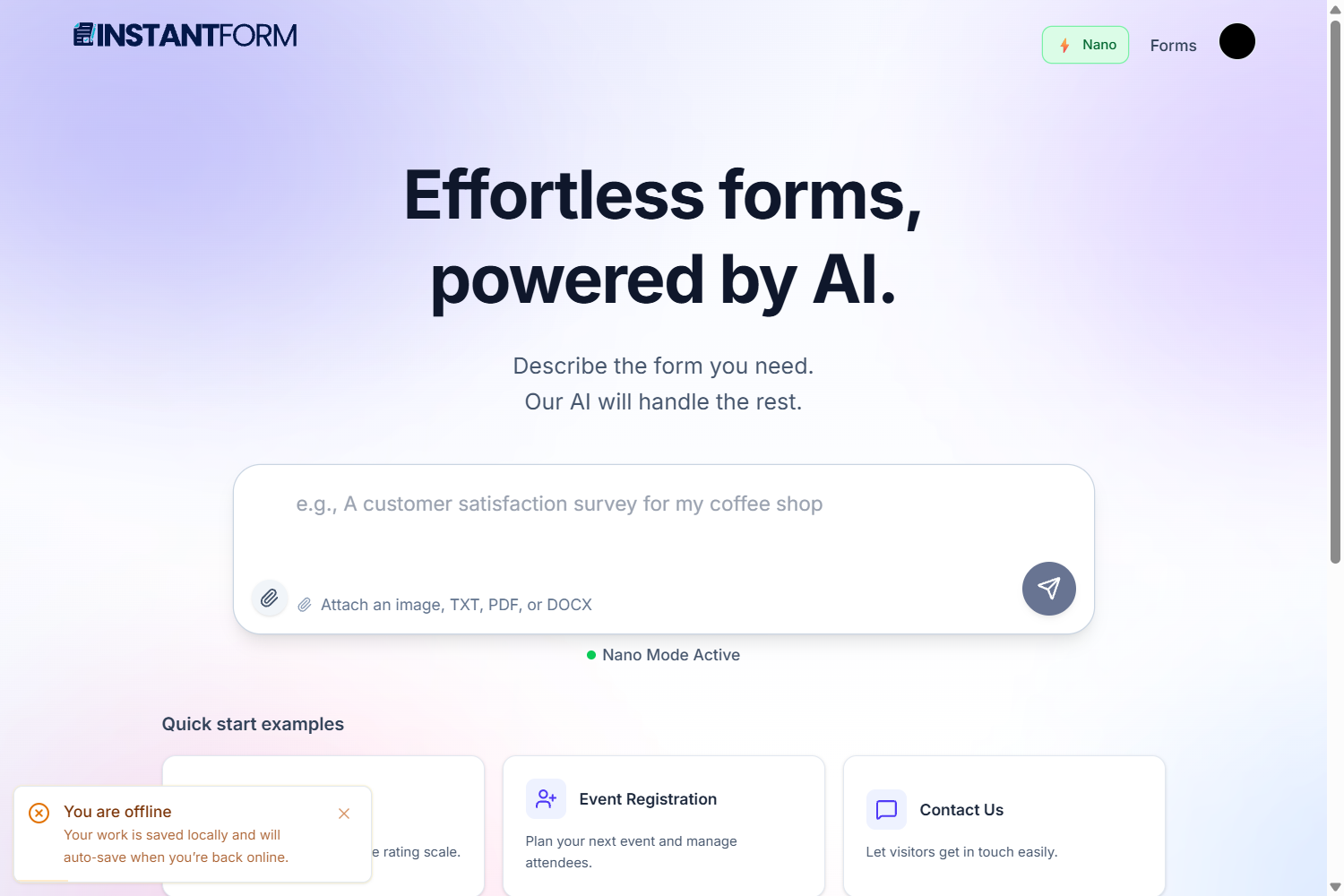
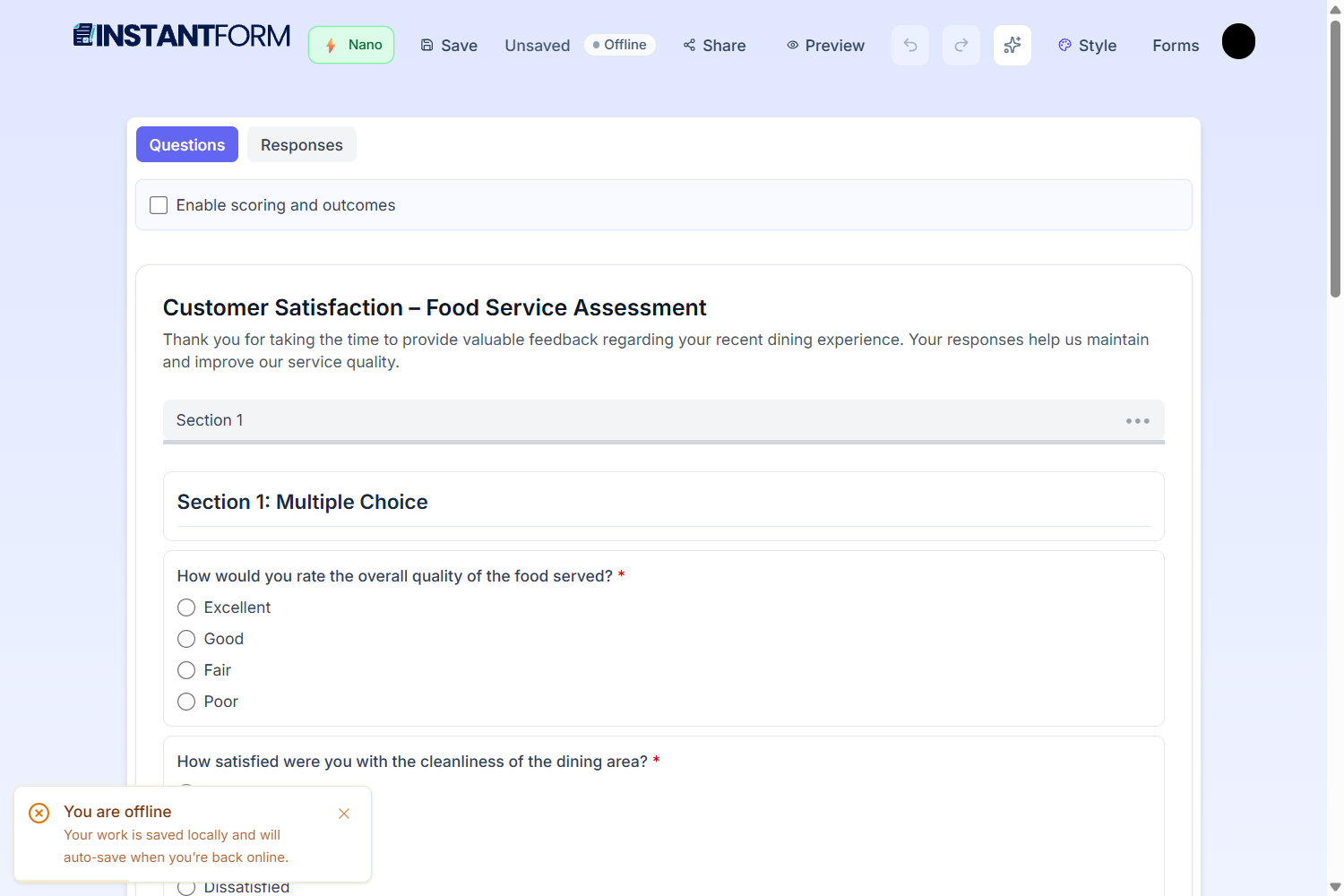
Complete offline form creation powered by Gemini Nano - generate, edit, and analyze forms entirely on-device
-
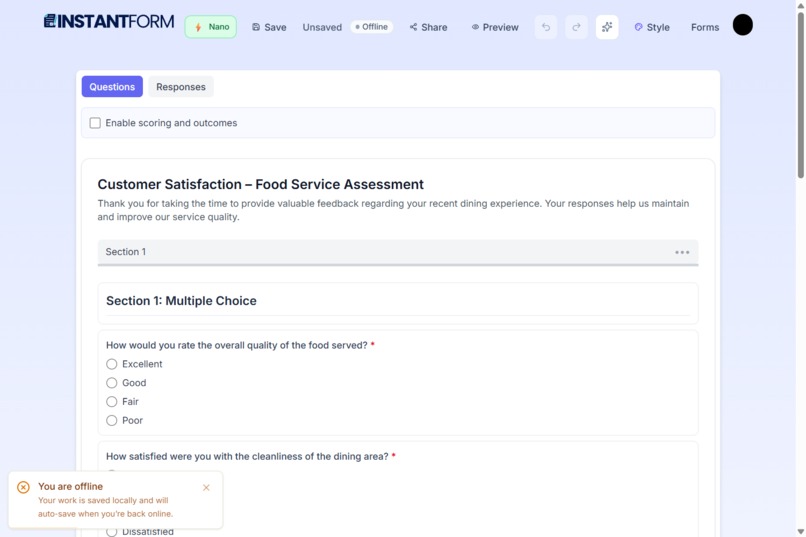
AI co-pilot powered by Gemini Nano - refine forms, expand fields, and analyze responses with natural language commands
-
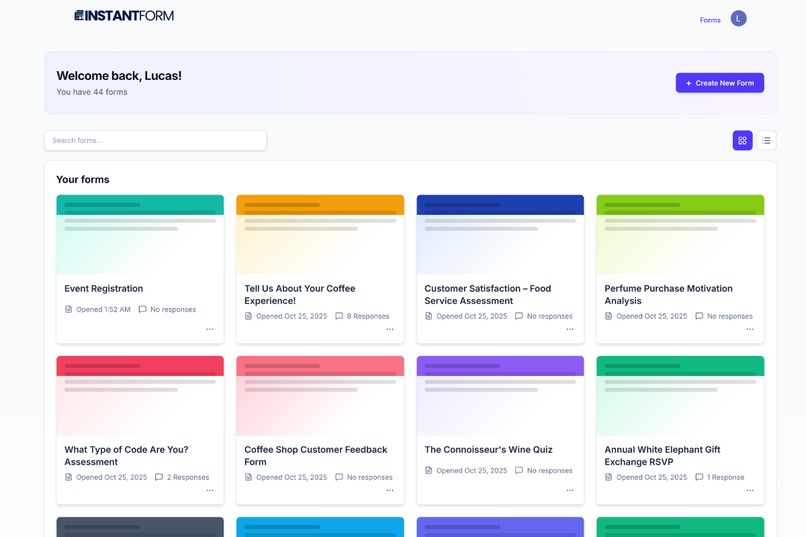
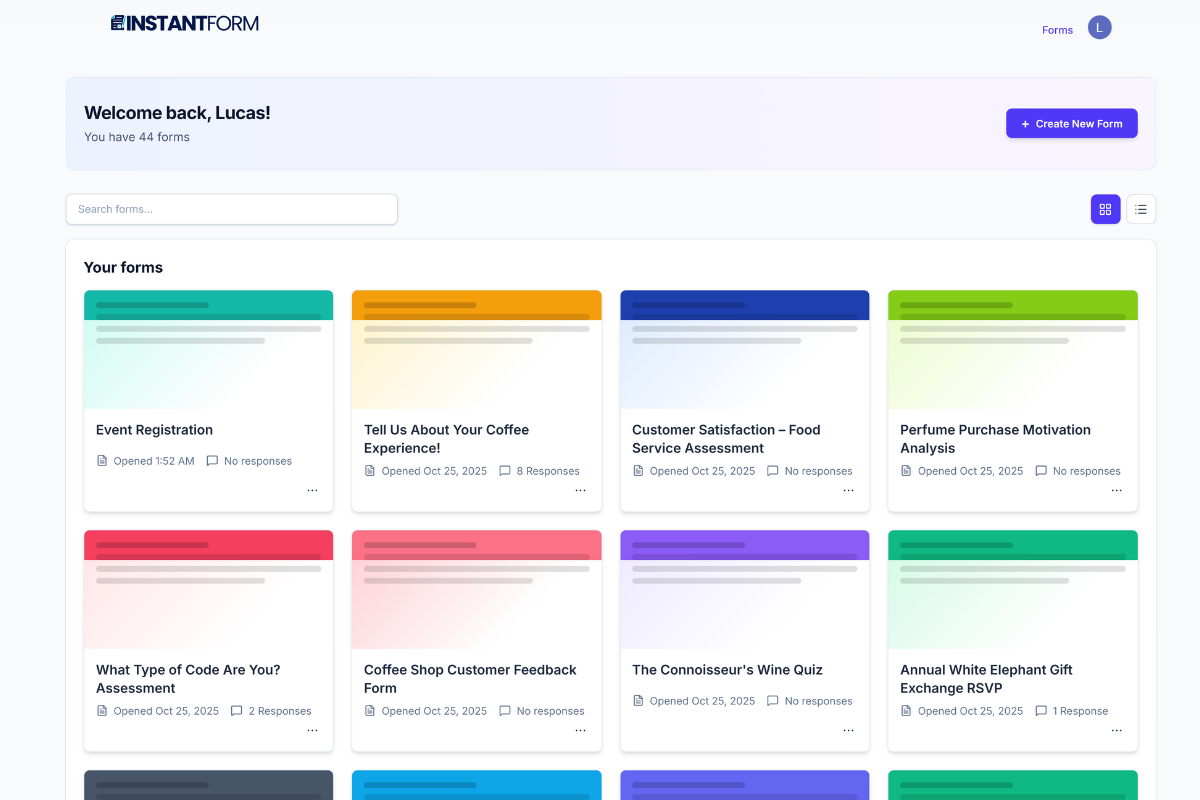
Clean dashboard with unique, themed previews for easy navigation. Includes search & list view toggle.
-
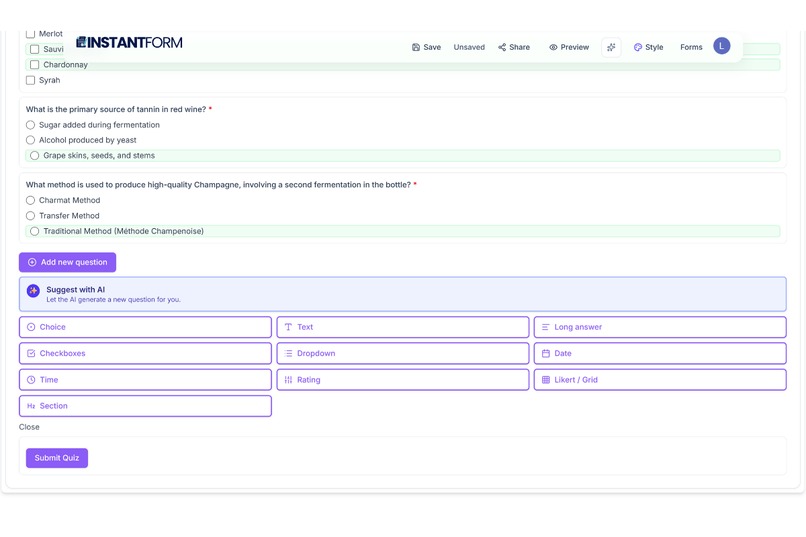
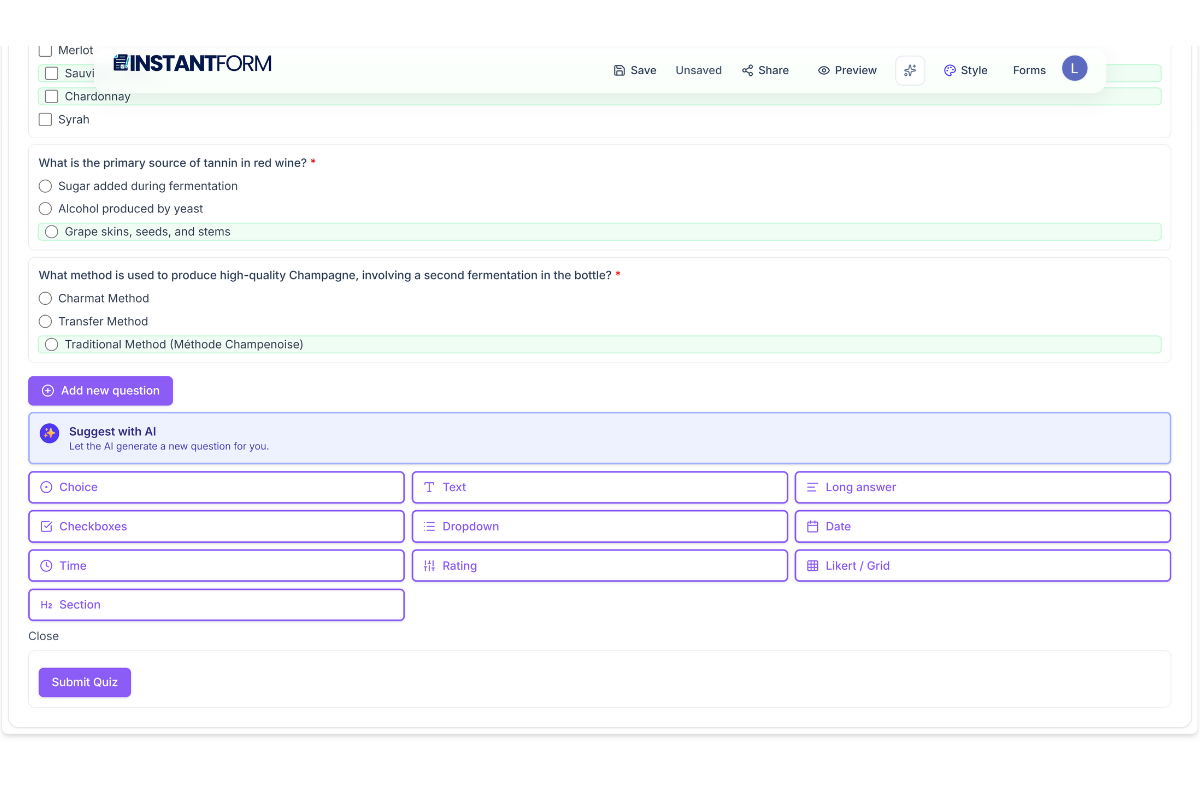
Elegant 'Floating Sheet' editor with AI Co-Pilot tools
-
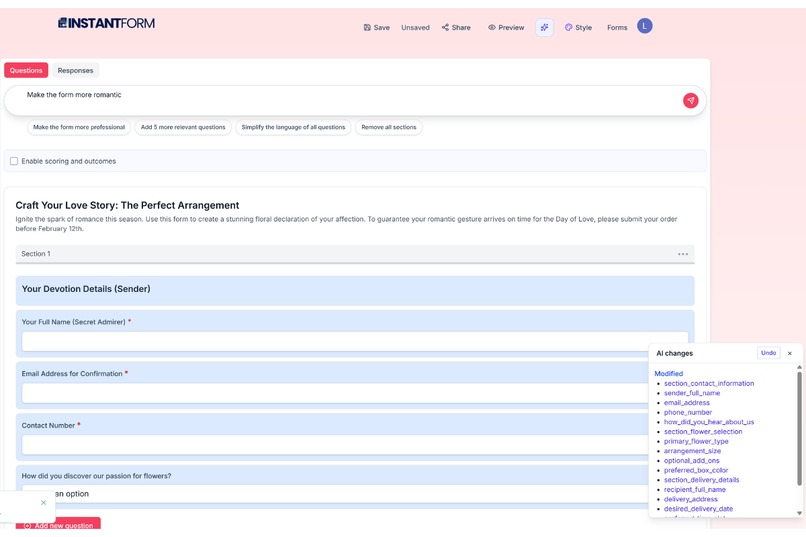
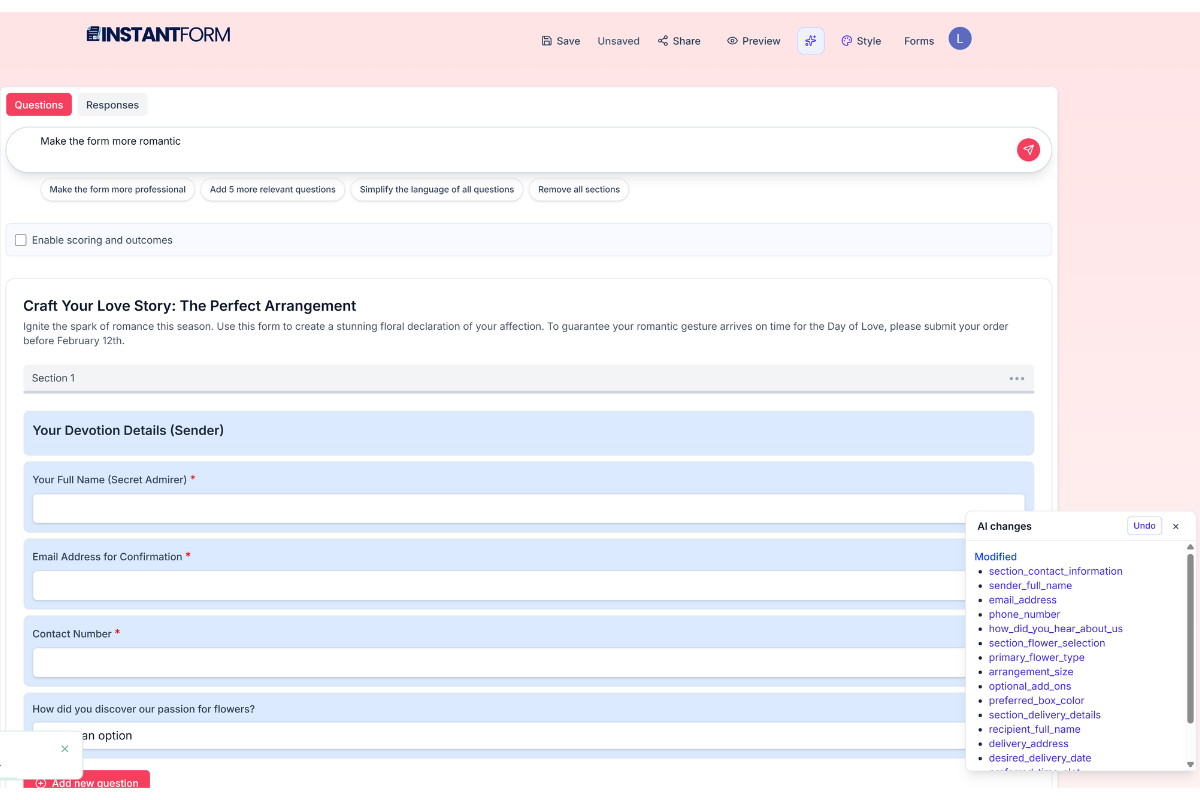
AI Refactor Engine: Modify entire forms with text commands. Includes transparent feedback with 'Undo' safety net.
-
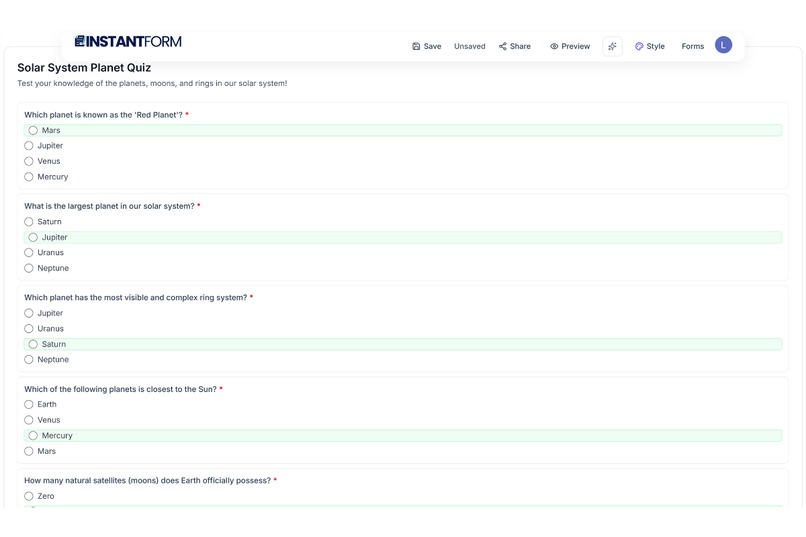
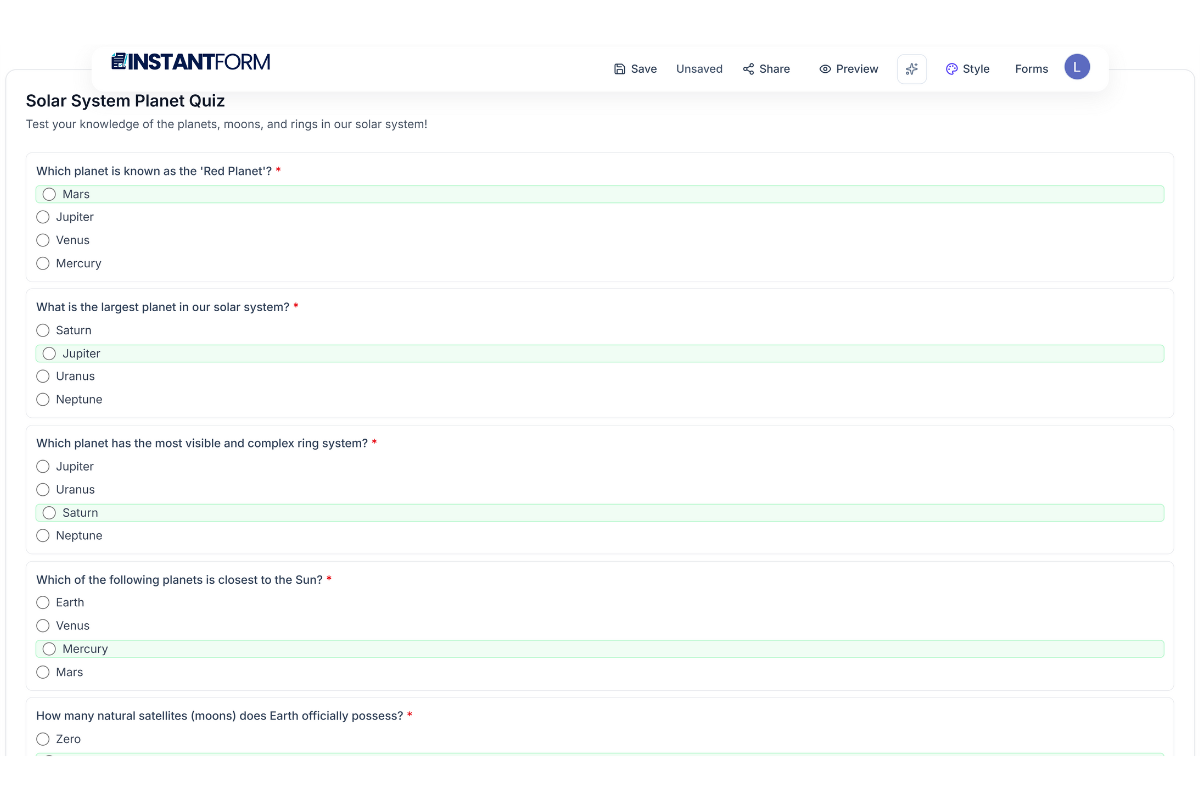
AI automatically configures knowledge quizzes with correct answers and point-based scoring.
-
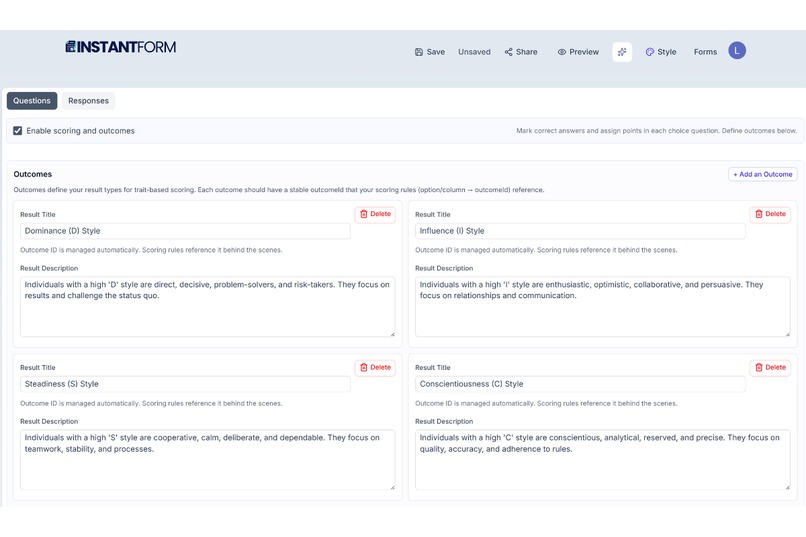
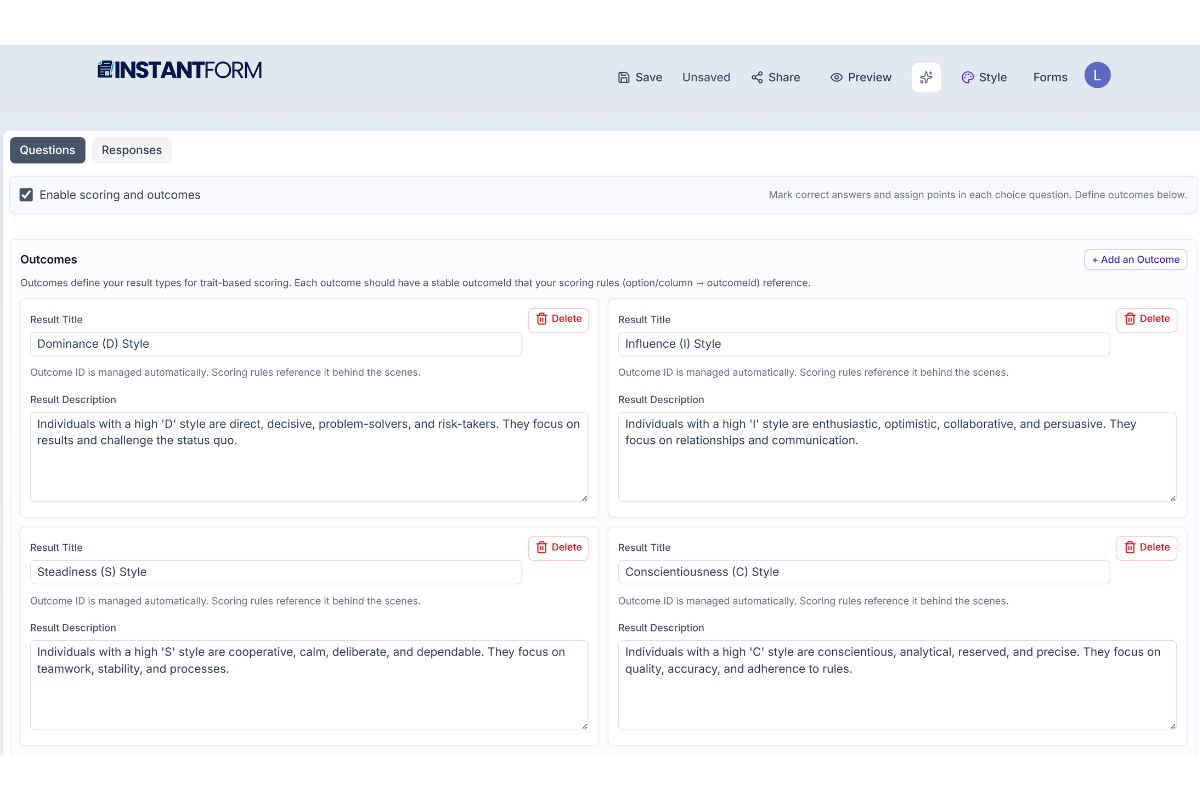
Intelligent setup for complex assessments (e.g., DISC), including trait-based scoring & outcomes.
-
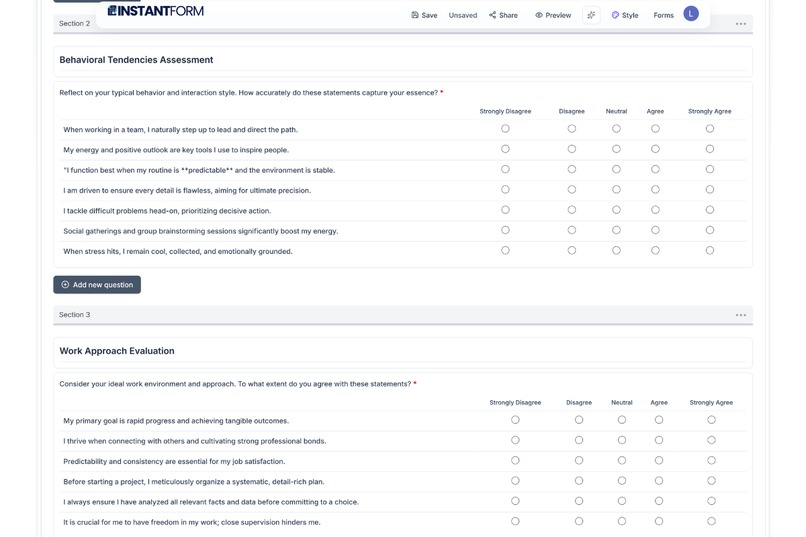
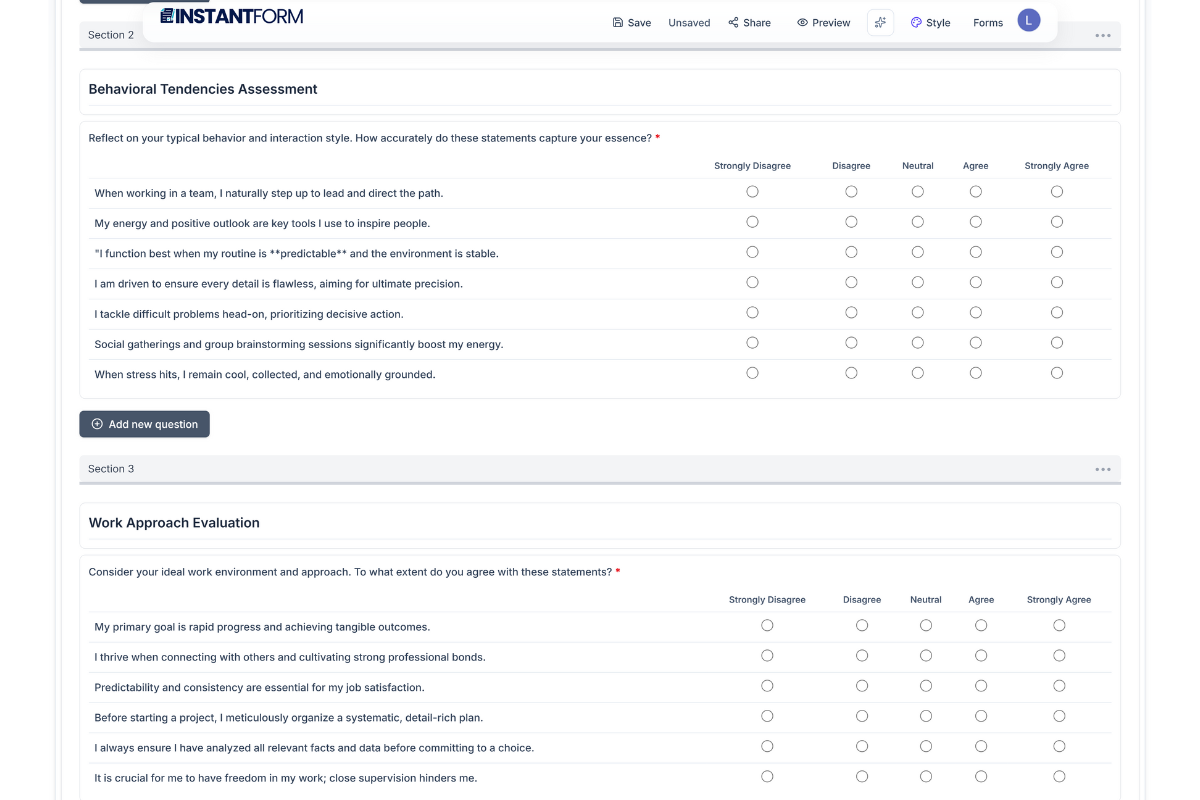
Example of generated assessment questions
-
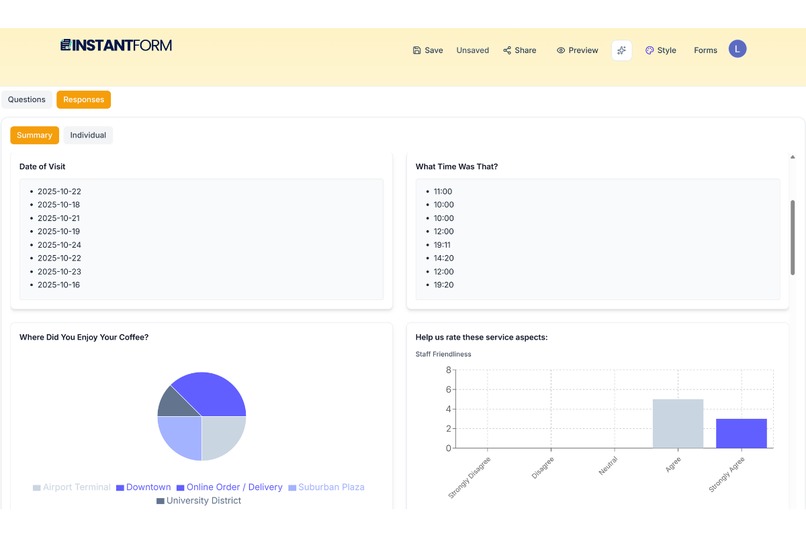
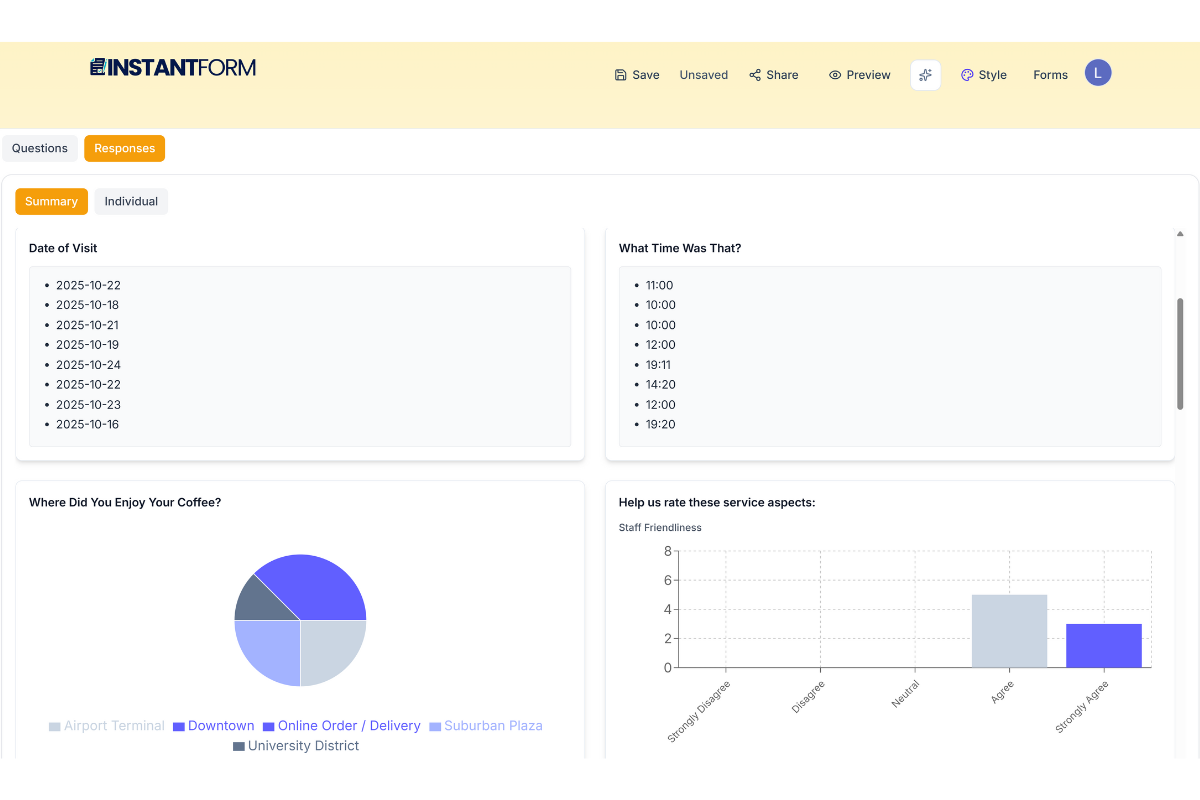
Insightful Responses: View submission data with professionally themed charts using the app's unique color system
-
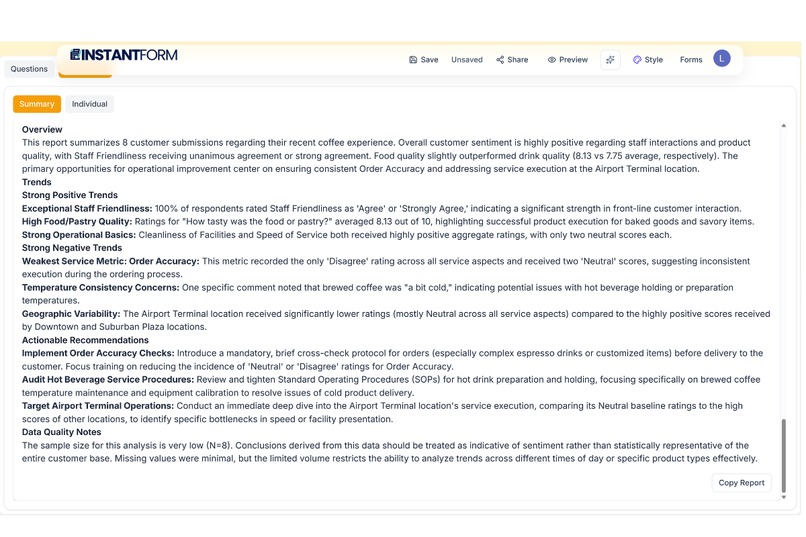
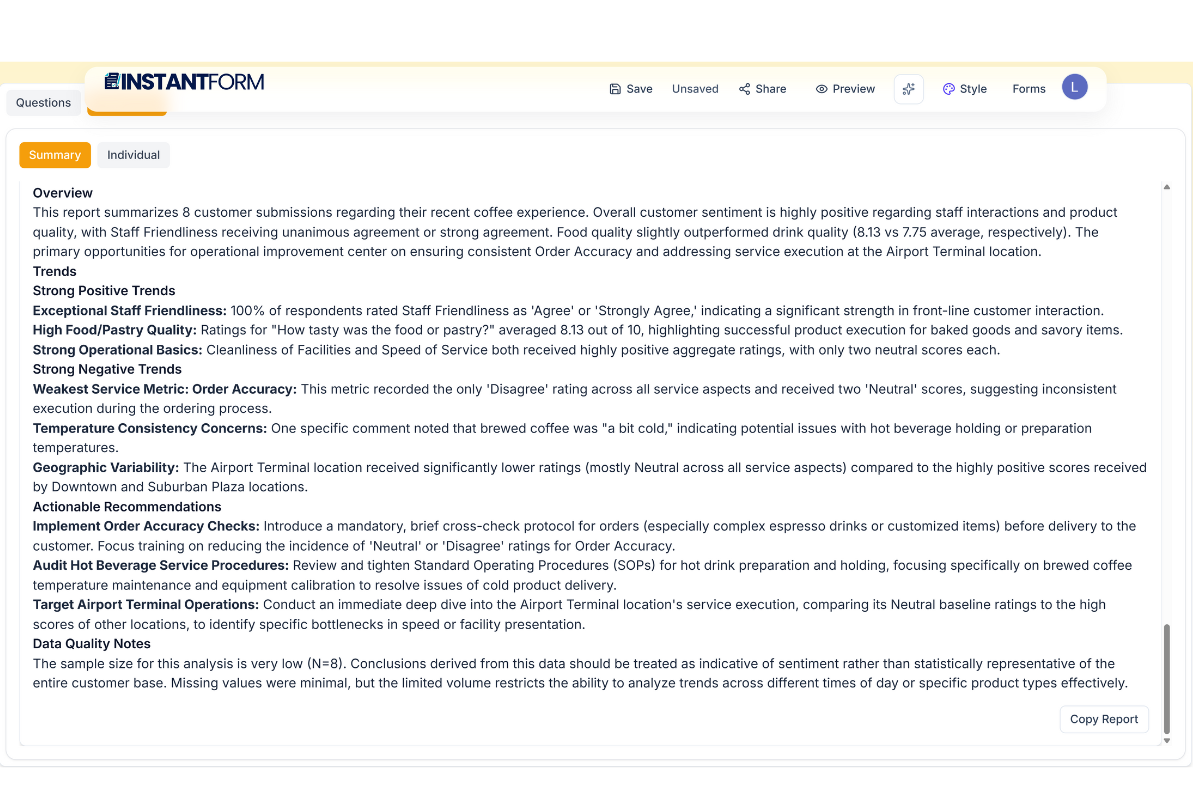
AI Response Analysis: Go from raw data to actionable insights instantly with an AI-generated summary report.
-
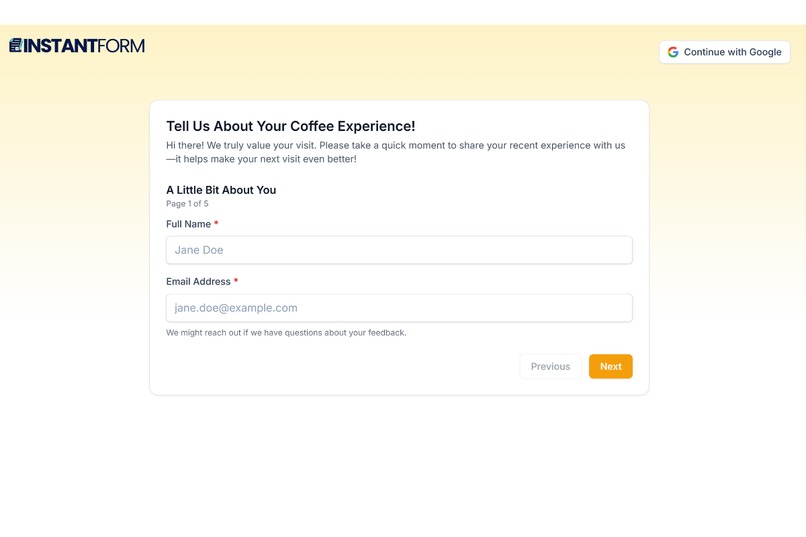
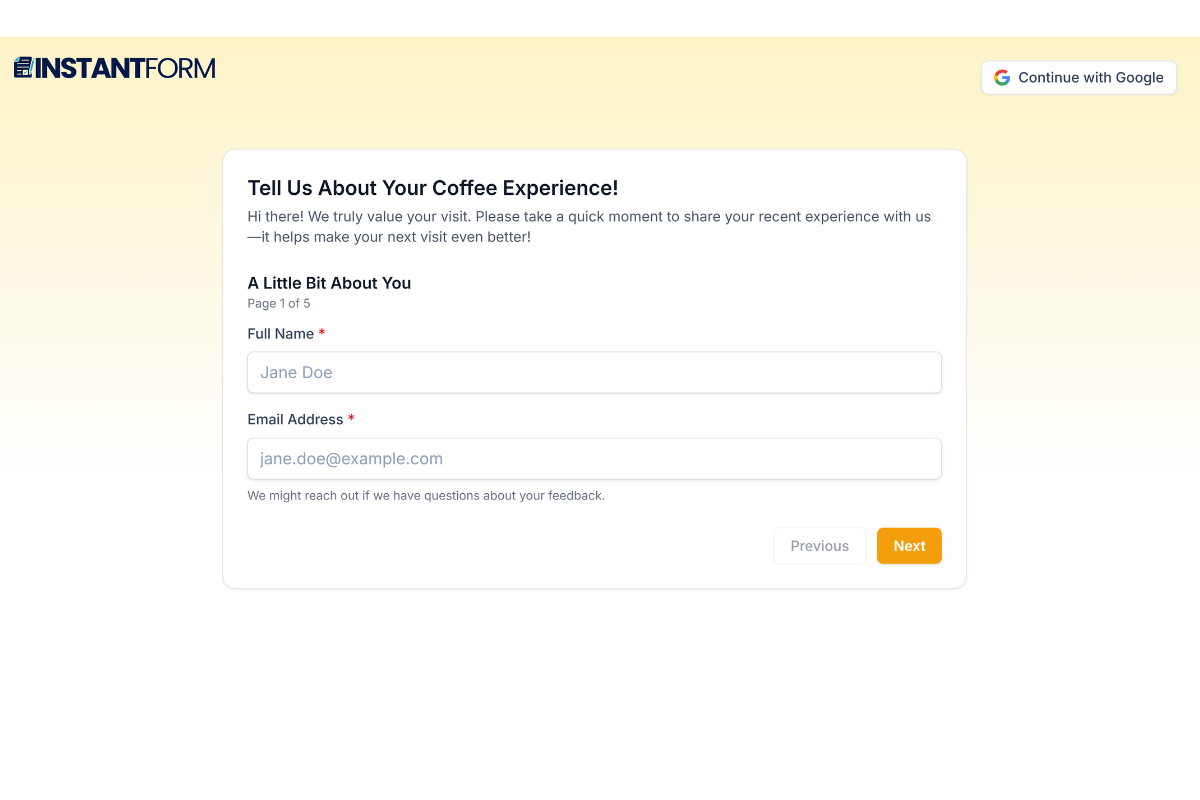
Adaptive Theming: AI suggests themes based on topic. Here, a warm Amber theme applied to a customer feedback form for a coffee shop
-
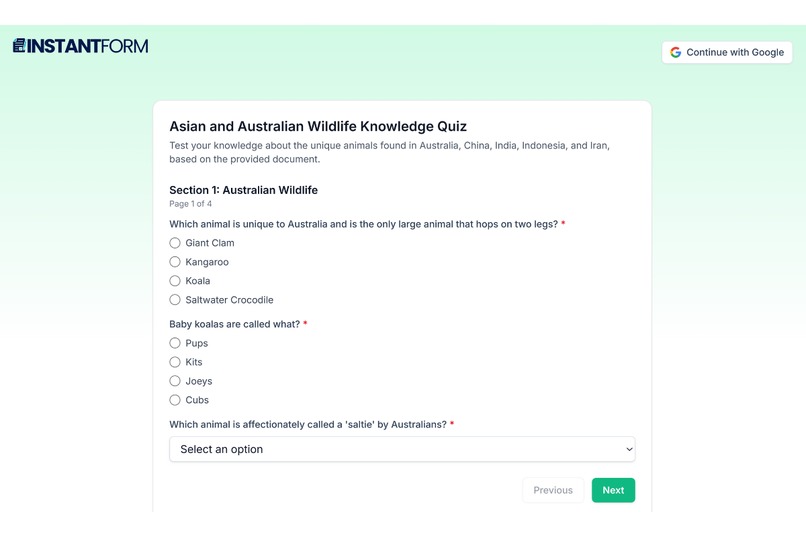
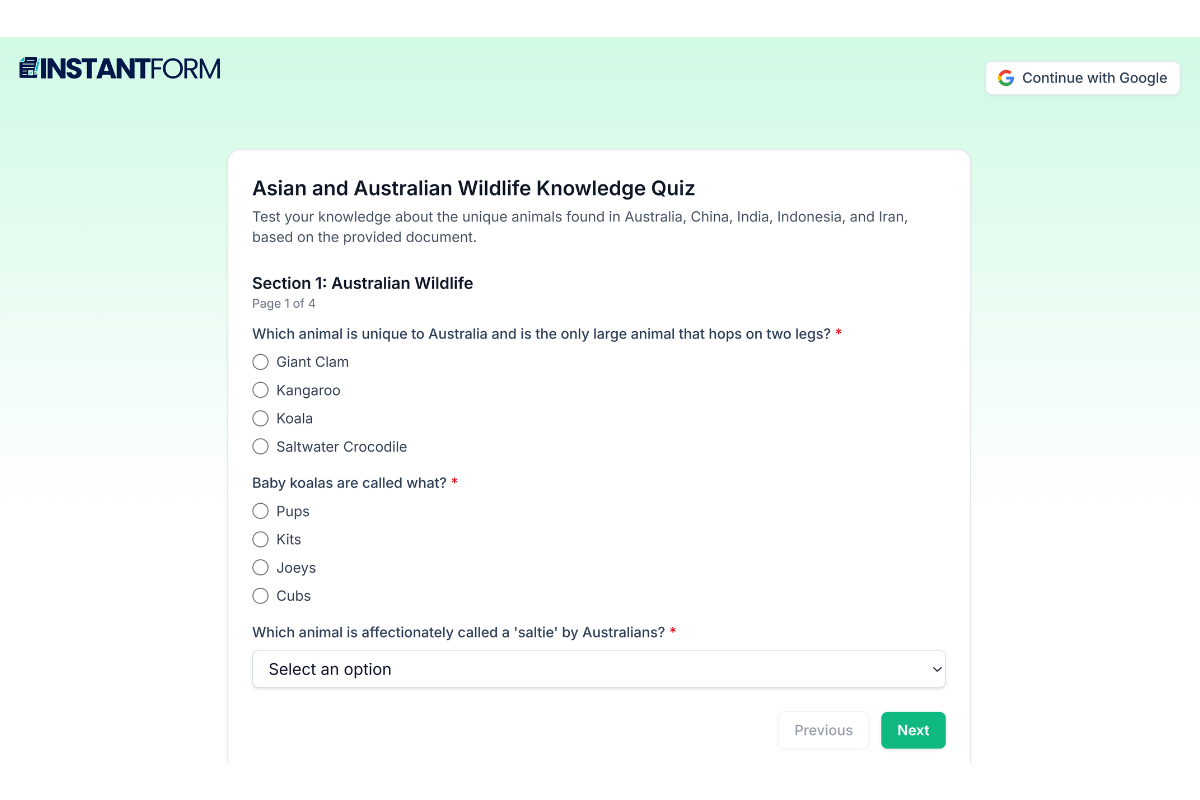
Example of a quiz form for answering
-
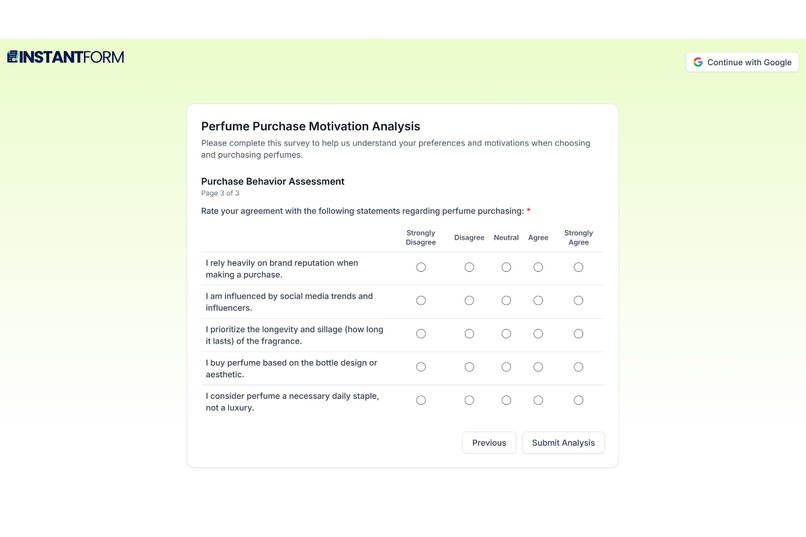
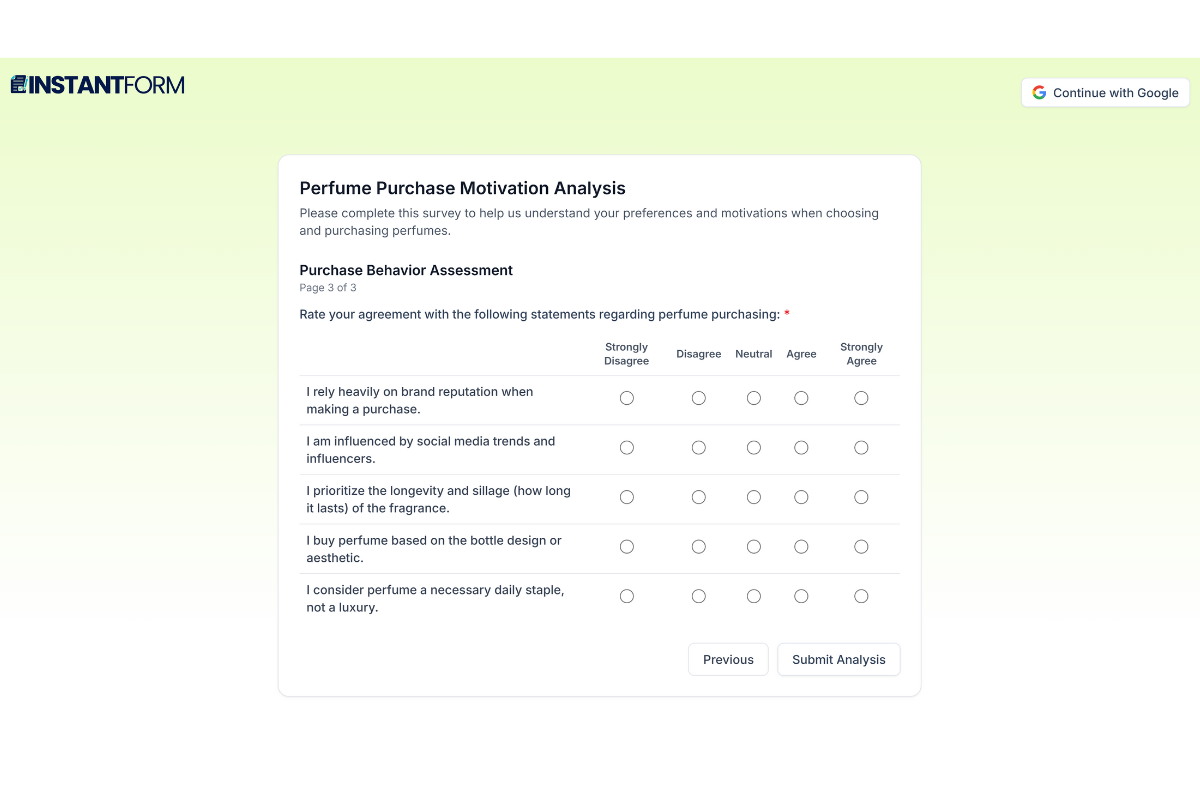
Example of an assessment form for answering
InstantForm: AI-Powered Form Creation, Redefined
Inspiration
While helping my parents manage their business, I witnessed a painful reality: creating forms shouldn't be this hard. They'd spend hours crafting client intake sheets and skills assessments, researching questions, designing layouts, configuring scoring logic, then wrestling with clunky form builders. Even AI text generators couldn't bridge the gap between generated content and functional, polished forms.
I quickly realized this wasn't just my parents' struggle. Conversations with others confirmed that many people found existing form-building tools frustratingly slow and inefficient, often taking hours for tasks that should be simple.
Existing AI form builders disappointed me. They struggled with complex assessments, lacked intelligent editing, and felt like half-solutions. But more critically, they all required constant internet connectivity and sent sensitive data to remote servers.
I envisioned something different: an AI that doesn't just assist, it collaborates. An AI that works offline, respects privacy, and delivers instant results. InstantForm was born from this vision: making form creation as natural as conversation, powered by Chrome's revolutionary Built-in AI.
What it does
InstantForm eliminates the friction from form creation, transforming hours of work into seconds of effortless creativity, all while working completely offline when needed.
Three Ways to Start:
Text prompts like "Create a customer satisfaction survey for a coffee shop" generate complete forms instantly. Upload PDFs, DOCX, or TXT files and InstantForm builds forms or generates quizzes from the content. Snap a photo of a paper form and watch it become digital and editable.
Intelligent Context Awareness:
The AI automatically distinguishes between simple contact forms, scored quizzes with correct answers and points, and sophisticated assessments like personality tests with trait-based scoring and custom result pages.
AI Co-Pilot Editor:
The editor works completely offline with Gemini Nano. Suggest new questions contextually, refine existing content with natural language commands, use AI Assist to expand simple labels into complete fields, refactor entire form structures instantly, and analyze responses to generate insights all without internet. Every AI action includes an undo safety net.
Smart Features:
Adaptive theming with AI-suggested color schemes, AI-powered response analysis generating actionable insights, seamless multimodal input handling, and real-time AI mode indicators showing which AI powered your content.
The Game-Changer: Gemini Nano Integration
InstantForm showcases Chrome's Built-in AI as a first-class, production-ready feature and not just a fallback. All four core AI features work completely offline with Gemini Nano: form generation, form refinement, AI assist for field expansion, and response analysis.
Users have explicit control through an AI Mode toggle. Cloud Mode uses Gemini 1.5 Flash with automatic Nano fallback for highest quality and multimodal support. Nano Mode forces on-device processing for speed, privacy, and offline capability. AI Status badges show which AI was used, green for Gemini Nano, blue for cloud API for providing complete transparency.
The intelligent hybrid architecture checks mode and connectivity, routes to Gemini Nano when offline or in Nano Mode, tries cloud with automatic Nano fallback in Cloud Mode, and displays clear indicators of which AI powered each action.
Why Gemini Nano Matters:
For privacy, sensitive data never leaves the device, there are no server logs or data retention, it's GDPR and HIPAA-friendly by design, and it's perfect for confidential forms in HR, medical, and legal contexts.
For performance, response times are sub-second with zero network latency, it works on planes, trains, and anywhere without connectivity, and there are no API rate limits.
For cost, there are zero API usage costs, no server infrastructure needed for AI processing, and infinite scalability at no cost.
For reliability, it works when cloud services are down, has no dependency on external services, provides consistent availability, and eliminates network failures.
How we built it
Tech Stack:
Frontend uses React 19, TypeScript, and Vite for blazing-fast performance. Styling combines Tailwind CSS 4 with Framer Motion for fluid animations. The backend runs Node.js and Express handling cloud AI orchestration. Firebase provides Firestore database and authentication. The AI layer uses Gemini Nano as primary with Google Gemini 1.5 Flash as enhancement.
The Hybrid AI Service:
We engineered an intelligent routing layer that makes Gemini Nano the star. The system detects all possible Gemini Nano API variants including the modern window.ai.languageModel.create, legacy window.ai.prompt, and experimental window.LanguageModel.create functions.
Smart routing logic uses Gemini Nano directly when in privacy mode or offline. In cloud mode with connectivity, it tries cloud first but falls back to Nano if the request fails. This ensures users always get results regardless of network conditions.
We implemented four complete offline functions. generateFormLocal handles form generation with Gemini Nano. refactorFormLocal manages form refinement. assistQuestionLocal expands simple field labels into complete fields with validation and options. analyzeResponsesLocal generates insights from collected responses.
Prompt Engineering for Gemini Nano:
We optimized prompts specifically for on-device constraints. Concise system prompts work better than verbose instructions due to token limits. We use explicit examples to improve reliability and negative constraints to prevent common errors. Structured JSON output requires strict rules and clear formatting.
For example, our system prompts are focused and minimal, around 100 words instead of 500, which resulted in 2x faster generation with the same quality. We use optimized parameters including temperature of 0.3 for consistency and topK of 20 for speed.
Smart fallbacks compensate for Gemini Nano's limitations. If the AI omits options for select fields, we add context-aware defaults based on the field label. For size fields we suggest Small, Medium, Large. For color fields we suggest Red, Blue, Green, Yellow. This ensures forms are always functional even when the AI output is incomplete.
Iterative Refinement:
Phase 1 implemented basic offline generation with generateFormLocal for text-to-form conversion. We tested with simple forms of 5-10 questions. It worked but was limited.
Phase 2 achieved complete feature parity by adding refactorFormLocal for editing, assistQuestionLocal for field expansion, and analyzeResponsesLocal for insights. All features now work offline.
Phase 3 added user control and transparency through the AI Mode toggle, AI Status badges, and quality indicators in tooltips. Users now have full control and visibility.
Phase 4 focused on production polish. We guarded console logs with import.meta.env.DEV checks, enhanced error messages, and added success notifications showing which AI was used. The result is production-ready code.
Challenges we ran into
Gemini Nano API Variants:
Different Chrome versions expose different APIs. The modern API uses window.ai.languageModel.create, the legacy API uses window.ai.prompt, and experimental builds use window.LanguageModel.create. We implemented comprehensive detection with fallbacks to support all three variants, ensuring the widest possible compatibility.
Quality vs Speed Trade-off:
Gemini Nano is faster but less sophisticated than cloud AI. We optimized prompts for Nano's strengths like common fields and simple edits. We added quality indicators in the UI through tooltips that explain trade-offs. Users can choose based on their needs—Cloud Mode for quality, Nano Mode for speed and privacy.
Offline State Management:
The challenge was handling form refinement when offline without a formId. Originally, we only allowed refinement of saved forms by checking if formId exists. We changed the logic to check if formJson exists in memory instead. This allows users to refine any form, saved or unsaved, as long as it's loaded in the editor.
JSON Parsing Reliability:
Gemini Nano sometimes returns markdown-wrapped JSON or incomplete responses. We implemented robust parsing with fallbacks. First, we try standard JSON.parse. If that fails, we extract the first complete JSON object by finding the opening and closing braces and parsing just that substring. This handles cases where the AI adds explanatory text before or after the JSON.
Transparent Operation:
Users need to know which AI is being used and why. We solved this through AI Status badges that persist across navigation, toast notifications that show which AI was used for each action, tooltips that explain quality differences between modes, and storing the AI mode in form metadata for a complete audit trail.
Accomplishments that we're proud of
Most Complete Gemini Nano Integration:
We didn't just add offline support, we made it first-class. Four complete features work offline, not just one or two. Users have explicit control via the AI Mode toggle. Transparent operation through AI Status badges shows which AI powered each action. The implementation is production-ready with proper error handling. Quality indicators help users make informed choices about which mode to use.
True Hybrid Architecture:
This isn't just "cloud with fallback" it's intelligent routing. Gemini Nano serves as the primary AI for core features. Cloud acts as enhancement for advanced features like document processing. Automatic fallback works in both directions. Users control which AI to use based on their needs.
Real-World Benefits Demonstrated:
For privacy, sensitive HR forms never leave the device. For speed, form generation happens in sub-second time offline. For cost, there are zero API costs in Nano Mode. For reliability, the system works on planes, in tunnels, and anywhere without connectivity.
Technical Excellence:
We support comprehensive API detection across three variants. Prompts are optimized for on-device constraints. Smart fallbacks handle missing data gracefully. Production polish includes guarded logs and robust error handling.
Stunning User Experience:
The interface is modern and intuitive. Clear quality indicators help users understand trade-offs. Mode switching is seamless. Every interaction feels effortless.
What we learned
Gemini Nano is Production-Ready:
Our initial assumption was that it's experimental and should only be used as a fallback. The reality is that with proper optimization, it handles real workloads beautifully. Lower temperature of 0.3 improves consistency. Reduced topK of 20 speeds up generation. Concise prompts work better than verbose ones. Smart fallbacks compensate for limitations.
Users Want Control, Not Just Automation:
We initially assumed automatic fallback would be enough. The reality is that users want to choose when to use on-device AI. Privacy-conscious users want explicit Nano Mode. Speed-focused users want instant results. Quality-focused users want cloud processing. Transparency builds trust.
Prompt Engineering is Everything:
For Gemini Nano specifically, shorter prompts work better due to token limits. Explicit examples improve reliability. Negative constraints prevent common errors. Structured output like JSON needs strict rules. We optimized from 500-word prompts to 100-word prompts, achieving 2x faster generation with the same quality.
Hybrid AI Delivers Real Value:
This isn't a technical novelty, it genuinely improves real metrics. Speed is 10x faster for simple tasks with no network latency. Privacy is 100% on-device for sensitive data. Reliability means it works when cloud is down. Cost is zero dollars for API usage in Nano Mode.
Iteration is Non-Negotiable:
Our journey progressed through four phases. Week 1 brought basic offline generation. Week 2 achieved complete feature parity. Week 3 added user control and transparency. Week 4 delivered production polish. Each iteration revealed new insights and improvements.
What's next for InstantForm
InstantForm isn't just a form builder, it's becoming a privacy-first data intelligence platform powered by Gemini Nano.
Phase 1: Deeper Gemini Nano Integration
Conversational forms will adapt in real-time using on-device AI. Dynamic question generation will use Gemini Nano without server round-trips. Personalized follow-ups will happen instantly. Advanced local analysis will include sentiment analysis of text responses, trend detection across submissions, and predictive insights all on-device. Offline-first collaboration will use IndexedDB for local draft sync, implement conflict resolution when reconnecting, and enable team editing with eventual consistency.
Phase 2: Enterprise Privacy Features
Gemini Nano will power compliance-focused features. GDPR-compliant form processing ensures data never leaves the EU. HIPAA-ready medical forms keep everything on-device. Legal intake forms maintain attorney-client privilege. HR assessments guarantee complete confidentiality. Audit trails will track which AI processed each form, generate compliance reports showing on-device versus cloud usage, and provide data residency guarantees.
Phase 3: Ecosystem Integration
Google Workspace integration will be privacy-aware. Forms will embed in Docs and Slides. Responses will auto-populate Sheets. Attachments will store in Drive. Critically, there will be an option to process everything with Gemini Nano for sensitive data. A developer API will expose Gemini Nano capabilities to third-party apps, offer privacy-first form generation as a service, and enable on-device AI for custom workflows.
The Vision:
InstantForm will become the gold standard for privacy-first, AI-powered data collection. Our Gemini Nano integration isn't just a feature, it's our core differentiator in an increasingly privacy-conscious world. As more organizations demand on-device processing for sensitive data, InstantForm will be ready. The future is offline-first, privacy-first, and powered by Chrome's Built-in AI.
Built With
- chrome-ai
- express.js
- firebase
- firebase-authentication
- firestore
- framer-motion
- google-gemini-api
- javascript
- node.js
- react
- recharts
- tailwindcss
- typescript
- vite
- window-ai


Log in or sign up for Devpost to join the conversation.