-
-
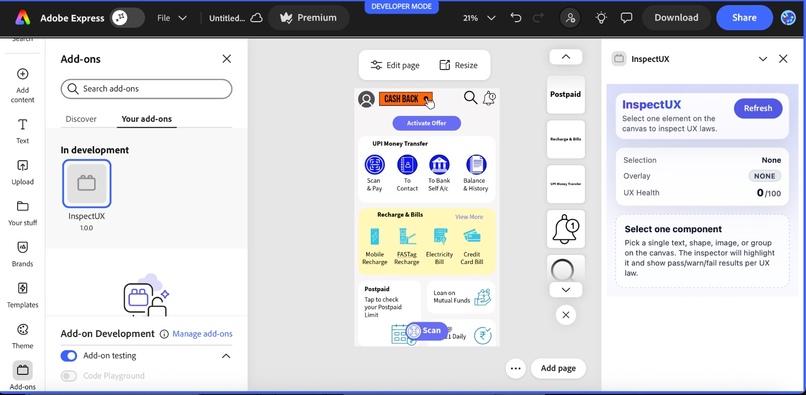
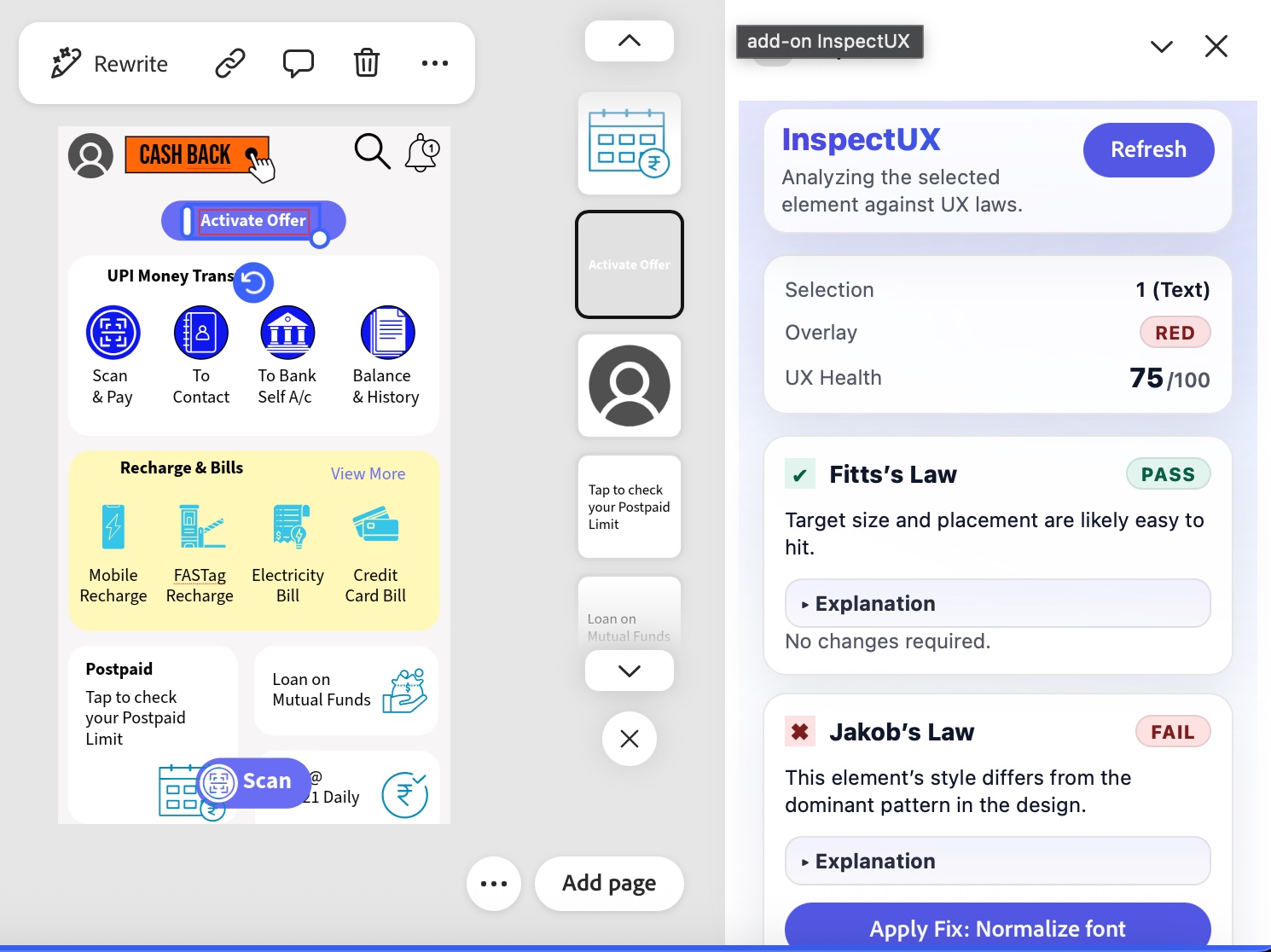
Adobe Canvas with Add-on
-
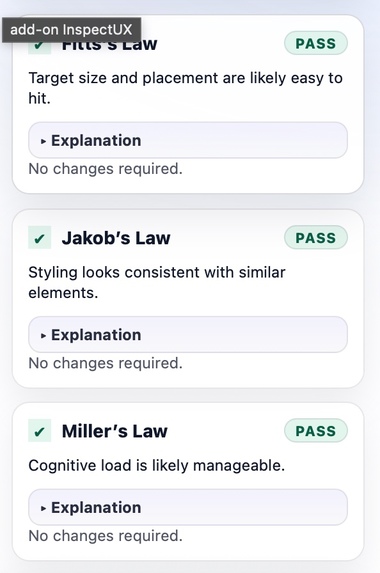
Left Panel HCI Laws (1-3)
-
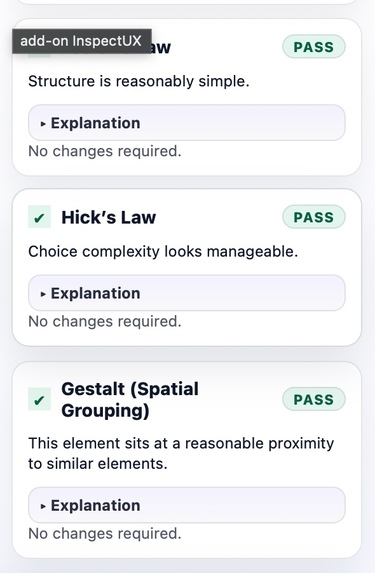
Left Panel HCI Laws (4-6)
-
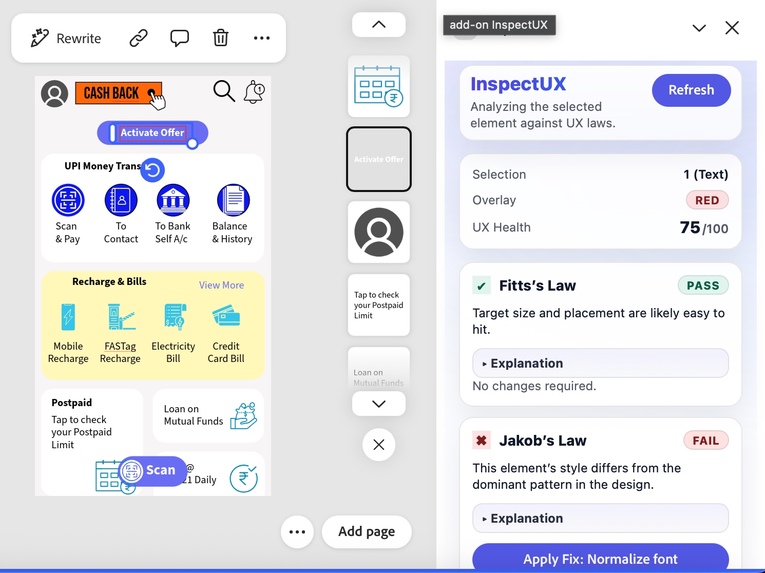
Left Panel With UX Health, Law's status and Apply Fix
-
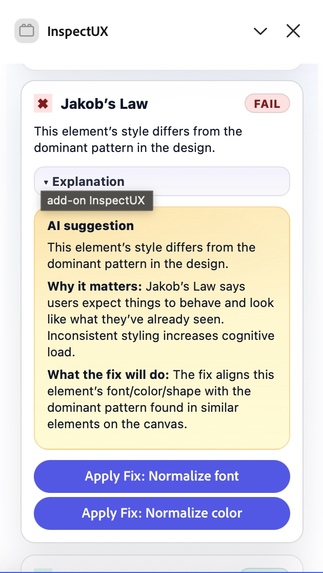
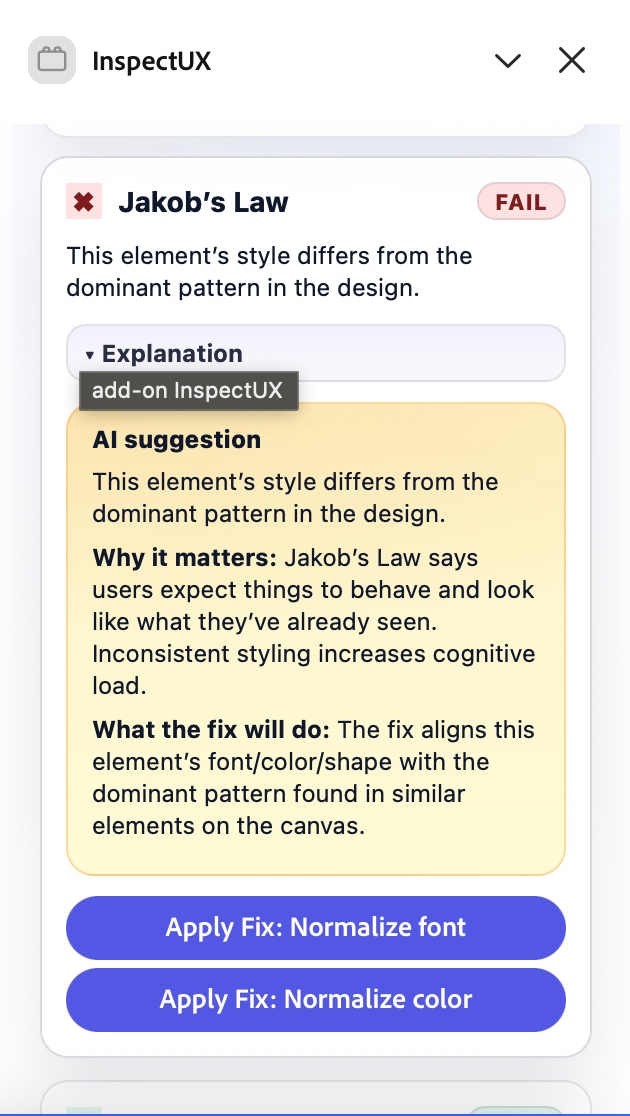
Explanation of Laws and AI Insights
Inspiration
While studying Human–Computer Interaction (HCI) and working on real design projects, we realized that great UX is driven by science, not just aesthetics. Fundamental UX laws such as Fitts’s Law, Miller’s Law, Jakob’s Law, and Tesler’s Law are critical to building usable interfaces, yet they are rarely applied rigorously in day-to-day design workflows because they require manual calculations, analysis, and experience.
During our research, we observed that designers, developers, and enterprises often rely on intuition instead of measurable UX validation. This gap between design principles and practical implementation inspired us to build an Adobe Express add-on that transforms UX laws into real-time, actionable intelligence directly inside the creative workflow.
What We Built
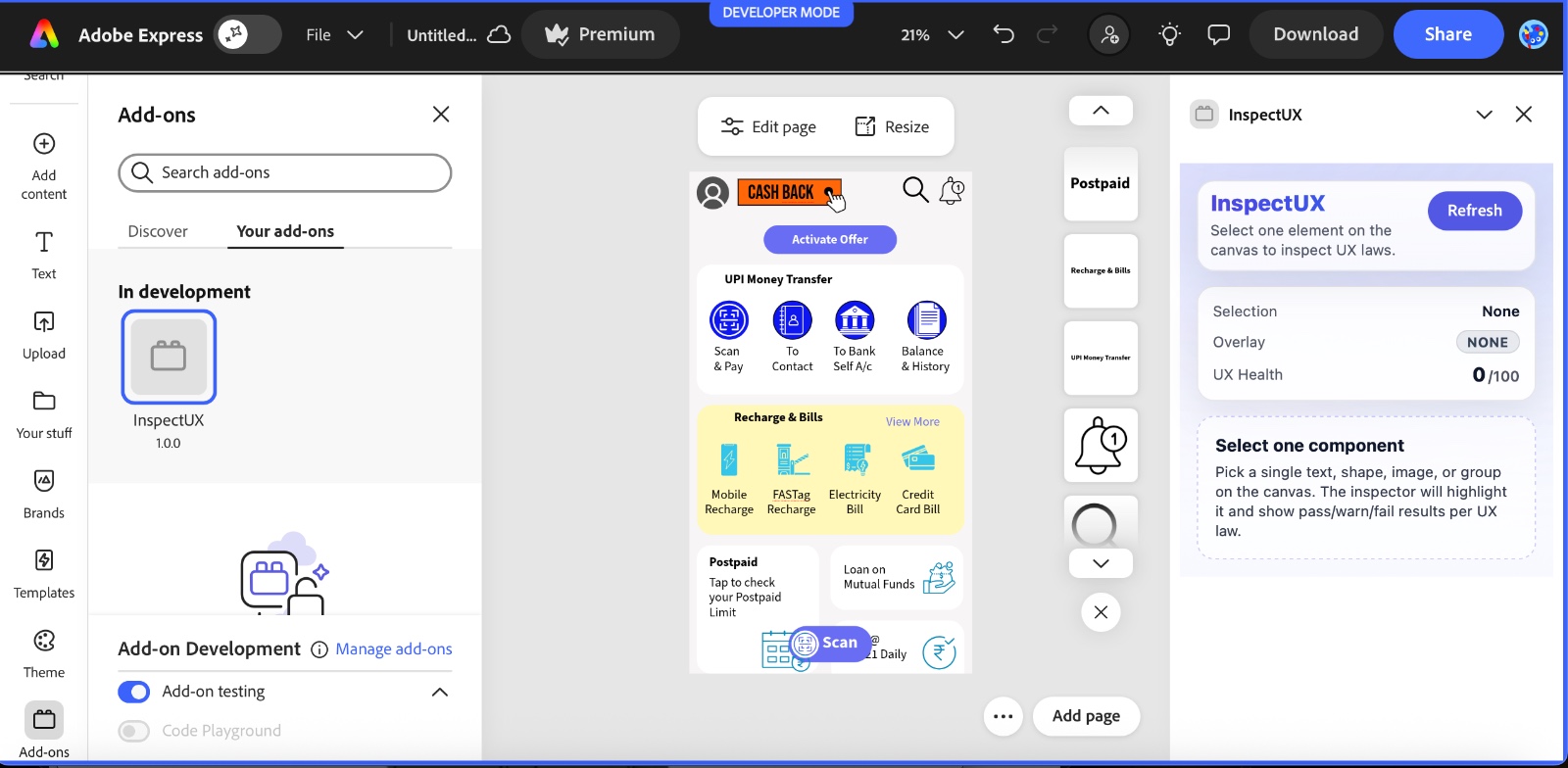
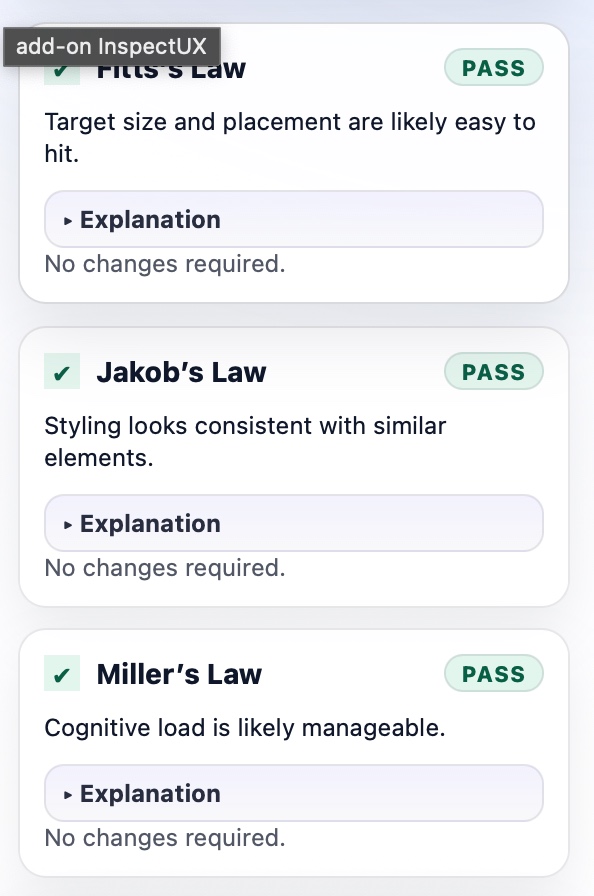
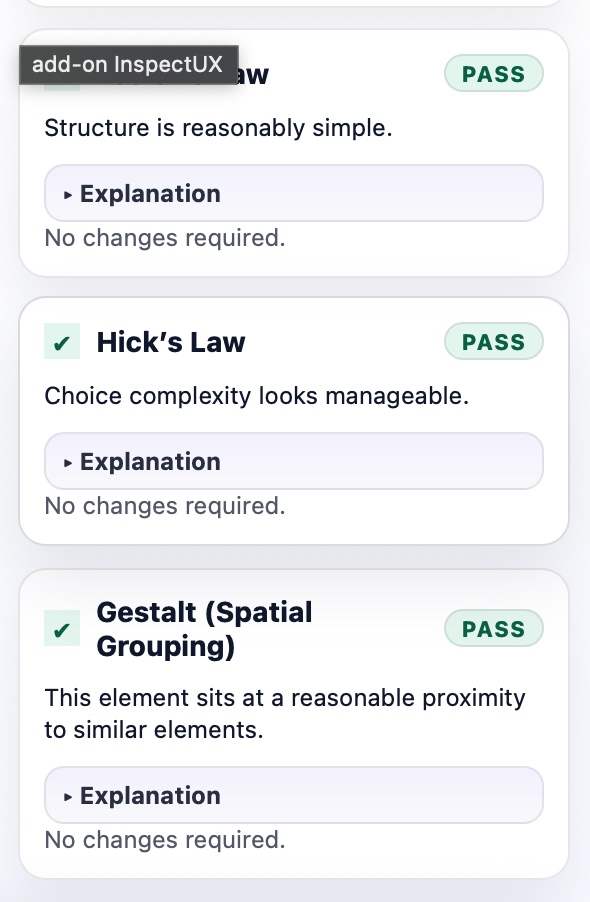
We built Design Law Inspector, an Adobe Express add-on that audits canvas elements against core UX and HCI laws and provides instant feedback and one-click fixes. The add-on analyzes element metadata such as size, spacing, hierarchy, and consistency, then evaluates it against established UX principles. The goal was to reduce manual effort, save time, and improve usability at scale, allowing creators to focus on creativity while the system ensures scientific design correctness. To accelerate development and iteration, we used Cursor AI extensively for code generation, refactoring, and debugging, especially under tight hackathon timelines.
Tech Stack
- Framework: React 18 — used to build the right-side panel user interface.
- Language: TypeScript, HTML, CSS, JavaScript— ensured type safety across the UI and document sandbox.
- UI Components: @swc-react — Adobe Spectrum Web Components for a native Adobe Express look and feel.
- Build Tooling: Webpack — managed via @adobe/ccweb-add-on-scripts.
- Document SDK: express-document-sdk — used to read element metadata (bounds, styles, hierarchy) and apply deterministic fixes on the canvas.
- Architecture: Decoupled architecture with a Document Sandbox (canvas operations) and an Iframe-based UI (React panel), communicating through a secure API proxy.
Challenges We Faced
- Compilation Errors in Cursor AI: Some generated code required manual debugging and fine-tuning to resolve build-time issues.
- Layout and Alignment Issues: Ensuring consistent UI behavior inside Adobe Express while using iframe-based rendering was challenging.
- Video Submission Issues: Rendering and exporting the final submission video within constraints required last-minute coordination.
- AI Credit Limitations: Credits were exhausted on platforms like Gemini, ElevenLabs, and other AI tools, forcing us to adapt quickly and optimize available resources.
- Time Pressure: Integrating multiple platforms (Adobe Express, Adobe Animate, Creative Cloud) within a hackathon deadline required rapid decision-making.
What We Learned
- Effective teamwork and task delegation under extreme time constraints.
- How to handle last-minute issues calmly and still deliver a working product.
- Deep, hands-on understanding of the Adobe Express Add-on ecosystem.
- Practical experience with Adobe Animate, Creative Cloud workflows, and video production.
- How AI tools like Cursor can significantly boost productivity—but also require human judgment and debugging.
- The importance of balancing technical execution, UX principles, and presentation quality in real-world product development.
PRESENTATION & DOCS:
We really worked hard on the presentation and documentation of the project. Even though it was a challenge for us to make the best video submission, we overcame it and learnt a lot of technologies and presentation skills. We strongly believe we may stand out in this category as well.
Built With
- css
- cursor
- ensuring-the-add-on-looks-and-feels-native-to-adobe-express.-build-tooling:-webpack-managed-via-@adobe/ccweb-add-on-scripts.-document-sdk:-express-document-sdk-?-the-core-api-used-to-read-element-metadata-(bounds
- hierarchy)-and-apply-deterministic-fixes-to-the-canvas.-architecture:-a-decoupled-architecture-with-a-document-sandbox-(for-heavy-lifting-on-the-canvas)-and-an-iframe-ui-(for-the-react-panel)
- html
- javascript
- react
- sandbox
- sdk
- styles
- typescript
- webpack


Log in or sign up for Devpost to join the conversation.