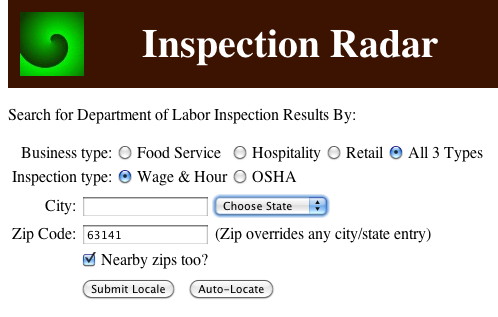
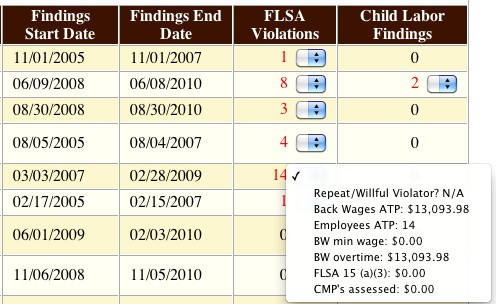
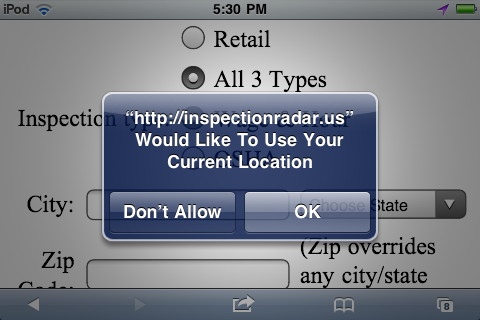
Inspection Radar is the consumer and service-sector worker's source for actionable Department of Labor (DOL) inspection/compliance information. It may be accessed on desktops, laptops, AND many popular mobile devices. App Features 1) Results by present position. Inspection Radar combines the auto-location feature of HTML5 with a reverse-geocoding algorithm based on the 2010 Census U.S. Gazetteer "Zip Code Tabulation Areas" file to display inspection/compliance data for the user's present position. Just one click (or touch) will activate the auto-location features of many mobile devices and even some desktop browsers, resulting in the display of search results for up to five zip codes within a radius of approximately 10 miles. (For best results with a desktop or laptop, run one of the newer web browsers on WiFi-connected hardware. The browser is very important, so please try another if your "standard" choice does not seem to permit auto-location.) 2) Type in one zip code, search up to five. You may not know any of the zip codes surrounding the one you're searching, but Inspection Radar can find out! Again, utilizing the Zip Code Tabulation Areas file, this time with a forward-geocoding algorithm, Inspection Radar will determine surrounding zip codes if the "Nearby zips too?" box is checked. 3) Fair Labor Standards Act (FLSA) education. Inspection Radar provides a drop-down list next to violation counts in the FLSA inspection results table that details the types of violations found, as well as back wages and monetary penalties paid by an employer. If users are not familiar with a term in the list, they need only select it, and an explanation will appear just above the table. This feature may, for example, inform members of the public that an employer is prohibited from discriminating against an employee who files an FLSA complaint (FLSA 15(a)(3)). 4) Map Links. By touching the street address of an inspected worksite, users will open a new window or tab or, in some mobile situations, an application that displays a map centered on the worksite. This map and its features, while not part of the Inspection Radar app may, for example, result in a socially-conscious consumer obtaining directions to a retail outlet that recently passed an OSHA inspection. First-time users clicking or touching a street address are warned they are being directed to external content.
Inspection Radar
Updates

Leave feedback in the comments!
Log in or sign up for Devpost to join the conversation.