-
-
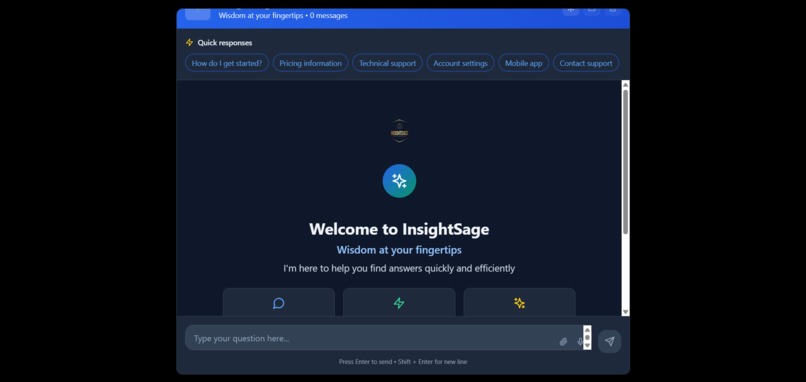
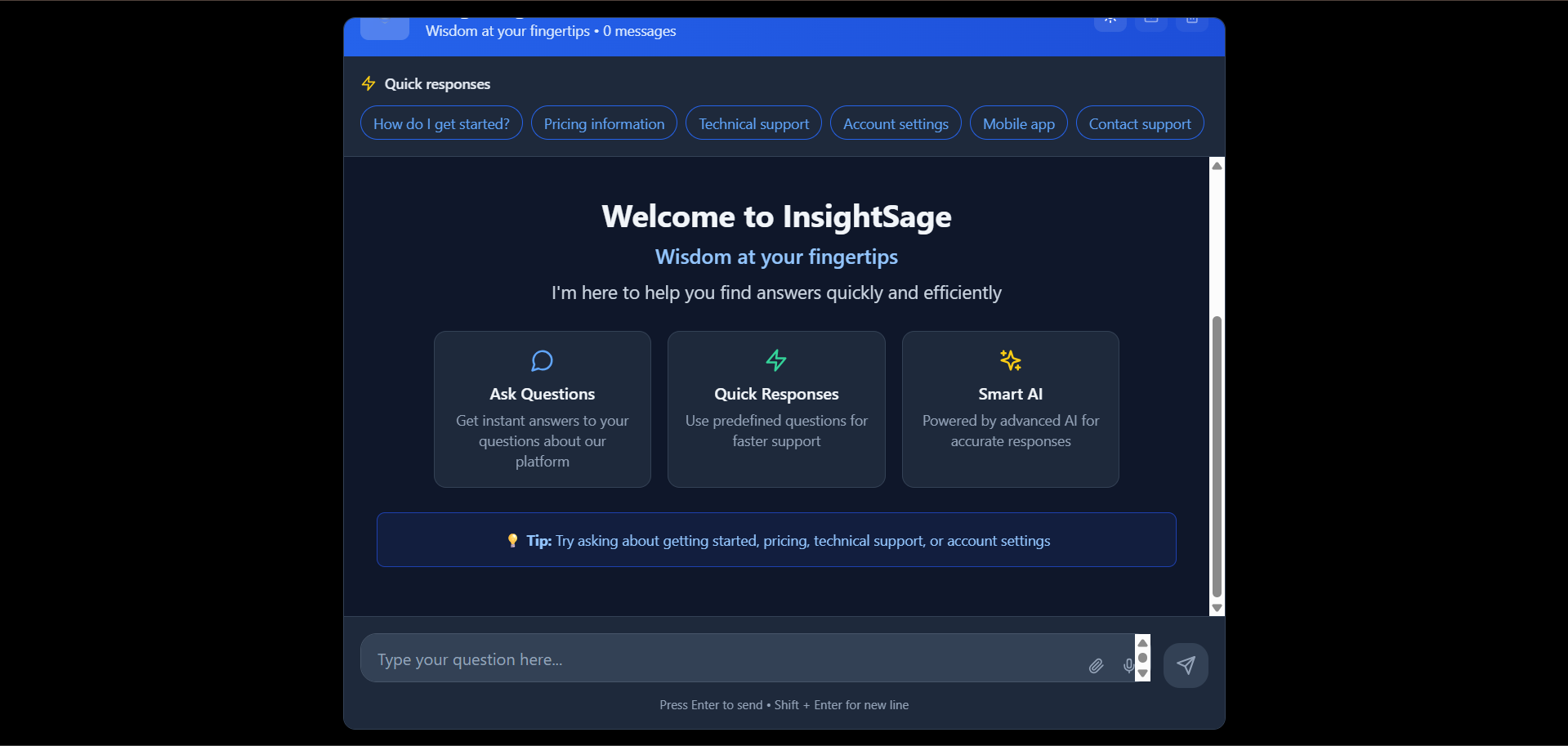
Welcome Page
-
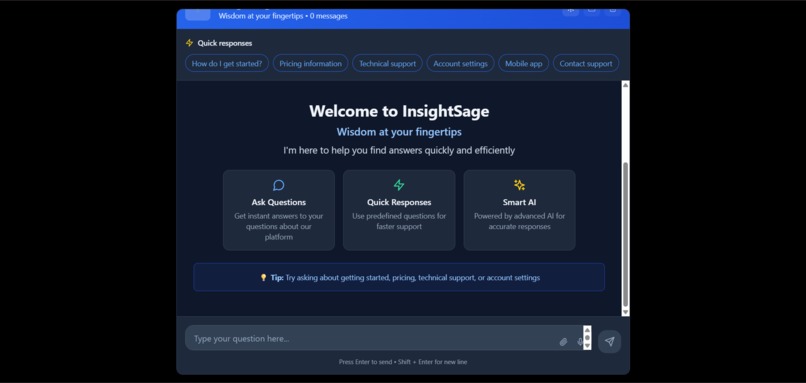
Welcome Page part 2
-
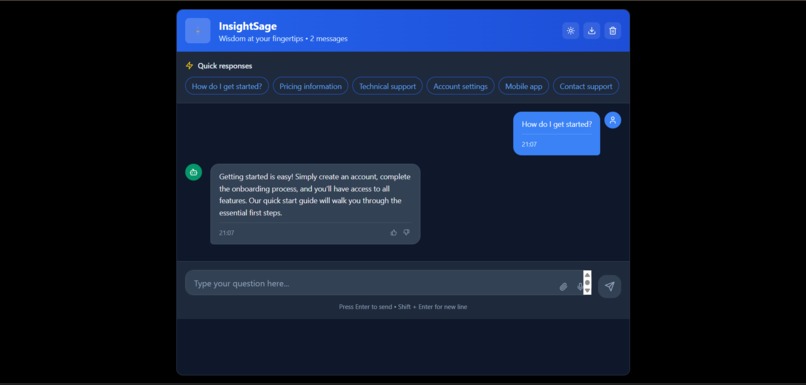
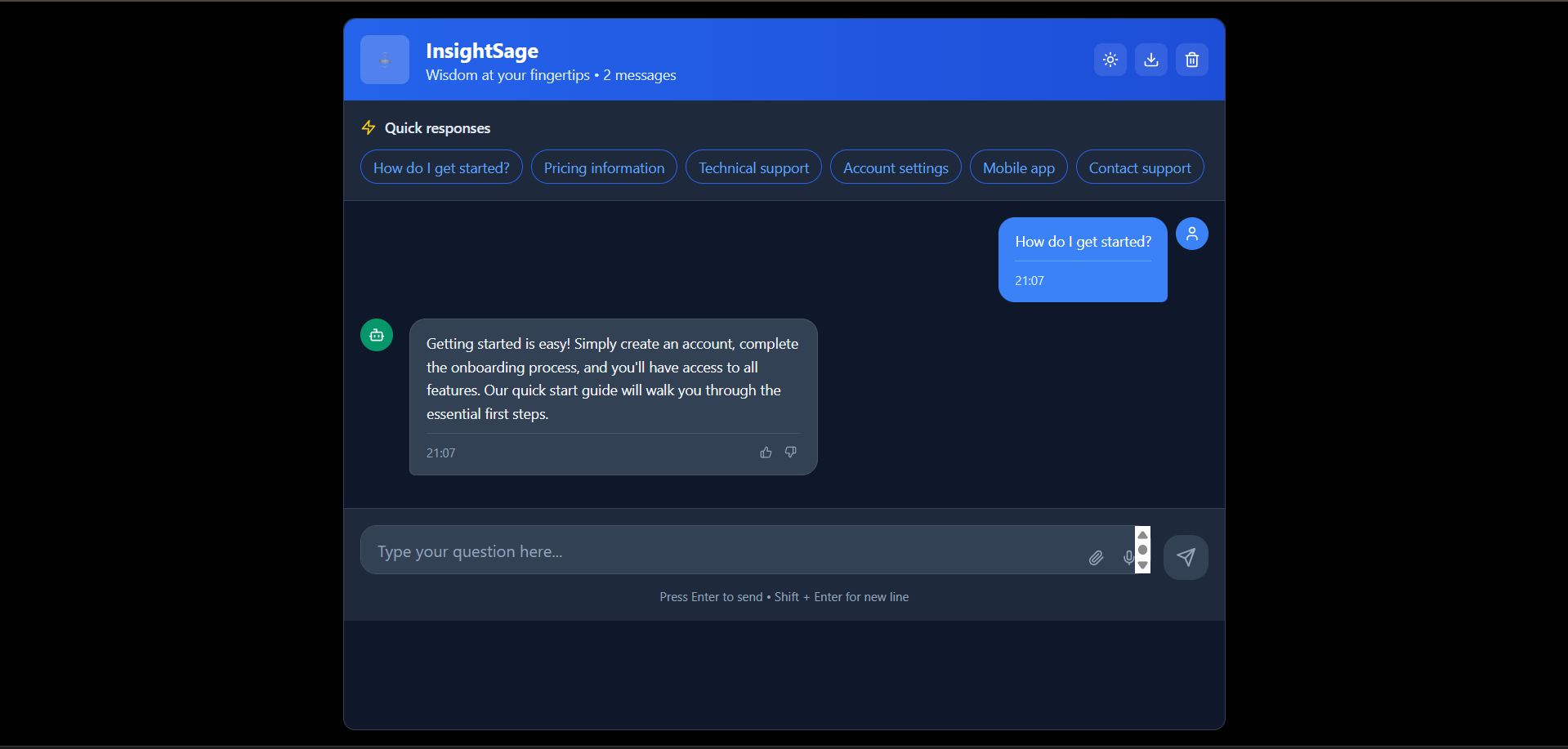
First Question asked
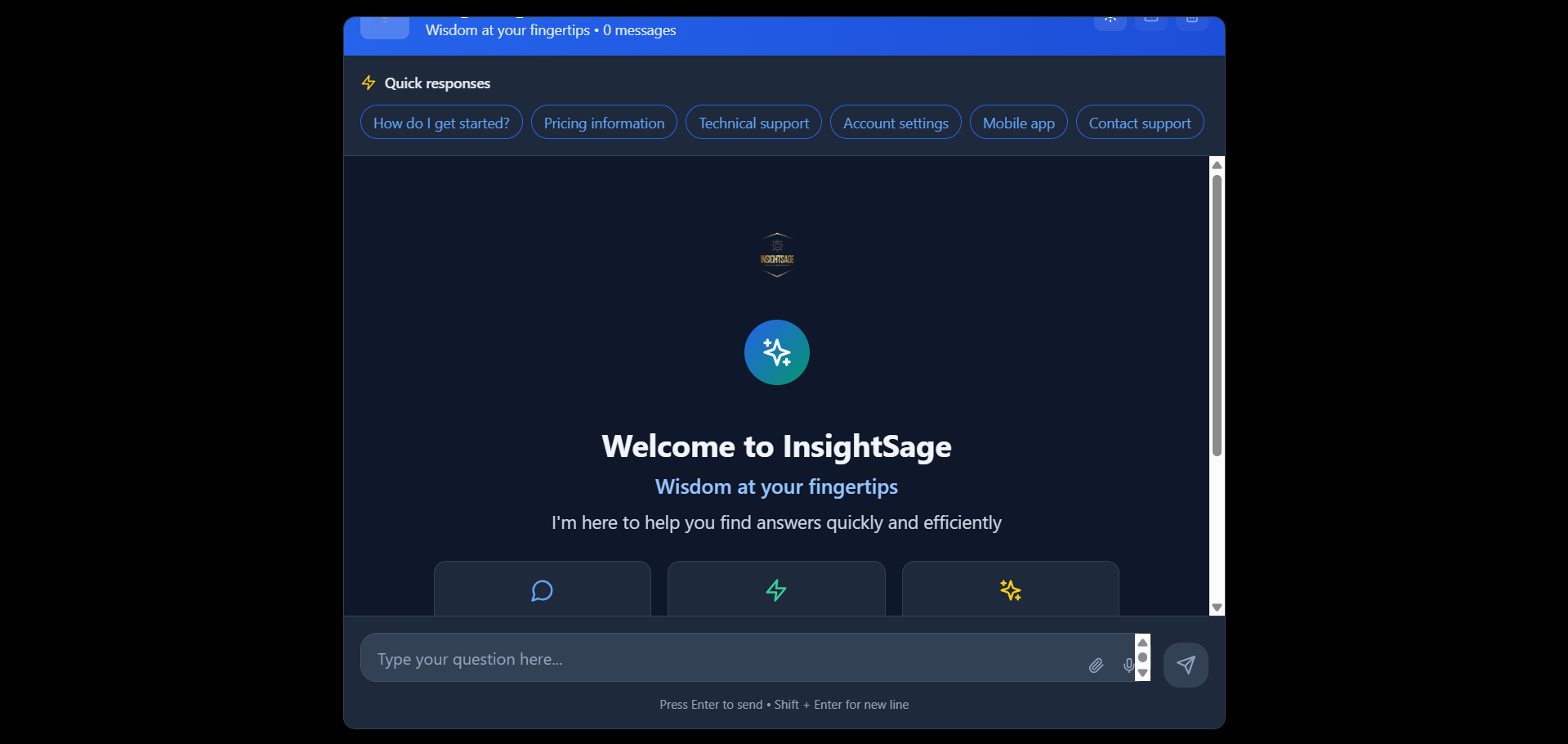
🌟 Inspiration
The idea for InsightSage was born out of a common frustration we faced as students and developers:
❓ We were constantly scrolling through outdated FAQ pages, ❓ Asking the same questions in group chats, ❓ Or waiting on replies from support teams — even when the answer already existed somewhere.
During our internship projects and college assignments, we saw teams spend hours answering repetitive queries from users or teammates. Most of these answers were already known — just not accessible in a conversational way.
When we joined the Bolt AI Hackathon , we asked ourselves:
“Can we build something simple yet powerful, that replaces the old-school FAQ with a smart, chat-based experience?”
That’s how InsightSage came to life — a lightweight AI chatbot designed to:
- Answer FAQs dynamically
- Reduce time spent searching through docs
- Be easy for anyone to deploy and customize
Our goal wasn’t to build a massive AI system — it was to simplify access to known information and make it feel natural, like chatting with a smart teammate.
What started as a fun weekend project during the hackathon became a tool we now want to refine and use in real educational or product platforms.
🛠️ What It Does
InsightSage is an AI-powered FAQ chatbot that answers user questions in a conversational format.
Instead of users scrolling through long FAQ pages or documentation, they can simply ask questions in a chatbox — and get instant, context-relevant answers.
✅ Key Features:
- 💬 Chat Interface: Users type questions, bot responds instantly.
- 📚 Predefined FAQs: Built-in logic matches common queries with accurate replies.
- ⚙️ Easy to Customize: You can add, remove, or modify question-answer pairs easily.
- 🖼️ Custom Logo Support: Add your own branding with a logo in the
publicfolder. - 🚀 Deployed via Netlify: Lightweight, fast, and accessible anywhere.
Whether it’s helping website visitors, students, or internal team members — InsightSage answers your questions before you even think about opening a search tab.
🏗️ How We Built It We built InsightSage as a modern, AI-powered FAQ chatbot with a clean UI, simple logic, and future-ready extensibility. Our goal was to create something that’s easy to use, quick to deploy, and intuitive for both developers and users.
🧱 Tech Stack React + Vite: For a lightning-fast, component-based frontend
Tailwind CSS: For rapid styling and clean, responsive UI
Lucide-react: For consistent and elegant icons
UUID: To uniquely identify messages in the chat interface
Netlify: For seamless hosting and continuous deployment
Vite's public/ folder: For serving static assets like logos
🔨 Development Process Chat UI Design We created a minimal and user-friendly chat interface where messages appear as bubbles — similar to modern messaging apps.
Message Logic We added basic logic to detect certain keywords or phrases in user messages and respond with relevant predefined answers. This simulates how an AI bot might reply.
Extensibility for AI Integration Although this version uses rule-based matching, we structured the code to be easily swappable with a real AI model like OpenAI’s GPT API in the future.
Logo Integration We added support for custom logos via the public/logo.png path, allowing any team to personalize the chatbot for their brand.
Deployment via Netlify After pushing to GitHub, we connected the repo to Netlify. The deployment was automatic on each push, ensuring fast iteration and testing.
🧪 Testing and Fixes We went through multiple rounds of testing:
Logo loading issues (solved by correct public/ placement)
Deployment cache problems (solved by hard refreshes and clean builds)
Dynamic message updates and scroll behavior
💡 Outcome By the end, we had a working, stylish FAQ chatbot that felt personal, scalable, and actually useful — built in just a short hackathon sprint.
🧗 Challenges We Ran Into Building InsightSage in a short span came with its fair share of hurdles. Here are some of the key challenges we faced and how we overcame them:
🖼️ 1. Logo Not Showing Up on Deploy One of the most unexpected blockers was a simple one: Even after placing our logo in the public/ folder, it wouldn't load on the deployed site.
Why? We had mistakenly referenced the image path incorrectly or hadn't committed it properly. Also, Netlify caching made it seem like the problem still existed even after fixing it.
How We Solved It:
Verified the image was inside public/
Used the correct path: /logo.png
Cleared cache with a hard refresh (Ctrl + Shift + R)
Re-deployed and tested in incognito mode
⚙️ 2. Handling Message Matching Logic Creating a realistic FAQ chatbot without using a full AI model meant relying on basic string matching. This required careful thinking to cover common question variations.
The challenge:
Avoiding too rigid matches (e.g., "What is pricing?" vs "pricing?")
Preventing fallback messages from triggering too often
Solution:
Used lowercase normalization and keyword arrays
Considered switching to fuzzy matching for better coverage (future upgrade!)
🚀 3. Vite + Netlify Deployment Although Vite and Netlify are fast, a few issues cropped up:
Netlify sometimes served old cached builds
A missing image or broken path would cause pages to silently fail
Fix:
Manual re-deploy from Netlify dashboard
Confirmed folder structure and correct import paths
🧠 4. Staying Simple but Scalable We wanted the bot to work without AI — but still be AI-ready. Designing a lightweight architecture that could later integrate OpenAI or a vector DB was a creative constraint.
We handled this by:
Separating UI logic from the response engine
Using mock logic now, but leaving space for future APIs
⏰ 5. Time Constraints As with most hackathons, time was tight. Balancing UI, logic, testing, deployment, and debugging in just a few hours required clear roles and decisions.
💪 What We Learned These challenges taught us:
The importance of attention to small deployment details
That "simple" problems (like logos not loading) often take the longest to fix
How to debug under pressure and think forward about scalability
🏆 Accomplishments We’re Proud Of Despite the tight deadline and technical hiccups, we’re really proud of what we achieved with InsightSage. Here’s what stood out the most:
💬 1. Built a Fully Functional FAQ Chatbot We turned a static concept — a boring FAQ page — into a working, interactive chatbot that answers questions like a real assistant. It’s clean, minimal, and works out of the box.
🚀 2. Deployed and Live on Netlify Not only did we build it, but we also successfully deployed it using Netlify, making it publicly accessible at: 🔗 https://insightsage.netlify.app
Getting a production-ready deployment during a short hackathon window is something we’re proud of!
🎨 3. Designed a Smooth, Chat-Based UI We focused on creating a modern and intuitive chat interface — with clean styling using Tailwind CSS, consistent iconography, and smooth message bubbles. It looks good and feels natural to use.
🔧 4. Made It Easy to Customize We made sure our solution was:
Easy to plug into any project
Able to work with just a few lines of config
Simple to update logos, messages, and structure
This makes it reusable for future student projects, businesses, or personal websites.
🧠 5. Engineered with Future in Mind Although we used static matching logic for now, the app is designed to scale up — we can easily swap in OpenAI or any NLP API later with minimal changes.
We’re proud that we didn’t overcomplicate it — we kept it smart, but simple.
⏱️ 6. Accomplished All This in Limited Time With limited hours and a small team, we:
Designed the UI
Wrote clean, modular code
Debugged live deployment issues
Built and shipped a live product
It was a full product cycle — from idea 💡 to deploy 🚀 — in a single sprint. And that’s a win we’re proud of!
📚 What We Learned Every project teaches you something — and InsightSage taught us a lot in just a short time. Here’s what we took away:
🧠 1. Simplicity Can Be Powerful We learned that even without complex AI models, a simple and well-designed chatbot can make a big impact when it's fast, clean, and user-focused.
🧩 2. Small Details Matter (A Lot!) From getting the logo to load to dealing with Netlify cache issues, we realized that tiny oversights in file paths or deployment configs can break the whole experience. Debugging taught us patience and attention to detail.
🌐 3. Deployment Is a Skill Getting a project from local dev to a live, functional product isn't just about writing code. We learned how to:
Fix Vite build issues
Set up a proper public path
Deploy cleanly on Netlify
Troubleshoot live bugs
🧰 4. Clean Code = Fast Fixes Because we kept the code modular, simple, and readable, we were able to debug quickly, experiment with UI changes, and stay focused under time pressure.
🤝 5. Teamwork Makes It Happen We divided tasks, helped each other with bugs, and communicated constantly. Having clear roles and working in sync helped us make the most of limited hackathon time.
🔮 6. AI Doesn’t Always Mean "Big Models" Sometimes, simulating intelligence with smart logic is enough to make something feel helpful and interactive. This gave us confidence to think creatively, without always relying on full AI APIs.
This project reminded us that you don’t always need the “most advanced” tools to build something meaningful. With clarity, effort, and purpose, you can do a lot — even in just a weekend.
🔮 What’s Next for InsightSage We built InsightSage as a lightweight, FAQ-solving chatbot — but we know this is just the beginning. Here's what we’re planning for the future:
🤖 1. Integrate Real AI (OpenAI/GPT) Currently, InsightSage uses keyword-based responses. Our next big step is to connect it to OpenAI’s GPT API, so users can ask any question, and get natural, context-aware answers — not just predefined ones.
🧠 2. Train on Custom Data We want to let users upload their own FAQ documents, PDFs, or knowledge bases, and let the bot learn from that — turning InsightSage into a true smart assistant for any domain (education, business, healthcare, etc).
🧩 3. No-Code FAQ Manager We're exploring the idea of a drag-and-drop interface or simple dashboard where non-developers can:
Add/edit Q&A pairs
Customize the chatbot appearance
Deploy without touching code
🌍 4. Multi-language Support To reach a broader audience, we plan to support multiple languages so users can interact in their preferred language — ideal for global businesses and diverse communities.
💬 5. Embeddable Widget We’ll convert InsightSage into an embeddable script — so anyone can copy a single line of code and add the chatbot to their website in seconds.
📱 6. Mobile-First Optimization Right now, it's desktop-friendly — but we’re working on improving the mobile UX for better performance, gestures, and keyboard-friendly interactions.
🚀 Final Goal To make InsightSage the easiest way to add smart, human-like support to any website — without the hassle of complex AI engineering.
Built With
- lucid
- react
- tailwind
- tailwindcss
- typescript
- vite


Log in or sign up for Devpost to join the conversation.