-
-

Basic Logo
-
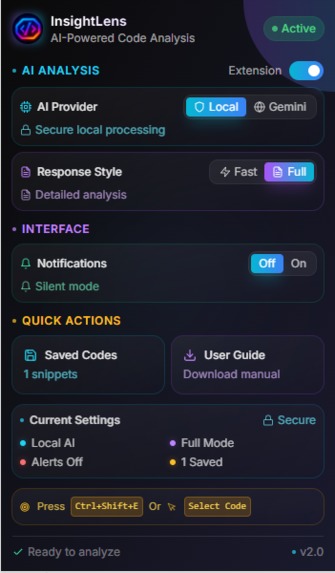
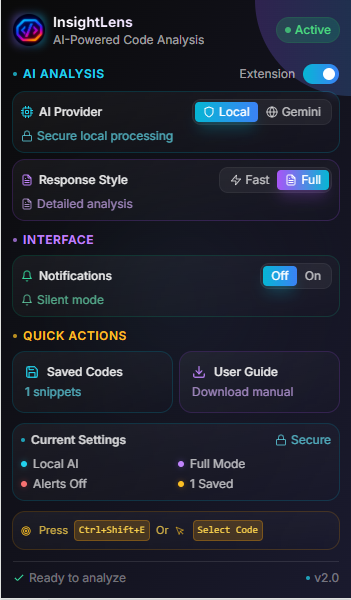
Main page to control extension
-
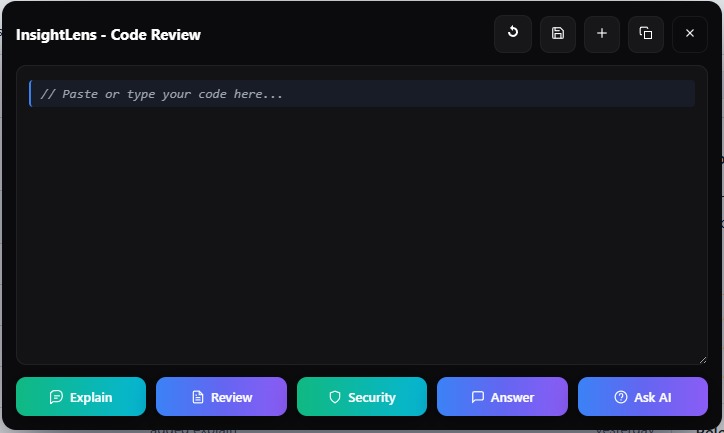
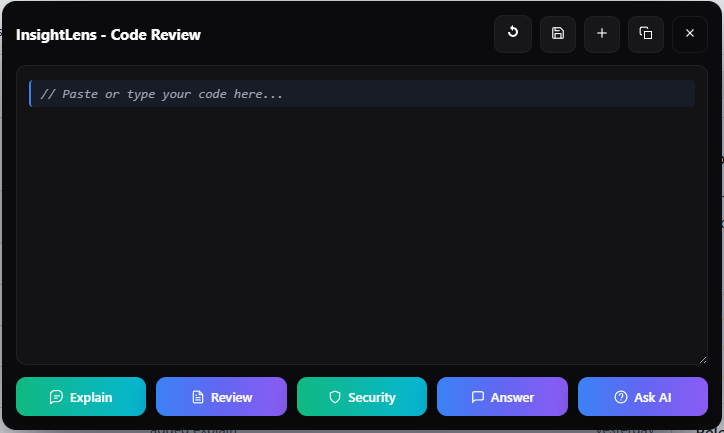
Main Quick review UI

Inspiration
I built InsightLens because developers and beginners waste time copying code into other tools just to get help. Reading code on GitHub, StackOverflow, or docs should be a learning moment — not a context switch. I wanted a tool that brings friendly, accurate AI help right next to the code, keeps user data private by default, and is easy for beginners to use.
What it does
InsightLens finds code blocks on any webpage and offers instant AI actions: 1. Explain — short summary or detailed step-by-step explanation for learners. 2. Review — complexity, performance tips, and micro-optimizations. 3. Security — detect common vulnerabilities and suggest fixes. 4. Ask AI — let users ask targeted questions about the snippet. 5. Save & History — save snippets locally to study later. 6. Settings — toggle short/long responses, notifications, and cloud fallback (explicit opt-in). Runs on-device by default with Chrome’s Gemini Nano. Cloud (Prompt API) is optional and only used if the user enables it.
How we built it
- Framework & UI: Plasmo + React for fast prototyping and clean extension UI.
- Local model: Chrome LanguageModel API to run Gemini Nano on-device for private inference.
- Cloud fallback: Optional integration with Prompt API / Gemini Cloud for heavy reviews.
- Storage: @plasmohq/storage / IndexedDB for local snippet/history storage.
- Content scripts: On Select code, with icon injects the Quick Review UI.
- Session context: Keeps short conversation history per snippet to allow follow-up questions.
- Dev workflow: pnpm dev with Plasmo for hot reload; pnpm build for production artifacts.
Challenges we ran into
1. On-device limits: Gemini Nano is fast and private but has token/compute limits compared with   cloud models — balancing detail vs. cost was hard.
2. Cross-site behavior: Content script edge-cases (iframes, tricky CSS, sites that sanitize DOM) required many small fixes.
3. Manifest v3 & service workers: Background tasks and long-lived sessions needed careful handling under MV3 constraints.
4. UI overlay conflicts: Some sites have aggressive CSS / z-index rules — we had to sandbox UI to avoid breaking pages.
5. Prompt design: Writing code-aware prompts that give useful, concise advice without hallucination took iterative testing.
Accomplishments that we're proud of
1. Built an MVP that detects code blocks across many sites and offers a full Quick Review flow.
2. Delivered on-device inference by default using Gemini Nano — strong privacy advantage.
3. Implemented useful developer features: inline suggested diffs, short test checklist, and session-based follow-ups.
4. Created a simple, beginner-friendly UX: keyboard shortcut (Ctrl+Shift+E), clear toggles, and local history.
5. Packaged the extension so judges and testers can run it locally (no store publish required).
What we learned
1. Privacy-first is possible: On-device LLMs can provide useful help without sending user code to servers.
2. Small prompts, big impact: Well-crafted, code-aware prompts produce much higher-quality reviews than generic prompts.
3. Extension UX matters: Popup noise and visual clashes are real problems — only show UI when helpful.
4. Plasmo speeds iteration: Hot reload and easy scaffolding helped ship features quickly.
5. Testing across real sites is critical: Behavior on one site rarely matches another; robust detection needs many real examples.
What's next for InsightLens
1. Polish & performance: Improve caching, parallelize safe tasks, and reduce latency for large snippets.
2. More languages & lint rules: Add deeper checks for more languages and integrate common linters/formatters.
3. Automated tests & CI: Add end-to-end tests for content scripts and UI flows, and GitHub Actions for releases.
4. Publish flow: Prepare store-ready package and follow Plasmo workflows for easier publishing (optional).
5. Optional model choices: Let users choose different cloud models or upgraded local models when available.
6. Community & feedback: Add in-extension feedback and anonymous usage opt-in to learn what helps beginners most.
7. Editor integration: Explore deeper integration (optional) with in-page editors or lightweight LSP features for edit/preview.
Built With
- chrome.storage-build-&-tooling:-node.js
- chrome.storage-chrome-apis:-chrome.runtime
- chrome.tabs
- css-frameworks-/-ui:-plasmo
- html
- html5
- javascript
- manifestv3
- netlify-(optional)-repository-/-ci:-github-(releases-for-zip)
- plasmo
- plasmo-cli-hosting-/-demo:-github-pages
- plasmohq/storage
- pnpm-/-npm
- react
- react-extension-platform:-chrome-extension-(manifest-v3)-local-model-/-apis:-chrome-languagemodel-api-(gemini-nano)-optional-cloud-apis:-gemini-cloud-/-prompt-api
- rewriter/summarizer-apis-storage-/-db:-@plasmohq/storage-(indexeddb)
- typescript
- vercel

Log in or sign up for Devpost to join the conversation.