Inspiration
InsightFlow was inspired by a simple problem: having a dataset is easy, but knowing where to start analyzing it is not.
When working with a new CSV or Excel file, users often have to move between spreadsheets, SQL, Python, visualization tools, and reporting software before they can understand what the data is actually saying. I wanted to create a workflow that could reduce that friction and help users go from a raw dataset to meaningful understanding much faster.
The idea became: What if the tool could help you discover what is worth asking about your data, instead of requiring you to already know the right questions?
That became the foundation for InsightFlow.
What it does
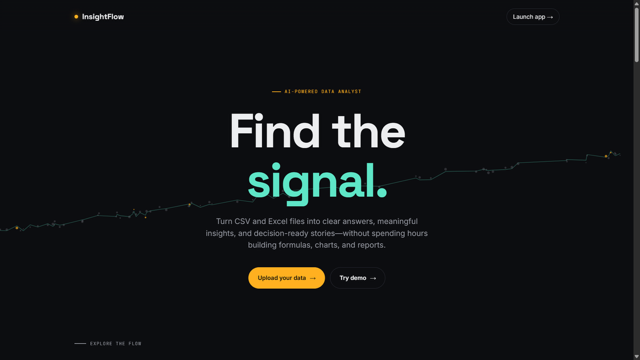
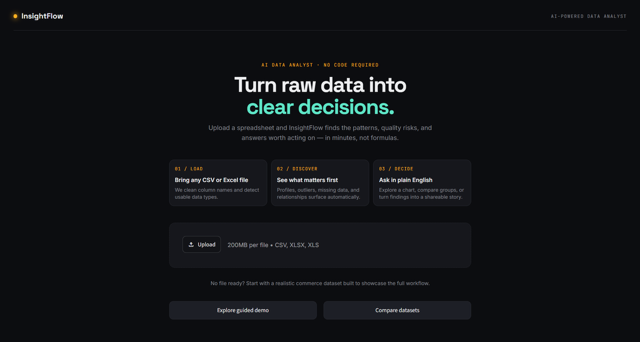
InsightFlow is an AI-powered data analyst that allows users to upload CSV and Excel datasets and immediately begin exploring them.
It automatically profiles the dataset and identifies analytical signals such as missing values, distributions, potential outliers, correlations, categorical patterns, and group comparisons.
Users can then ask questions about their dataset using natural language, explore the results through interactive visualizations, and generate an adaptive Data Story report containing relevant findings and recommendations.
The workflow is:
Upload → Profile → Discover → Ask → Explore → Report
One of the key ideas behind InsightFlow is that it goes beyond being a traditional dashboard. A dashboard usually presents information that has already been decided in advance. InsightFlow is designed to help users discover what may be worth investigating in the first place.
How we built it
InsightFlow was built with Python and Streamlit.
Pandas and NumPy handle the core data processing and statistical calculations. The analytical engine computes the verified numerical results used throughout the application, including descriptive statistics, missing-value analysis, correlations, and IQR-based outlier detection.
Plotly is used for interactive visualizations and exploratory analysis.
Google Gemini provides the natural-language explanation layer. We deliberately separated statistical computation from AI interpretation:
Python computes. Gemini explains.
The AI receives verified results from the analytical engine and uses them to generate plain-English explanations and narratives rather than independently becoming the source of numerical calculations.
ReportLab is used to generate the Data Story PDF reports.
The reporting system was also designed to adapt to different datasets. Instead of forcing every uploaded dataset into exactly the same analytical template, InsightFlow determines which analytical sections, findings, charts, and recommendations are relevant to the available data.
Challenges we ran into
One of the biggest challenges was making InsightFlow work across different datasets.
A dataset can have completely different columns, data types, distributions, and analytical opportunities from another dataset. Building a system that could adapt without relying on assumptions about a specific dataset required careful separation between data profiling, analysis, visualization, and reporting.
Another major challenge was integrating AI while maintaining trust in the numerical results.
Language models are powerful at explaining information, but numerical analysis requires consistency and verification. This led to the decision to keep the actual calculations inside the Python engine and use Gemini primarily for grounded explanation.
We also encountered practical development challenges involving application structure, Streamlit behavior, dependencies, API configuration, and making the generated PDF report dynamically respond to different datasets.
Accomplishments that we're proud of
We're proud that InsightFlow became more than a simple file uploader or dashboard.
It combines automated dataset profiling, automatic insight discovery, natural-language questions, interactive exploration, AI-powered explanation, and adaptive report generation into one workflow.
We're particularly proud of the Python computes, Gemini explains architecture because it gives the AI a clear role while keeping the numerical analysis grounded in the analytical engine.
We're also proud of the adaptive Data Story feature. Different datasets can produce different relevant analytical sections and findings instead of every report following one rigid structure.
Most importantly, we built the project around a real user experience:
Upload the data → understand it → discover patterns → ask questions → investigate → communicate the findings.
What we learned
We learned that building an AI-powered product is not simply about connecting an application to a language model.
The most important part is deciding where AI adds value and where deterministic computation is more appropriate.
For InsightFlow, that meant keeping statistical calculations inside Python while using Gemini for explanation and contextualization.
We also learned that good data analysis is not only about producing correct statistics. The user needs to understand what those statistics mean, what deserves further investigation, and how to communicate the findings.
Building InsightFlow also taught us how important adaptability is when working with real-world datasets. You cannot assume that every dataset will have the same structure or support the same analysis.
What's next for InsightFlow
The next stage for InsightFlow is focused on making the product more intelligent, more useful, and easier to use.
We want to expand the analytical engine so it can recognize more dataset types and automatically select increasingly relevant analyses.
We also see opportunities to add deeper statistical and predictive analysis, stronger anomaly detection, richer Data Stories, and more personalized recommendations based on the purpose of the dataset.
On the product side, we want to improve onboarding and make the path from uploading a dataset to receiving useful insights even faster.
The long-term vision is for InsightFlow to become a general-purpose starting point for data understanding: a tool that helps people move from “I have this dataset” to “I understand what this data is telling me.”
InsightFlow: From raw data to understanding.


Log in or sign up for Devpost to join the conversation.