Inspiration
Every manager has asked some version of "why did revenue drop?" — and every time, the answer takes hours or days. Someone has to ping an analyst, who pulls data from three or four different systems, builds a report, and eventually comes back with an explanation. We wanted to compress that entire chain into a single conversation: ask the question, and let an AI agent do the investigating.
We've each built agents before — customer support bots, workflow automations, even voice agents — and we kept noticing the same gap: most "AI analytics" tools are really just a chatbot bolted onto a dashboard. They answer questions about data you already pulled. None of them actually go investigate like a human analyst would. That gap became InsightFlow.
What it does
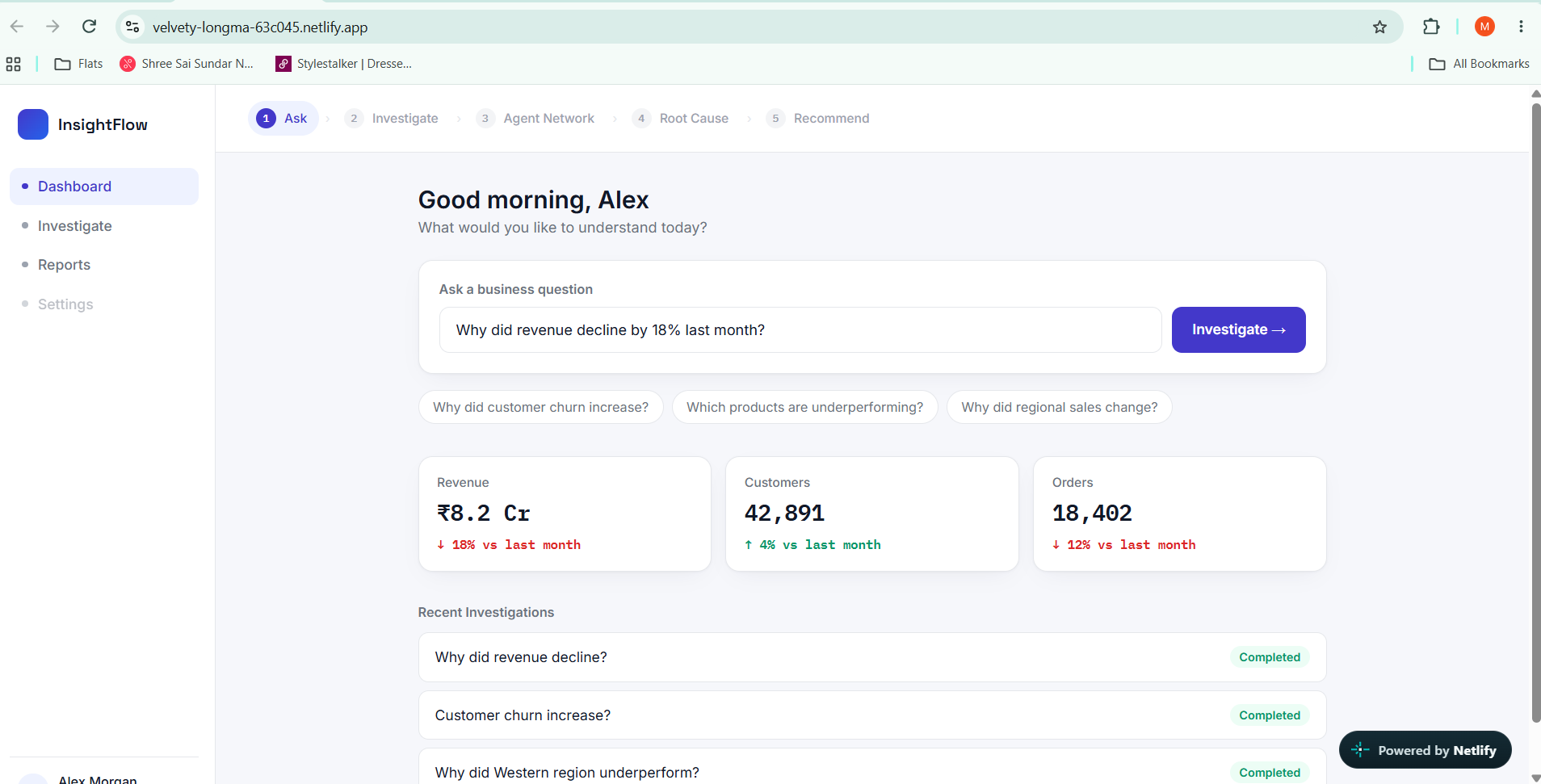
InsightFlow AI is an autonomous business analyst. A manager types a question like "Why did revenue decline by 18% last month?" and instead of opening a dashboard, they watch an orchestrator agent plan an investigation and delegate it across specialist agents:
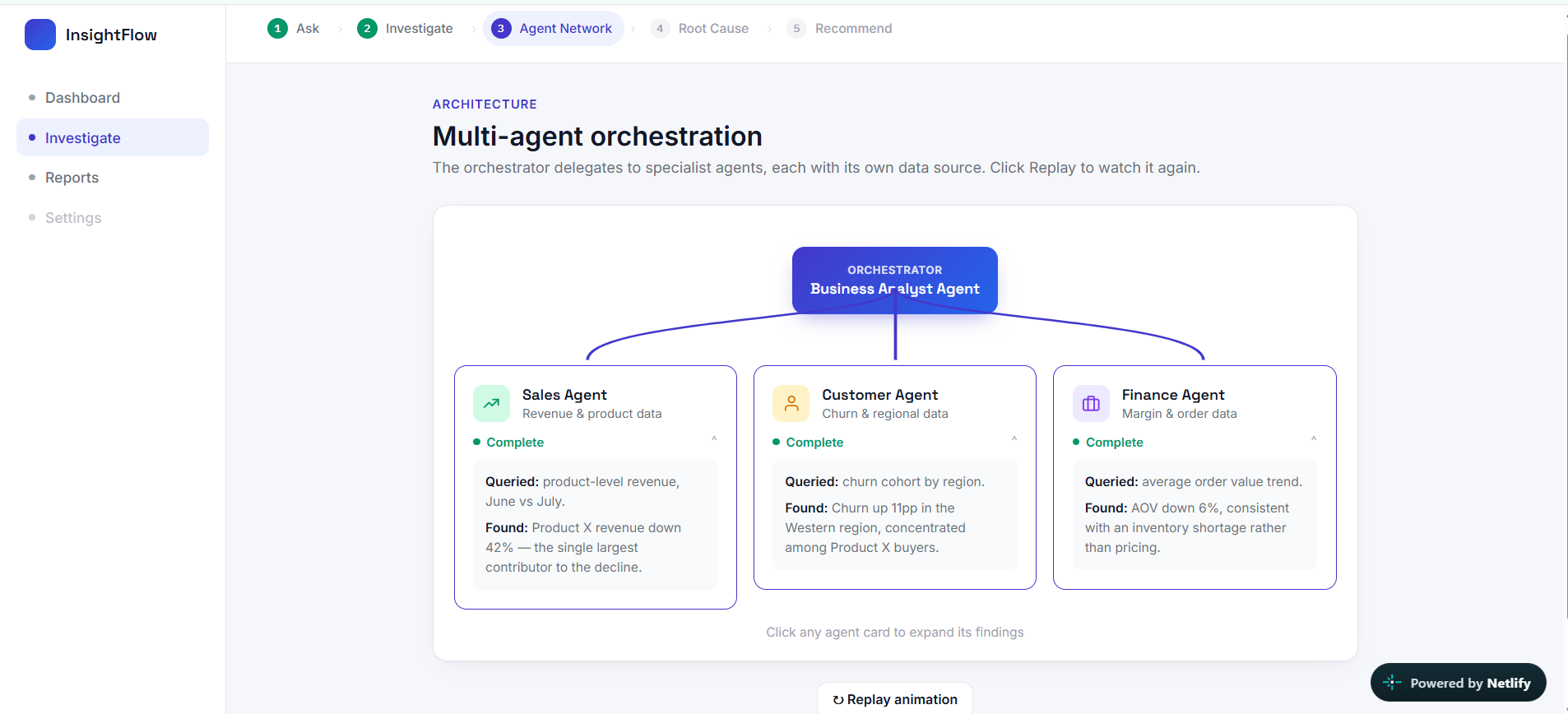
- Sales Agent — queries product-level revenue
- Customer Agent — checks churn and regional cohorts
- Finance Agent — reviews order value and margin trends
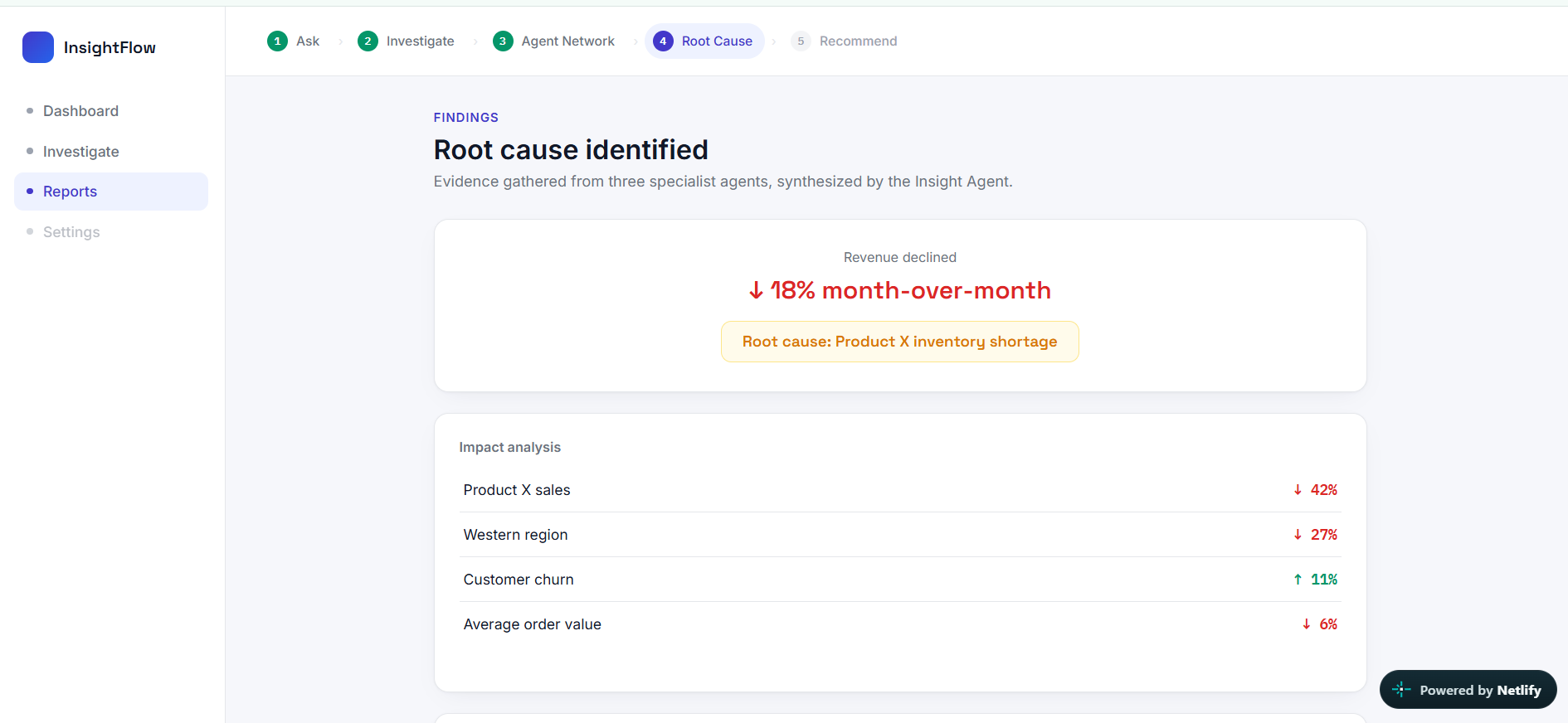
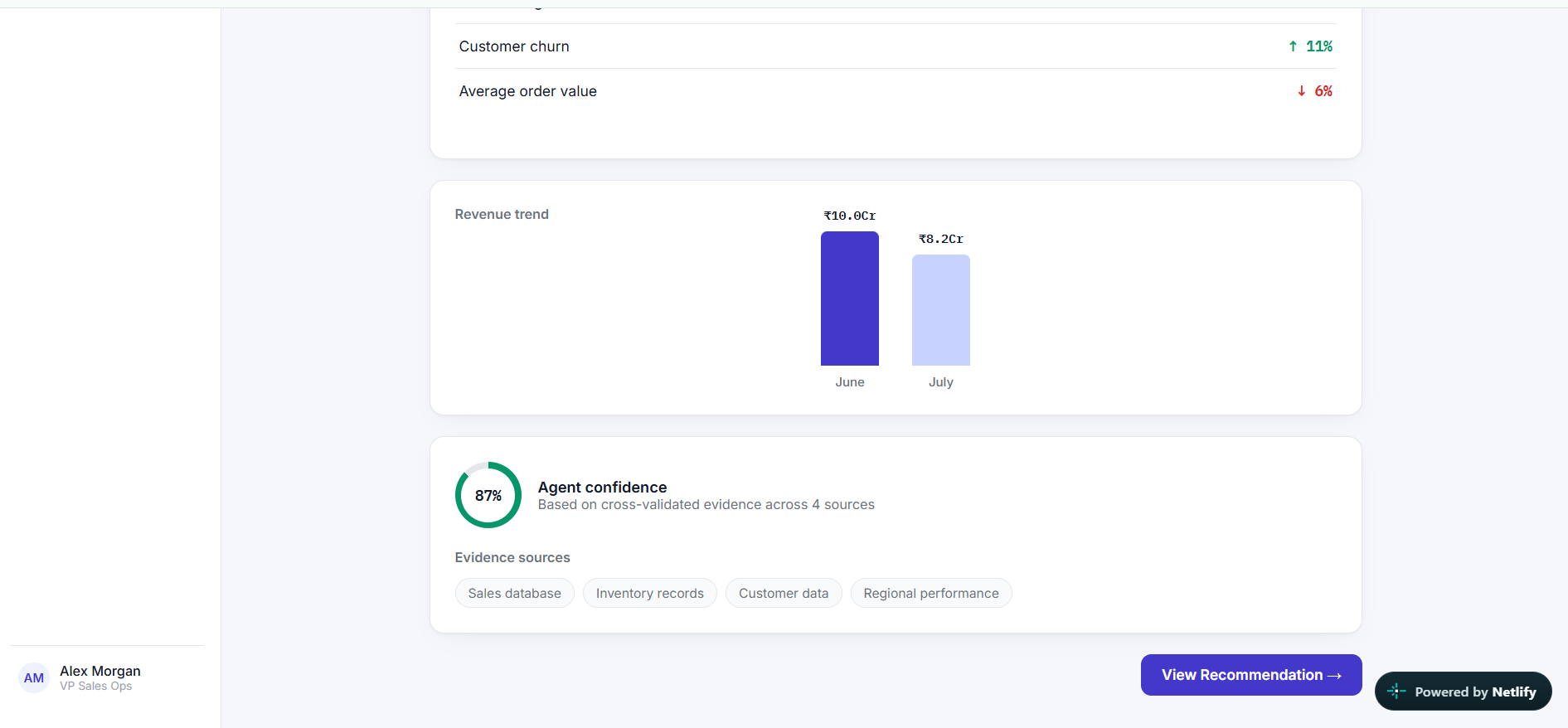
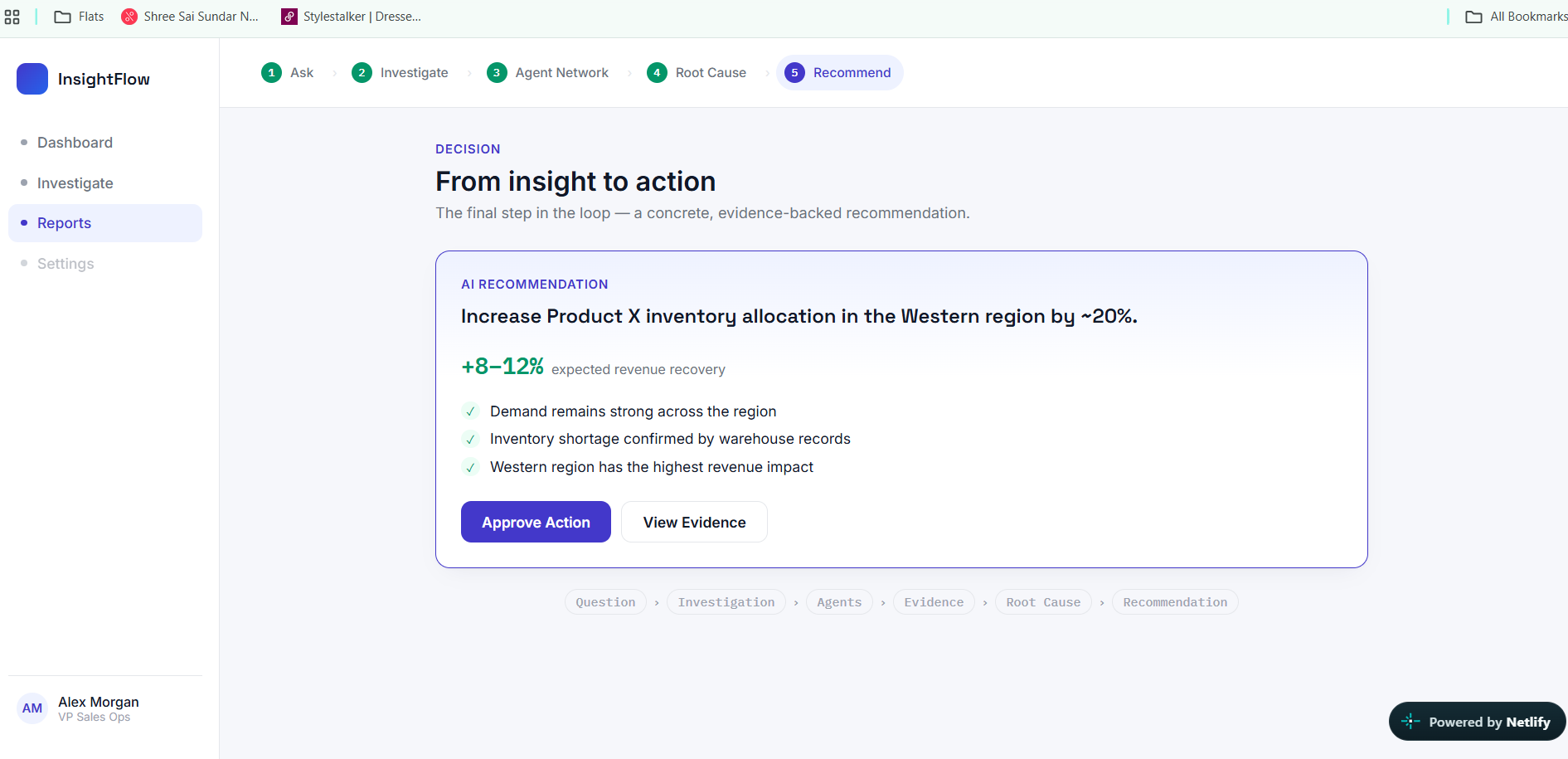
Each agent reports back its own findings (e.g. "Product X revenue down 42% — the largest contributor to the decline"). The orchestrator synthesizes these into a single root cause with a confidence score, backed by visible evidence — not a black box. Finally, it doesn't stop at insight: it produces a concrete, actionable recommendation (e.g. increase Western region inventory allocation by ~20%) with expected impact, which the manager can approve on the spot.
The loop is: Ask → Investigate → Explain → Act.
How we built it
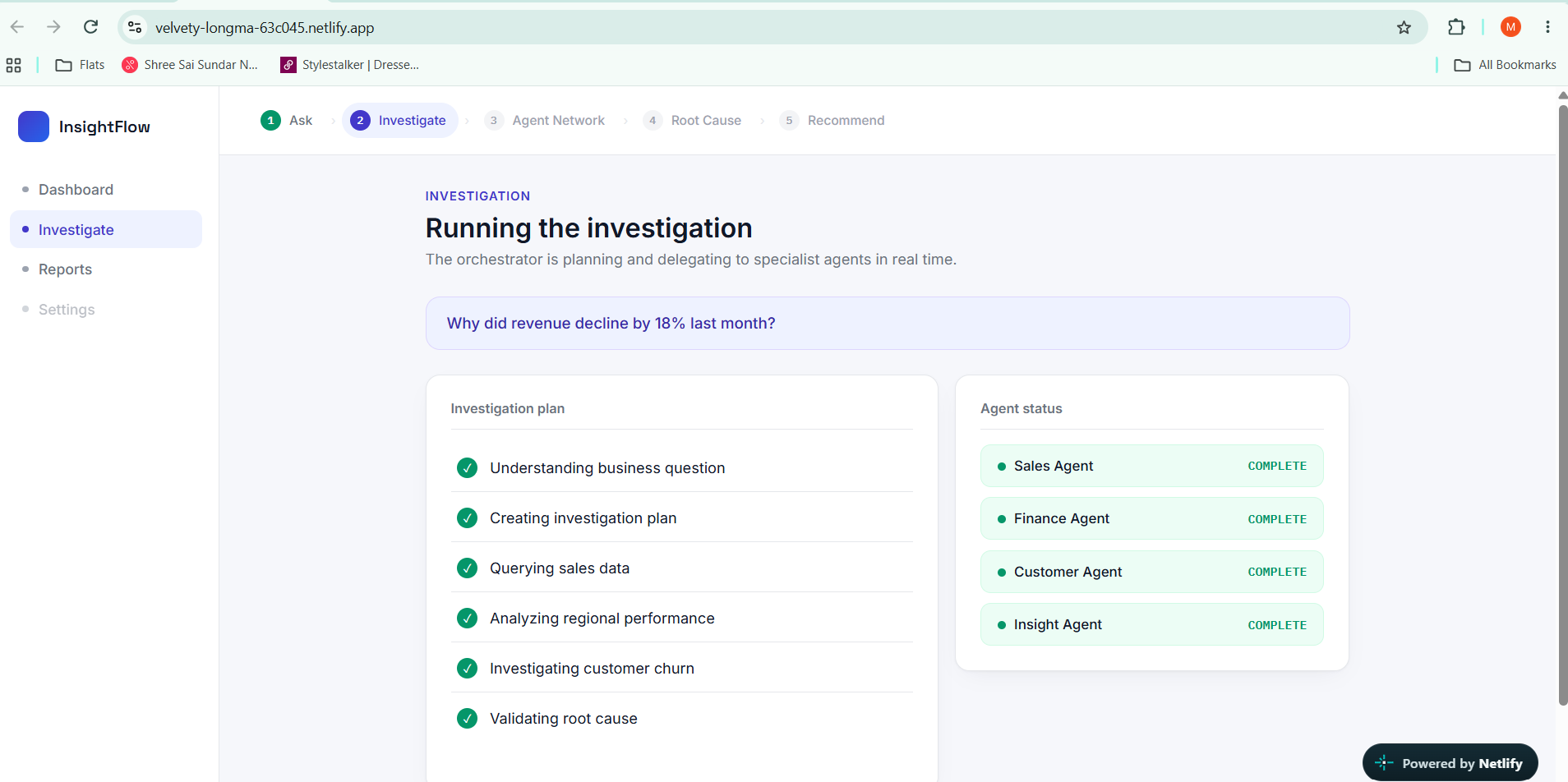
For Stage 1, we built a fully clickable, interactive prototype (HTML/CSS/JS) covering the entire flow: Dashboard → Ask Question → Investigation (live agent-by-agent status) → Agent Network (expandable findings per agent) → Root Cause (evidence + confidence score) → Recommendation (approve action).
We deliberately designed the "investigation in progress" screen to show observable actions — "Querying sales data," "Investigating customer churn" — rather than a generic loading spinner or fake chain-of-thought text, so it reads as genuinely agentic rather than a wrapped LLM call.
For the full build, our planned architecture is:
- Frontend: React + Tailwind
- Backend: Python + FastAPI
- Agent orchestration: LangGraph (planner → specialist agents → synthesis, with the orchestrator adapting its investigation based on what each agent finds)
- Data: Supabase/PostgreSQL with a simulated enterprise dataset (customers, orders, products, regions, support tickets)
- Tool access: MCP, exposing tools like
query_sales(),query_customers(),query_finance()so each specialist agent queries its own data source independently
Challenges we ran into
The hardest part wasn't the UI — it was resisting the temptation to make this "just an LLM with a SQL tool." A single model answering a question from a database isn't agentic, it's a wrapper. We had to be intentional about designing a real planner → delegate → synthesize → validate loop, where the system decides what to investigate next based on what it finds, rather than following one fixed path every time.
We also had to be careful with how we visualized agent reasoning — it's easy to fake a "thinking..." animation that looks impressive but means nothing. We chose to only show real, observable actions instead.
Accomplishments that we're proud of
Building a click-through experience that makes a multi-agent architecture feel real and understandable in under two minutes — including a live agent-status view and an expandable agent-network diagram that shows exactly what each agent queried and found, not just a spinner.
What we learned
That the "agentic" part of an agentic product isn't the LLM call — it's the orchestration logic around it: planning, delegation, adapting based on intermediate findings, and validating before presenting a conclusion. Designing that loop clearly, even in a prototype, took more thought than the UI itself.
What's next for InsightFlow AI
For Stage 2, we plan to wire up the real LangGraph orchestration against a live Supabase dataset, replacing simulated findings with real queries — turning the same interaction flow from a scripted demo into a genuinely working investigation engine.
Built With
- agentic-ai
- css3
- fastapi
- figma
- html5
- javascript
- mcp
- multi-agent-systems
- netlify
- openai
- plotly
- postgresql
- python
- react
- supabase
- tailwindcss

Log in or sign up for Devpost to join the conversation.