Inspiration
Classrooms still rely on delayed signals: quizzes, grades, and office hours tell you after learning has already broken down. I wanted to build something that could catch those breakdowns in the moment, help students recover immediately, and give teachers useful feedback without turning the classroom into a surveillance system.
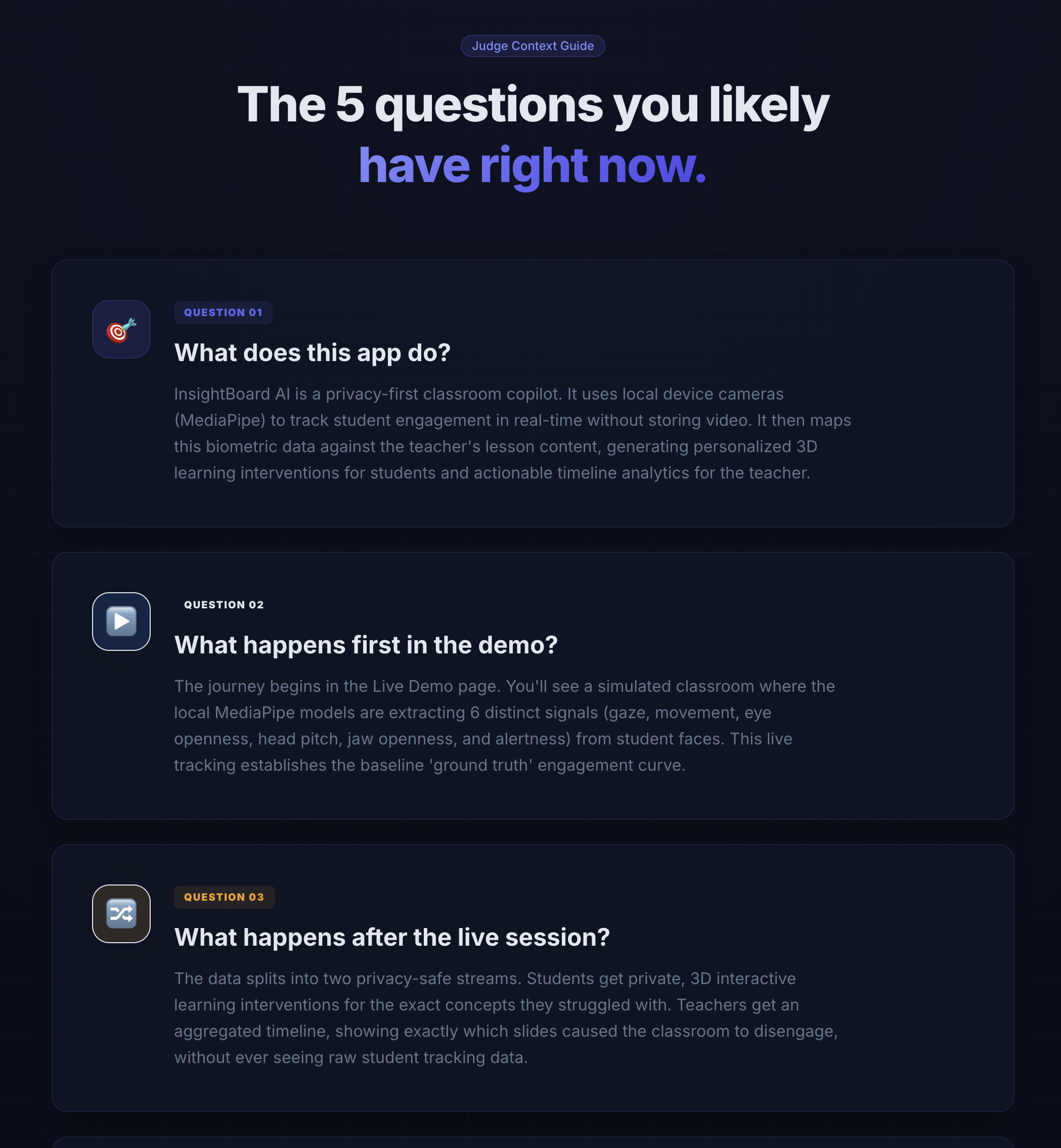
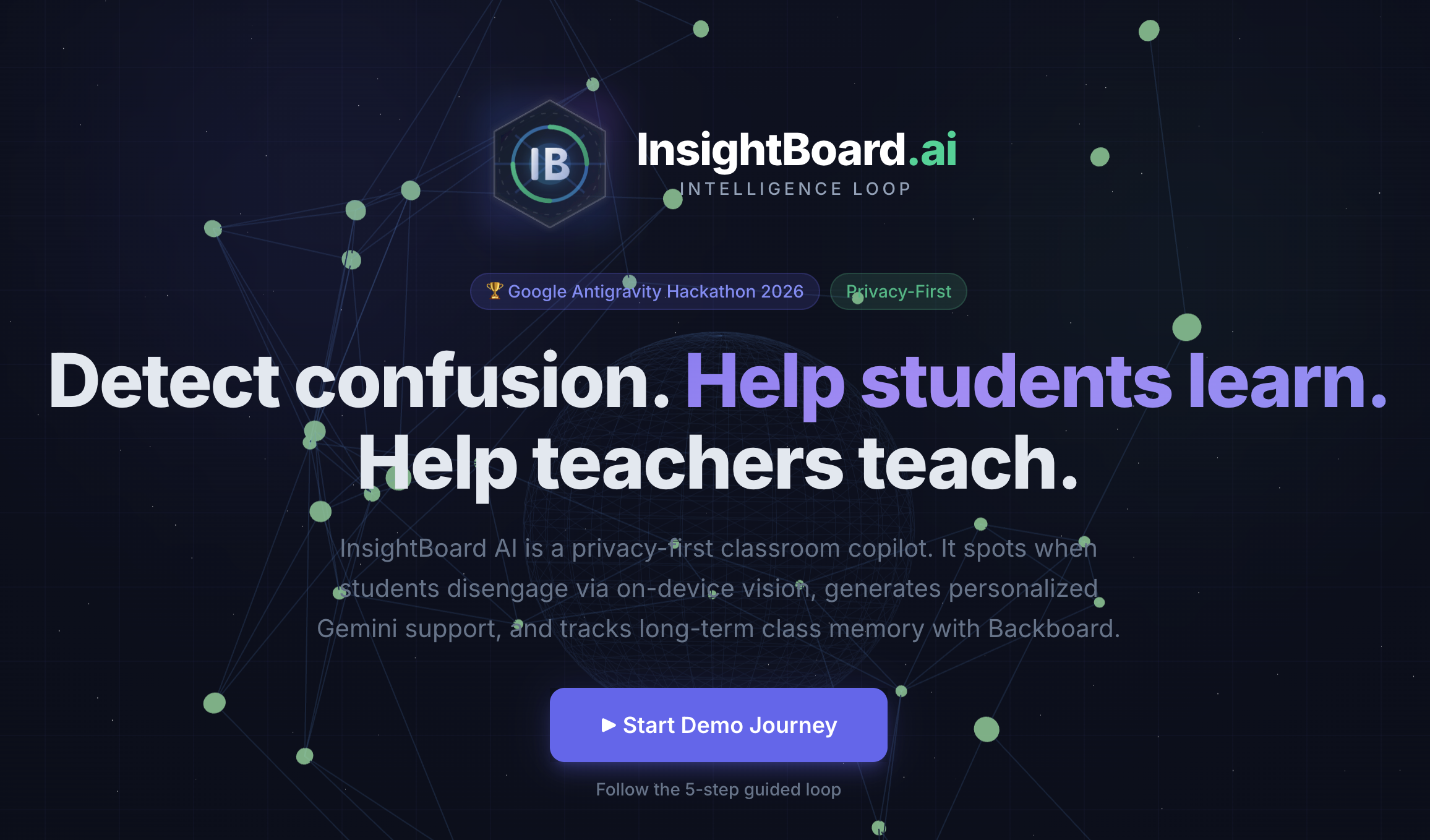
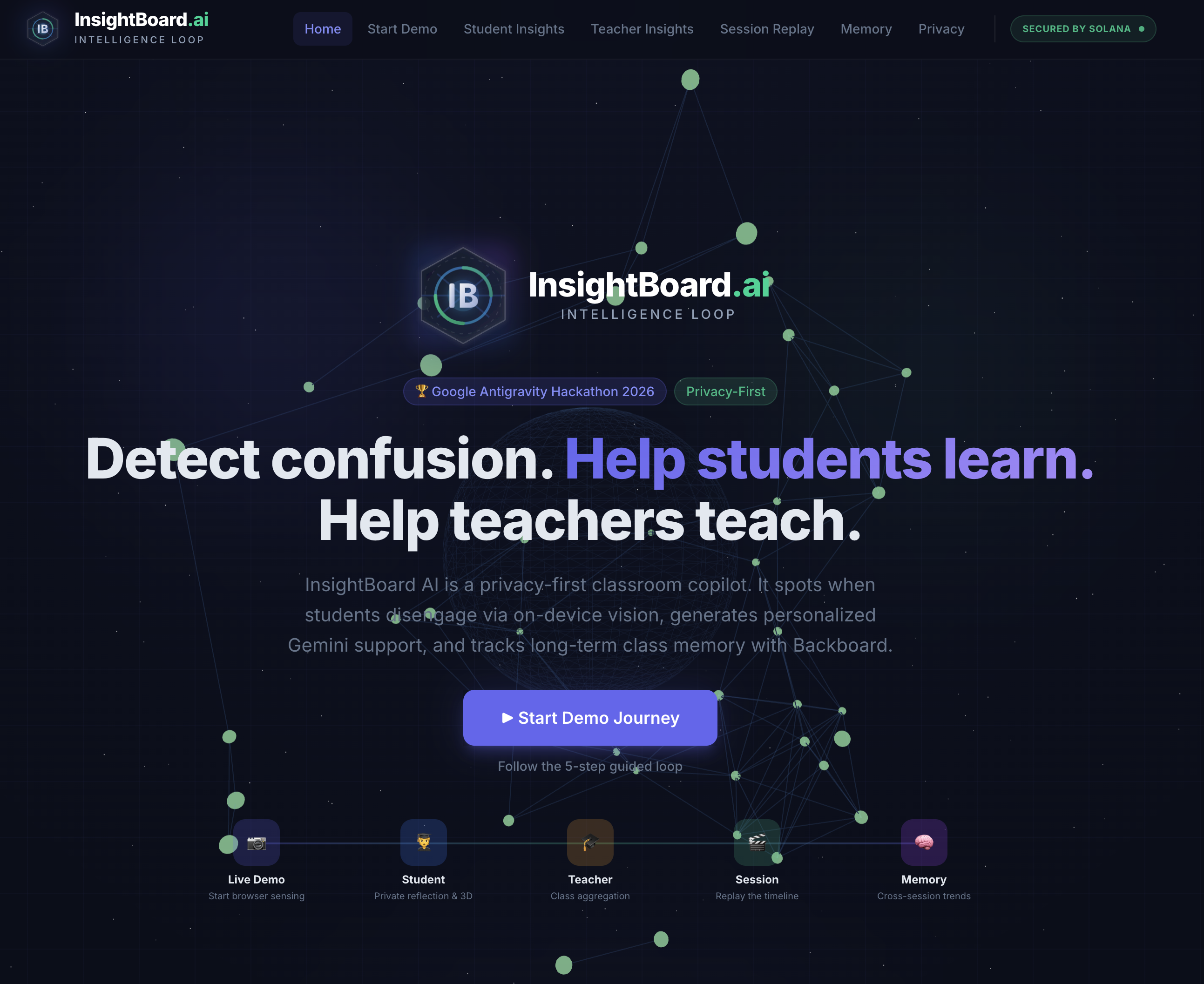
That became InsightBoard AI: a privacy-first classroom intelligence loop that detects confusion, maps it to lesson content, asks students why they disengaged, generates personalized support, and remembers recurring patterns across sessions.
What it does
InsightBoard AI connects the full loop between live classroom signals and learning recovery:
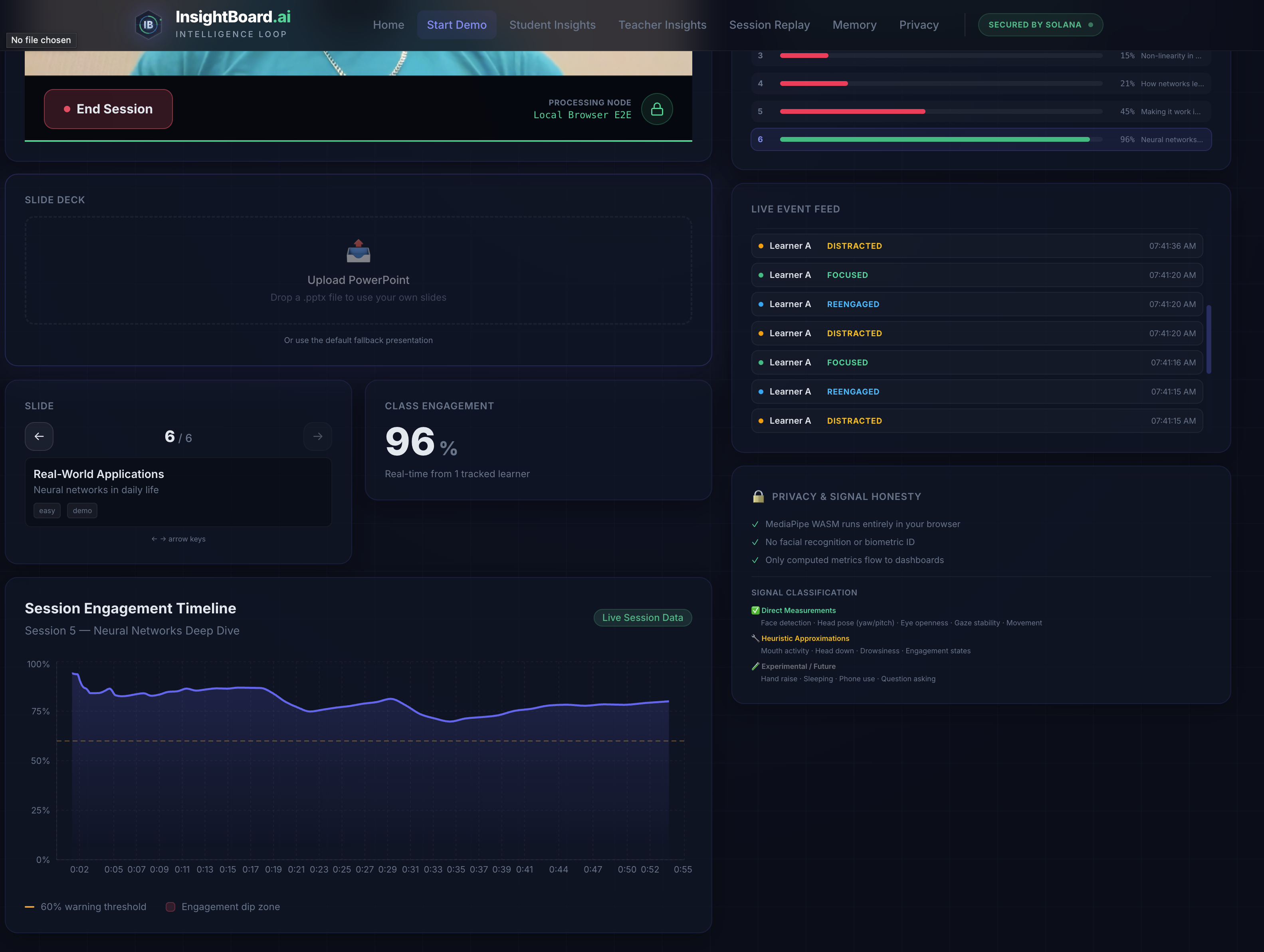
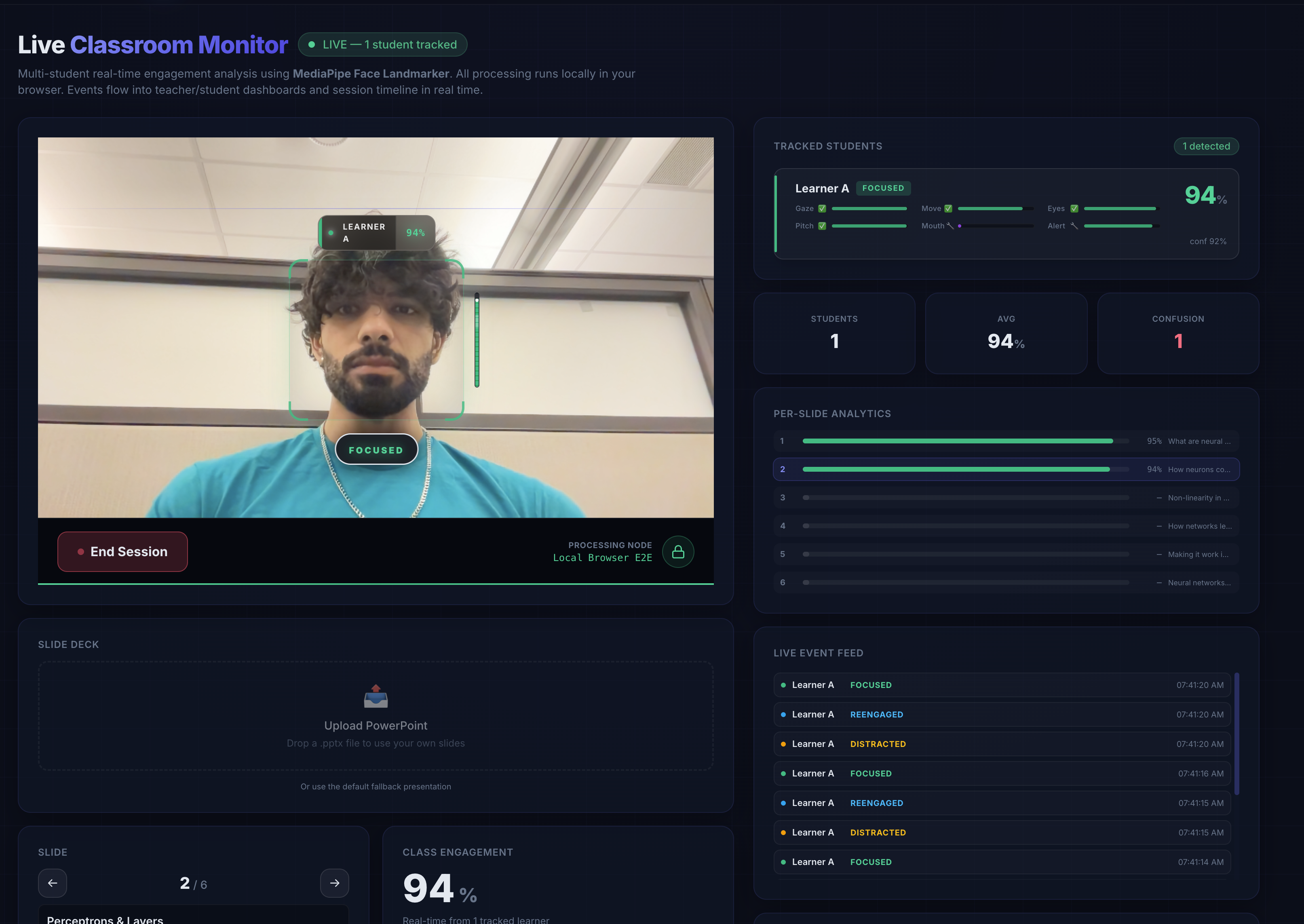
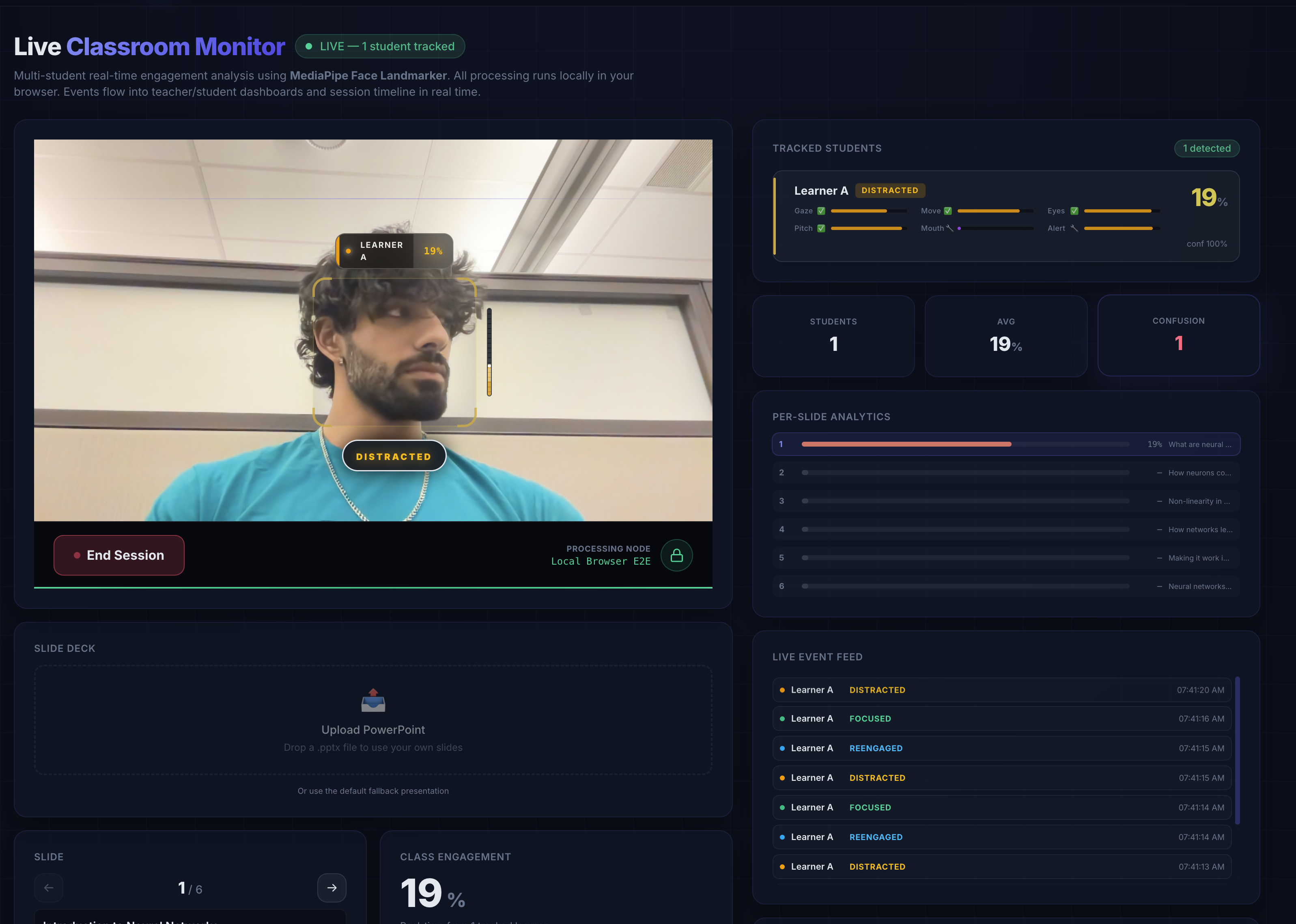
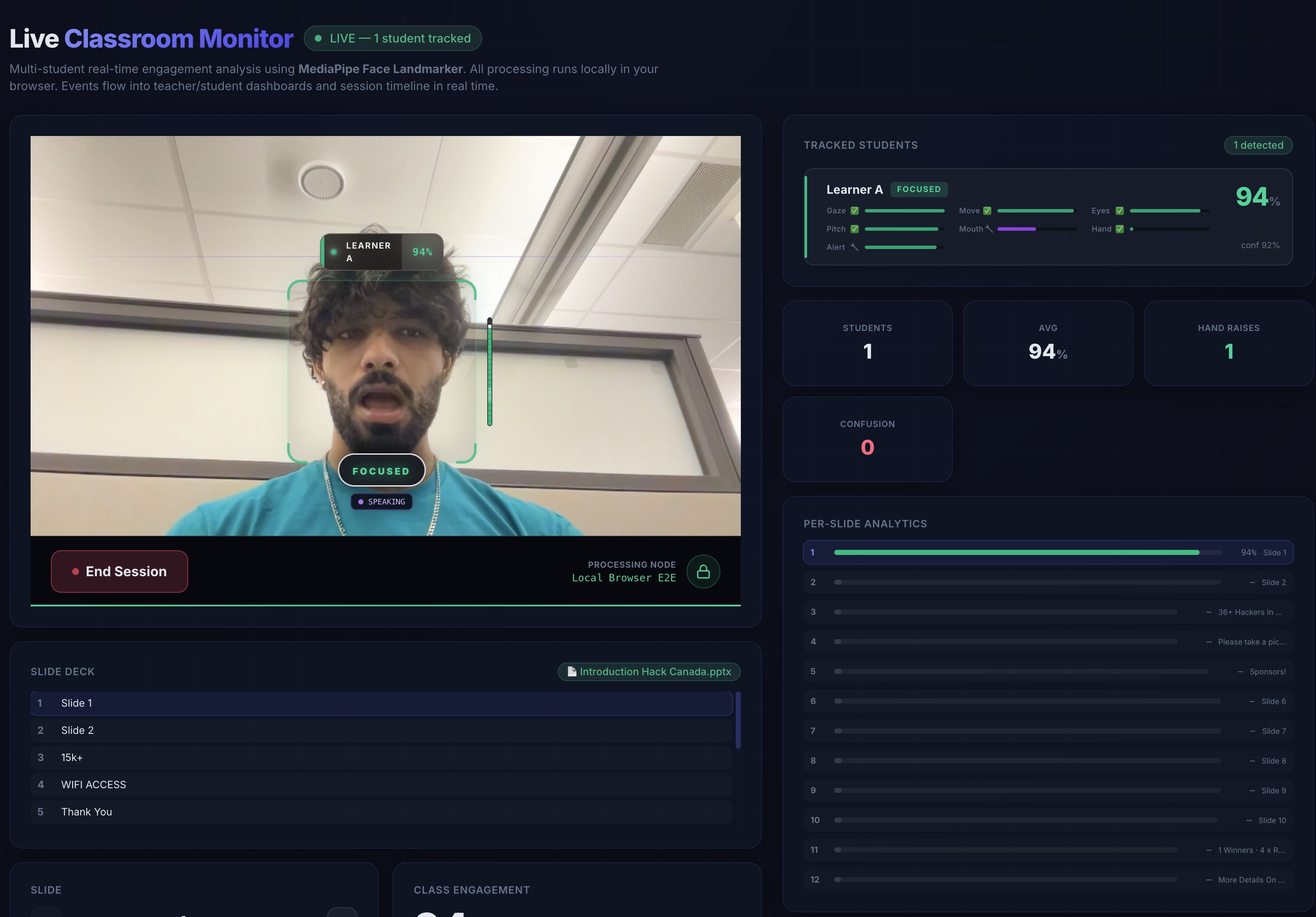
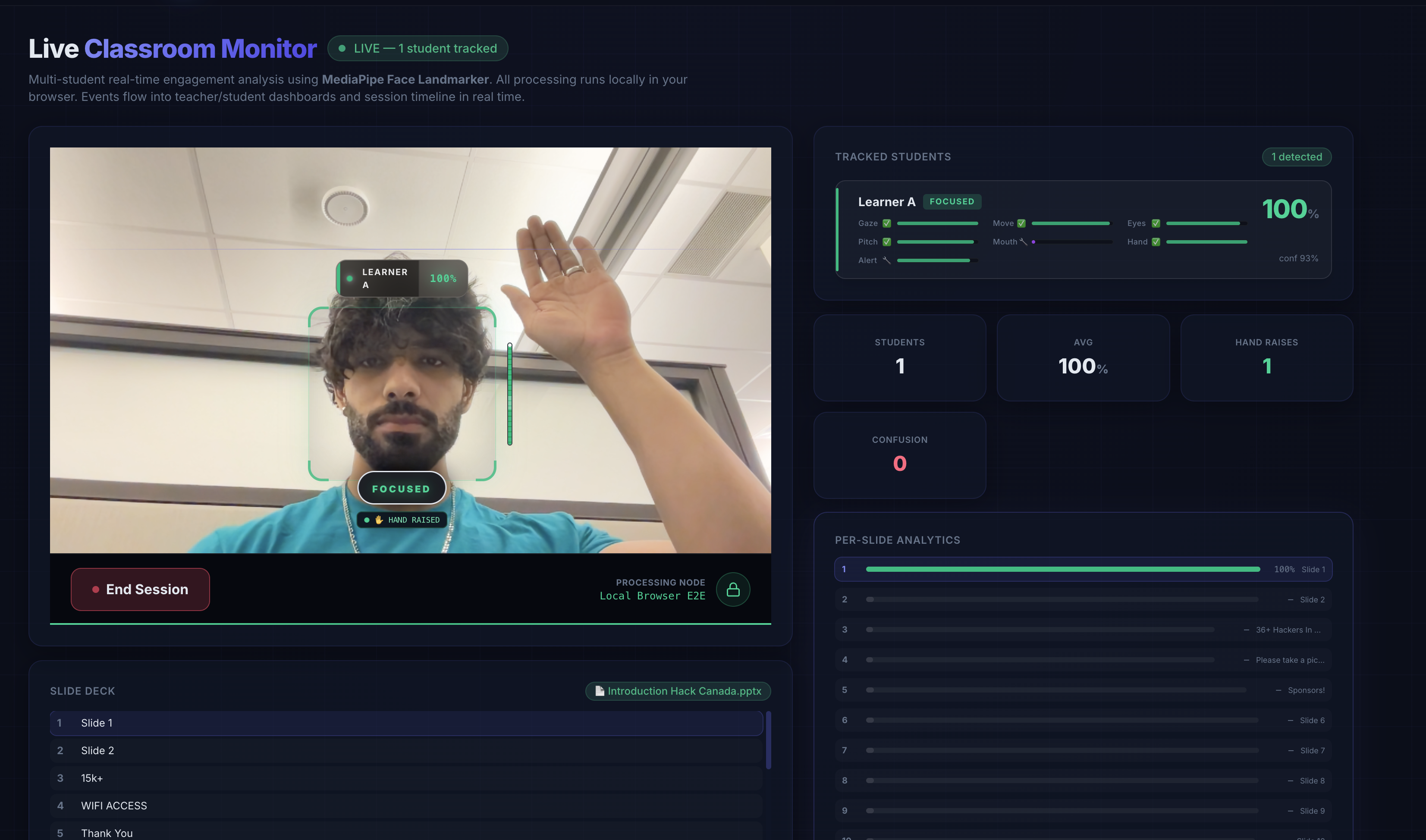
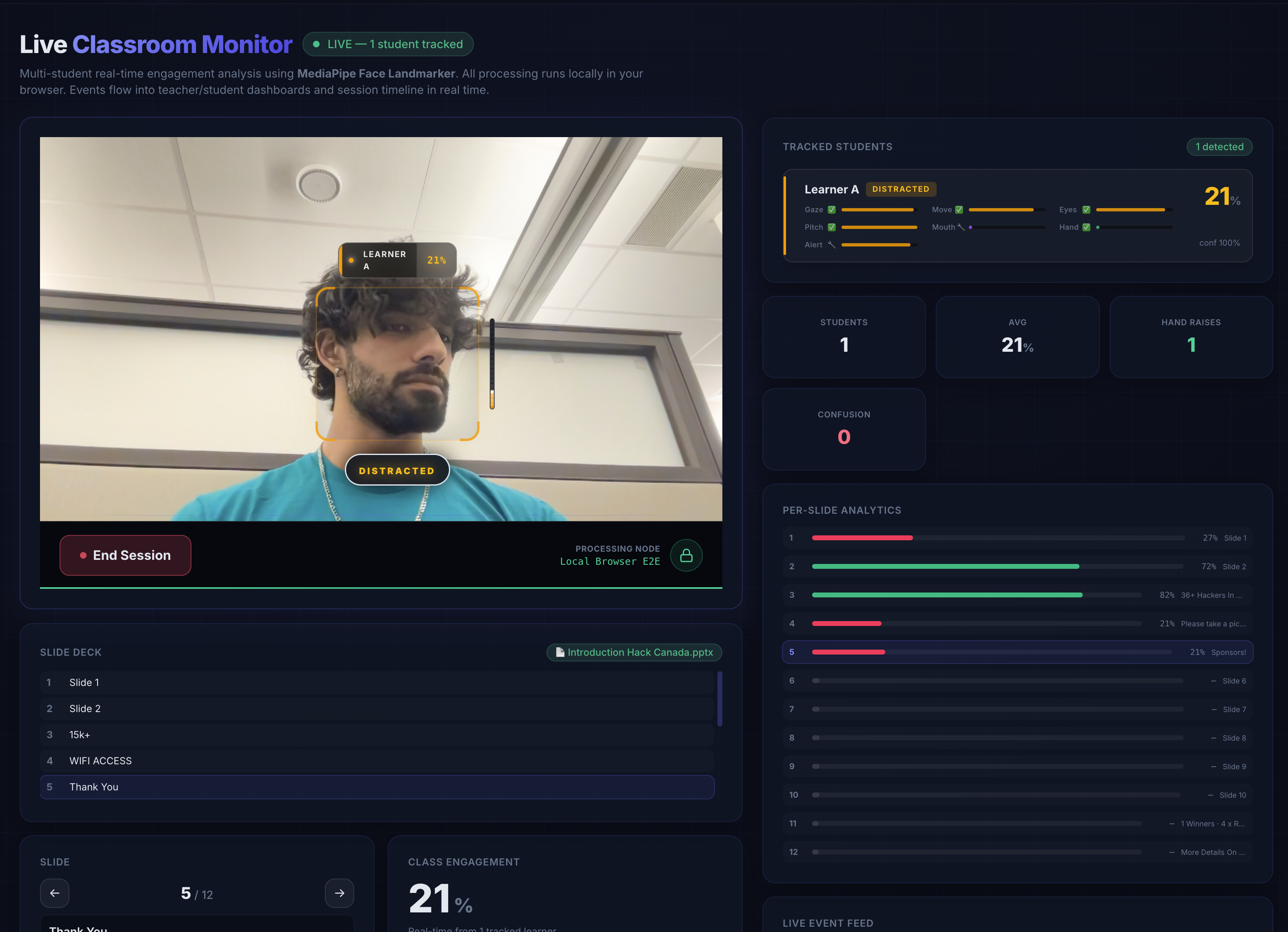
- Detect — MediaPipe Face Landmarker runs fully in-browser and measures learning-relevant signals like head pose, gaze stability, eye openness, and movement.
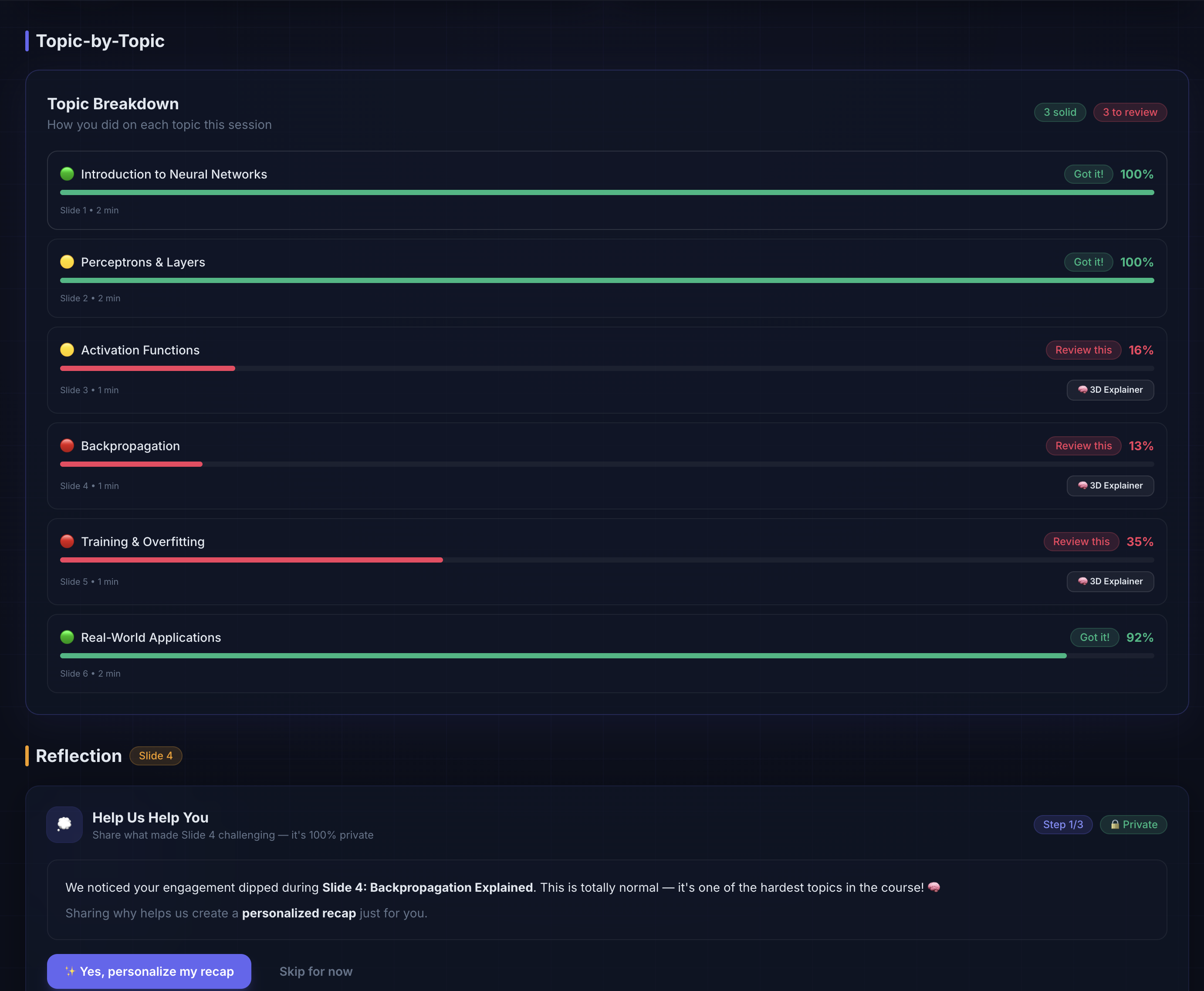
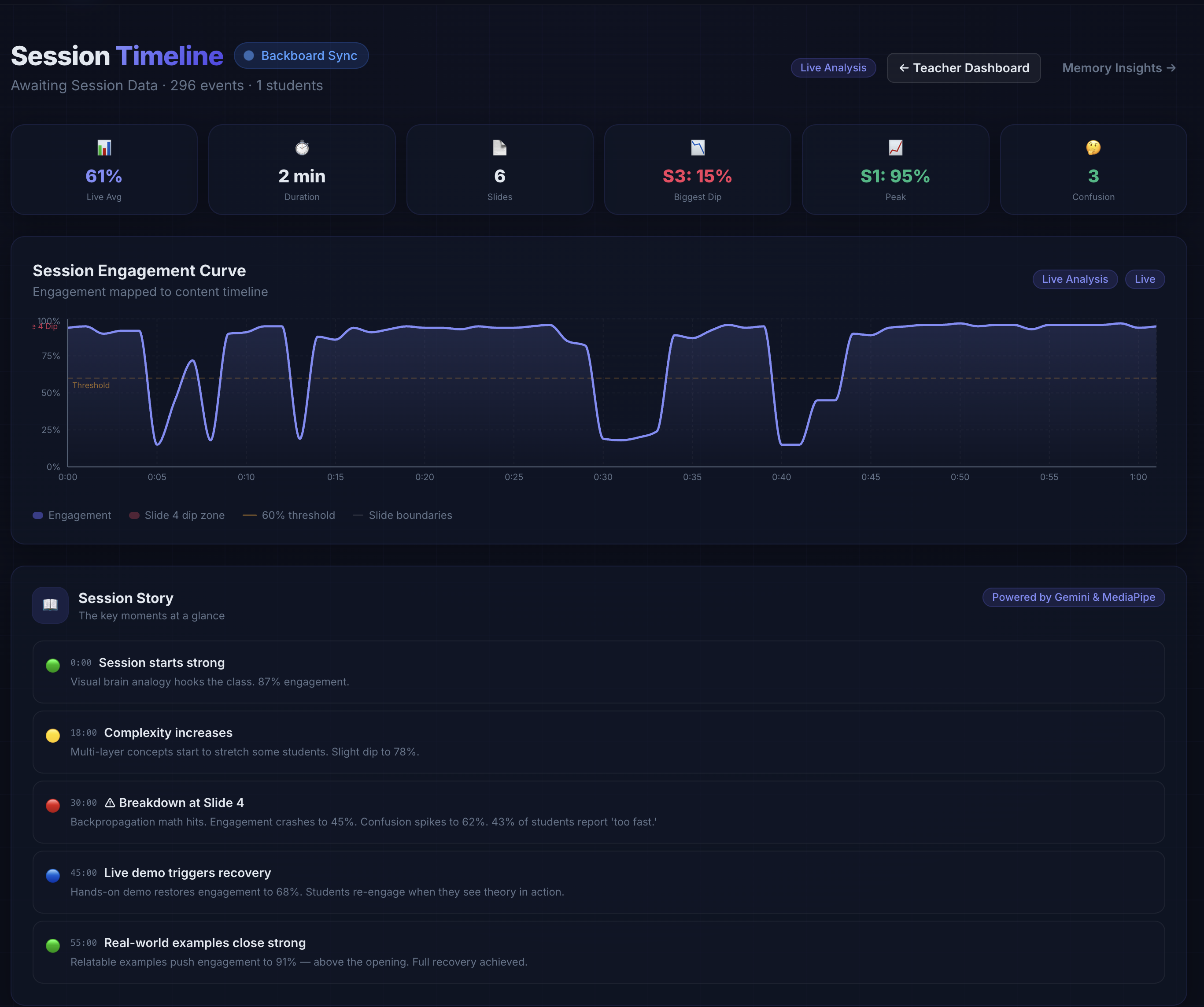
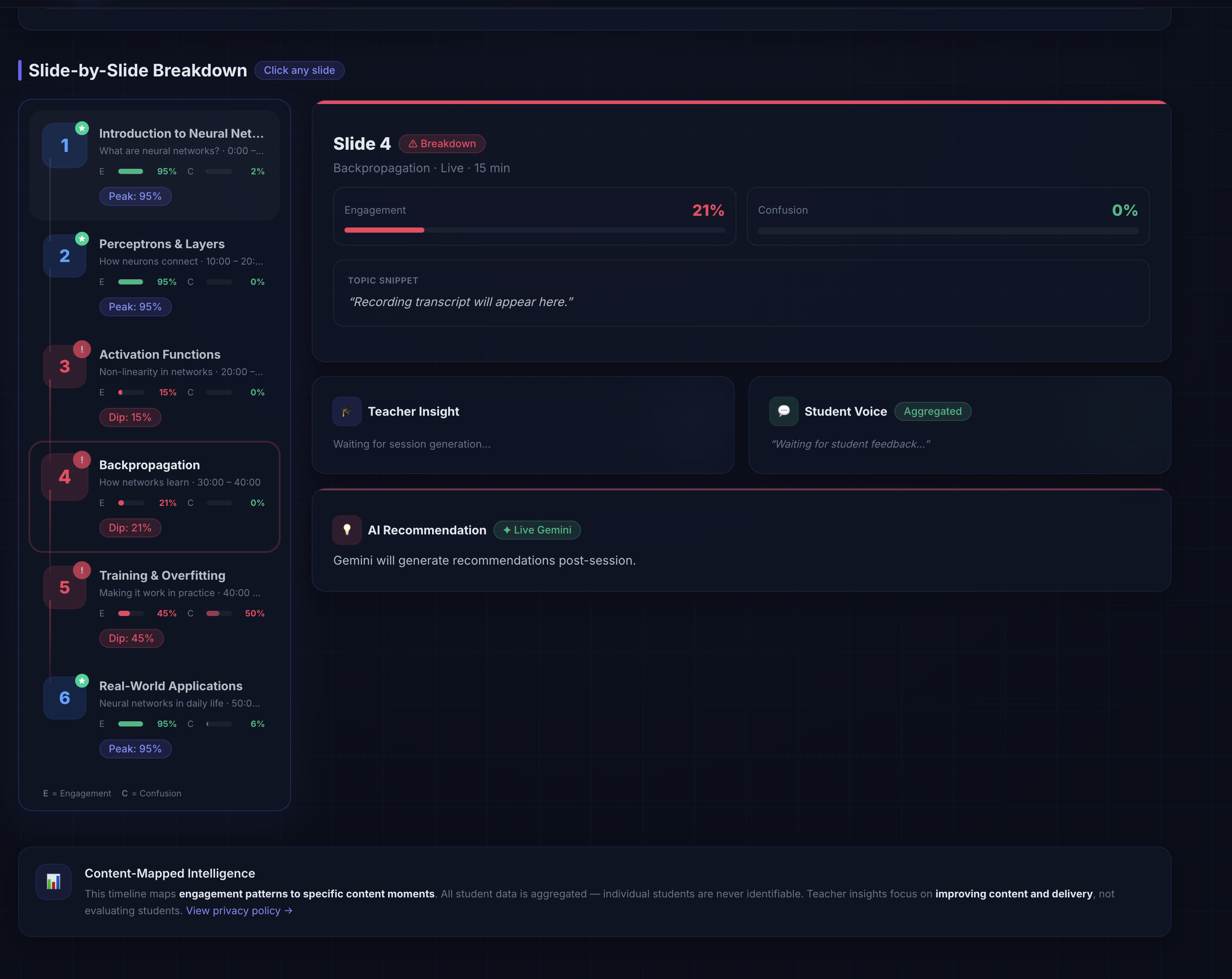
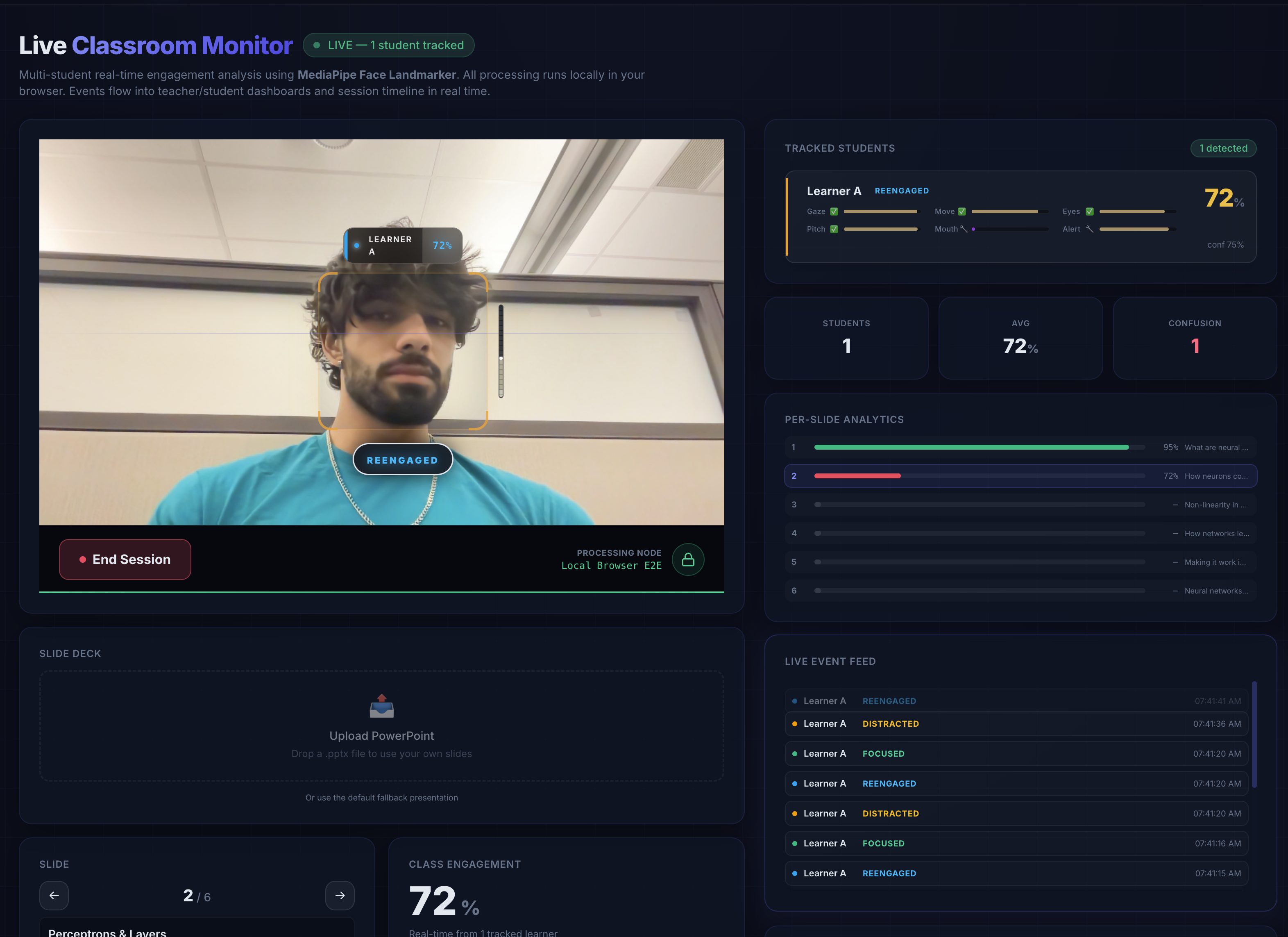
- Map — Those engagement dips are tagged to the active slide and topic in the lecture.
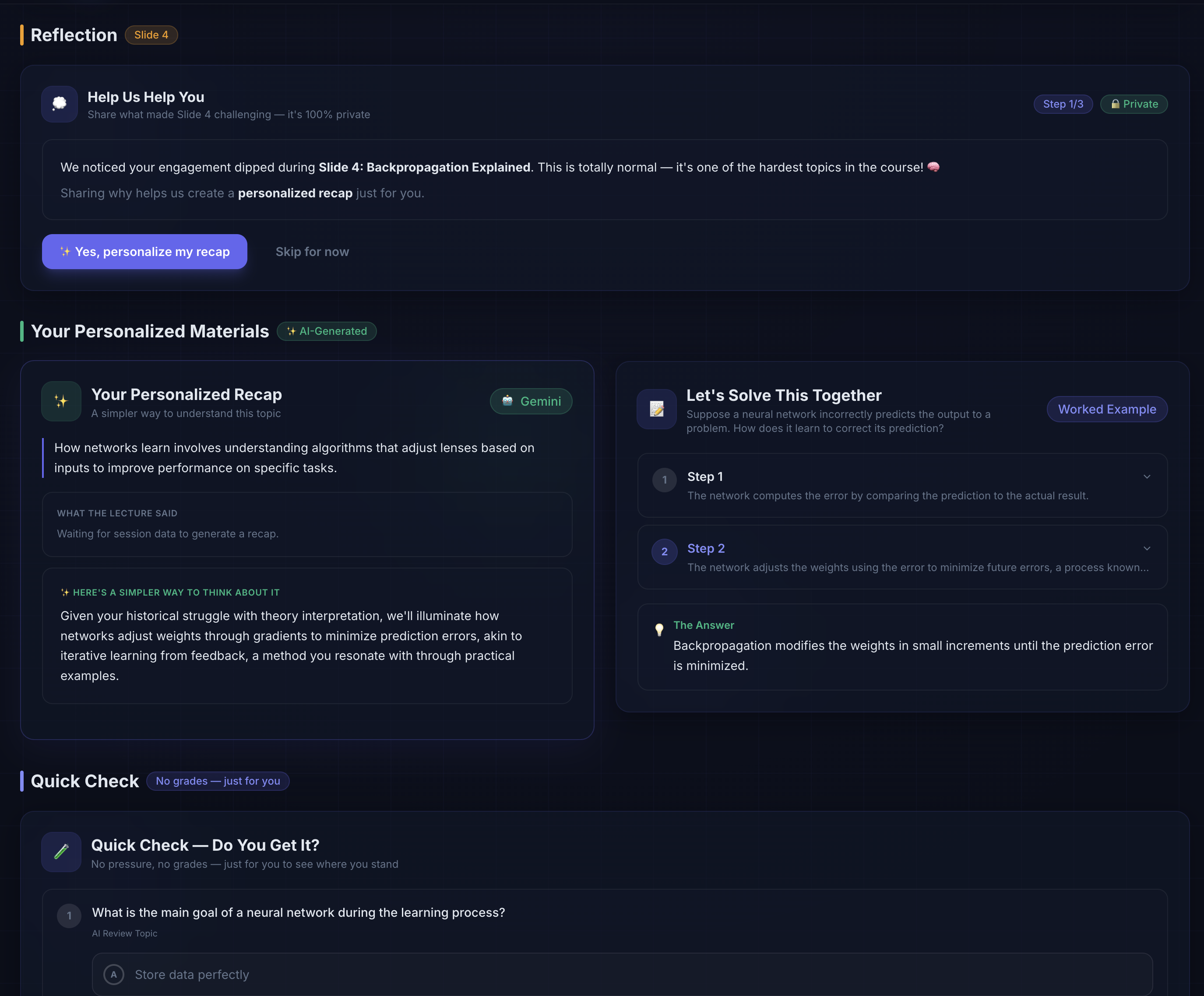
- Reflect — Students are asked why they lost focus instead of the system pretending it knows.
- Recap — Gemini generates a simpler explanation, worked example, and quick self-check questions based on the real weak topic.
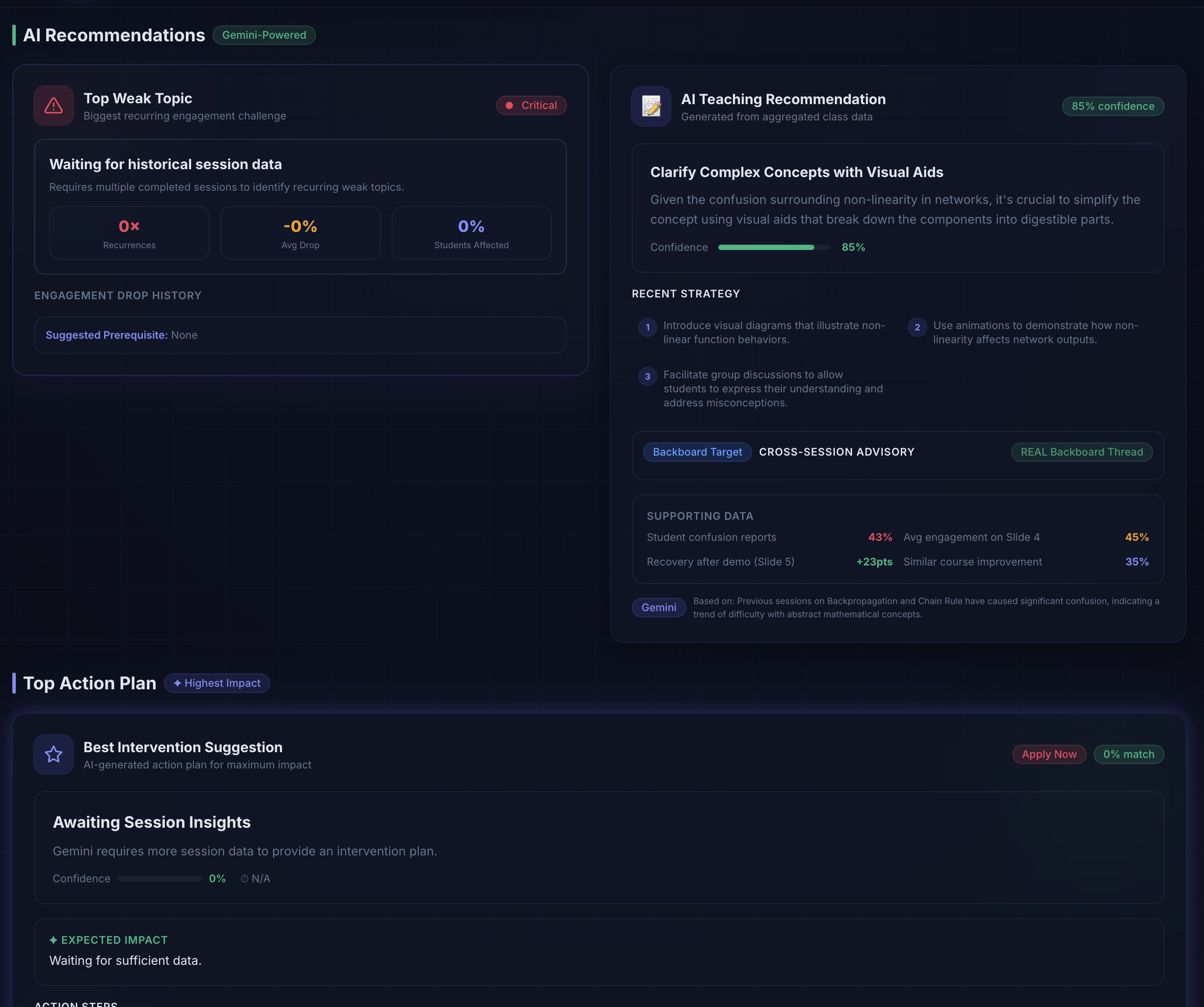
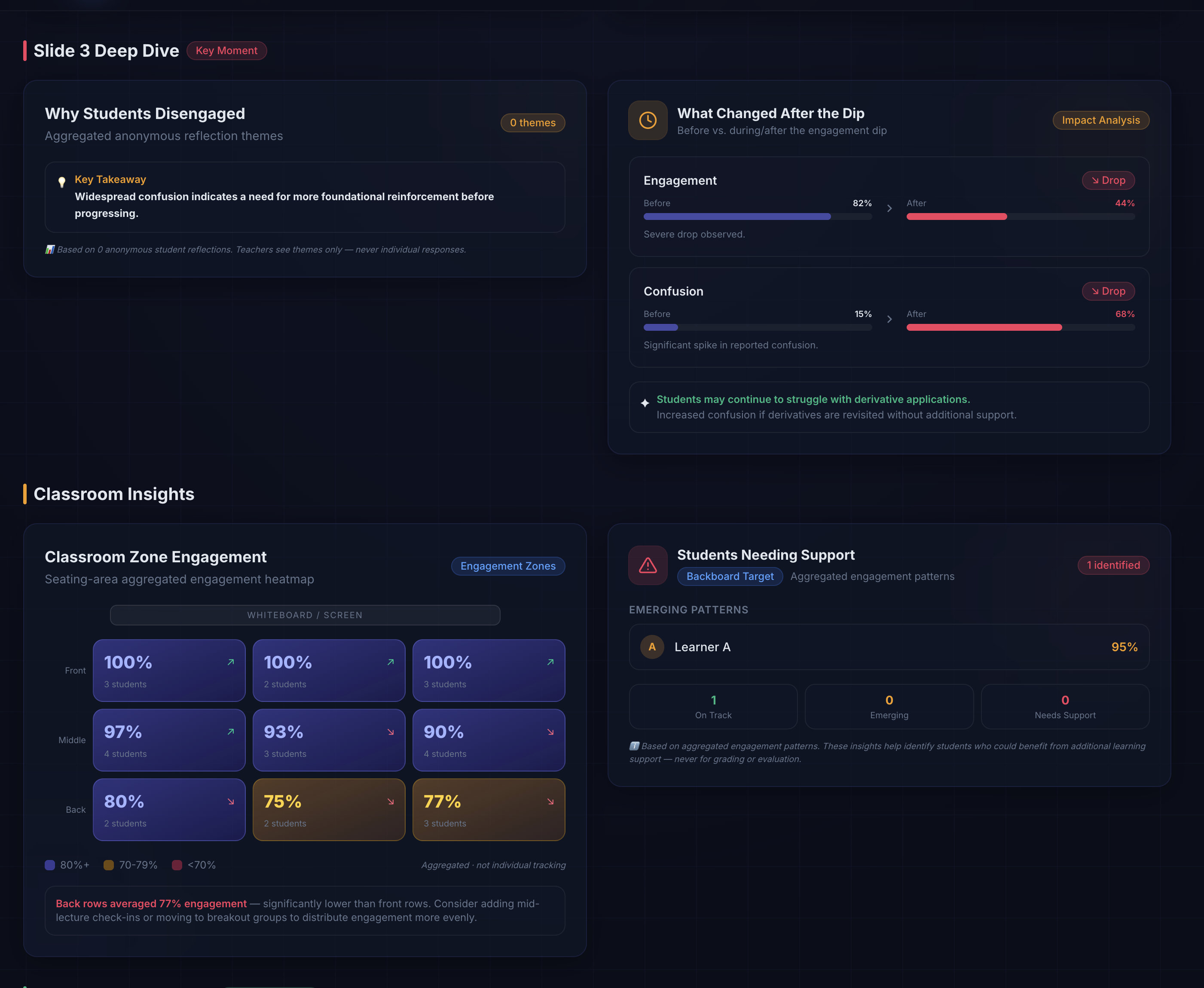
- Improve — Teachers get aggregated class-level insights and AI teaching recommendations.
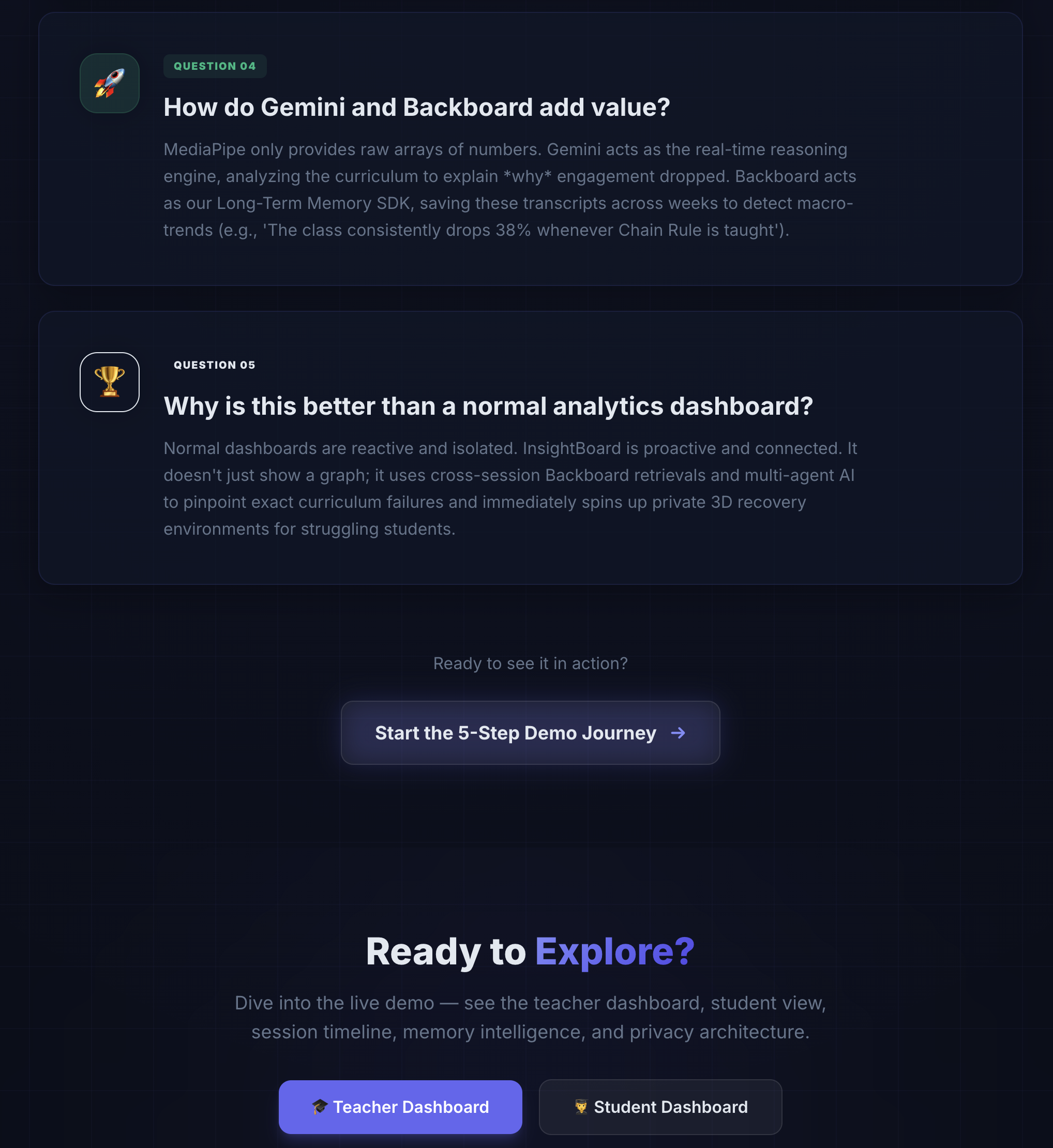
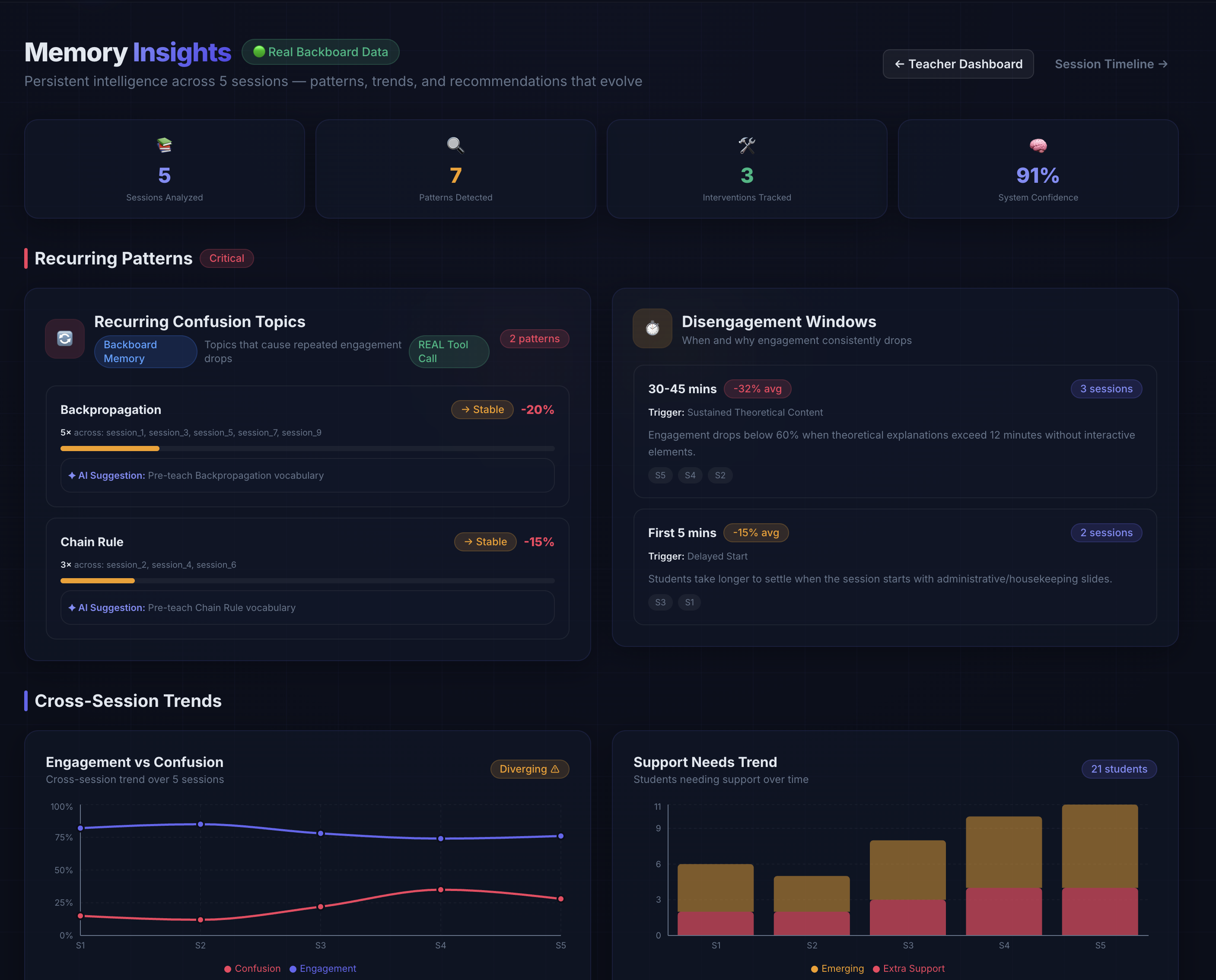
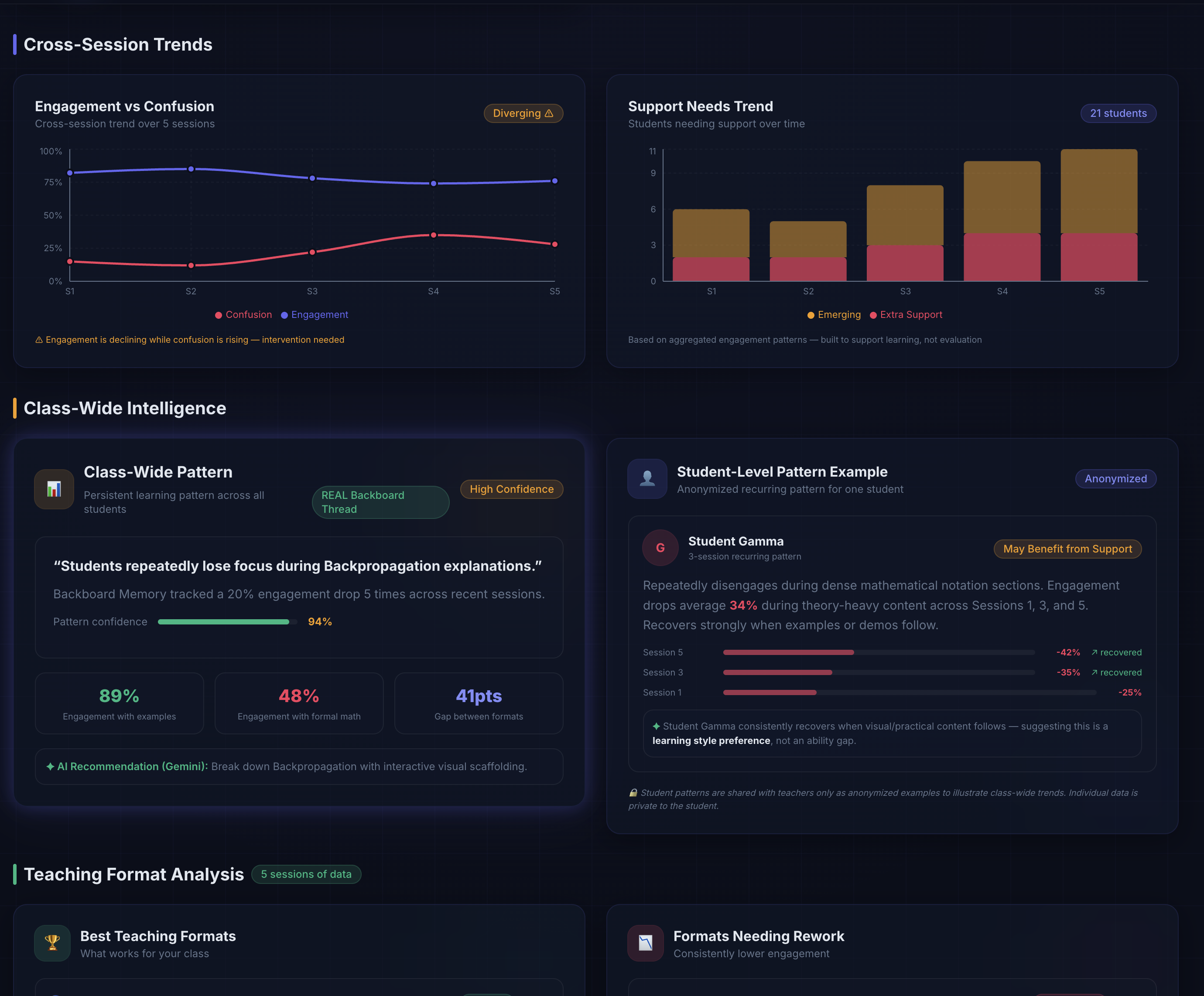
- Remember — Backboard stores and retrieves recurring cross-session patterns for both class-wide and learner-specific support.
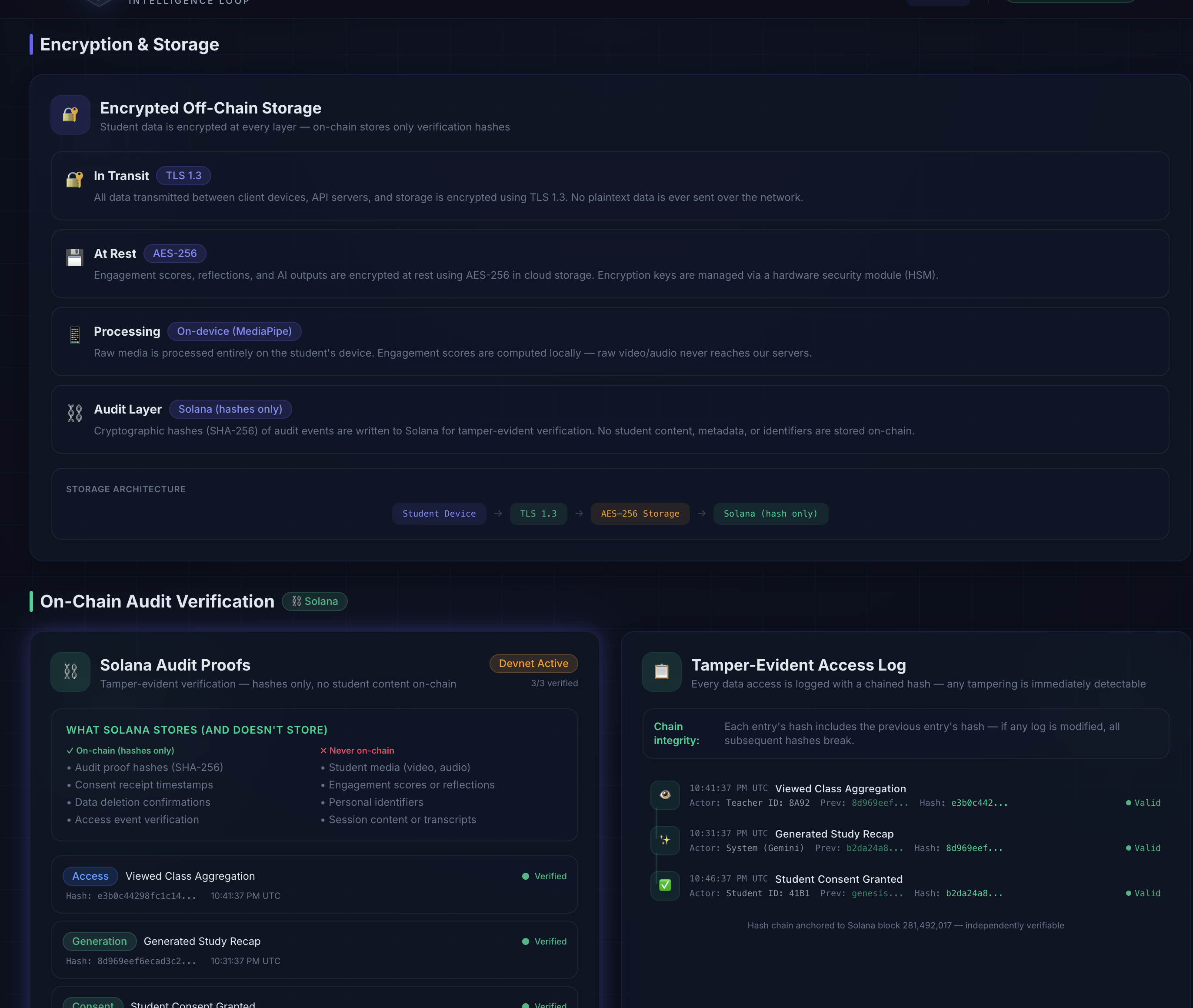
- Verify — Solana-inspired audit architecture is used for tamper-evident proof design, while keeping raw media off-chain and off-server.
How I built it
I built the app as a Next.js 16 + TypeScript web experience with a premium dark UI and multiple connected views:
- Live Demo: a real browser-based classroom monitor using MediaPipe Face Landmarker (WASM) for on-device multi-student tracking
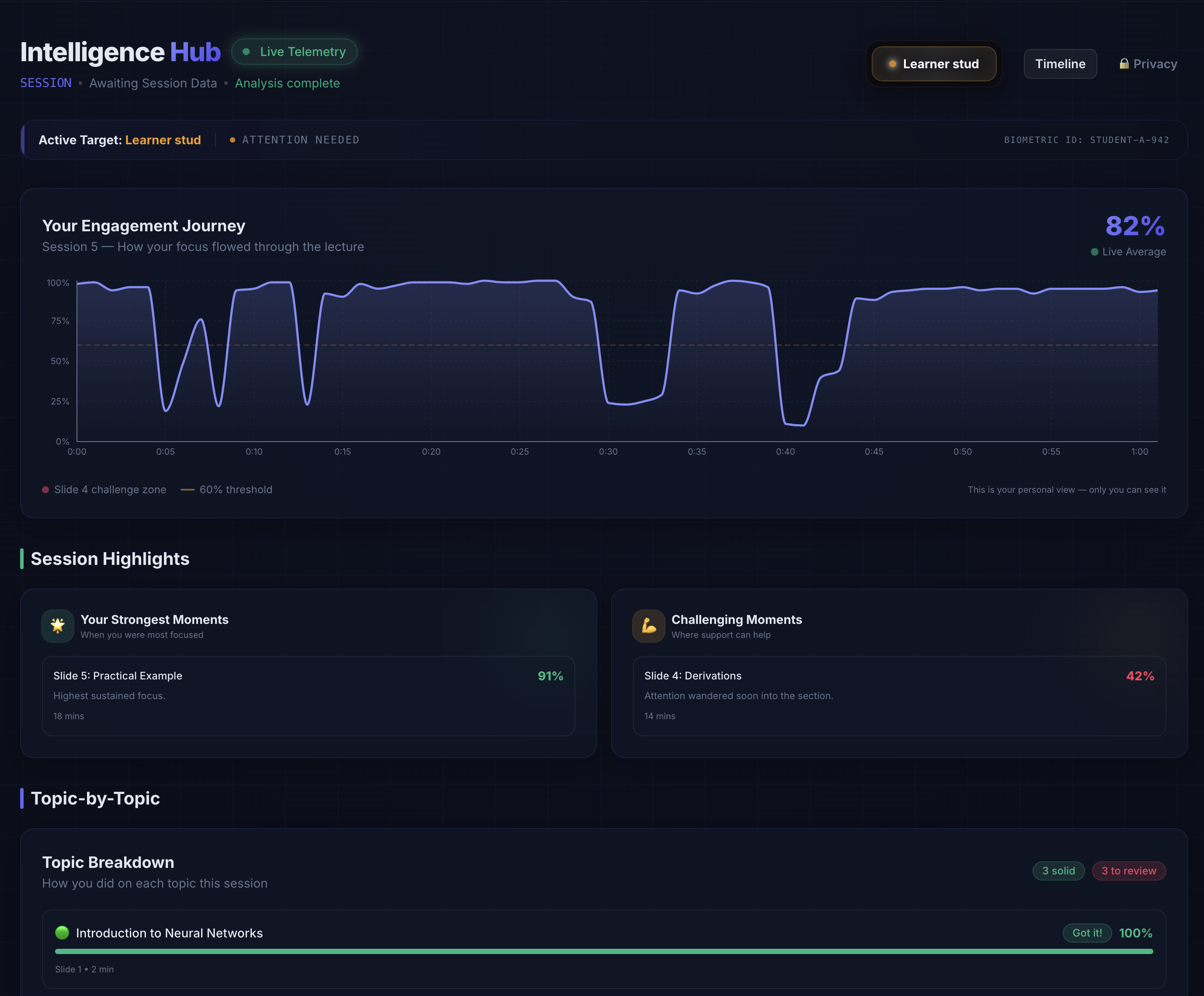
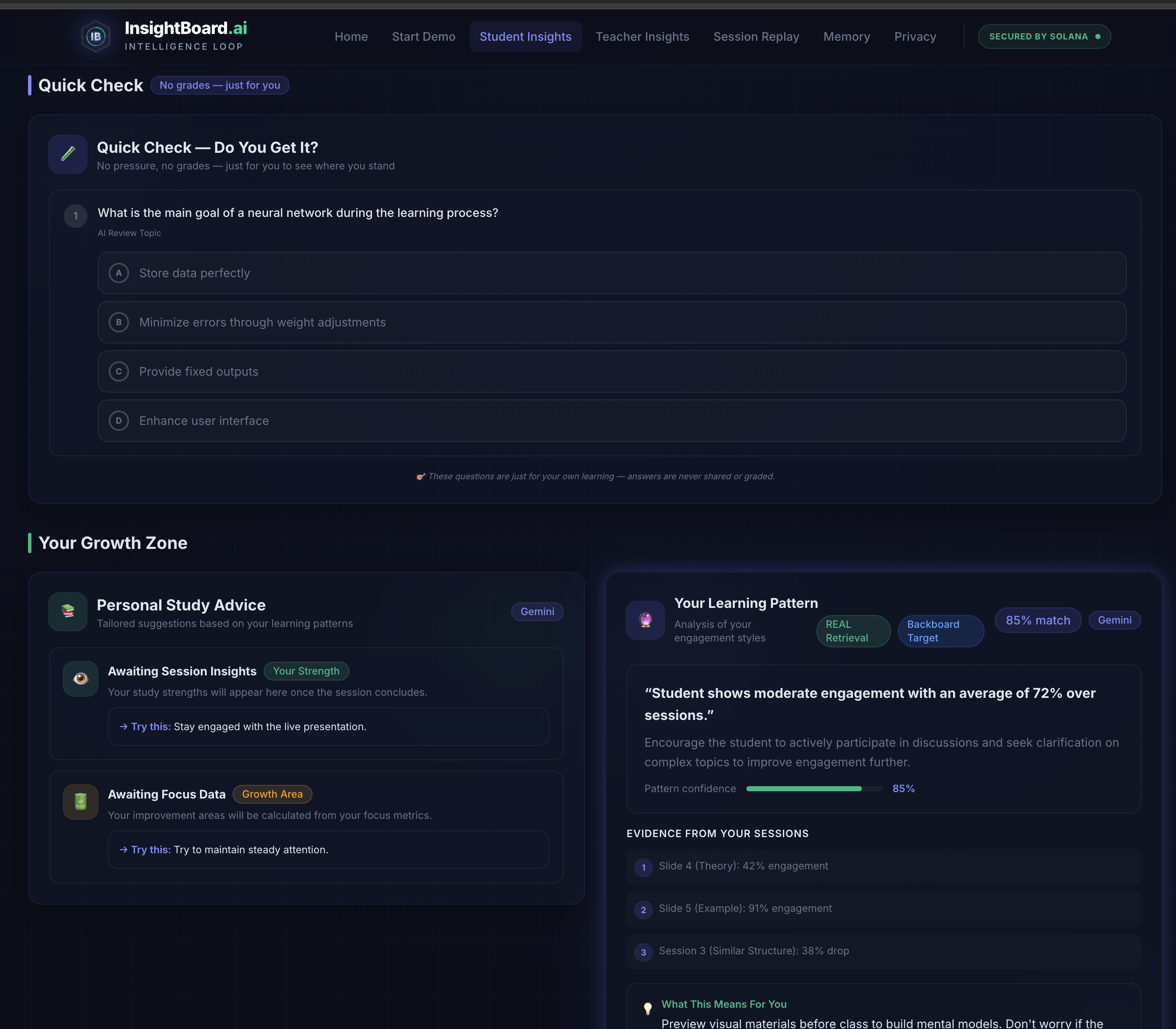
- Student Dashboard: personalized recap, worked example, quiz, and learning pattern insights
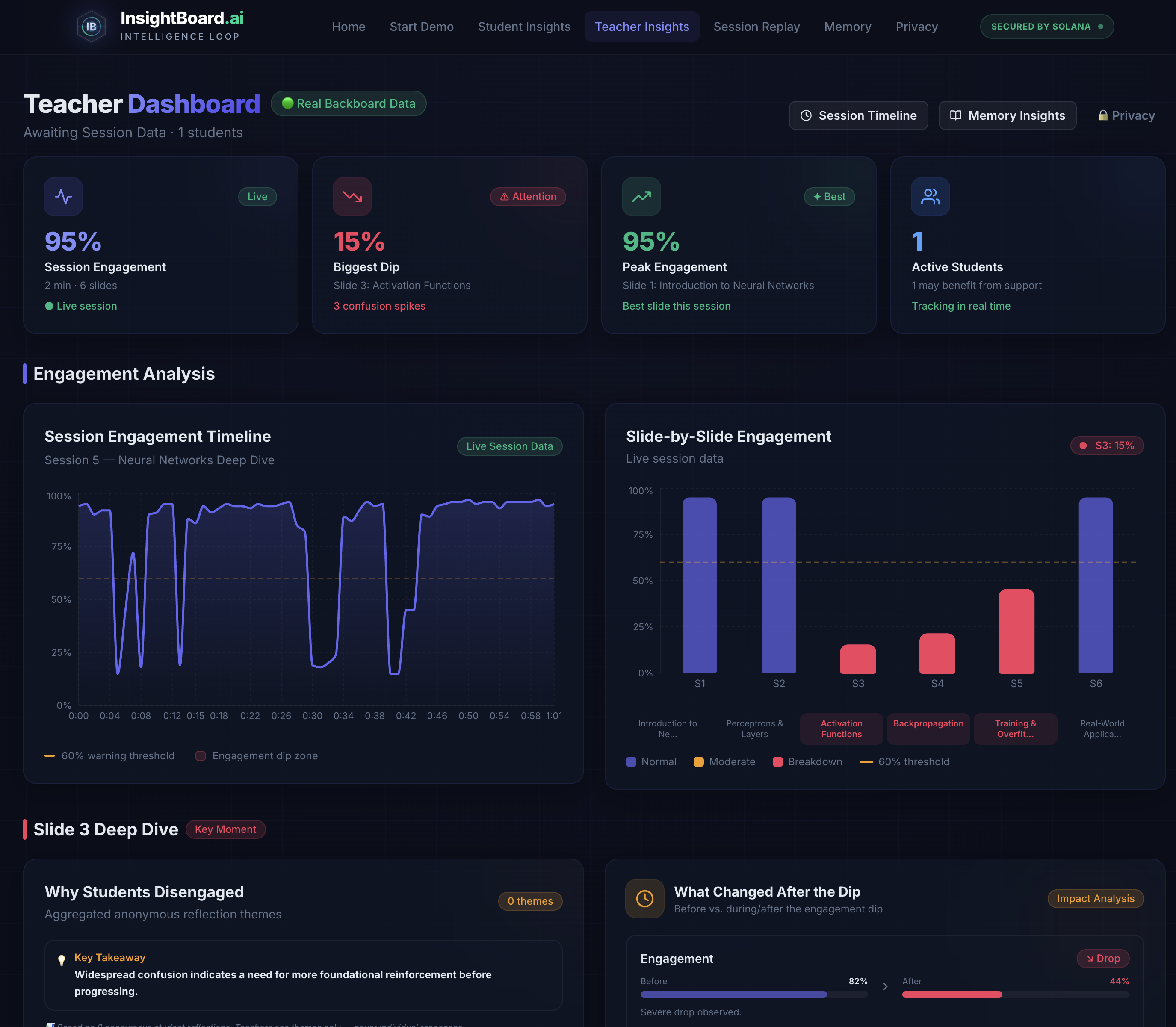
- Teacher Dashboard: slide-by-slide engagement, dip analysis, support alerts, and intervention suggestions
- Session Timeline: auto-generated replay of how the lesson unfolded
- Memory Insights: cross-session trend analysis powered by Backboard
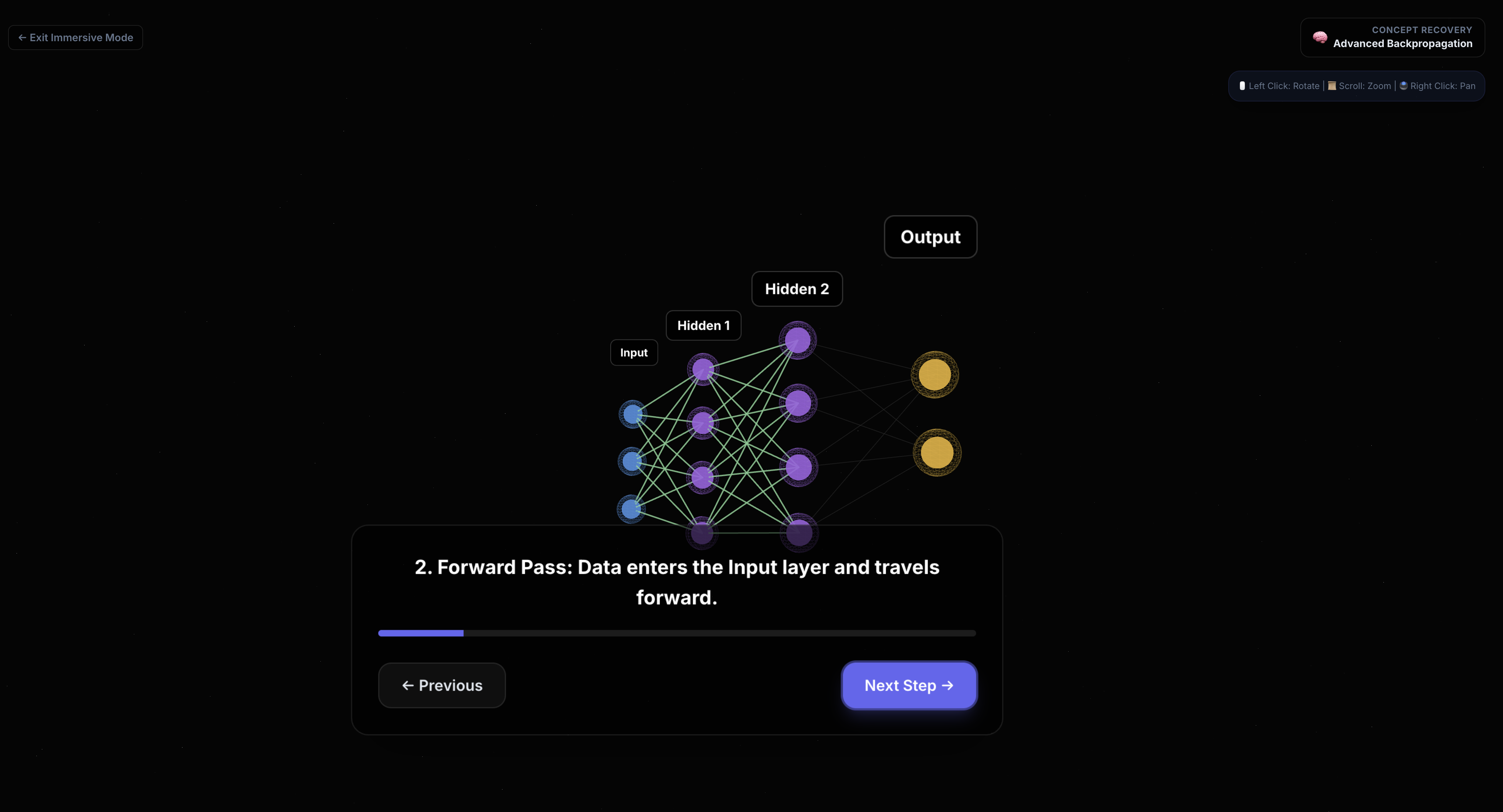
- Immersive 3D Recovery Mode: built with React Three Fiber / Three.js so difficult concepts can be explored spatially in the browser
For AI and memory:
- Gemini API powers recaps, simpler explanations, worked examples, and recommendation generation
- Backboard powers long-term memory, assistant/thread orchestration, retrieval, and cross-session reasoning
- JSZip is used for client-side
.pptxparsing so uploaded slide decks can be used without server-side file handling - Recharts powers analytics visualizations
Challenges I ran into
This project had a few hard engineering and product challenges:
1. Staying privacy-first while still being useful
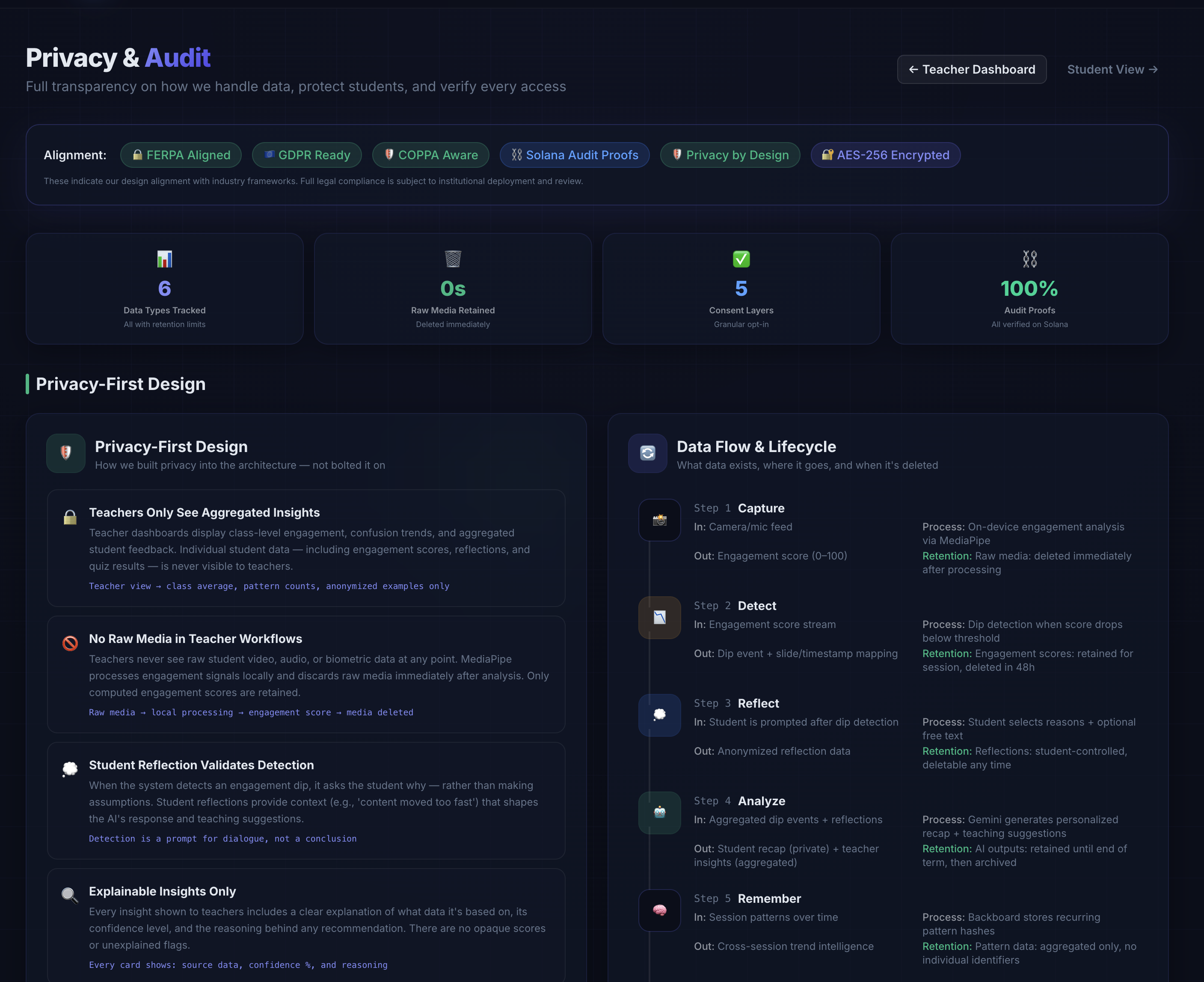
I did not want to build something creepy. That meant:
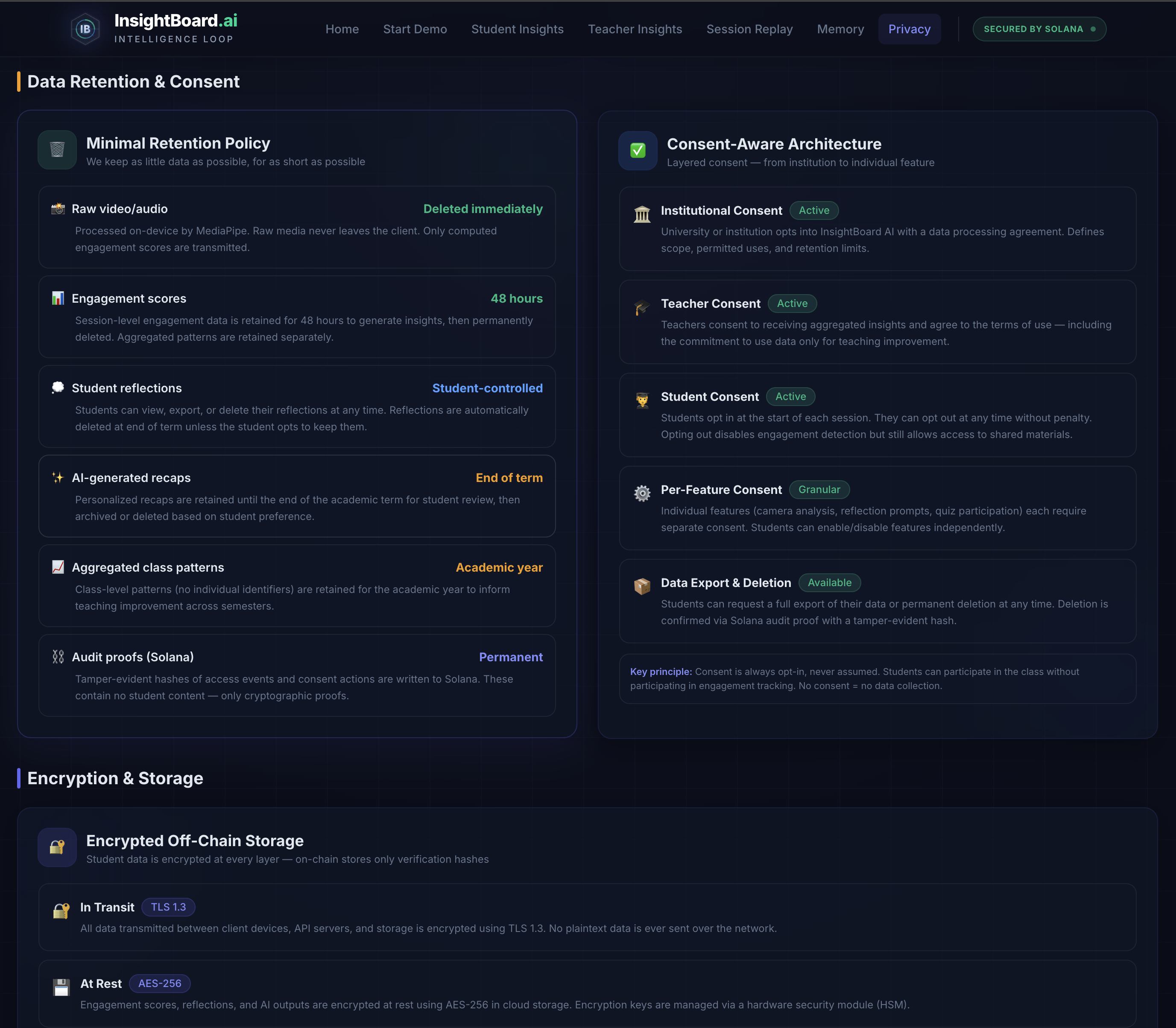
- raw video stays in the browser
- no facial recognition
- no persistent biometric identity
- teachers only see aggregated patterns by default
- student reflection is used to validate disengagement instead of blindly inferring intent
2. Turning live CV signals into something educationally meaningful
Face landmarks alone do not magically tell you “this student is confused.” I had to design an honest signal hierarchy:
- direct measurements
- heuristic approximations
- experimental/future signals
That forced me to be explicit about what is measured versus inferred.
3. Keeping all views synchronized
The live session, slide deck, student view, teacher view, and session replay all needed to share the same source of truth. I built a central session engine to keep metrics, slide changes, and learner states synchronized across the app.
4. Memory across sessions
It is easy to fake “long-term memory” in a demo. It is much harder to make recurring weak topics, intervention history, and learner patterns feel coherent across sessions. That is where Backboard became important.
What I learned
I learned that the most important part of classroom intelligence is not detection — it is closing the loop. The product became much stronger once it shifted from “AI watches students” to:
detect → ask why → explain → improve → remember
I also learned that immersive 3D only matters when it solves a real problem. Instead of making the whole site flashy, I used 3D to help students re-enter difficult concepts spatially when a flat explanation is not enough.
What makes InsightBoard AI different
Most classroom analytics tools stop at charts. InsightBoard AI goes further:
- it connects engagement signals to actual lesson content
- it asks students for reflection rather than assuming intent
- it generates immediate learning recovery with Gemini
- it gives teachers actionable, aggregated insight
- it stores recurring patterns with Backboard
- it keeps the whole system privacy-first by design
Current state
Most of the core product is real:
- live browser-based tracking
- slide-aware session engine
- Gemini-powered support flows
- Backboard memory integration
- web-based 3D immersive concept mode
A few trust/audit flows are still architecture-stage rather than full production integration, and some demo paths can still run with controlled fallback modes when needed for stability or token-saving. I was careful not to let those fallback paths define the core product story.
Why this matters
A student can leave a lecture confused and invisible. A teacher can lose the room without knowing exactly where it happened. InsightBoard AI is built to make those moments visible early — and turn them into better teaching and better learning while respecting privacy.
Built With
- backboard-sdk
- drei
- gemini-api
- jszip
- mediapipe-face-landmarker
- next.js
- react
- react-three-fiber
- recharts
- tailwind-css
- three.js
- typescript
- webgl


Log in or sign up for Devpost to join the conversation.