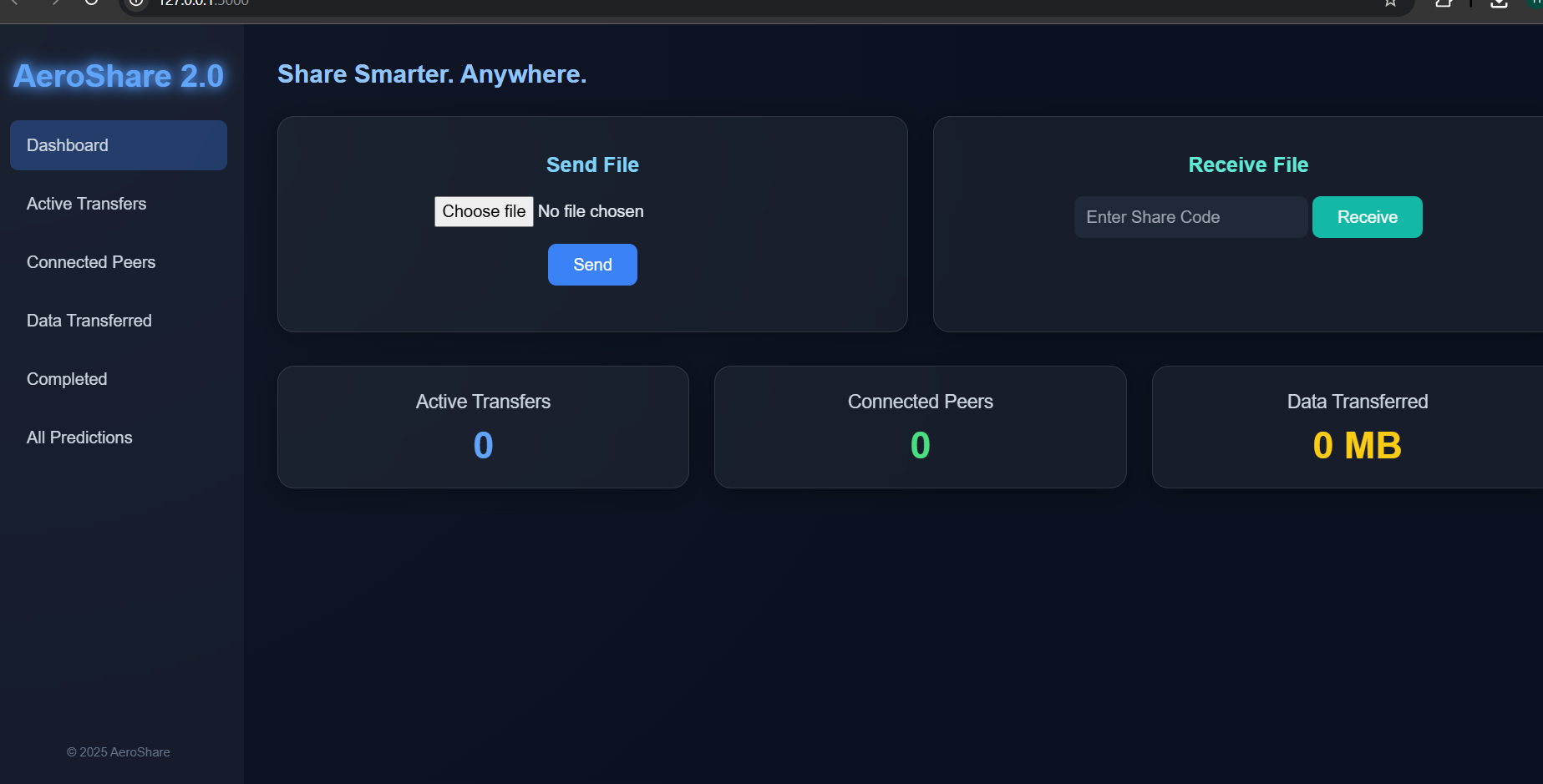
AeroShare 2.0 — Sharing Files, Simplified.
Inspiration
The idea for AeroShare 2.0 honestly came from being frustrated. Why is sharing files always so complicated? We're stuck using cloud drives or clunky apps that demand accounts, limit our storage, or rely on perfect internet. We just wanted something instant, simple, and private. Imagine two people sharing a file using nothing but a short, unique share code, totally bypassing logins or setup. That’s why we built AeroShare—a fast, clean, and no-fuss way to move files around.
What We Learned
This project was a massive learning experience for us. We tackled a bunch of new things, including how to: Use Flask to manage file uploads, downloads, and the core API routes. Efficiently work with FormData, JSON, and proper RESTful communication between the front and back end. Design a truly modern UI using Tailwind CSS, adding some creative glow effects to spice it up. Use JavaScript to simulate realistic progress and connection states, which really made the interface feel "alive." Safely manage server-side storage and generate unique codes for every single upload. It turned out to be a great mix of frontend polish and backend logic—a meaningful, small-scale full-stack experience.
How We Built It
Our backend is powered by Flask (Python). When you upload a file, the process is simple: The file gets saved securely inside an uploads/ folder. The server instantly generates a random 6-character share code. This code acts as the direct link to the file on the backend. The frontend (built using Tailwind CSS + JavaScript) keeps things intuitive. Users can either: Click Send File to upload their file and receive the code, or Click Receive File to enter a code and start the download. We even included a cool progress bar and connection status simulation just to make the transfer feel more interactive and fun.
Challenges We Faced
Every project hits snags, and AeroShare was no different. Our main challenges involved: Making sure we handled file uploads safely and found a reliable way to avoid filename conflicts. Getting the frontend progress bar to feel realistic, even though we weren't using actual real-time data transfer. Ensuring the UI stayed perfectly smooth and responsive across desktop and mobile devices. Gracefully managing situations where users entered invalid codes or tried to download missing files, so the app wouldn't crash. It took some good old trial and error, but working through these obstacles made the final project much more robust.
What’s Next
We're already excited about what we can do next to make AeroShare even better in the future. Our top ideas include: Adding end-to-end encryption for truly private transfers. Generating QR codes to make sharing between mobile devices super easy. Implementing an auto-delete feature for files and codes after a set time to boost privacy. Maybe even exploring real peer-to-peer transfers using WebRTC down the line.
Final Thoughts
Honestly, building AeroShare 2.0 was more than just a coding exercise; it was about delivering something that felt genuinely simple, fast, and modern. It reminded us that even small ideas can have a big impact when you design them thoughtfully.

Log in or sign up for Devpost to join the conversation.