-
-
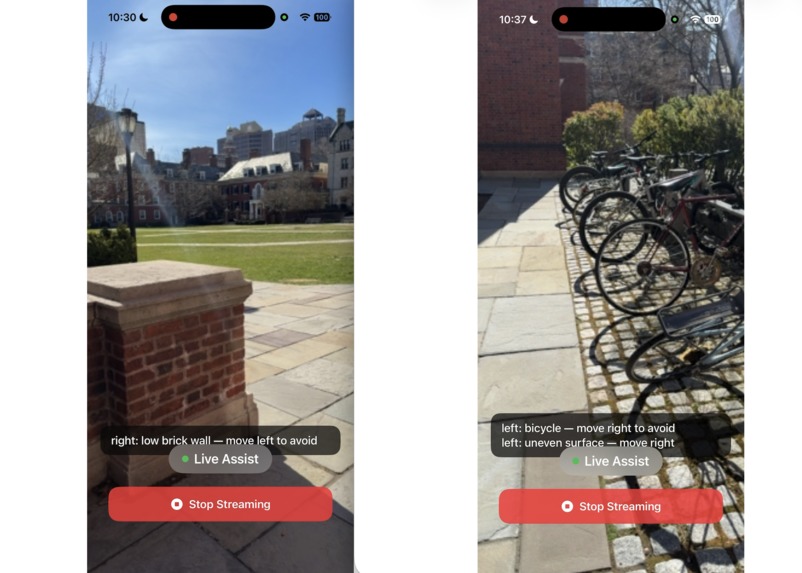
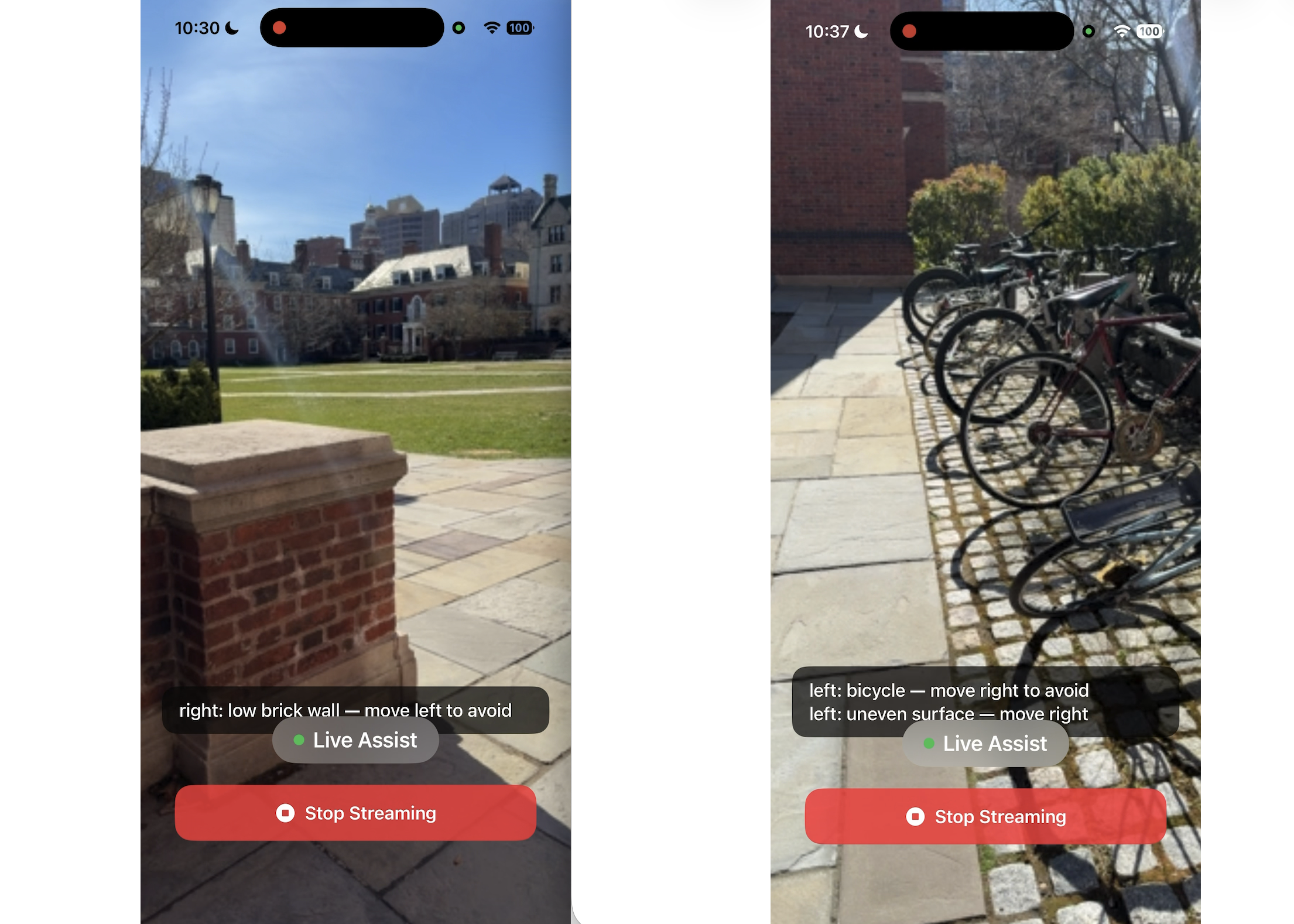
screen shots in the ios app, real time video streaming
-
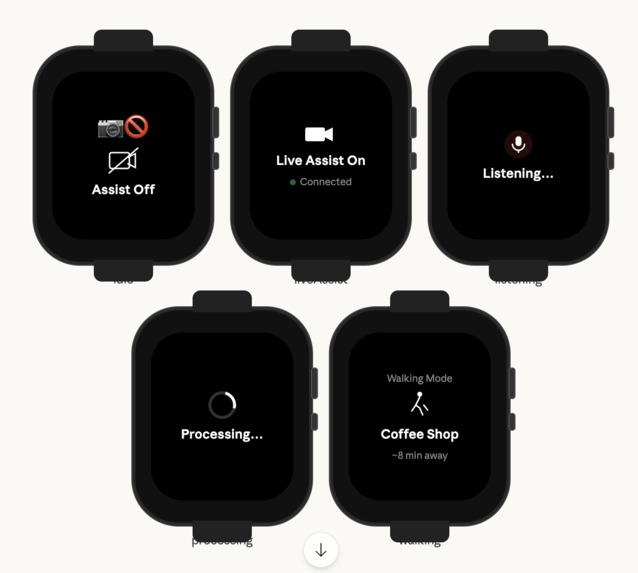
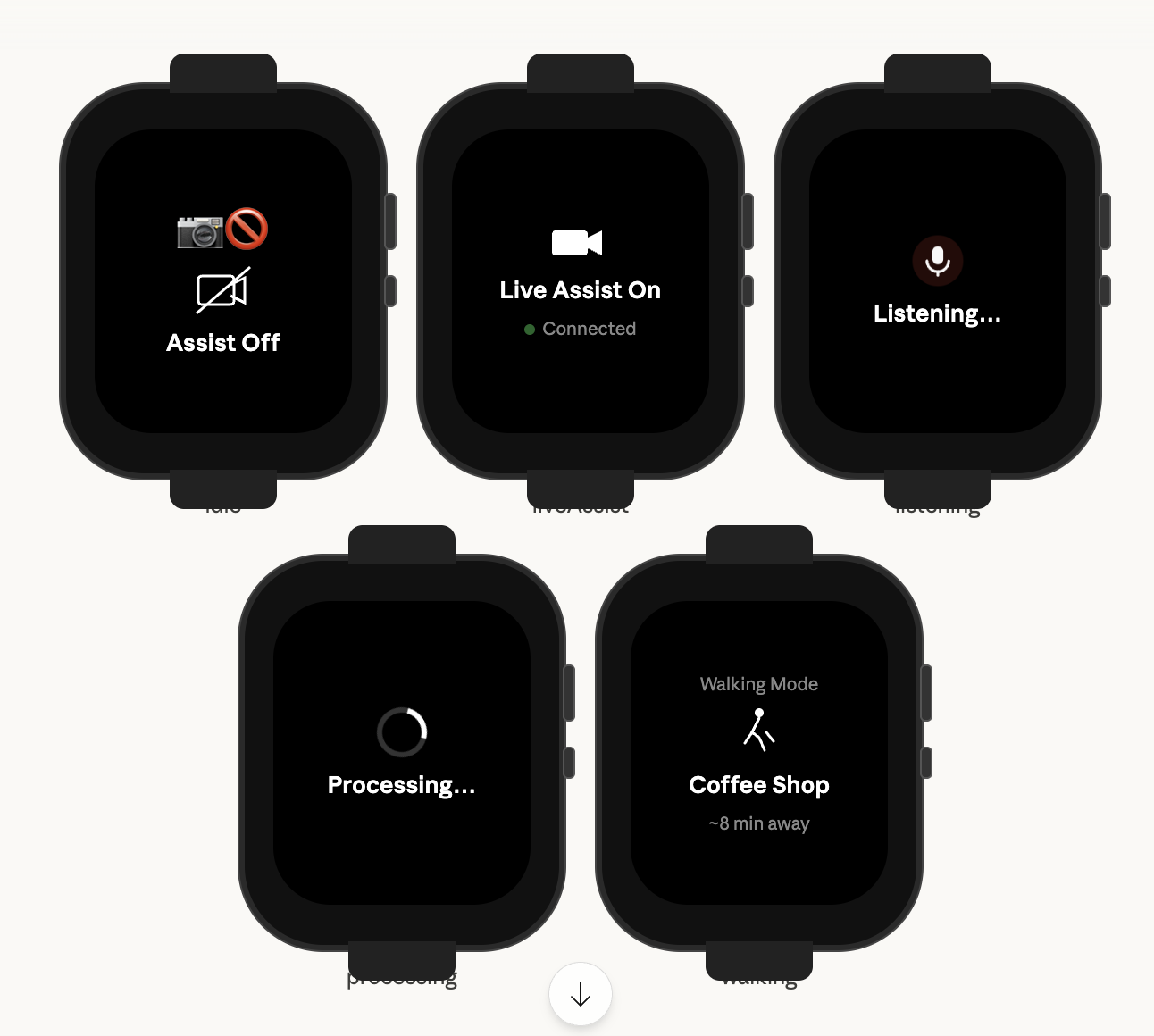
this is the watch interface that changes based on gesture
Inspiration
Imagine you are on a busy street in New York. You need to meet your friend one block north and one block east. You begin walking down the street - you avoid the people coming from the left and right, dodge the many trash bins and fire hydrants in your path, and reach your friend frictionless.
Now do the same with your eyes closed. Walking forward is not as simple, as you might drift into the road. Avoiding hazards is difficult as well - you can't see the people intersecting you nor the many hazards in your way. There is no one to tell you what is around you, how much progress you have made, nor if you are walking into danger. The gift of information you originally had to get to your destination is gone.
Over 40 million across the world are blind. Over 250 million are severely vision impaired. Without access to a guide or vision correction, navigating the world becomes near impossible. Canes and guide dogs can provide direction or response, but provide no context into the surrounding environment and become difficult when used in spaces not fit for them. As a result, we built InSight to provide a pair of eyes to those without vision.
InSight is a guide for the vision impaired - if it senses any hazards, objects, or terrain to look out for, it'll play a warning sound then dictate into your phone speaker/headphones what it sees. It'll give directional input (left, right, in front) to try and create this sense of situational awareness. If there is need for any questions on the surrounding environment, enable listening mode to ask questions and get direct responses. InSight has a built in GPS to allow for smooth navigation to a destination and syncs with apple watch to allow for toggling the UI there.
What it does
InSight is a voice-enabled assistive navigation system for blind and low-vision users. It uses a live video feed to identify important hazards, objects, and terrain in the surrounding environment, then relays that information through audio.
If the system detects something important, such as an obstacle or hazard, it plays a warning sound and speaks a short description with directional context like left, right, or ahead. InSight also includes a listening mode, where users can ask questions about their environment and receive spoken responses. On top of that, it supports GPS-based navigation to help users move toward a destination with step-by-step route guidance. The system also syncs with Apple Watch, making it easier to control without needing to constantly use the phone.
How we built it
We built InSight using a combination of Swift, Python, Gemini API, Google Directions and Geocoding APIs, and ElevenLabs.
On the frontend, we used Swift to build a simple, accessibility-focused mobile interface along with Apple Watch support. The interface is gesture-based so it stays minimal and easy to use: tapping enables the app, swiping up enters listening mode, and swiping down enables automatic hazard detection mode.
On the backend, frames are captured from the live video feed every few seconds and stored in a temporary cache. Before sending a frame into the full pipeline, we run it through a similarity checker that compares it to recent frames using pixel similarity, inlier similarity, and axis-shift similarity. This helps us filter out redundant images and reduce unnecessary API calls.
If a frame is determined to be new, it is passed to Gemini for scene understanding and hazard identification. The detected objects and features are then compared against a preset dictionary of hazards and severity levels, allowing the system to prioritize what information is most important to say first. That output is then sent to ElevenLabs, which converts the guidance into natural-sounding speech for the user. For navigation, we use Google Directions and Geocoding APIs to determine the user’s location and generate route instructions.
Challenges we ran into
One of the biggest challenges was balancing usefulness with overload. In an assistive product like this, too much information can be just as harmful as too little. We had to think carefully about how to prioritize hazards, decide what was important enough to relay, and keep the spoken feedback concise enough to be helpful in real time.
Another challenge was avoiding redundant scene analysis. Since a live video feed often contains many similar frames, sending every frame through the model would be expensive, slow, and repetitive for the user. Building a similarity-checking system to filter near-duplicate frames was important for making the pipeline more efficient.
We also had to think through accessibility in the interaction design. Because the target user may not be relying on visual UI, the controls had to be simple, intuitive, and gesture-based. Integrating navigation, voice interaction, and watch controls into one system while keeping the experience streamlined was another major challenge.
Accomplishments that we're proud of
We are proud that we built a working system that combines multiple pieces into one coherent assistive experience: live scene understanding, hazard detection, voice output, GPS navigation, and Apple Watch integration.
We are also proud of the thought we put into efficiency and usability. Instead of simply sending every frame to a vision model, we designed a filtering pipeline to reduce redundancy and focus only on meaningful scene changes. We are especially proud that the project is not just a technical demo, but something grounded in a real accessibility problem with the potential for meaningful impact.
What we learned
We learned that building assistive technology is not only about model accuracy. It is just as much about timing, prioritization, interface design, and user trust. A technically impressive system is not enough if it overwhelms the user or delivers the wrong information at the wrong time.
We also learned how important it is to connect different systems into one smooth experience. Working across mobile development, backend processing, routing APIs, vision-language models, and speech synthesis taught us a lot about system design and how each part affects the user experience. More broadly, we learned that accessibility products require a much deeper level of empathy and design discipline than we initially expected.
What's next for InSight
Our next step is to give InSight memory and stronger environmental awareness over time. We want the system to recognize familiar places, remember which objects are usually present, and highlight what is new or unusual in a scene. That would make the guidance more personalized and more context-aware.
We also want to improve navigation, reduce latency, and expand the range of interactions available through voice and Apple Watch. In the long term, we see InSight becoming a more reliable real-time companion for blind and low-vision users, helping them navigate with greater independence, awareness, and confidence.


Log in or sign up for Devpost to join the conversation.