Inspiration
Approximately 12 million people 40 years and over in the United States have vision impairment. One of them is my father, who has been a welder for 2 decades. This app would enable him and others to better interact with the world through audio input/output and computer vision.
What it does
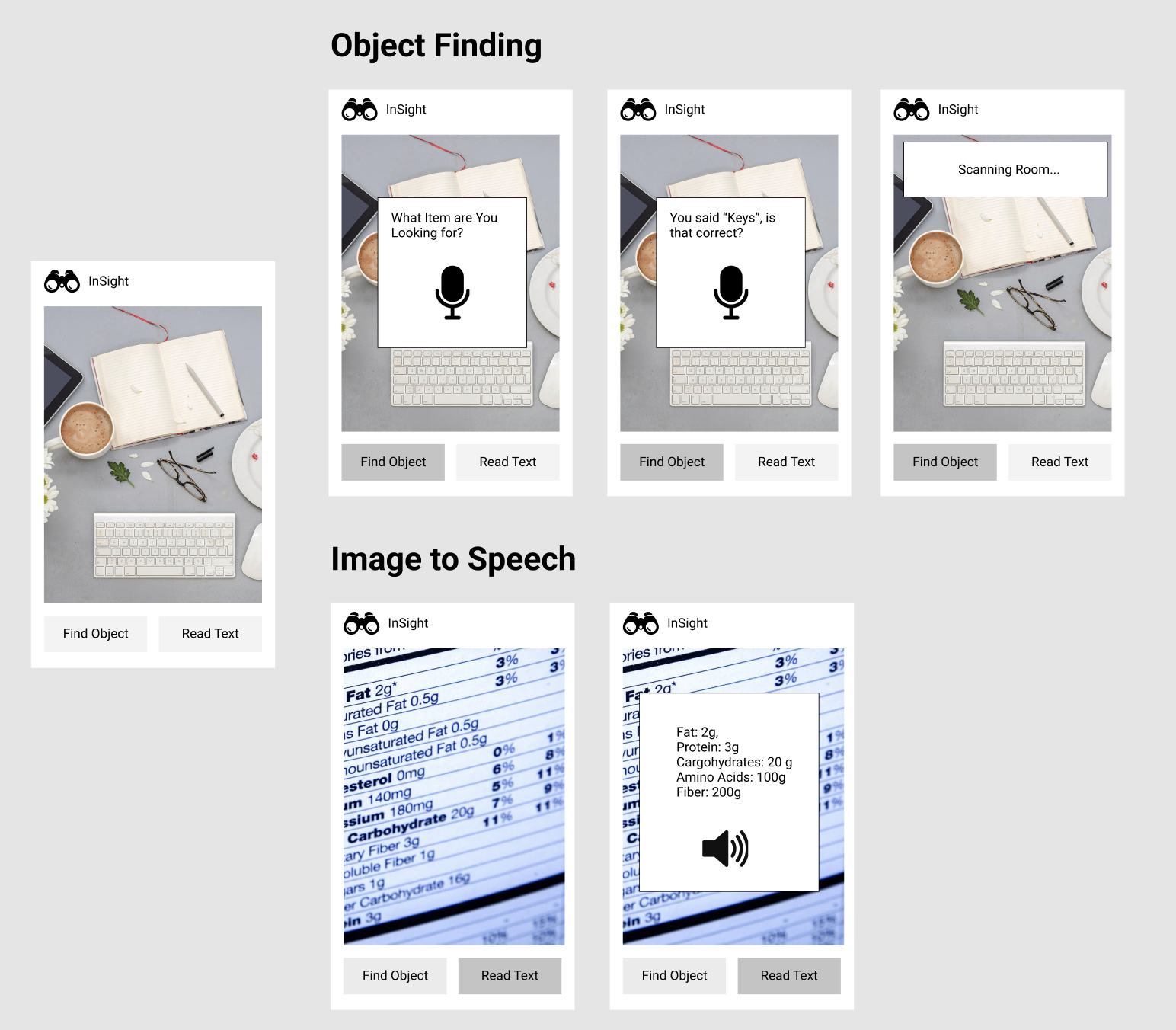
There are two main features of our app: Object finding and Image-to-Speech. With object finding, a user says what they are looking for (ex. “keys”). Google’s Speech-to-Text then returns target text from the speech. Next, the user scans the room with their phone. The app uses the camera's video stream and applies Cloud Vision to the frames. The Cloud Vision API then provides classifications. If the labels match the target text, then the phone would vibrate (indicating that the object has been detected). With Image-to-Speech, a user takes a picture of an object with text (ex. “Nutrition label on cereal box”). Google’s Cloud Vision returns text extracted from the image and Google’s Text to Speech reads out the text.
How we built it
We built the app using React Native, Expo, Google's Cloud Vision, Google's Speech-to-Text, and Google's Text-to-Speech.
Challenges we ran into
We ran into many technical issues when trying to implement the core functionality of the app. For example, we had trouble finding a react native camera component that was compatible with Expo. Ultimately, we were unable to produce a fully functional end product.
Accomplishments that we're proud of
We were able to set up the app with a simple layout of the app.
Built With
- expo.io
- google-cloud-vision
- google-speech-to-text
- google-text-to-speech
- react-native


Log in or sign up for Devpost to join the conversation.