-
-
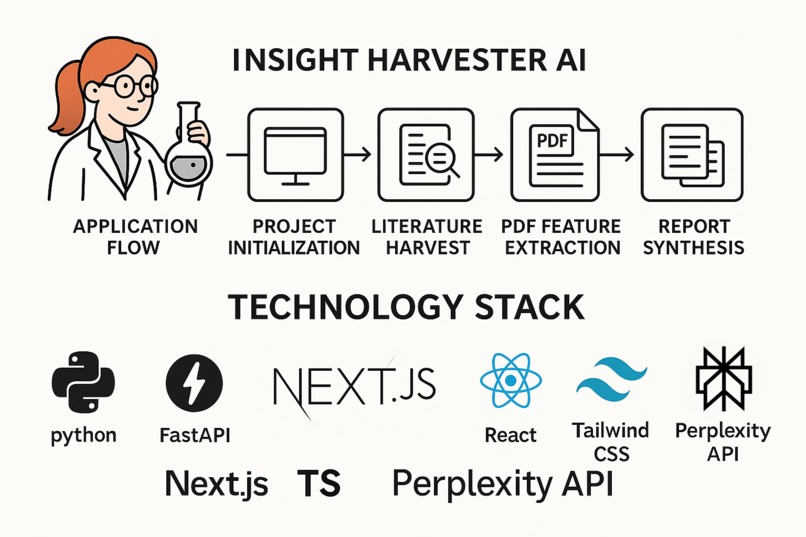
Tech Stack!
-
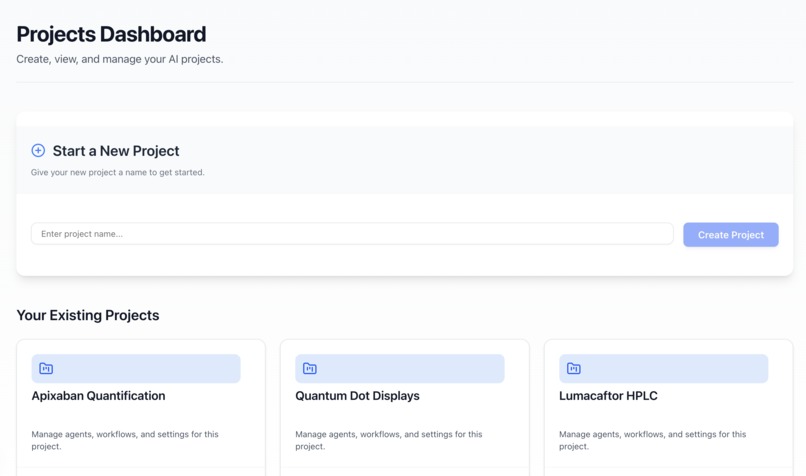
Dashboard!
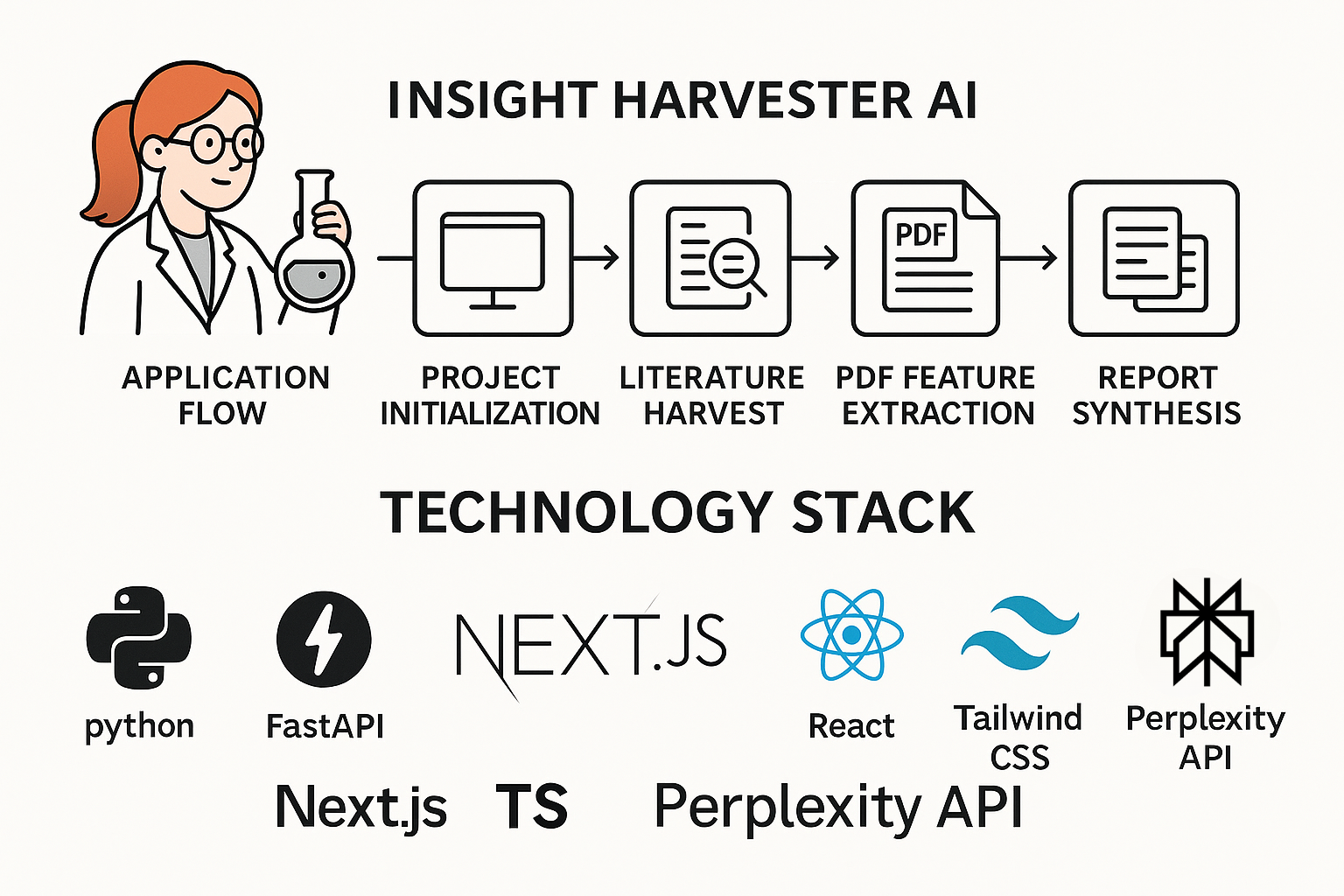
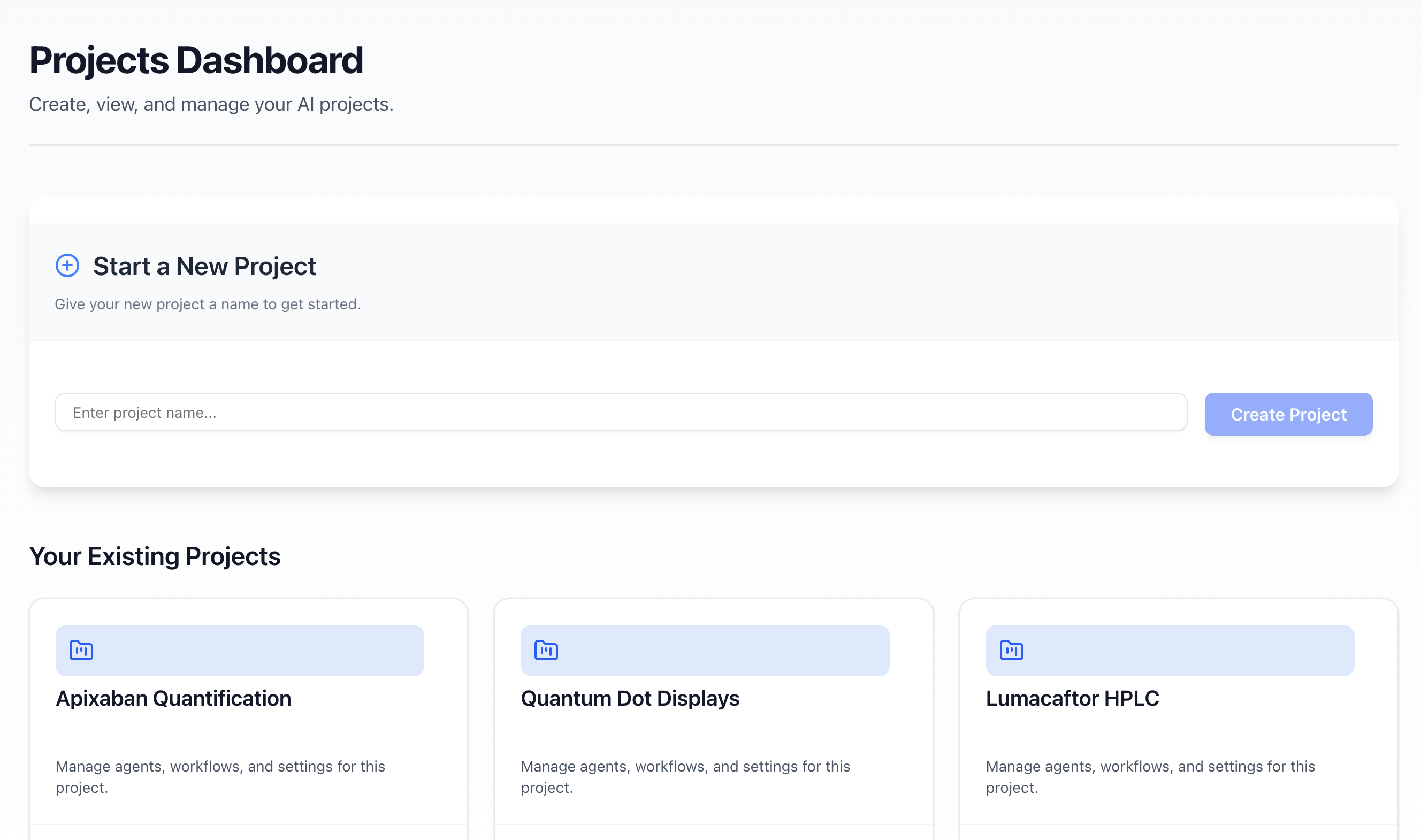
How It Started: Helping My Wife with Her PhD
My wife and I are PhD students, and she had a big task: write a review paper about "quantum display dots." She needed to read many research articles, find out what scientists already know, and discover what's still missing – the "gap" for her own research. I saw her spending so much time just finding papers and pulling out the important bits. It looked really tough!
So, I thought, "What if a smart AI could help her?" That's why I built Insight Harvester AI. I wanted to make an app that could do the heavy lifting of research, so she (and other researchers) could get to the exciting part – understanding the science – much faster.
What Insight Harvester AI Does
Insight Harvester AI is like a smart helper for researchers. It uses a Sonar AI "agents" to:
- Find Papers (Agent 1): You tell it your research topic (like "phosphate adsorption"), a date range, and how many papers you want. Agent 1 uses the Perplexity AI to search the internet for good scientific articles. It gives you a list with titles, authors, and short summaries.
- Read PDFs & Pull Out Details (Agent 2): You upload the PDF files of the papers you're interested in. Agent 2 reads them and, with help from Perplexity AI, finds and lists out:
- Main Ideas: Like what the paper was trying to achieve, the main methods used, the most important conclusions, and any problems the authors found.
- Write a Summary Report (Agent 3): Agent 3 takes all the details from the papers Agent 2 processed and uses Perplexity AI to write a full research report in Markdown (a simple text format). This report has an introduction, talks about the materials and results, and even summarizes each paper. You can also download it as a PDF.
You can create different "Projects" in the app, so if you're researching "phosphate adsorption" and also "quantum dots," you can keep them separate. The app saves your work for each project.
How I Built It
- The Brains (Backend): I used Python with a tool called FastAPI to build the server part. All the smart AI work is done by talking to the Perplexity API using different models like
sonar-deep-researchandsonar-reasoning. For reading PDFs, I used a tool calledpdfplumber, and for making PDF reports, I usedWeasyPrint. - The Look and Feel (Frontend): The website part is built with Next.js (which uses React) and TypeScript. I used Tailwind CSS and cool pre-made components from shadcn/ui to make it look nice. When Agent 1 or 3 are working, you see live updates thanks to something called Server-Sent Events (SSE).
- Saving Data: Project information is saved in a simple
projects_db.jsonfile. All the files the agents create (like paper lists and reports) are saved in folders specific to each project on the computer where the backend is running. I also made sure my special API key for Perplexity is kept safe using a.envfile.
Challenges I Faced
- Live Updates (SSE): Making the "Activity Log" update smoothly while agents were working, and making sure it handled the final result correctly without showing an error when the stream closed, was tricky.
- Making the Backend Fast: Using
asyncioin Python to make sure the app didn't freeze while talking to the AI or saving files. - Putting it Online (Deployment): I tried to put the app on Vercel (a website hosting service). I learned a lot about how these services handle Python apps and their file systems (they are often read-only, so saving files like I did locally was a challenge). For the hackathon, the app works best running on your own computer.
What I'm Proud Of
My wife liked it!
- It Works! I built a full system where different AI agents work together to go from a research topic to a useful report.
- Smart Data Pulling (Agent 2): I'm happy I could get the AI to pull out specific technical details and important ideas from the PDFs.
- Helpful Reports (Agent 3): Agent 3 can write a pretty good summary report that pulls everything together.
- Saving Work: The project system means users don't lose their work and can come back to it.
- Keeping the User Updated: The live log updates are a nice touch.
What I Learned
- Instructions to AI are Key: How you ask the AI (your "prompt") makes a huge difference.
- Web Tech is Cool: Learned more about FastAPI, Next.js, and making different parts of an app talk to each other (like with SSE).
- Putting Apps Online is Tricky: Deploying apps that save files or have special needs (like WeasyPrint for PDFs) to services like Vercel takes extra planning.
What's Next for Insight Harvester AI
My wife is already finding it helpful for her phosphate adsorption research! For the future, I'd like to:
- Make it Work Better Online: Use cloud storage so data isn't lost and it's easier to put on a website like Vercel.
- Chat with Your Docs: Add a new agent so you can ask questions directly about the papers you've processed.
- Better PDF Linking: Make it easier to tell Agent 2 exactly which PDF belongs to which paper from Agent 1.
- User Accounts: So researchers can save their work securely online and use it from any computer.
This project was a fun way to use AI to solve a real problem I saw my wife facing. I hope it can help others too!
Built With
- aiofiles
- eventsourcepolyfill
- fastapi
- git
- github
- json-(for-local-db-&-data-files)
- localstorage
- lucide-react
- markdown-(python-library)
- next.js
- pdfplumber
- perplexity-api
- python
- python-dotenv
- react
- react-markdown
- remark-gfm
- shadcn/ui
- tailwind-css
- typescript
- uvicorn
- weasyprint

Log in or sign up for Devpost to join the conversation.