Inspiration
One day I went to visit an old friend, and he was working on his laptop, filling a template of a credential of his company with data from their employees by hand, one by one. He was busy the whole day adding names and contact information to the same image, so we didn't have enough time to share it with each other.
This is for you, Kevin!
What it does
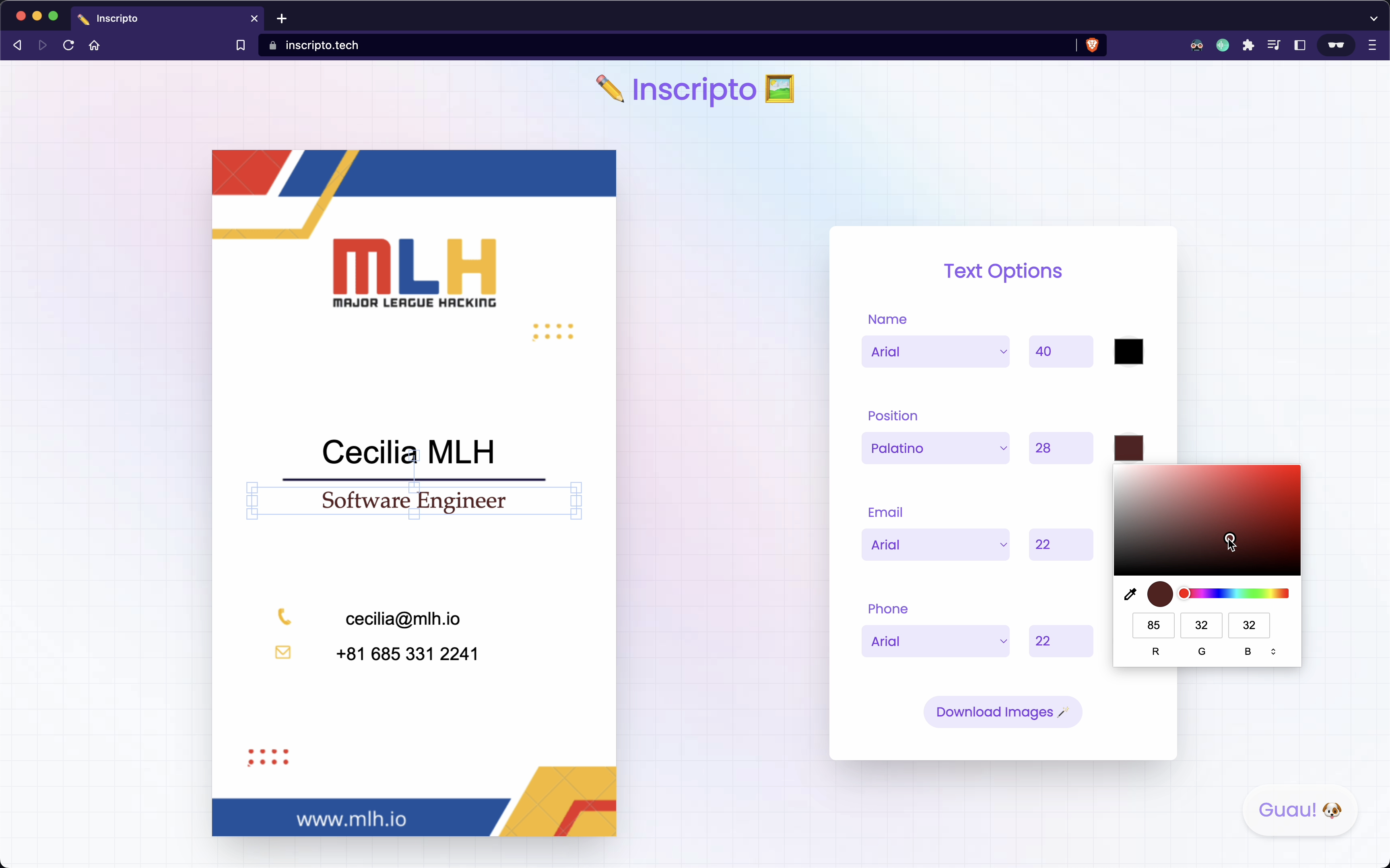
✏️ Inscripto automates the boring task my friend wasted his whole day on. It automates the process of generating multiple images from a single template. By using this tool, you can save time and effort that would have been spent doing the task manually.
With Inscripto, you can create a template for an image and use it to generate multiple images with different variations. For example, if you have a template for a business card, you can use Inscripto to create multiple business cards with different names and contact information.
Automating repetitive tasks like this can free up your time and allow you to focus on more important tasks (or spend time with your friends 😅).
How we built it
Inscripto is built in React, using fabric.js as the graphic library for working on a canvas to edit images.
The frontend was built using Tailwind CSS.
To parse the data from a CSV file we used Papaparse, and to group the resulting images in a zip file we used JSZip and File-Saver.
What we learned
This was my first time doing a project like this. I already knew a bit about React, but for this project, I dived deeper into it, learning more about hooks like useEffect and useRef, components lifecycle, etc.
Also, I learned to use fabric.js to manipulate the canvas.
Lastly, I wanted to learn something new, and since I wouldn't say I like CSS, I learned Tailwind from scratch to create the styles for the app.
What's next for Inscripto
We want to provide a broader range of font families to select from by using the Google Fonts API. Also, we want to allow the user to add images besides text.


Log in or sign up for Devpost to join the conversation.