-
-
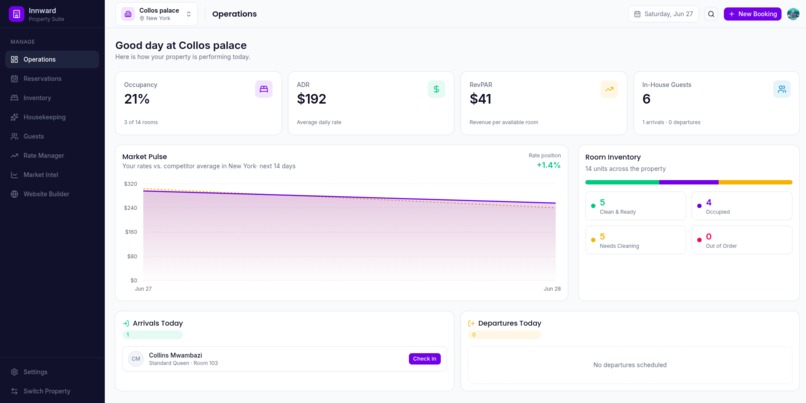
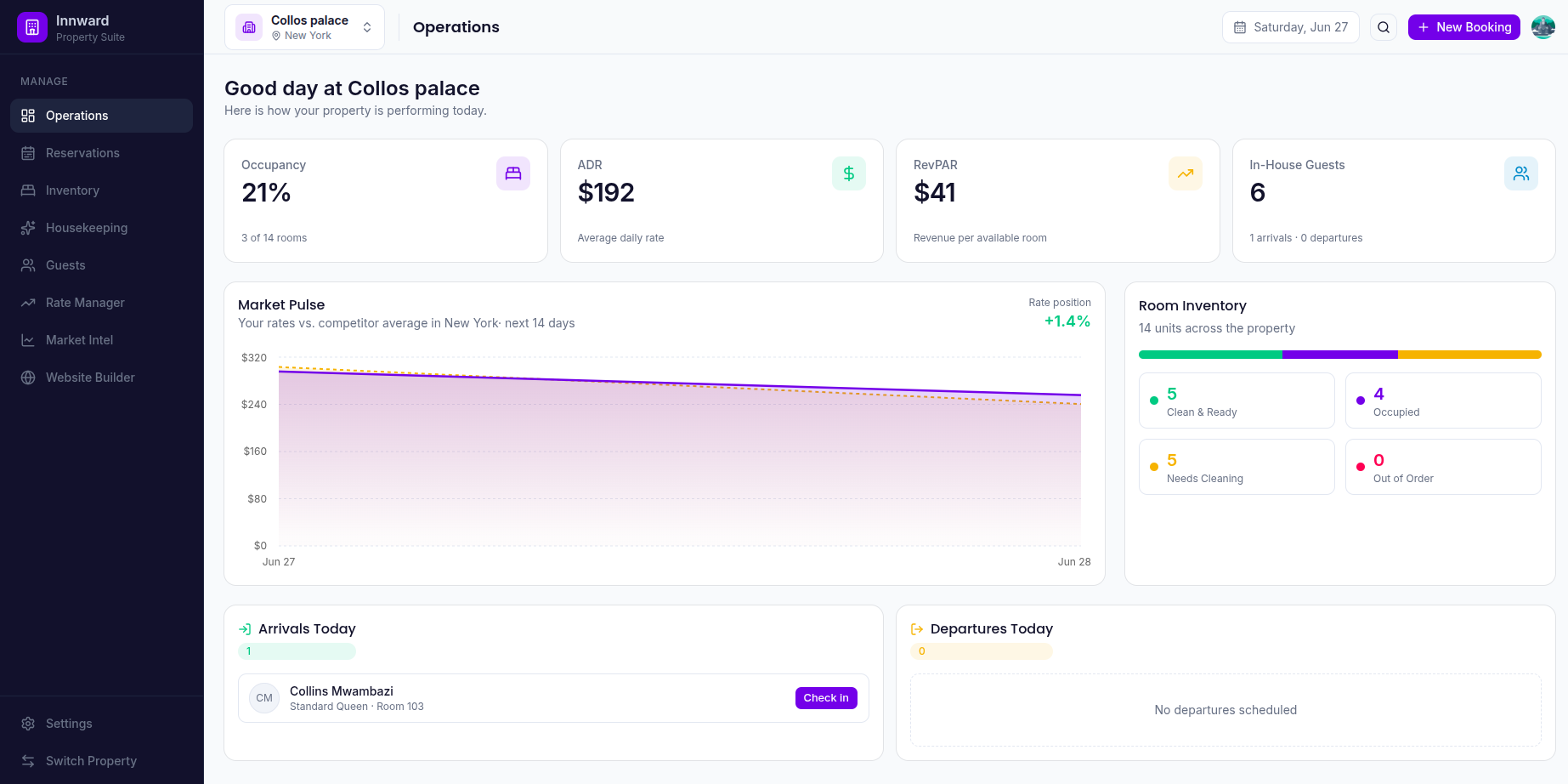
Operations Page: General Overview of hotel operations
-
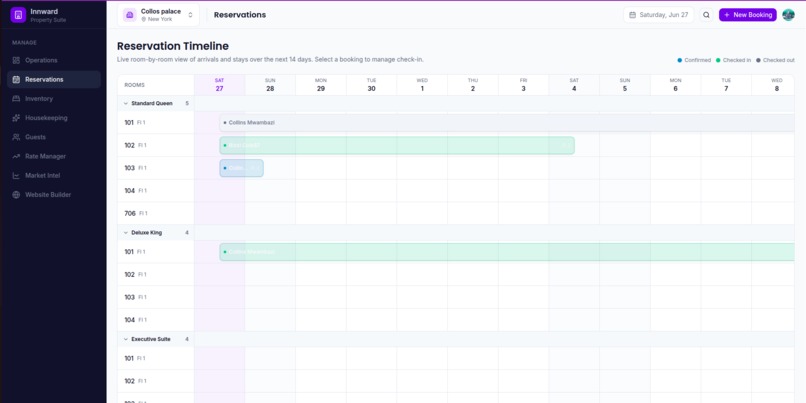
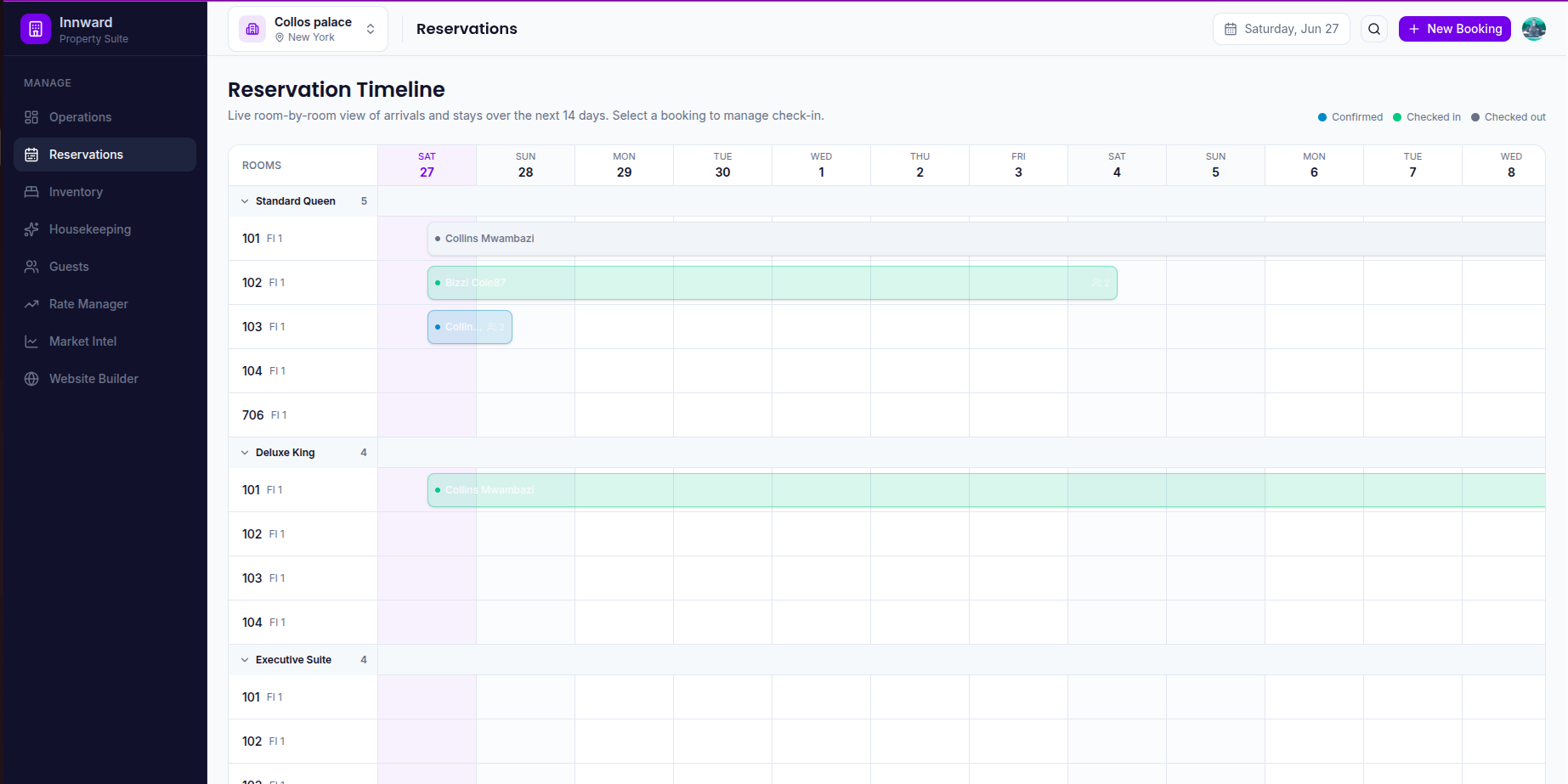
Reservations page: Handles the full life cycle of guest from check-in/out
-
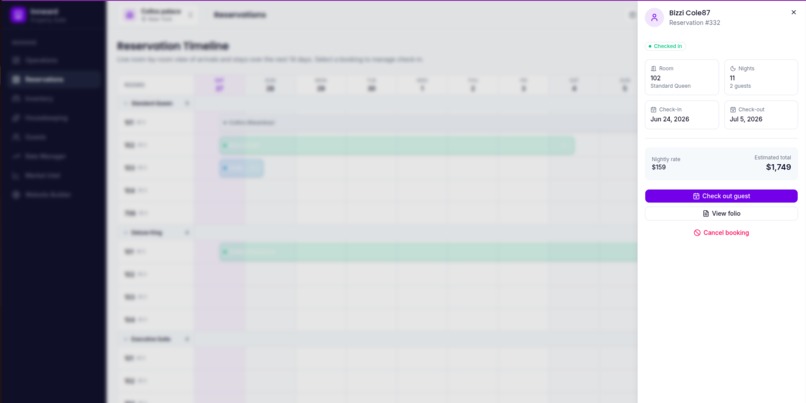
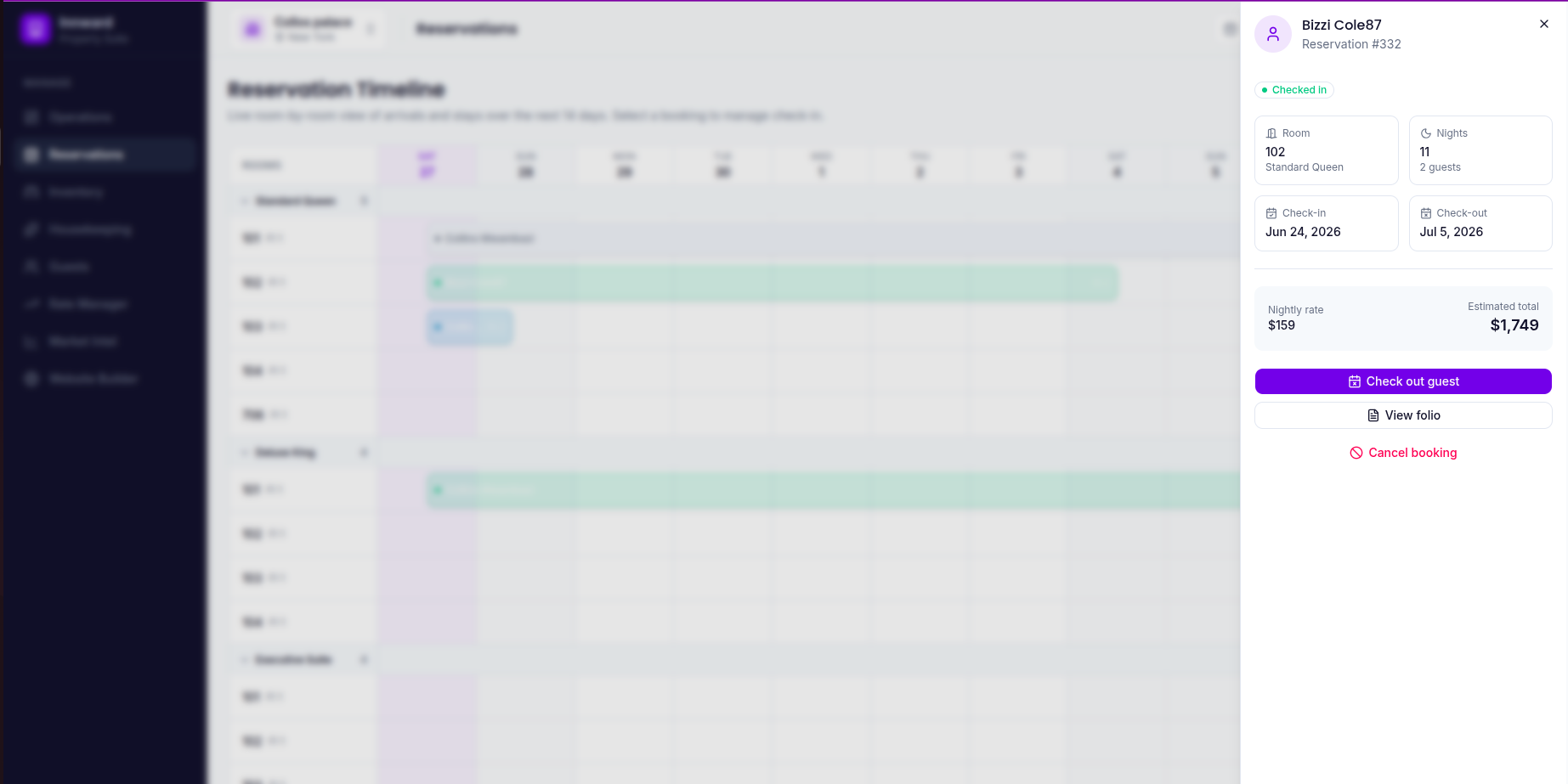
Reservations page: reservation details after clicking reservation
-
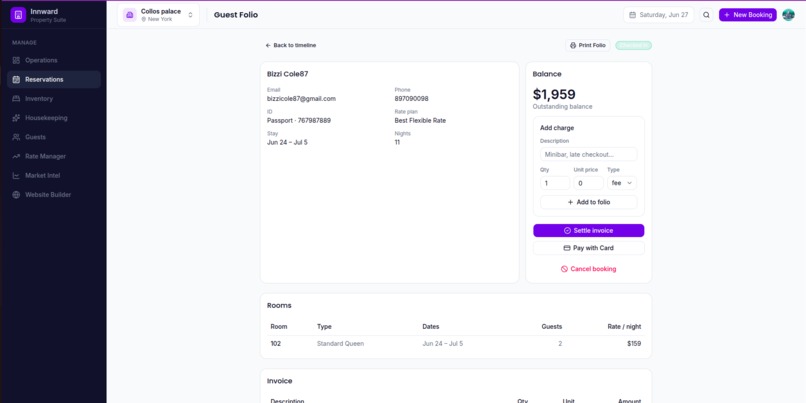
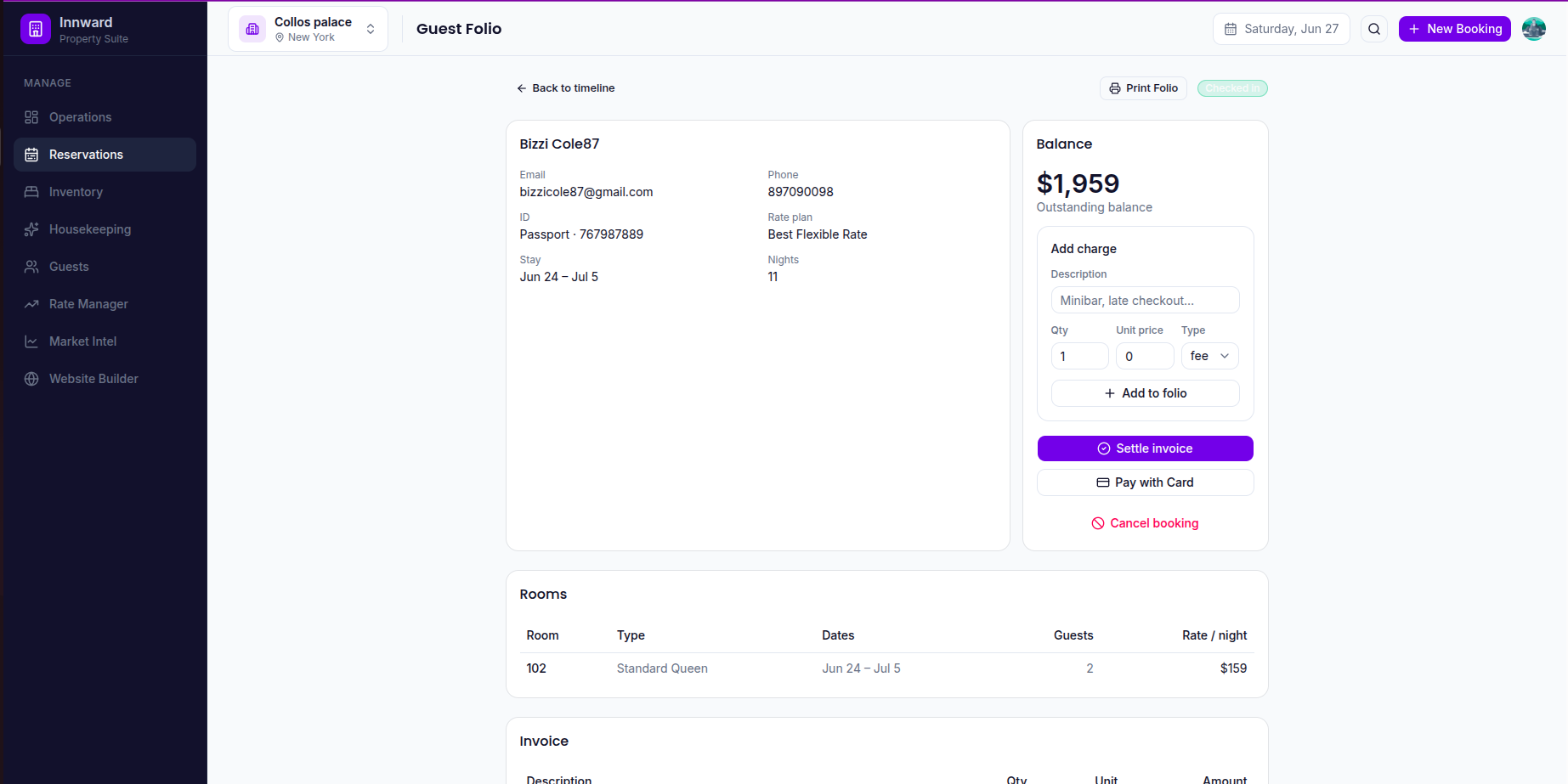
Reservation Details Page: View reservations details, add charges to the guest folio and settle the invoice with stripe
-
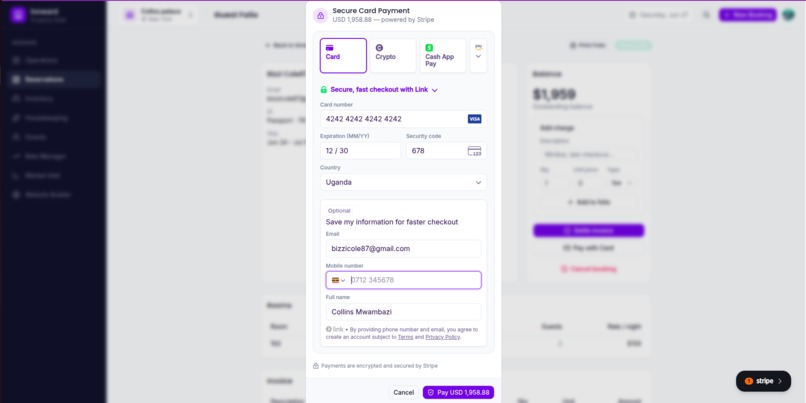
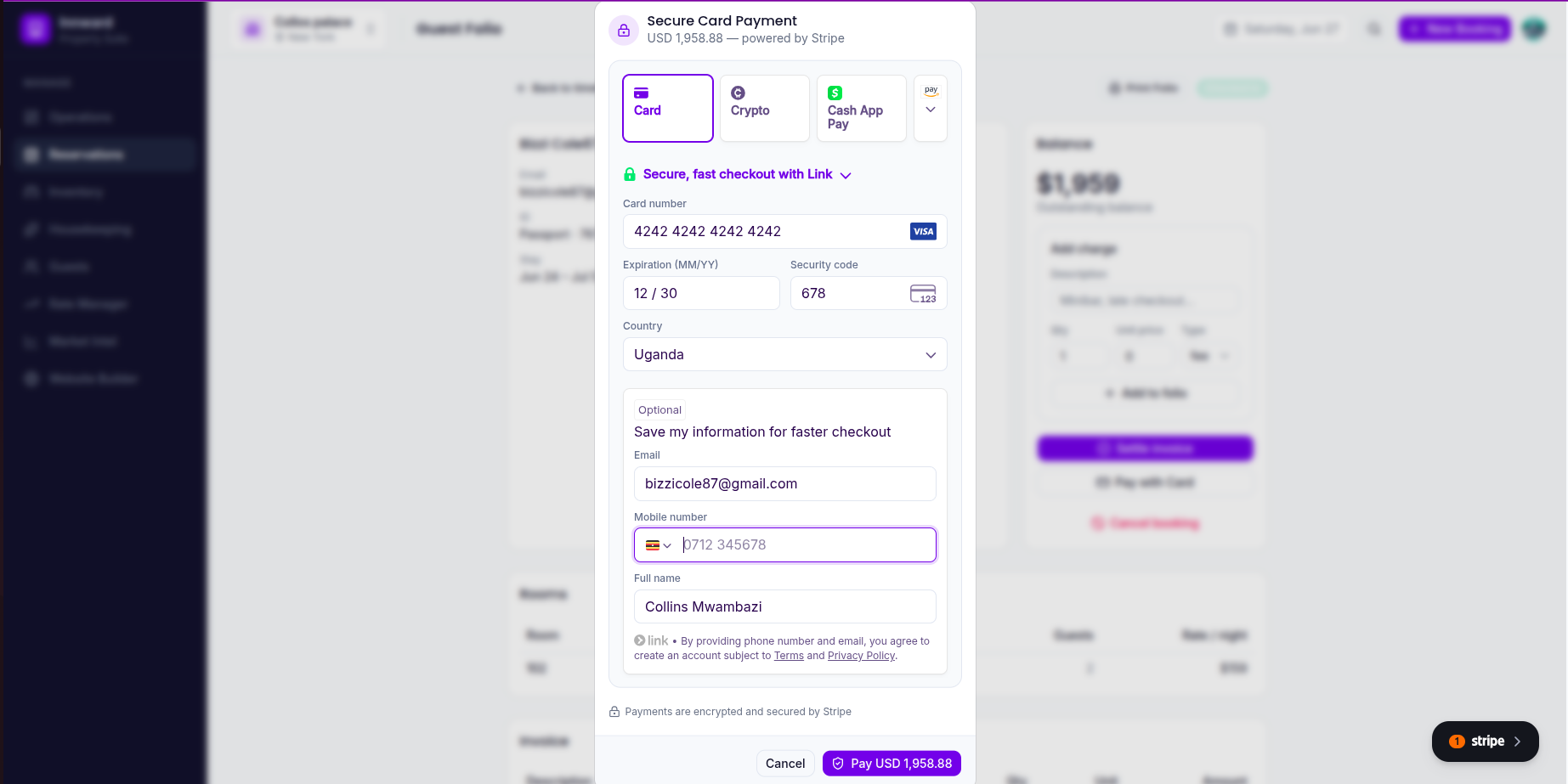
Reservation Details Page: clearing the invoice with stripe
-
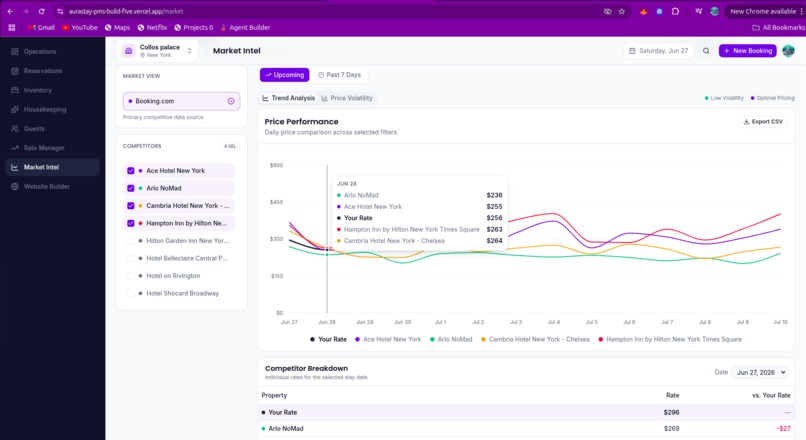
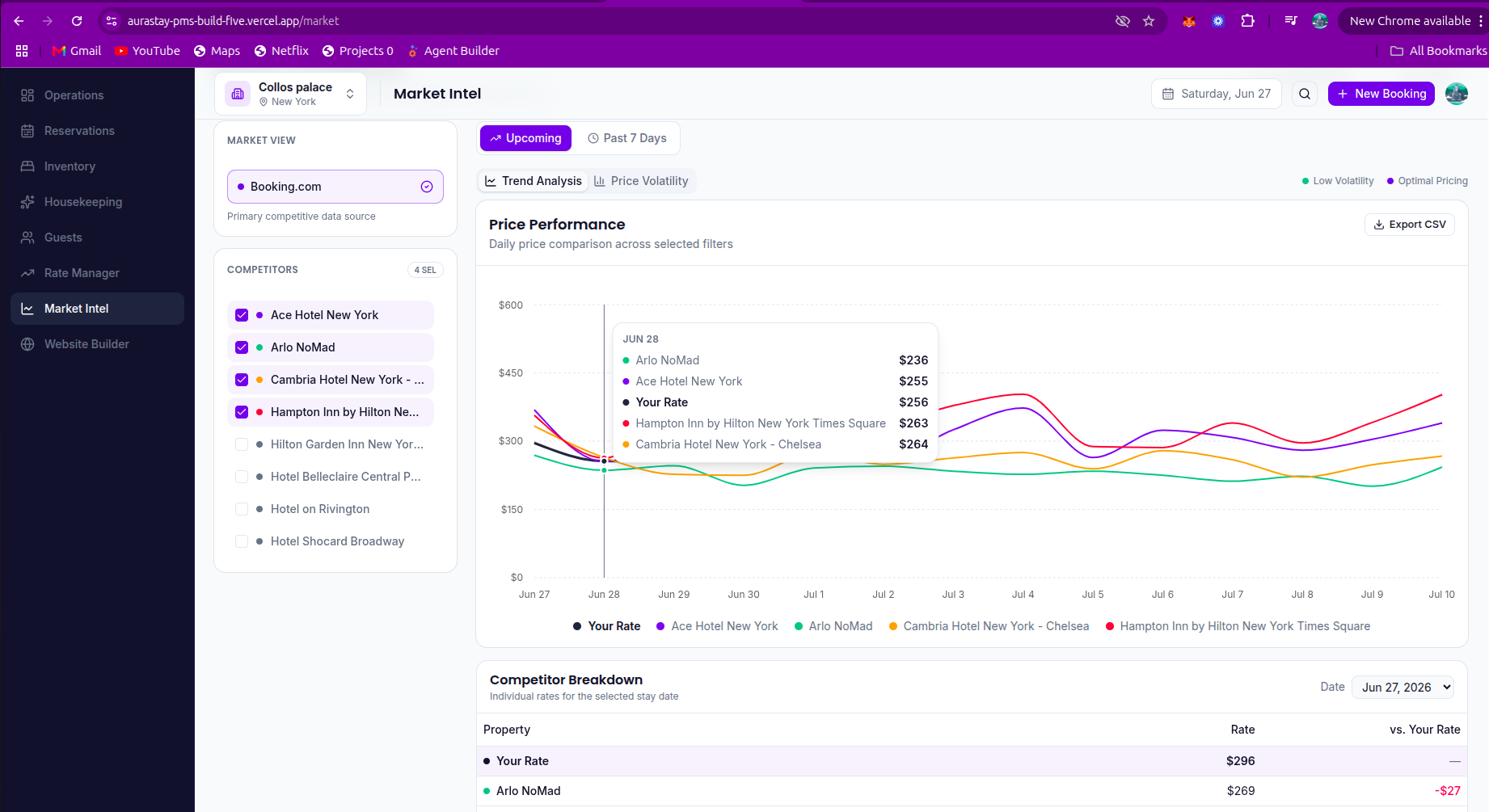
market Intelligence page: View competitor prices in the same location using booking sites like booking.com as the source of the data
-
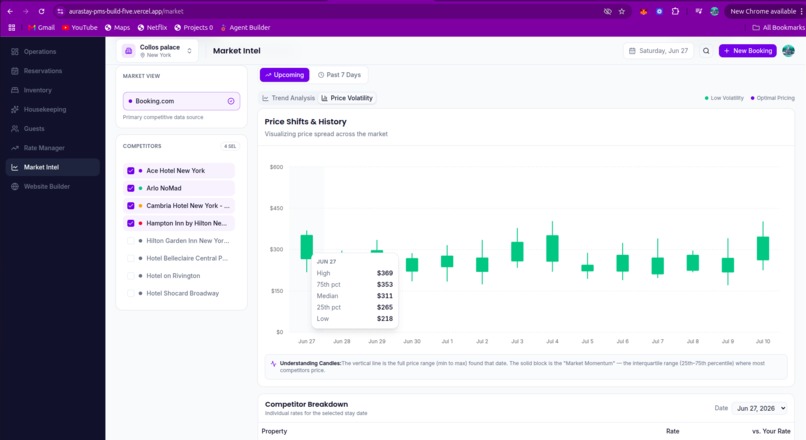
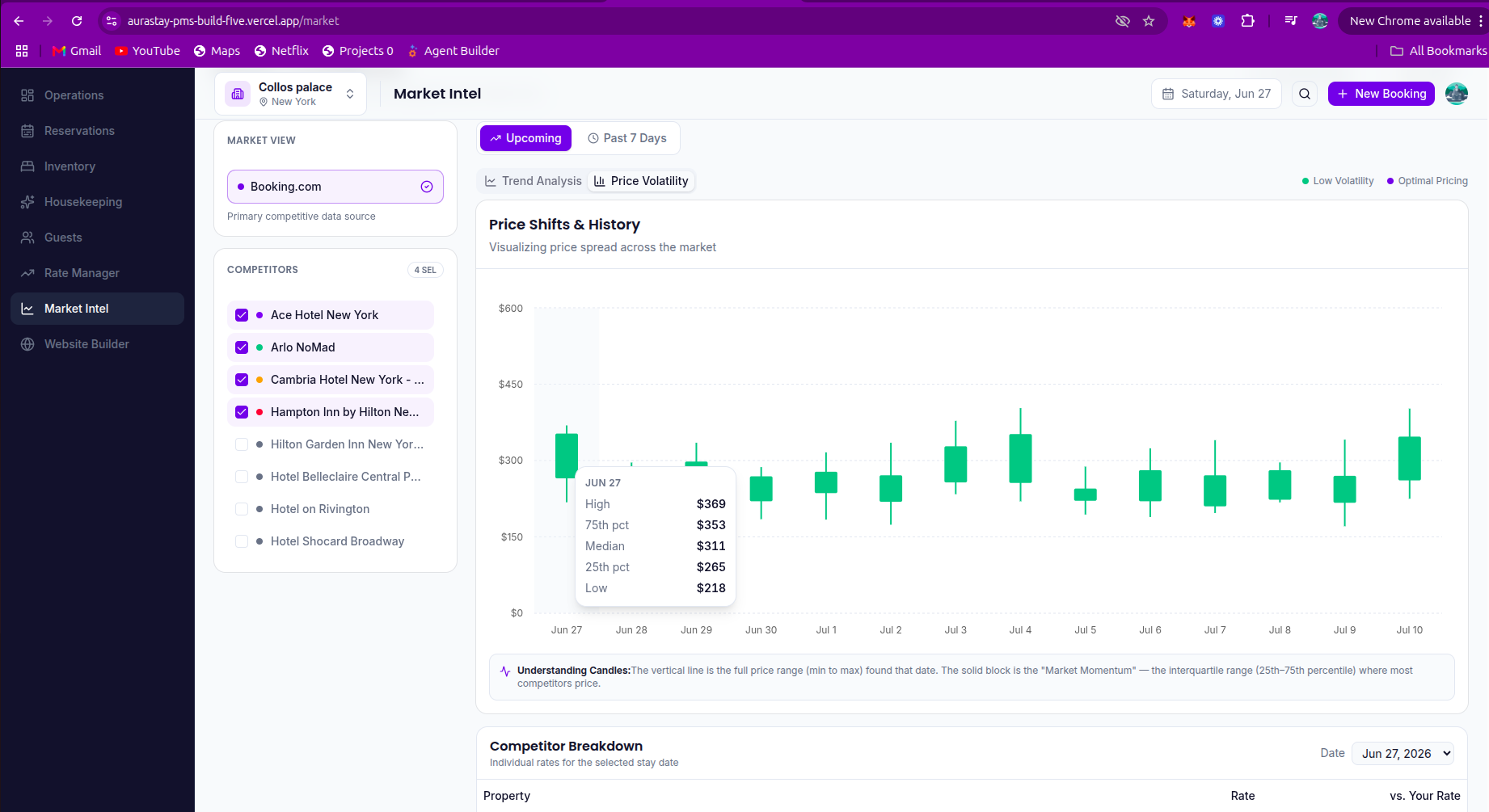
Market intelligence Page: Visualizing price spread across the market
-
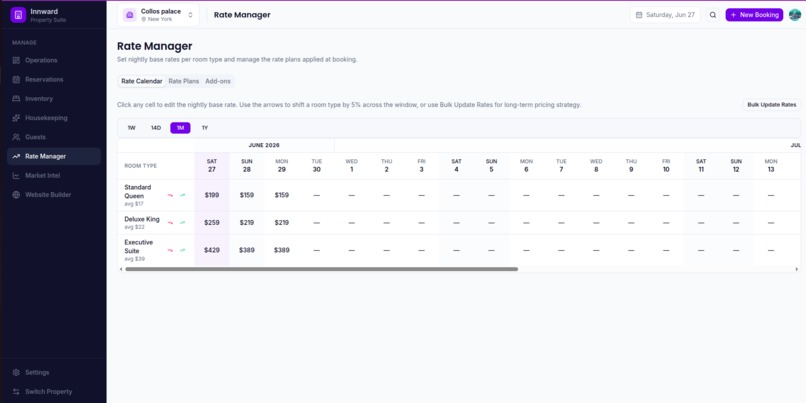
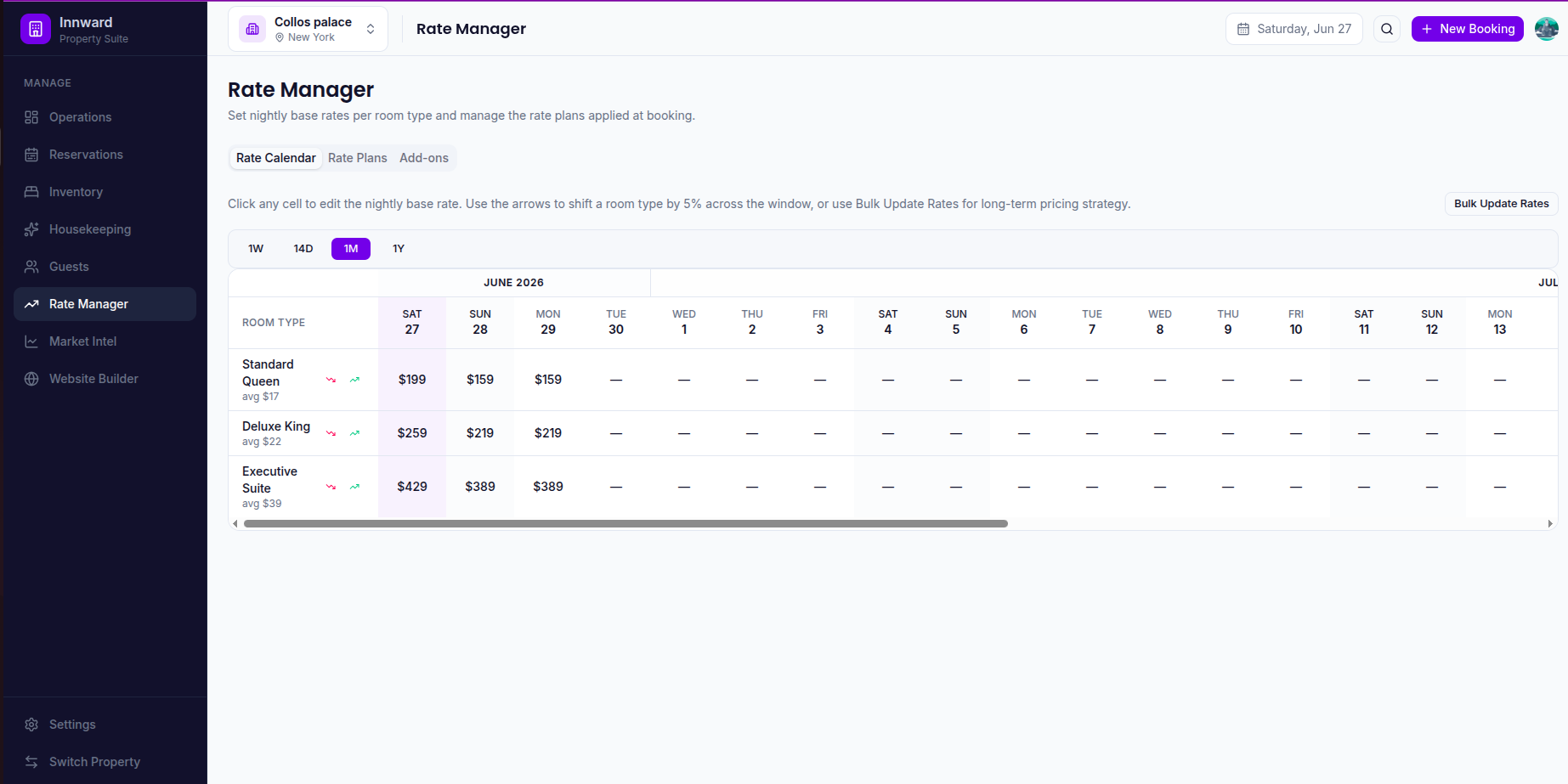
Rate Manager Page: Manage the nightly rates for each room group at the property.
-
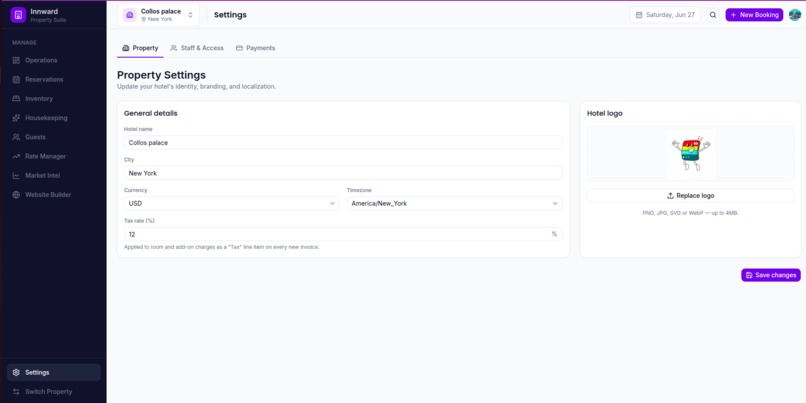
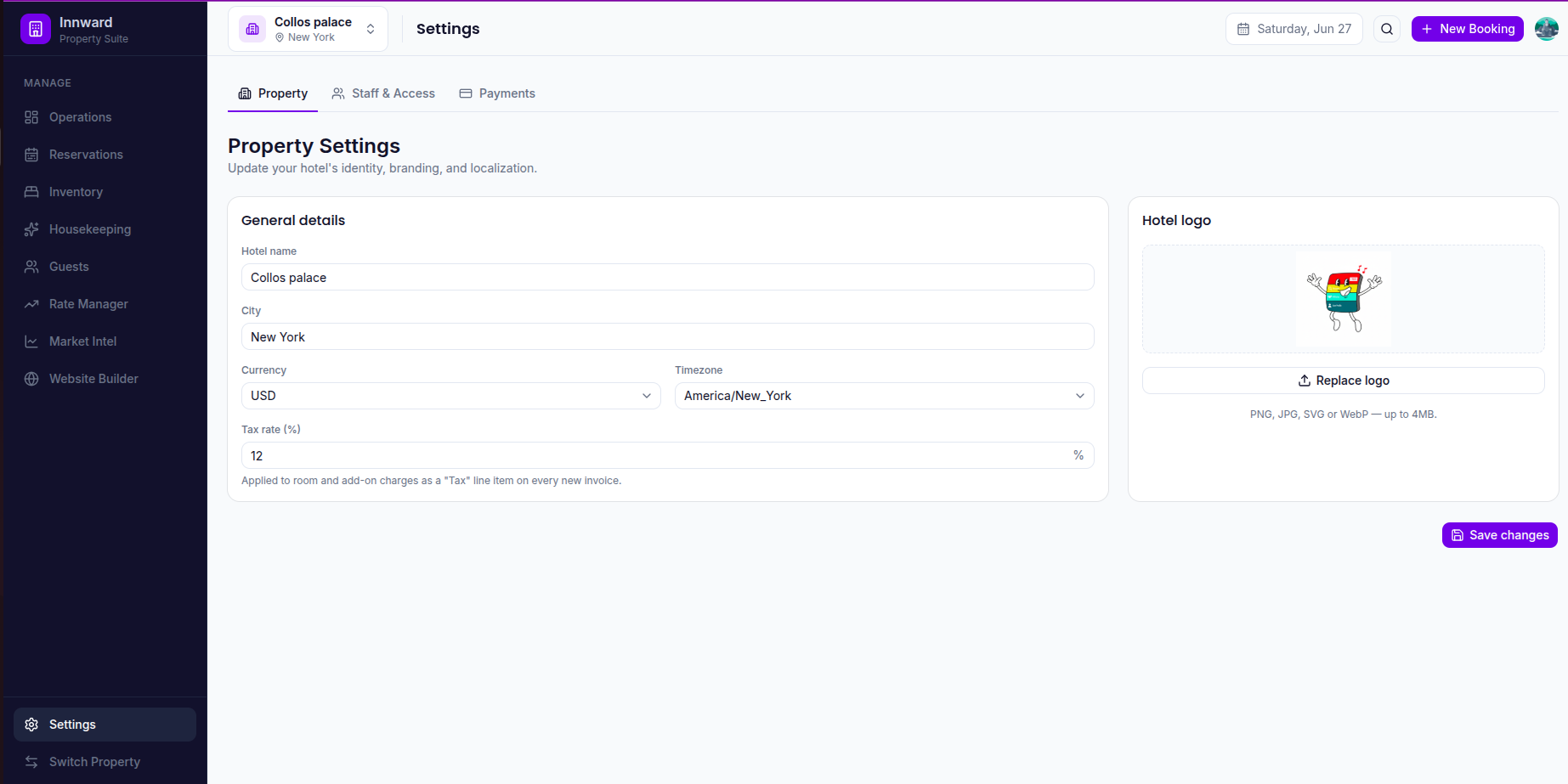
Settings Page: Update your hotel's identity, branding, and localization.
-
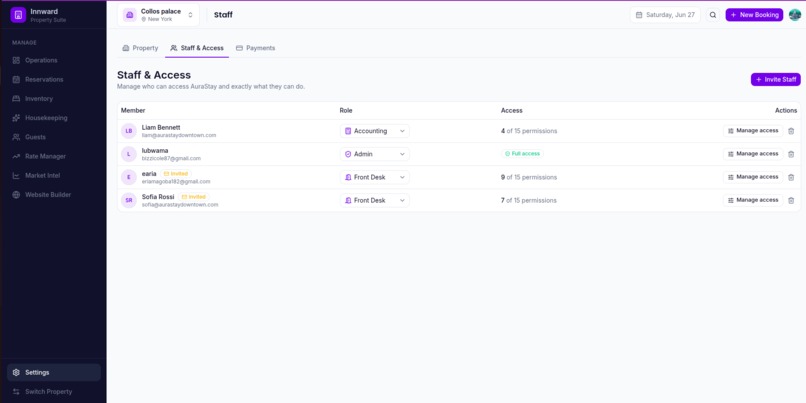
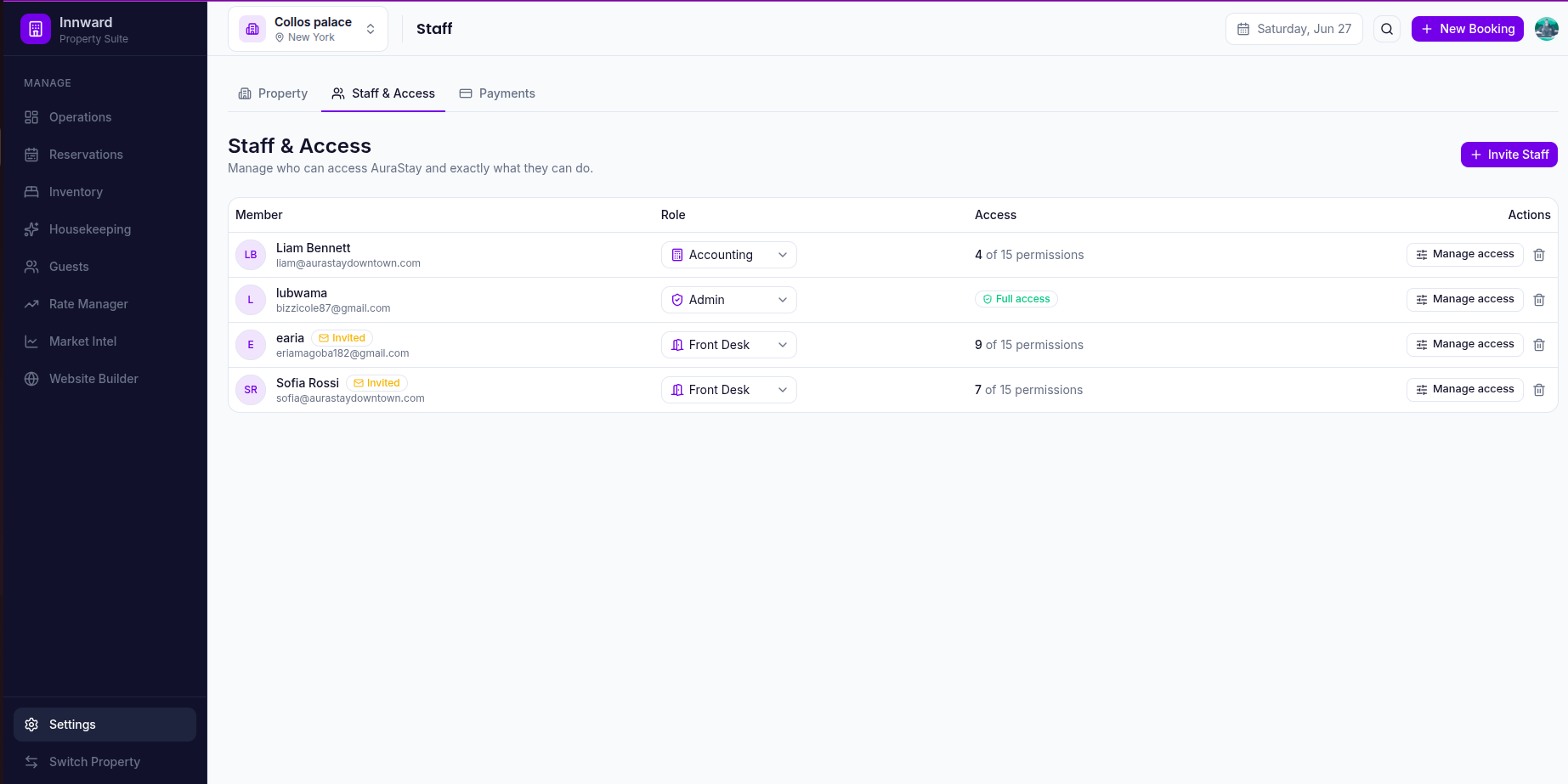
Staff and access panel: Manage who can access the property and exactly what they can do.
-
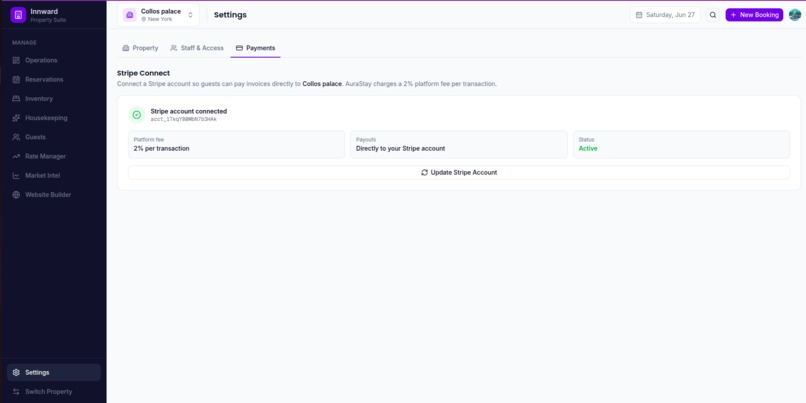
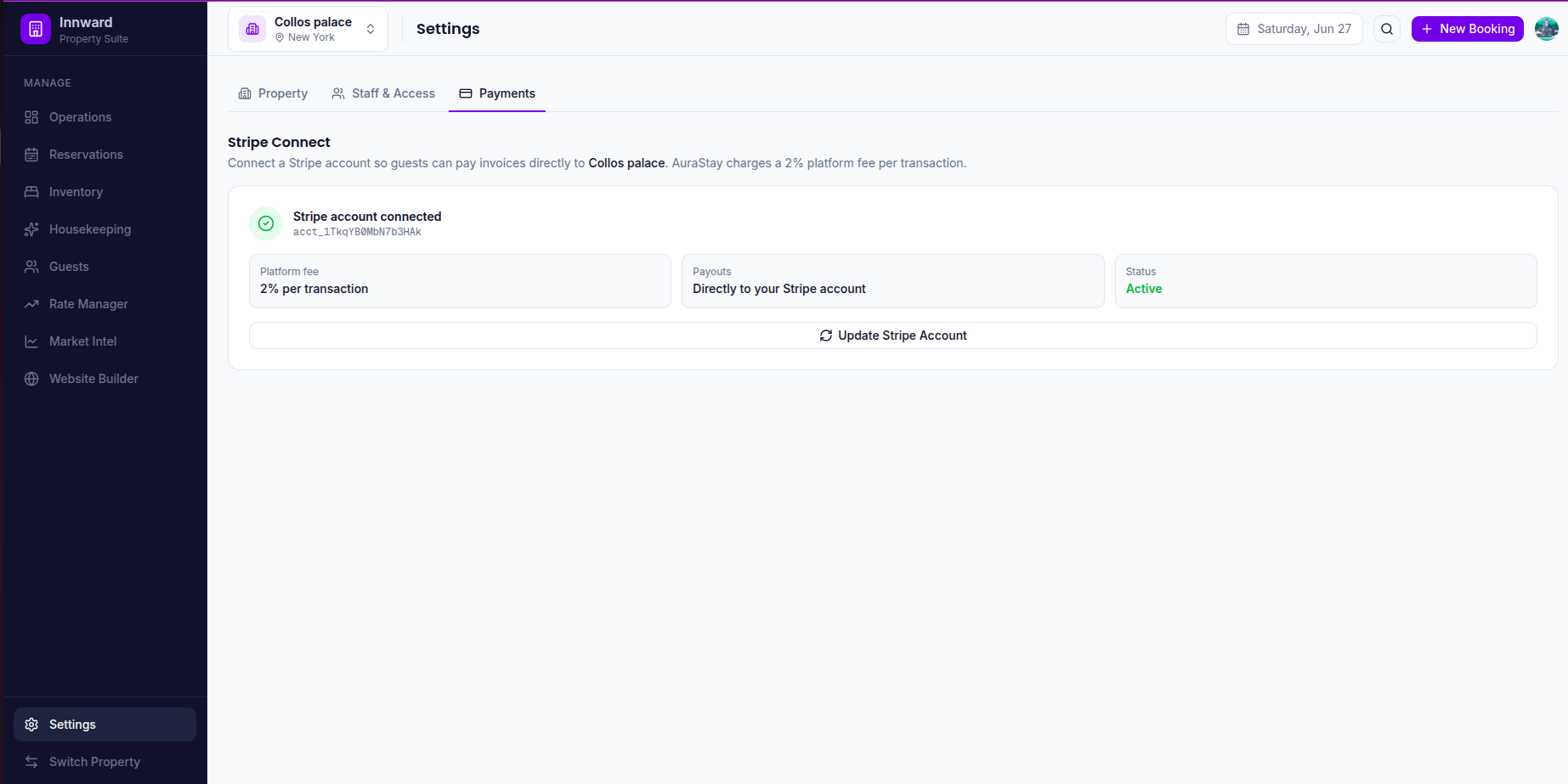
Connect a Stripe account so guests can pay invoices directly to you. Innward charges a 2% platform fee per transaction.
-
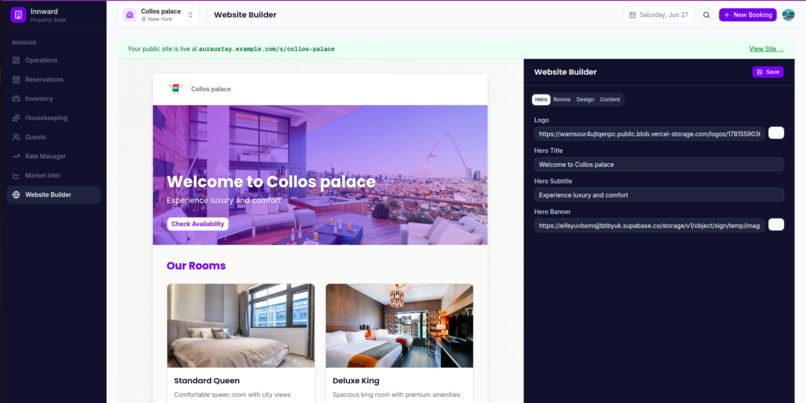
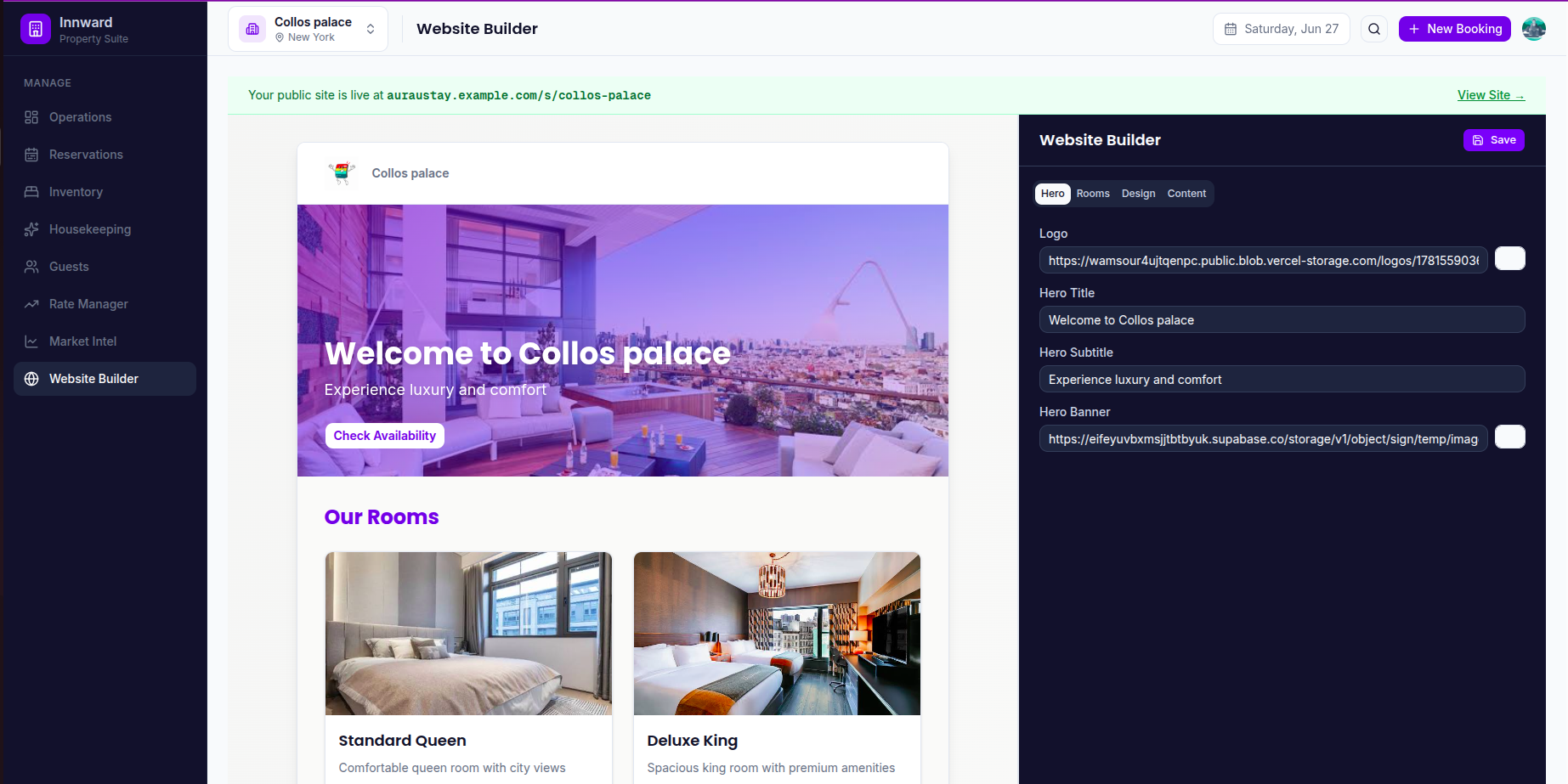
Website Builder Page: Create a front facing website using the property details, lets guests book online
-
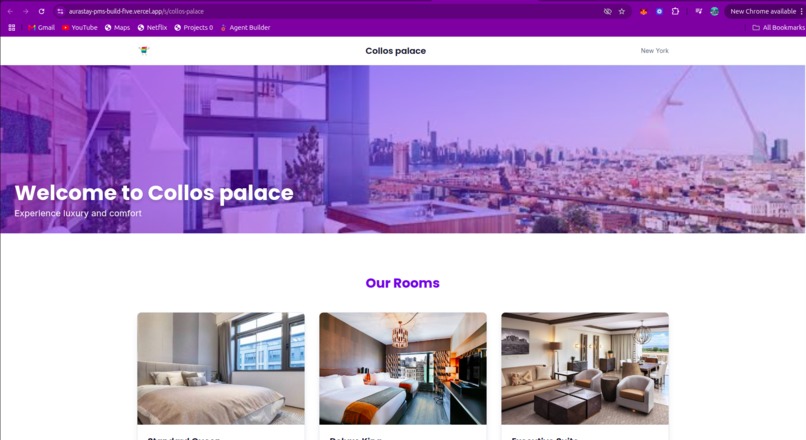
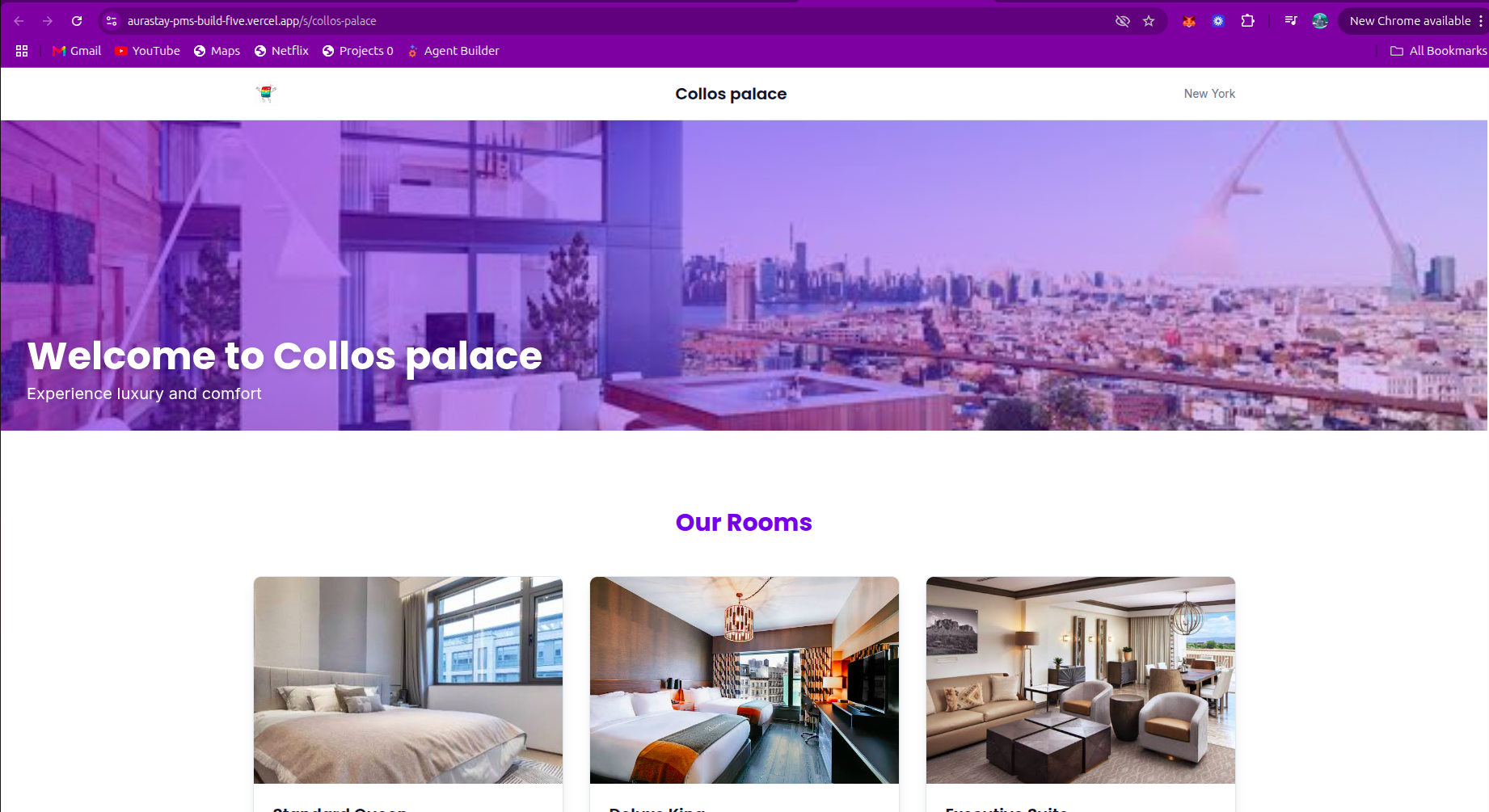
User Generated website
-
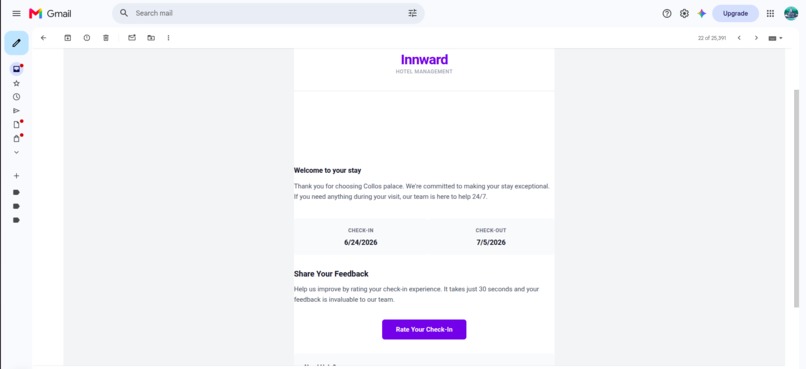
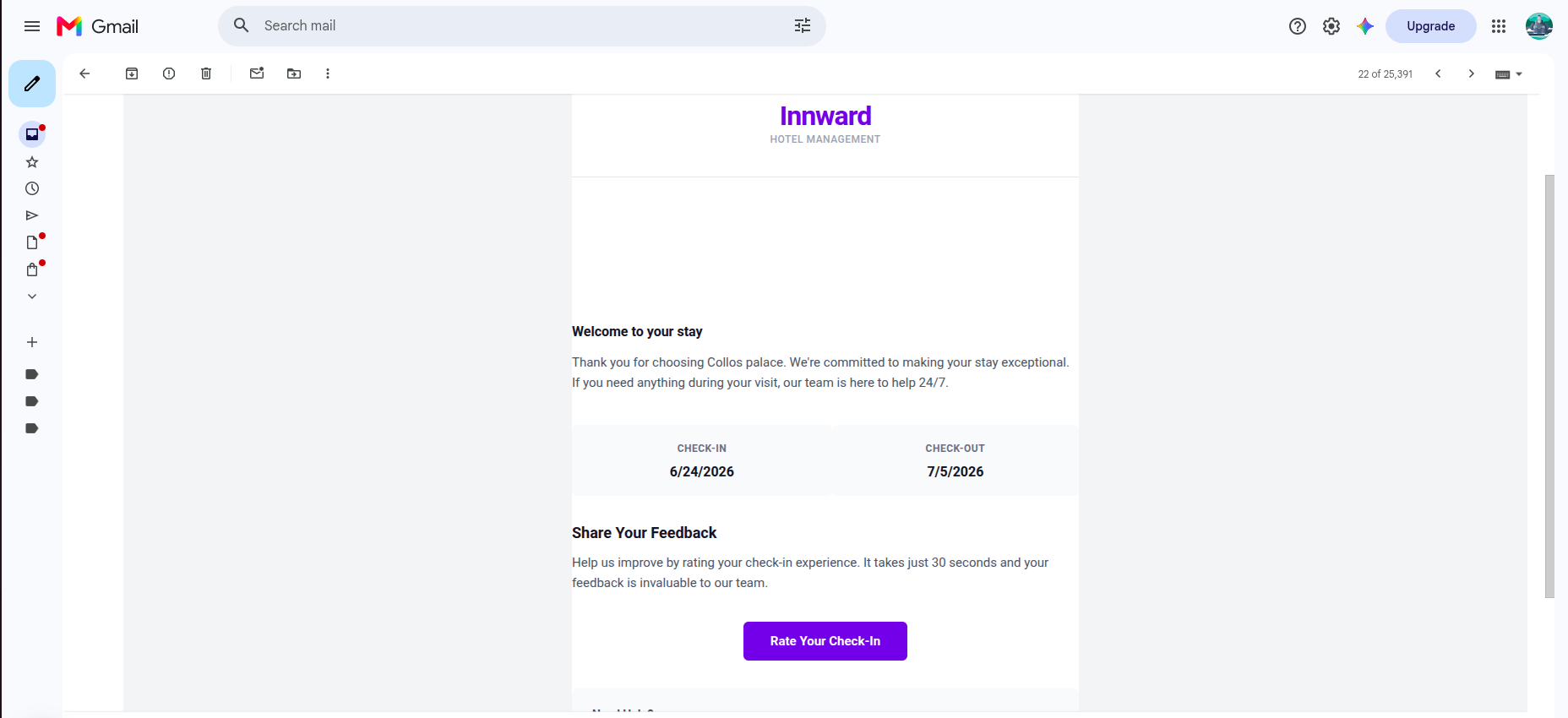
email correspondence: An email is sent after check-in/out to gather the guest's feedback
-
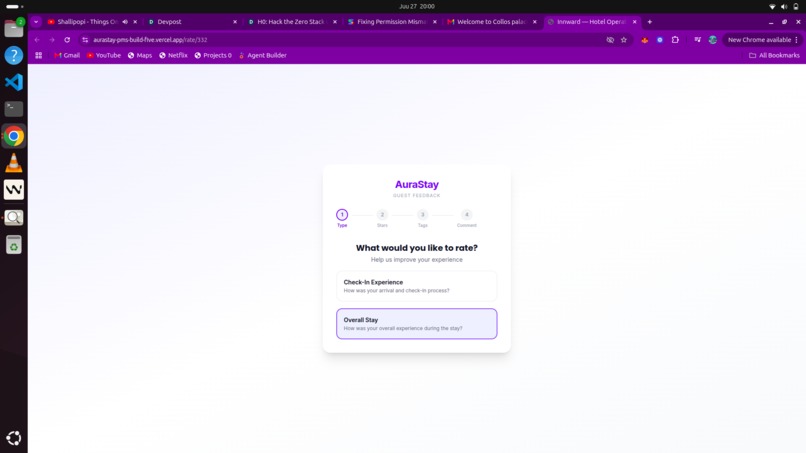
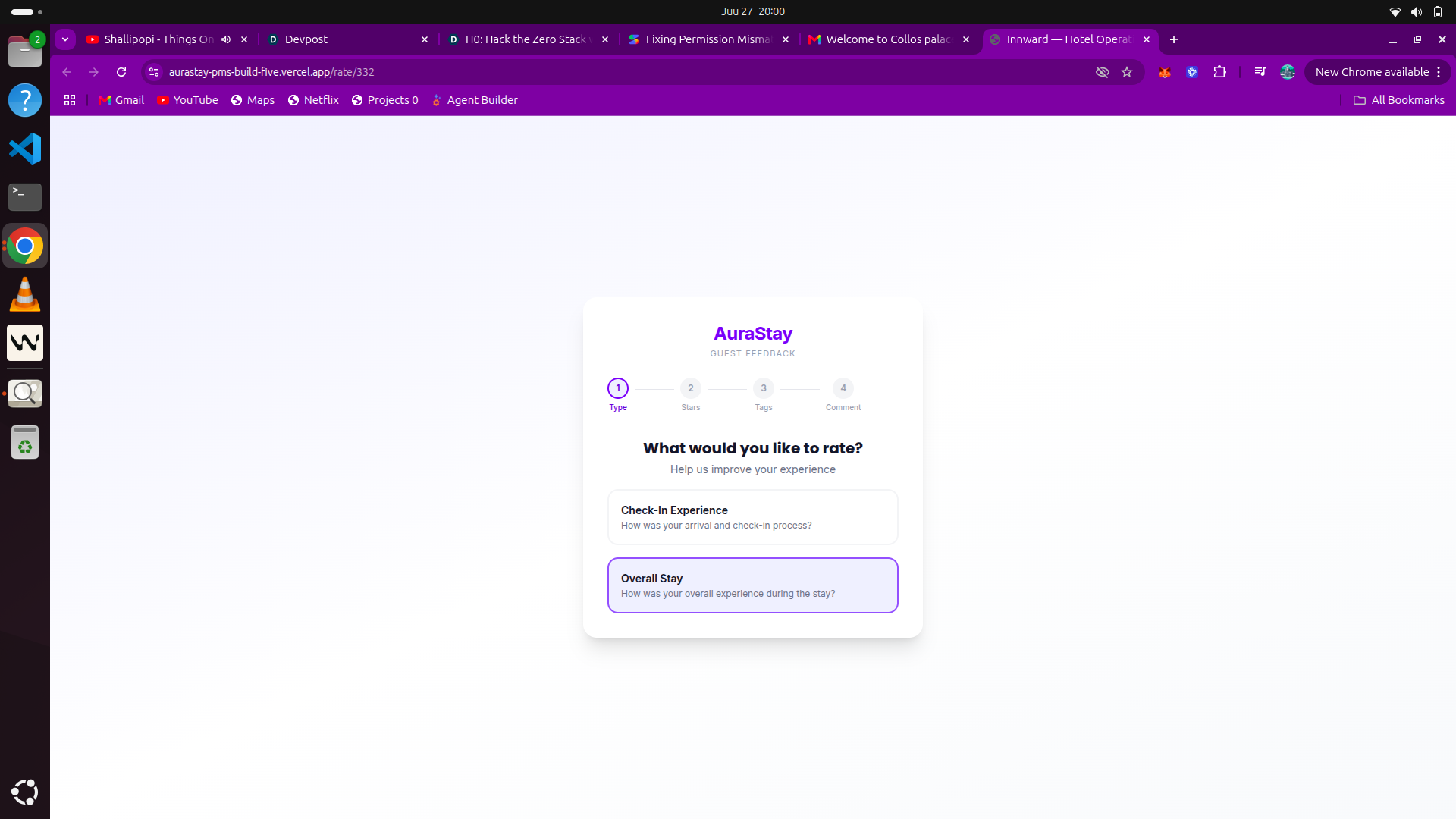
review page: A public page where guests give us their reviews after check-in and check-out without sign-in
Inspiration
Many small and independent hotels are still getting by with a messy mix of spreadsheets and whatever old software they started using years ago. The management systems available today usually fall into two categories. They are either built for giant hotel chains, which makes them way too complicated and expensive, or they are so basic that they cannot handle important tasks like pricing strategies or billing. I wanted to build something that a hotel with 20 to 80 rooms could use to run their entire business. My approach was to build this from the ground up instead of just putting a new interface on top of someone else's old system.
What it does
Innward is an all-in-one system designed for independent hotels to manage their entire business in one place. Instead of using several different tools that do not talk to each other, a hotel can use this single platform to handle everything from daily tasks to setting room prices.
Setting up a new property is quick. An administrator just enters basic details like the hotel name, location, and the types of rooms available. The system then automatically builds the room inventory and a month-long price calendar. This usually takes about five minutes, which is much faster than traditional software that can take weeks to set up. If someone runs multiple hotels, they can manage all of them from one account, and staff can be assigned specific roles at different locations.
For daily operations, there is a main dashboard that shows how many rooms are occupied and who is arriving or leaving each day. A calendar view shows all room bookings for the next two weeks, making it easy to see where there are openings. Housekeeping has its own section to mark rooms as clean or out of order. As soon as a room is marked clean, it becomes available for booking immediately, so the front desk and cleaning staff are always in sync.
The system also includes tools for managing revenue. Managers can change room rates for a specific day or update prices for an entire season at once, such as increasing weekend rates by a certain percentage. It also tracks what local competitors are charging by pulling data from sites like Booking.com. This information is displayed in simple charts so the hotel can quickly see how their prices compare to the rest of the market.
Selling rooms happens in two ways. Staff can book rooms manually for guests who call or walk in, or guests can book directly through a public website provided by the system. The website is easy to customize with photos and colors and requires no coding. Because the website uses the same data as the internal system, the availability shown to guests is always accurate.
Payments are handled through Stripe Connect. Hotels link their own Stripe accounts so that money from guest bookings goes directly into their own bank accounts. Each reservation has its own digital bill where staff can add extra charges like breakfast or airport transfers. Guests can pay these bills online by card or at the hotel with cash.
To keep in touch with guests, the system sends automated emails when someone checks in or out. The checkout email includes a simple way for guests to rate their stay and leave feedback without needing to create an account. This helps the hotel keep track of how they are doing.
Security is managed through specific roles. This means that housekeepers, front desk staff, and managers only see the parts of the system they need for their jobs. When a new employee starts, they are sent an invitation and automatically get the correct level of access.
How I built it
I built the app using Next.js and the App Router. Since Server Actions handle almost all the write paths like creating bookings, updating rates, and handling check-ins, I didn't need a separate API layer. Most features just use a server function called directly from a form.
For the database, I chose Aurora PostgreSQL because the data in a hotel management system is fundamentally relational. When you create a single booking, you have to update room inventory, write a reservation, and create an invoice all at once. This requires a multi-table transaction rather than a simple key-value write.
Hoteliers also need to see specific data like occupancy percentages, average daily rates, and price volatility. Postgres handles these types of aggregate and filtered queries naturally with standard functions. If I had used DynamoDB, I would have been forced to pre-compute those totals or stitch data together in our own code, which wouldn't have provided any real benefit since I don't need massive-scale key lookups. I needed joins and flexible filtering, so a relational database was the best fit for the data itself.
One specific decision I made regarding the connection was to avoid using a static database password. Instead, the app authenticates using IAM auth via rds-signer, which pulls a short-lived token for each connection. Since I are handling guest personal information and payment metadata across multiple hotel tenants, carrying around a long-term credential felt like an unnecessary risk, even in a serverless environment. It added some complexity to the connection setup, but I felt it was worth it.
Multi-tenancy is handled at two levels. Every table with property data includes a property ID, and every query is scoped to that ID to keep data separate. Additionally, middleware checks if a user is both logged in and has a property selected via a cookie. If they are logged in but haven't picked a property, they are redirected to a portal. I carved out a few specific routes, like the public booking site and guest rating pages, so they don't require any authentication.
I used Clerk for staff identity. The main challenge there was connecting staff invitations to the signup flow. When a staff member is added, I create a record for them marked as invited. When they sign up, Clerk sends a webhook that allows us to match their email, assign their role and property ID to their metadata, and mark them as active. This allows permission checks to happen directly through the Clerk session without needing another database query for every action.
The system uses a role-based access control setup where every staff member is assigned a role, such as admin, manager, or housekeeping. To keep things flexible, there is also a permissions column for specific overrides. This allows a property to give a certain front desk staffer extra access to something without needing to create a brand-new role just for them.
When someone signs in, their role and property ID are stored directly in their Clerk session. This makes access checks much faster because the app can verify permissions without querying the database every time a page loads. Each page has a simple check at the top that looks at the session data and redirects the user if their role is not on the allowed list.
This approach also keeps the code organized. Instead of managing one massive central permission table, each page defines its own access rules. For instance, staff settings are restricted to admins, while the housekeeping page is open to admins, managers, and maintenance staff. It is a straightforward way to handle security without making the system too complex to maintain.
For payments, I used Stripe Connect. Each hotel goes through its own onboarding so guest payments go directly to them, and I take a flat fee per transaction. I ran into one issue where Stripe would redirect a user back to our site after onboarding, but the webhook confirming they were ready to process payments would occasionally lag behind. I fixed this by adding a fallback that polls Stripe directly if the redirect happens before the webhook arrives.
The market intelligence tool uses a cron job to scrape competitor prices from Booking.com based on a hotel's location. For the UI, I avoided standard dashboard templates and built something that looks more like a trading terminal. I used line charts for rates and candlestick charts for price volatility because deciding on a room price is very similar to how a trader looks at a stock.
Finally, I used React Email and Resend for staff and guest communications. This lets us build email templates as components rather than writing manual HTML. I also kept the guest rating page free of any login requirements, as asking guests to sign in usually prevents them from leaving feedback.
Challenges I ran into
I ran into a major issue with the 300 second limit on the Vercel Hobby Plan. Our market scraper gathers data for several cities over a two week period, and it usually takes about eight to ten minutes to finish. This caused the process to time out and fail. To fix this, I updated our code to track how long it has been running. If the function gets close to 280 seconds, it shuts down safely, saves the data it already collected to our database, and marks the job as a partial success. This way, I do not waste our scraping budget and can start back up where I left off.
Getting data from sites like Booking.com and Airbnb is difficult because they are very good at blocking bots. Our first attempts were blocked almost immediately by captchas and automated flags. I solved this by using Playwright with a stealth plugin, scrapingbee, to hide our automation signature. I also added a layer that mimics how a person actually browses, including random mouse movements, smooth scrolling, and varied delays between clicks. This made our data collection much more reliable for comparing competitor prices.
Calculating hotel revenue is complicated because it involves a lot of moving parts. It is not just one price; you have to account for base rates, extra guest fees, different discount plans, and taxes. I built a calculation engine in TypeScript that pulls all this data from several tables in our database and calculates the total price in real time. This ensures that if a manager changes a discount rate, the total price updates immediately on every invoice and quote.
A big design challenge was showing check ins and check outs on a calendar. In a hotel, one guest leaves at 11 AM and another arrives at 3 PM on the same day. Standard calendar tools could not show this overlap clearly. Instead of using a pre made library, I built a custom timeline using CSS. I wrote logic to offset the reservation bars so that two different guest names can show up on the same day without overlapping, which accurately shows how room turnover works in real life.
Keeping data separate and secure for different businesses was another hurdle. Moving from simple admin roles to a more detailed permission system was a challenge. I used PostgreSQL JSONB columns to store over 15 different permission settings. I wrote custom SQL functions that allow hotel owners to turn specific staff permissions on or off, like viewing revenue or managing housekeeping, without us needing to change the database structure every time I add a new feature.
Finally, setting up the AWS RDS Signer for authentication was much harder than using a standard database password. I had to spend a lot of time configuring the connection between Vercel and AWS. By using the RDS signer, I moved away from using permanent password strings, which makes the entire data foundation much more secure.
Accomplishments that I am proud of
I put a lot of work into the technical side of this project, focusing on practical solutions for hotel management. First, I built a pricing system that calculates costs dynamically instead of just using fixed rates. It takes base rates from the database and automatically adjusts them based on how full the hotel is or specific discount rules. This means a manager only has to change a setting once for it to show up everywhere, from the initial quote to the final invoice.
For market data, I decided to use candlestick charts rather than simple line graphs. This helps managers see the full range of competitor prices, including the highs, lows, and overall trends in the city. It provides a clearer picture of how the market is moving compared to standard tools.
I also had to solve a specific layout problem where rooms often have someone checking out and someone else checking in on the same day. Standard calendars usually overlap these events, so I built a custom layout using CSS Grid that offsets the reservation bars. This lets front desk staff see exactly who is arriving and who is leaving on any given afternoon without any confusion.
On the security side, I built a detailed permission system using Amazon aurora. I can set over fifteen specific access levels for each employee, which I connected to clerk. This keeps the login process simple but ensures that staff members only have access to the specific tools they need for their job, keeping everything secure and isolated.
Finally, I addressed the issue of process timeouts. To handle the 300-second timeout on Vercel, I set up our sync service to keep track of its own execution time. If a task runs too long and gets close to that limit, the service stops, saves its current data to Amazon Aurora, and waits for the next scheduled run to continue. This checkpoint system allows us to process large amounts of competitor data reliably without hitting the timeout wall.
Why I chose Amazon Aurora
A property management system has to handle a lot of related data and transactions that need to be very accurate. For example, when a guest books a room, the system has to record the reservation, take that room out of the available inventory, and create an invoice all at once. If any part of that process fails, the whole thing needs to reset so we don't end up with double bookings or incorrect bills. Aurora handles these multi-step operations reliably.
The serverless setup was also a major factor in this choice. Since the app is hosted on Vercel, database traffic tends to come in spikes. Traditional databases can sometimes struggle when serverless functions scale up quickly and open many connections at the same time. Aurora PostgreSQL manages these fluctuations well, making sure that connection limits don't slow down the app during busy times, like the morning rush when staff are checking guests out and updating records all at once.
For staff access control, I built a hybrid Role-Based Access Control (RBAC) system. By default, staff are assigned a standard role, such as admin, manager, front_desk, or housekeeping which maps to a default set of access rules. However, independent hotel operations often require flexibility. A manager might want to grant a specific, trusted front desk agent the extra permission to mark rooms as clean or adjust rates, without promoting them to a full manager or admin role. To handle this without bloating our database with nested permission tables or running risky schema migrations every time we add a new feature, we utilized Aurora’s native JSONB data type. We store standard role relationships in relational columns, but store granular permission overrides directly in a permissions JSONB column on the staff table. This hybrid approach allows us to perform high-performance queries that merge base role defaults with custom key-value overrides in a single database read. Because Aurora indexes JSONB keys efficiently, we get the speed and indexing benefits of a relational database alongside the schema flexibility of a document store. It keeps our authorization checks fast, clean, and easy to scale.
Finally, Aurora PostgreSQL gave us a practical way to manage both structured and flexible data. Most hotel information, like rooms and invoices, fits easily into standard tables. However, staff permissions needed to be more adaptable. By storing those in a JSONB column, we can turn specific access levels on or off without having to build complex tables or change the database schema every time we add a new permission setting. It offers a good balance of keeping data organized while staying flexible.
What I learned
I learned how to work within the limits of serverless functions. You cannot treat them like a standard server that runs forever. When our scraper hit the five-minute timeout limit, I had to change how I wrote our code. I started adding internal timers to monitor how much time a function has left. This taught us how to save our progress to the database and exit gracefully before the timeout hits, which is necessary for building tools that actually work at scale.
For the database, I found that a hybrid approach works best. I used standard relational tables for core data like properties and reservations, but used JSONB in PostgreSQL for staff permissions. This gave us flexibility. It meant I could add new types of permissions for hotel staff without having to run a risky database migration every time I added a small feature.
In terms of design, I found that business users have different needs than regular consumers. A hotel manager does not want a simple or empty interface if it means they cannot see what is happening. They need to see a lot of information at once, like occupancy rates and competitor data, on a single screen. I learned that for professionals, having all the necessary data visible is more important than having a minimalist design.
I also changed how I use tools like v0. Instead of just letting it generate code, I treated it like a teammate. By giving it clear context about the business logic, I was able to work much faster. This allowed me to focus on the difficult math behind our pricing engine while the tool handled the complex parts of the user interface.
Finally, I saw how complicated business math can be in the real world. Handling things like tax rates and discounts is not a straight line. You have to account for rounding errors and currency precision. I ended up building a dedicated logic layer to handle these calculations. This ensures that the price a customer sees in their email is exactly the same as the price on their final invoice.
What's next for Innward: Property management System
First, I am are working on syncing with OTA channels. Since direct APIs for sites like Booking.com or Airbnb require specific certifications, the most practical step is to integrate through a channel manager like SiteMinder instead of building everything from scratch.
I am are also planning to add mobile money as a payment method alongside Stripe, specifically for markets where people do not rely on card payments.
For guest communications, I am adding a notification layer for SMS and WhatsApp, which is more effective in regions where email is not the primary way people stay in touch.
Finally, I want to turn the market data I are already collecting into a pricing recommendation engine so it can actually suggest prices rather than just visualizing the information.
Built With
- amazon-aurora
- vercel

Log in or sign up for Devpost to join the conversation.