🤖 AI Prompt Genie 🧞
💡 Inspiration
The spark for AI Prompt Genie came from a simple but powerful observation: while AI-driven development platforms like Bolt.new are revolutionizing how fast we can build, the quality of the output is entirely dependent on the quality of the input. I noticed that crafting a truly effective, token-efficient prompt is a complex art form.
Crafting a token-efficient prompt is a different challenge for every AI platform, tech stack, and model. A generic, conversational prompt rarely unlocks its full potential.
I was particularly inspired by documents like the "Minimal Token App Builder Prompt Template," which proved that a structured, concise format could produce dramatically better results. The challenge was that remembering and applying these different structures is tedious and prone to error. I thought to myself:
"What if a tool could handle that complexity for you?"
That's when the idea for AI Prompt Genie was born: a tool that moves beyond the blank text box and provides an intelligent, adaptive interface that guides developers to create the perfect prompt, every single time.
🛠️ How I Built It
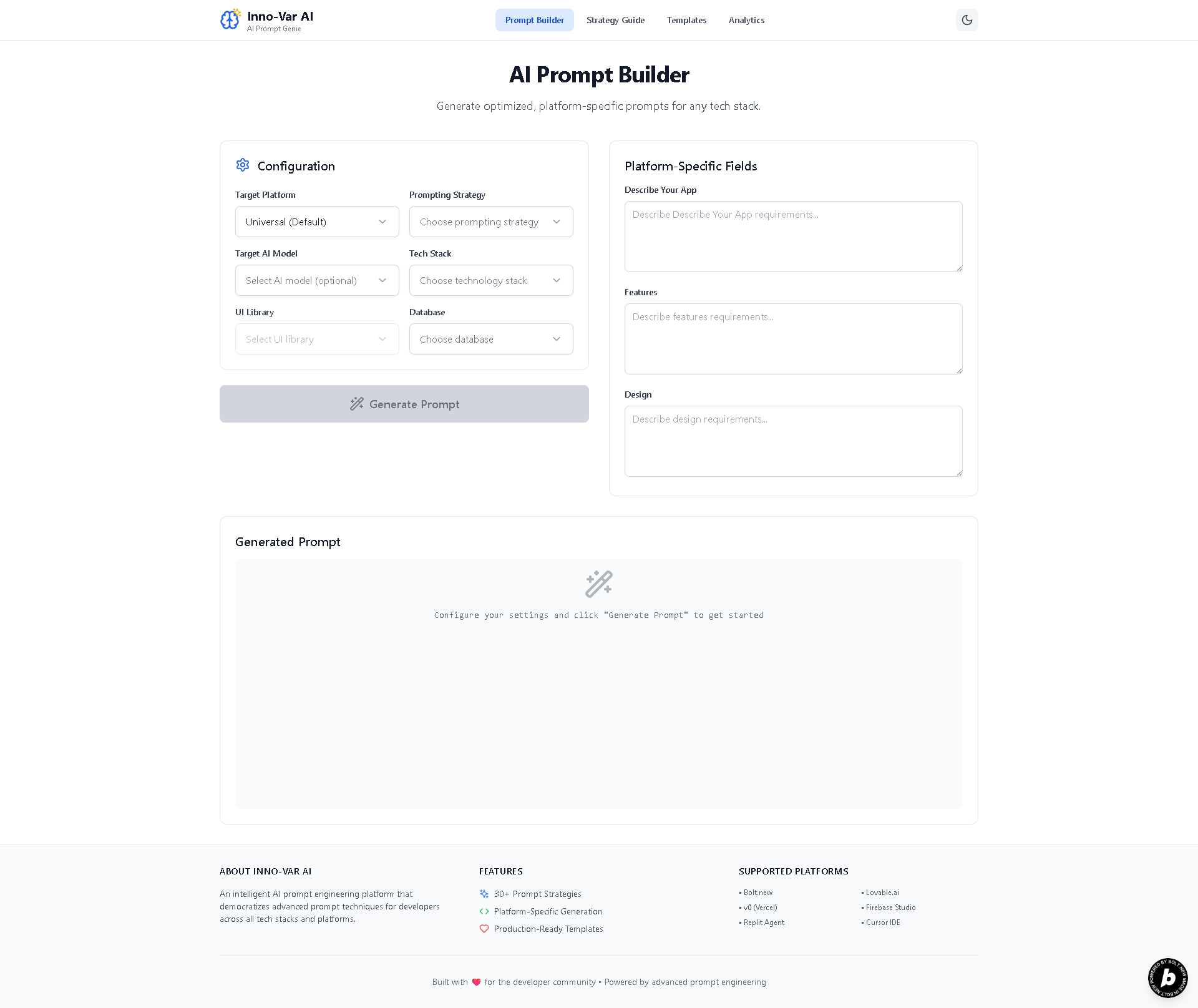
AI Prompt Genie was built from the ground up as a modern web application, focusing on developer experience and a clean, intuitive UI.
⚛️ Frontend & Core Logic: The app is built with React and Vite, providing a blazing-fast development server and a highly responsive user experience. I used TypeScript for type safety, which was absolutely essential for managing the project's complexity.
🧠 The Adaptive Prompt Builder: This is the heart of the app. The core logic is driven by React's state management. When a user selects a target platform (like
Bolt.neworFirebase Studio), the application's state updates. This conditionally renders a unique set of input fields based on predefined "Minimal Token" templates, ensuring the user is always filling out the exact information needed.🎨 Styling & UI: The entire interface was styled with Tailwind CSS, allowing for rapid, utility-first design. This made implementing features like the Dark/Light mode toggle seamless. All user feedback, such as the "Copy Successful" messages, is handled through clean toast notifications.
📊 Real-time Analytics: To make the analytics dashboard functional and dynamic, all tracking is handled on the front-end. User interactions update the application's state, and the dashboard components re-render to reflect the latest statistics instantly.
🧗 Challenges I Faced
Managing Complexity: The biggest challenge was the sheer number of combinations: 8+ platforms, 30+ strategies, and dozens of tech stacks. Structuring the data for the adaptive templates in a scalable way was a significant architectural challenge. A component-based approach was key to keeping it manageable.
Designing an Intuitive UX: With so many options, the risk of overwhelming the user was high. I focused on a guided, step-by-step interactivity flow, using dropdowns to progressively reveal choices. The goal was to make an incredibly powerful tool feel simple and approachable.
The "Minimal Token" Logic: Translating the static prompt templates from documents into a dynamic, interactive system required careful planning. I had to design a flexible data structure that could define not just the prompt's text but also the UI fields needed to build it.
✨ What I Learned
This project was a deep dive into what makes AI development tools truly effective. I learned that:
Structure is paramount. A well-structured, minimal prompt is infinitely more powerful than a verbose, conversational one.
I also gained a much deeper appreciation for state management in complex applications—this project would not have been possible without a clear and predictable state model. Finally, building a tool for developers reinforced the importance of a great Developer Experience (DX), from the project's performance to the clarity of its interface.
🚀 Built With






🔗 Try It Out!
- 🌐 Live Demo Site:
https://innovatex-ai-prompt-genie.netlify.app - 👨💻 GitHub Repository:
https://github.com/your-username/ai-prompt-genie
Built With
- bolt.new
- netlify
- react
- tailwindcss
- typescript
- vite

Log in or sign up for Devpost to join the conversation.