-
-
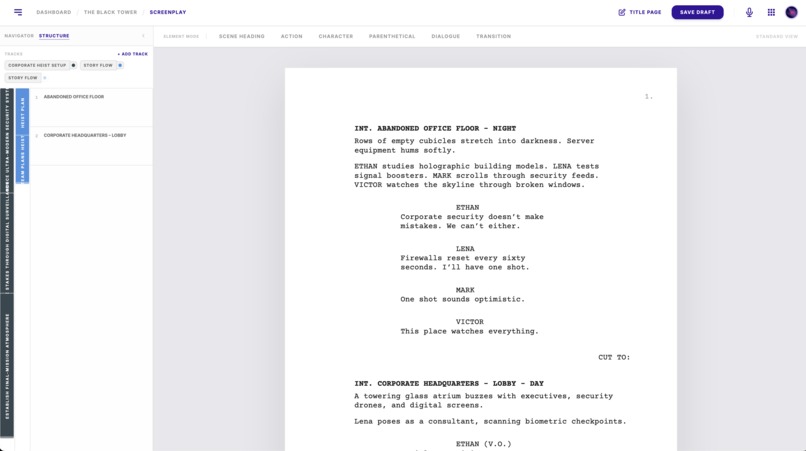
Screenplay
-
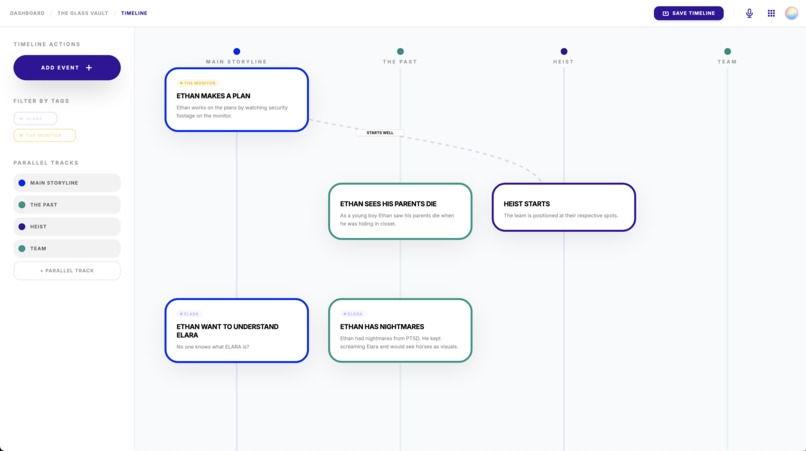
Timeline
-
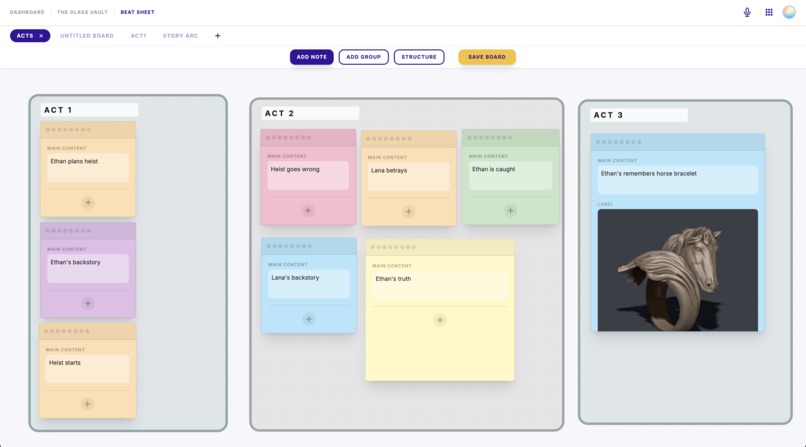
Beatboard
-
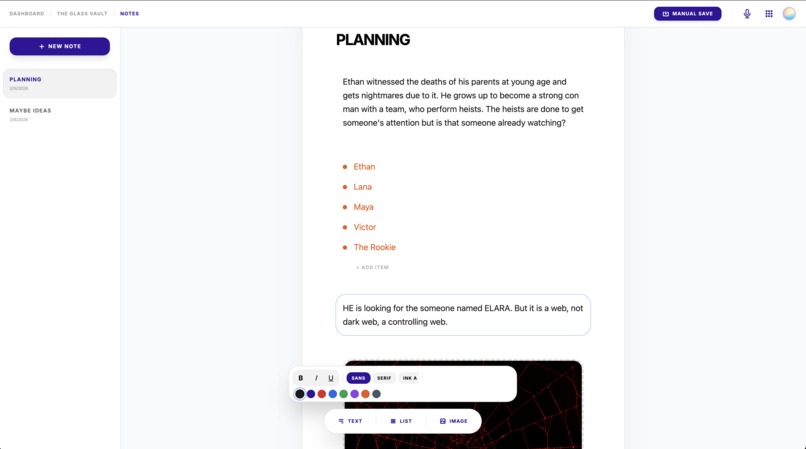
Notes
-
Langgraph 1
-
Langgraph 2
-
Langgraph 3
How was Gemini 3 API was used in the project?
Gemini 3 helped me process voice commands in the langgraph architecture. Gemini 3 plays an important role in understand the context of voice commands from its transcript that helps to perform Database updates. Gemini 3 was also used to entirely make React frontend via AI Studio. It helped to make a complex application in a short amount of time. Read the document further to understand the implementation in detail.
Pitch
Stories are narrated in various ways. We consume them as movies, books, tv shows, comics and many more. But have we ever wondered about storytellers. How do they plan, build and narrating stories. It takes hours and hours of thinking and imagination. Every storyteller would keep personal notes as ideas come and go on a fly. But what if storytellers can just image and start narrating their vision, and "someone" else just writes it. It was difficult to do it so far as easy story telling has structure and this "someone" has to learn that structure. Which was difficult in digital world. Digital world provides softwares to build content but not understanding of the content itself. When I saw how powerful gemini 3 is in understanding precise instructions with minimum words, I had to make my prototype. Inksfire is my prototype to uses voice commands to create screenplays and take various types of notes for it. Feel free to explore, comment and critique my prototype. To simplify and expedite testing, recorded voice commands are already given.
What it does?
You must be wondering "Why the name Inksfire?" Of course it is derived from "Inspire", but more than that the 2 keywords "ink" and "fire" are the identifiers of a voice command. When a command is given with "ink" keywords like "Ink a scene for the screenplay .... " or "Ink an outline for the screenplay ..." then the system knows that this is the primary command to achieve. Similarly, "fire" keyword is a secondary command for small works that a user may want to give after the primary ink command.
The are four major apps as you can see on the app grid - Screenplay, Timeline, Notes, Beatsheet.

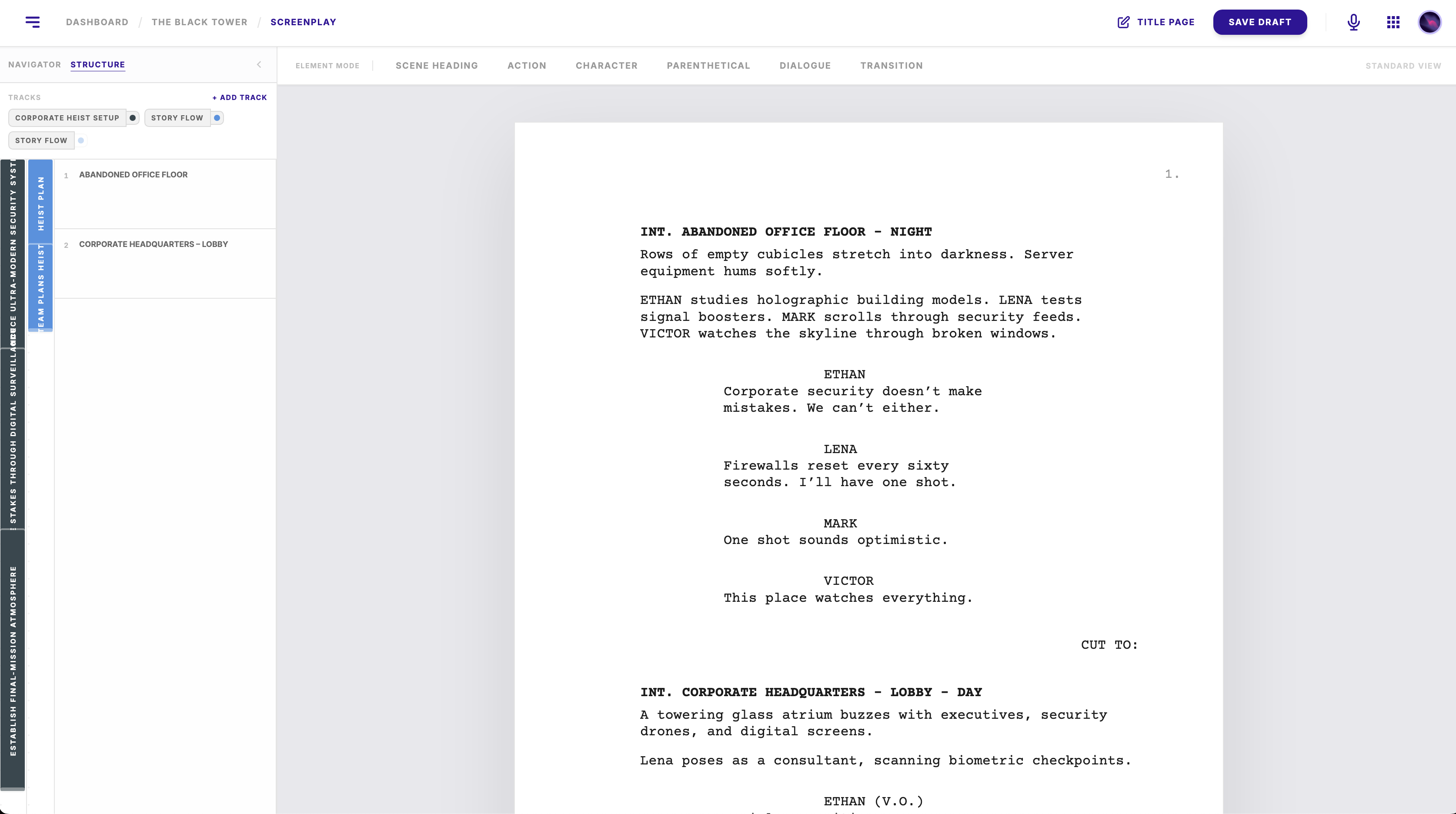
- Screenplay: Provides an editor to write screenplay in industry standards. Additionally a scene navigator as well outline maker on the left panel.
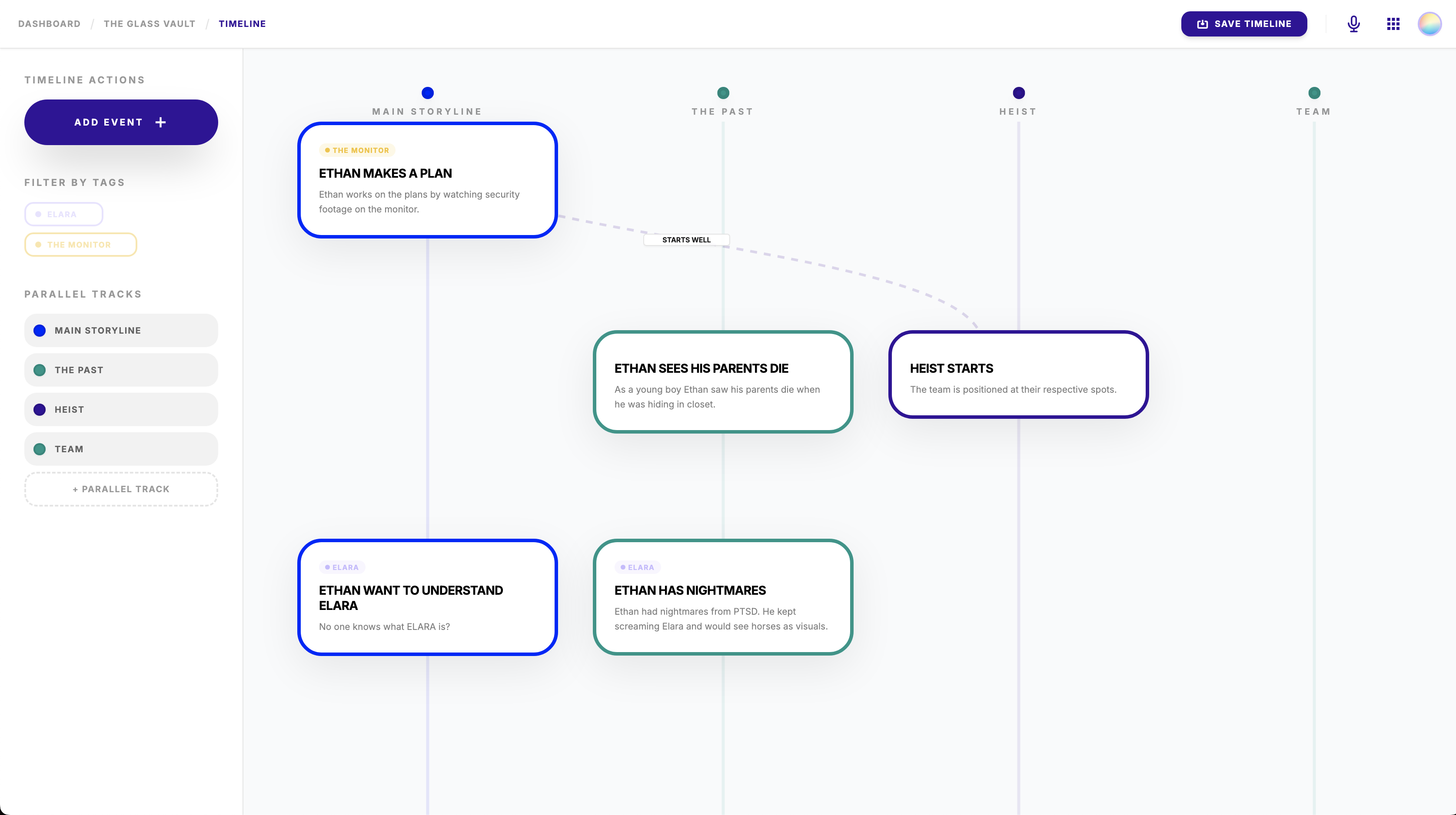
- Timeline: A story many times have parallel tracks. Timeline allows to create different timeline tracks and add events on them to track the story progression without any issues.
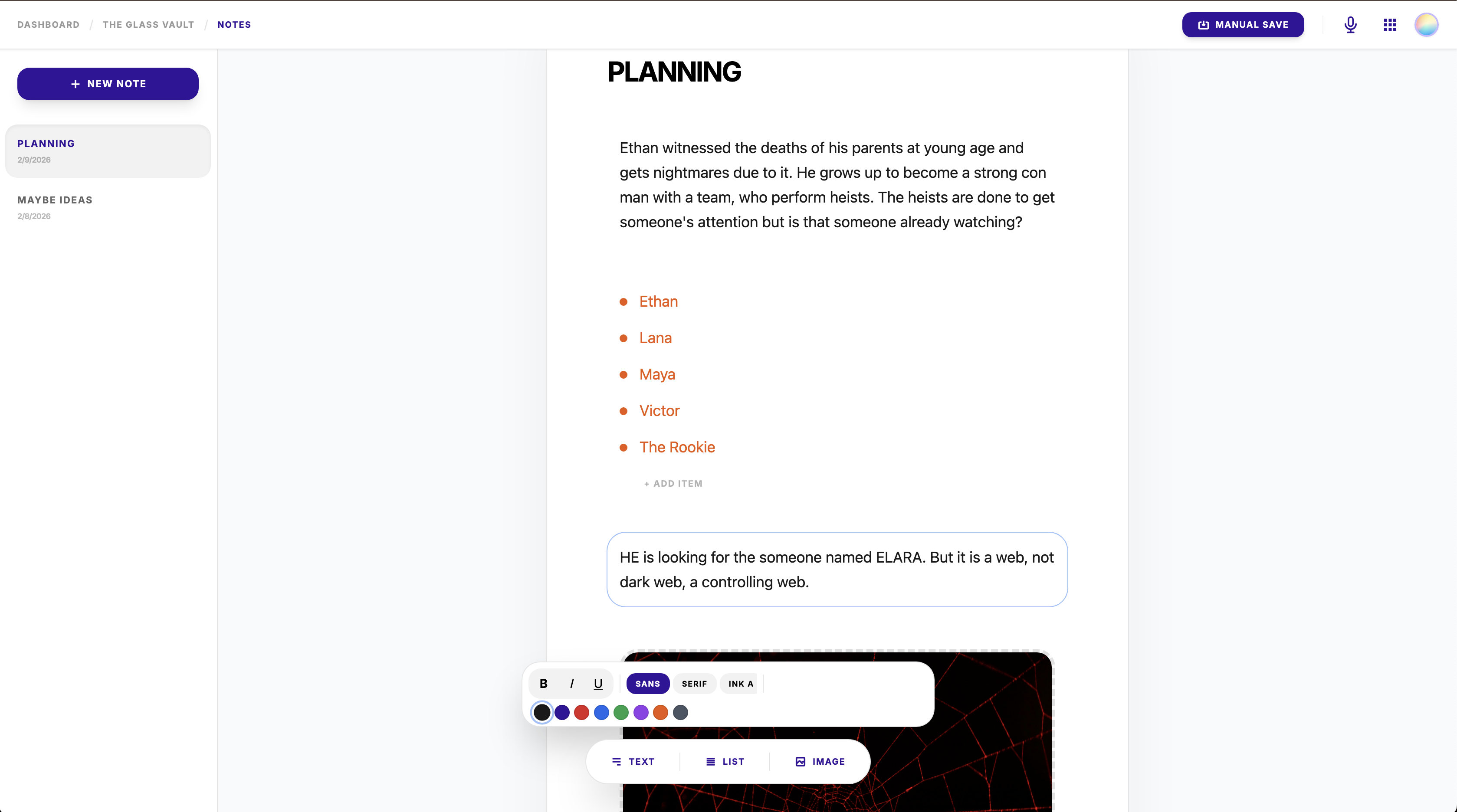
- Notes: An editor for writer to write any additional notes.
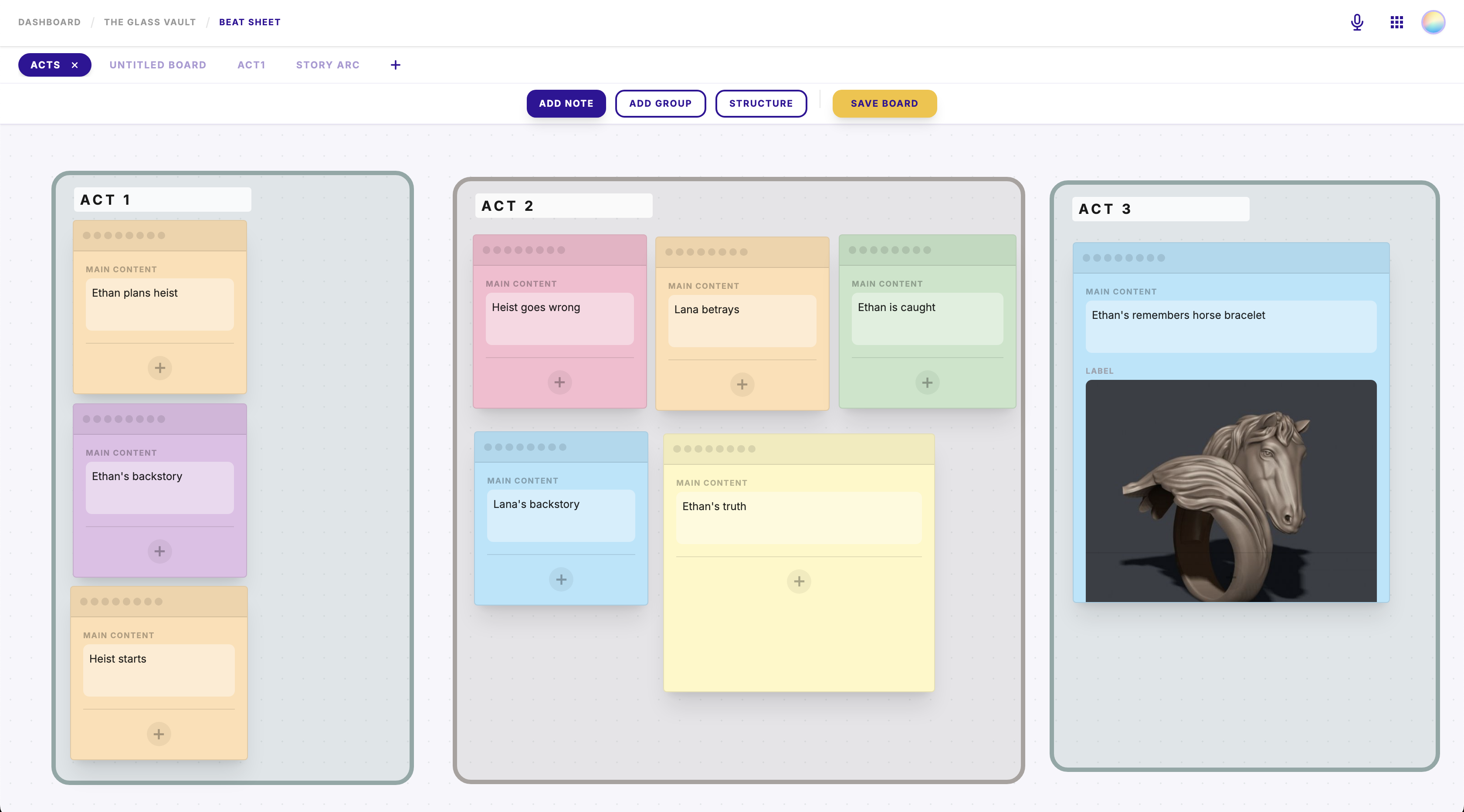
- Beatsheet: A sticky notes board to organize storytelling elements. It also allows to make a Kanban style board as well.
Demos
!!NOTE: The backend is hosted on free service, so it may take a minute to load, Please be patient.!!
Find all voice recordings here:
There are 14 different voice commands that create, edit or delete scenes, outlines, notes, timeline tracks or beat sheets.

Screenplay and Outline command example
Here the voice command adds an action element to a scene and adds an outline element to the last outline.

Timeline command example
Here the voice command adds an event to a timeline track.

Notes command example
Here a new note is created with text and list.

Beatsheet command example
Here a new beat sheet board named Story Arc is created with a sticky note in it.

Architecture
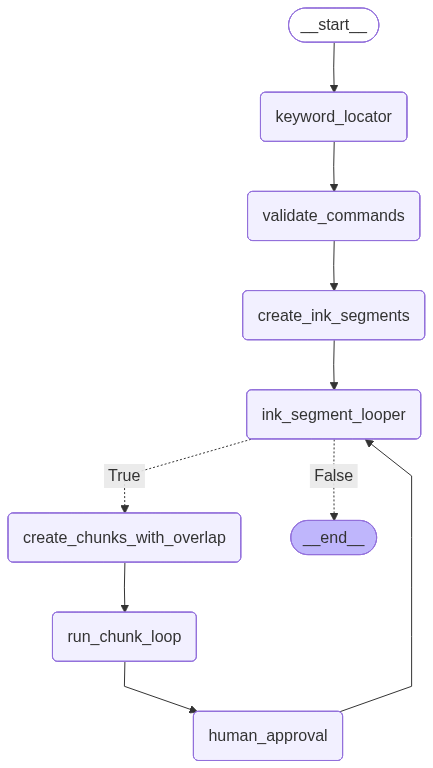
This is the high level architecture of the entire system. The client calls go from React to Fast api server. To fetch project information and changes it routes to TiDB, for screenplay information and changes it routes to mongodb. For voice command processing, it routes to invoke langgraph and updates mongodb in the end.

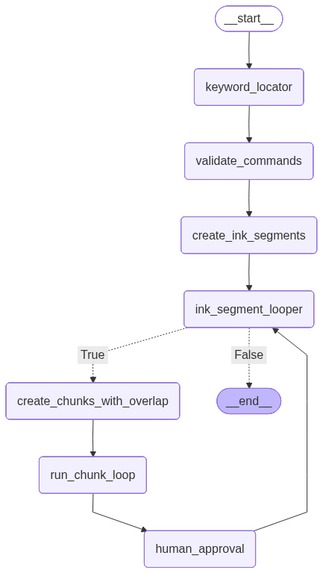
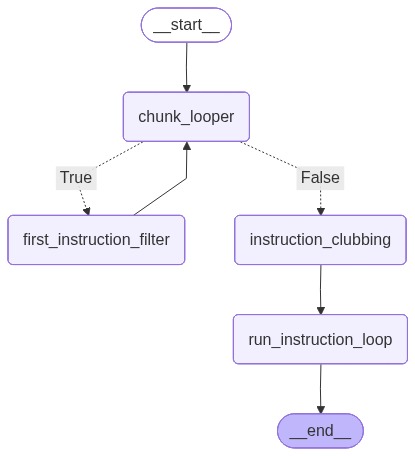
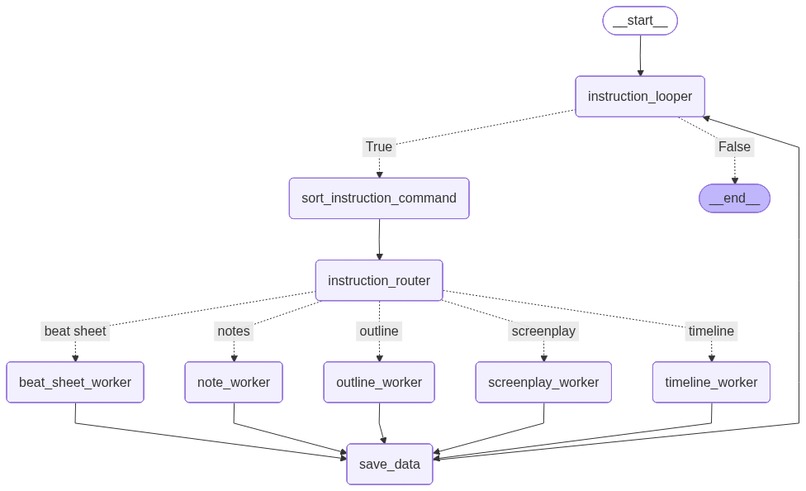
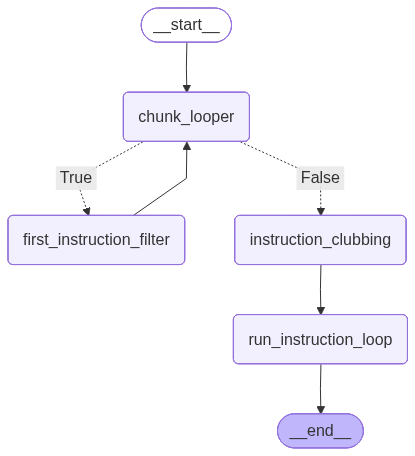
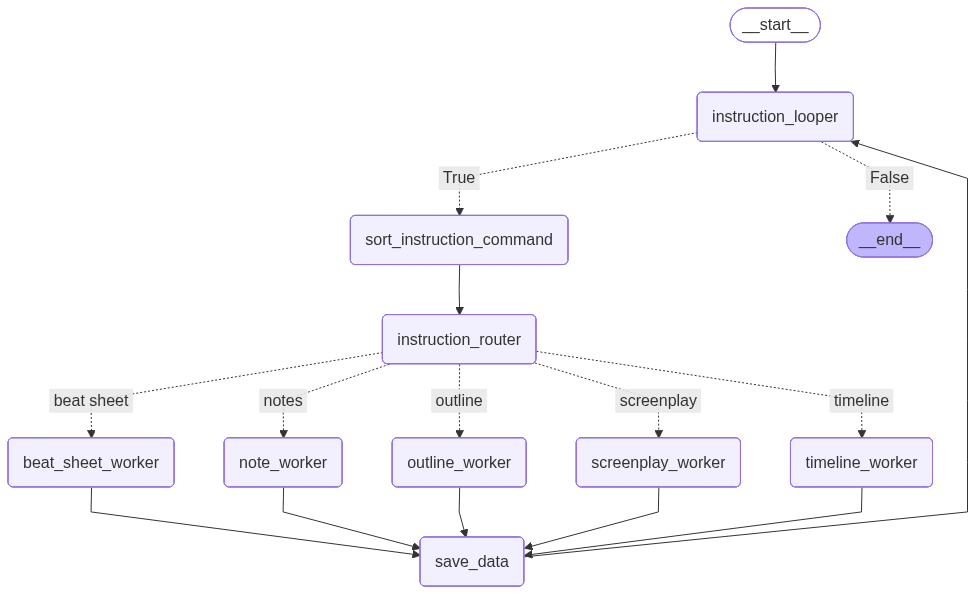
The voice command precessing involves use of Langgraph and Gemini 3. Refer to gallery photos for langgraph graphs. Gemini 3 is used in multiple nodes for different purposes:
- Validate if the "ink" and "fire" keywords are used to command system or part of narrative. Check implementation here
- Filter instructions to figure out the type of work that needs to be done. Check implementation here
- Sort the instruction command for create, edit or delete. Implementation here
- Build objects of screenplay for create, edit or delete. Implementation here
- Build objects of timeline for create, edit or delete. Implementation here
- Build objects of notes for create, edit or delete. Implementation here
- Build objects of beatsheet for create, edit or delete. Implementation here

Voice commands
The voice commands that perform DB actions do the following:
- Create new scenes with detailed screenplay structure in a screenplay.
- Add new scene elements to existing scenes by giving their positions.
- Delete scene at a specific location.
- Create new outlines with their names and new elements in it.
- Add new elements to an an existing outline by giving its position.
- Delete an entire outline with all the elements in it by giving its position.
- Create a new note with title and its text to note.
- Add new information to an existing note by giving its position.
- Create new timeline tracks in the project timeline with events.
- Add new events to an existing track by position.
- Create new Beat Sheet in the project with some initial notes.
TechStack used
- Gemini 3: In langgraph and AI Studio
- Google Speech To Text (adjusted for judges' easy testing): Commented out for easy testing
- OpenRouter: Access Gemini 3 in langgraph
- Langgraph: To process voice commands
- React (with AI Studio): The frontend is entirely built on AI Studio.
- Fast API: Python server as middle-man
- MongoDB: Primary screenplay database
- TiDB: Primary project database
The Vision
- Live app changes: Each voice commands can be processed in real time and executed as a first in first out manner.
- Human Interruption: Human can interrupt in an existing execution to prevent or edit changes.
- Assistant: Verifies and calibrates story structures, discrepancies and holes in screenplay.

Log in or sign up for Devpost to join the conversation.