-
-

Inko app icon: your AI speaking buddy
-
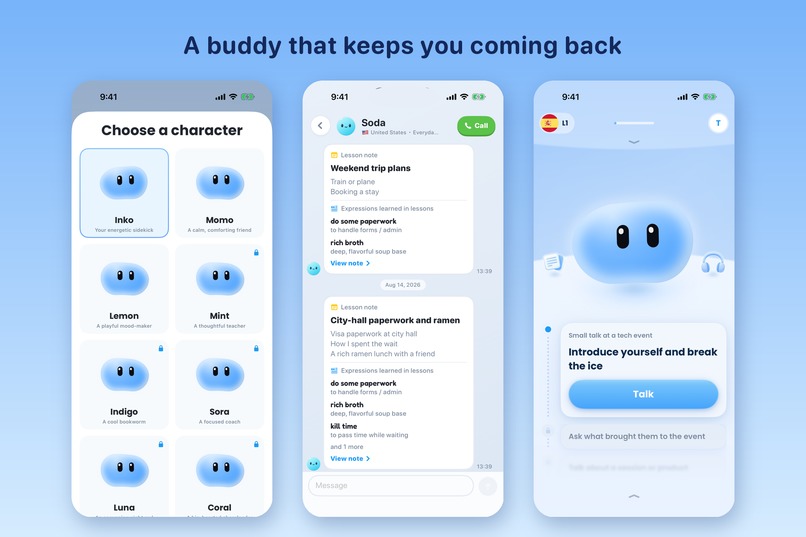
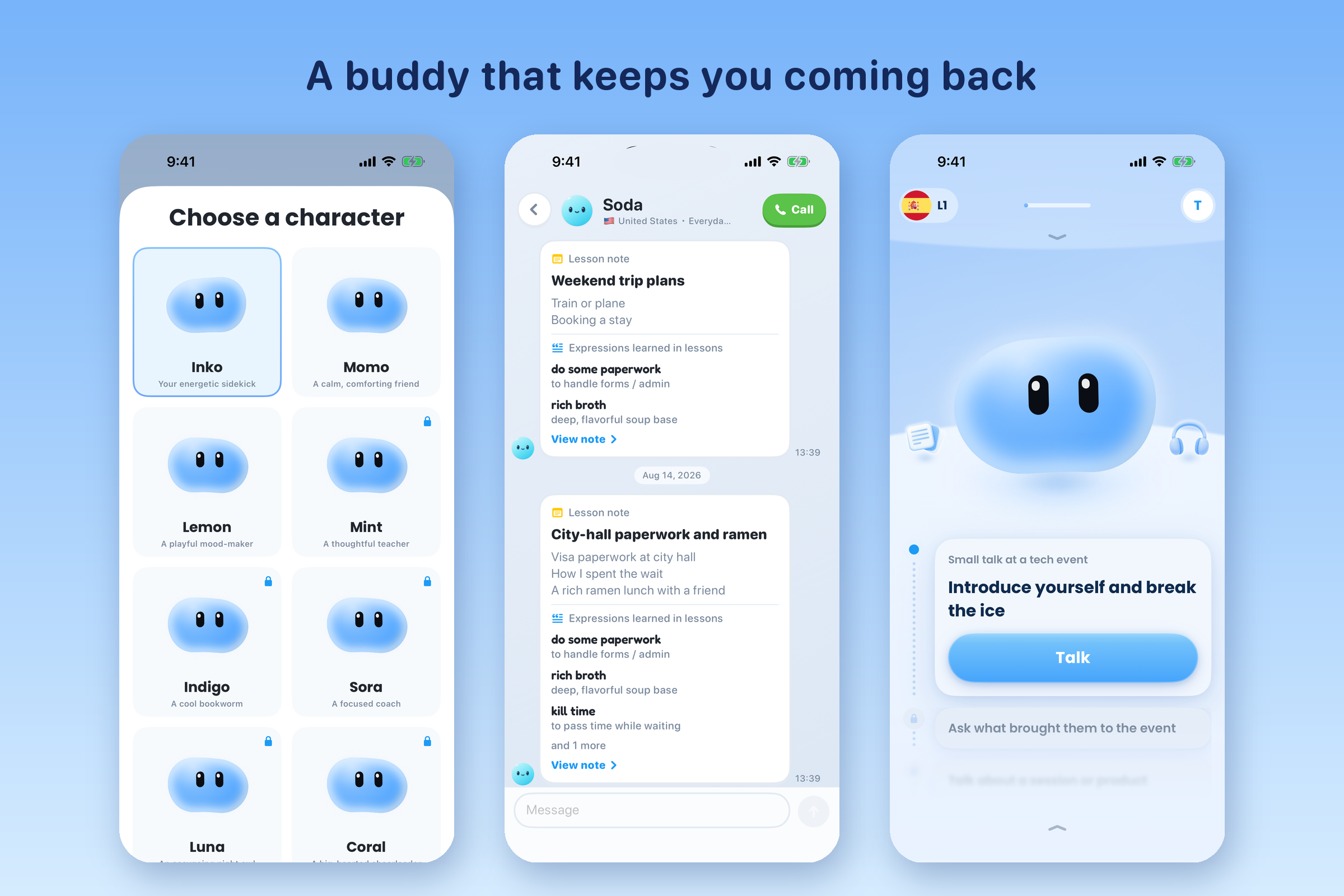
Make the buddy yours, then keep chatting with it between lessons
-
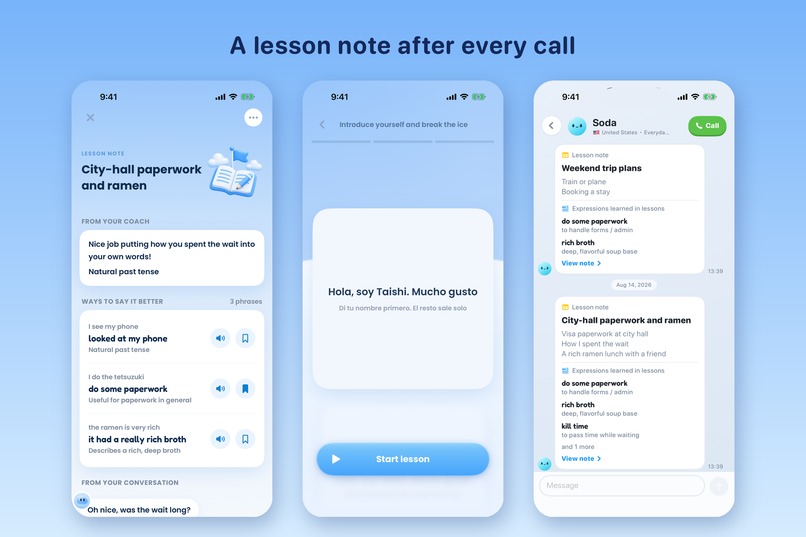
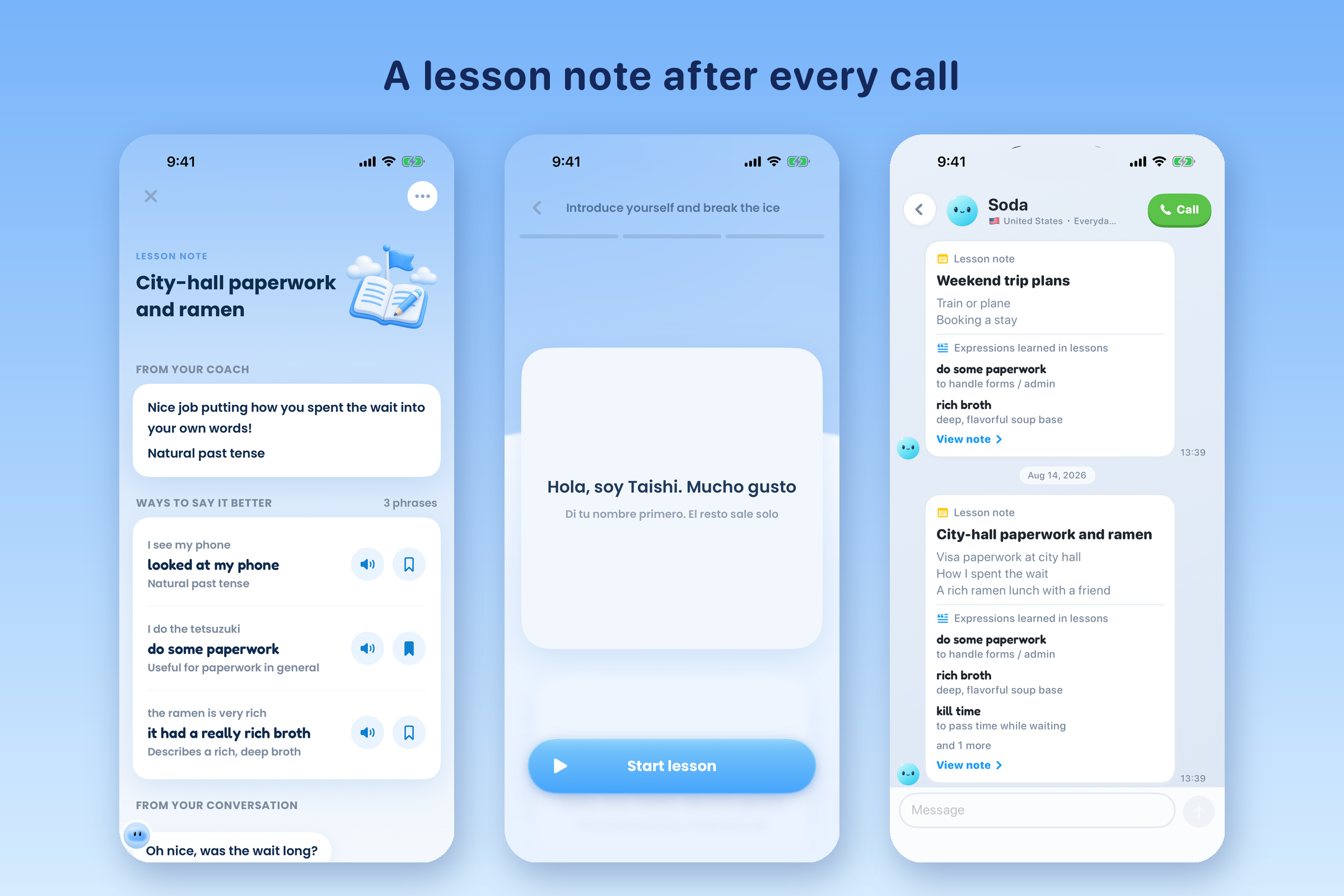
After every call you get a lesson note with better ways to say what you said
-
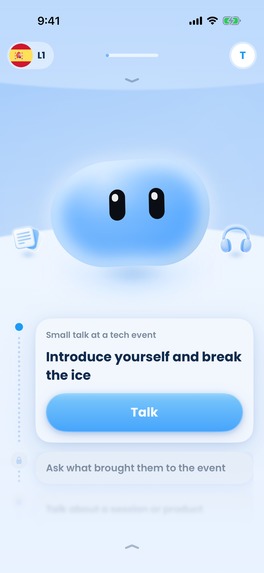
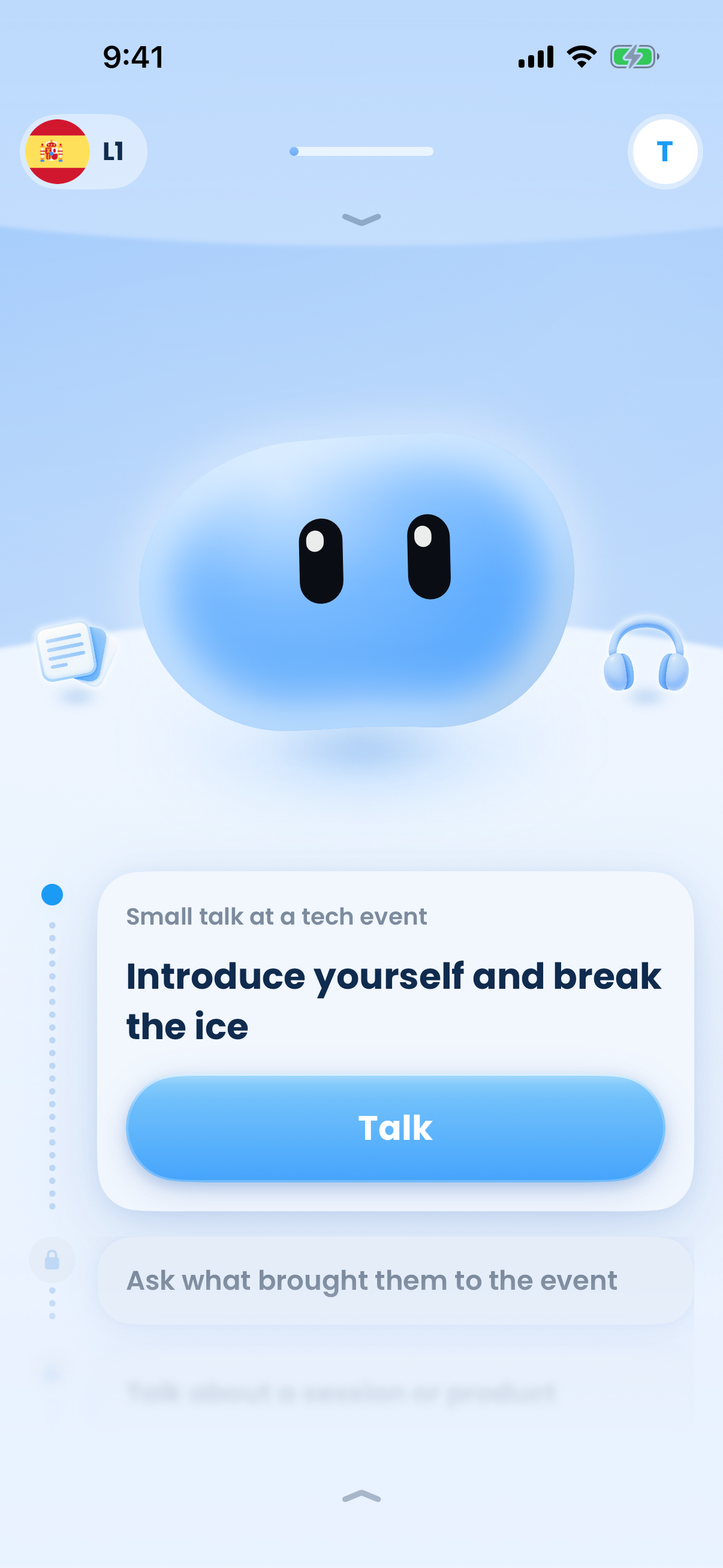
Home screen: pick a scene and tap Talk (iPhone screenshot, no device frame)
-
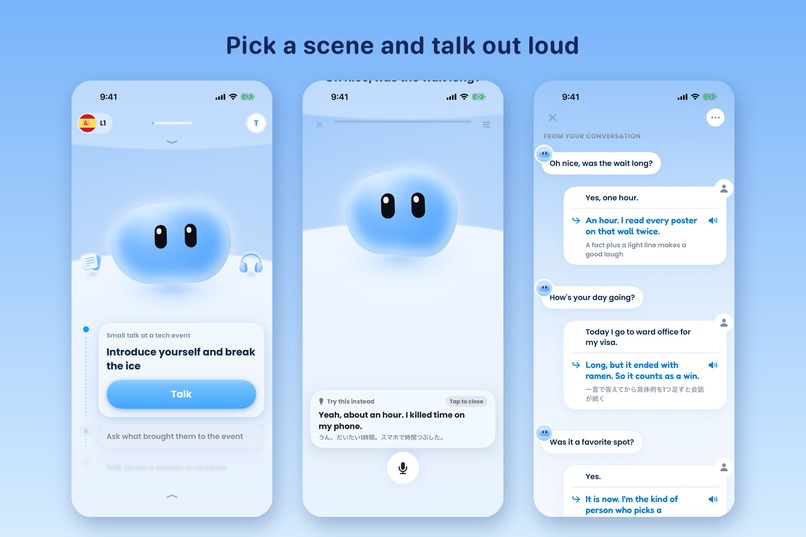
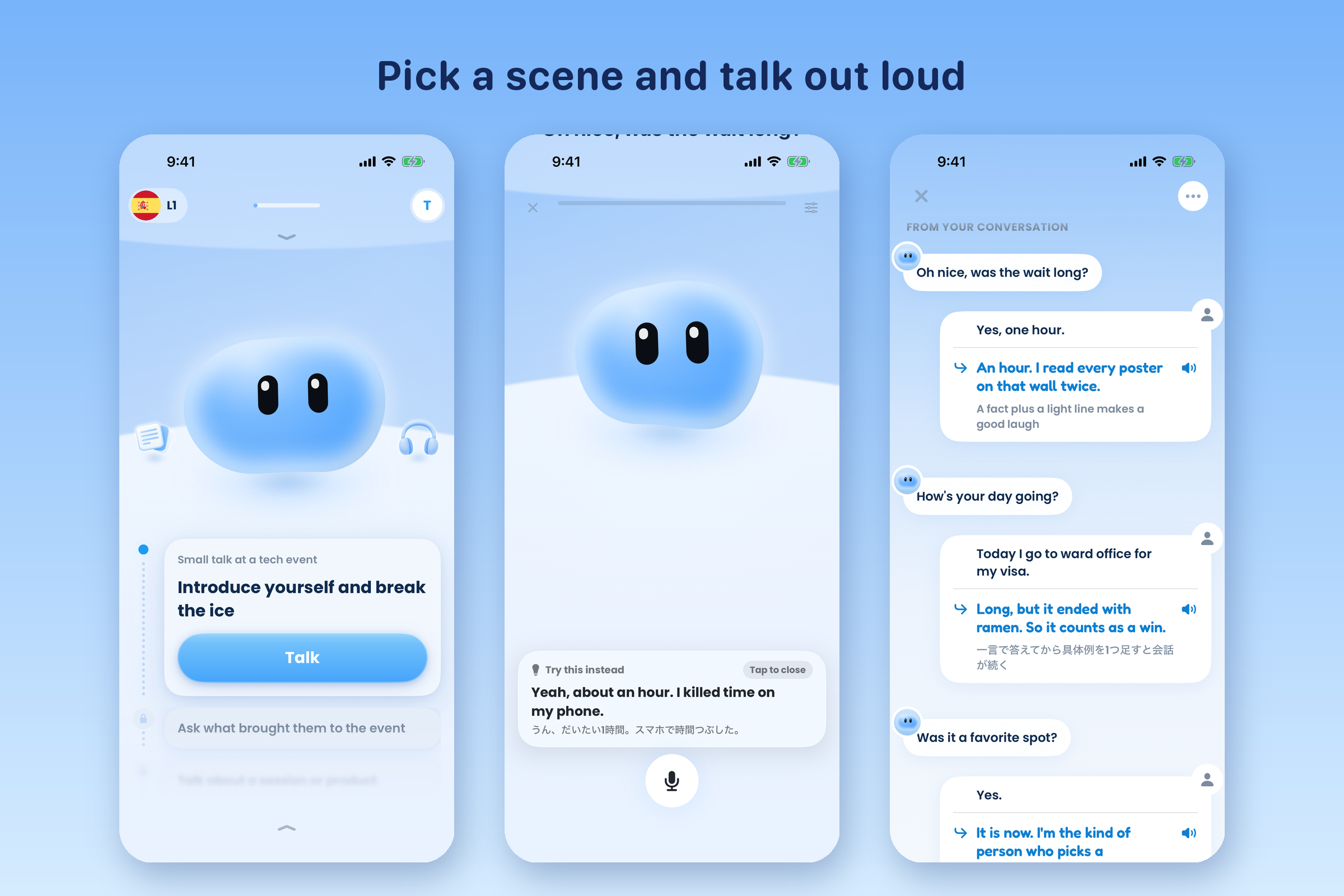
Talk out loud in real-life scenes, with a hint whenever you get stuck

Inspiration
Most people who study English for years still freeze when they have to speak. Textbooks and flashcard apps train recognition, not speaking. Human tutors fix that, but they are expensive and, for a lot of learners, scary: you are judged by a real person every time you make a mistake.
I wanted a speaking partner that is always available, never judges you, and still tells you exactly what to say better. That became Inko: you pick a real-life scene, talk out loud with a friendly AI buddy, and get a lesson note with better replies after every call.
What it does
- Pick a scene, talk out loud. Small talk at a tech event, city-hall paperwork, ordering at a café. Each scene has short missions so you always know what to say next.
- A real voice conversation. Hold to talk and your buddy answers in real time. It never interrupts you to correct grammar, so you keep talking instead of freezing. If you get stuck, a "Try this instead" hint shows a natural line in the target language with a translation in your own language.
- A lesson note after every call. Your coach shows what you actually said next to a more natural version, with audio, the reason it is better, and the phrases worth saving.
- A buddy that remembers you. You design your own character (17 accessories, 24 face marks), chat with it between lessons, and it brings up what you talked about last time.
- Built for the world. 5 learning languages (English, Japanese, Korean, Spanish, French), explanations in 50 native languages, UI in 17 languages and store listings in 39 locales.
How we built it
- iOS: Swift and SwiftUI. Android: a native Kotlin and Jetpack Compose port, including Flex Mode for Galaxy foldables.
- Conversation: Google Gemini Live API for low-latency, full-duplex voice, plus Gemini for lesson notes and scene design. Azure Pronunciation Assessment and Google Cloud TTS for pronunciation and audio.
- Backend: Supabase (Auth, Postgres, Edge Functions in Deno/TypeScript, pg_cron).
- Monetization: RevenueCat. One entitlement,
pro, is shared by iOS and Android, and the server reads the same entitlement from RevenueCat before it opens an expensive voice session, so the app and the backend can never disagree about who is paying. - Retention: OneSignal, wired to RevenueCat so subscription events become user tags that drive Journeys.
- Quality and analytics: Firebase Analytics, Crashlytics and Remote Config (used for paywall and trial A/B tests).
Challenges we ran into
- Latency and turn-taking. A voice call feels broken above roughly a second of silence. We tuned the audio pipeline and moved to hold-to-talk so beginners are never cut off mid-sentence.
- Pricing for a product with real per-minute cost. Every lesson costs money in voice API usage. We ran trial-length and free-quota experiments with Remote Config, moved from a 7-day trial to 3 days and back, and kept the free trial on the annual plan only.
- Push notifications that actually reach people. We measured push opt-in by user state and found it was 4% during onboarding versus 57% to 71% everywhere else. Our first journey was entering users at exactly the wrong moment. Moving the entry points increased reach by more than 20x.
Accomplishments that we're proud of
- Shipped 1.0 on the App Store on launch day of the Shipaton window and 15 updates since (now 1.0.15).
- Over $1,000 in revenue and 1,200+ new customers in the first two months, with paying users in Japan, the US and Taiwan.
- A distinctive, calm visual world: one blue 3D illustration style across the home screen, the call, scene thumbnails and the character, with no stock photos anywhere.
What we learned
- Beginners do not need more corrections during the conversation. They need to finish the conversation, then see a better version of what they said.
- Measure before you automate. The biggest retention win came from a spreadsheet of opt-in rates, not from a new feature.
- Store screenshots, SEO pages and short-form content are part of the product. We build all of them from code so they can be tested and iterated like the app.
What's next for Inko
- Public Android release on Google Play, then the Galaxy Store with Flex Mode for hands-free lessons on foldables.
- A web-to-app funnel so learners can subscribe from the website.
- More scenes built with learners, especially for work and travel.
Built With
- azure
- deno
- firebase
- gemini
- jetpack-compose
- kotlin
- next.js
- onesignal
- postgresql
- revenuecat
- storekit
- supabase
- swift
- swiftui
- typescript
- vercel


Log in or sign up for Devpost to join the conversation.