-
-
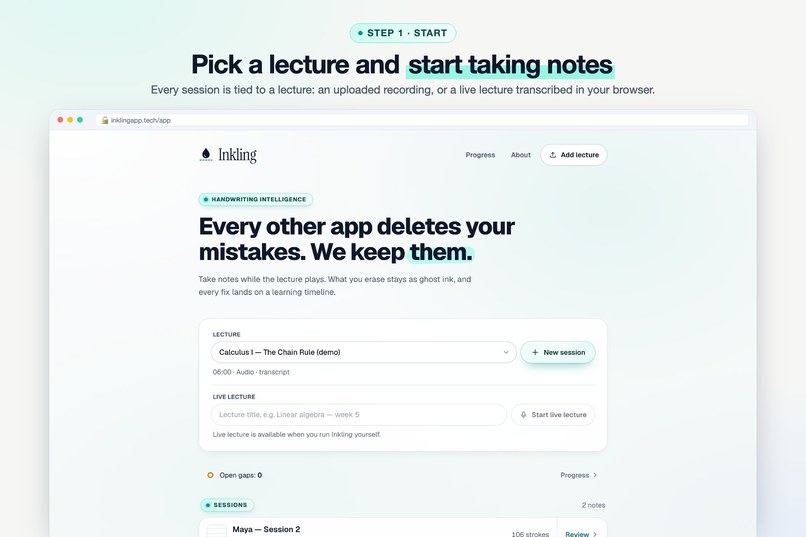
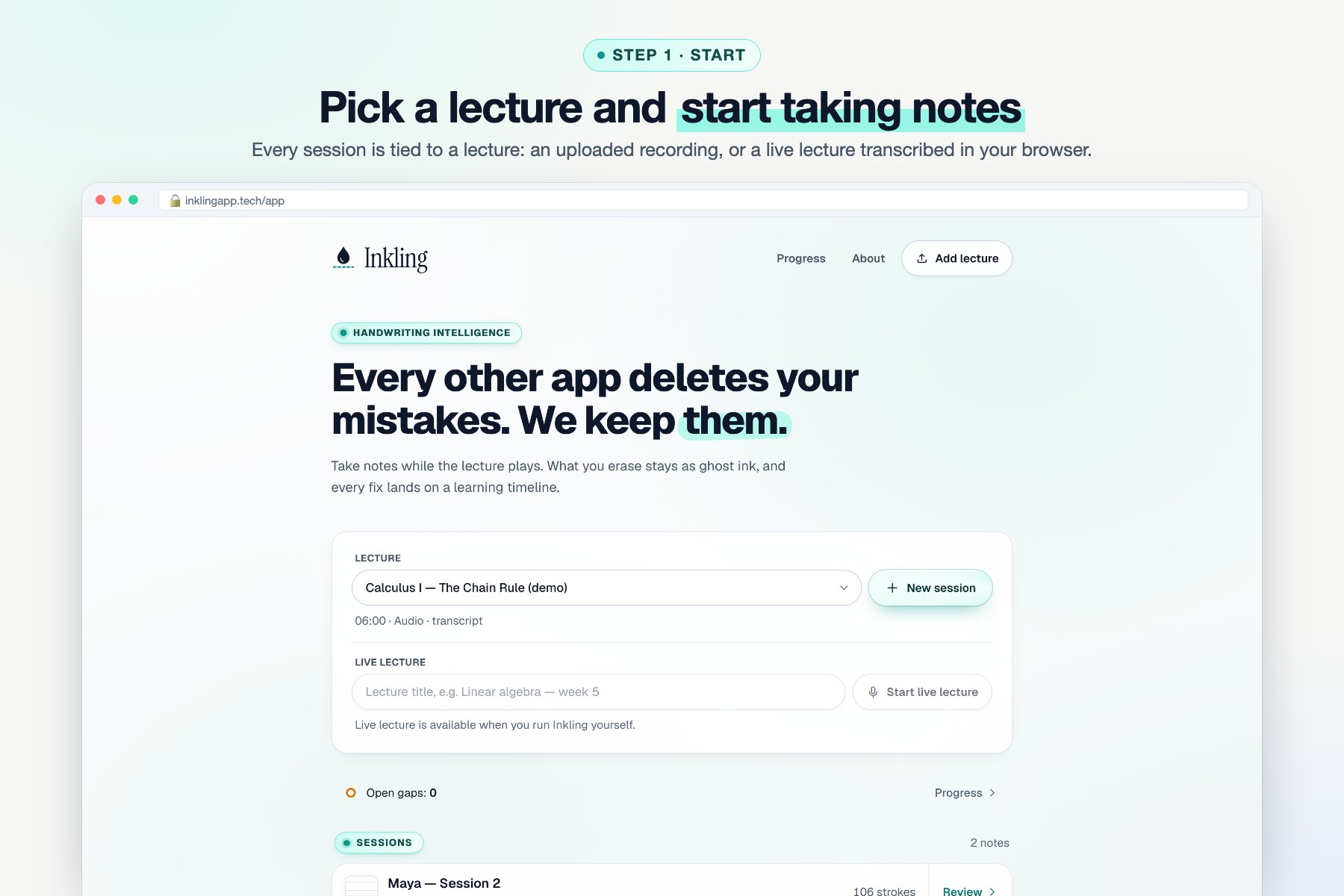
Step 1 · Start: pick a lecture and take notes, or start a live lecture that transcribes the professor in your browser.
-
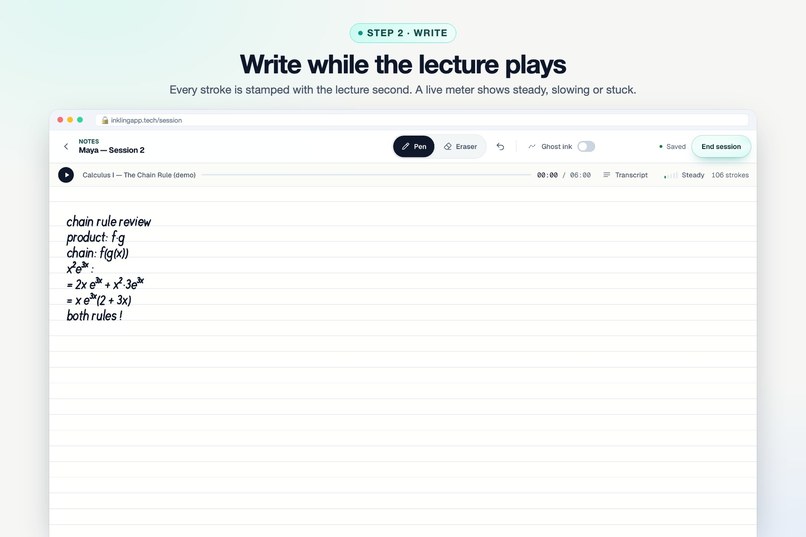
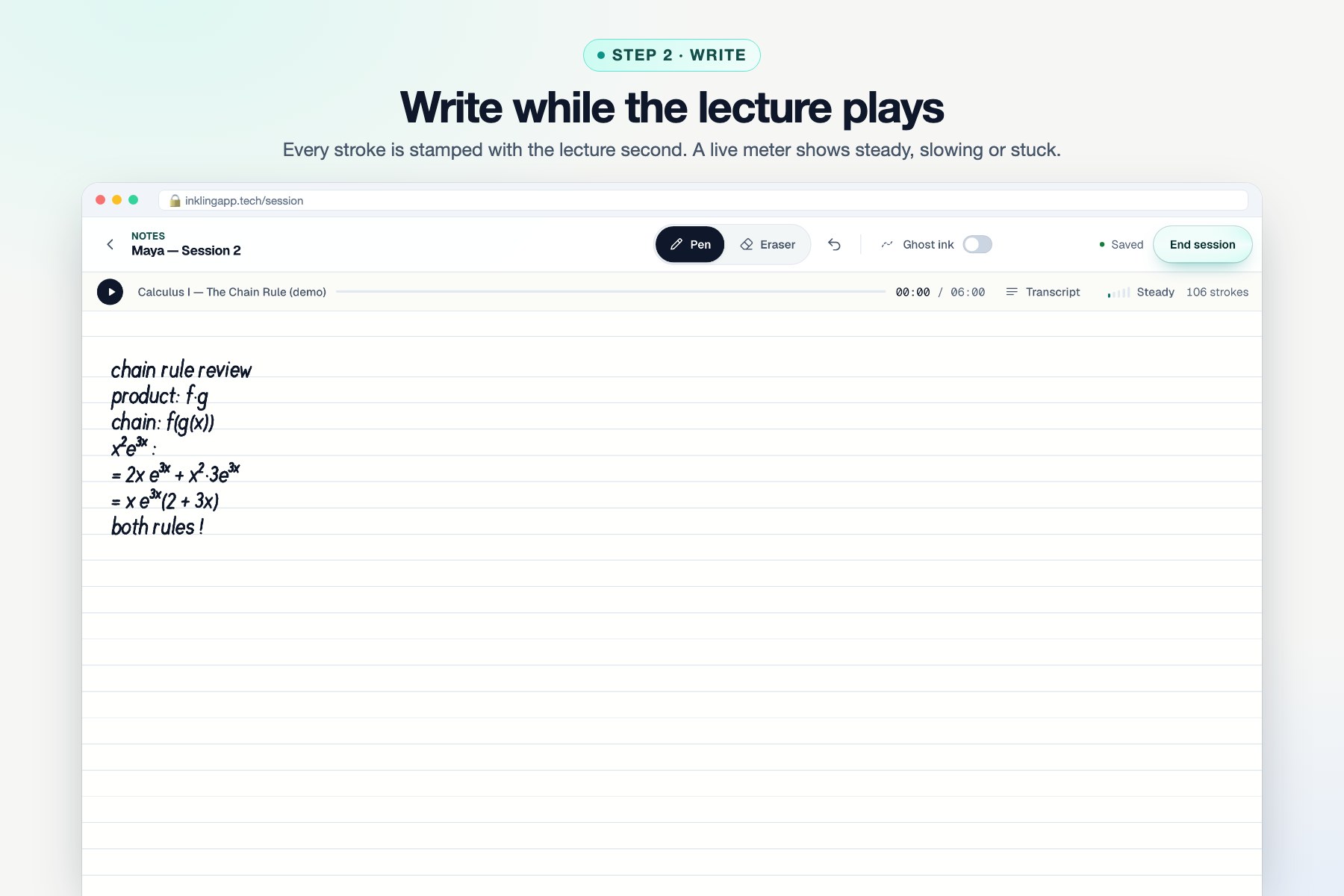
Step 2 · Write: every stroke is stamped with the lecture second. A live meter shows steady, slowing or stuck.
-
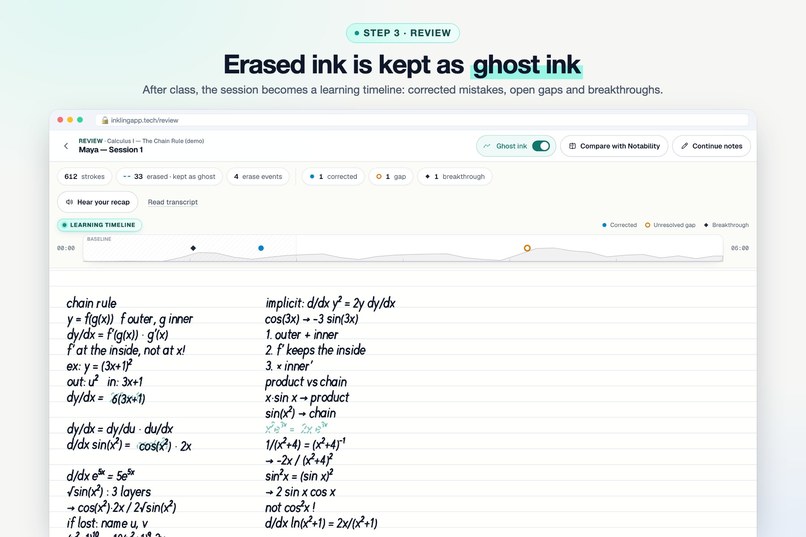
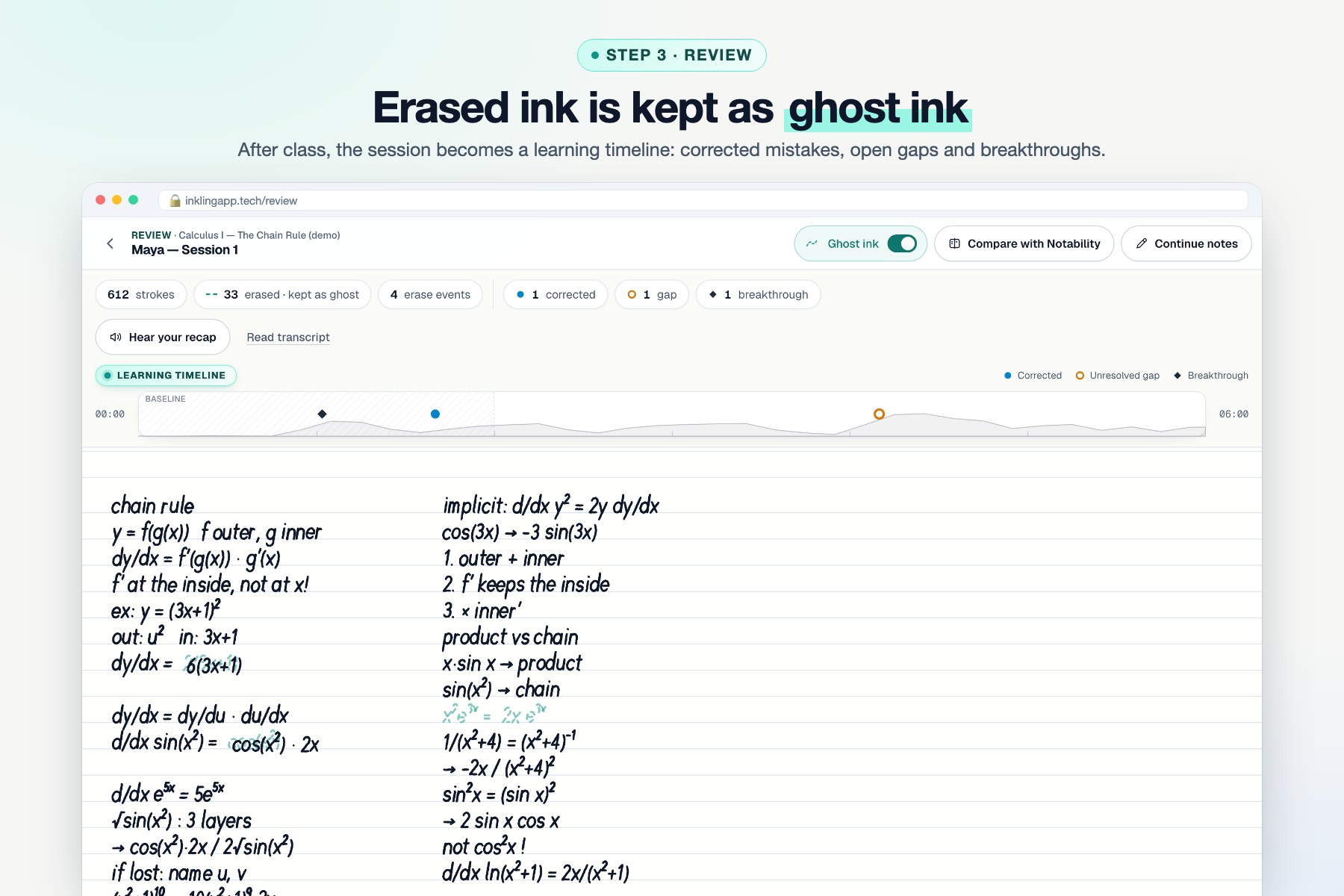
Step 3 · Review: nothing erased is lost. Mistakes stay as teal ghost ink on a learning timeline.
-
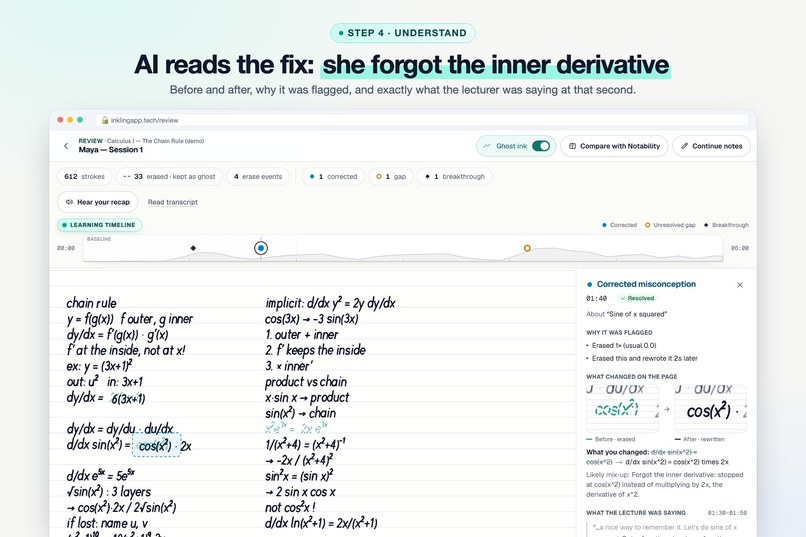
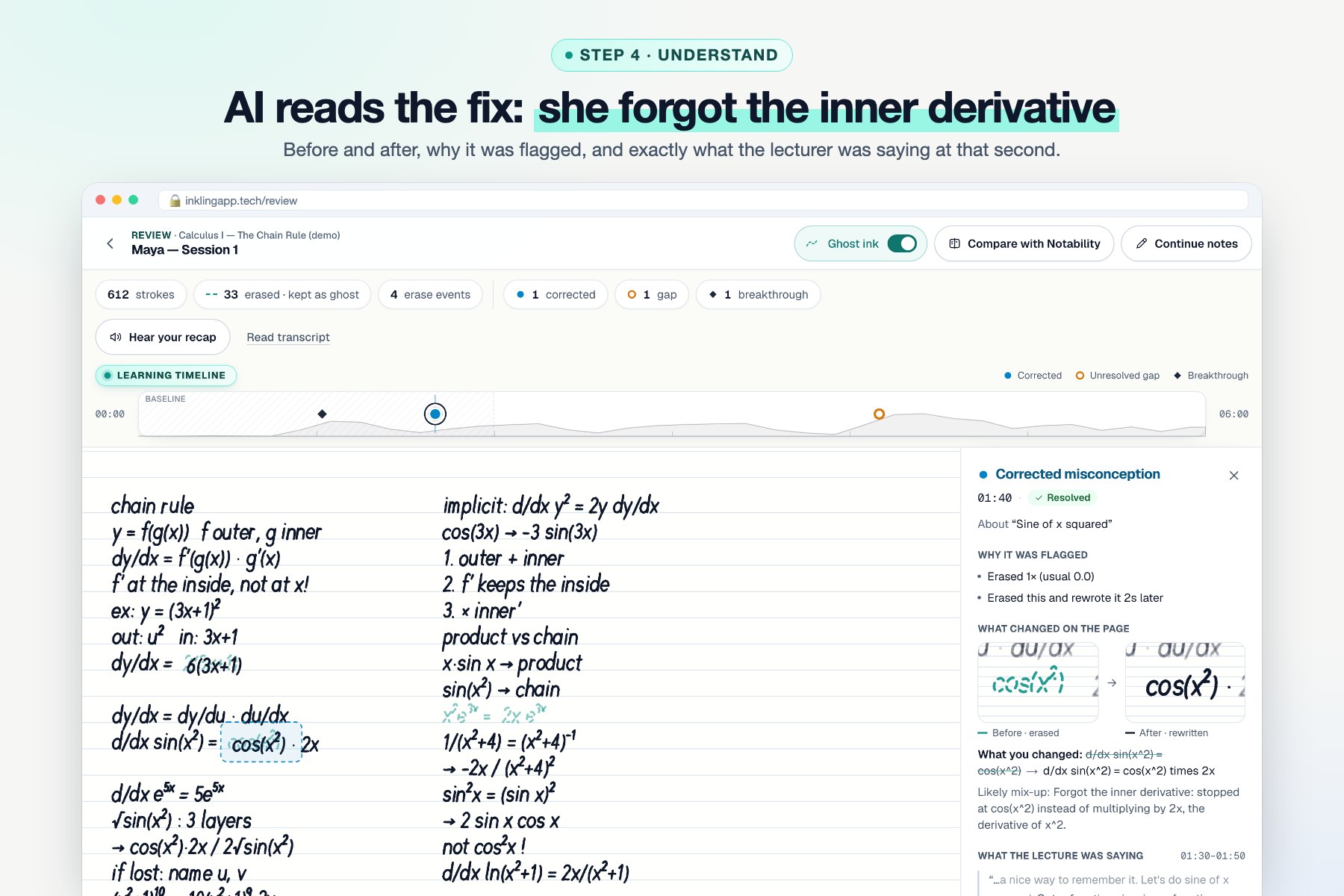
Step 4 · Understand: AI reads the before/after of your handwriting. Here Maya forgot the inner derivative.
-
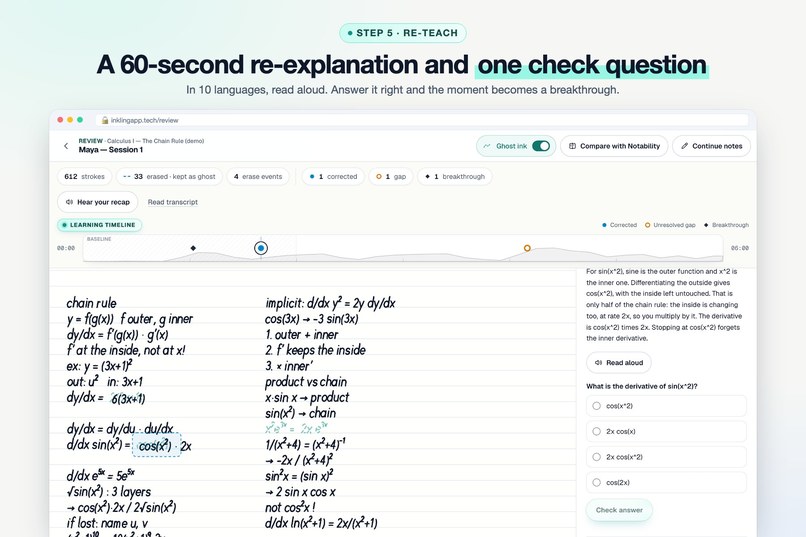
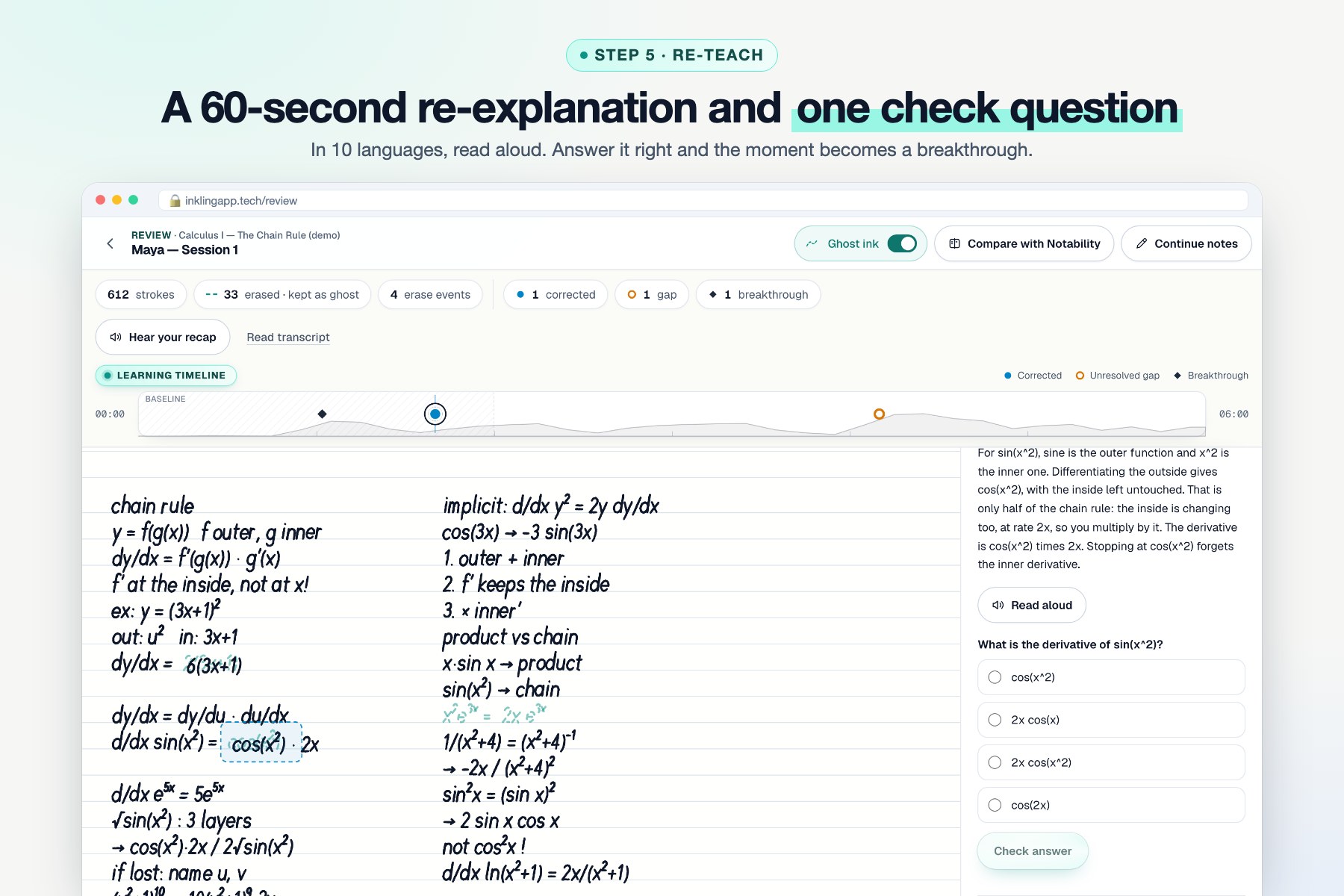
Step 5 · Re-teach: a short re-explanation and one check question, in 10 languages, read aloud by ElevenLabs.
-
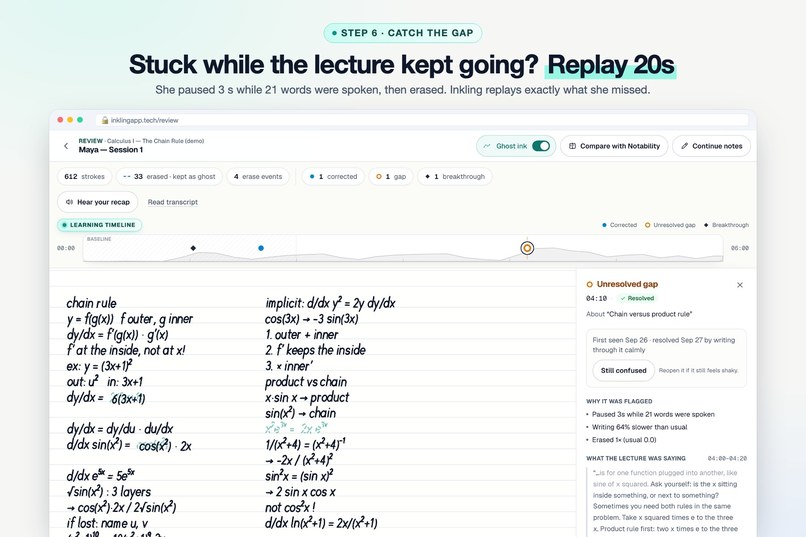
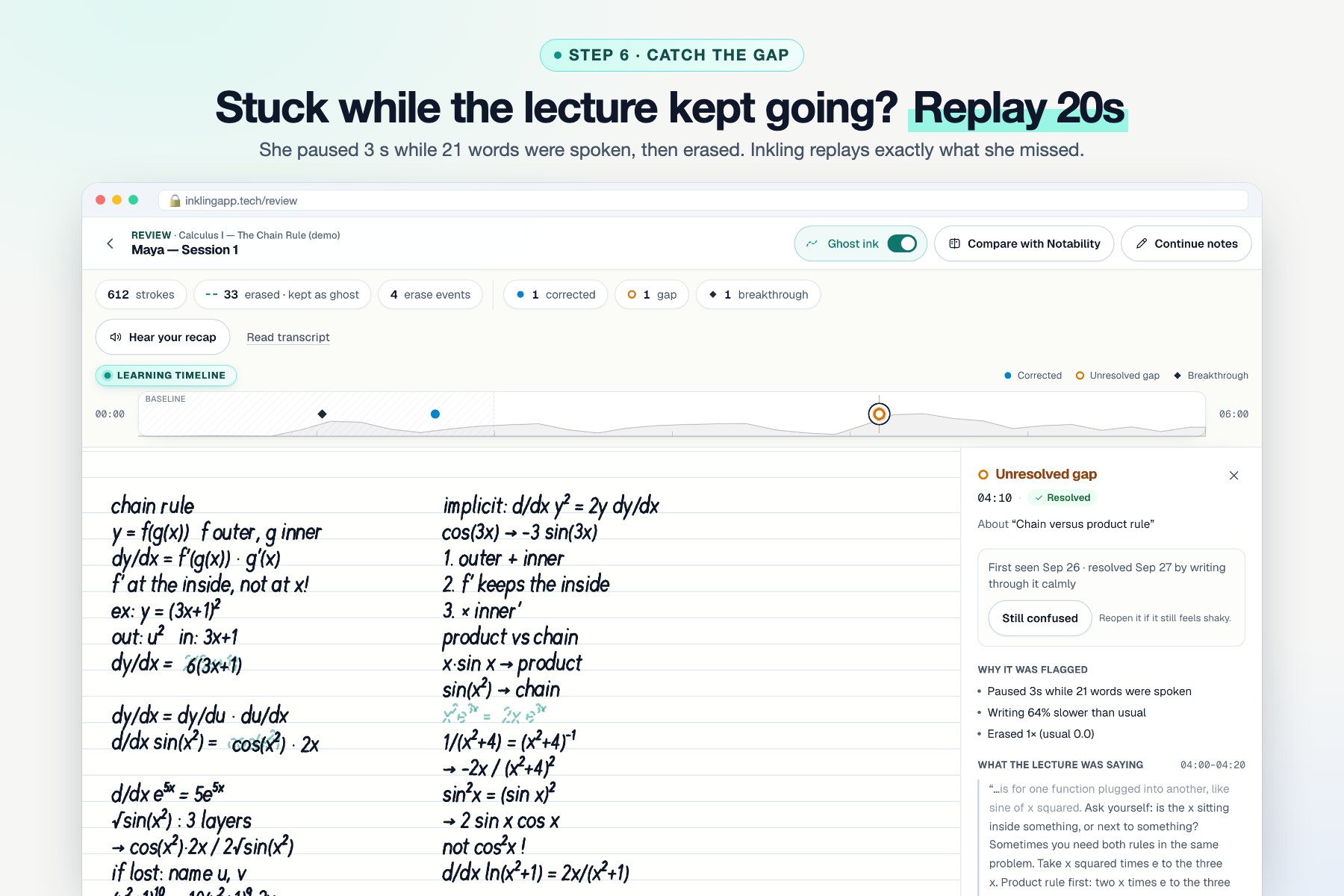
Step 6 · Catch the gap: she paused while 21 words were spoken. Replay 20s plays exactly what she missed.
-
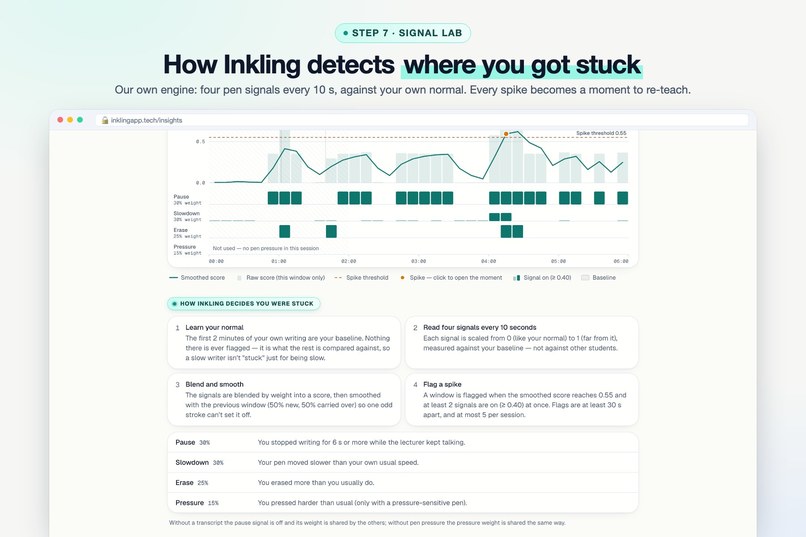
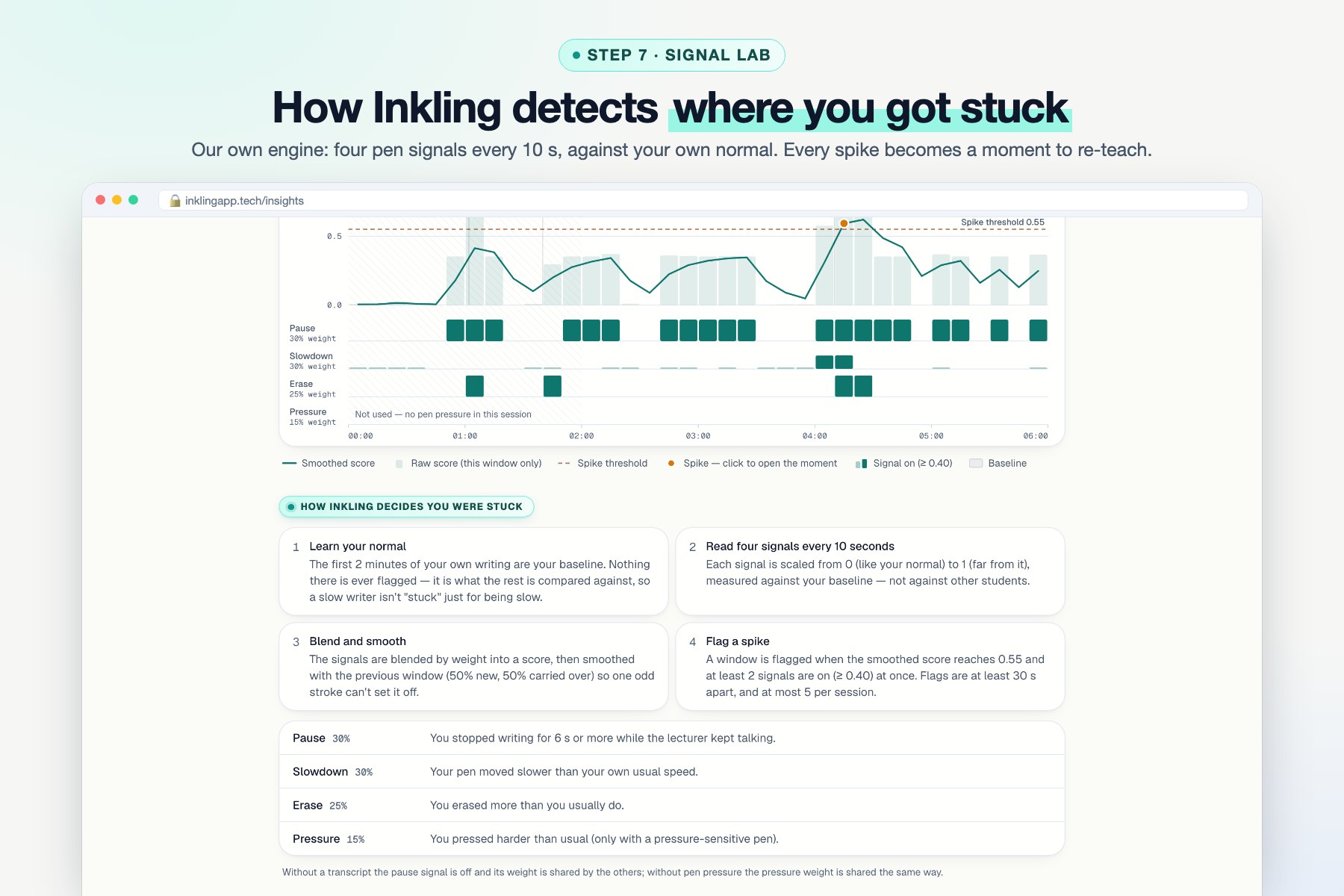
Step 7 · Signal Lab, our own engine: 4 pen signals every 10 s against your own normal. Every spike becomes a moment.
-
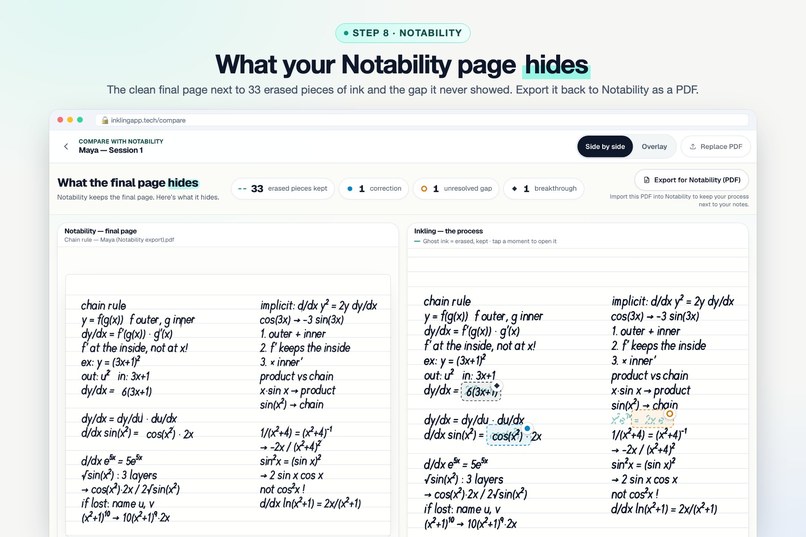
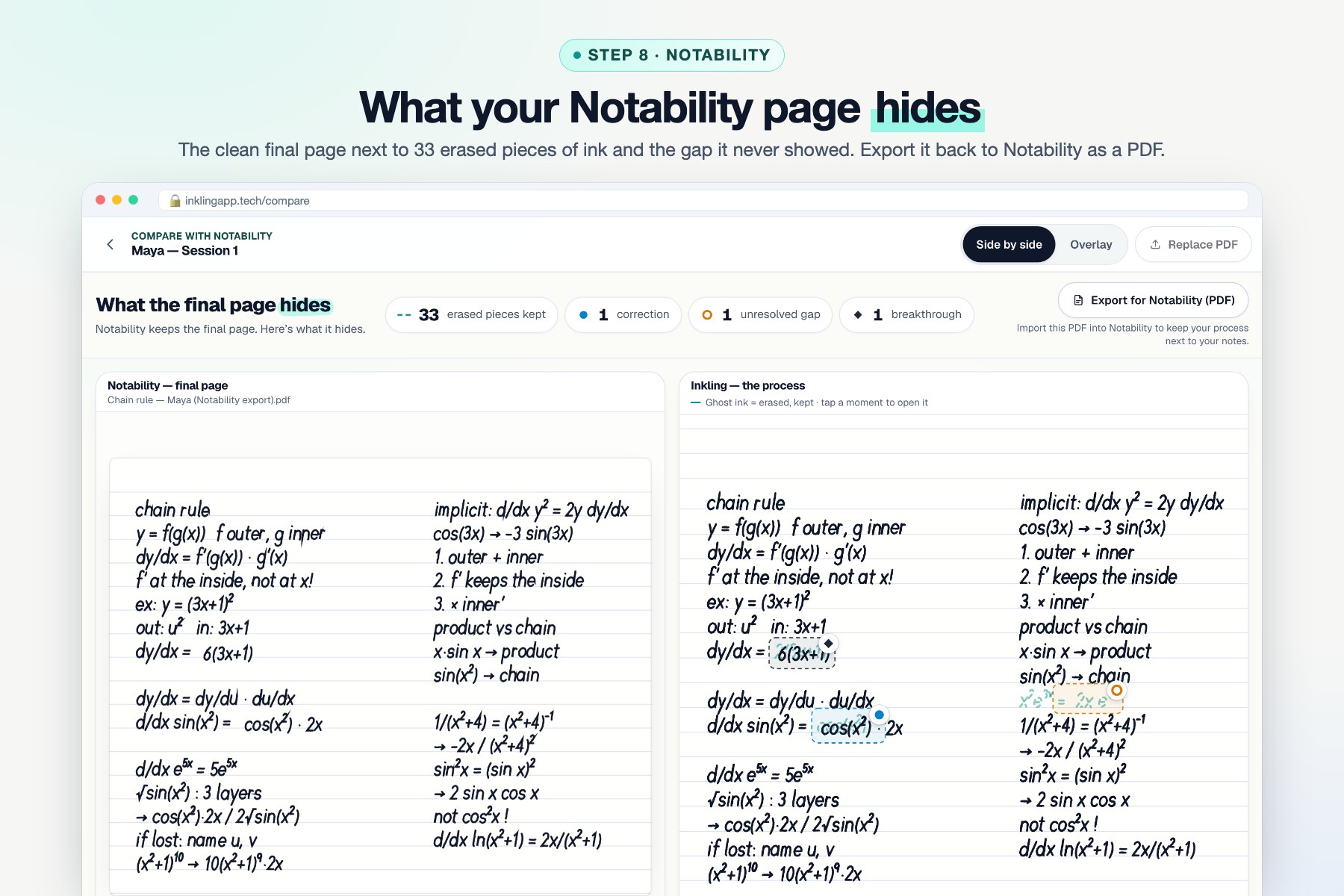
Step 8 · Notability: your clean final page next to the 33 erased pieces of ink it hid. Export back as a PDF.
-
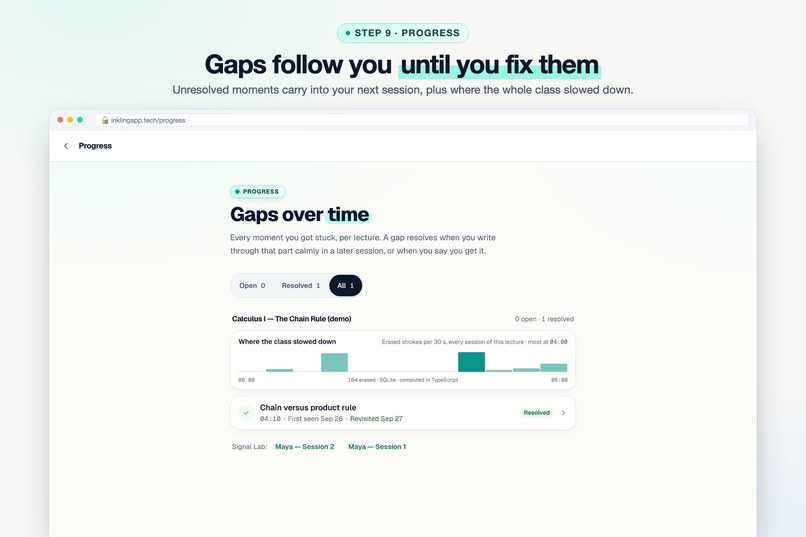
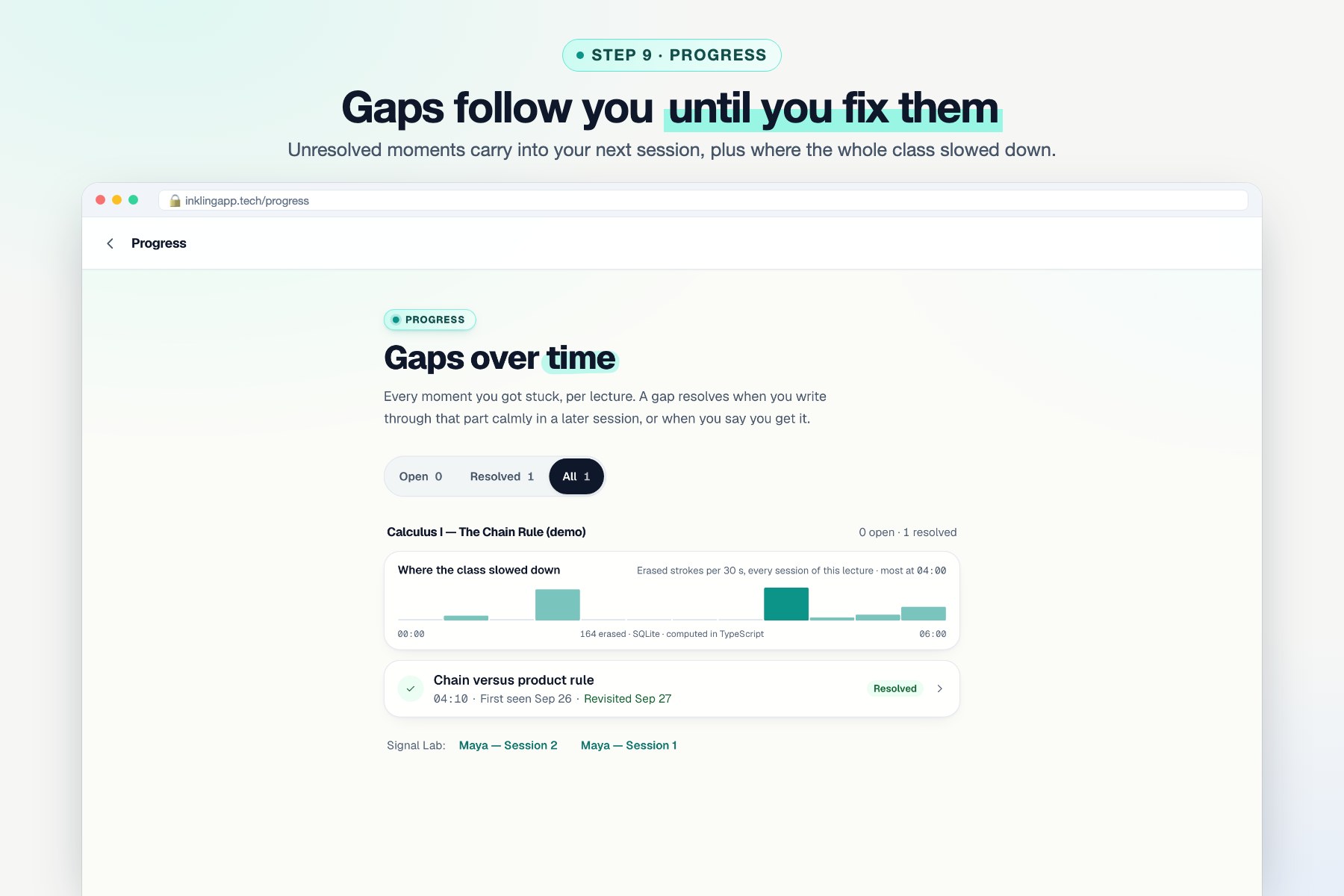
Step 9 · Progress: unresolved gaps follow you into your next session until you fix them.
-
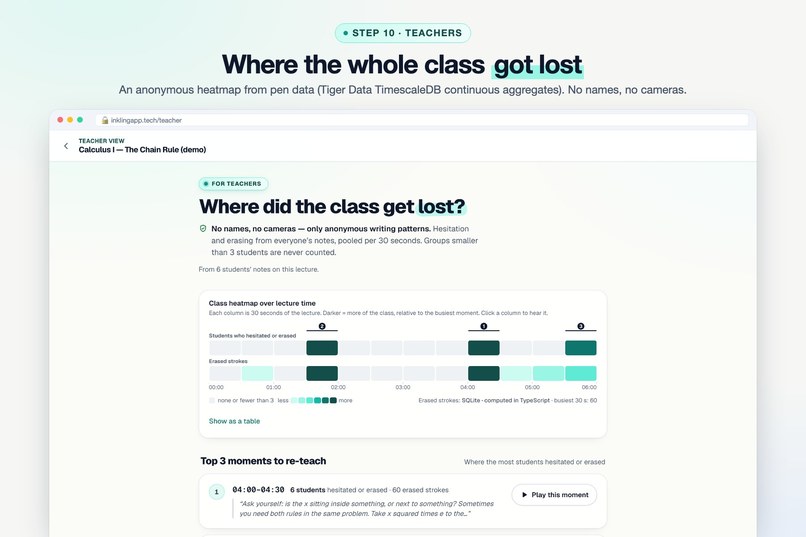
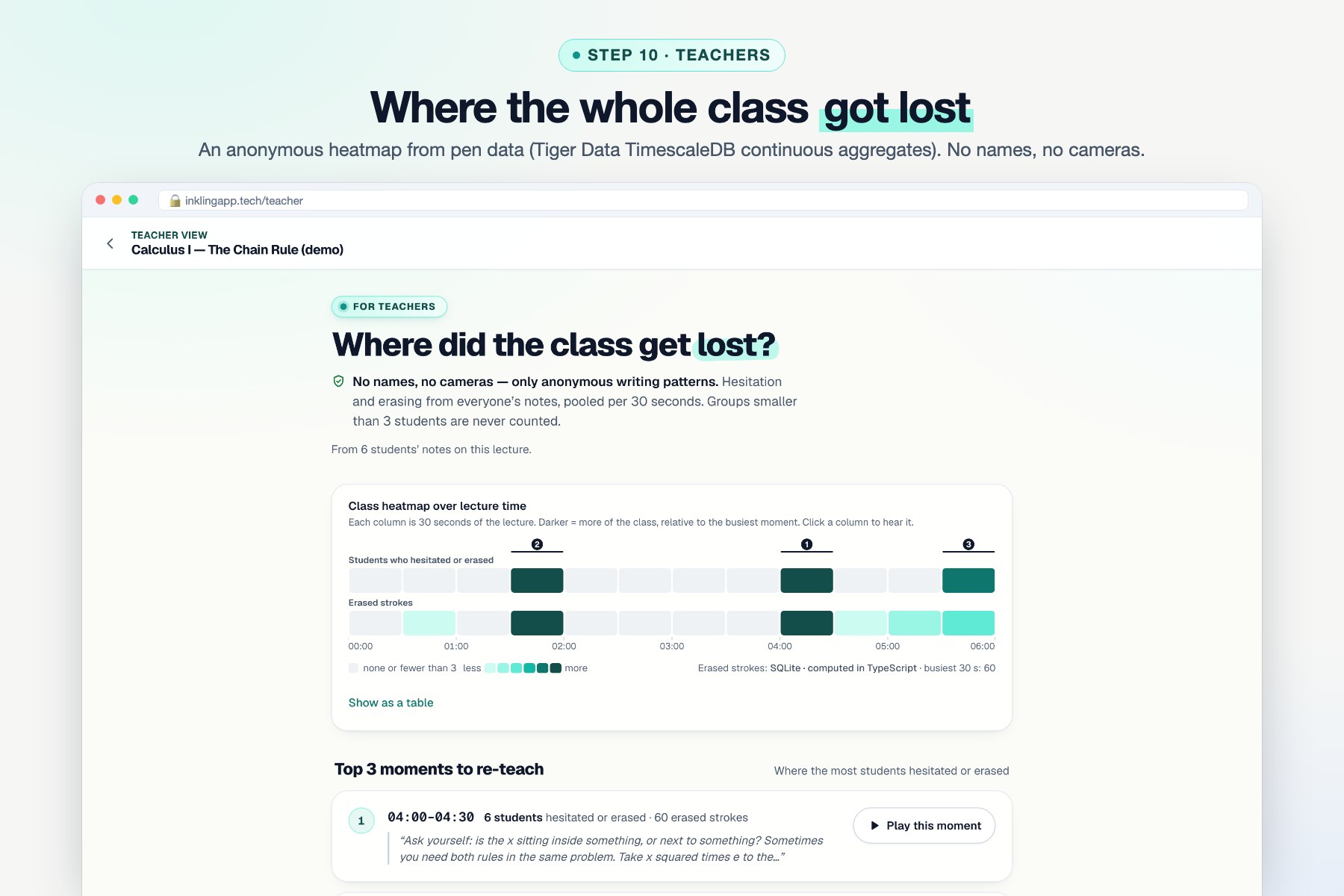
Step 10 · Teachers: an anonymous heatmap of where the class got lost, from Tiger Data TimescaleDB aggregates.
-
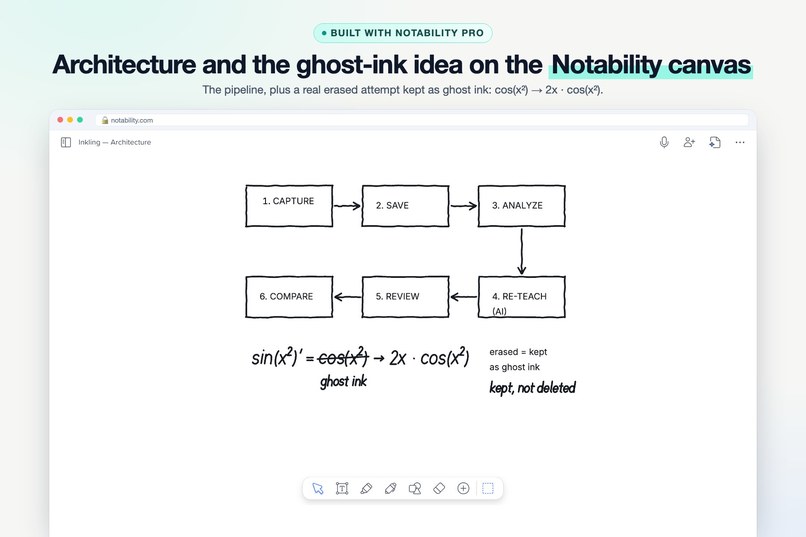
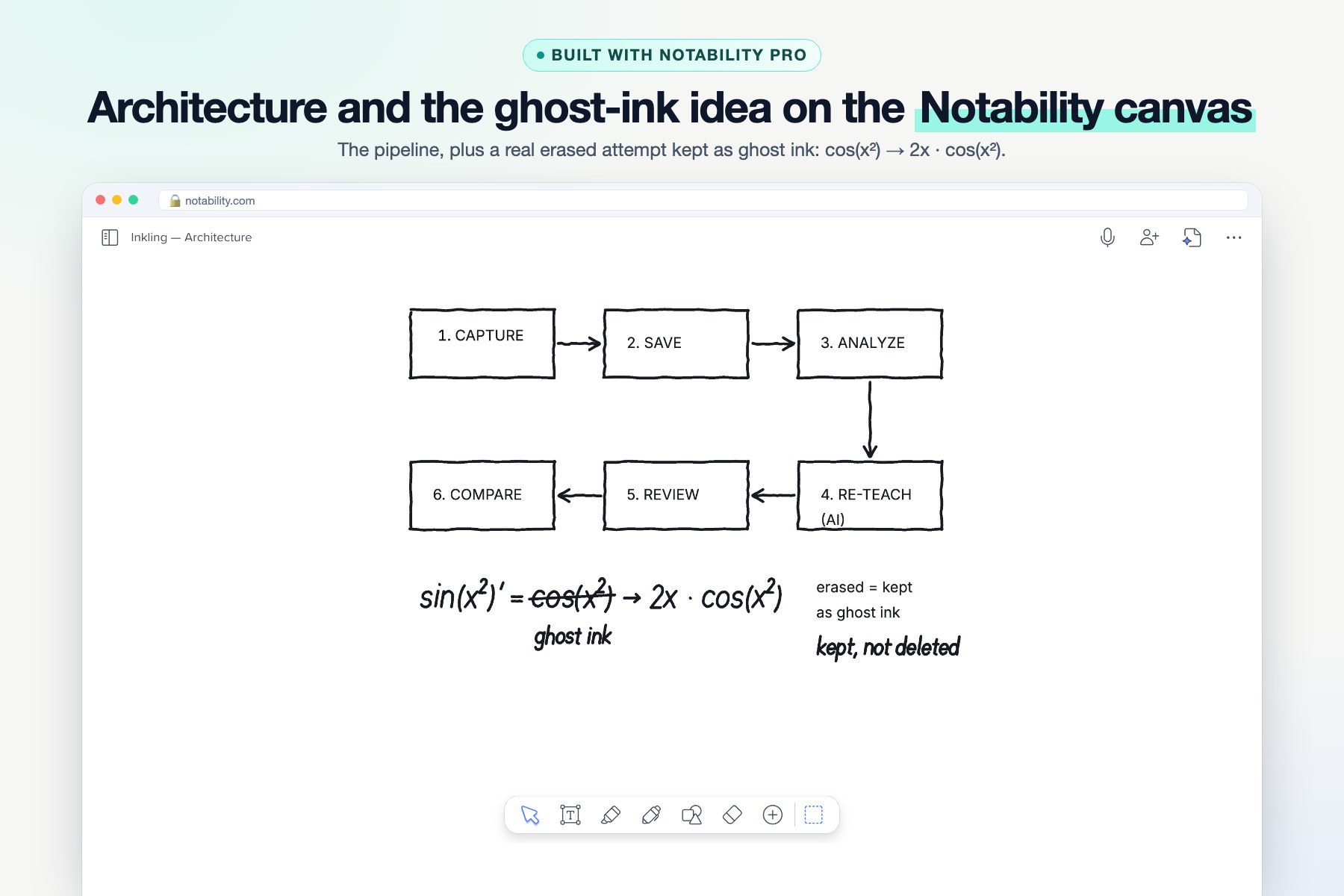
Built with Notability Pro: the pipeline plus a real erased attempt kept as ghost ink: cos(x²) → 2x · cos(x²).
-
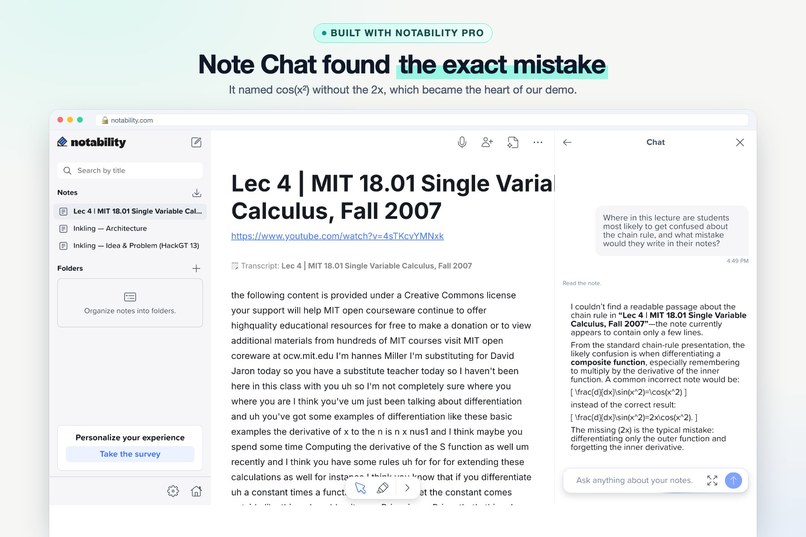
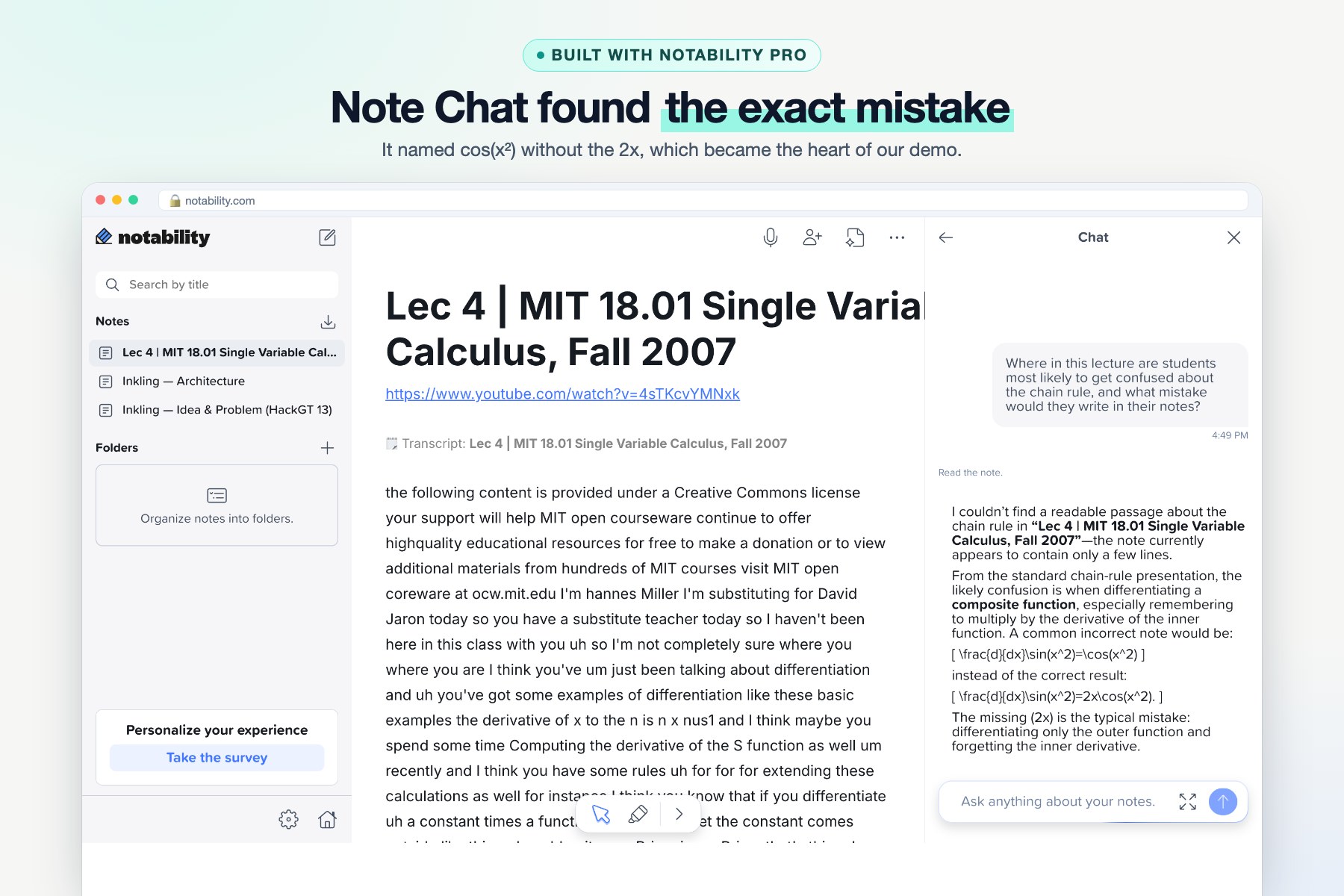
Built with Notability Pro: Note Chat named the exact chain-rule mistake (cos(x²) without 2x) our demo is built on.
-
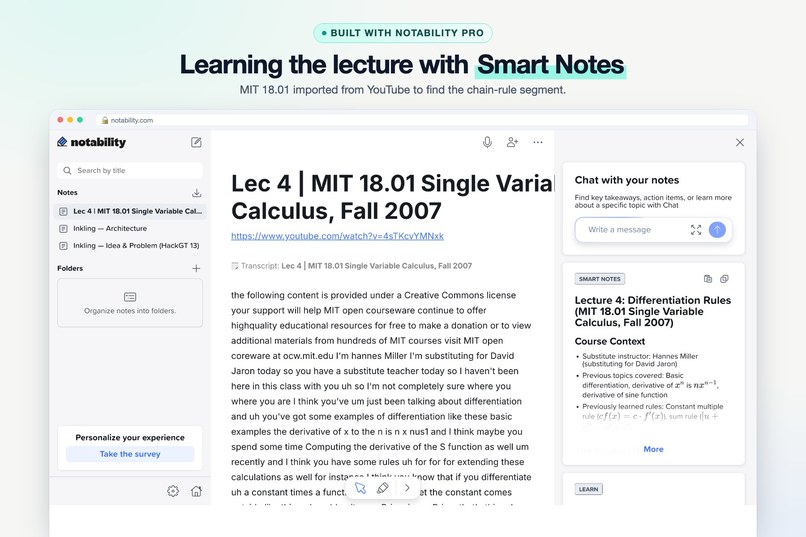
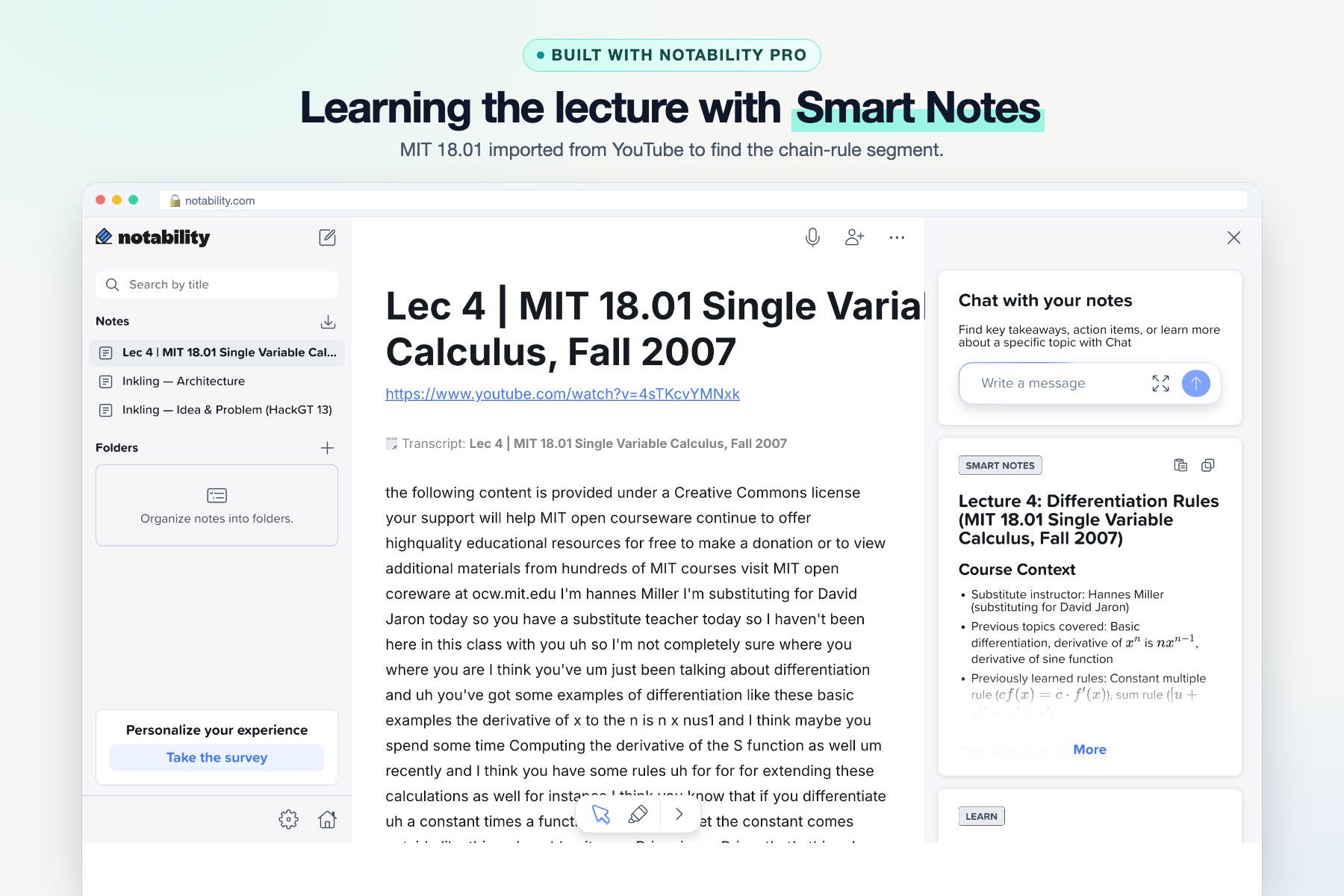
Built with Notability Pro: MIT 18.01 imported from YouTube; Smart Notes helped find the chain-rule segment.
Inspiration
Your notes are lying to you.
Maya is in a calculus lecture on the chain rule. She writes \( \frac{d}{dx}\sin(x^2) = \cos(x^2) \), hesitates, erases it, and rewrites \( \cos(x^2) \cdot 2x \). A few minutes later the lecture compares the product rule with the chain rule. She slows down, erases, and goes quiet while the professor keeps talking. She never writes it again.
Her final page looks perfect. That's the problem. The one moment she almost learned something and the one gap she still has were both erased, by her and by every notes app she has ever used. Three weeks later, the exam finds the gap for her.
Every notes app on the market keeps the result. The richest signal of how a student actually learns (the pause, the erase, the rewrite) gets thrown away. Inkling is built on one idea: the eraser is the best learning signal in the classroom, and nobody is listening to it.
What it does
Every other app deletes your mistakes. Inkling keeps them, and turns them into a study plan.
- Ghost ink. Nothing you erase is ever lost. Erased handwriting stays on the page as dashed teal ghost ink that you can show or hide.
- Finds the exact second you got stuck. Every stroke is time-stamped to the lecture. Inkling's own detection engine, Signal Lab, reads four pen signals every 10 seconds (pausing while the lecturer keeps talking, writing slower than your own normal, erasing more than usual, and pen pressure), and flags the moments you got stuck. You're compared with yourself, never with a class average.
- Pairs every mistake with its fix. Erase, then rewrite in the same spot, and Inkling pairs the before and after as a corrected misconception. Erase and never come back, and it's an unresolved gap that follows you into your next session until you fix it.
- Re-teaches you in 60 seconds. For each moment, AI reads your handwriting and what the professor was saying at that second, then writes a short re-explanation and one check question. Get it right and the moment turns into a breakthrough. Replay 20s plays exactly what you missed.
- In your language, out loud. Help in 10 languages (Spanish, Hindi, Mandarin, Arabic, Telugu and more), read aloud by a natural voice.
- Live lectures too. Press Start in a real classroom and Inkling transcribes the professor live in your browser, so all of the above works without a recording.
- Built for Notability, not against it. Compare with Notability lays your clean Notability page over everything it hid: 33 erased pieces of ink, and the one gap she never fixed. Export for Notability sends ghost ink and moments back as a PDF you open in Notability.
- For teachers: an anonymous heatmap of where the whole class got lost, with the three stretches most worth re-teaching. No names, no cameras, and nothing shown for groups smaller than three.
How I built it
- App: Next.js 16, React and TypeScript, with a pointer-event ink canvas for iPad, Pencil, touch and mouse. Every stroke is stamped with the lecture second, speed and pressure.
- Signal Lab (built from scratch): a pure-TypeScript engine that scores each student against their own baseline, pairs erases with rewrites by overlap, and classifies moments. It's fully unit-tested and inspectable: every flag shows which signals fired and by how much.
- Gemini reads the handwriting (what changed between the erase and the rewrite). Groq (gpt-oss) writes the re-explanations, check questions and translations with strict JSON schemas, and answers are graded on the server. ElevenLabs gives it a voice.
- Tiger Data (TimescaleDB): pen samples live in a hypertable.
time_bucketpowers per-window stats, and a continuous aggregate (ink_lecture_hotspots) finds where the whole class slowed down in a single query. The same code also runs on SQLite with zero setup. - Shipped for real: live at inklingapp.tech on Railway, with a public demo mode that can't be abused (no uploads, rate-limited AI, self-resetting demo data). There's also a landing page with an AI assistant that answers questions about Inkling.
- Tested like a product: 850+ unit and integration tests and 100+ Playwright end-to-end tests, run on SQLite and Postgres. Every build phase was verified end to end before the next began.
How I used Notability
Notability Pro was my research and design notebook for the whole build. I imported the MIT 18.01 lecture from YouTube and used Smart Notes to find the chain-rule segment, drew the architecture and the ghost-ink idea on the canvas, and asked Note Chat where students go wrong. It named exactly the mistake of writing \( \cos(x^2) \) without the \( 2x \), which became the heart of the demo. And Inkling gives back to Notability: it compares with, and exports to, your Notability notes.
Challenges I ran into
- Telling a correction from a mess: scribble-outs, strike-throughs and Undo all look like erasing, so pairing needed overlap thresholds, time windows and special cases.
- "Slow" has to mean slow for you: fixed thresholds punished naturally slow writers. Per-student baselines fixed it.
- A demo that can't fail: the full demo runs offline on hackathon Wi-Fi, with fixtures, self-hosted fonts and a browser-voice fallback.
- AI providers changed mid-hackathon: a Gemini model was retired. The provider-agnostic AI layer made it a one-line config change.
Accomplishments that I'm proud of
- The full loop works live: erase → flagged → re-taught → breakthrough, in under a minute.
- A detection engine that's explainable, not a black box.
- Privacy by design: no cameras, no class averages, k-anonymous teacher views, and keys that never touch the browser.
- A real product, live on its own domain, built and shipped solo in one weekend.
What I learned
The process of writing says more than the final page. Even simple signals (slowing down against your own normal, erasing, going quiet while the professor talks) line up with where students got stuck in my demo sessions. And time-series data is the right shape for pen data.
What's next for Inkling
- Pilot with real classes this semester, and grow the labelled data so detection accuracy is measured beyond my demo set.
- Native iPad app with PencilKit for richer pressure and tilt signals.
- Spaced review: unresolved gaps come back as check questions before the exam.
- Instructor mode: push a re-explanation to the whole class for the stretch everyone struggled with.
- Deeper Notability integration the moment an API opens up.
Inkling: learning is in the process. Inkling keeps it.
Built With
- css
- data
- elevenlabs
- gemini
- groq
- next.js
- node.js
- notability
- pdf-lib
- playwright
- postgresql
- railway
- react
- sqlite
- tailwind
- tiger
- timescaledb
- typescript
- vitest

Log in or sign up for Devpost to join the conversation.