-
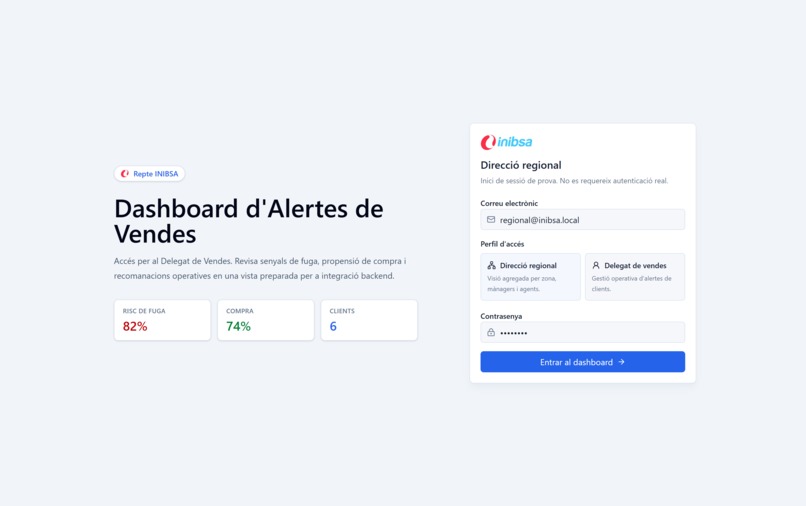
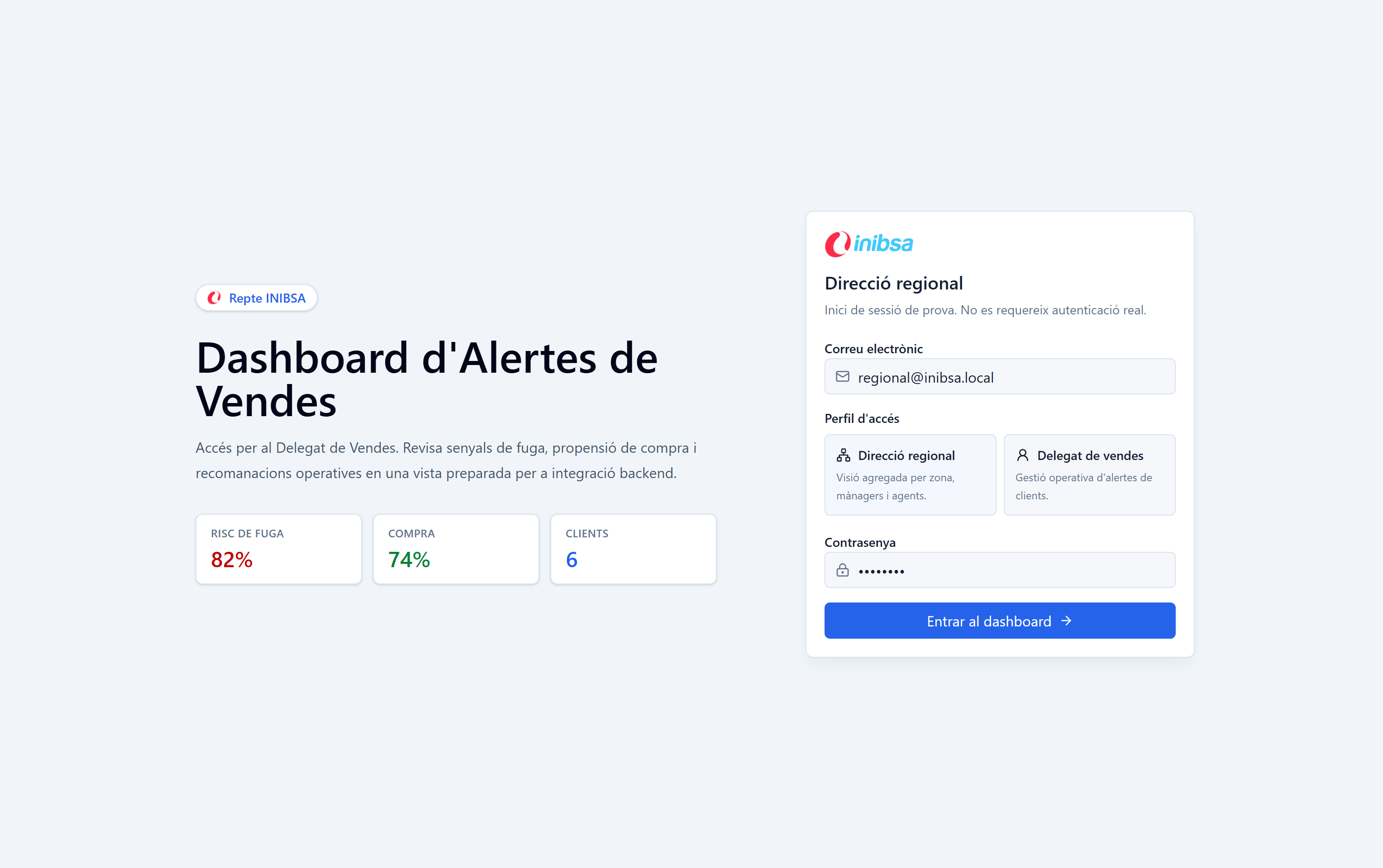
Landing page of the app
-
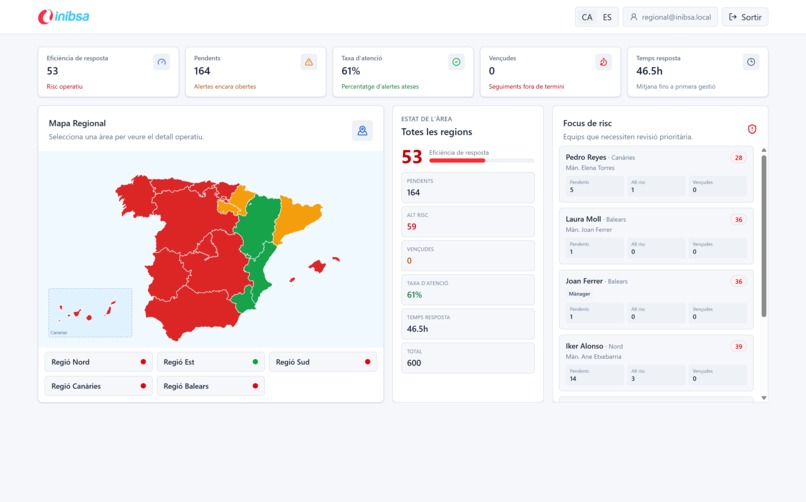
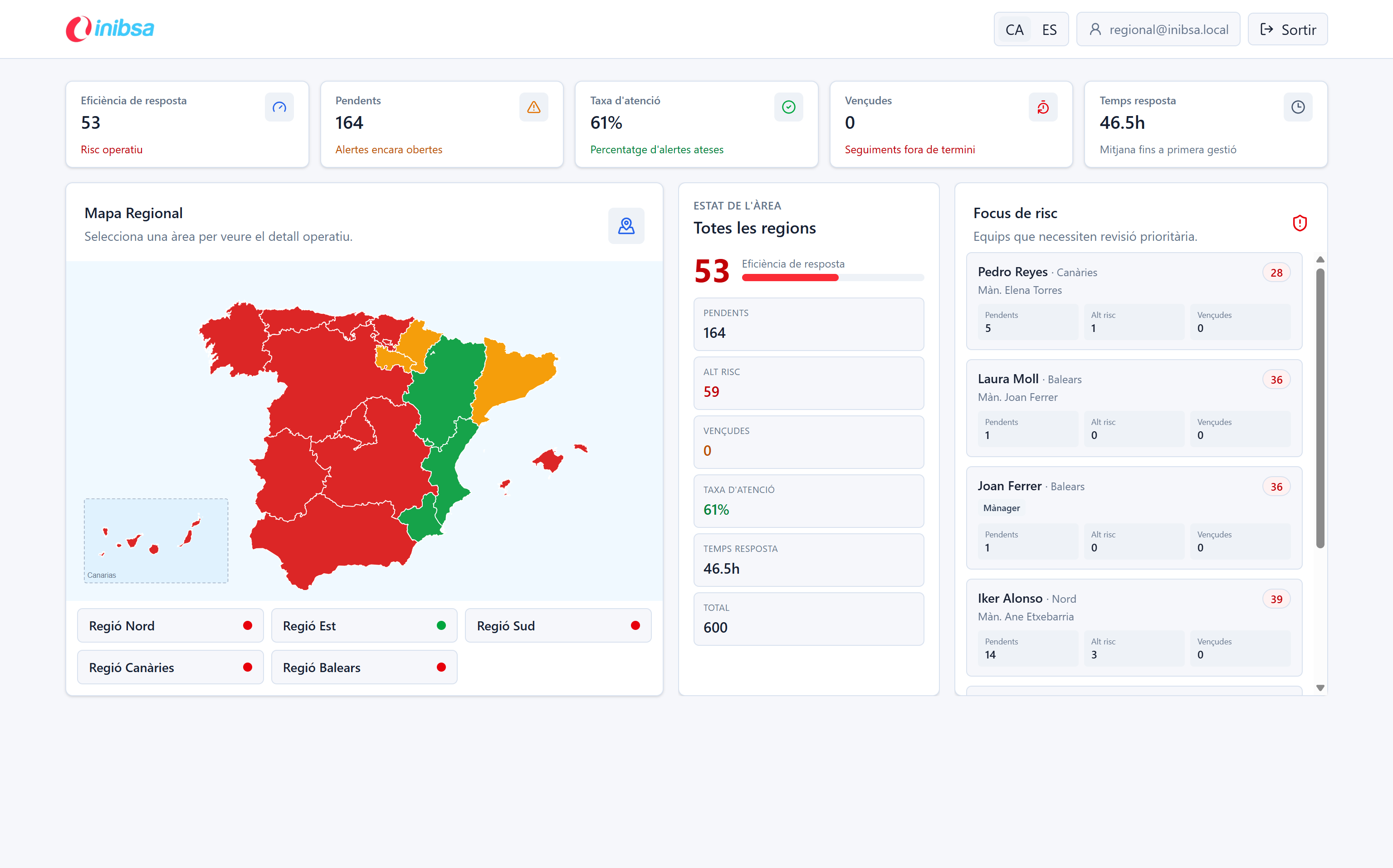
General manager main view
-
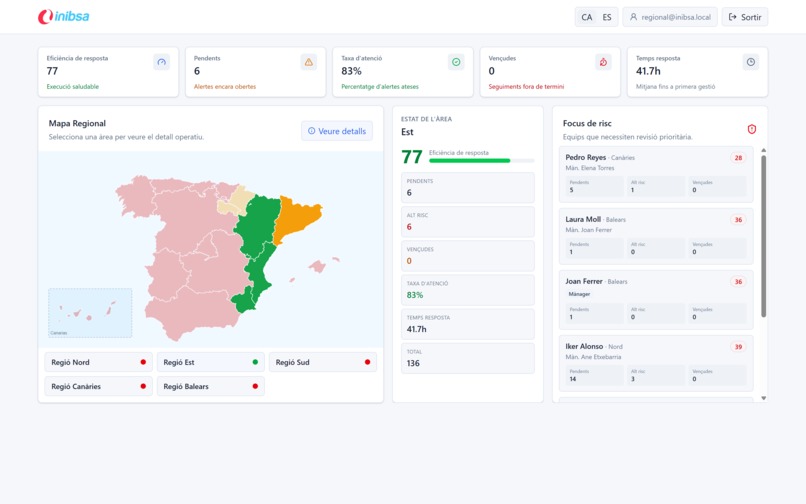
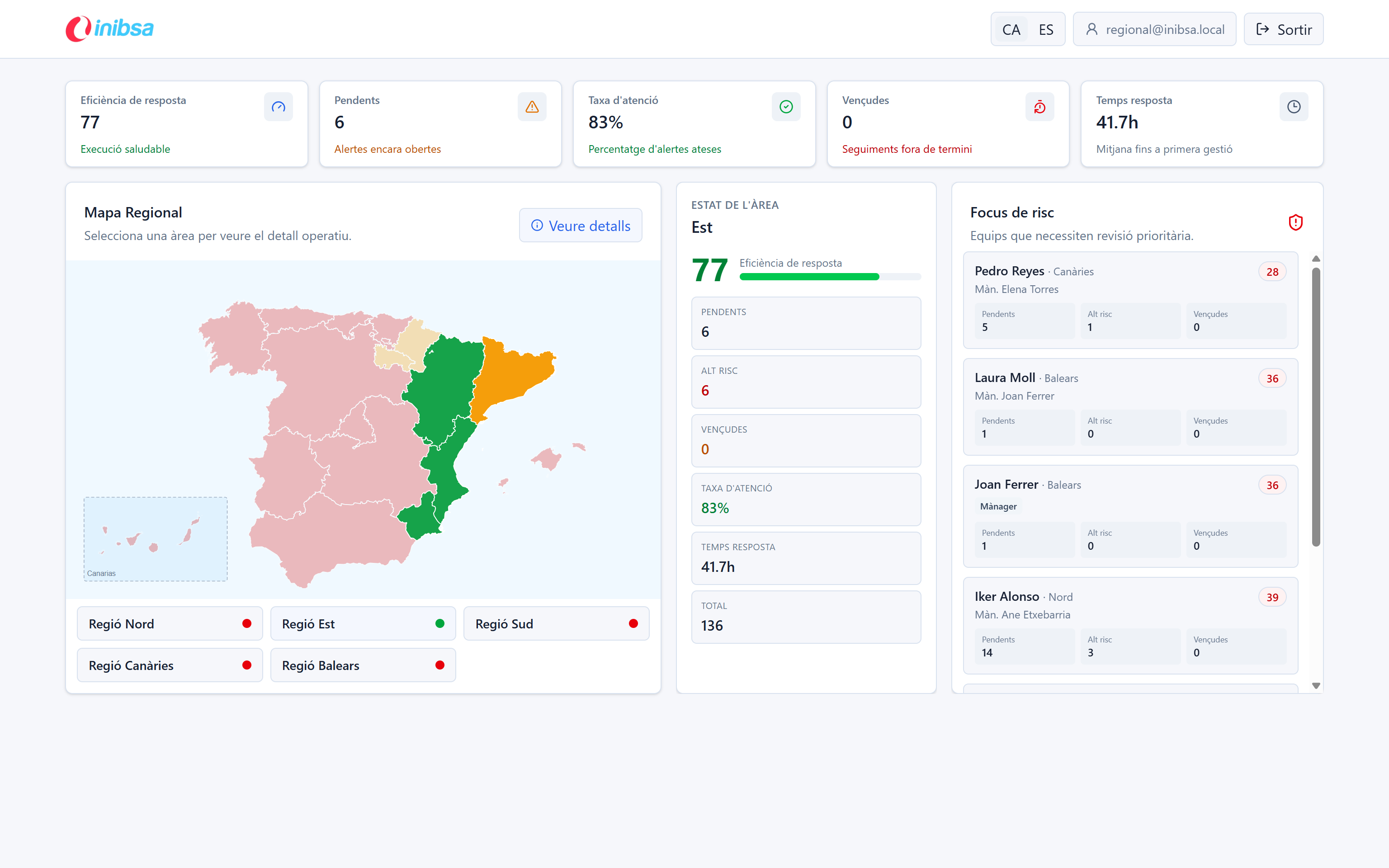
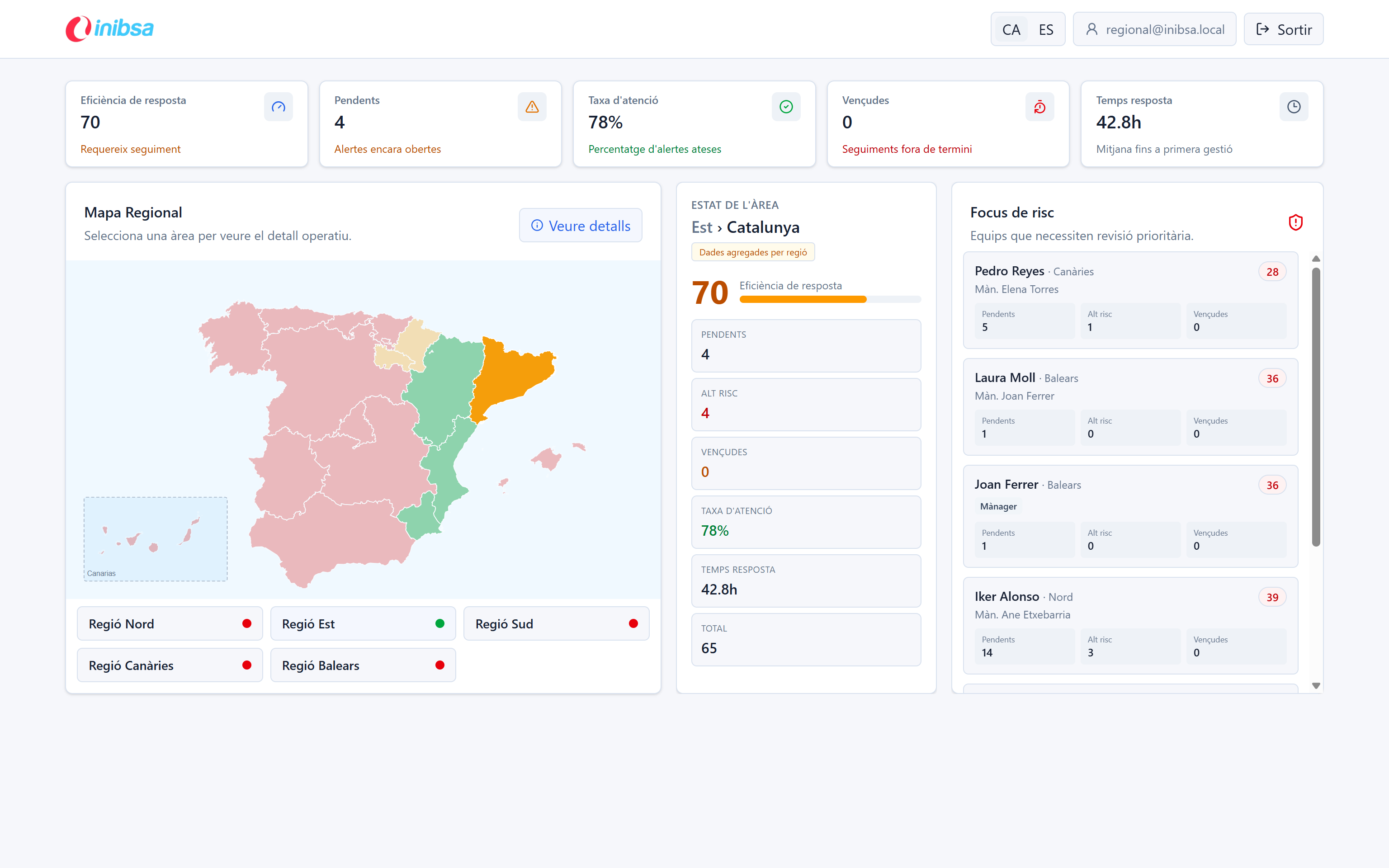
Region specific view
-
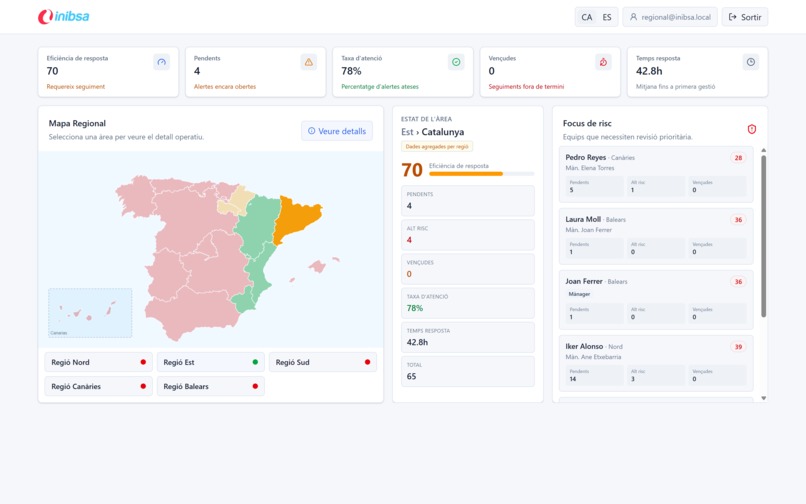
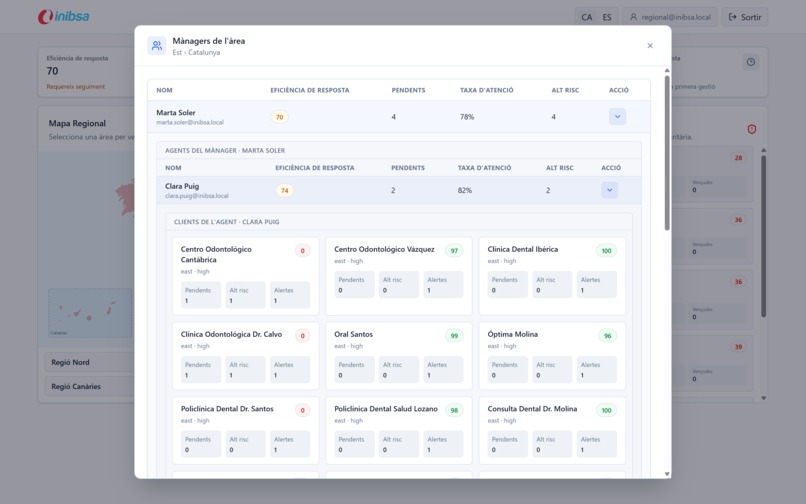
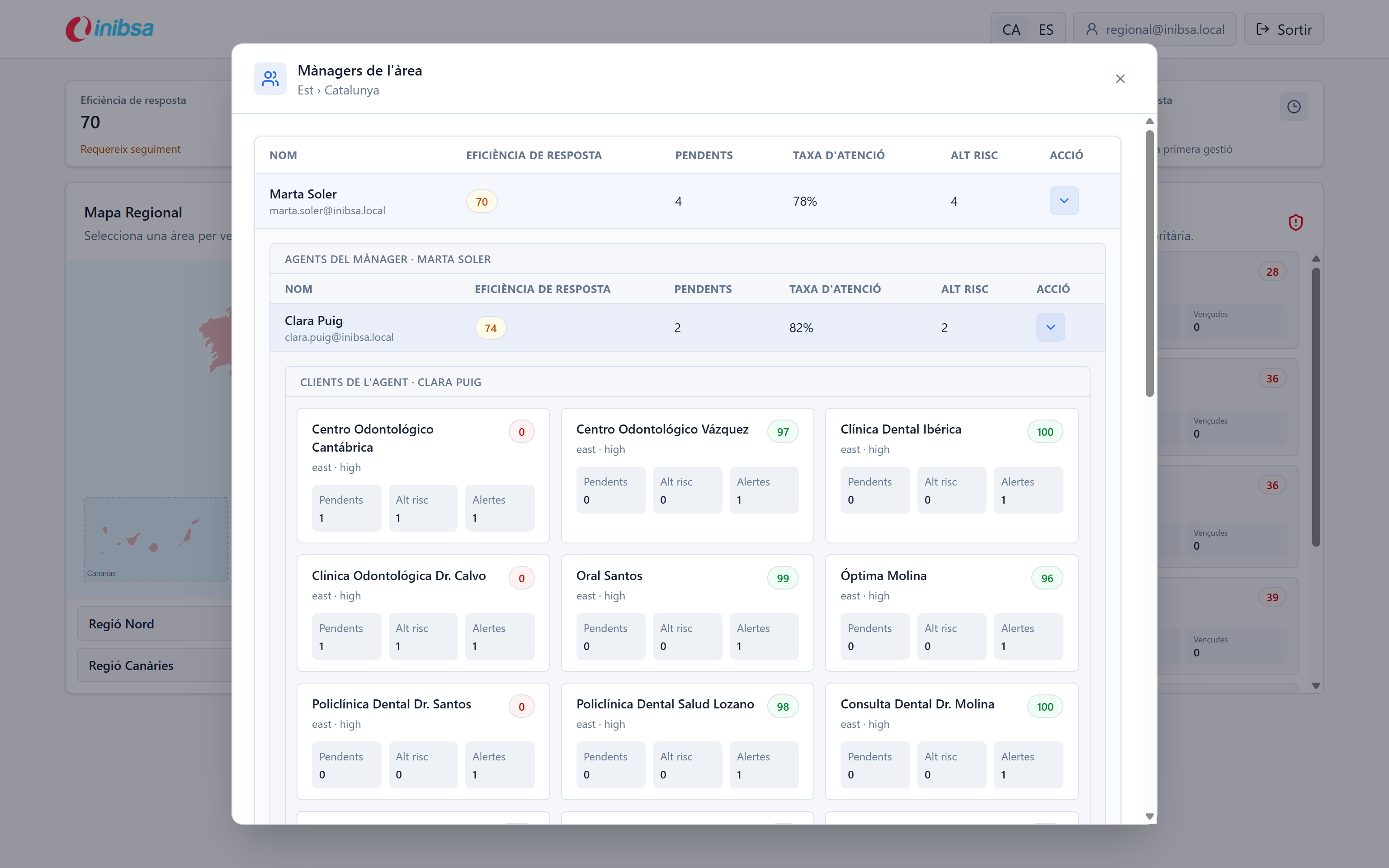
Autonomous community specific view
-
Overview of the alerts from an specific comercial delegate
-
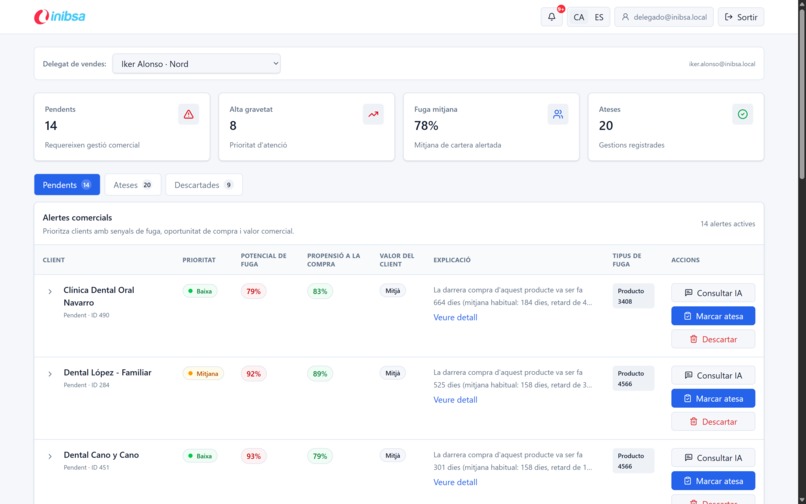
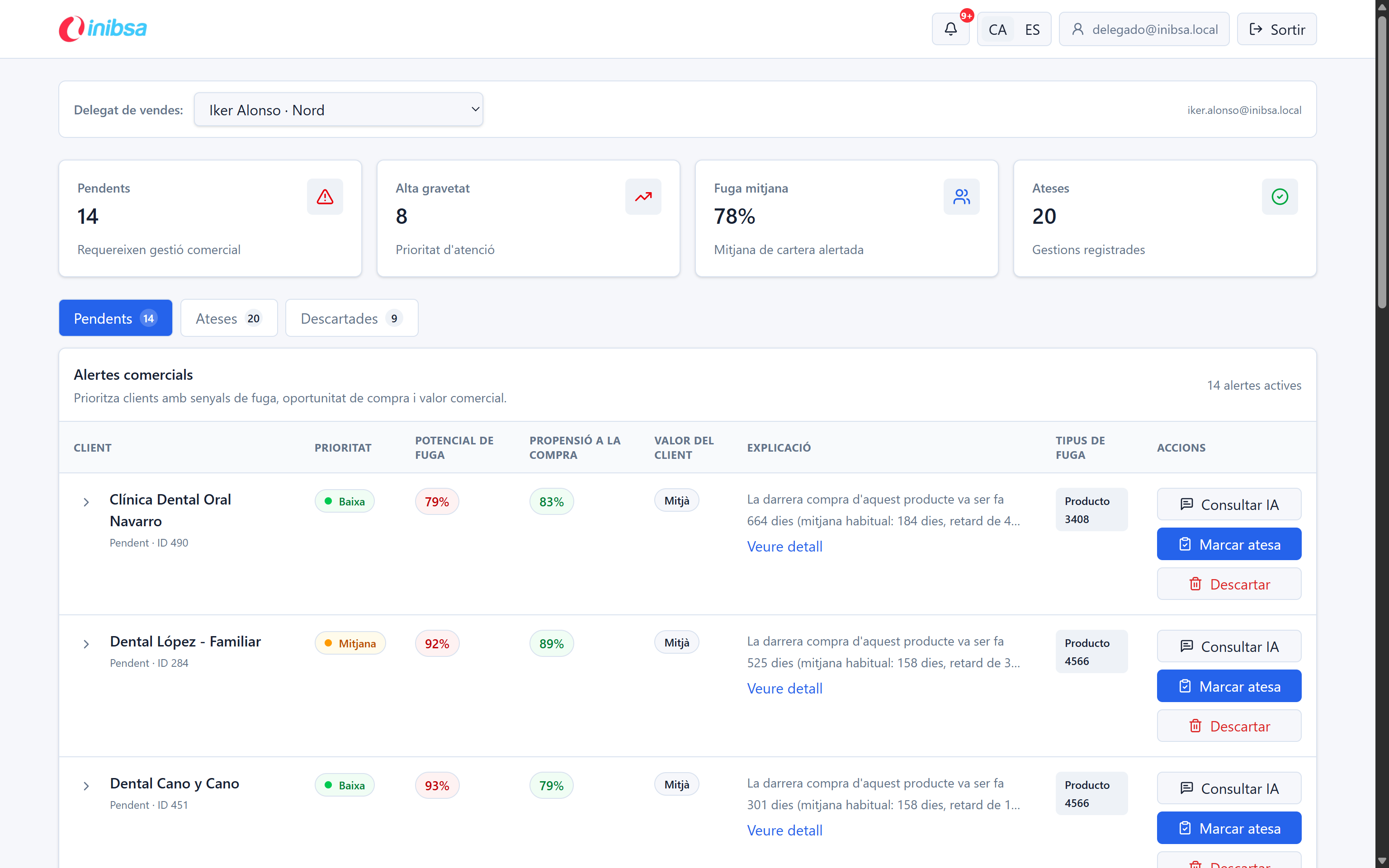
Main comercial delegate page
-
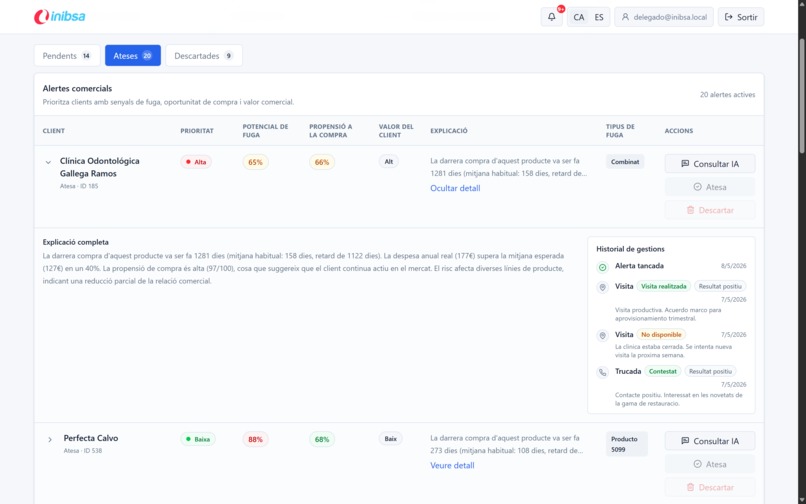
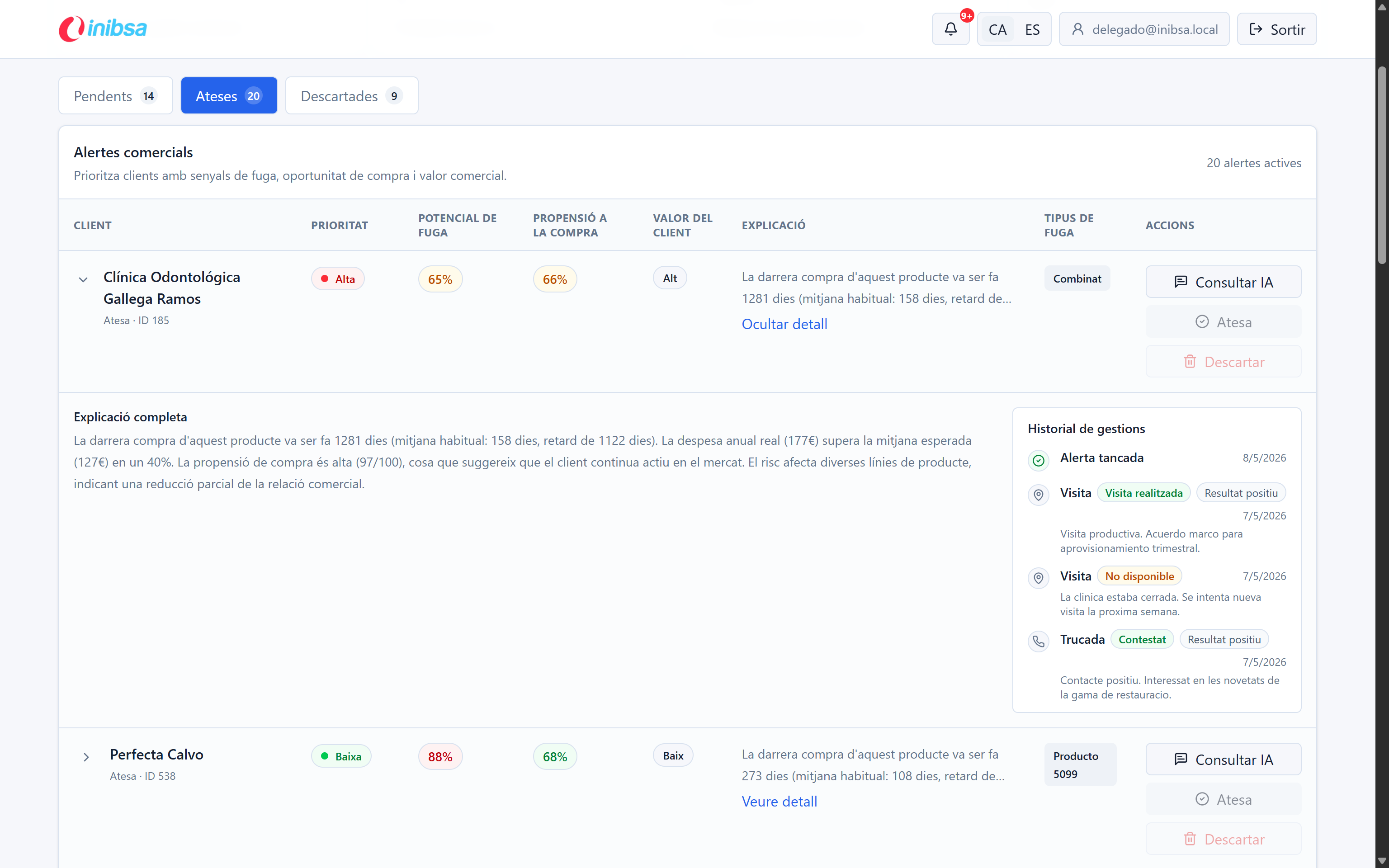
Overview of an specific closed alert with it's changelog
-
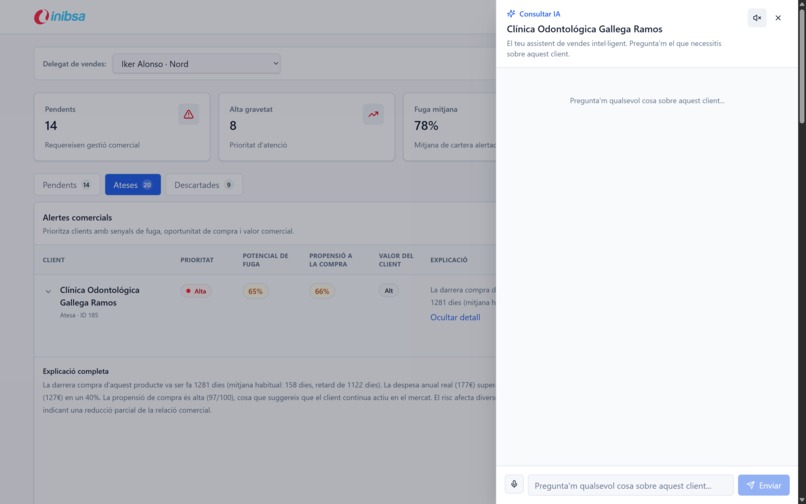
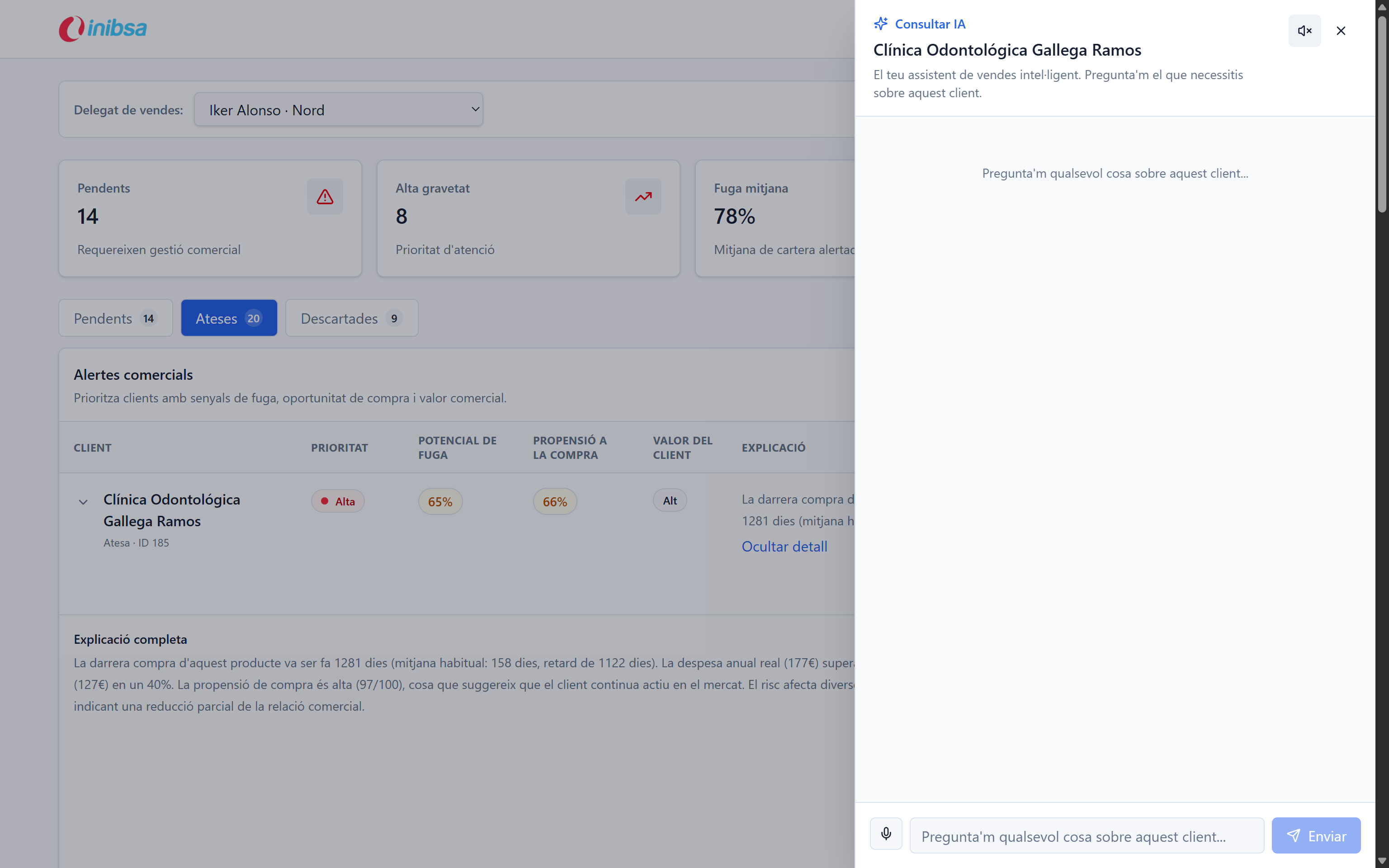
Chatbot about an alert to get more insights and easier comprehension of the metrics and decisions behind the alert
-
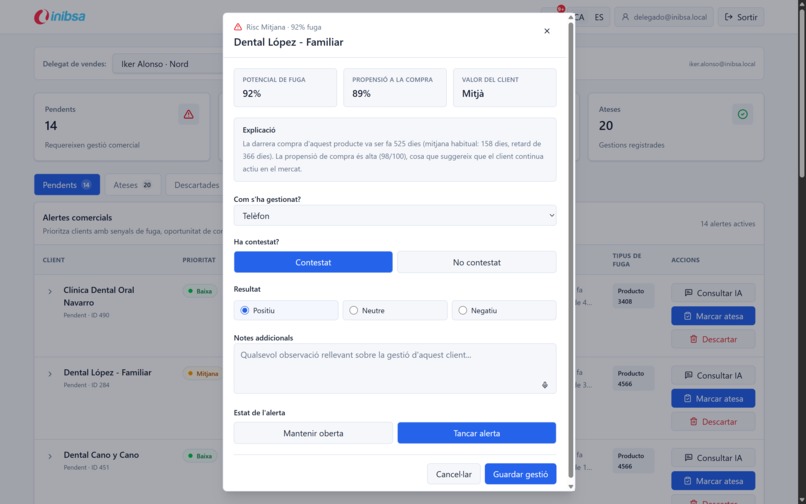
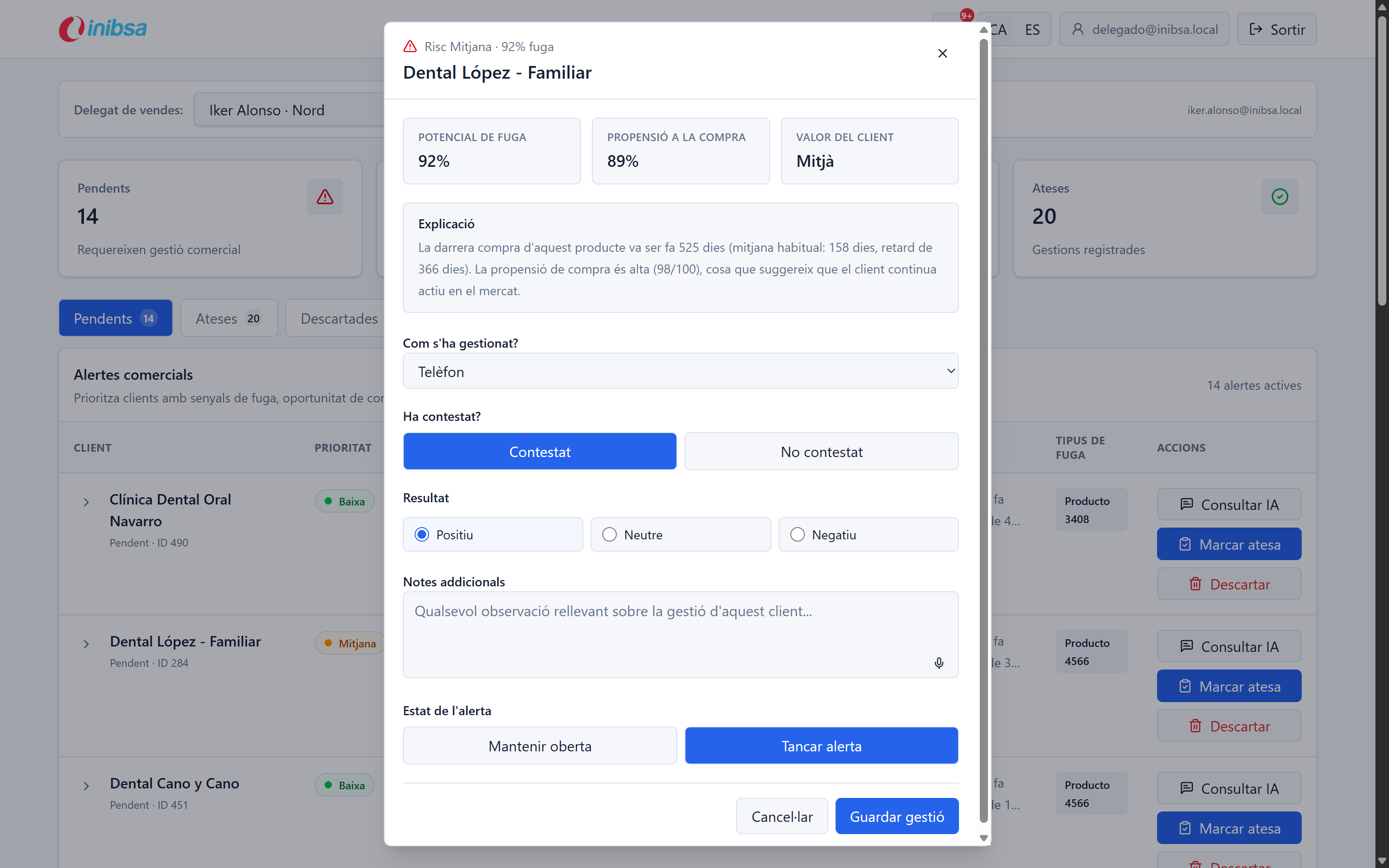
Action menu for an alert, allowing to register phone calls / emails / visits / other, the result and if the alert should be kept open
Client Alert Manager
Inspiration
INIBSA challenged InterHack-2026 teams to transform dental-clinic purchase history into actionable commercial signals. The core business problem is simple to state but difficult to solve well: sales teams need to know when a clinic should buy again, when demand is drifting to competitors, and when a stable customer is starting to show abandonment risk.
We built Client Alert Manager to turn those signals into a practical workflow for sales delegates and regional managers.
What It Does
Client Alert Manager is a standalone sales intelligence application for dental-clinic demand signals.
- Predicts and surfaces purchase-need alerts.
- Detects early churn or deterioration signals.
- Prioritizes alerts by urgency, customer value, and risk.
- Shows interpretable explanations for each alert.
- Gives sales delegates a focused alert workflow.
- Gives regional managers a map-based performance view with manager, agent, and client drill-down.
- Uses an AI assistant to answer contextual questions about individual alerts.
- Tracks commercial outcomes so alerts can become a learning system over time.
How We Built It
The solution has three main layers.
1. Analytics and Alert Generation
The IA/ layer processes customer and product purchase behavior and produces alert candidates. It combines purchase timing, customer potential, risk scoring, purchase propensity, product-family context, and explainability fields.
The generated alert dataset is loaded into the backend so the demo behaves like a real operational system instead of a static mockup.
2. Backend and APIs
The backend is built with FastAPI, async SQLAlchemy, Alembic, and SQLite. It exposes APIs for:
- sales alerts,
- regional dashboard KPIs,
- AI chat insight,
- authentication flows,
- notification-oriented flows,
- and audio/voice-oriented integrations.
The architecture keeps the application standalone while leaving a clear path for future CRM or marketing automation integration.
3. Frontend Dashboards
The frontend is built with React, Vite, TypeScript, Tailwind CSS, shadcn-style primitives, TanStack Query, and Framer Motion.
It includes:
- a role-based login experience,
- a sales delegate alert dashboard,
- a regional manager dashboard,
- an interactive Spain map using d3/topojson,
- localized Catalan and Spanish UI,
- and a contextual AI insight panel.
AI and Integrations
We integrated Gemini through the backend to keep credentials server-side and give users natural-language insight into alert context.
We also prepared backend integration points for:
- Groq-based LLM workflows,
- ElevenLabs voice experiences,
- AssemblyAI transcription/audio flows,
- Dockerized deployment,
- and future CRM or marketing automation activation.
Challenges We Ran Into
The hardest part was translating a broad business challenge into a workflow that feels operational, not just analytical.
We had to balance:
- commodity products with recurring demand,
- technical products with irregular purchase behavior,
- alert prioritization,
- explainability,
- sales follow-up tracking,
- and regional performance visibility.
Another challenge was making the regional map useful for business users. We moved from a rough stylized shape to a more accurate d3/topojson-based Spain map so the dashboard could support real geographic exploration.
Accomplishments That We Are Proud Of
- Built an end-to-end standalone application during a hackathon.
- Connected ML-generated alerts to a real backend API.
- Created two role-specific dashboards: delegate operations and regional management.
- Added a contextual AI assistant that explains alert data.
- Designed the workflow around traceability: alert, action, outcome, and history.
- Built a regional map and drill-down hierarchy for managers, agents, and clients.
What We Learned
Good predictive systems need more than a score. They need:
- a clear action,
- an explanation,
- prioritization,
- ownership,
- traceability,
- and feedback loops.
The project reinforced that model output becomes valuable only when it fits the commercial process and helps users decide what to do next.
What's Next
- Connect the daily pipeline to production-grade data ingestion.
- Expand model validation with business outcome metrics.
- Add CRM export and marketing automation activation.
- Replace demo role selection with full backend authorization.
- Add stronger monitoring around alert conversion, false positives, and recovery rates.
- Extend the architecture beyond Spain for future international rollout.
Built With
- React
- Vite
- TypeScript
- Tailwind CSS
- shadcn/ui-style components
- TanStack Query
- Framer Motion
- d3-geo
- topojson
- FastAPI
- SQLAlchemy
- Alembic
- SQLite
- Docker Compose
- Gemini
- Groq
- ElevenLabs
- AssemblyAI
- Python
Contributors
- Alvaro - AI Engineer
- Yearsuck - Infrastructure and Backend Engineer
- Ki-re - Front and Back Engineer


Log in or sign up for Devpost to join the conversation.