-
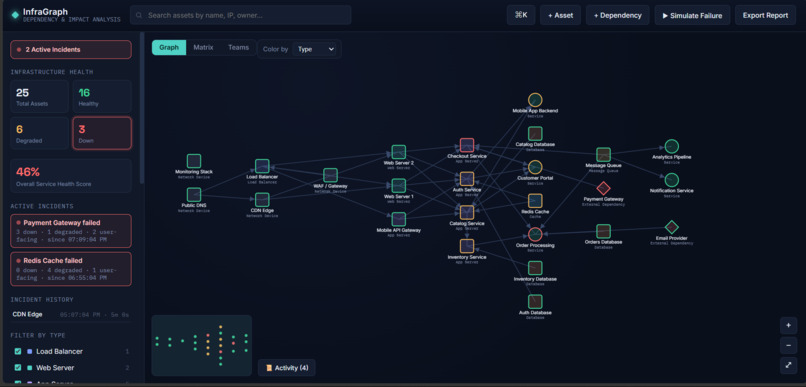
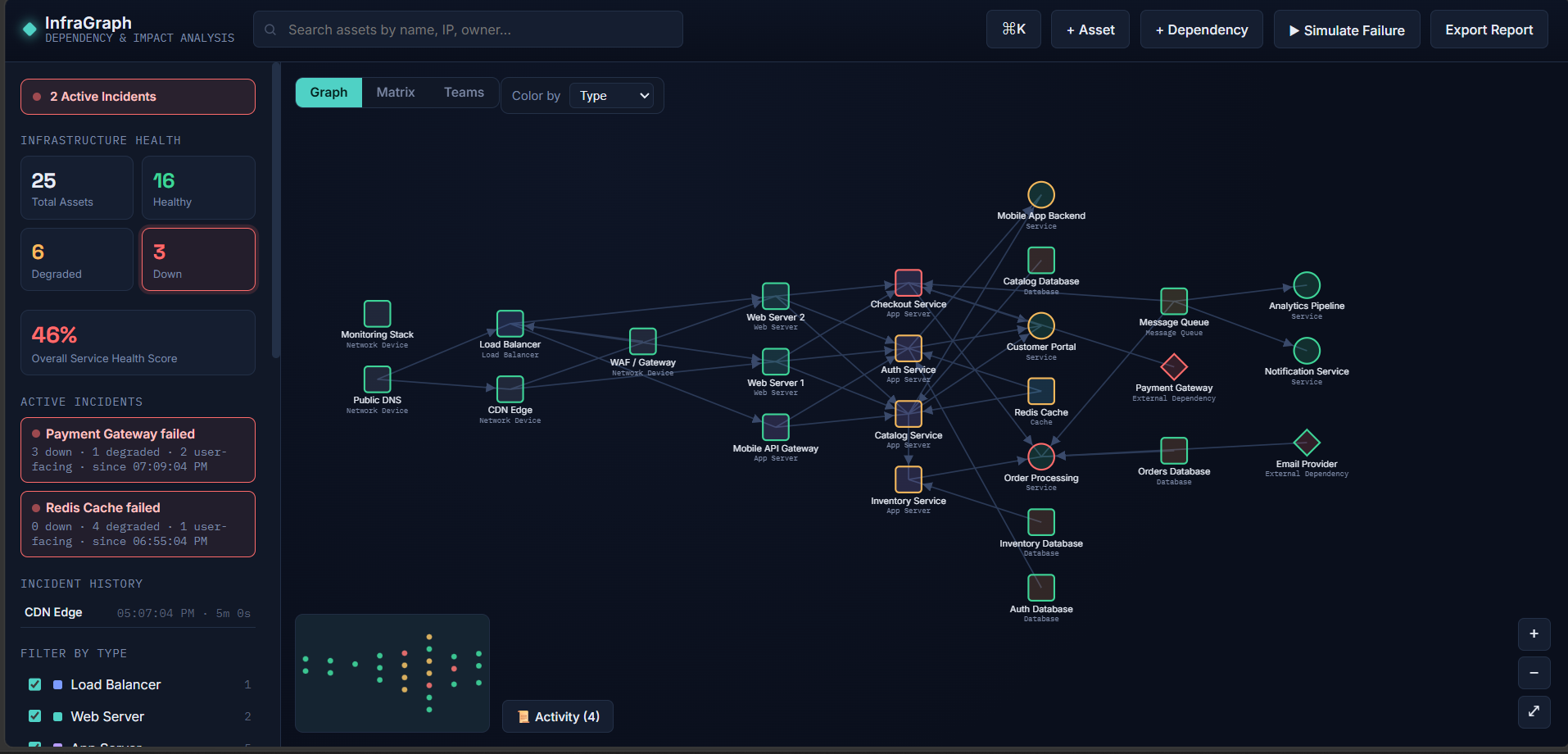
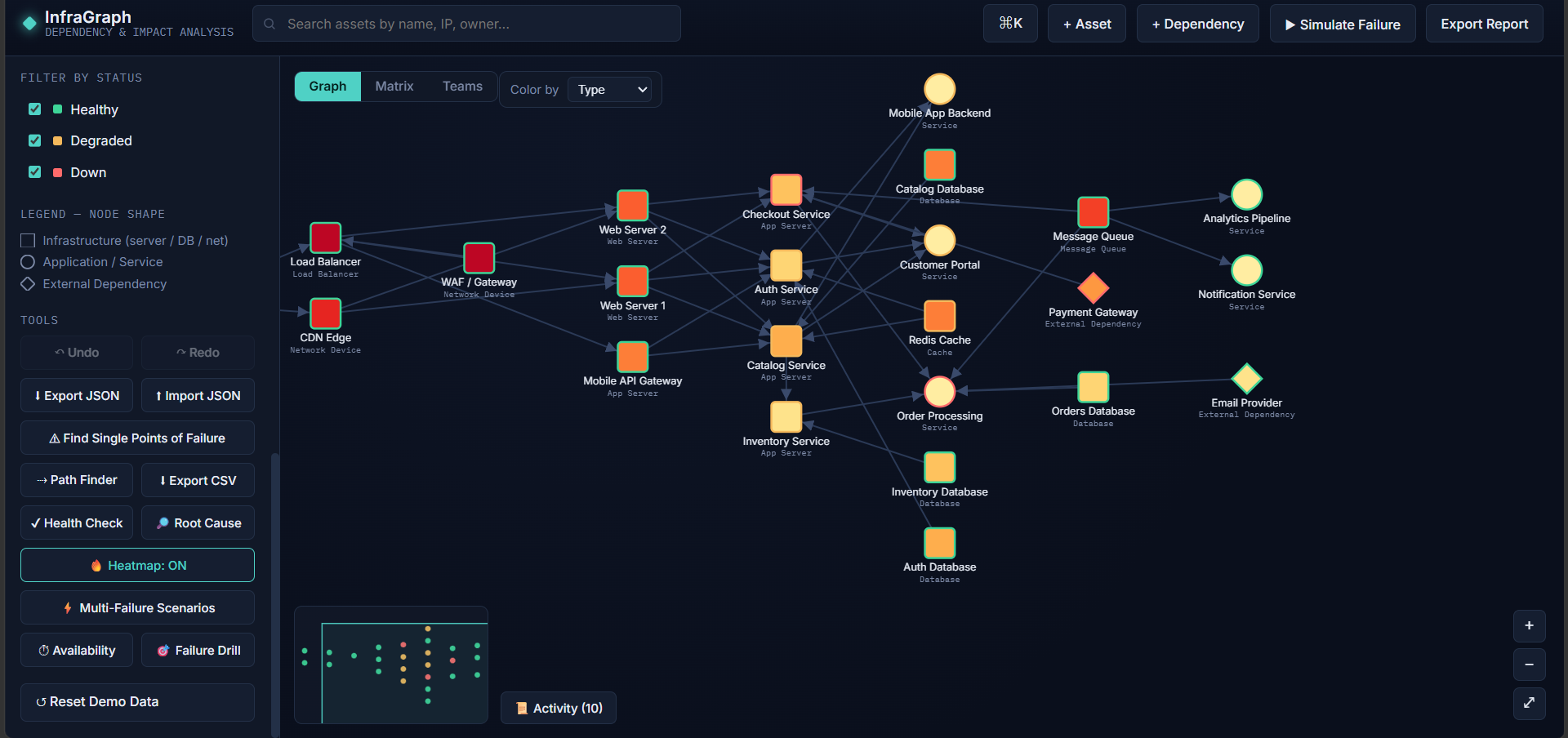
Your whole infrastructure on one dashboard, mapped and color-coded by health
-
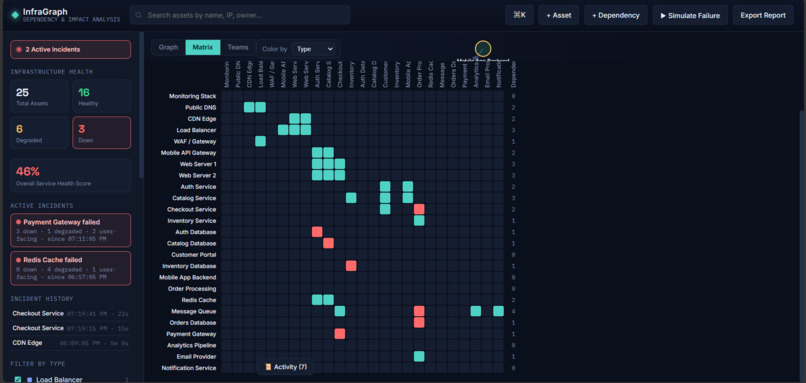
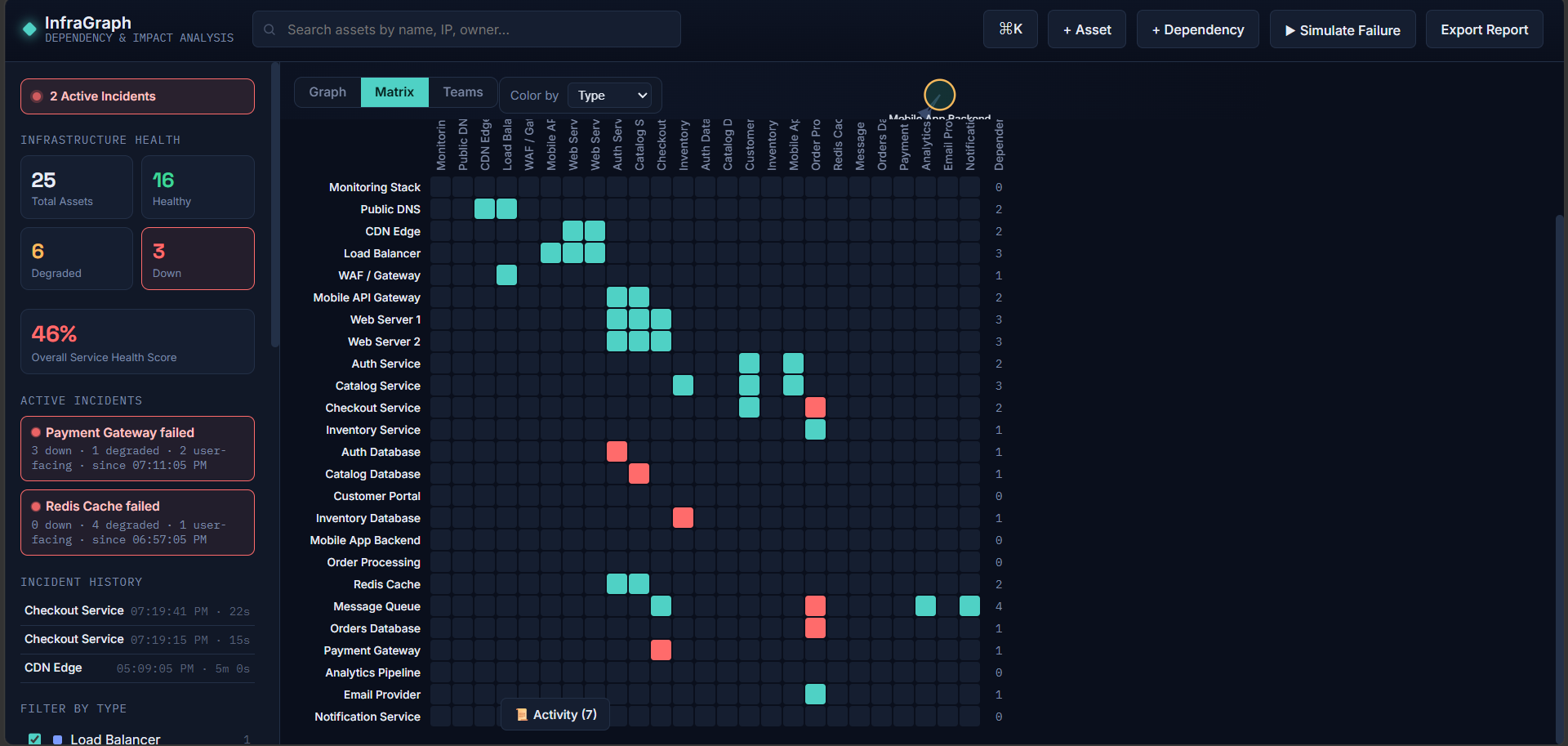
Matrix view: see at a glance which asset provides to which, with critical dependencies marked in red
-
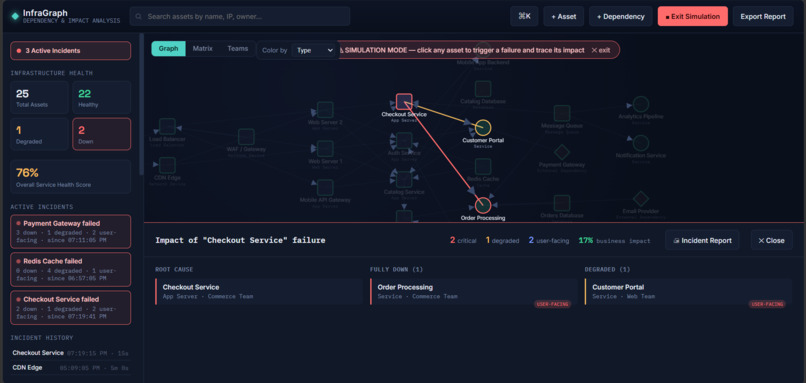
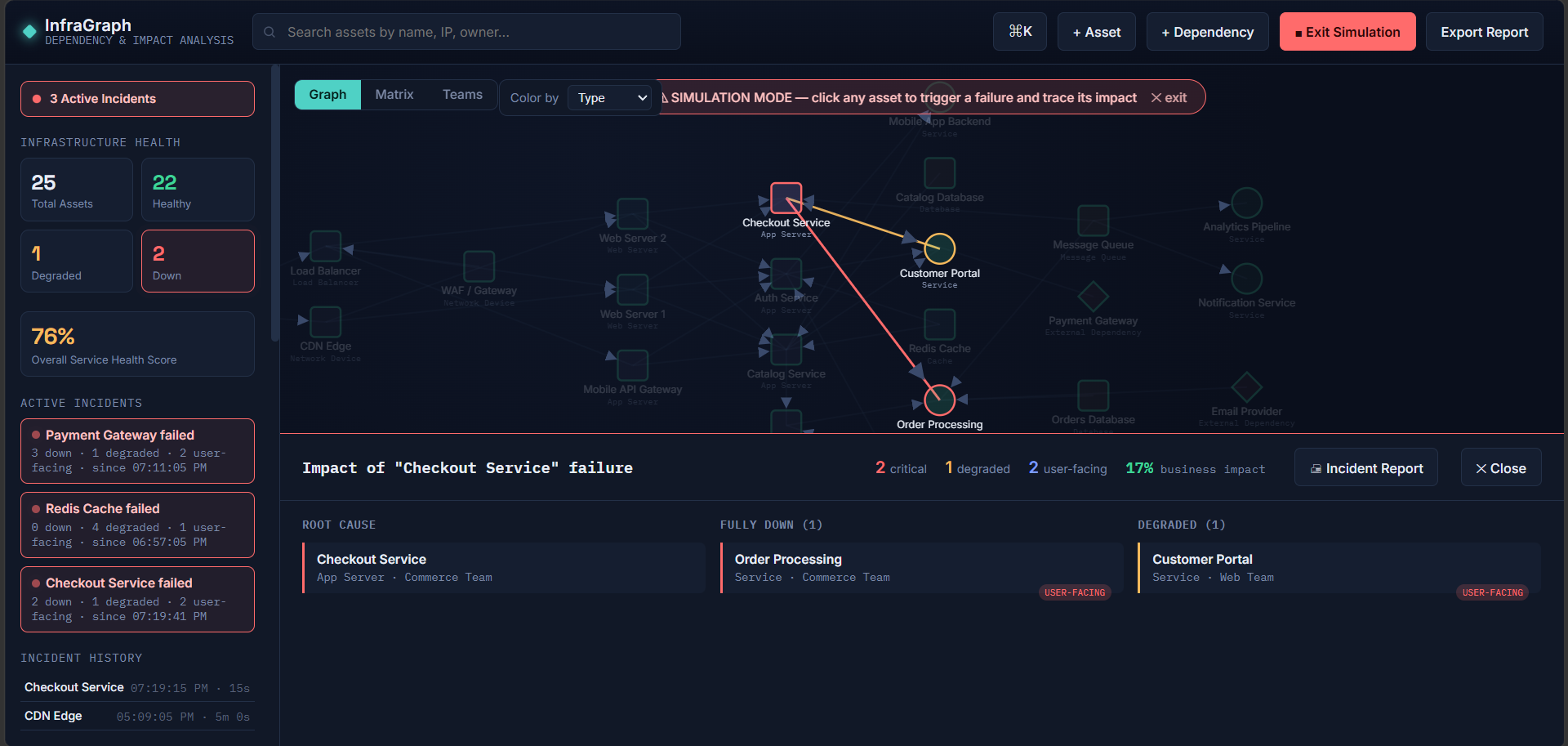
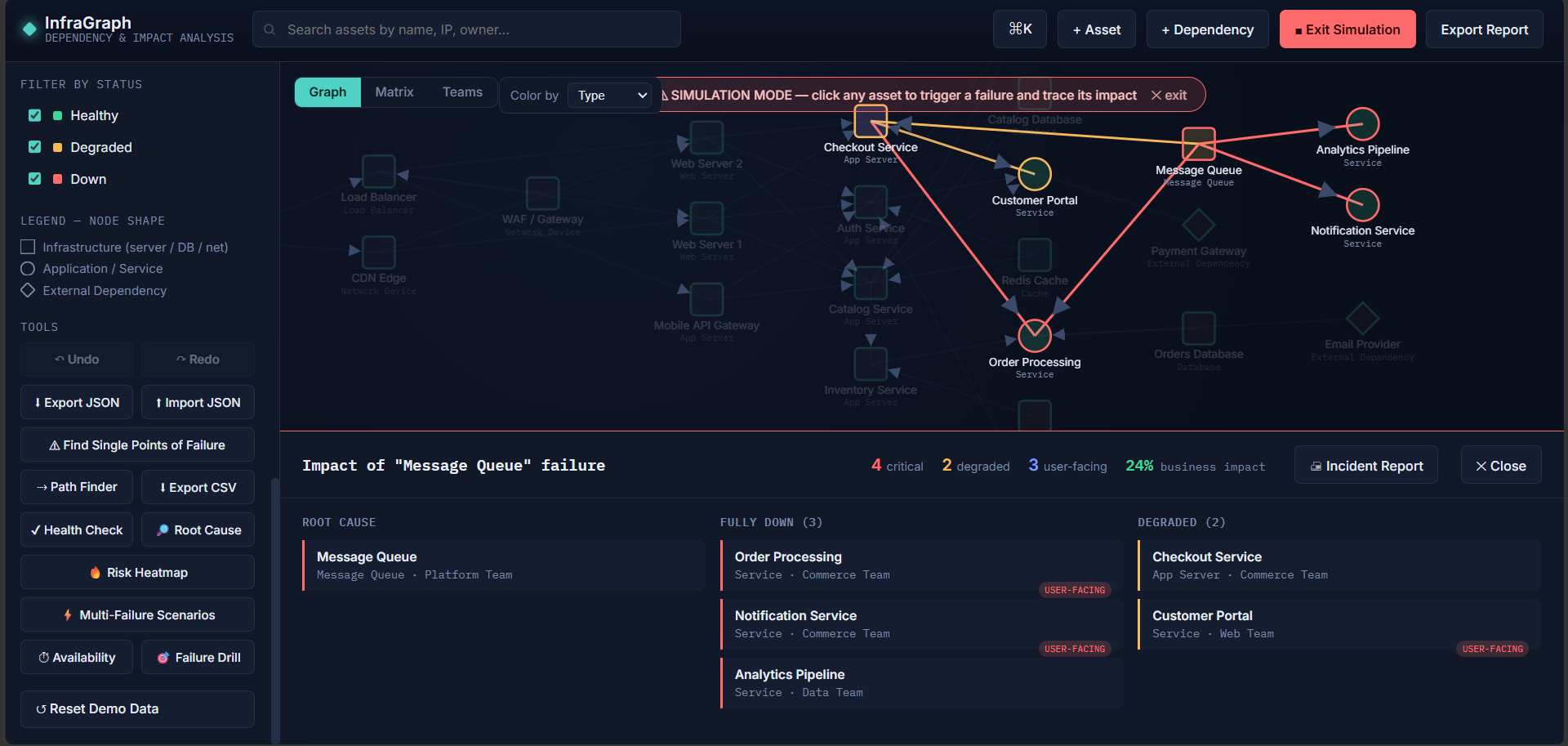
Failure simulation: click any asset and watch the cascade spread, with Down (red) and Degraded (amber) assets and the impact panel open
-
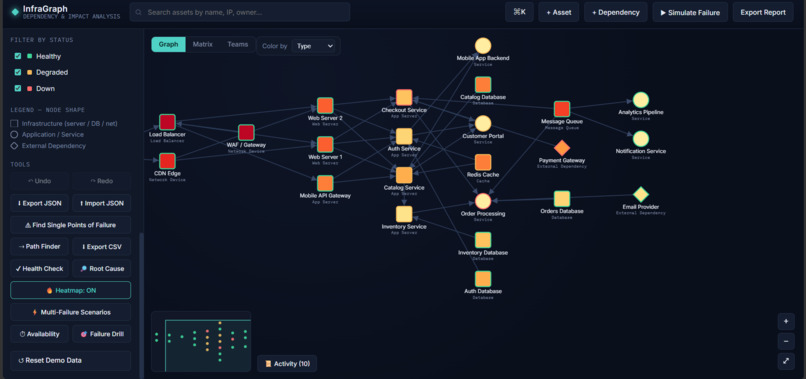
Risk heatmap: assets shaded by blast radius, so the riskiest components stand out instantly.
-
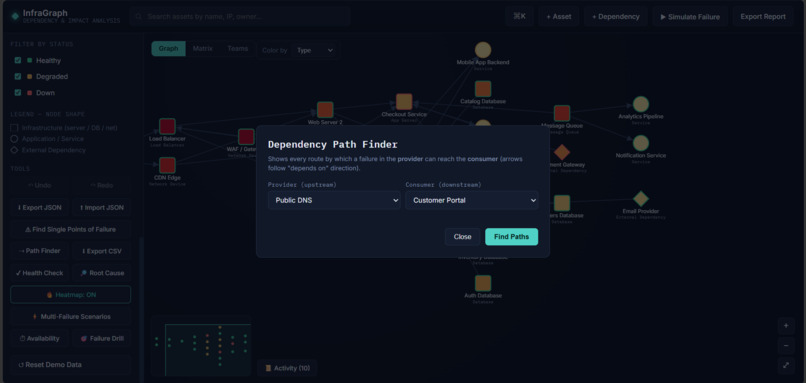
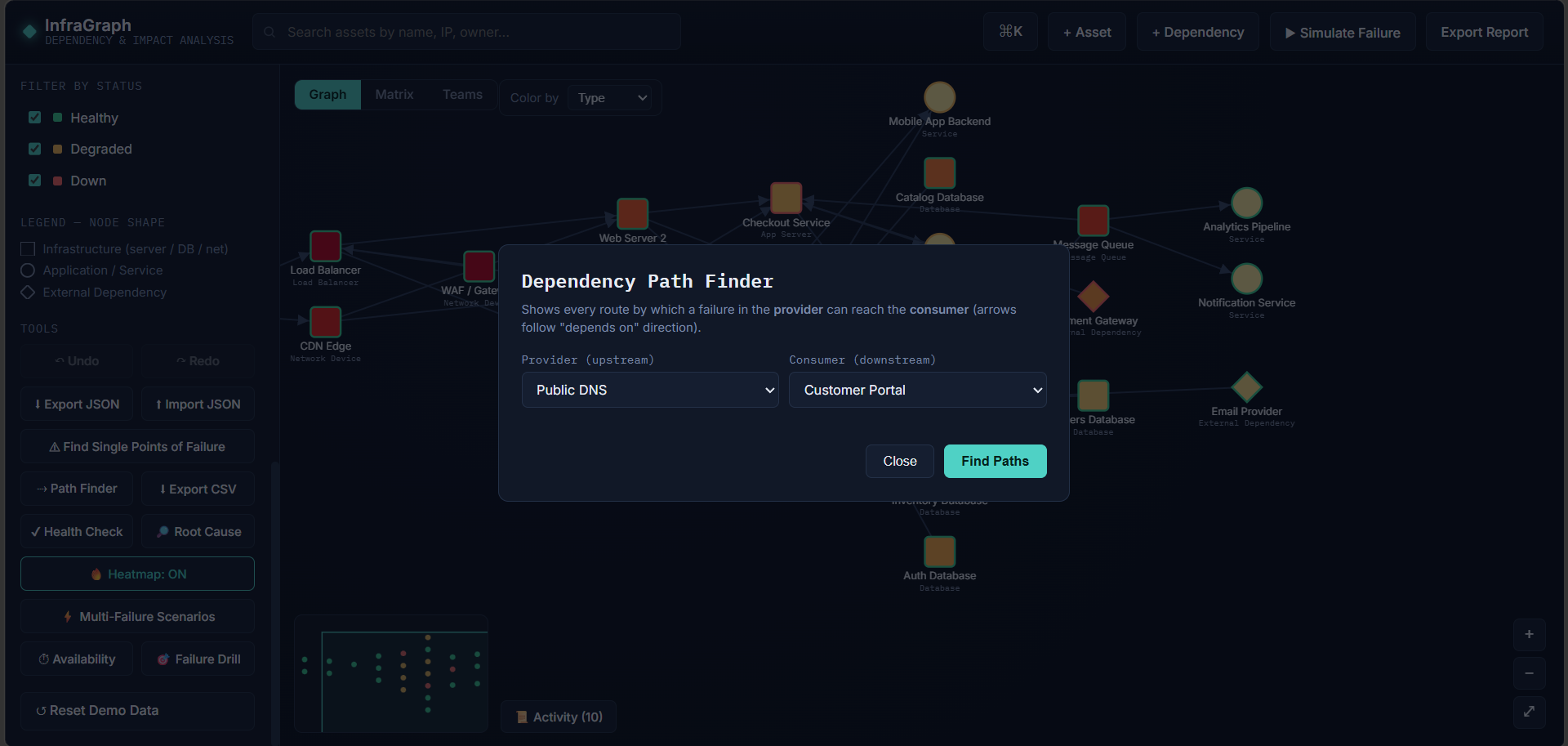
Path finder: pick a provider and a consumer to list every route a failure can take between them, and highlight any path on the graph.
-
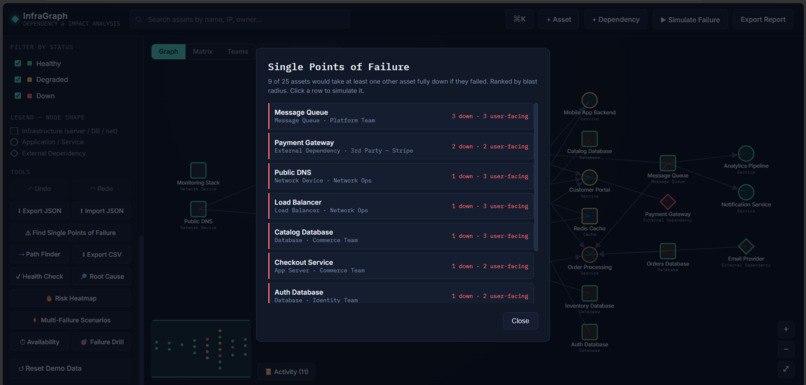
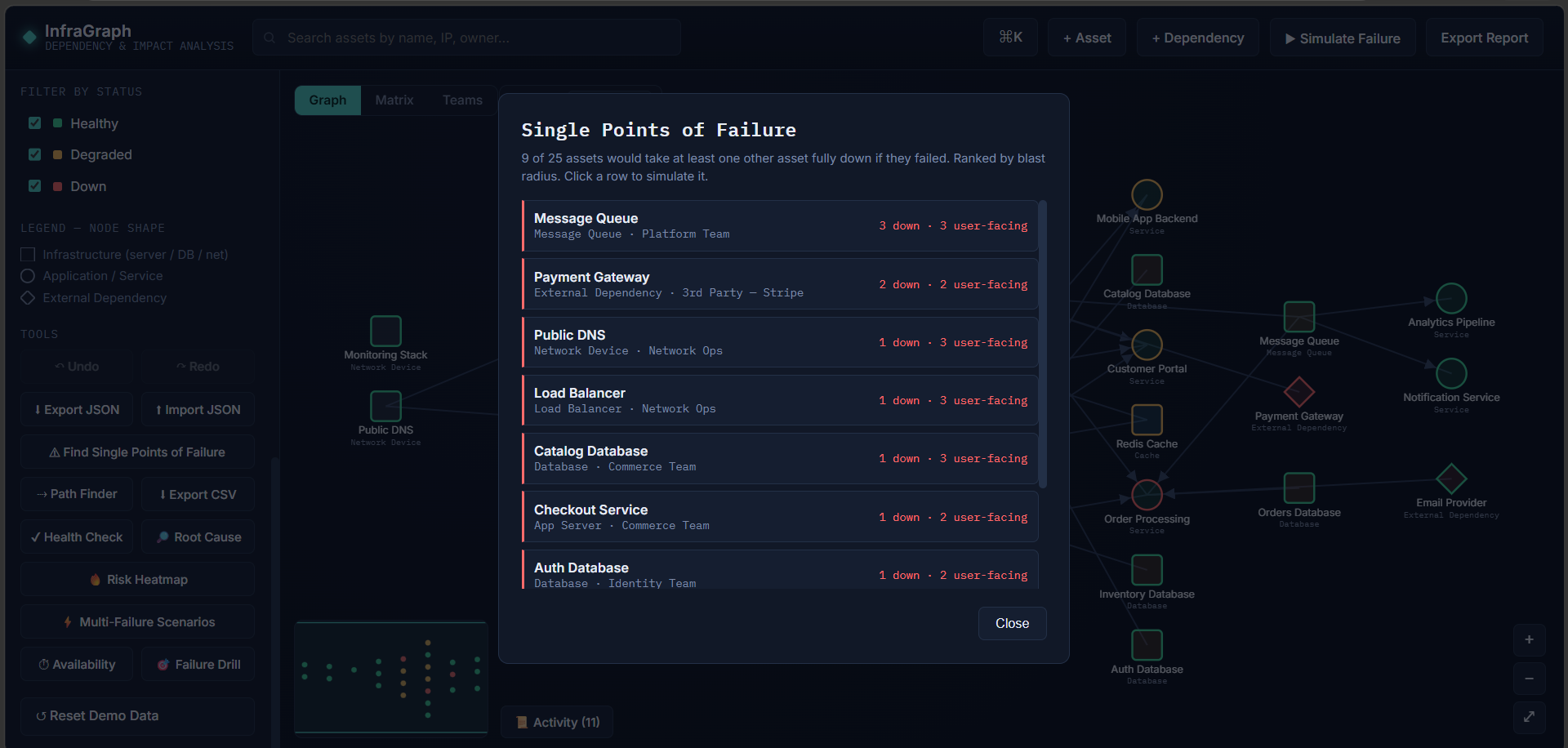
Single points of failure: assets ranked by how many others they take fully down, so you know what to protect first.
-
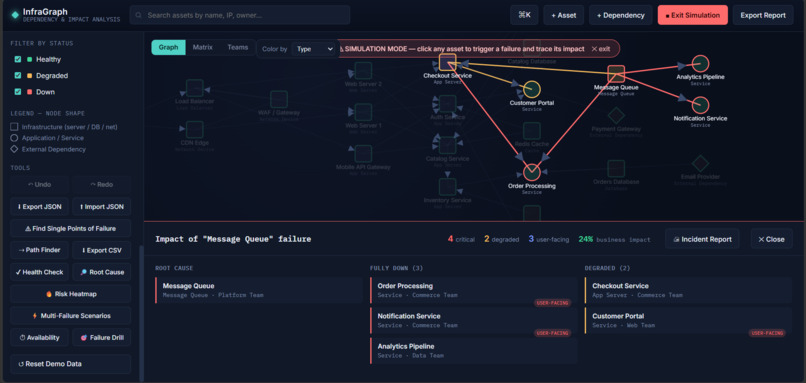
Failure simulation: click any asset to trace its cascade, with Down and Degraded assets, user-facing impact and a business impact score
-
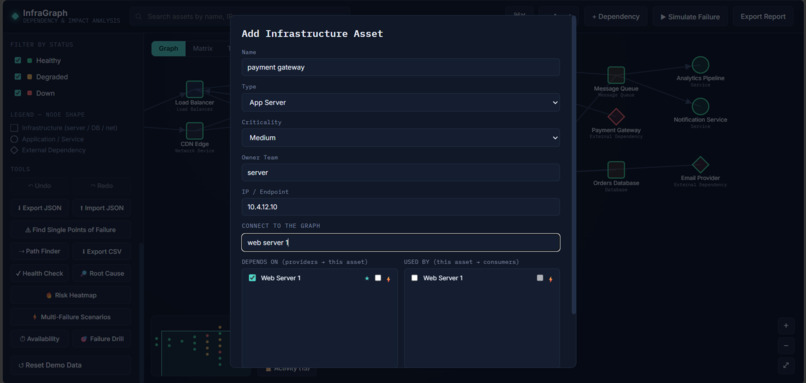
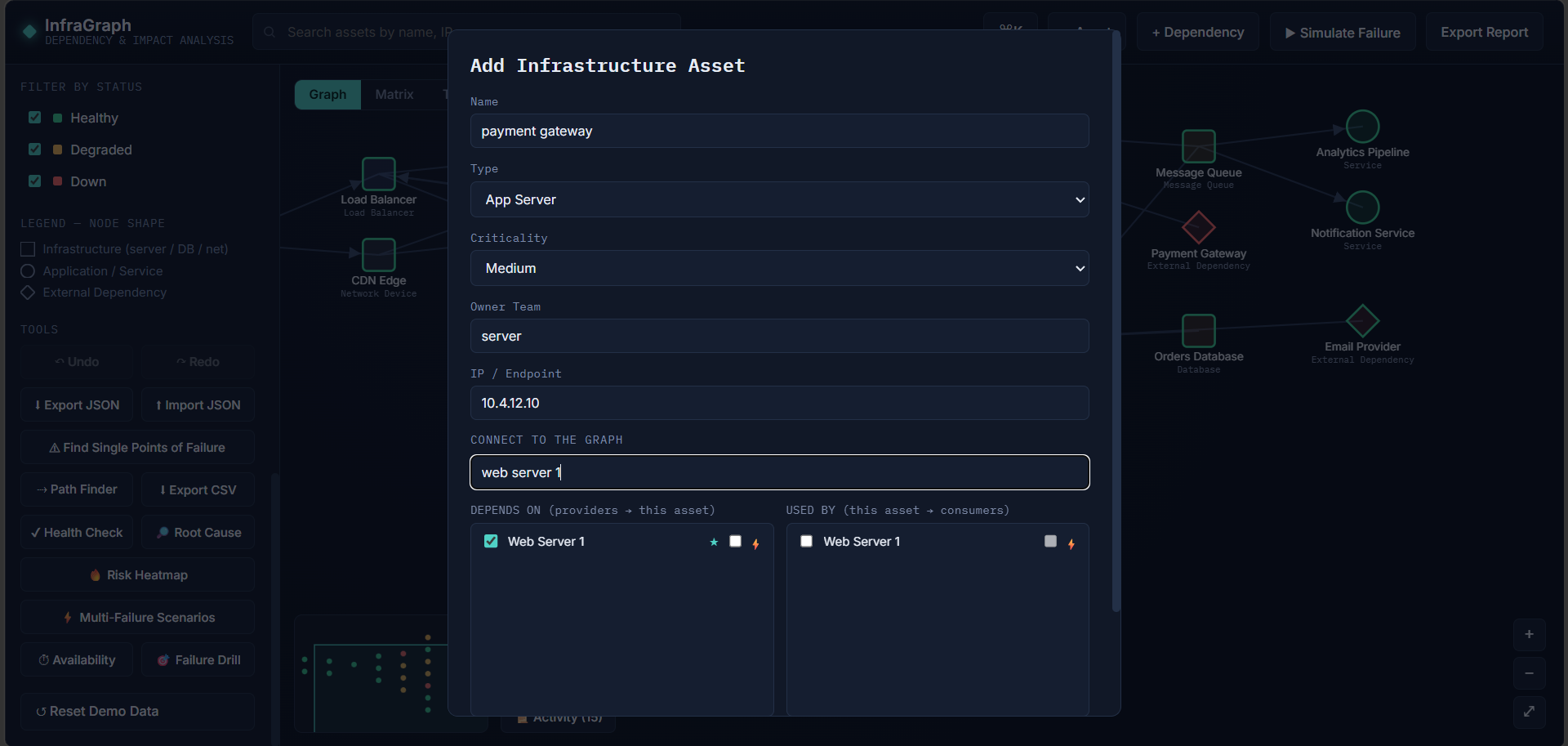
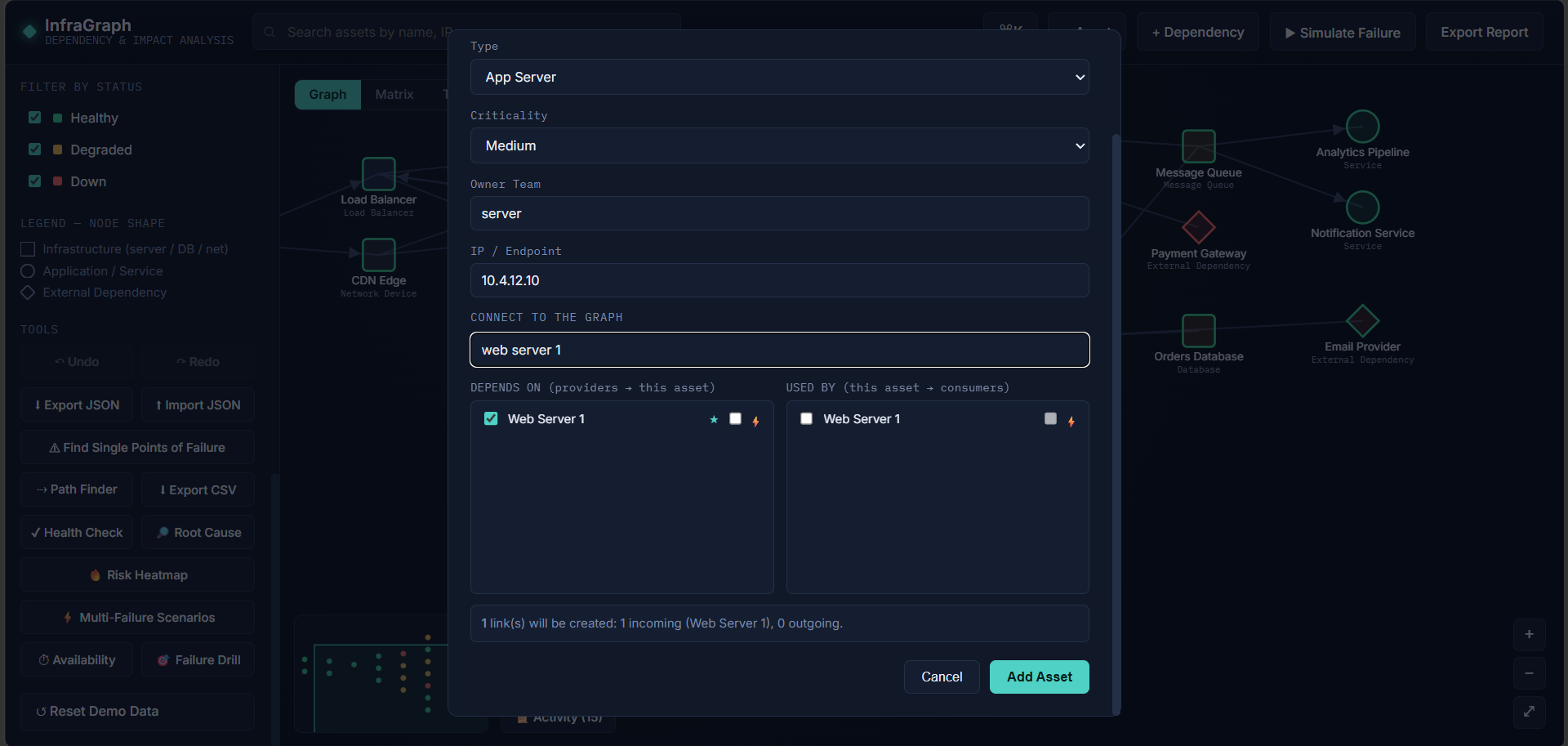
Add asset: link a new asset to the graph as you create it, with a live preview and a circular-dependency guard
-
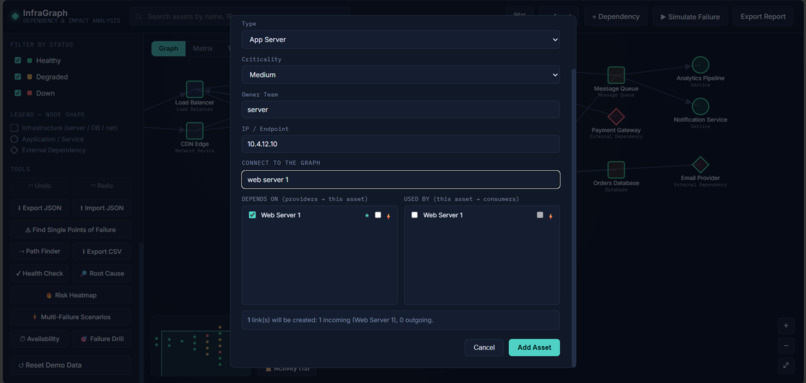
Add asset: link a new asset to the graph as you create it, with a live preview and a circular-dependency guard
-
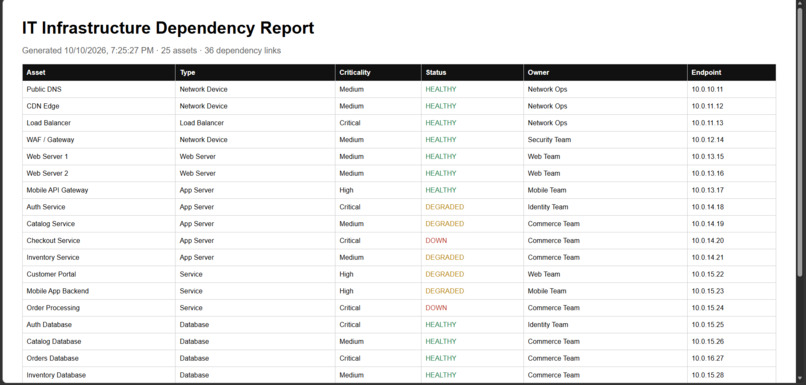
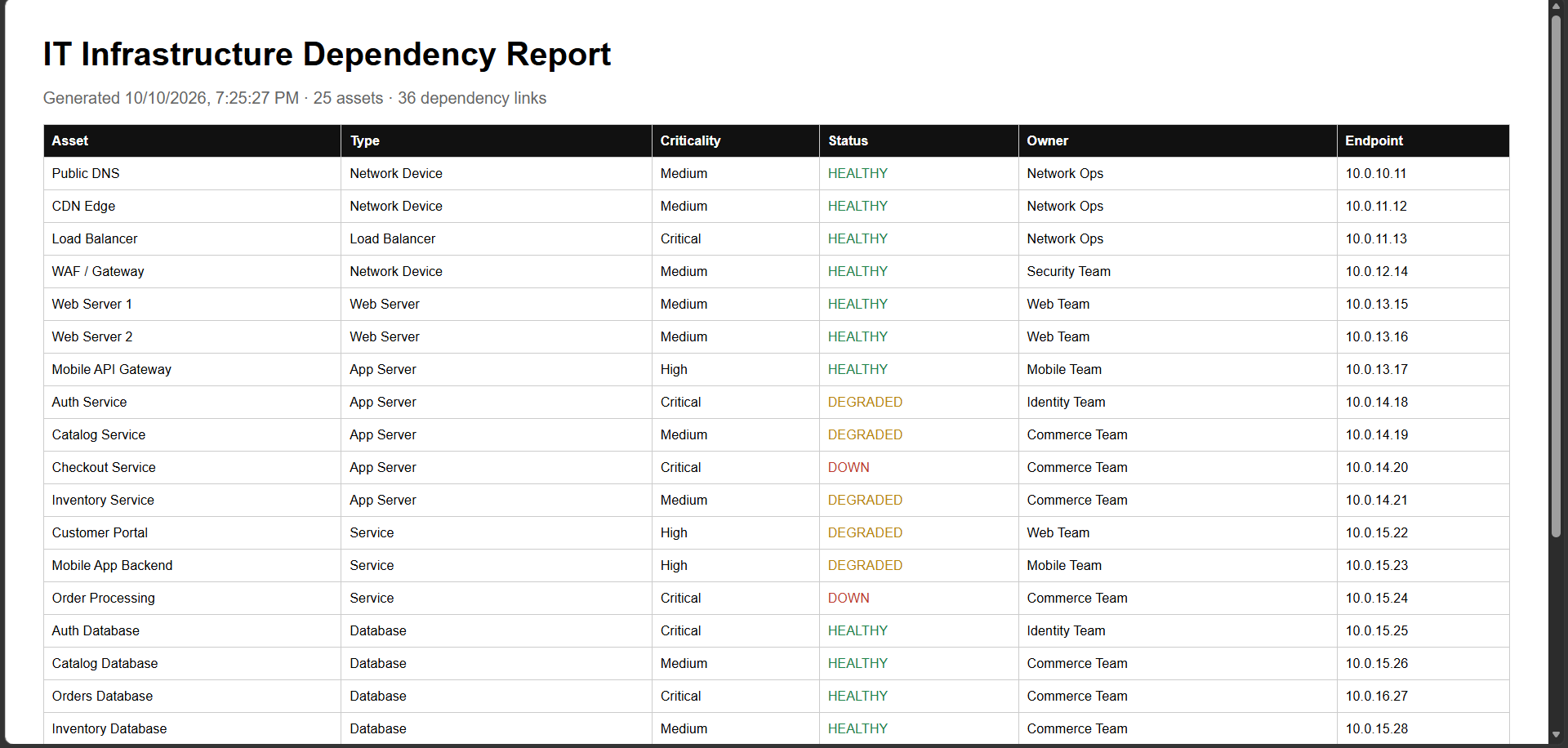
Incident report: root cause, affected assets, user-facing impact and recommendations, ready to print.
Inspiration
Modern IT systems are chains of dependencies: DNS, load balancers, services, databases, caches and third-party providers. When one piece fails, teams lose precious minutes working out what else is affected, who owns it, and what to fix first. That knowledge usually lives in outdated diagrams and in people's heads.
We wanted a tool that makes the blast radius of a failure visible and calculable before an incident, not during one.
What it does
InfraGraph turns an organization's infrastructure into an interactive dependency graph and lets you simulate failures on it.
Failure simulation
- Click any asset and watch the cascade spread.
- Every affected asset is classified as Down (no healthy path left, or a critical dependency failed) or Degraded (redundancy absorbed part of the failure).
- Each simulation shows user-facing impact and a weighted business-impact score.
Risk analysis
- Single-point-of-failure detection, ranked by blast radius
- Topology health check: circular dependencies, critical assets with no redundancy, missing owners, isolated assets
- Risk heatmap, path finder, and upstream/downstream tracing
- Availability calculator that checks each service against a target SLA
Incident response
- Root-cause finder that works from the currently unhealthy assets
- Printable incident report with recommendations
- Per-asset runbook checklists and notes
Planning and training
- Multi-failure scenarios (for example, a datacenter outage), which can be saved and replayed
- Cascade replay that animates a failure hop by hop
- Failure drill: a quiz where you predict the blast radius
Everyday usability
- Graph, matrix and team views, a minimap and a command palette (
Ctrl+K) - Undo/redo, auto-save, JSON and CSV export, and an activity log
- Guided connection of new assets, with a circular-dependency guard
How we built it
InfraGraph is a client-side web app in plain JavaScript (ES6), HTML5 and CSS3, with D3.js for the force-directed graph and SVG rendering. It needs no install: open one HTML file and it runs.
The core is the impact engine, a breadth-first traversal that starts at the failed asset and decides, for each dependent, whether it is Down or Degraded from the state of all its providers and whether each link is marked critical. It runs in \( O(V + E) \), so results are instant. For several simultaneous failures we repeat the evaluation until the result stops changing.
The availability calculator uses a simple series/parallel model. For a service with own uptime \( a \), critical providers \( c_i \) and redundant providers \( r_j \):
$$ A = a \cdot \prod_i A(c_i) \cdot \left( 1 - \prod_j \bigl(1 - A(r_j)\bigr) \right) $$
We built the features as separate, layered modules on top of the base app, so each could be developed and checked on its own.
Challenges we ran into
- Defining "impact" properly. A plain "affected or not" flag hides the difference between a full outage and a degradation. Modeling redundancy and critical links was the key design decision.
- Cascades with several failures. Single-failure logic gave wrong answers when an asset lost a second provider later in the chain, so we switched to a repeat-until-stable evaluation.
- Keeping the graph valid. Adding assets and links by hand can create loops, so we added a circular-dependency guard and a live preview when connecting new assets.
- Consistent undo and state. Edits, imports and simulations all change the graph, so history and original statuses had to stay correct.
Accomplishments that we're proud of
- A real graph-based analysis engine, not just a diagram
- A rich toolset around it: single-point-of-failure detection, root-cause finding, availability estimates, replay, drills and reports
- A zero-install experience with a realistic pre-loaded e-commerce topology (25 assets, 36 dependencies) for an instant demo
What we learned
We learned how to model real dependency problems as graphs, how redundancy changes the meaning of "failure", and how much value comes from turning a graph algorithm into something an on-call engineer can read in seconds. We also learned to design features as small, composable layers.
What's next for InfraGraph
- A Flask + MySQL backend with JWT login and roles, so teams share one source of truth
- A persistent, per-user audit log
- Live data from monitoring tools such as Prometheus and Datadog, replacing the simulated telemetry in the demo
- Automatic discovery of dependencies from cloud and configuration data
- Docker packaging and a CI pipeline with automated tests for the impact engine
Built With
- breadth-first-search
- css3
- d3-js
- data-visualization
- dependency-graph
- devops
- graph-algorithms
- html5
- impact-analysis
- incident-management
- javascript
- localstorage
- site-reliability
- svg

Log in or sign up for Devpost to join the conversation.