What is its purpose:
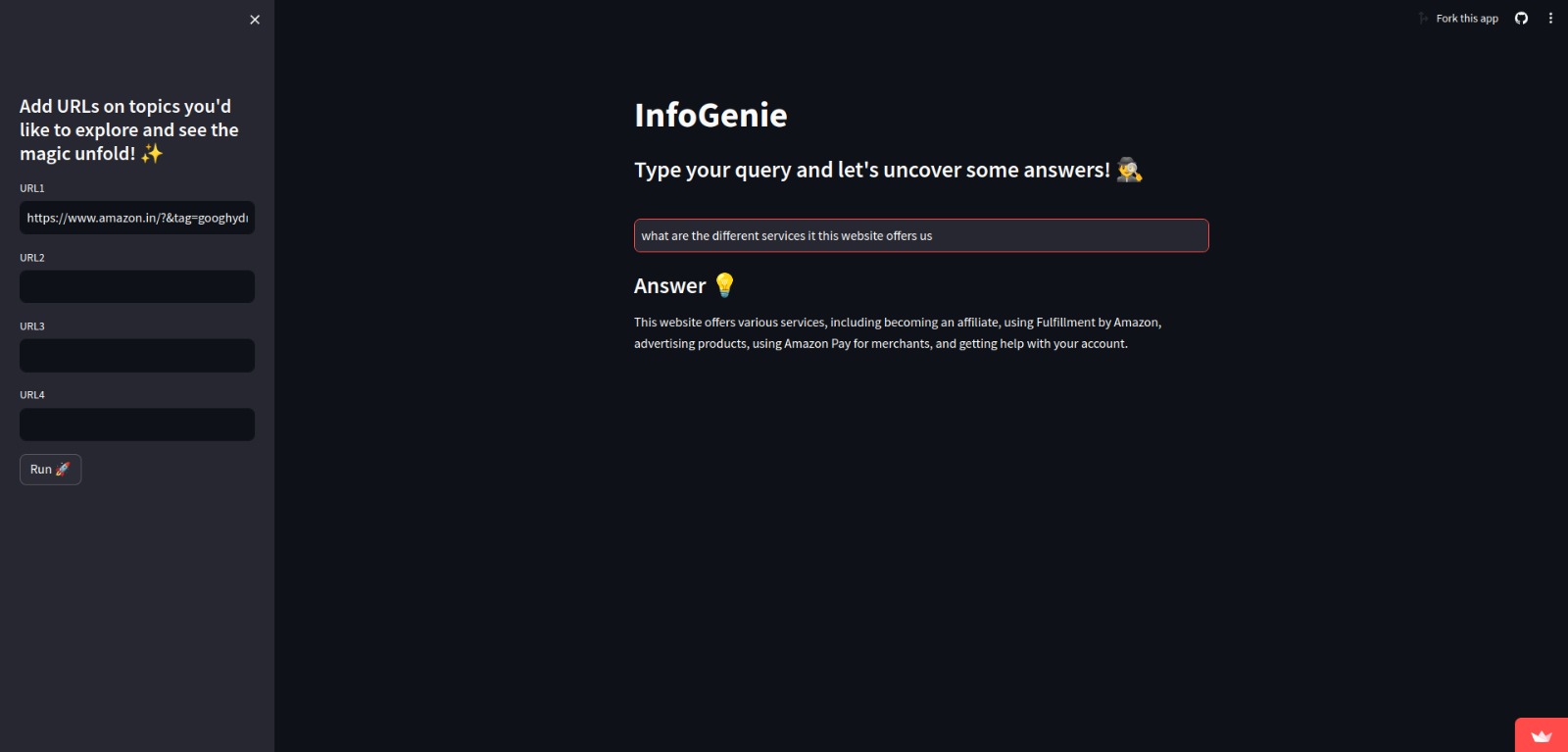
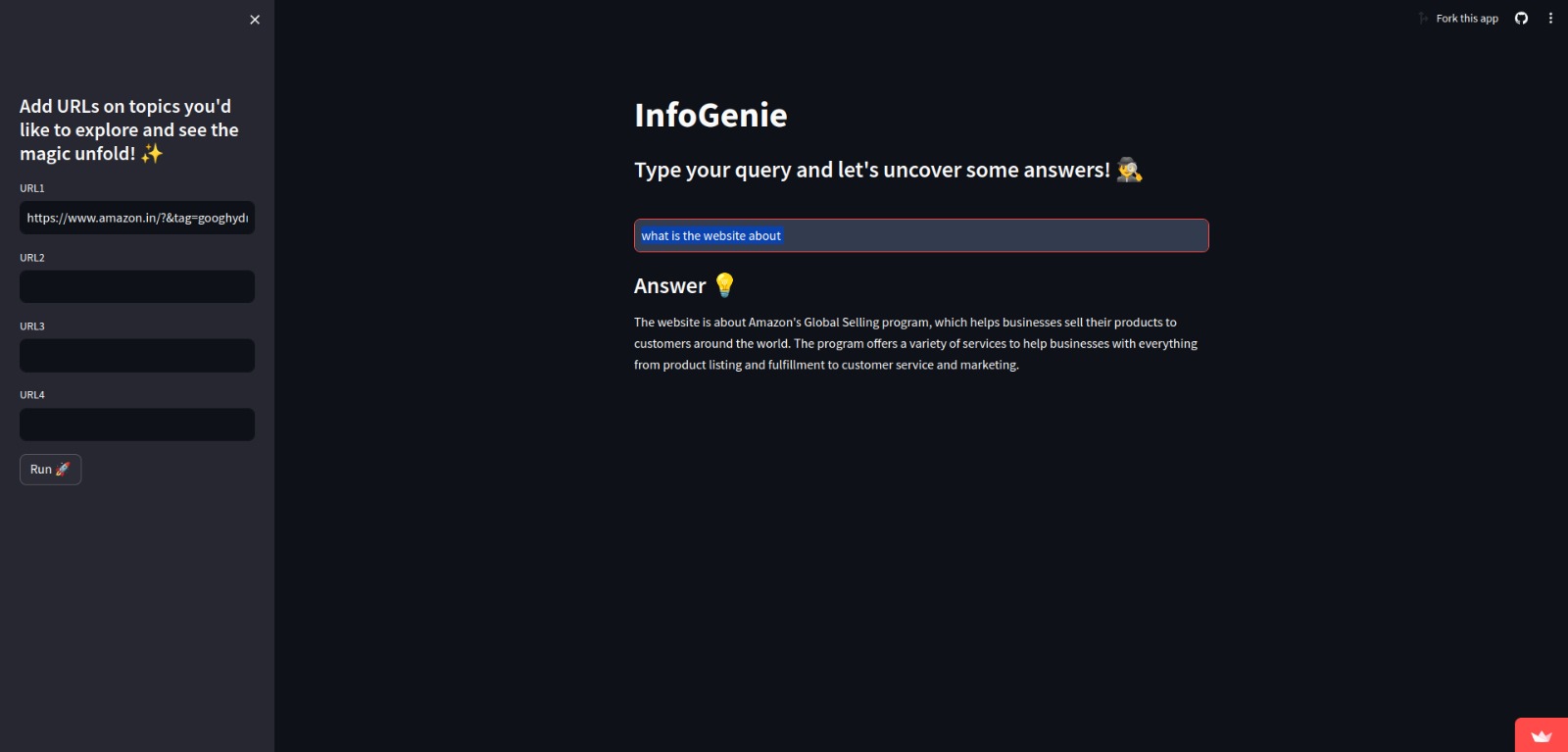
The application serves to retrieve information from provided URLs, process user queries, and generate concise answers using advanced language models. Its purpose is to offer an interactive platform for exploring and uncovering insights from text-based content with ease and efficiency.
What it does
Input URLs and Run Processing:
- Add up to four URLs of interest in the provided text input fields.
Enter Your Query:
- Type your question or query in the text input field provided after processing.
- Click on the "Run 🚀" button to initiate data processing.
Retrieve Information:
- The application fetches content from the provided URLs.
- It processes the data to generate embeddings for each document.
Generate Answers:
- Utilizing pre-generated embeddings, the application retrieves relevant documents.
- It then employs a language model to generate concise answers based on the retrieved documents and your query.
View Results:
- The generated answer to your query is displayed under the "Answer 💡" section of the application interface.
Functionality:
Data Retrieval and Processing:
- Fetch content from URLs provided by the user.
- Split the documents into smaller chunks for analysis.
- Generate embeddings for each document.
Query Processing:
- Accept user queries or questions.
- Retrieve relevant documents based on the query.
- Utilize a language model to generate concise answers.
User Interaction:
- Provide a user-friendly interface for entering URLs and queries.
- Allow users to initiate processing with a single click.
- Display generated answers in a clear and accessible format.
Scalability and Customization:
- Support adding multiple URLs for comprehensive analysis.
- Allow customization of language model parameters for varying degrees of detail in answers.
- Enable expansion and modification of functionalities as per user requirements.
Persistence and Efficiency:
- Store pre-generated embeddings for quick retrieval and response to user queries.
- Optimize processing and retrieval mechanisms for efficient use of computational resources.
How we built it
Setup and Configuration: At the beginning of the script, you import necessary libraries, including
os,pickle,time, andstreamlit. You also import specific components from custom modules likelangchain_communityandlangchain_google_genai.Data Loading: define a
DataLoaderclass to handle loading data from URLs. This class uses anUnstructuredURLLoaderfromlangchain_communityto load data from provided URLs.Text Processing: The
TextSplitterclass splits the loaded documents into smaller chunks for processing. It utilizes aRecursiveCharacterTextSplitterfromlangchainfor this purpose.Embeddings Generation: An
EmbeddingsGeneratorclass is defined to generate embeddings for the processed documents. It usesGoogleGenerativeAIEmbeddingsfromlangchain_google_genaito generate embeddings.Streamlit Application: The
StreamlitAppclass is the main component. It sets up the Streamlit interface, allowing users to input URLs, run the processing, and query the system.Query Processing: When a query is entered, the app retrieves the pre-generated vector store from a pickle file. It then processes the query using a combination of retriever and language model chains. The retriever finds relevant documents from the vector store, and the language model generates answers based on the retrieved documents and the query.
Displaying Results: The generated answer is displayed using Streamlit.
Overall, the app integrates various components for data loading, processing, and querying, leveraging Streamlit for the user interface. The core functionalities rely on external libraries for natural language processing and AI model interactions.
Skills and tools:
Skills and tools include Python for development, Streamlit for the interface, Google Generative AI for embeddings and queries, FAISS for storage and retrieval, NLP for text processing, and Pickle for data serialization.
Built With
- faiss
- natural-language-processing
- python
- streamlit


Log in or sign up for Devpost to join the conversation.