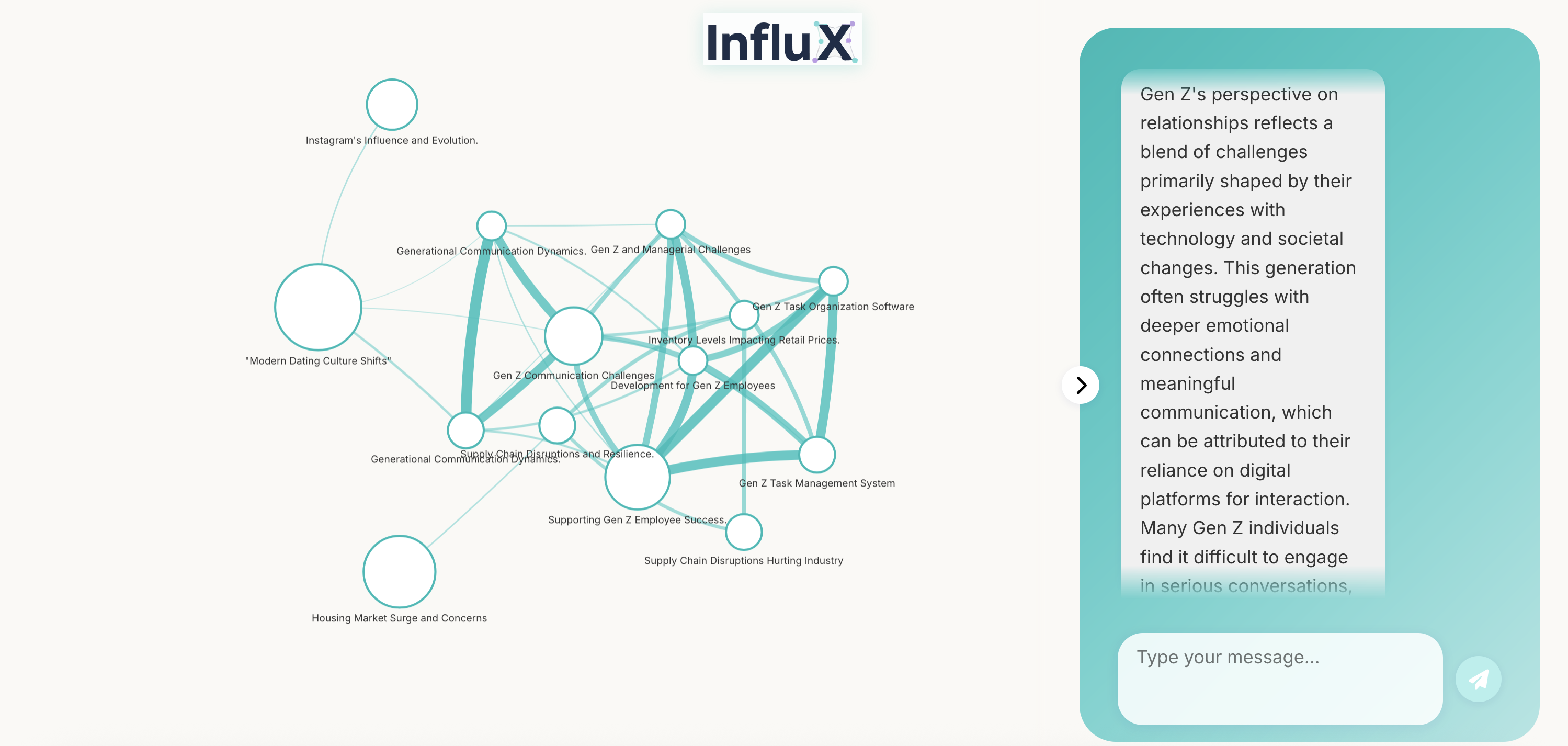
AgentVerseHackathon — Social Trend Analyser
This repository provides a lightweight pipeline for collecting, clustering and analysing social / news signals and producing persona-driven stakeholder outputs.
High-level pieces you will interact with:
- backend: Python FastAPI service that runs the orchestration and exposes a single query endpoint.
- multi-agent orchestration:
multi_agent.pycontains the core pipeline (source selection → scraping → clustering → graph RAG → persona planning/delivery). - frontend: a minimal Vue 3 app (in
frontend/) that visualises graphs and can call the backend API. - personas: The system includes an academic, marketing, and finance persona to provide diverse analytical perspectives.
This README documents how to run and develop with the current code. The protalab/ folder has been intentionally omitted here.
Quick summary of important files
multi_agent.py— central orchestration. Builds search queries, scrapes sources viabackend/scrapers, clusters ideas withbackend/clustering.py, builds a cluster graph viabackend/graph_builder.py, and performs RAG lookups withbackend/graph_rag.py. Uses Strands/OpenAI agents for LLM steps and persona generation.backend/main.py— FastAPI app exposing POST /ask which accepts a JSON body{ "query": "..." }and returns{ "answer": "..." }.backend/graph_rag.py— small RAG helper using FAISS + SentenceTransformers to retrieve contexts from an in-memory KB.backend/clustering.py— HDBSCAN clustering + LLM summarization of clusters.backend/graph_builder.py— builds graph structure and uses an LLM to create human-readable explanations for cluster groups.backend/llm.py— LLM wrapper used by some modules (loads config from environment).backend/requirements.txt— Python packages needed to run the backend.frontend/— Vue 3 + Vite frontend project; seefrontend/package.jsonfor commands and deps.personas/— persona prompts and helpers (marketing and finance personas used by the orchestrator).
Environment variables
Create a .env file in the backend directory (or set these in your shell). Set the following:
GOOGLE_API_KEY = XXX
GOOGLE_CSE_ID = XXX
OPENAI_API_KEY = XXX
X_BEARER_TOKEN = XXX
Backend — install and run
- Create a virtual environment and install dependencies:
cd backend
pip install -r requirements.txt
- From the repository root you can run the API with uvicorn (recommended during development):
cd backend
python3 main.py
- The main API endpoint is:
- POST /ask — Body:
{ "query": "What's happening with product X" }→ Response:{ "answer": "..." }.
Notes and behavior:
- The backend keeps an in-memory
knowledge_basewhile running; repeated /ask requests may cause the orchestrator to scrape and enrich the KB. - The orchestrator (
multi_agent.py) uses Strands agents and the persona tooling inpersonas/to route and generate persona-specific outputs.
Frontend — install and run
The frontend is a standard Vite + Vue 3 project.
cd frontend
npm install
npm run dev
Open the dev server URL printed by Vite (usually http://localhost:5173). The frontend components use vis-network / vis-data to render graphs and call the backend /ask endpoint for analysis.
The frontend now displays the persona of the agent responding to the query, with different colors for each persona.
Development notes & how the pipeline works
- Request flow (simplified):
- Client calls
/askwith a user query.
- Client calls
-
multi_agent.pyroutes the query to a persona (marketing, finance, or academic) using a small supervisor agent. - The system tries a RAG lookup against the in-memory KB (
backend/graph_rag.py). - If the KB is insufficient, the persona plan may instruct the orchestrator to generate search queries, scrape sources (via
backend/scrapers), cluster ideas (backend/clustering.py), build/merge cluster graphs (backend/graph_builder.py) and add new embeddings to the KB. - A final RAG + persona delivery step produces the natural-language answer returned by
/ask. - The frontend parses the persona from the response and displays it with a unique color.
Persistence: At present the KB is in-memory only (a Python dict keyed by embedding tuples). For production use you should persist the KB and reuse FAISS indexes instead of rebuilding them on each call.
LLM calls: The code uses Strands/OpenAI agents (
strandslibrary). EnsureOPENAI_API_KEYis set and that you have the required Strands extras installed (seebackend/requirements.txt).
Built With
- langchain
- langgraph
- python
- rag
- strands

Log in or sign up for Devpost to join the conversation.