-
-
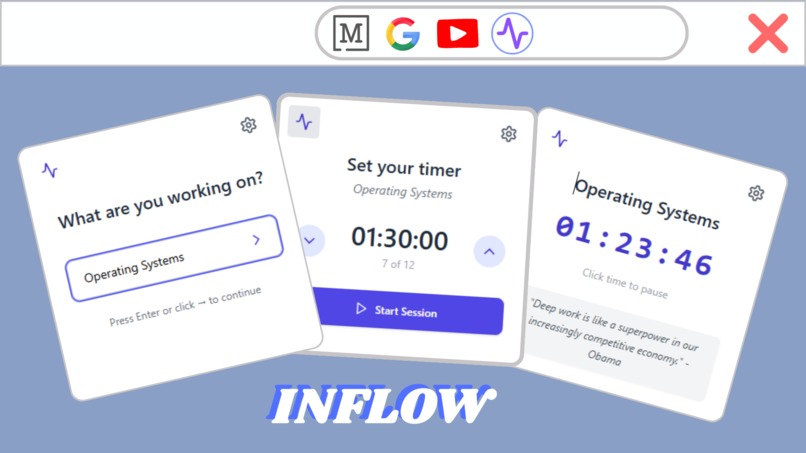
Set tasks and manage your study session!
-
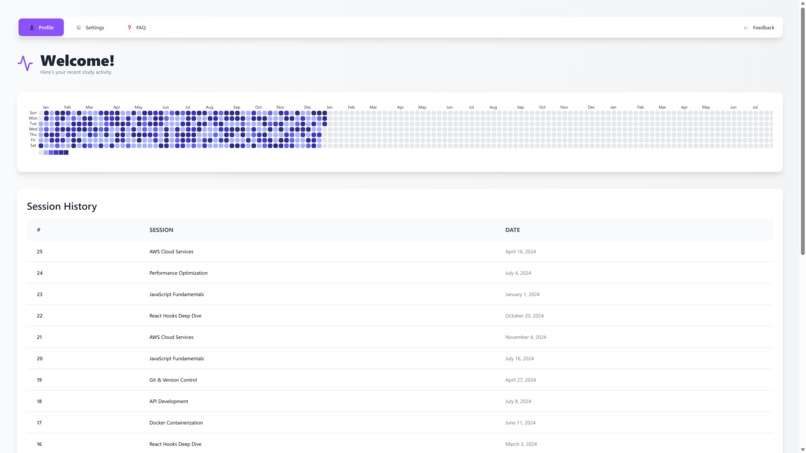
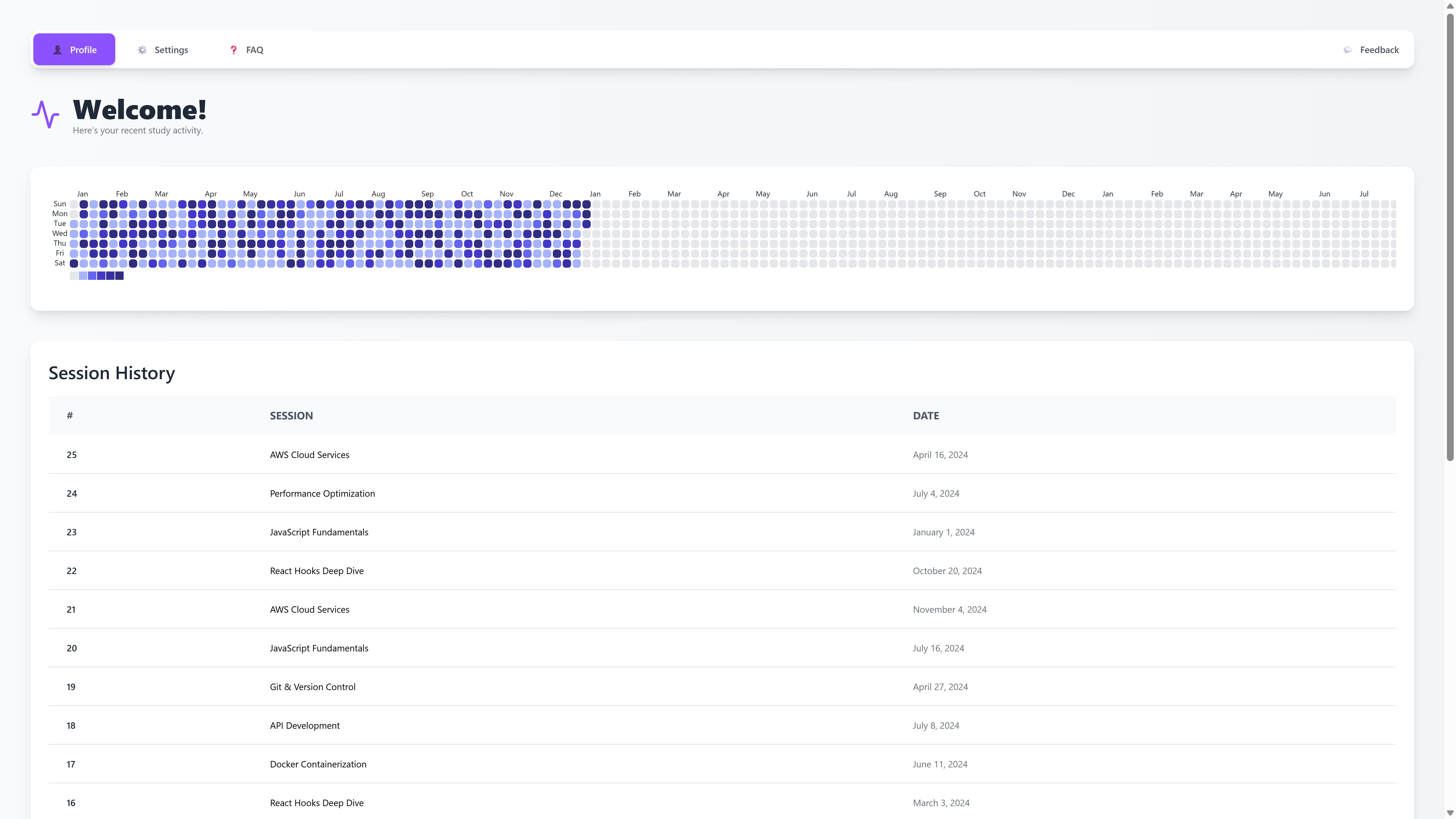
Track your daily sessions
-
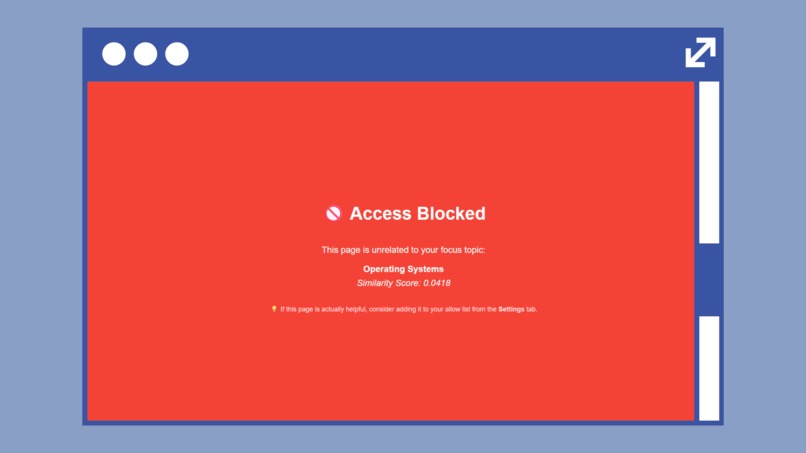
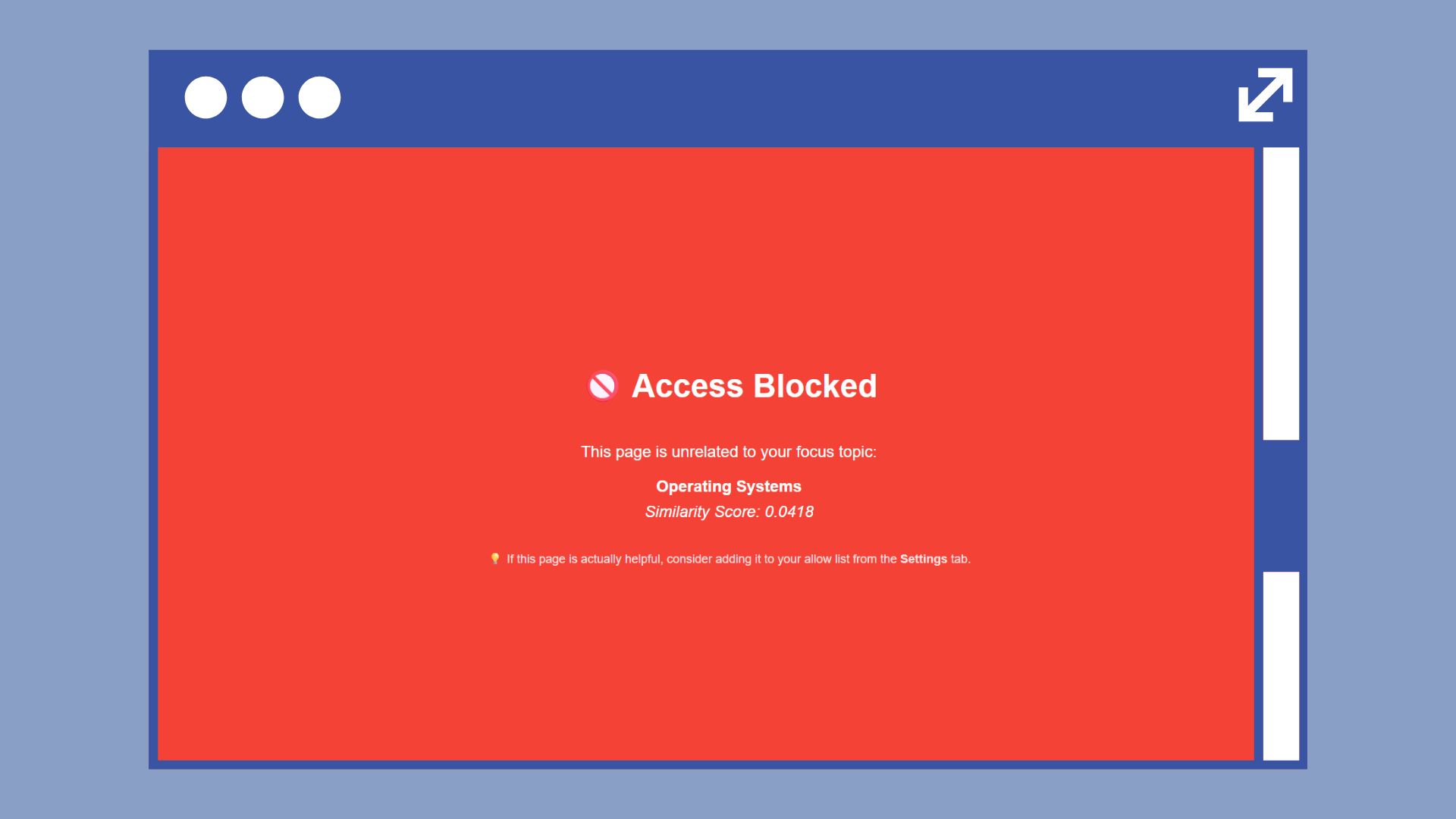
InFlow automatically blocks/warns you regarding any unrelated pages!
🧠 Inflow
Inflow is the AI-powered Chrome extension that keeps your mind exactly where it needs to be.
Focus isn't a discipline problem. It's an environment problem. Inflow helps your browser become part of the solution.
💡 Why Inflow?
Ever start researching something important, only to end up reading about Viking metal or the history of bubble tea? Same.
Traditional website blockers are too rigid. Everything’s either blocked or open, no in-between. But what if your browser actually understood what you’re working on and nudged you gently when you started to drift?
🚀 What Does It Do?
Inflow isn’t just a blocker, it’s your cognitive wingman.
- Set your focus topic (e.g., "machine learning" or "resume writing")
- Inflow uses AI to evaluate every page based on semantic similarity
- Irrelevant tabs get blocked with a helpful nudge and allowlist suggestions
- Stay mindful with a real-time focus heatmap and session history
Distractions get filtered. Your attention stays intact. You stay in flow.
🛠️ Tech Stack
- React + Vite for the extension popup and dashboard
- @xenova/transformers to run semantic AI models in-browser via WebAssembly
- Chrome Extension APIs for tab tracking, messaging, storage, and content blocking
- Offscreen documents handle heavy WebAssembly tasks silently in the background
- No backend. No tracking. 100% private and local.
🧱 Challenges Faced
- Running AI models inside Chrome’s strict security sandbox (thanks, CSP 😅)
- Offloading WebAssembly to offscreen contexts without lag
- Making page evaluation fast and performant, even on lower-end devices
- Designing an intuitive UX that encourages focus without feeling restrictive
🏆 Accomplishments We're Proud Of
- AI-powered, privacy-first distraction blocking, all local
- Real-time semantic content filtering that actually works
- Clean, actionable dashboard with visual insights
- No servers, no accounts just install and focus
📚 What was Learned
- The architecture of Chrome extensions (messaging, permissions, background/offscreen scripts)
- How to optimize AI models for browser performance
- Semantic scoring tradeoffs between speed and accuracy
- How to design UX that supports habit change instead of enforcing rules
🔮 What’s Next?
- Smarter allow/block list suggestions based on user patterns
- Scheduled focus modes and Pomodoro-style timers
- Sync focus history across devices
- Chrome Web Store launch + feedback loop from real users
✨ Inflow is for anyone who wants:
- Fewer distractions while working online
- Smarter content filtering based on meaning, not just URLs
- A visual view of how focused your browsing actually is
- A productivity tool that respects your privacy


Log in or sign up for Devpost to join the conversation.