Inspiration
Between 80 and 95 percent of people with ALS eventually can't rely on their own speech for daily life. The eye-gaze devices that help them communicate cost $8,700 to $20,000, and insurance approval can take months. Most of these people already own a laptop with a webcam. We wanted to see how much of that expensive device we could rebuild with the camera they already have.
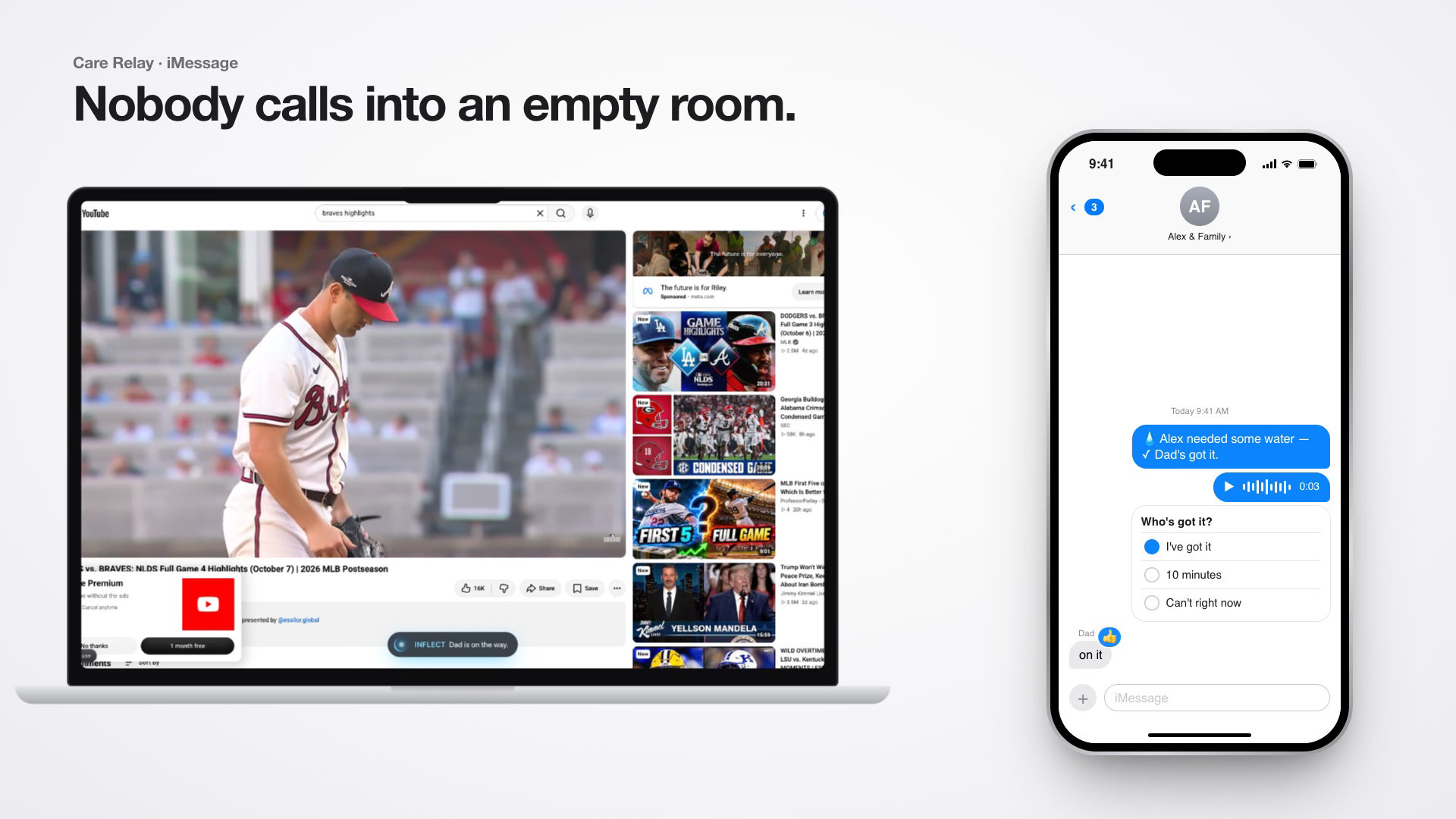
We also kept thinking about one small situation. Someone who can't move or speak wants a glass of water at 3 AM and nobody is in the room. A $20,000 device can say "I need water" out loud, but that doesn't help if no one is there to hear it.
What it does
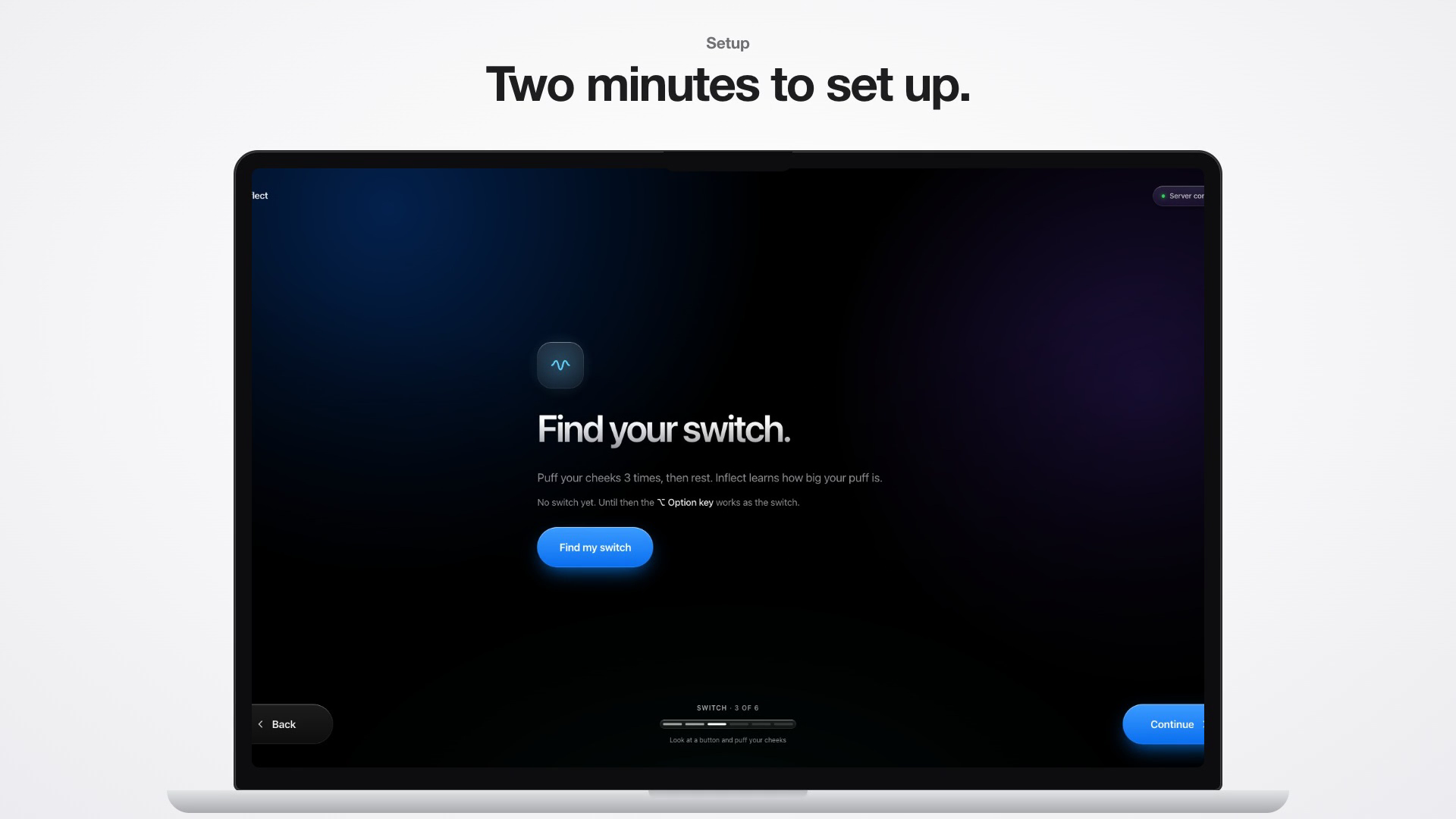
Inflect is a Chrome extension with a small server that runs on your own laptop. It lets you use the web, talk, and reach your family with your eyes, a cheek puff, or your voice.
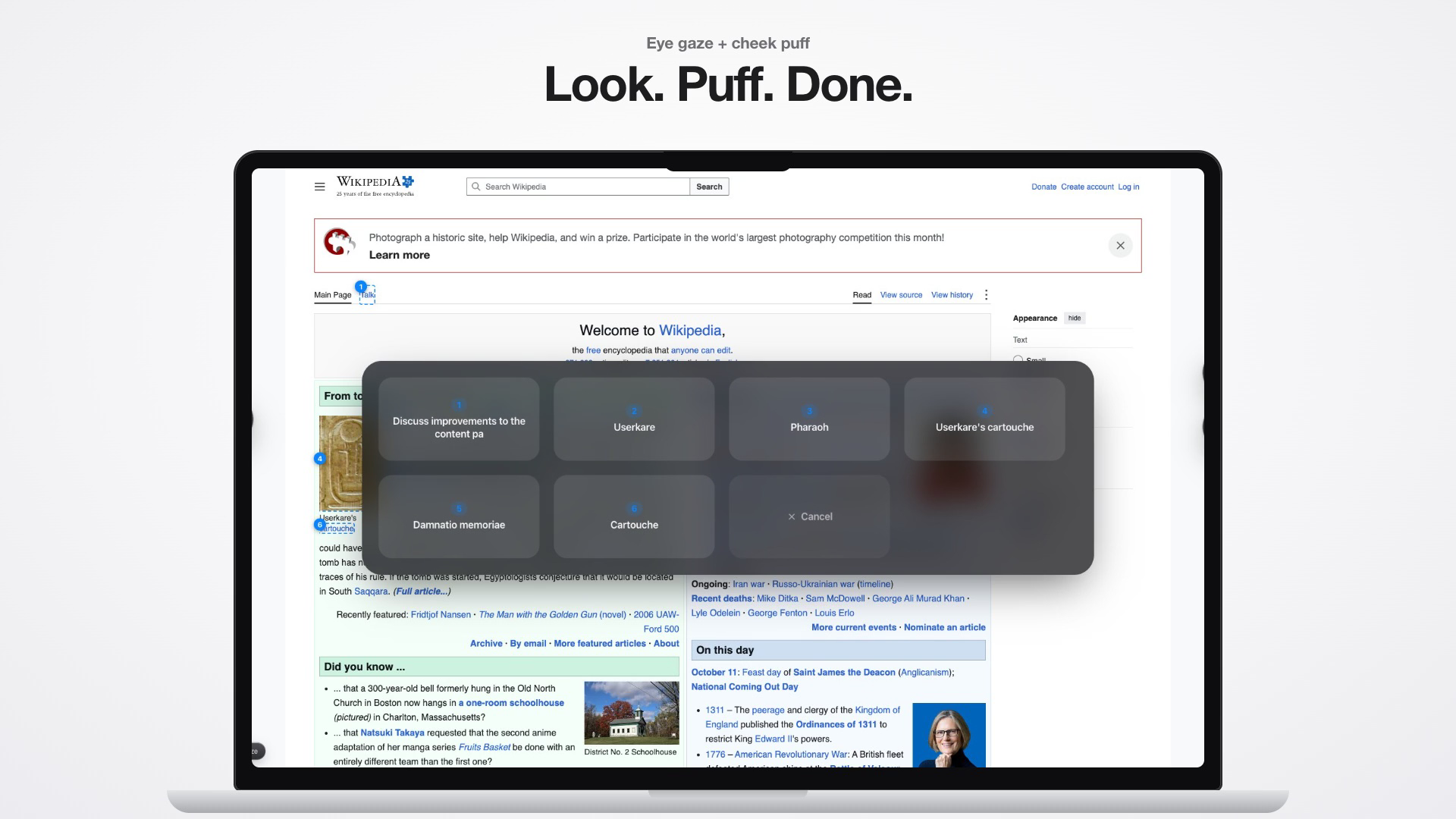
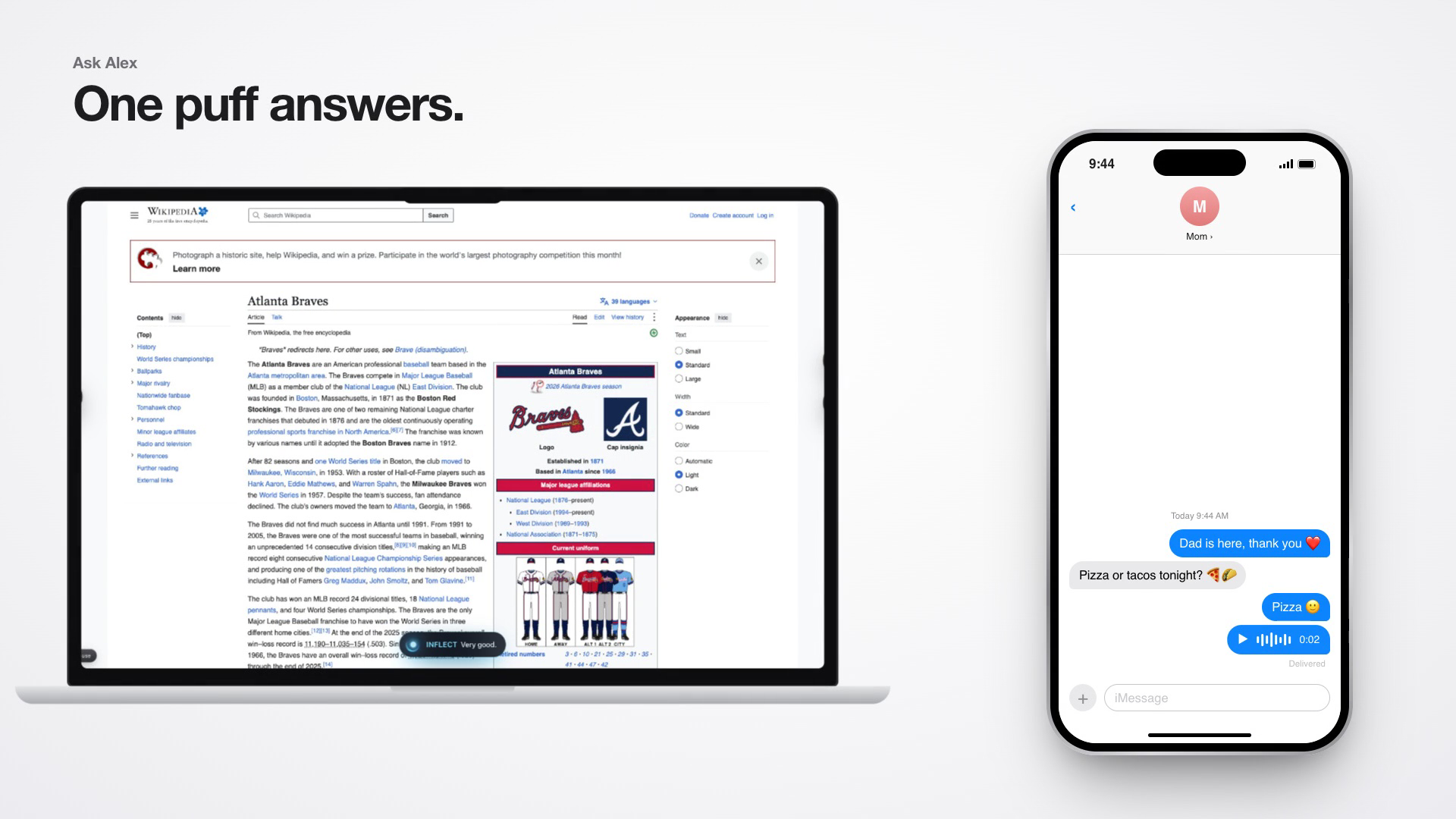
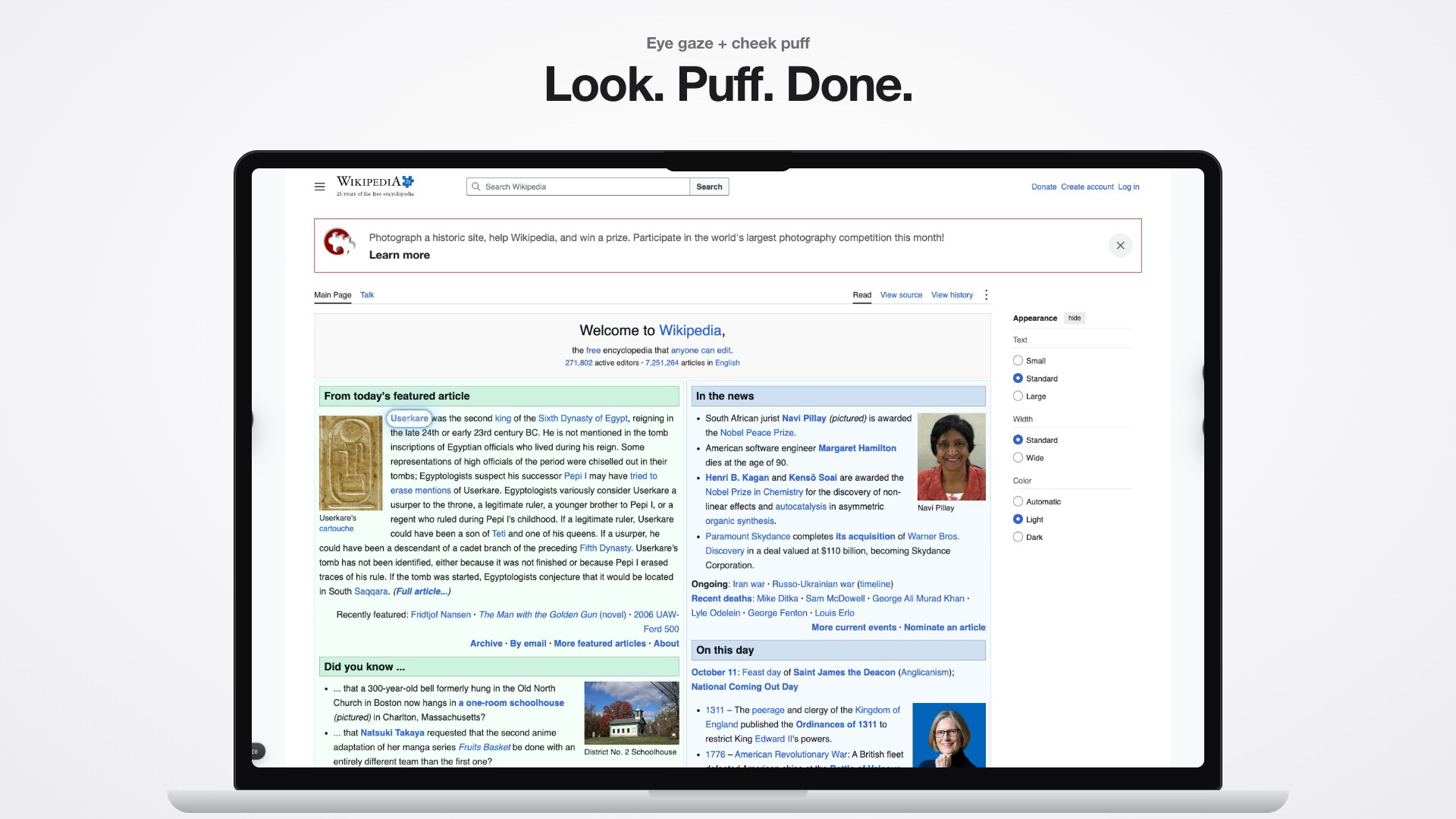
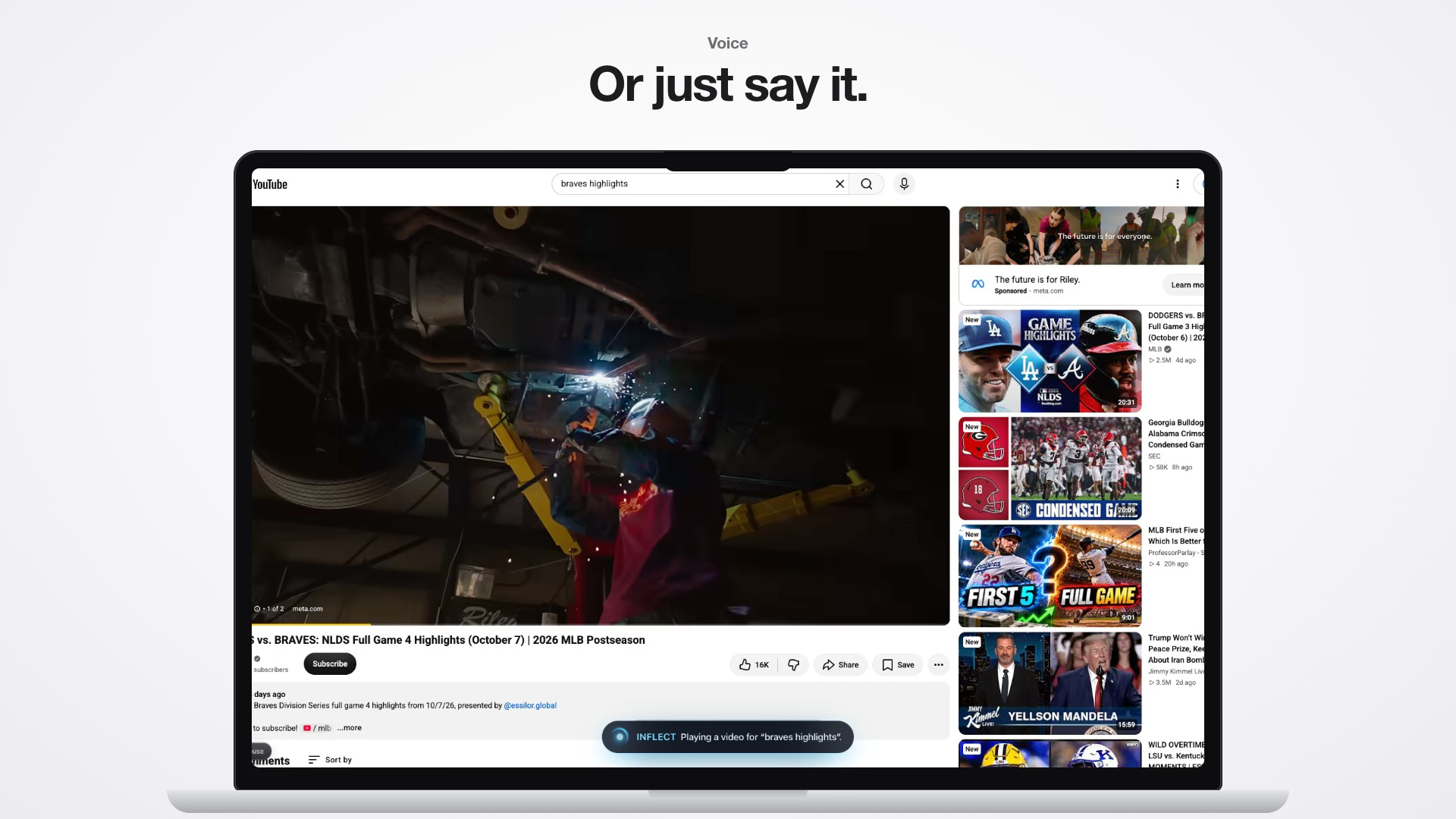
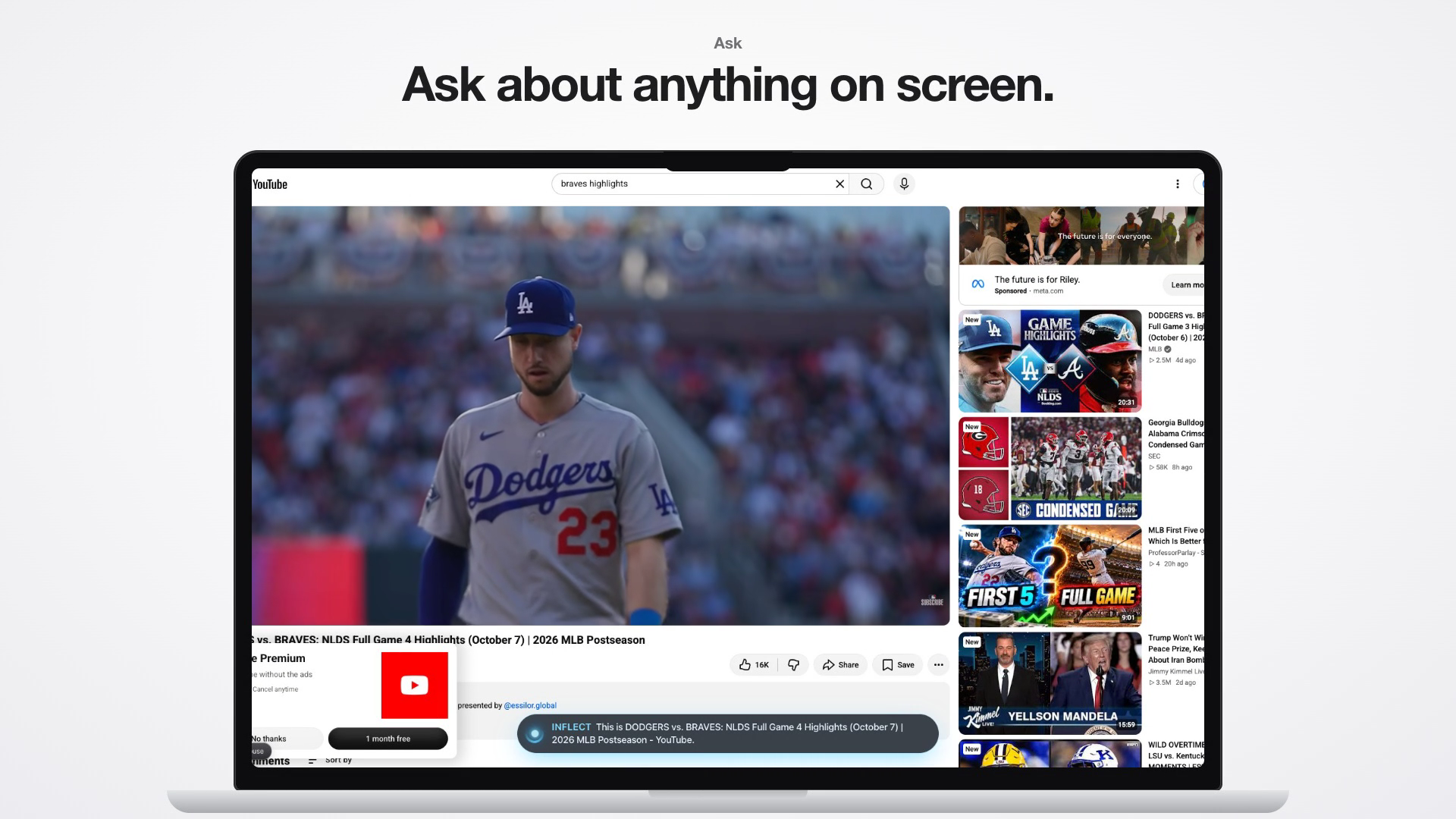
Your eyes move a soft highlight that snaps to links and buttons. A small puff of your cheek clicks. When things are packed close together, a puff opens a picker of big numbered tiles, and you look at the one you meant and puff again. If you can still speak a little, you can say "Jarvis, play the Braves highlights" and Inflect searches YouTube, opens the video, and presses play. You can also ask Jarvis questions about the page you're on.
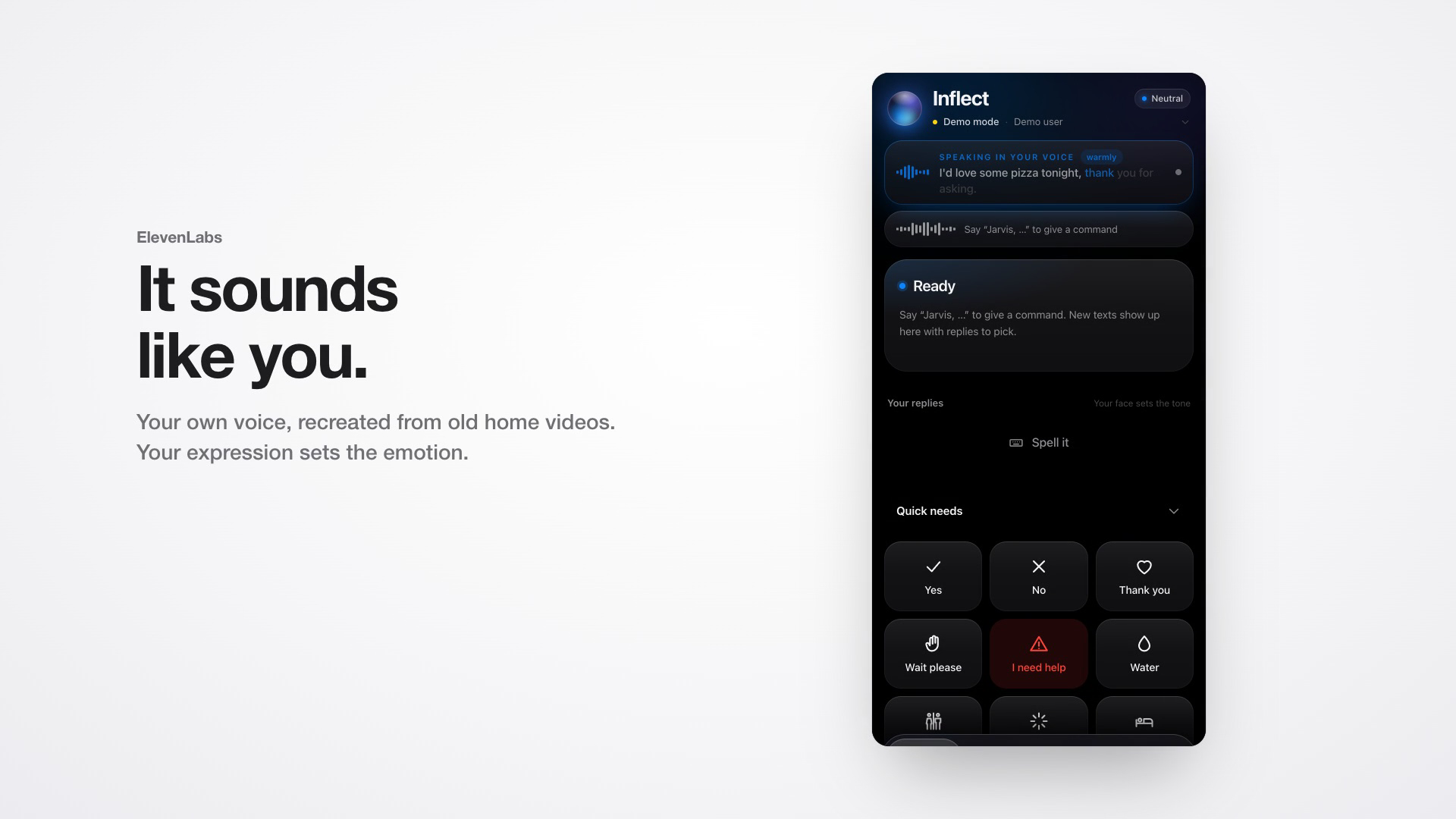
When you talk, Inflect speaks in your own voice, cloned with ElevenLabs. Your facial expression changes how it sounds: a slight smile reads the line warmly, and a frown with raised brows makes it sound sad. The words light up one by one as they're spoken.
Inflect also keeps your family in the loop over iMessage. Tap "Water" on the quick-needs board. If nobody in the room helps, your family gets a text with a voice note in your voice and a "Who's got it?" poll. The first person to reply "on it" claims it, everyone else sees the message update to "Dad's got it", and the laptop tells you "Dad is on the way." Family can text "how's Alex doing?" and get an answer without interrupting you. If Mom texts "pizza or tacos?", the question shows up on your screen, and one puff sends the answer back in your voice.
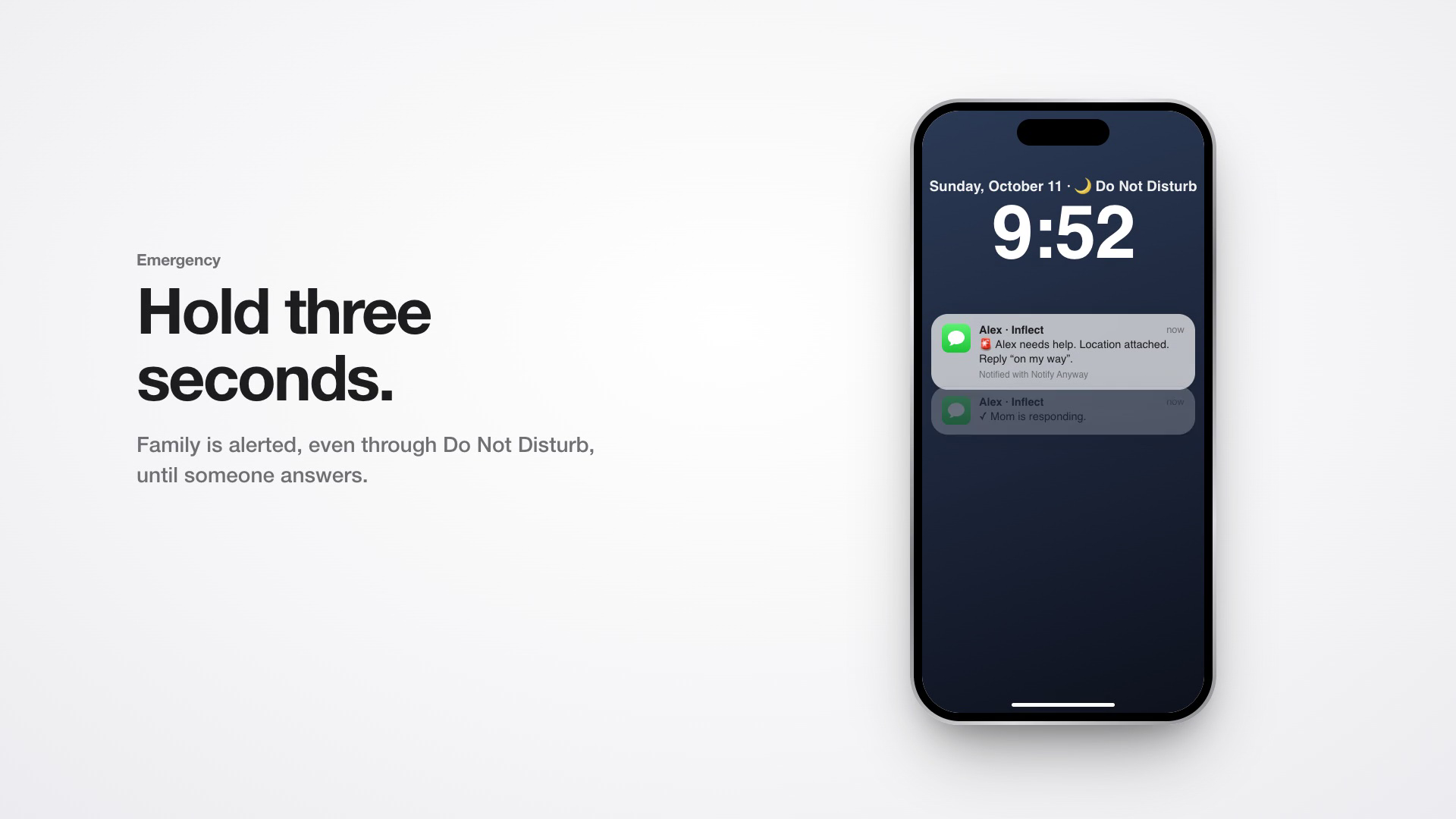
For emergencies, hold the puff for three seconds. Your family is alerted, even through Do Not Disturb, and the alert keeps escalating until someone says they're coming. A false alarm can be taken back.
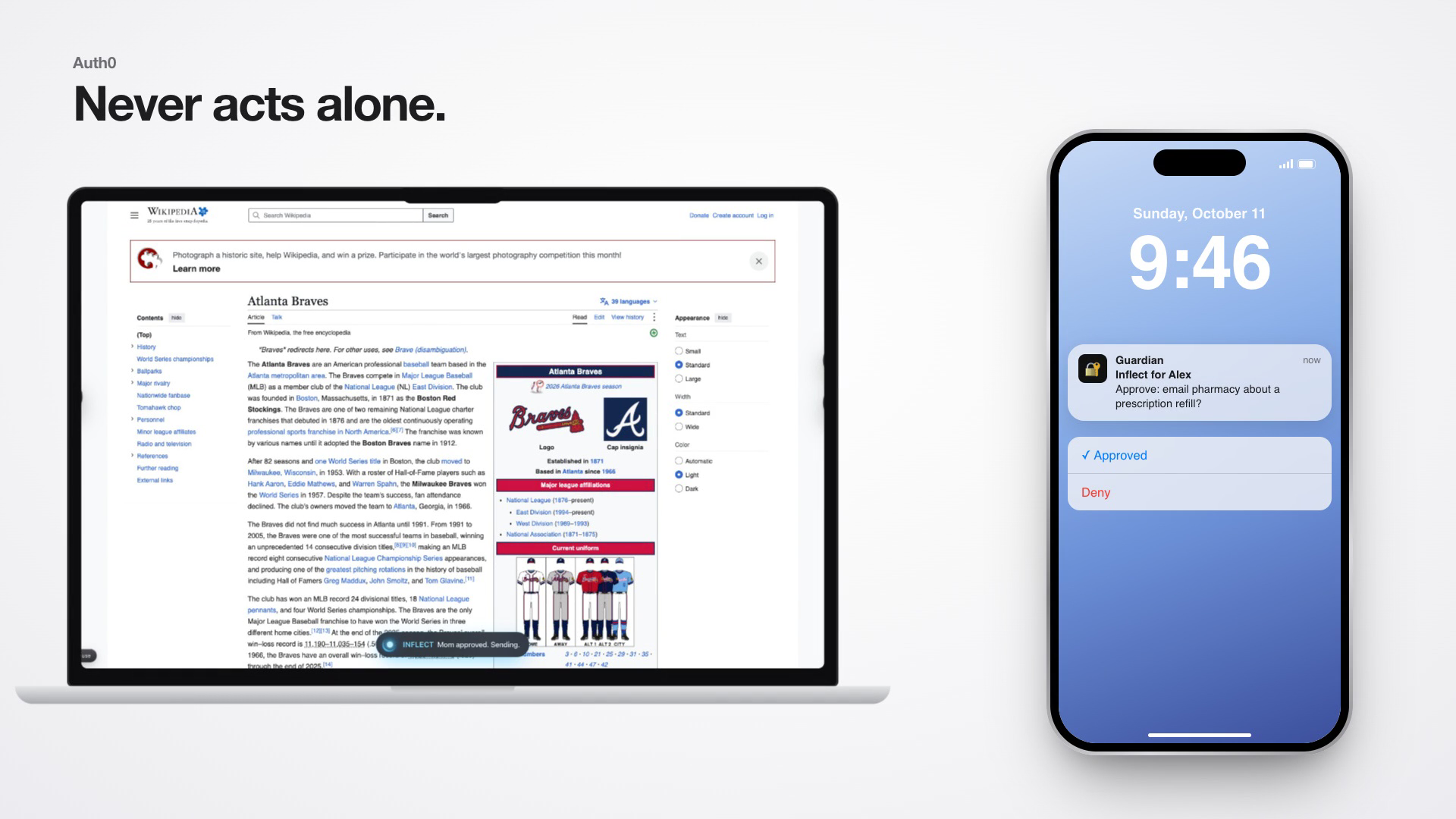
Inflect never acts alone on anything risky. If it tries to email someone outside your contacts, your caregiver gets an approval request on their phone through Auth0. Every action the agent takes is logged with who approved it.
How we built it
The extension is built with WXT and React. The server is Python with FastAPI, and everything sensitive runs locally.
For gaze, we use MediaPipe's Face Landmarker (478 points per frame) together with a ResNet-50 gaze network from the open-source yakhyo/gaze-estimation project. The network runs through ONNX Runtime on Apple's Neural Engine in about 4 ms per frame. We built our own calibration on top: a ridge regression over 17 features from the eyes, eyelids and head pose. It keeps calibrating itself every time you select something, because that tells it where you were really looking. Camera frames never leave the laptop.
The cheek-puff switch measures how much the face widens, and it vetoes anything that looks like a yawn, a laugh or talking. Its thresholds adjust as the user gets tired. Speech recognition runs locally with Whisper, and voice commands only count when they start with "Jarvis" or "Inflect", so the TV and other people can't trigger anything.
ElevenLabs handles:
- instant voice cloning
- the Voice Isolator, which cleans old home videos before cloning
- Eleven v4 with face-driven audio tags, falling back to v3 and then Flash
- per-character timestamps for the word-by-word captions
- a separate narrator voice for Jarvis
The iMessage side runs on Photon's Spectrum SDK. It uses polls, editing a message in place, threaded replies, tapbacks, unsend, voice notes, read receipts, and Notify Anyway for alerts during Do Not Disturb. All of it works on Photon's free plan.
Auth0 handles login inside the extension (Universal Login with PKCE). Its Token Vault lets the agent send Gmail without the browser ever holding Google tokens. Refresh-token rotation means someone who can't type is never sent back to a login screen. Caregiver approvals use Auth0's backchannel authentication flow (CIBA) with a Guardian push, and fall back to an iMessage approval poll if that isn't set up.
Claude Haiku handles language: answers, autopilot steps and reply suggestions. Every feature also has an offline rule-based path, and a circuit breaker stops a broken API connection from slowing down every command.
Challenges we ran into
Webcam gaze is rough. A good calibration still lands about 80 pixels off, which is wider than most links. Snapping alone didn't fix it, so we added the gaze-centred picker. Head movement and glare on glasses also threw the tracker off until we added head-pose features and a glare check that trusts the eyes less when they're washed out.
The puff switch was harder than we expected. Yawning, laughing, coughing and talking all push the cheeks out. We ended up vetoing on mouth opening and smiling, ignoring presses that rise too slowly, and only treating a hold as an emergency once it's released.
Some bugs only showed up because we tested like a real user. The always-on mic heard Inflect reading a family text out loud that contained "help help help", and the emergency started. Now everything Inflect says out loud is filtered before it plays. Waiting for a caregiver's approval blocked the server from handling anything else, including an emergency, until we moved approvals to the background. A message from Mom saying "your sister is coming too" claimed the water request, so a claim now has to be a short reply or a vote.
Around 1 AM our Claude key started failing on every request. That pushed us to make every demo path work with the AI unreachable, and we're glad it happened.
Accomplishments that we're proud of
We tested the selection pipeline on real websites with a simulated 60-pixel gaze error. The gaze-centred picker took accuracy from 67 percent to 100 percent on Wikipedia, Hacker News and GitHub.
The full water loop works end to end without any AI: the request is spoken, texted to the family, claimed by Dad, the message updates in place, and the laptop says "Dad is on the way."
We're also proud that it needs no extra hardware, no camera footage leaves the laptop, and you can use it with your eyes alone, a single puff, or your voice.
What we learned
Reliability matters more than features for someone who can't reach for a mouse when something breaks. Every path needs a fallback, and the emergency path can't depend on the network or an AI model.
A family member reading a message is different from responding to it. We started out treating a read receipt as "someone saw the alert" and stopped escalation. That was wrong, so now only a real reply stops it.
The person using Inflect should stay in charge, even when it's helping. Inflect asks before it does something new. It doesn't ask again for things you already told it to do, and it never sends a message on your behalf that you haven't seen.
What's next for Inflect
We haven't tested Inflect with someone living with ALS yet, and that comes first. We want to work with a local ALS clinic and with speech-language pathologists to learn what we got wrong.
After that, we want to:
- pair Inflect with ElevenLabs' Impact Program, which gives people with ALS free professional voice clones
- build group care circles on a dedicated Photon line, so a whole family and its caregivers share one thread
- add a caregiver dashboard
- bring Inflect to Windows laptops
Built With
- auth0
- bun
- claude
- coreml
- elevenlabs
- fastapi
- gemini
- imessage
- mediapipe
- numpy
- onnx
- opencv
- photon
- playwright
- python
- pytorch
- react
- spectrum
- sqlite
- tailwindcss
- typescript
- websockets
- whisper
- wxt


Log in or sign up for Devpost to join the conversation.