-
-
-
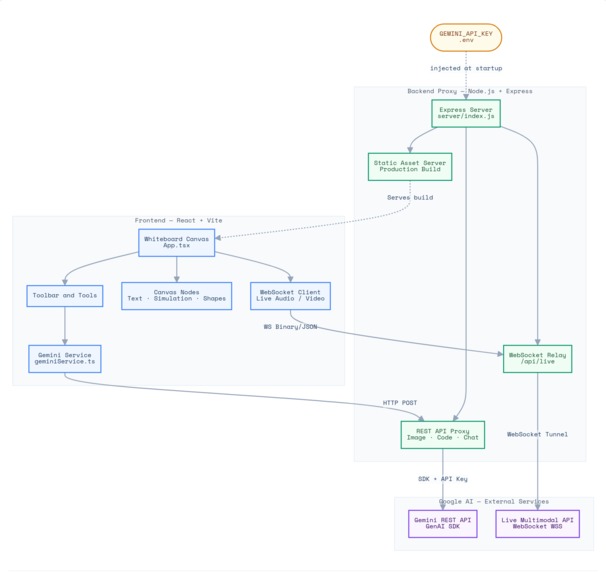
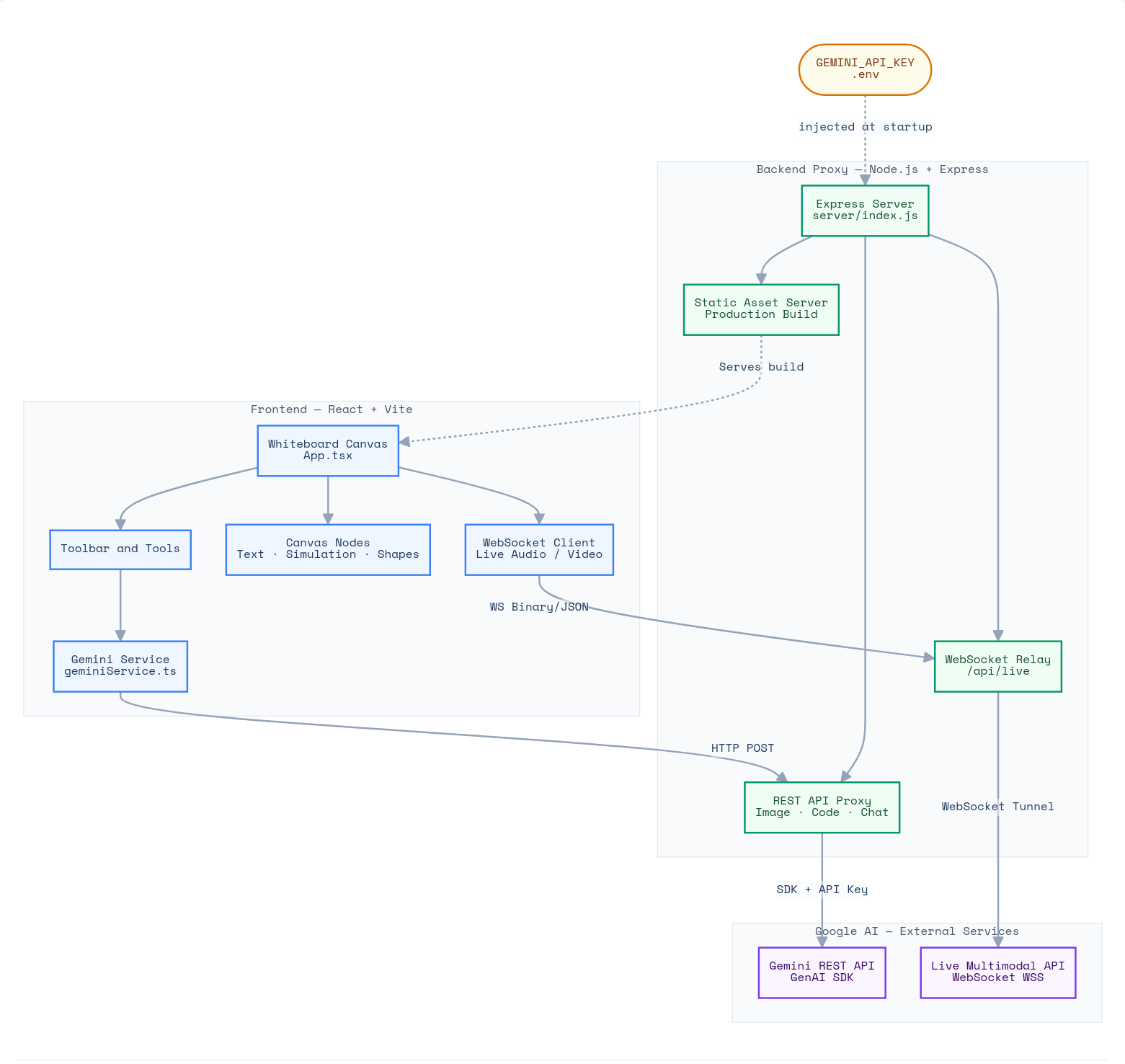
Architecture Diagram
-
-
Inspiration
It was because I wanted to build something that would help me while thinking, understanding, or explaining something, especially in mathematics and computer science, in a dynamic environment.
What it does
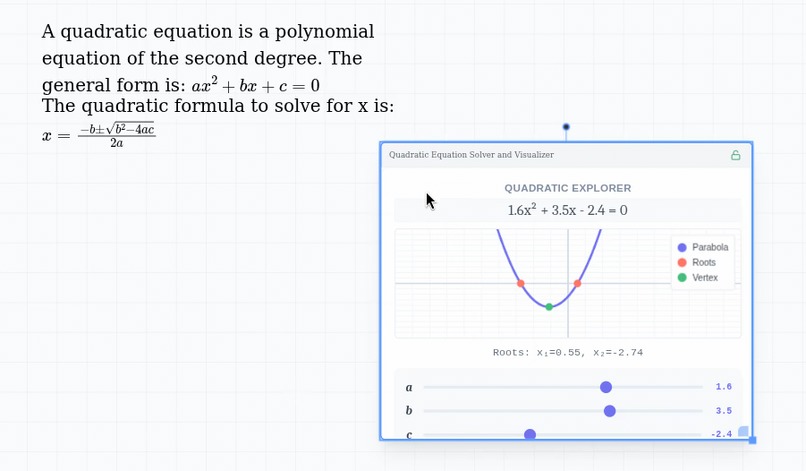
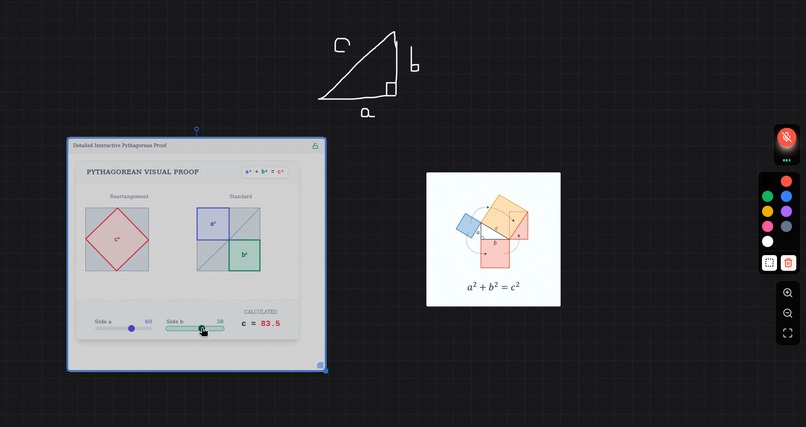
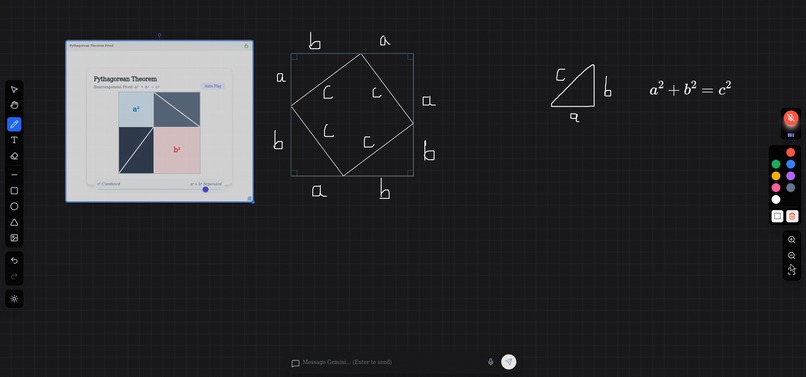
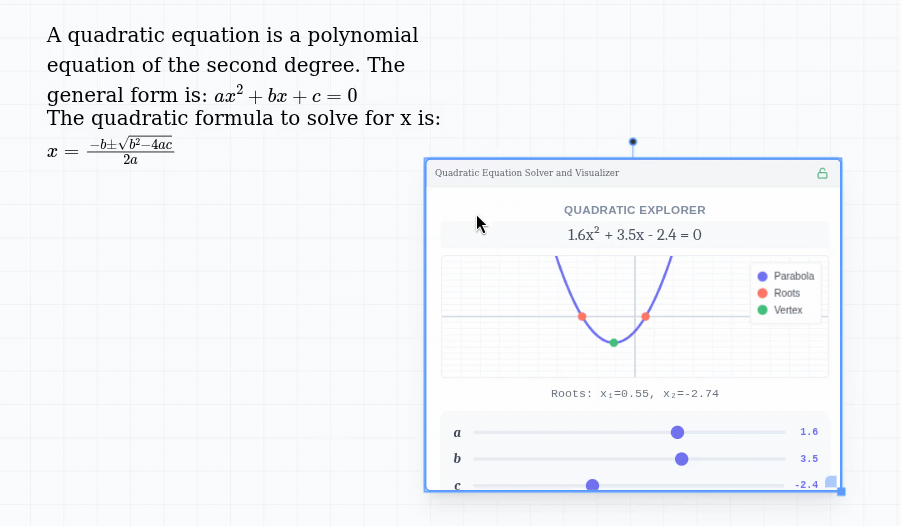
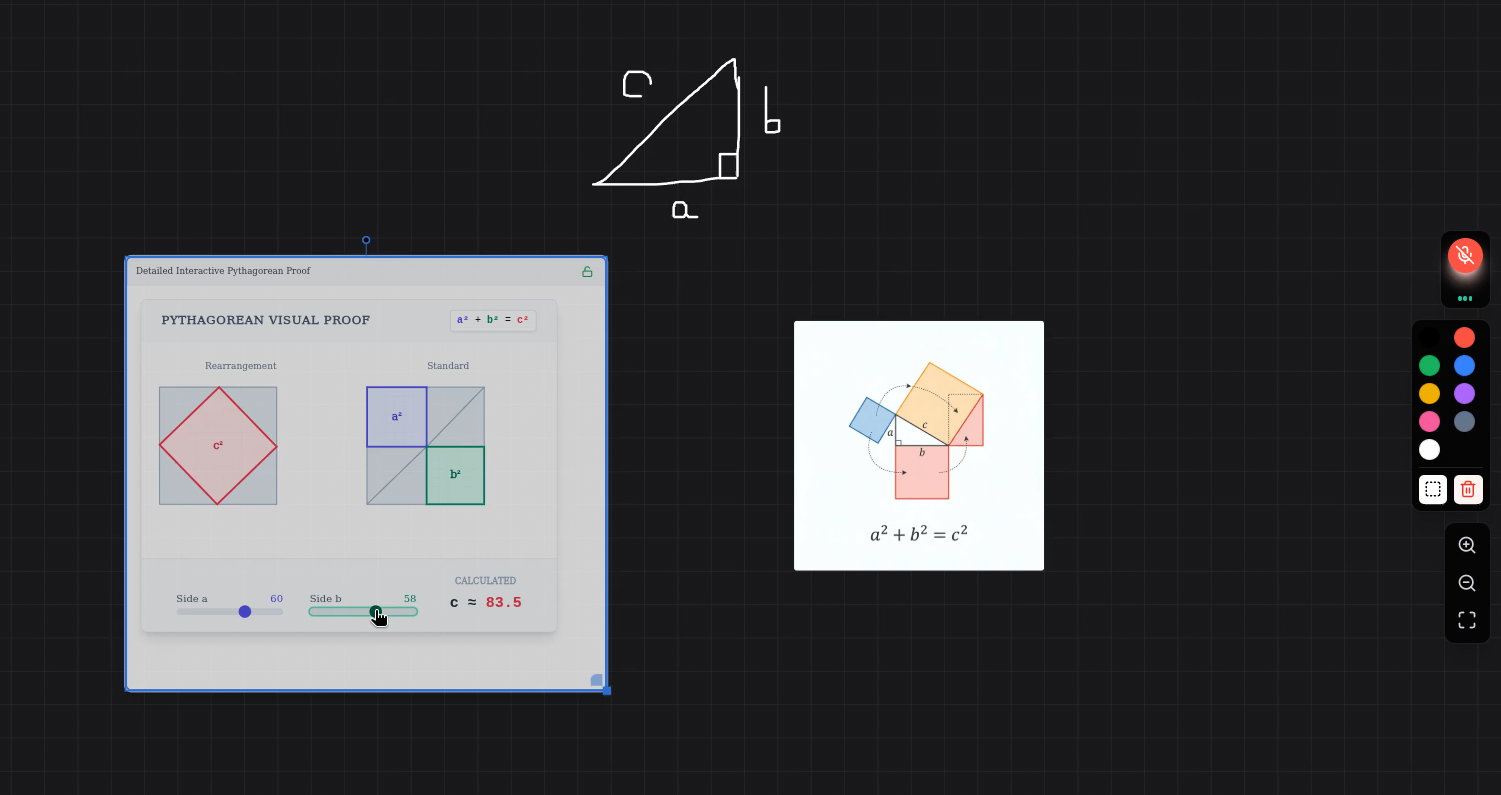
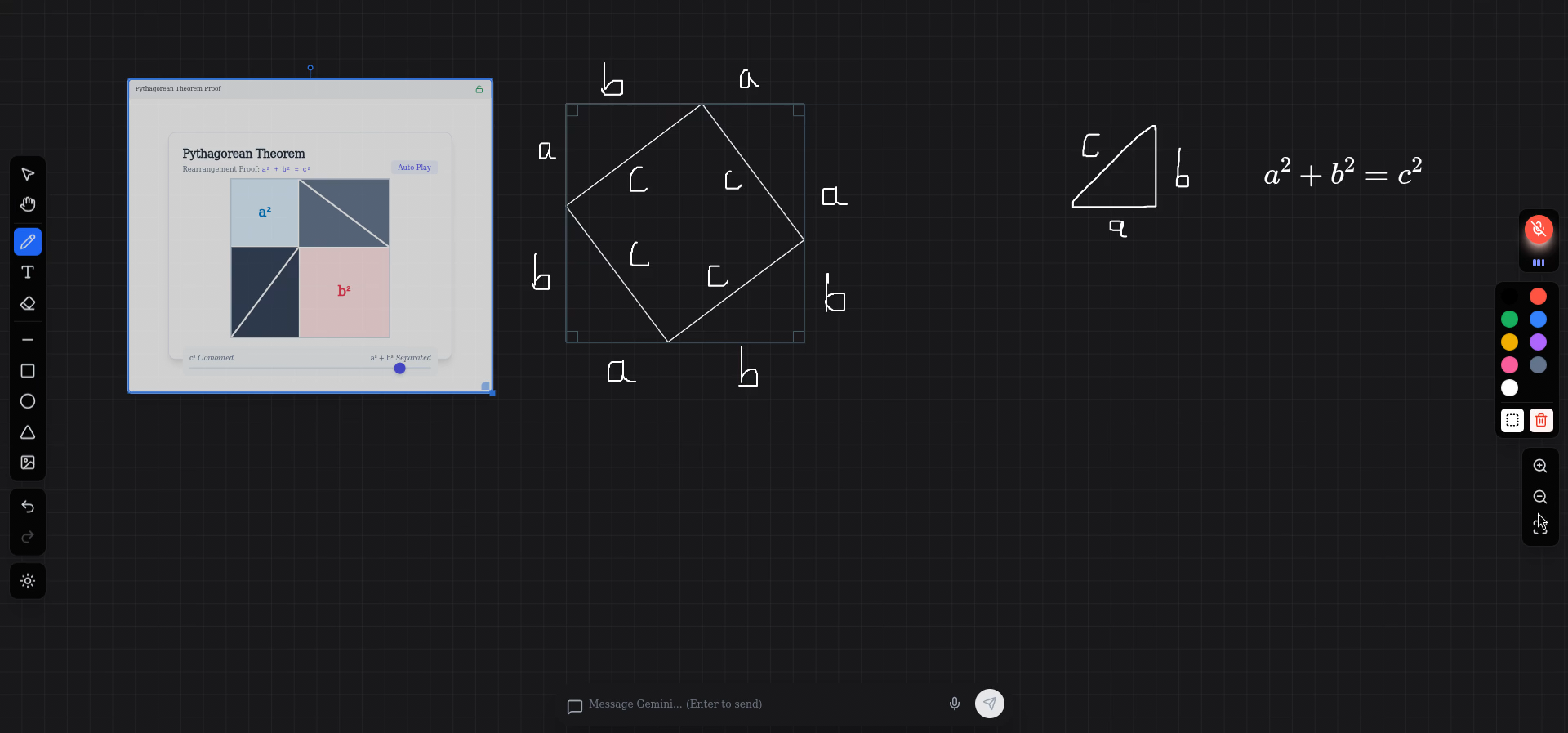
The app offers a dynamic and interactive whiteboard experience enhanced by Google Gemini's multimodal capabilities. Users can interact with the whiteboard assistant using both natural voice commands and text input. The AI observes the canvas in real-time, understanding visual context and responding intelligently to requests. It provides dynamic drawing tools and AI-powered drawing and editing through function calls. The AI can also generate images and interactive simulations directly onto the canvas.
How we built it
This app was first built using Google AI Studio, then I took it to work on it locally Using gemini-2.5-flash-native-audio-preview for live model, gemini-3-pro-image-preview for high-quality image gen, gemini-3-pro-preview for better drawing complex shapes on the screen, and generating interactive simulations
Challenges we ran into
- Ensuring reliable and stable function calling for drawing, erasing, moving elements, and panning the canvas
- Sharing accurate positional and spatial information about whiteboard elements with the model
Enabling the model to place new elements intelligently without overlapping existing content
Trying to make gemini-3-pro as the main live model, but the problem, of course, was latency, and the TTS wasn't really "human" like the live API
Trying to make gemini-3-flash is the main model for lower latency, but it was less accurate
So we made gemini-2.5-flash-native-audio-preview the base live-model, gemini-3-pro as a subagent, for complex tasks, while the live-model is still interacting with the user
Accomplishments that we're proud of
I’m proud of building a tool that directly improves my own productivity and workflow, demonstrating how AI can be applied quickly and effectively to solve real, personal needs with relatively low overhead.
What we learned
- How to work with Google SDK in a real product
- How to make an app that interacts with the screen in real-time
What's next for InfiniteMind
- Saving sessions
- Enhancing collaboration features for shared whiteboard sessions
- Adding more mathematical tools (like GeoGebra)
Built With
- canvas-api
- google-genai-sdk
- mathjax
- react-19
- tailwind-css
- typescript


Log in or sign up for Devpost to join the conversation.