-
-
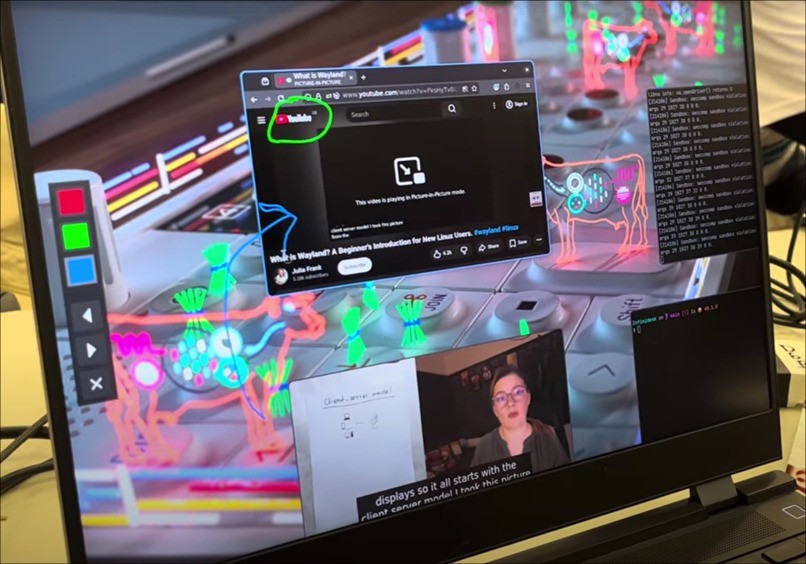
Demo screenshot
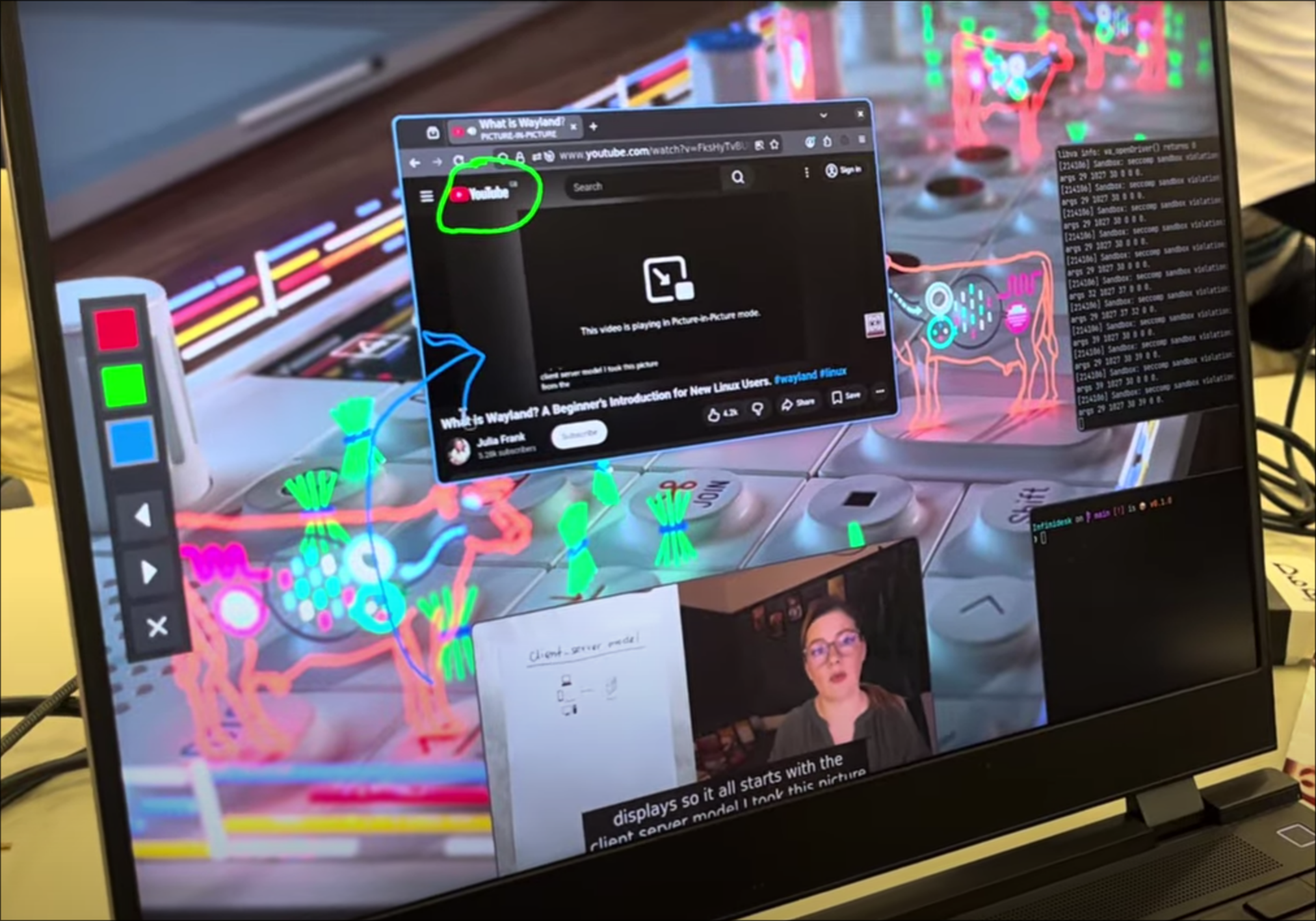
Infinidesk
An infinite spatial canvas, for your desktop.
Why Infinidesk?
The modern PC desktop can feel claustrophobic - creative and developer workflows frequently demand access to many apps and tabs at once, resulting in a frantic mess of alt-tabbing through piles of overlapping panes. The position and order of your windows keeps changing - which is difficult to keep track of and creates friction in your workflow. This problem is especially bad on the confines of a laptop screen, where screen space is particularly scarce.
Infinidesk is a new, spatially-oriented way to navigate your desktop. Drawing inspiration from digital whiteboard apps, windows are positioned on an infinite canvas, breaking the bounds of your screen borders. This takes advantage of our intuitive spatial awareness instead of fighting it, well-proven as the most popular digital note-taking method.
Key features
- Wayland-native: Supports the latest and greatest apps right out of the box.
- Touchpad gesture support: Zoom across the canvas with 2-finger pan!
- Fast navigation: Use alt+tab to rapidly warp between windows.
- Freeform zoom: Zoom in to fine app details, or out to show more windows!
- Shell layering: Run a wallpaper daemon on the bottom layer, or render a taskbar over the top.
- Built-in annotations: Draw and markup in and around your windows with a built-in pen tool!
Implementation
Infinidesk is written in pure C, making use of the wlroots Wayland compositor library/framework for the really low-level stuff (damage tracking, user input registration, low-level graphics).
Wayland clients (apps) can attempt to call a range of different protocol functions for different functionality (e.g. layering, or input device capture). A range of different protocols were implemented, with src/layer_shell.c being a good example of an implementation of the wlr-layer-shell-unstable-v1 protocol.
The PangoCairo text rendering library is used for rendering fonts in e.g. the alt-tab switcher.
Claude 4.5 Opus was used via OpenCode and Claude Code for scaffolding and debugging the project.
To ensure deterministic and reliable builds, a Nix flake is used to build and run Infinidesk.
Challenges
One notable, recurring challenge during the implementation of Infinidesk was dealing with high-DPI scaling issues, especially since my laptop has fractional scaling - a notorious problem with desktop app development. It constantly resulted in desyncs between e.g. cursor position and Wayland client hit location, as well as window contents vs borders, amongst other sync issues. This was solved by establishing a consistent pattern for including the scale factor when handling scaling calculations, to ensure consistent behaviour.
Another challenge is that various apps have completely differing rendering pipelines and graphics libraries - meaning that every time a new app was launched, it had a high chance of crashing the entire compositor due to some new edge case. There was no one-size-fits-all solution for this - it just required a lot of testing of various apps, and handling them on a case-by-case basis, gradually improving the reliability and robustness of the compositor.
Accomplishments and what we learnt
Andromeda: This was my first time working with a (relatively) low-level language like C - normally in my safe bubble of Python, memory management and gdb debugging and segfaults were a new world to me :p Polina: Undo/ redo stack implementation and the coordinate mapping Finley and Shriya: While implementing quick window switching, we learned that instant shifts in perspective can feel disorienting for users. This highlighted the importance of considering how transitions are experienced, leading us to explore panning animations that preserve spatial awareness and improve overall comfort.
What's next for Infinidesk
For next steps, we plan to add a textbox feature as an overlay, which would build on the lessons learnt from implementing the drawing function as a layer on top of the interactive desktop. Additionally for the windows we would introduce grouping and dynamic sizing for windows to allow for further customisation of the workspace.
Also valuable would be the ability to save and restore session state, so that you can persist your canvas of apps between restarts and keep things exactly where you want them, forever!
Built With
- c
- nix
- wayland
- wlroots

Log in or sign up for Devpost to join the conversation.