Inspiration
Indianapolis, like many growing urban centers, offers a vast array of civic services, resources, and information. However, navigating this complex landscape can be daunting for citizens. The inspiration behind IndyCivic Connect was to bridge this gap, creating a centralized, intelligent, and user-friendly platform where residents can easily access information, report issues, and stay informed about critical events in their city. We envisioned a "digital city hall," accessible 24/7, powered by cutting-edge AI to provide instant, relevant, and location-aware assistance. The goal was to empower citizens, enhance civic engagement, and improve the overall efficiency of public service delivery.
What it does
IndyCivic Connect (IndyBot) is an AI-powered civic engagement platform designed to revolutionize how Indianapolis residents access city services, report issues, and stay informed about their community. At its core, IndyBot provides:
- An intelligent chatbot interface where users can ask questions in natural language about a wide range of city services, ordinances, and public information, receiving accurate, location-aware answers.
- A streamlined system for citizens to report hazards (like potholes or downed power lines) directly through the application, including descriptions, location data, and media uploads.
- A real-time public safety alert system that notifies users of critical incidents or important announcements relevant to their specific location via Server-Sent Events (SSE).
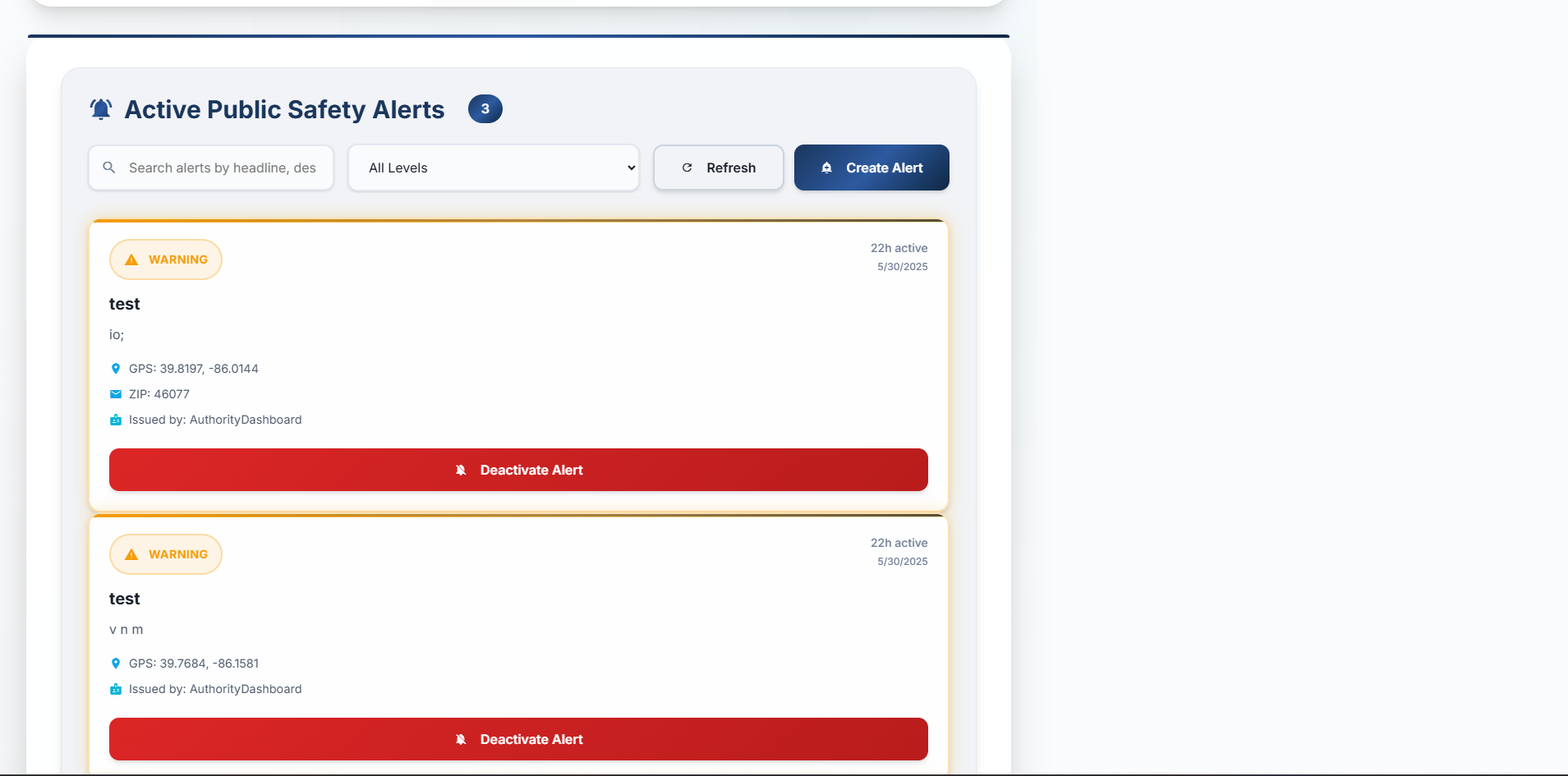
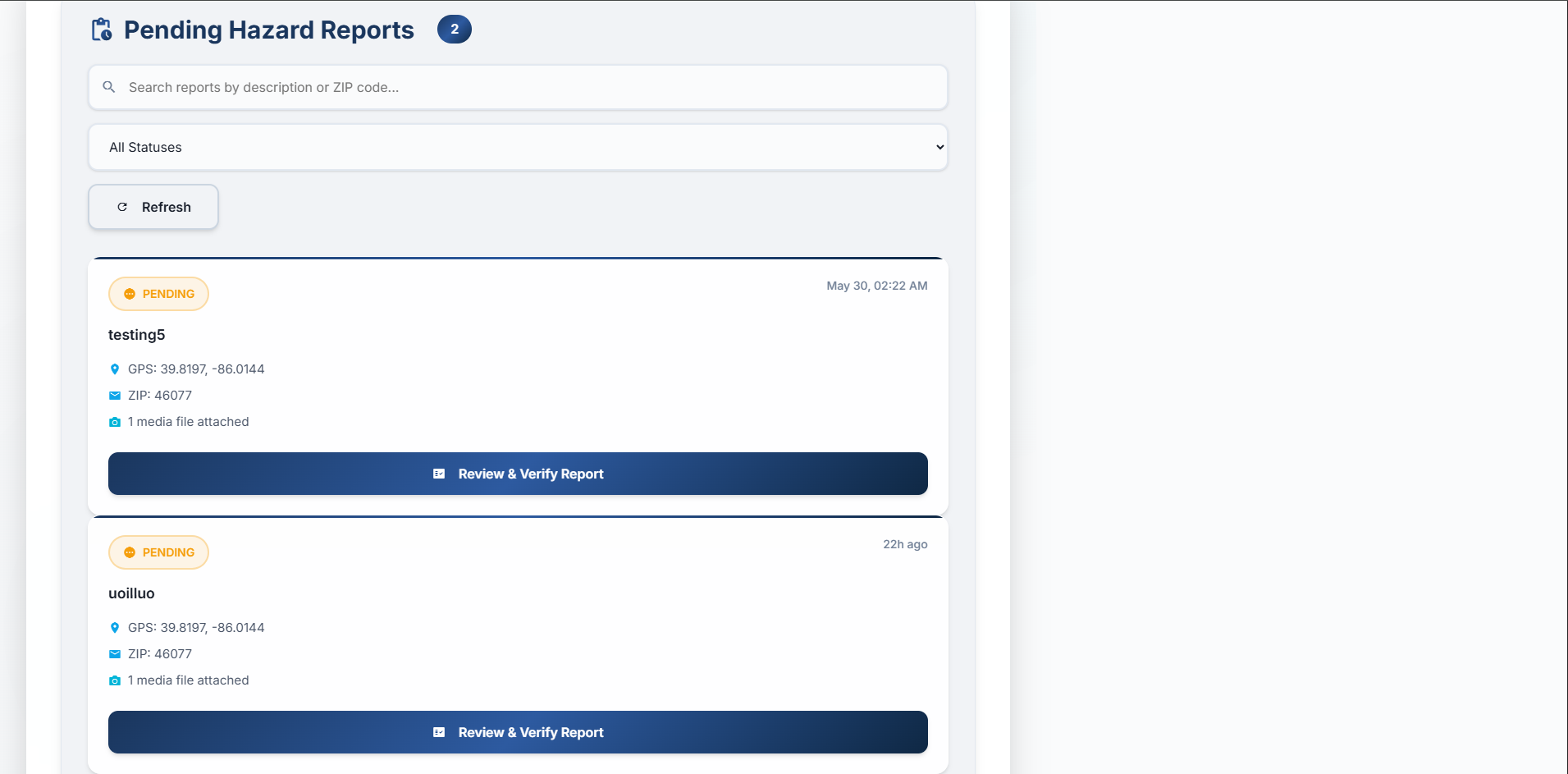
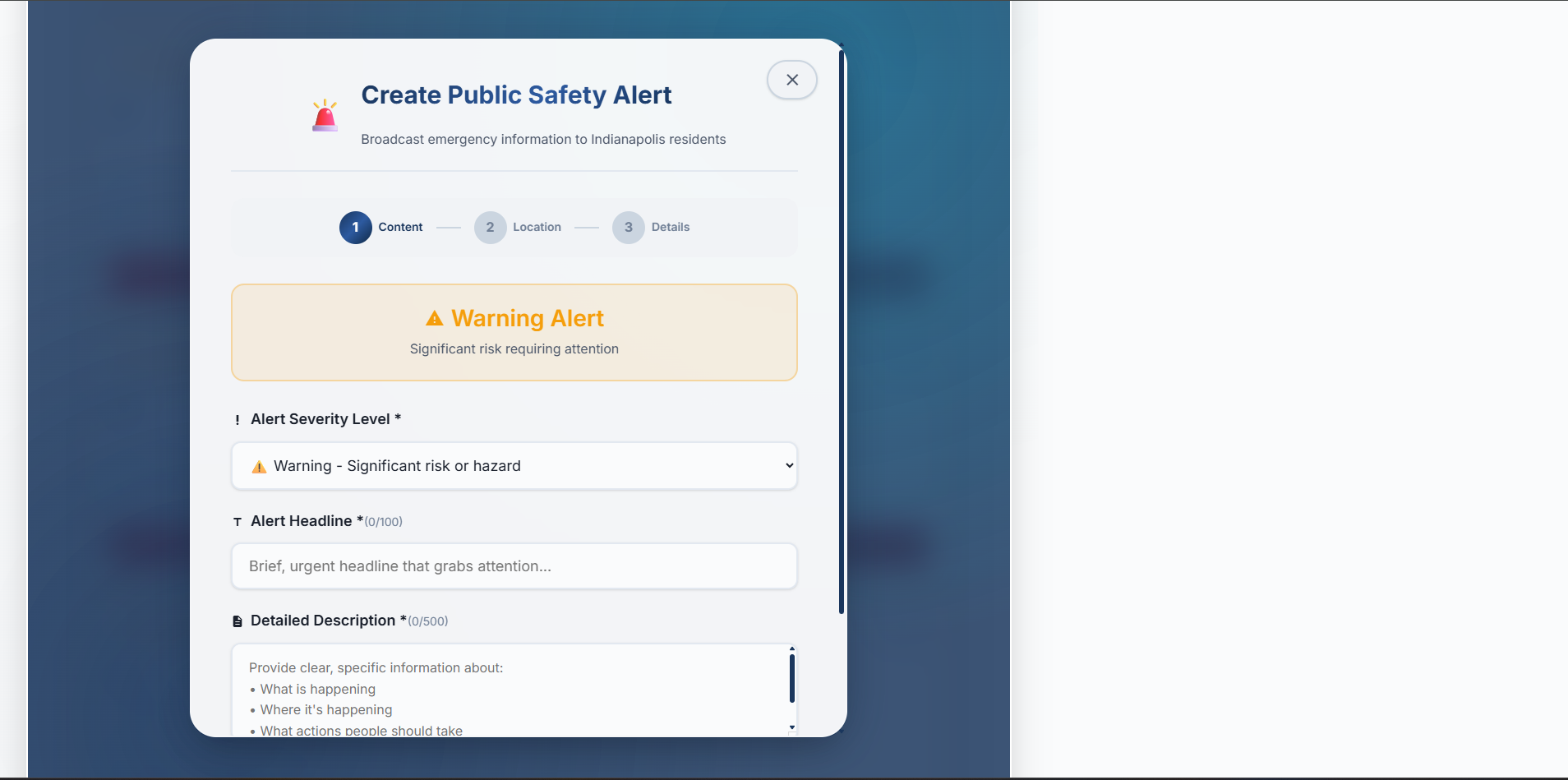
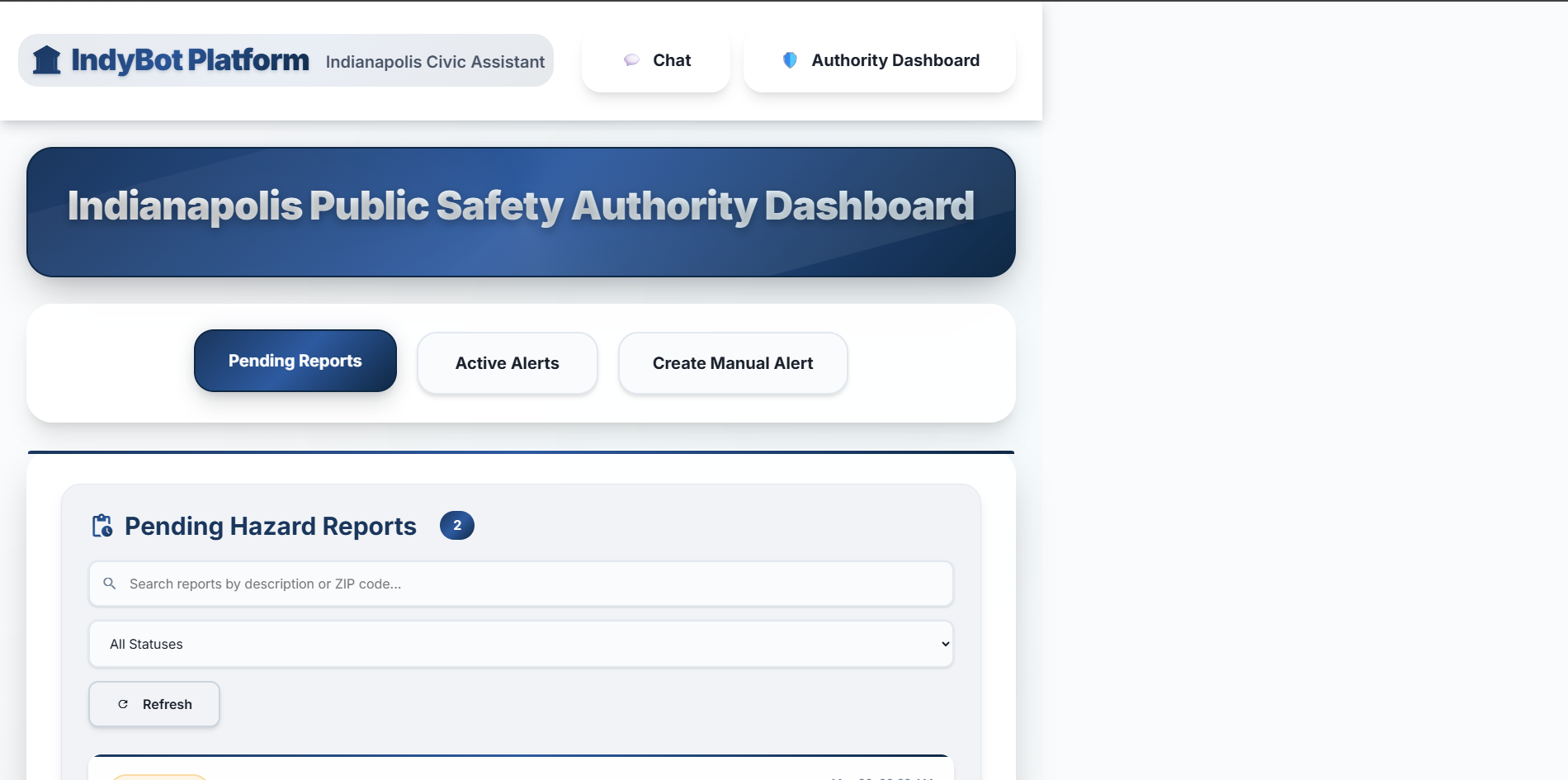
- A comprehensive Authority Dashboard for city officials to review and verify citizen-reported hazards, manage active alerts, and manually create new public safety broadcasts. Essentially, IndyBot aims to be a 24/7 digital front door to city hall, making civic information more accessible and public services more responsive.
How I built it
IndyCivic Connect is a full-stack application leveraging modern technologies for both its backend intelligence and frontend user experience.
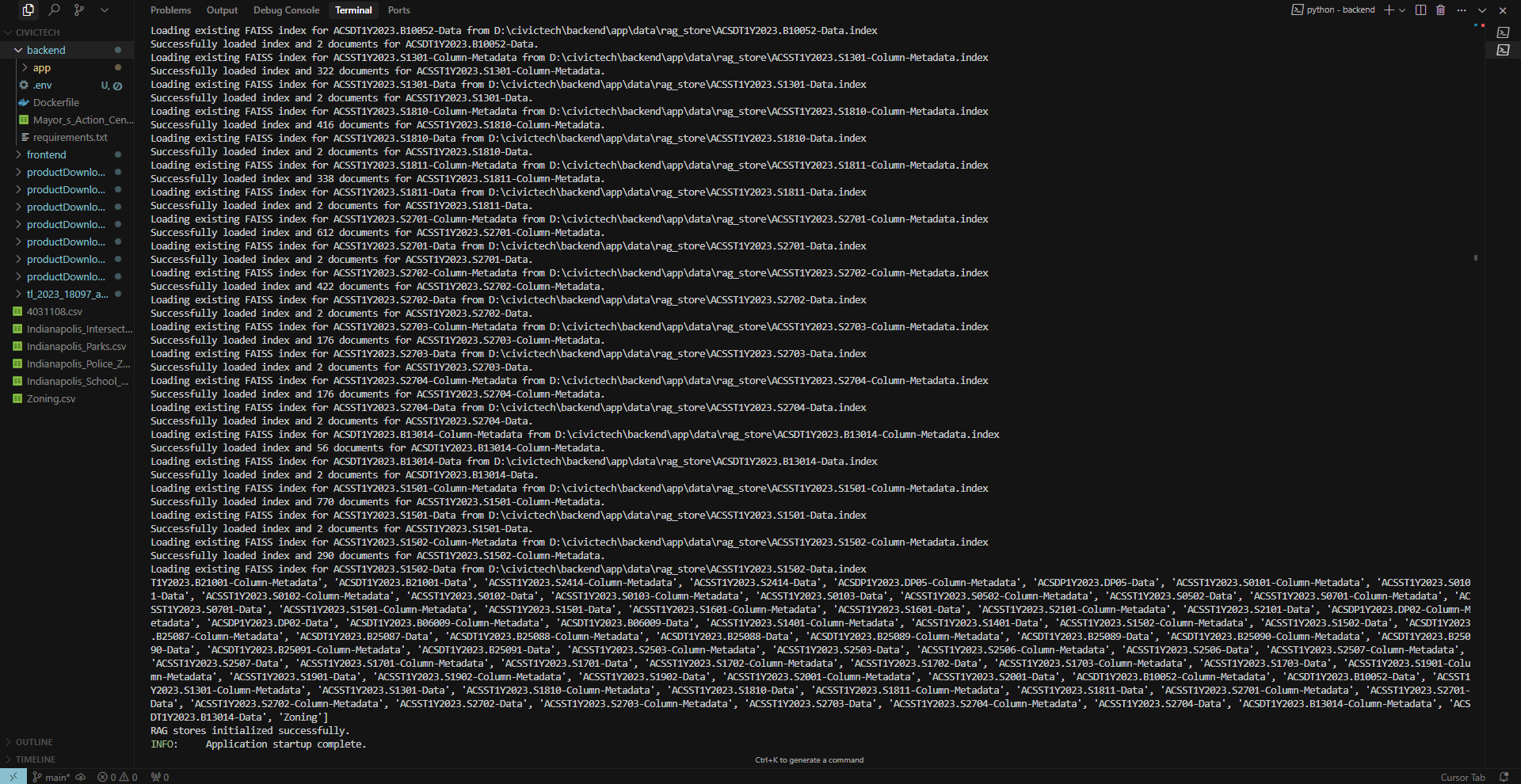
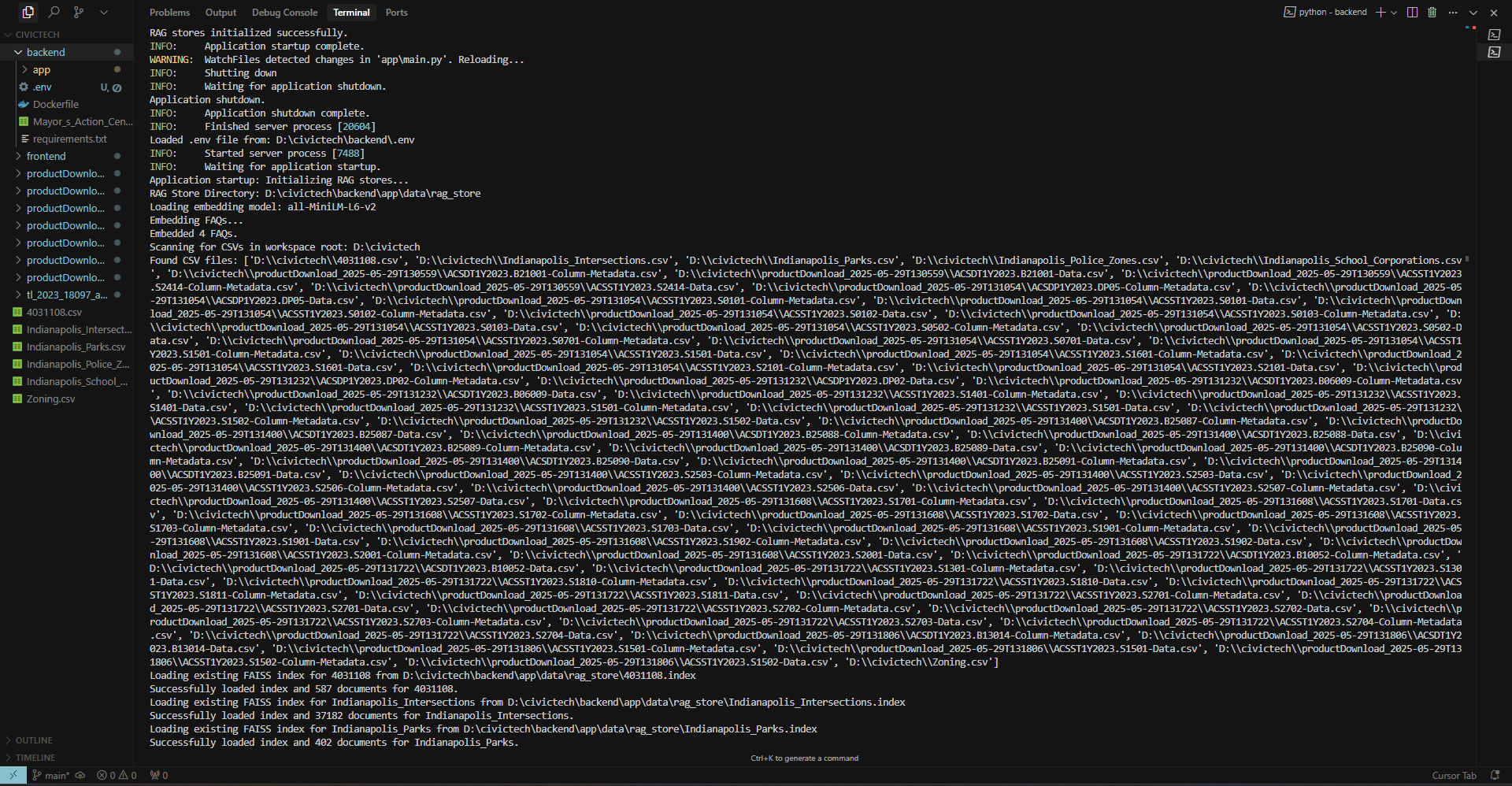
Backend (Python, FastAPI): The backend is built using Python with the FastAPI framework for high performance and ease of development. Live APIs: National Weather Service (NWS) API: For weather alerts and forecasts. OpenFEMA API: For disaster declarations. Retrieval Augmented Generation (RAG) System: This is the heart of our chatbot's intelligence. We process over hundreds of MB of Indianapolis civic data (CSVs) using sentence-transformers to create semantic embeddings. These embeddings are indexed and searched using FAISS for rapid, relevant information retrieval. Large Language Model (LLM) Integration: We use the Perplexity API for advanced language understanding and response generation. A router-responder LLM architecture efficiently triages queries and synthesizes context-aware answers. Location Services: The system processes latitude/longitude or ZIP codes to personalize information and alerts. Real-time Alert Broadcasting: Implemented using Server-Sent Events (SSE) to push live updates to subscribed clients. Database & Storage: Supabase is used for storing user-uploaded media for hazard reports and is planned for session management and as a pgvector-based vector database for scaling the RAG system.
Frontend (React, Vite): Built with React 18 and Vite for a fast, modern, and responsive user interface. Component-Based Architecture: Features distinct components like ChatPage, AuthorityDashboard, ReportHazardModal, AlertNotification, and ReportVerificationView. Professional Design System: A custom, comprehensive CSS architecture (over 1600 lines in App.css) was developed, emphasizing:
- Full-screen, desktop-first layouts with excellent responsiveness.
- Glass morphism effects, professional gradients, and modern shadow systems.
- Clear typography (Inter, JetBrains Mono/Poppins) and Material Design Icons. Real-time Updates: Utilizes the EventSource API to subscribe to backend SSE streams for live alerts. API Communication: Asynchronous fetch calls for interacting with the backend.
Challenges I ran into
Building a comprehensive platform like IndyCivic Connect came with its set of challenges:
- Scaling the RAG System: Initially, loading embedding models and FAISS indexes in memory for each API instance was not scalable. The solution involves migrating to a dedicated, cloud-based vector database.
- Stateless Session Management: The initial in-memory session store was a bottleneck. We designed a path towards using a distributed session store (like Redis or Supabase) for true horizontal scaling.
- Frontend UI/UX Complexity: Transforming the frontend from a basic interface to a "pure class," professional, full-screen experience with consistent design language required a near-complete overhaul of CSS and significant component refactoring. Ensuring all interactions were intuitive and visually appealing across various screen sizes was a continuous effort.
- Real-time Alert Logic: Implementing the SSE-based alert system with accurate location-based relevance (proximity calculations for geo-coordinates, ZIP code matching) and ensuring alerts were noticeable but not intrusive (e.g., persisting until closed) required careful state management on the client-side.
- Data Ingestion and Preprocessing: Cleaning, structuring, and generating high-quality embeddings for the diverse range of civic CSV datasets was a foundational but time-consuming task crucial for the RAG system's effectiveness.
Accomplishments that am proud of
Despite the challenges, I achieved several key milestones:
- Advanced RAG Implementation: Successfully building a RAG system that understands natural language queries and retrieves semantically relevant information from a large corpus of local civic data.
- Comprehensive Authority Dashboard: Creating a feature-rich dashboard that empowers city officials with tools for report verification (including a multi-step review process and media viewer), alert management, and manual alert creation, all with a professional UX.
- Live, Location-Aware Alerts: Implementing a functional end-to-end real-time alert system using SSE that delivers relevant safety information to users based on their location.
- Professional Full-Screen UI/UX: Completely redesigning the frontend to achieve a highly polished, modern, and "enterprise-grade" user experience with sophisticated visual elements like glass morphism, advanced animations, and a consistent design language.
- End-to-End Feature Integration: Successfully integrating all core features – from AI chat and hazard reporting with media uploads to authority review and alert broadcasting – into a cohesive platform.
What I learnt
This project was a significant learning experience:
- Architecture for Scale is Paramount: For AI-driven applications, especially those with RAG, planning for scalability from day one by decoupling components (like vector search) and aiming for statelessness is crucial.
- The Power of a Design System: Investing time in creating a robust CSS design system with variables, utility classes, and defined component styles greatly improves development speed, consistency, and maintainability for complex UIs.
- Iterative Design and User Feedback: Achieving a truly professional UX requires iteration. What seems good on paper might need several refinements based on actual usage and visual feedback.
- Complexity of Real-Time Systems: Real-time features like SSE require careful management of connections, state, and error handling on both client and server to ensure reliability and a good user experience.
- Data is King (and Queen, and the Entire Court): The quality and structure of the data fed into the RAG system directly determine the quality of the chatbot's responses. Preprocessing and embedding strategy are critical.
What's next for IndyBot
IndyCivic Connect has a strong foundation, and we're excited about its future potential: Cloud Deployment & Scalability: The immediate next step is to deploy IndyBot to a cloud platform (e.g., AWS, Google Cloud, Azure). This involves:
- Migrating FAISS indexes to a managed cloud vector database (like Supabase pgvector, Pinecone, Weaviate).
- Implementing a distributed cloud-based session store (e.g., Redis, or using Supabase).
- Containerizing the application (Docker) and deploying it using an orchestration service (Kubernetes) to achieve true horizontal scaling for thousands of concurrent users. Expanded Datasets & Knowledge: Continuously ingesting more diverse and up-to-date civic datasets to broaden IndyBot's knowledge base and improve the accuracy of its responses. Enhanced AI Capabilities: Exploring more advanced LLM prompting techniques for even more nuanced conversations. Potentially incorporating multi-modal capabilities (e.g., analyzing images submitted in hazard reports directly with AI). Proactive Notifications & Personalization: Moving beyond reactive alerts to proactive notifications based on user preferences or historical interactions (e.g., "A new park program you might be interested in has opened near you"). Community Features: Potentially adding features for community discussions or feedback channels related to specific civic issues or areas. Mobile Applications: Developing native mobile applications (iOS/Android) for an even more integrated user experience. My goal is to make IndyBot an indispensable tool for every resident of Indianapolis, fostering a more informed, engaged, and responsive city.
User Query Flow in IndyCivic Connect Backend
User Input Received by FastAPI: The user sends a message (text query) through the frontend interface.
The frontend packages this query along with the current session_id, conversation history, and the user's known location (latitude/longitude or ZIP code).
This payload is sent as an HTTP POST request to the /api/v1/chat endpoint on the FastAPI backend.
Initial Query Triage by LLM Router (llm_service.py):
The llm_service.py receives the request.
The user's query is first sent to an LLM Router (e.g., a Perplexity API call configured for routing/classification).
Purpose of Router:
Intent Recognition: Determines the primary nature of the query (e.g., simple greeting, request for general information, specific civic question, potentially an implicit hazard report).
RAG Necessity Check: Decides if the query requires information retrieval from the specialized civic knowledge base (the RAG system).
Direct Response Check: Identifies if the query can be answered directly with a predefined response or simple LLM generation without RAG (e.g., "Hello", "How are you?").
Decision Point & Path Selection:
Path A: Direct Response (No RAG) If the LLM Router determines the query is simple or doesn't require specialized civic data (e.g., a greeting), it may generate a response directly. The response is formulated and sent back immediately.
Path B: RAG-Assisted Response (Complex/Informational Query) If the LLM Router identifies that the query needs information from the Indianapolis civic datasets, it flags it for the RAG process. The query proceeds to the rag_service.py.
Retrieval Augmented Generation (RAG) Process (rag_service.py):
Query Encoding: The user's query text is converted into a dense vector embedding using the loaded sentence-transformer model (e.g., all-MiniLM-L6-v2). This captures the semantic meaning of the query.
Semantic Search in FAISS: The generated query embedding is used to search against the pre-built FAISS index(es). These indexes contain embeddings of all the civic data chunks from the various CSV files. FAISS efficiently finds the most semantically similar data chunks from the knowledge base that are relevant to the user's query.
The rag_service.py may also incorporate the user's location data at this stage to further filter or prioritize retrieved chunks if applicable (e.g., finding parks near the user).
Context Aggregation: The top N most relevant data chunks (the "context") are retrieved.
Informed Response Generation by LLM Responder (llm_service.py):
The original user query, the aggregated conversation history, and the retrieved context (from the RAG system) are now passed to an LLM Responder (e.g., another Perplexity API call, possibly with a different prompt optimized for answer generation using provided context).
Purpose of Responder: To synthesize an accurate, coherent, and helpful answer based both on its general knowledge and, crucially, the specific civic information retrieved from the RAG system. The LLM is prompted to ground its response in the provided context, ensuring factual accuracy related to Indianapolis services.
Response Formatting & Transmission:
The generated response from the LLM Responder is received by the FastAPI backend.
The backend formats the response into the standard JSON structure, including the response text and the session_id.
This JSON payload is sent back to the frontend client.
Frontend Displays Response:
The React frontend receives the JSON response and updates the chat interface to display the assistant's message to the user.
✅ Summary This multi-step pipeline—featuring LLM routing for efficiency and RAG for accuracy—enables IndyCivic Connect to provide intelligent, context-rich, and location-aware responses to user queries.
A Note on Scalability & Future Deployment
- IndyCivic Connect has been meticulously architected from the ground up with robust scalability as a core principle. The system is designed to readily serve thousands of concurrent users by leveraging cloud-native best practices, including stateless application instances for the FastAPI backend, a shift to managed cloud vector databases (such as Supabase with pgvector, Pinecone, or Weaviate) for the RAG system, and distributed cloud-based session management.
- While the foundational architecture for high-availability and large-scale deployment is firmly in place, the current iteration is operating in a development environment due to prevailing resource and cloud service credit constraints. Transitioning to a full-scale public cloud deployment is the clear next step. Once adequate resources are secured, IndyCivic Connect is poised for rapid deployment, which will unlock its full potential to reliably and efficiently serve the broader Indianapolis community as a transformative civic engagement platform.
Built With
- faiss
- fastapi
- javascript
- perplexity
- pydantic
- python
- react.js
- sentence-transformers
- supabase
- uvicorn
- vite

Log in or sign up for Devpost to join the conversation.