-
-
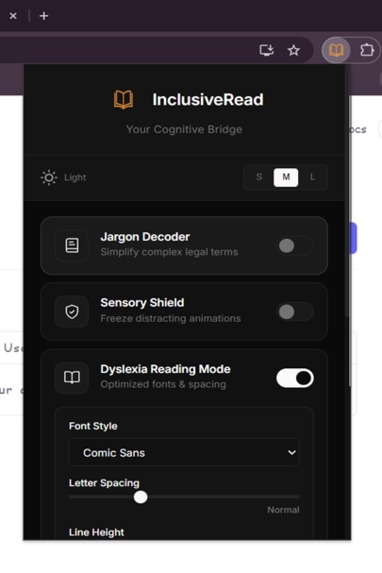
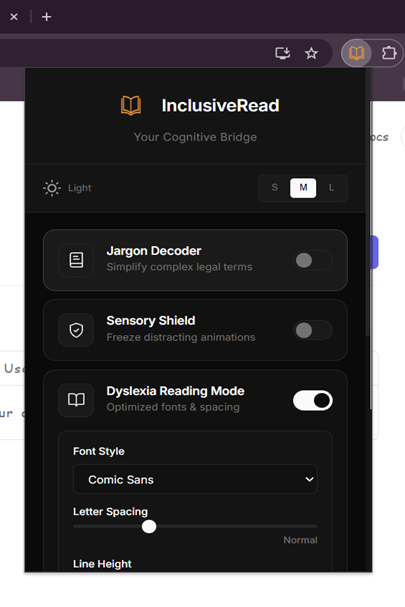
Extension pop up UI
-
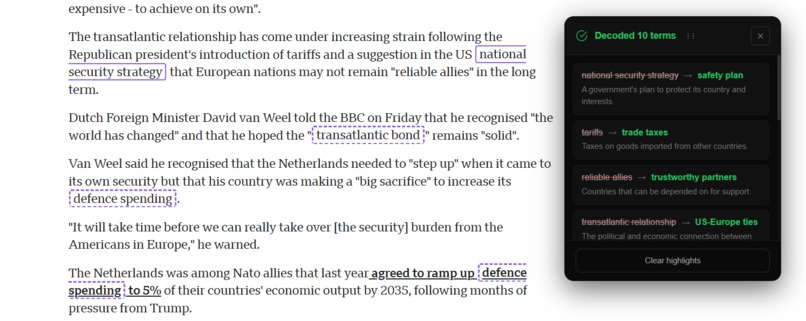
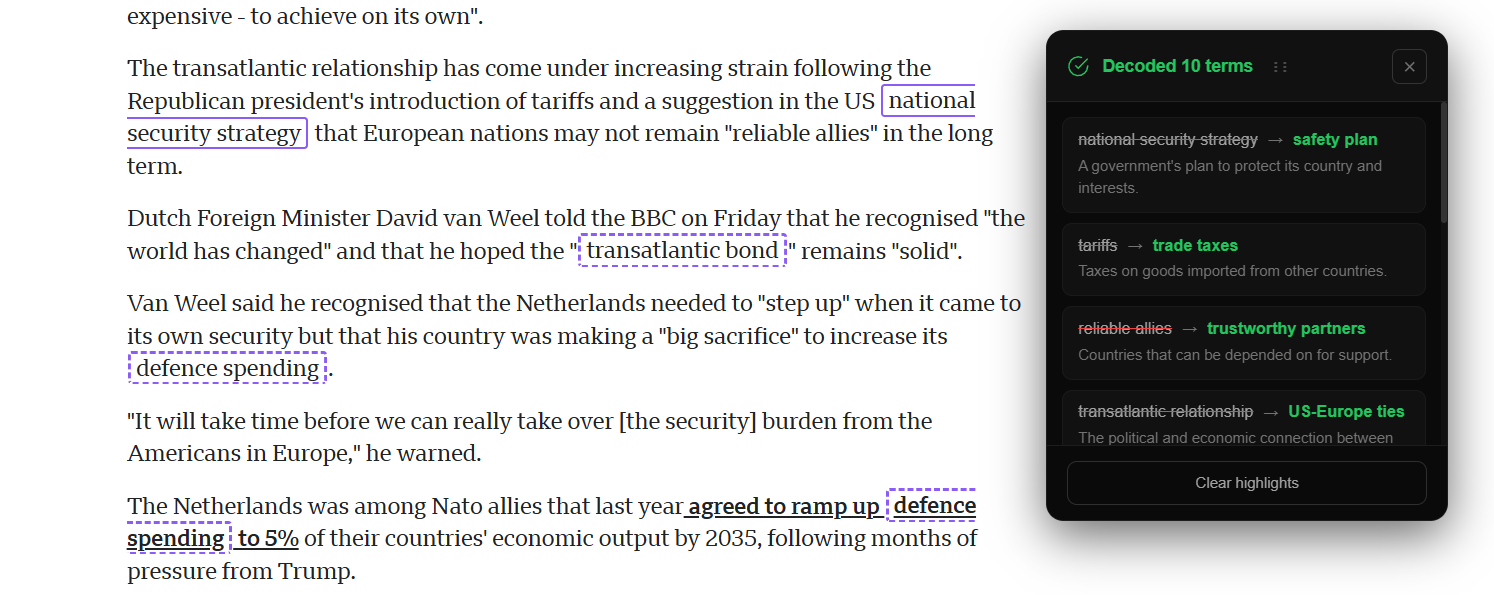
Jargon Decoder Feature
-
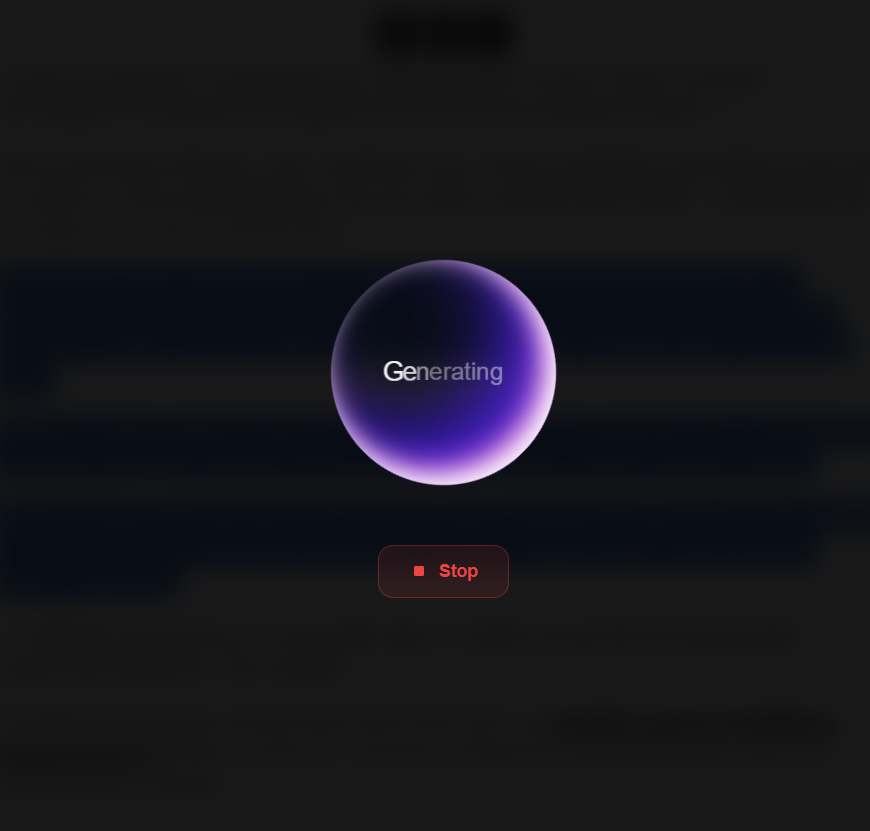
Generating Responce
-
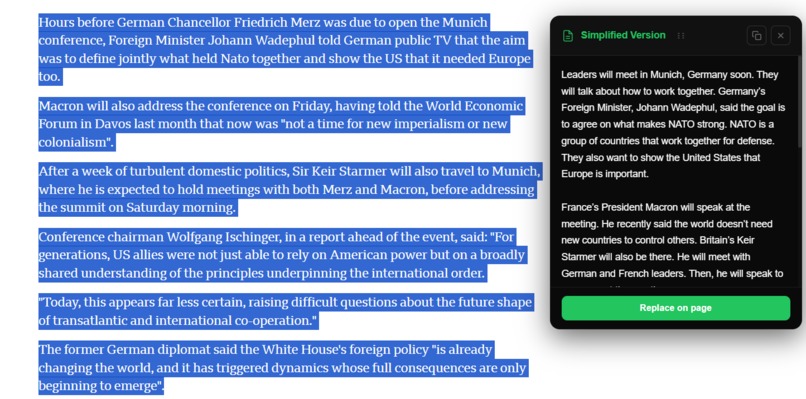
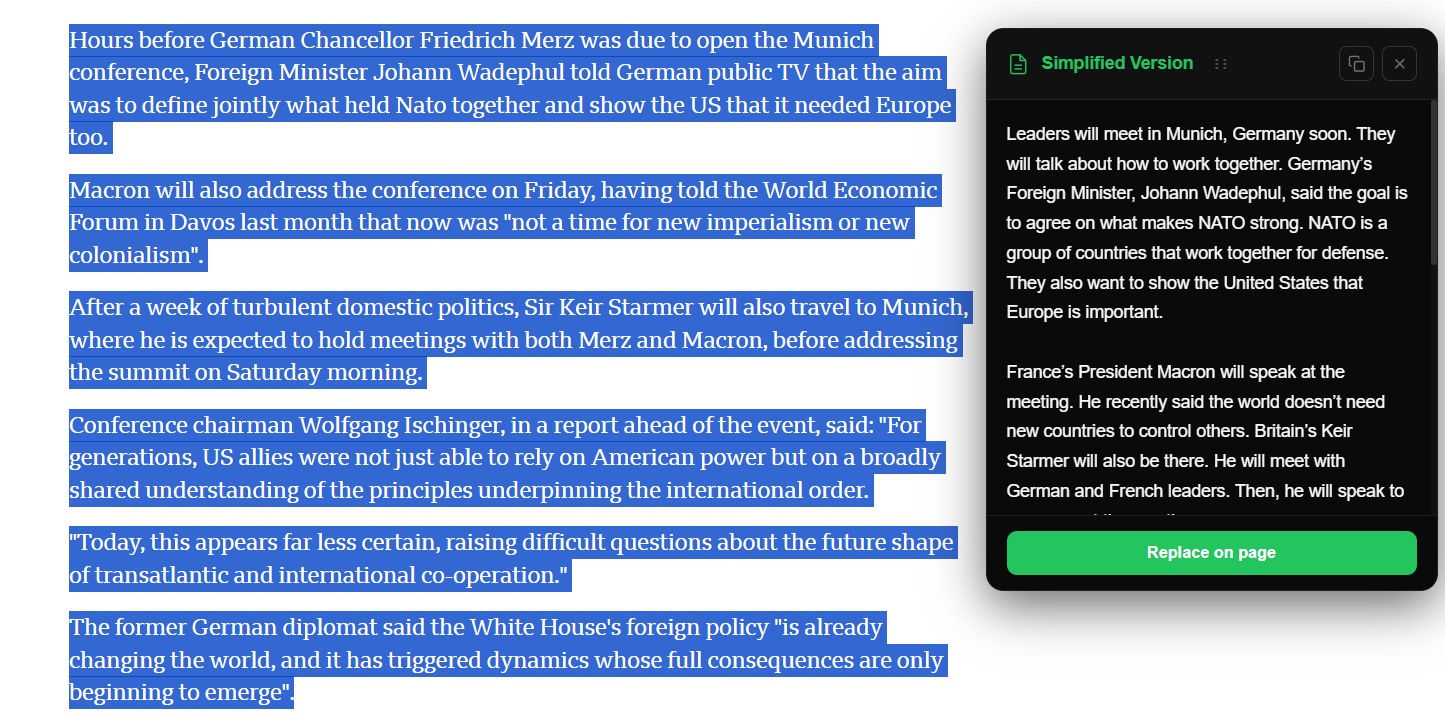
Simplify Feature
-
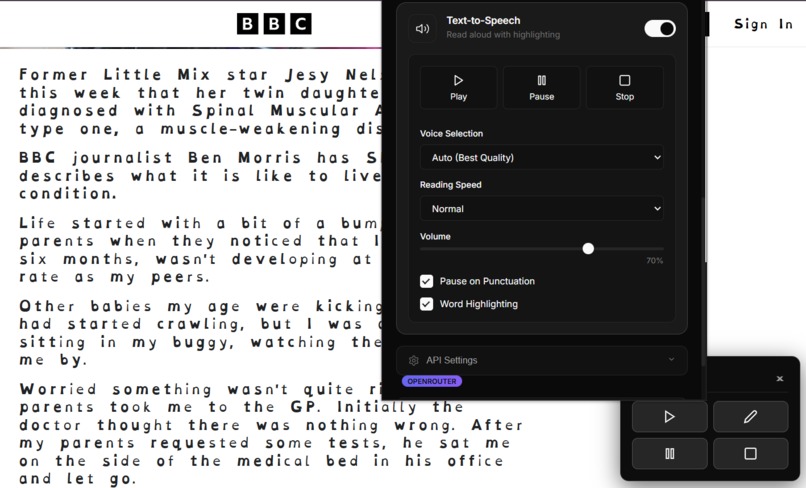
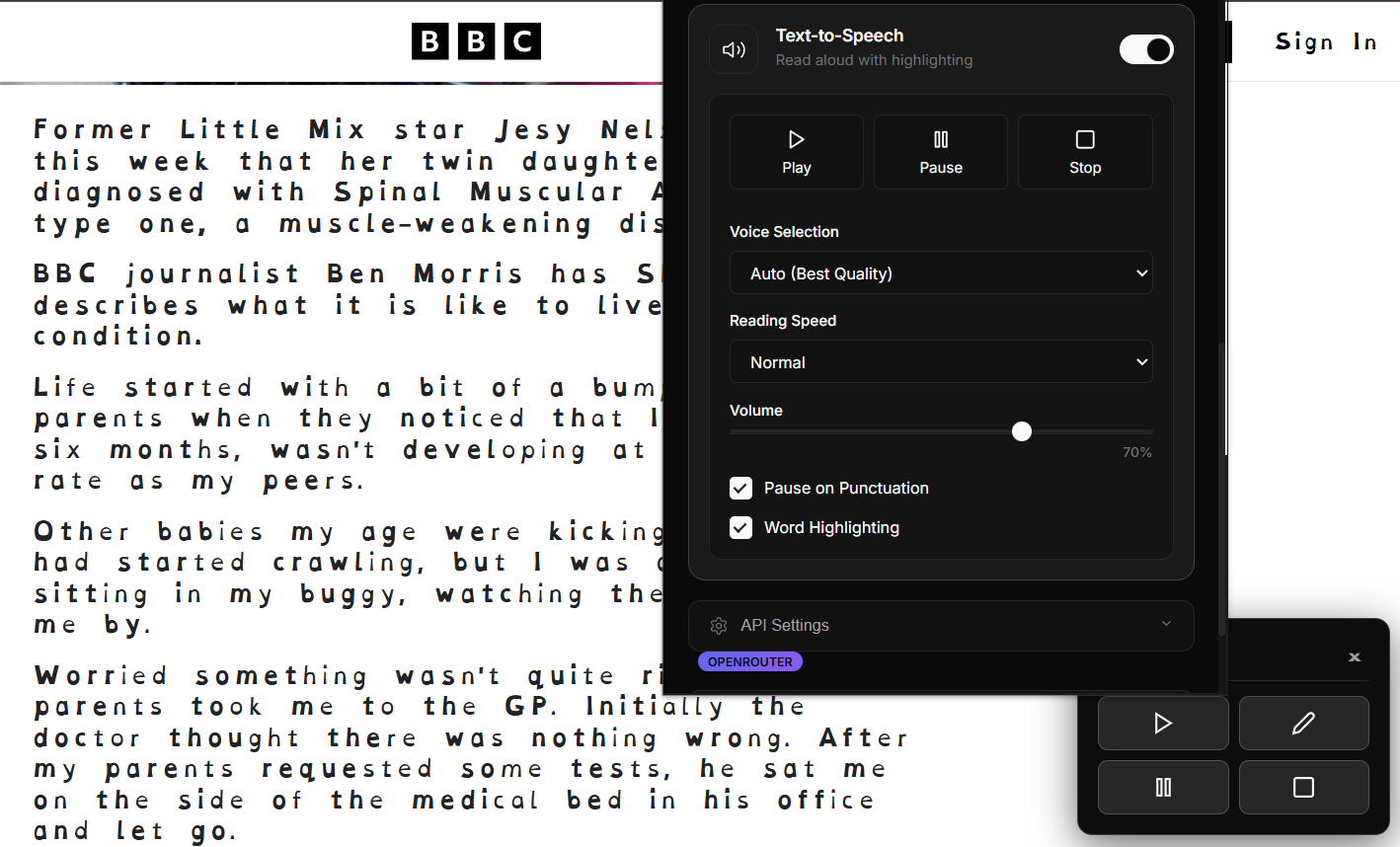
Text-to-speech (TTS) Feature
-
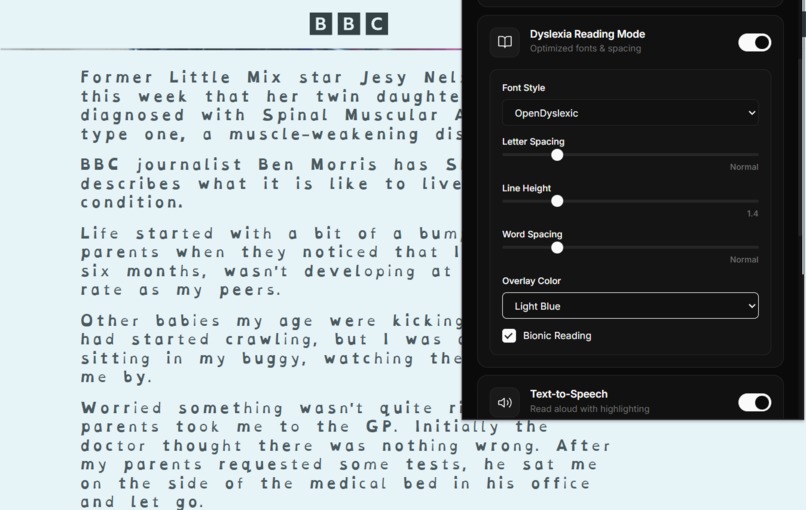
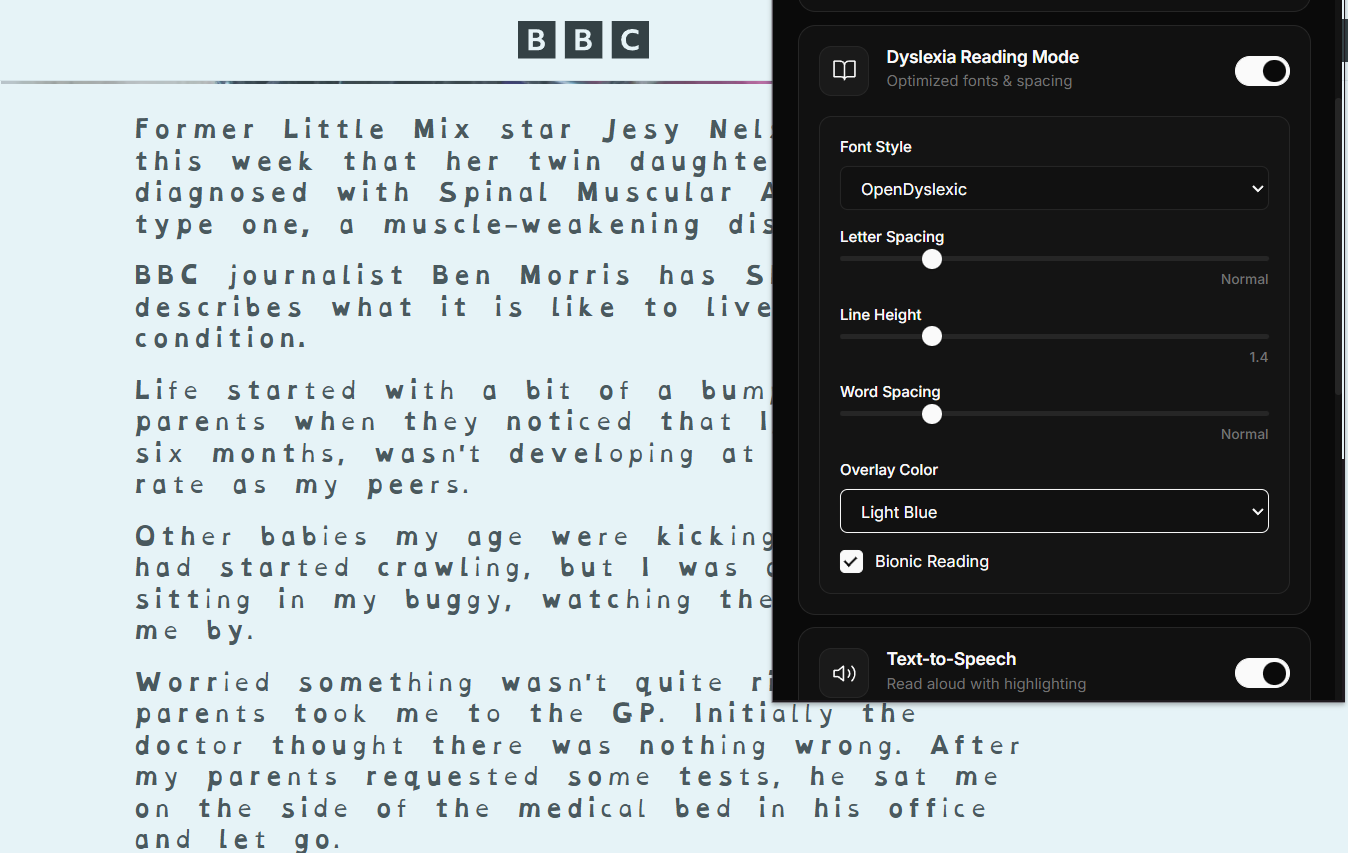
Dyslexia Reading Mode Feature
Inspiration
Inclusive Read was inspired by a simple reality:
many websites are available to everyone, but not understandable to everyone.
For people with ADHD, Dyslexia, or Autism, everyday tasks like paying a bill, reading official notices, or filling out forms can become overwhelming due to complex language, cluttered layouts, and distracting animations. These barriers often cause frustration, anxiety, and task abandonment.
We wanted to create a solution that doesn’t wait for websites to change, but instead helps users immediately.
What It Does
Inclusive Read is a Chrome extension that acts as a real-time cognitive filter for the web.
It helps users by:
- Simplifying complex legal and administrative language
- Reducing visual and sensory distractions
- Improving readability with dyslexia-friendly text
- Offering calm, adjustable text-to-speech
Instead of changing the website itself, Inclusive Read works from the user’s browser, making any webpage easier to understand.
How We Built It
Step 1: Problem-Driven Design
We began by analyzing real-world friction points on:
- Educational platforms
- News websites
Rather than focusing on visual redesign, we focused on cognitive load reduction what information is essential, what is distracting, and what needs explanation.
Step 2: Content Extraction & Structuring
We built a content-extraction pipeline that:
- Traverses the DOM
- Filters non-semantic elements (ads, scripts, hidden nodes)
- Preserves hierarchy (headings → paragraphs → lists)
This ensured that any AI processing remained context-aware.
Step 3: AI-Assisted Simplification
We integrated an LLM to act as a reasoning layer, not a text generator:
- Only high-friction terms and content blocks are sent for processing
- Outputs are injected back inline while preserving the original meaning
The system avoids rewriting entire pages unnecessarily.
Step 4: Real-Time UI Adaptation
We implemented:
- Sensory shielding through CSS and mutation observers
- On-the-fly font transformations
- Toggle-based overlays to give users full control
All changes are reversible and scoped to the current page.
Step 5: Performance & Privacy Constraints
Given free-tier limitations:
- No page content is stored permanently
- All transformations occur client-side
Step 6: MVP Validation
We tested the extension across:
- News websites
- Educational content
This helped refine:
- Jargon detection accuracy
- Sensory filtering thresholds
- Text-to-speech pacing defaults
Challenges We Ran Into
Some of the challenges we faced included:
- Working within limited resources while using AI
- Designing for a wide range of cognitive needs
- Ensuring the solution works across many different websites
Despite these challenges, our goal stayed clear:
no one should be left behind simply because information is hard to process.
What We Learned
Browser extensions may look simple, but they must be built within strict performance, security, and platform constraints.
This project taught us how to balance accessibility, usability, and scalability while working within real-world limitations.
Built With
- css
- dom
- gemma
- html
- javascript
- manifest
- mutationobserver
- opendyslexic


Log in or sign up for Devpost to join the conversation.