-
-
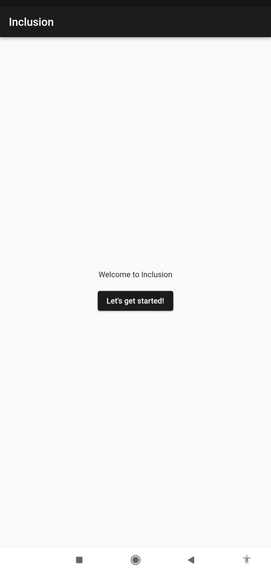
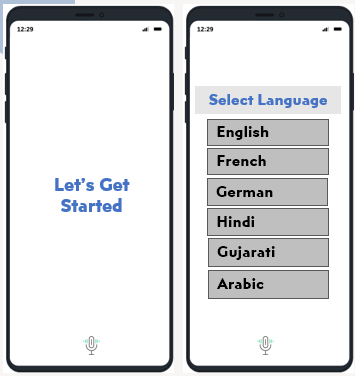
Starting Page
-
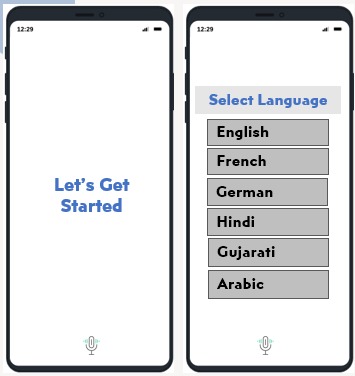
Select Language as your preferences
-
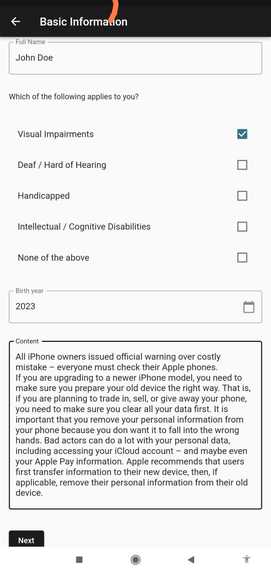
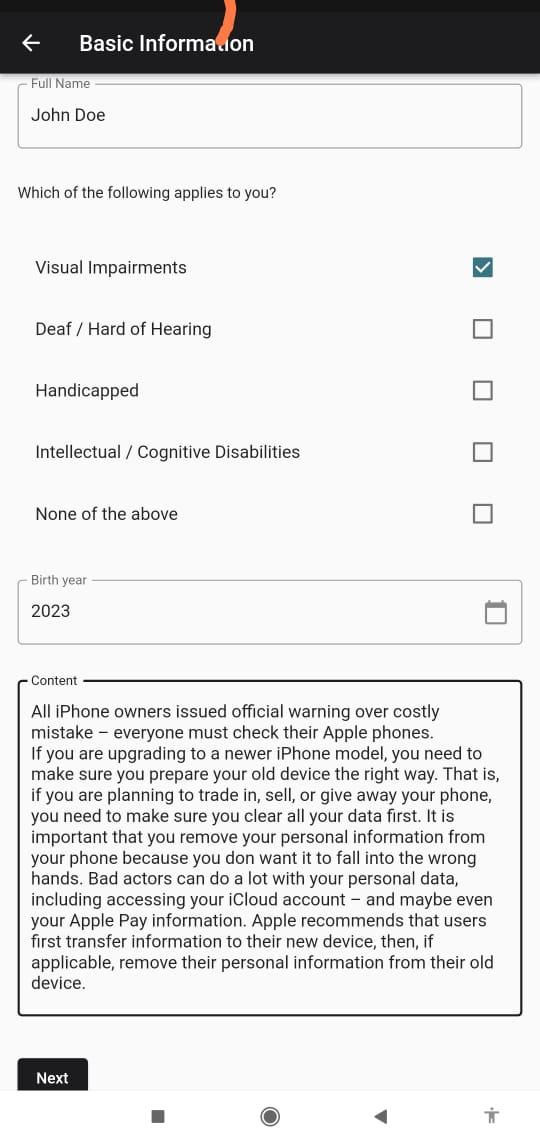
Select whatever applies to you
-
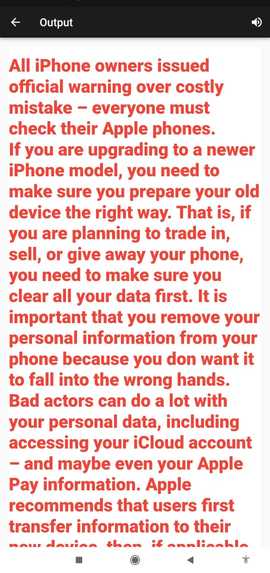
Output
-
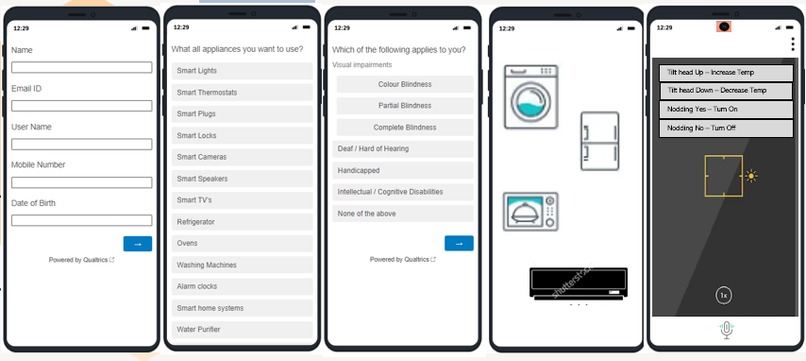
WireFrame/Proto-Type
Introduction Team Alpha presents to you our app inclusion. We designed this app to have inclusivity and equity among a diverse group of people. It has solution interfaces for the visually impaired, intellectually disabled, deaf or people who are hard of hearing, handicapped people, and abled people. Our goal to is to provide a user-friendly experience for all, irrespective of their conditions.
Inspiration Our inspiration is Alexa, we realized there are certain limitations, not every disabled person is able to use that technology to make their daily chores easy. Inclusion is an app that provides an interface customized to the user's needs. Here we overcame the language barrier as well. We designed this app for all classes of people, educated/ uneducated/ if they can’t read/write. They can select the language of their convenience and navigate through the app.
Problem statement and solution Let me present a question for you all to ponder upon: Have you ever thought an able person can easily think of a smart home but is it the same situation for a disabled person who cannot speak and has no hands? No, right because of how we would navigate using the voice assistant. So, we came up with a solution through our app inclusion that would help him to be smart, self-reliant, and self-sufficient and to build an inclusive tech community. In the inclusion app, a person can choose his limitations and customize the interface, an interface where he can easily navigate and make his routine work easier. Now, we present to you the solution, we would create an interface, where we would use his head gestures to navigate the screen and use his appliances at his convenience.
Use of the feature for user ease Let’s see what I am saying a person active the app using and navigate through gestures and would select the options according to his need. Now he wants to use an air-conditioner, he would go to the app would scroll up-down using his head, and then would navigate to the surface where he would choose a gesture to control the air conditioner functioning.
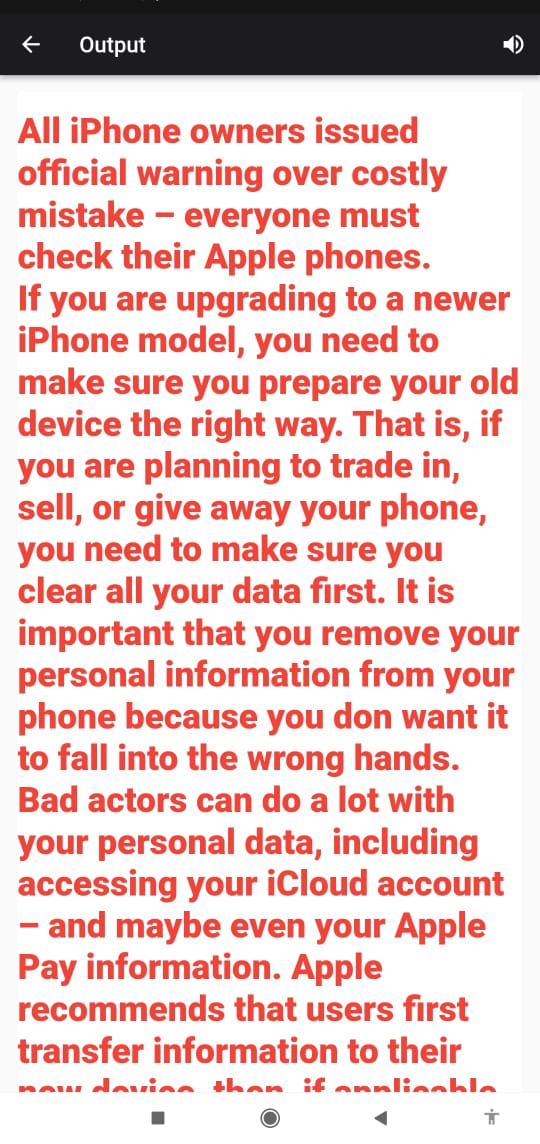
A color-blind User Let me present to you one of the aspects of our app. A color-blind person would take time to process a piece of certain information and would have an unfair disadvantage. Our app would make sure that within seconds he is overcoming his limitations and has an equal opportunity as an abled person. Here our app inclusion will provide an interface where he would have color filters according to the percentage of his color blindness and a color theme according to the person’s difficulty to see a particular set of colors. For instance, he is working on a project and finds an article online important for his research but he faces difficulty interpreting the text, so he would go to our app and would select an option of enhanced text. He would copy and paste the article and it would give an output in high contrasting text, with enlarged fonts and a color theme that is easy to interpret by the person and also would convert the text to speech.
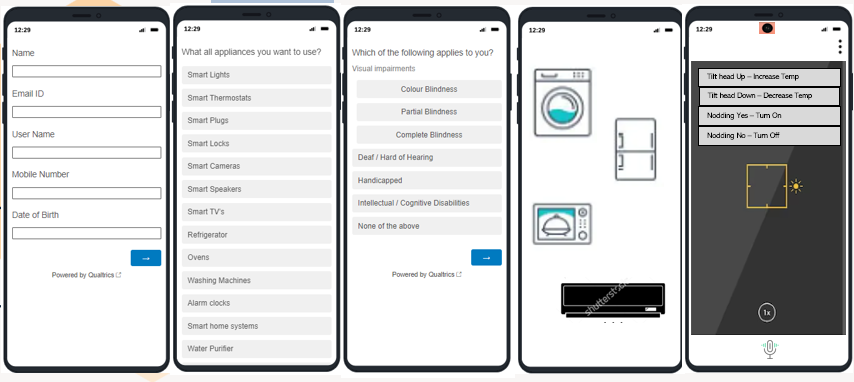
Working of the App Our app would start with an interactive interface and automatically would appear a screen where the app would ask the user to choose his language, after that, he can feed in his basic details where we would use third-party authentication apps like Google, Facebook to have loyal and long term customers and easy to access their profile. The user would now navigate to the next step where he can choose his limitation like visual impairment, intellectual disability, and so on, we would store the user information in our local database to avail the information to equipment-based Industries for the disabled to have more technologies. Now, here he would select the appliances he wants to regulate. Now would appear a screen has all the appliances that a person can control according to his use. Let’s say he wants to control the air conditioner, he would select ac button from the interface and would navigate to an interface where he has his front camera and floating display for gestures to control his device, such as heads up would increase the temperature, nodding a yes would turn on the appliance and so on.
Features and APIs The features we have and aim to achieve in our app are Voice assistance, High Contrast Mode, Color Filters, Text-to-Speech, Alternative Color Schemes, Enlarged Text, Clear and Consistent Layout, Voice Commands and Gestures, Braille Support, Incorporate Alternative Text for images, Voice Over, Audio Cues, Accessible Interface, Keyboard Navigation, Haptic feedback (vibrating alerts), Closed Captions, Visual Notification, Voice Control, Gesture Control by Head, hand Gestures, Floating display, Simple and Intuitive Interface, Audio and Visual Feedback, Customizable Settings, Sensory Consideration, Text-to-Speech, Voice recognition, Step-by-Step Instructions. The APIs we can use from cloud providers like Google’s machine learning kit some of these features are Text recognition, Image labeling, Language Identification, Smart Reply, Object detection and tracking, Barcode scanning, Face detection, On-device translation, Digital ink recognition, Pose detection.
The interface of the App The interface of our app would be like this, it has a front camera surface and a voice assistant mic, and settings options in which it would have an emergency button, which would be activated by side tilts of the head and will detect an emergency. Also, as this app is for the ease of a person irrespective of his ability and disability. In the future, we would want to include third-party collaborations with multiple domains to use their services to help people with their daily chores, for example, if an aged person wants to go to market, he can use our app to avail himself of the service. Once this app is developed, we would want to integrate our services with other providers such as to use our APIs to develop smart appliances.
Please provide our feedback: https://qfreeaccountssjc1.az1.qualtrics.com/jfe/form/SV_e4AL9ZRZhZa0Hk2
Built With
- android-studio
- api
- cross-platform
- dart
- flutter
- maching-learning-kit
- sqlite


Log in or sign up for Devpost to join the conversation.