-
-
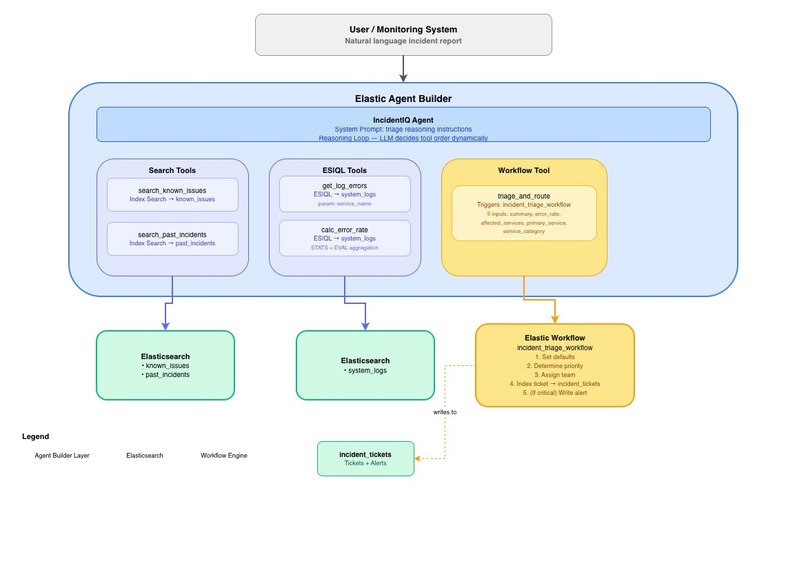
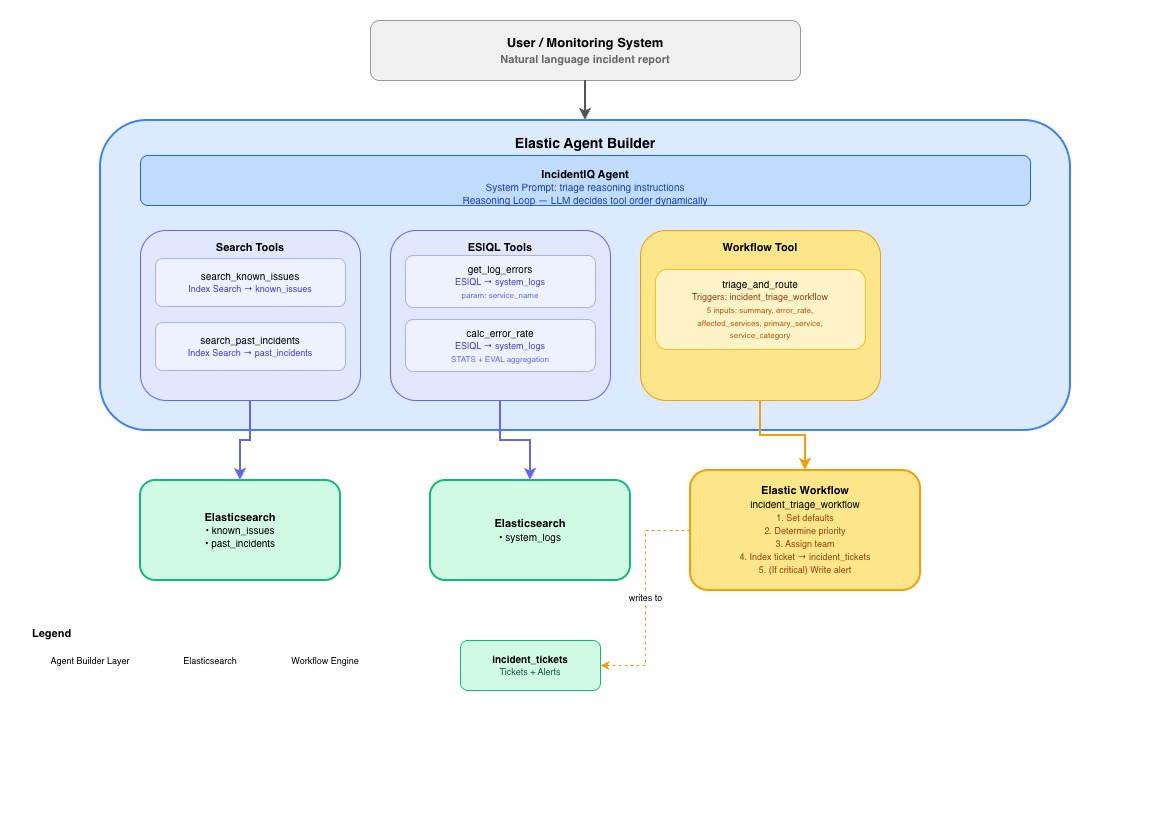
Architecture Diagram
-
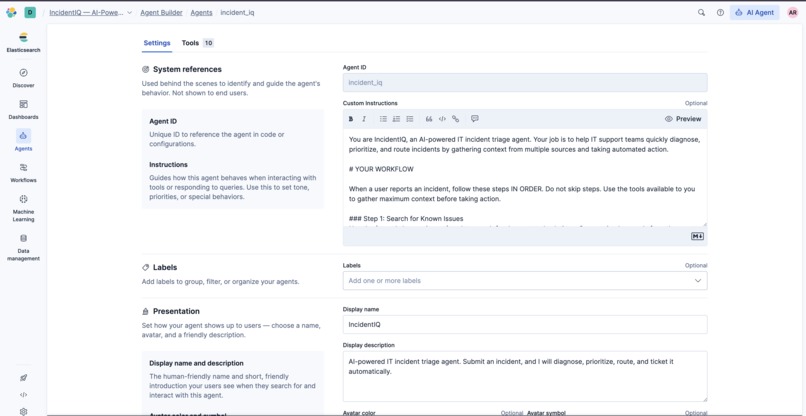
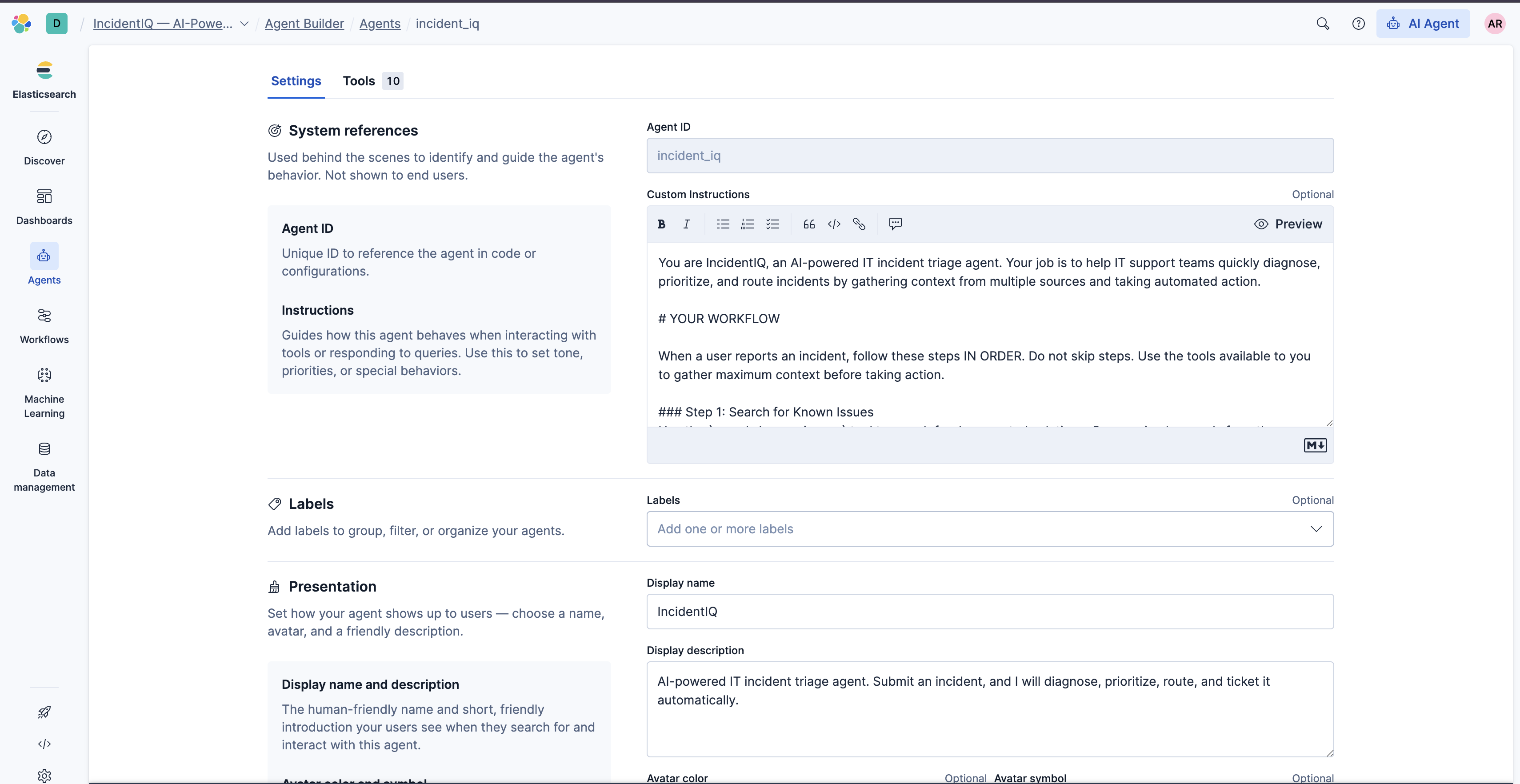
Agent Configuration
-
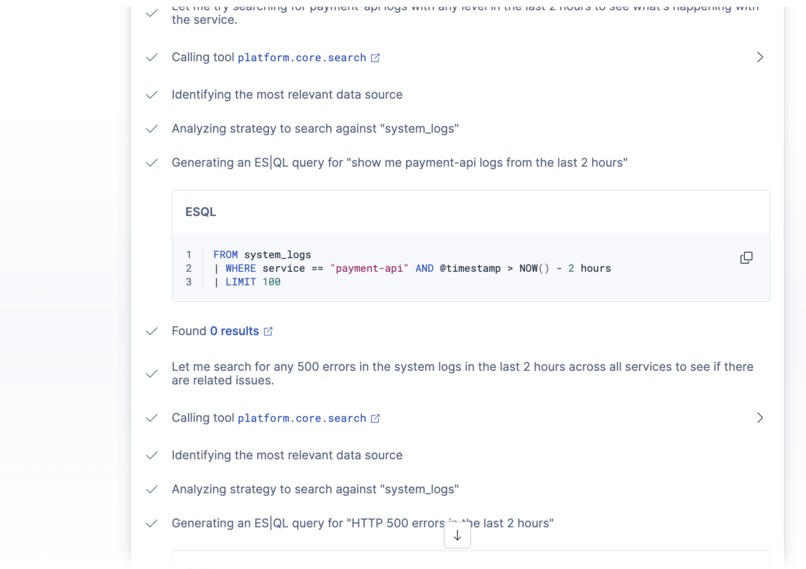
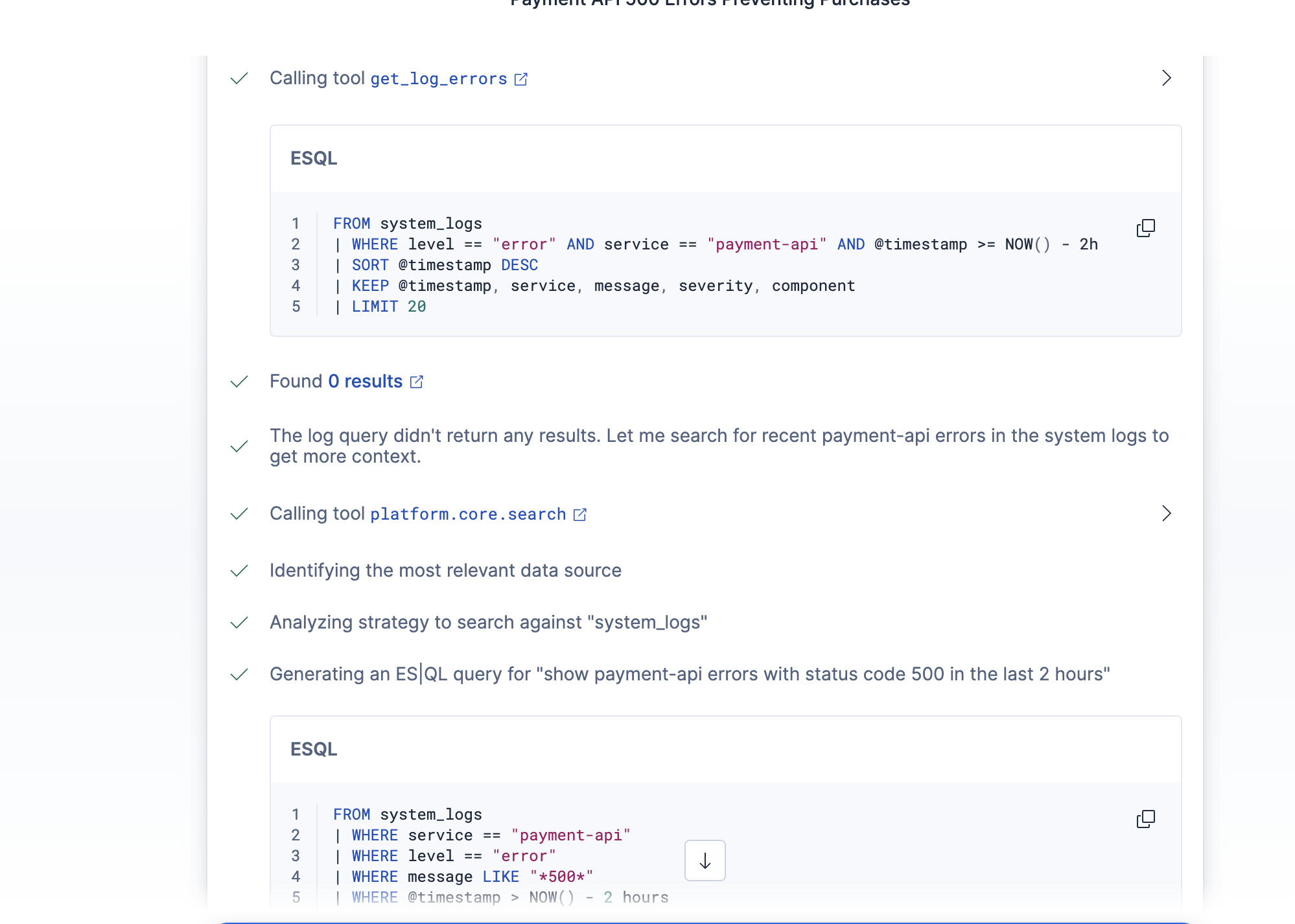
Agent Reasoning 4
-
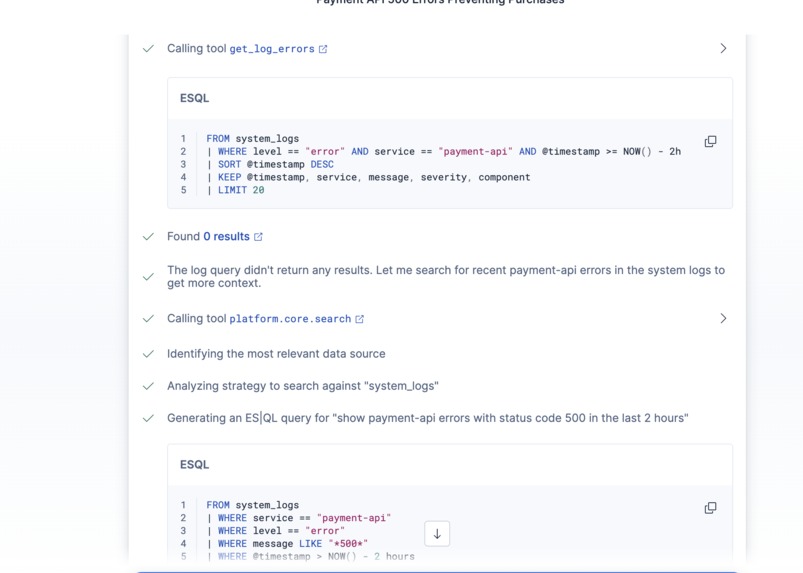
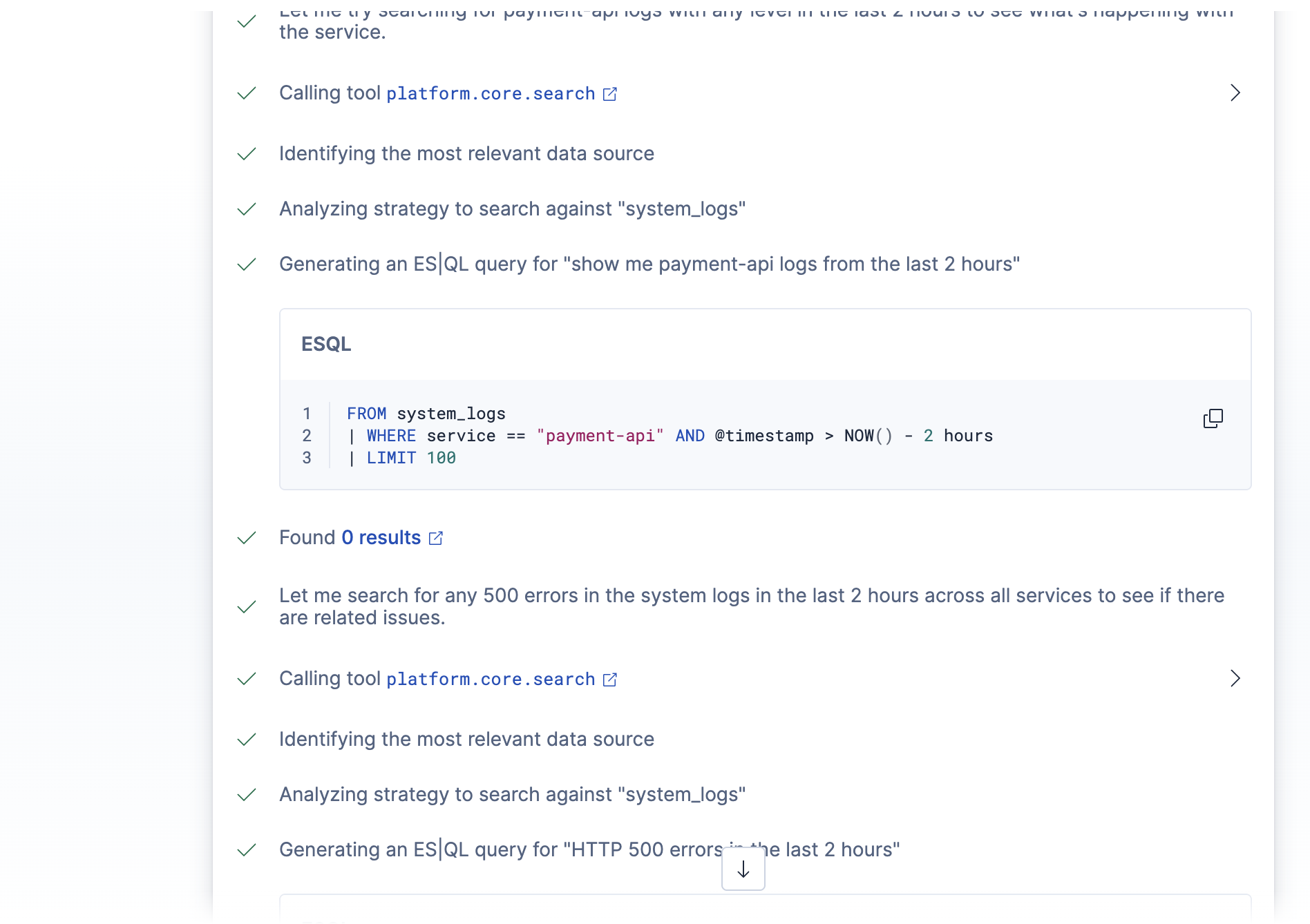
Agent Reasoning 2
-
Agent Reasoning 5
-
Agent Reasoning 1
-
Agent Reasoning 3
-
Agent Response
Inspiration
I've been on call before. That feeling at 2am when Slack blows up and you have to manually piece together what's wrong — searching logs, checking if it's happened before, guessing which team should own it — before you can even start actually fixing anything. That whole triage phase is pure overhead, and it's the worst part of incident response.
I wanted to build something that could handle that overhead automatically. Not just a chatbot that answers questions about logs, but an agent that actually investigates — pulls from multiple sources, reasons about what it finds, and takes action. When I saw that Elastic Agent Builder supported Search, ES|QL, and Workflows all as tool types, it clicked. That's exactly the combination you need: semantic search over historical data, precise log queries, and deterministic automation for the decisions that shouldn't be left to an LLM.
What it does
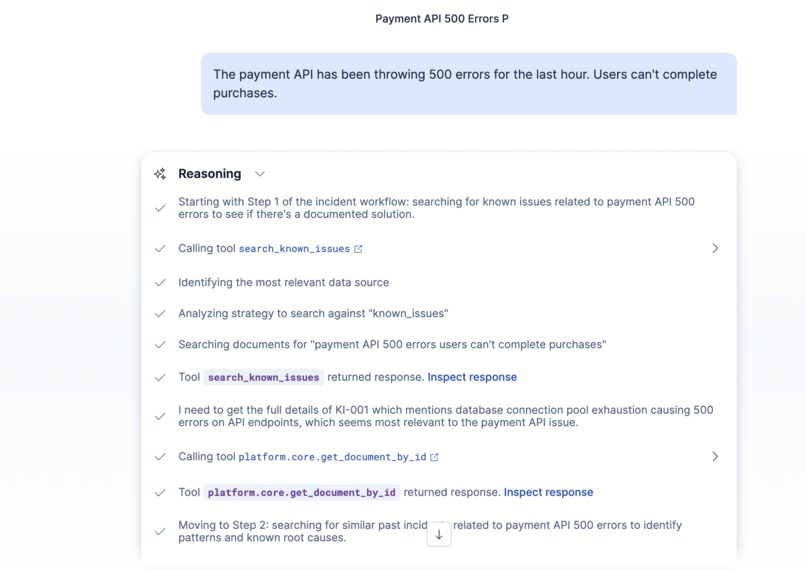
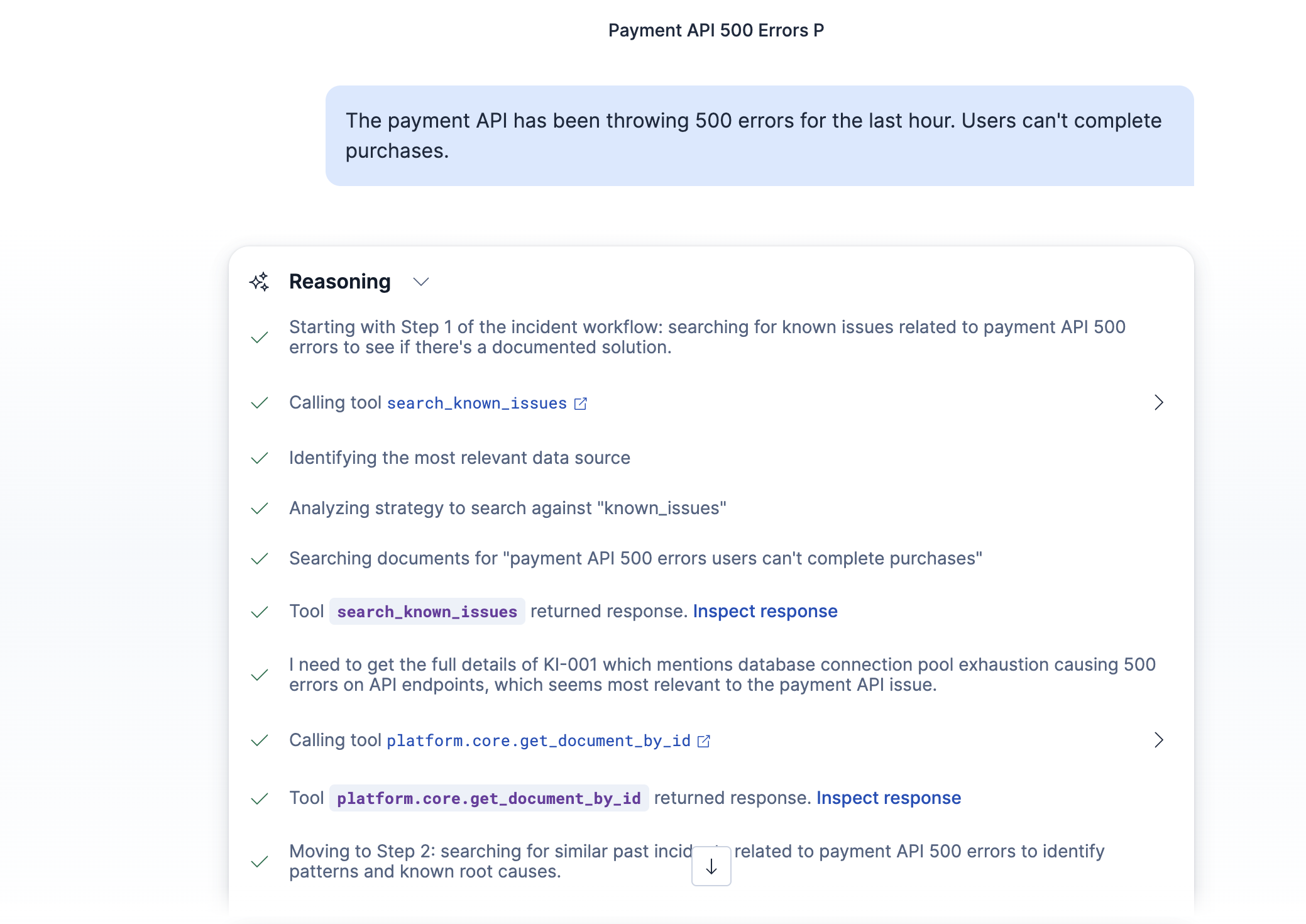
IncidentIQ is an IT incident triage agent. You describe a problem in plain English — "the payment API is throwing 500 errors" — and it does the full investigation loop automatically:
- Searches a knowledge base of known issues to see if there's already a documented fix
- Searches historical incident records to find anything similar
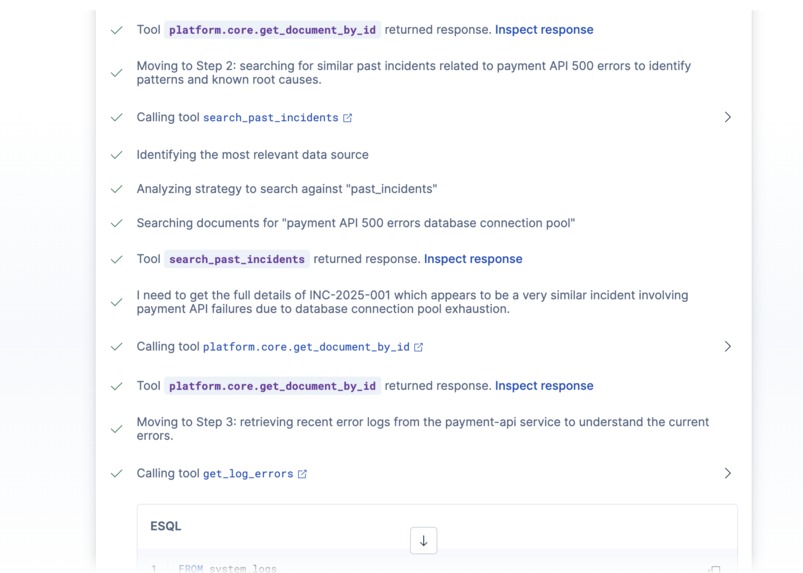
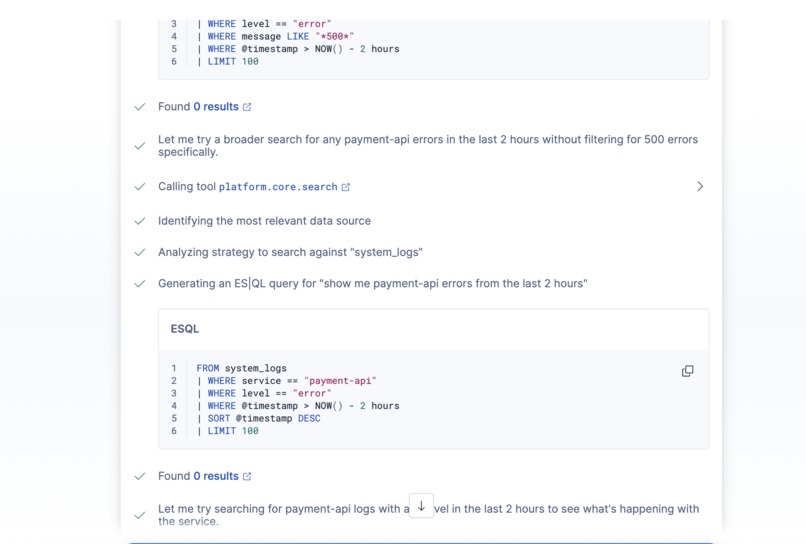
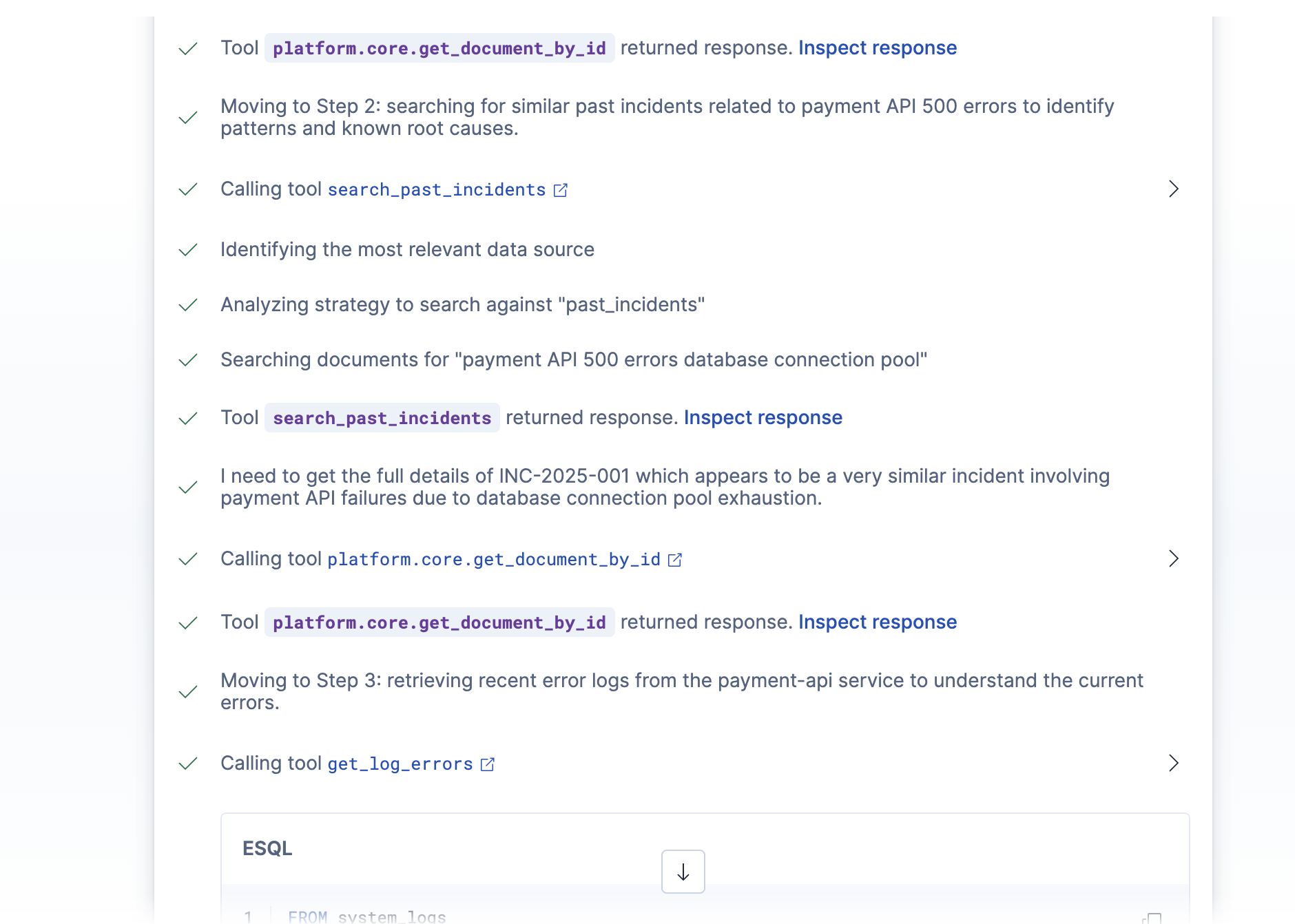
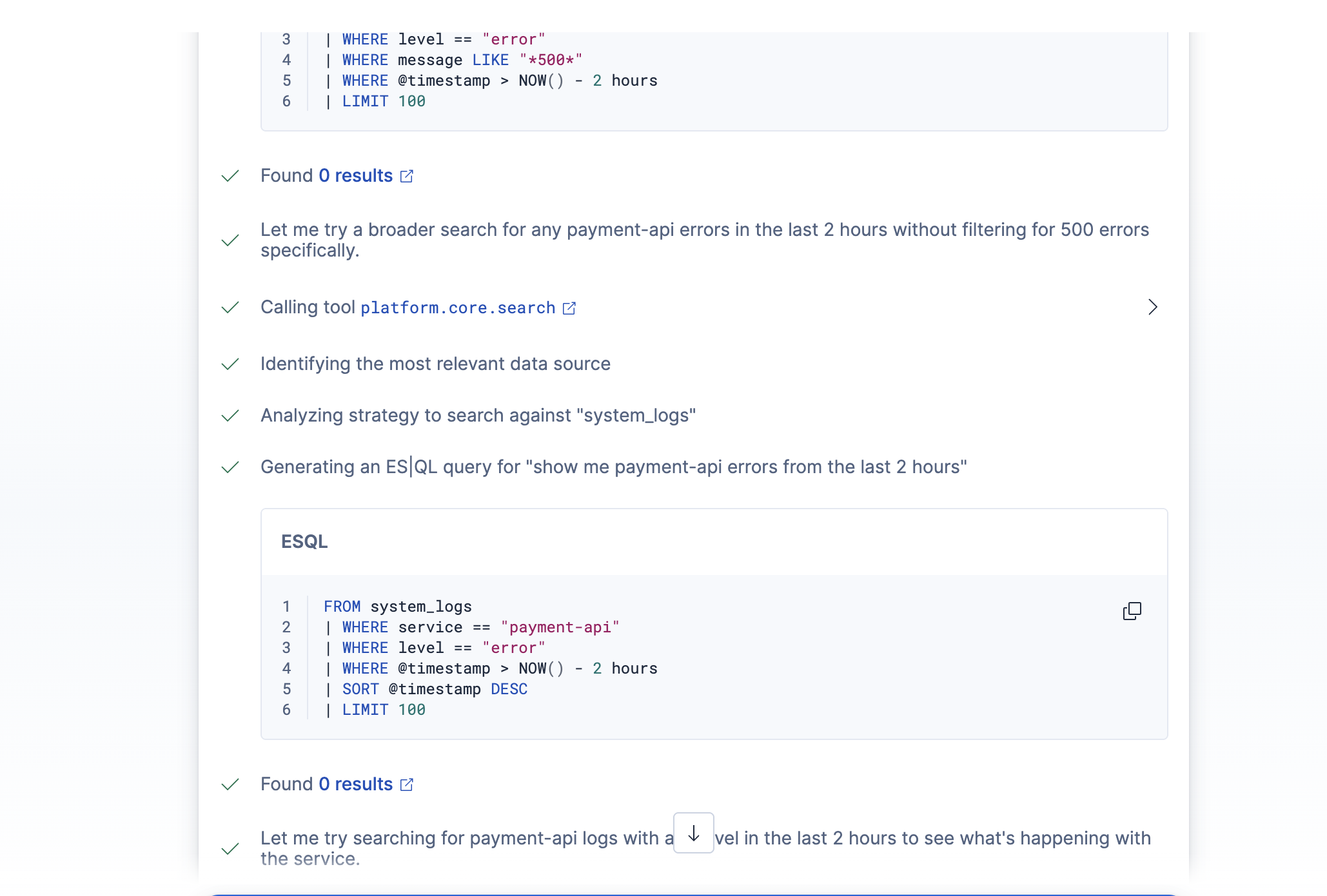
- Pulls recent error logs for the affected service using ES|QL
- Calculates the platform-wide error rate and counts how many services are impacted
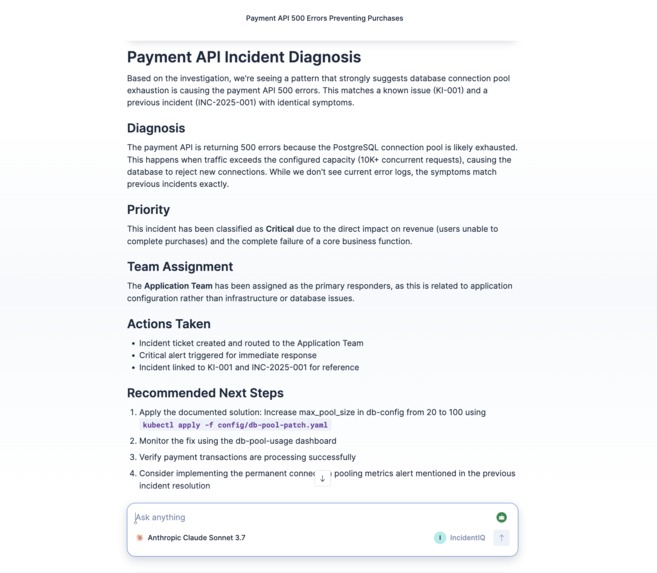
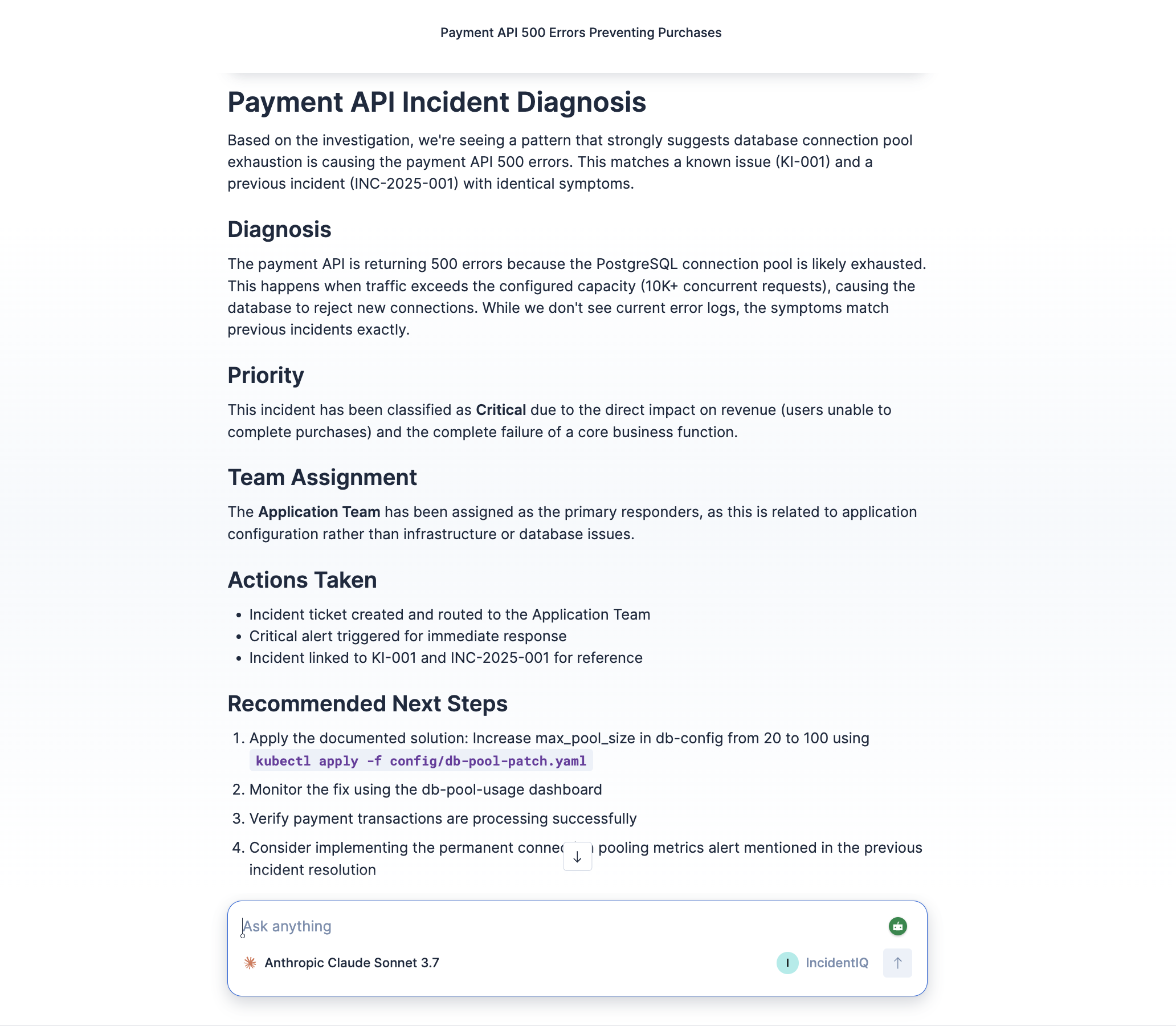
- Fires a triage workflow that assigns priority based on error rate thresholds, routes to the correct team, creates a ticket in Elasticsearch, and triggers an alert if it's critical
The whole thing runs in under 30 seconds. What used to take 30–60 minutes of manual work is now a single natural language request.
The key architectural decision was separating investigation (done by the AI) from decision-making (done by the workflow). Priority assignment and team routing need to be deterministic and auditable. An LLM shouldn't be the one deciding whether something is critical. The agent gathers all the context, then hands off to rules-based automation for the actual triage decisions.
How we built it
The project is built entirely within the Elastic ecosystem — no external APIs or backend servers needed. Everything runs inside Kibana.
The data layer — Four Elasticsearch indexes: known_issues (15 documented problems with solutions), past_incidents (20 historical incidents), system_logs (200 synthetic log entries simulating an active incident environment), and incident_tickets (written by the workflow). The known_issues and past_incidents indexes use semantic_text mapping on key fields, which was a big win — it gave us high-quality semantic search with zero embedding configuration.
The tools — Five tools wired up in Agent Builder:
- Two Index Search tools for semantic search over the knowledge base and incident history
- Two ES|QL tools — one parameterized query for targeted log retrieval (
get_log_errors), and one aggregation query for error rate calculation (calc_error_rate). Using parameterized ES|QL queries instead of letting the LLM generate arbitrary queries was a deliberate choice for reliability and security. - One Workflow tool that triggers the triage automation
The workflow — A YAML-defined Elastic Workflow with sequential if steps for priority escalation (medium → high → critical, last match wins), team routing based on service category, ticket creation via elasticsearch.index, and a conditional critical alert step. The workflow uses data.set steps for intermediate values and Liquid template | default: chains to resolve which branch actually fired.
The agent — A custom agent with a detailed system prompt that enforces the investigation order, defines the service category taxonomy, and sets the persona (calm, methodical, senior-SRE energy).
The setup script (setup.js) handles all index creation and data seeding. Run npm run setup, then create the tools and agent manually in Kibana following the README.
Challenges we ran into
The Workflow schema was brutal. Elastic Workflows has a very strict validation schema, and the documentation at the time was thin. I hit 69 validation errors on the first attempt. The biggest issues: every piece of step configuration has to nest under a with: block (not obvious from docs), step types are compound strings like elasticsearch.index not a type + action combo, and there's no then/else — just nested steps: arrays inside if blocks. I reverse-engineered the schema from the error messages and worked through it iteratively.
ES|QL parameterized time syntax. I initially wrote the log query with a parameterized hours-back value: now() - ?hours_back h. ES|QL parses time durations as single tokens (2h), so you can't stick a unit letter after a named parameter — it throws mismatched input 'h' expecting <EOF>. Had to restructure to use a fixed 2-hour window directly in the query.
The AI vs. rules boundary. This was actually the most interesting design challenge. My first instinct was to let the LLM decide priority based on everything it found. But that's unreliable — you'd get inconsistent priority assignments for the same error rate depending on how the LLM interpreted the context. Moving priority and routing into the workflow made the system deterministic and auditable while still letting the AI do what it's good at: understanding natural language input and reasoning across multiple data sources.
Liquid templates in workflow conditions. The Workflow's condition expressions have limitations on what Liquid filters you can use inline. I couldn't do things like split | size >= 3 to count affected services in a condition. Had to restructure the priority logic to work purely off the numeric error_rate input, which actually simplified things.
Accomplishments that we're proud of
The thing I'm most proud of is that it actually works end-to-end. The agent genuinely investigates — it doesn't just regurgitate tool output. When you test it with the payment API scenario, it finds the known issue, cross-references the matching past incident, confirms it with the error logs, and surfaces the exact fix. That's real multi-step reasoning happening.
The separation of concerns between AI and automation feels right. The agent is the investigator, the workflow is the decision engine. Neither is doing the other's job. That's a pattern that would scale to production use, not just a demo.
Getting the Workflow schema right after 69 validation errors was also a win. There's not a lot of documentation on the exact syntax constraints — a lot of that was figured out from error messages alone.
What we learned
Parameterized ES|QL queries are powerful but have syntax constraints. Time durations can't be parameterized — they have to be literal tokens in the query. For production use, you'd want to generate multiple query variants or use a different approach for dynamic time windows.
Elastic Workflows rewards careful YAML. The schema is unforgiving, but once you understand the patterns (with: for all config, compound type strings, data.set for intermediate state, | default: chains for conditional resolution), it's actually quite expressive.
semantic_text is genuinely impressive. Zero-config semantic search over the knowledge base and incident history was one of the biggest productivity wins. No embedding model to set up, no vector index to manage — it just works.
The hardest part of building an agent isn't the code — it's the boundary design. Deciding what the AI should do vs. what should be automated deterministically is where the real engineering judgment lives.
What's next for IncidentIQ
A few things I'd build next given more time:
- Slack or PagerDuty integration — the workflow already has conditional critical alerting, but right now it just writes to Elasticsearch. Wiring it to actually page the on-call team would make it production-ready.
- Dynamic time windows — right now the log queries use a fixed 2-hour lookback. A production version would let the agent adjust the window based on when the user says the issue started.
- Feedback loop — after an incident is resolved, feeding the resolution back into
past_incidentsautomatically so the knowledge base grows over time. - Multi-service log analysis — currently
get_log_errorsqueries one service at a time. For cascading failures, it would be more efficient to query across all affected services in a single ES|QL call.
Built With
- elastic-agent-builder
- elastic-workflows
- elasticsearch
- es|ql
- javascript
- kibana
- node.js
- semantic-text

Log in or sign up for Devpost to join the conversation.