-
-
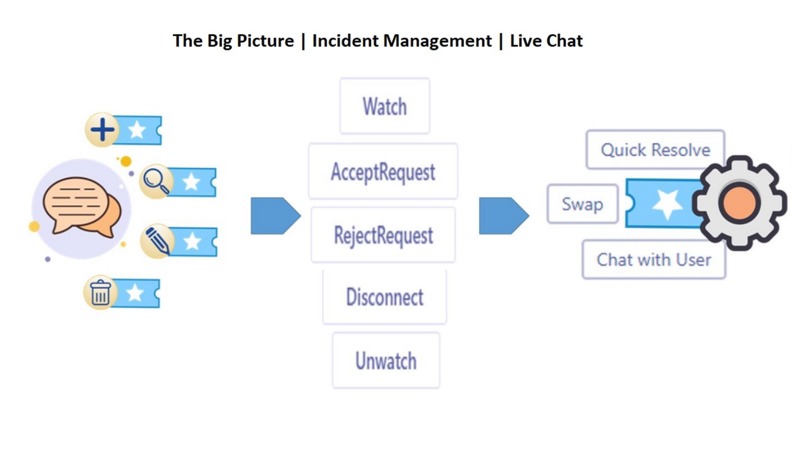
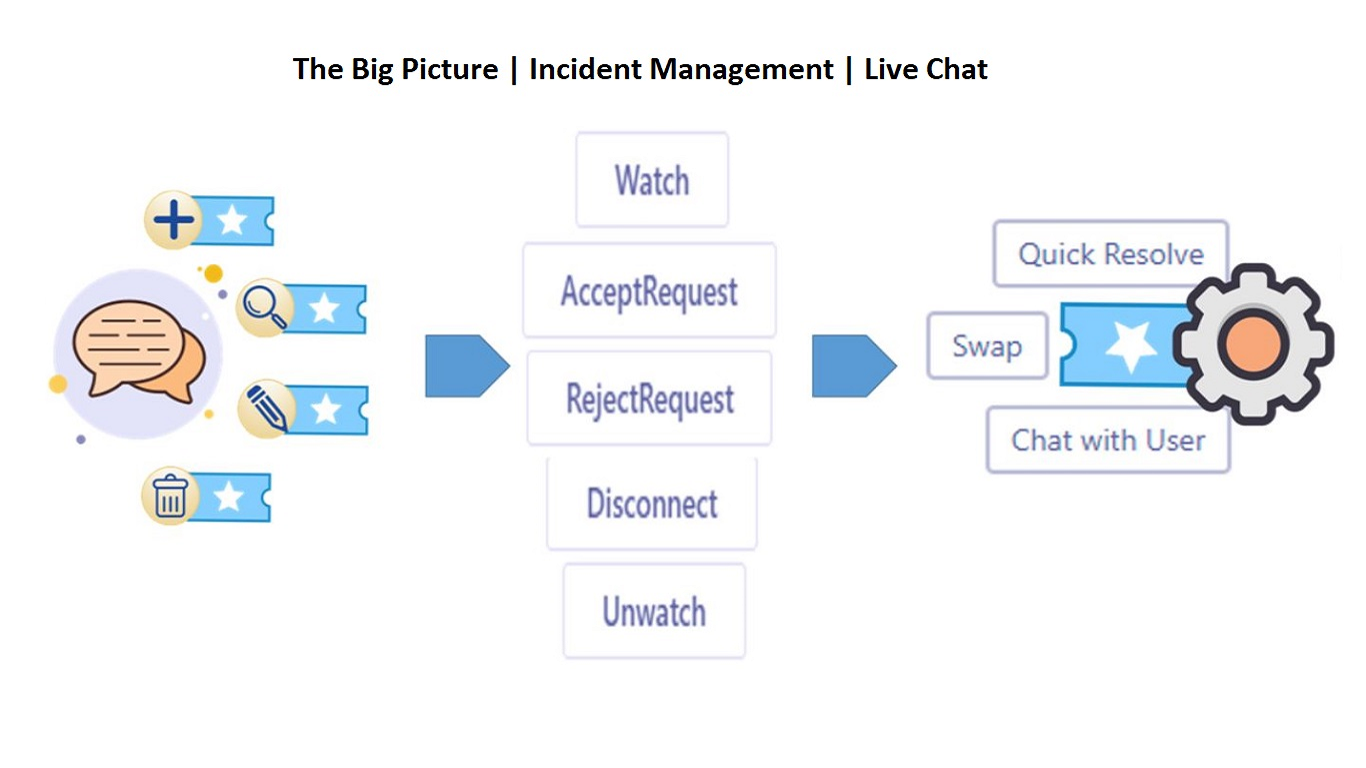
Incident Management | Big Picture
-
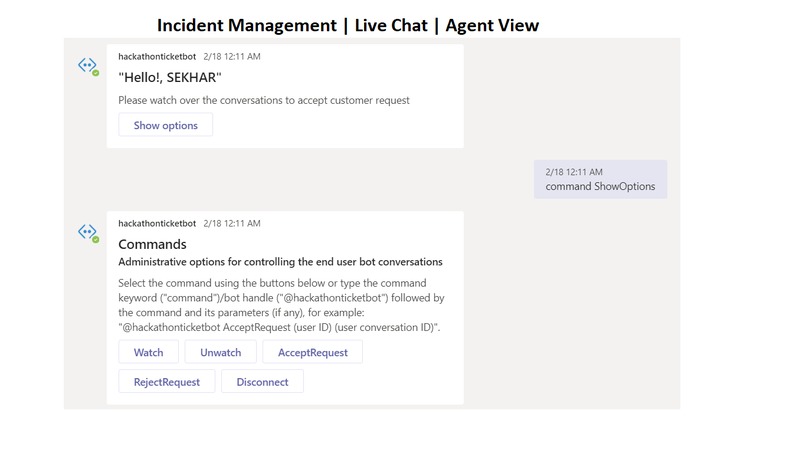
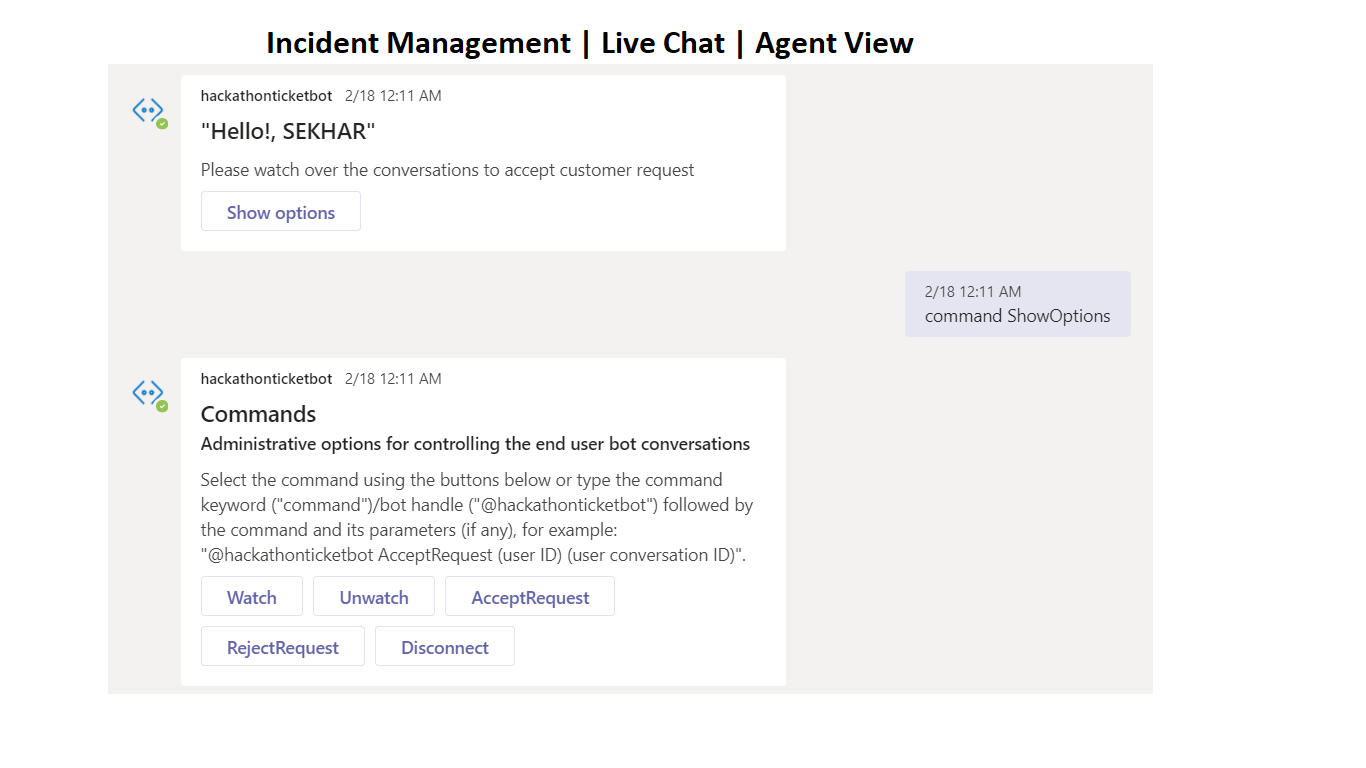
Incident Management | Agent View to do Live Chat
-
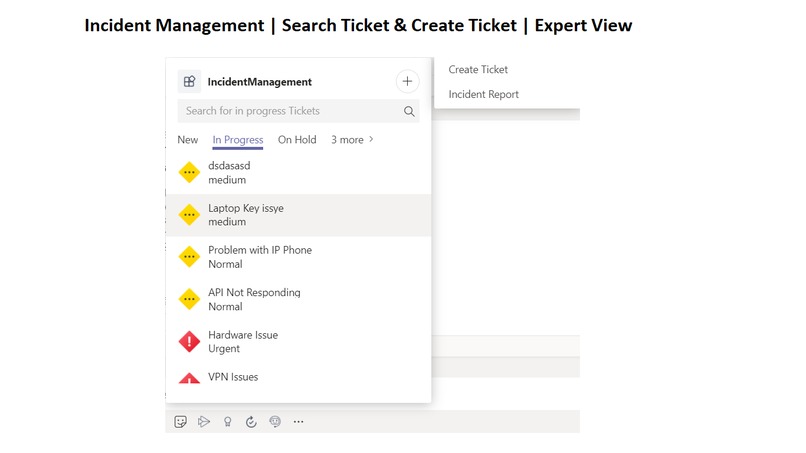
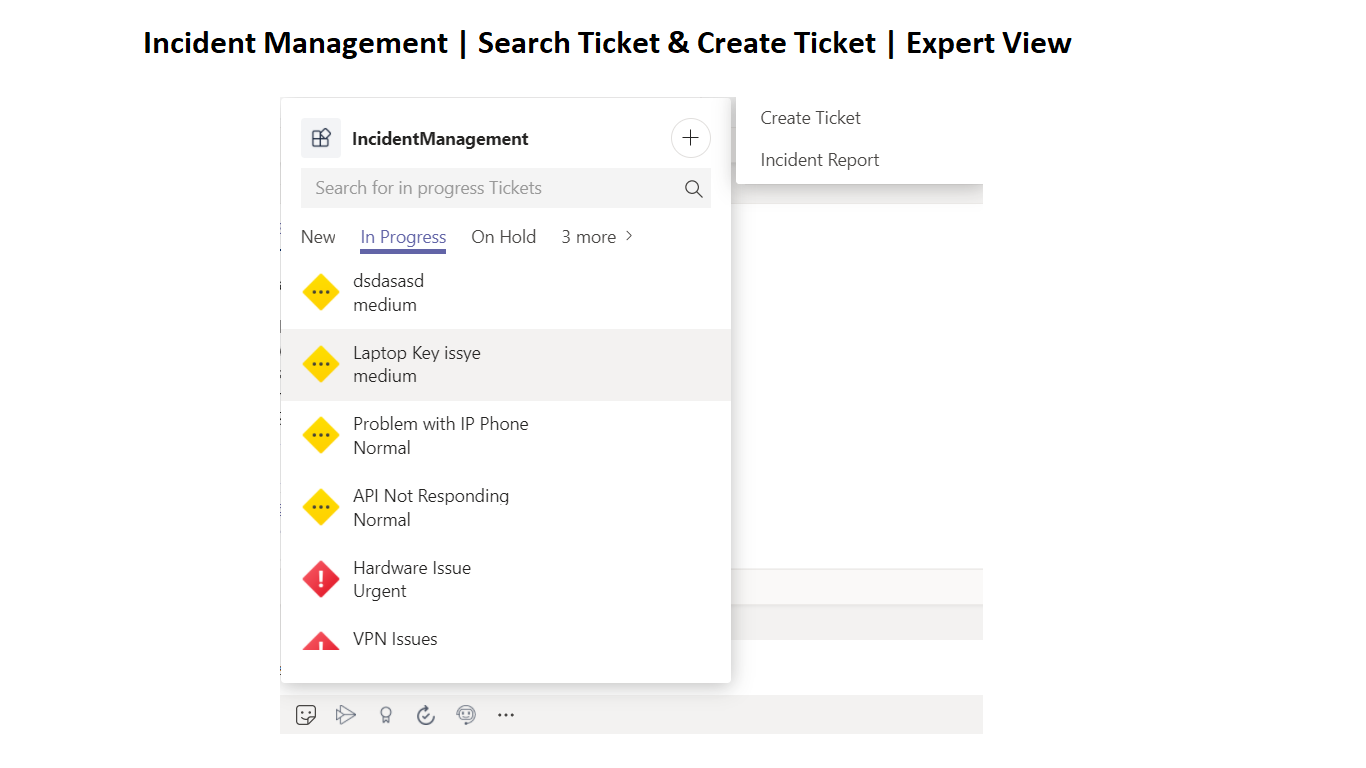
Incident Management | Expert View to resolve the ticket and search the ticket
-
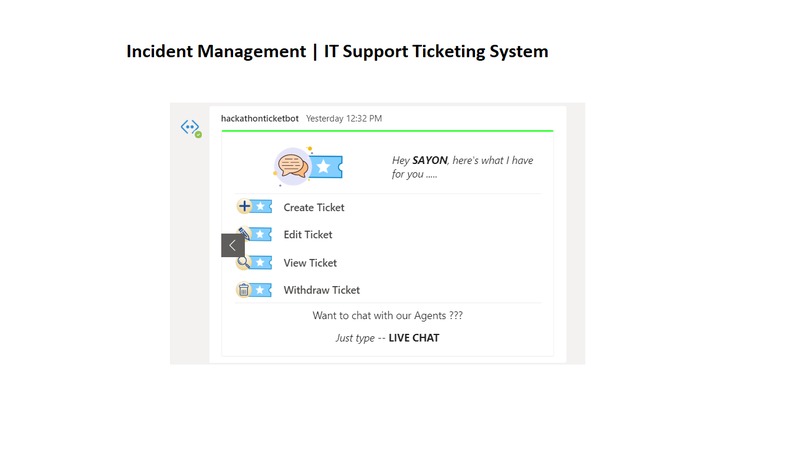
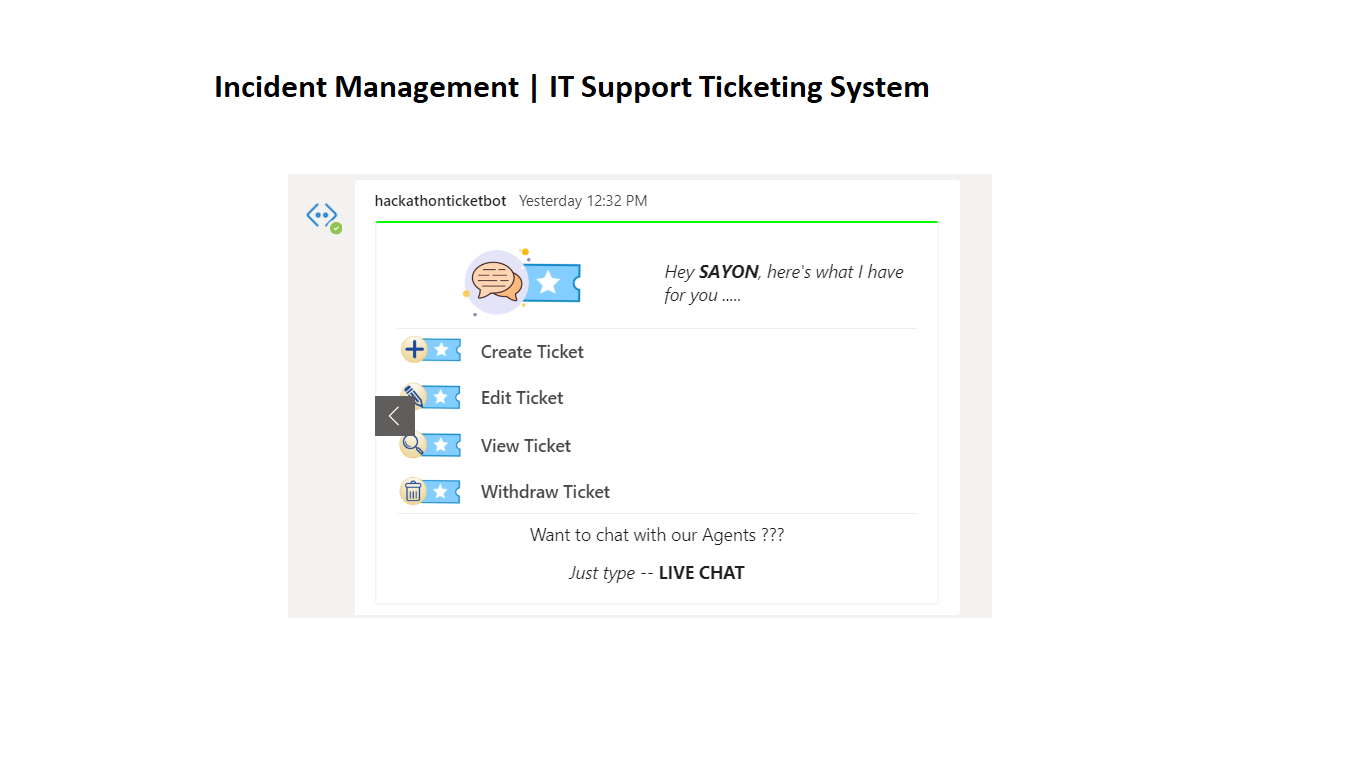
Incident Management | Normal User View to raise, view , edit , withdraw ticket
-
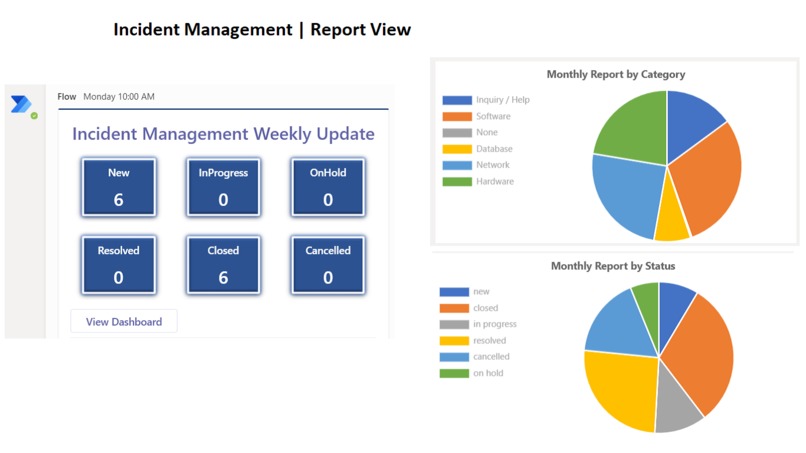
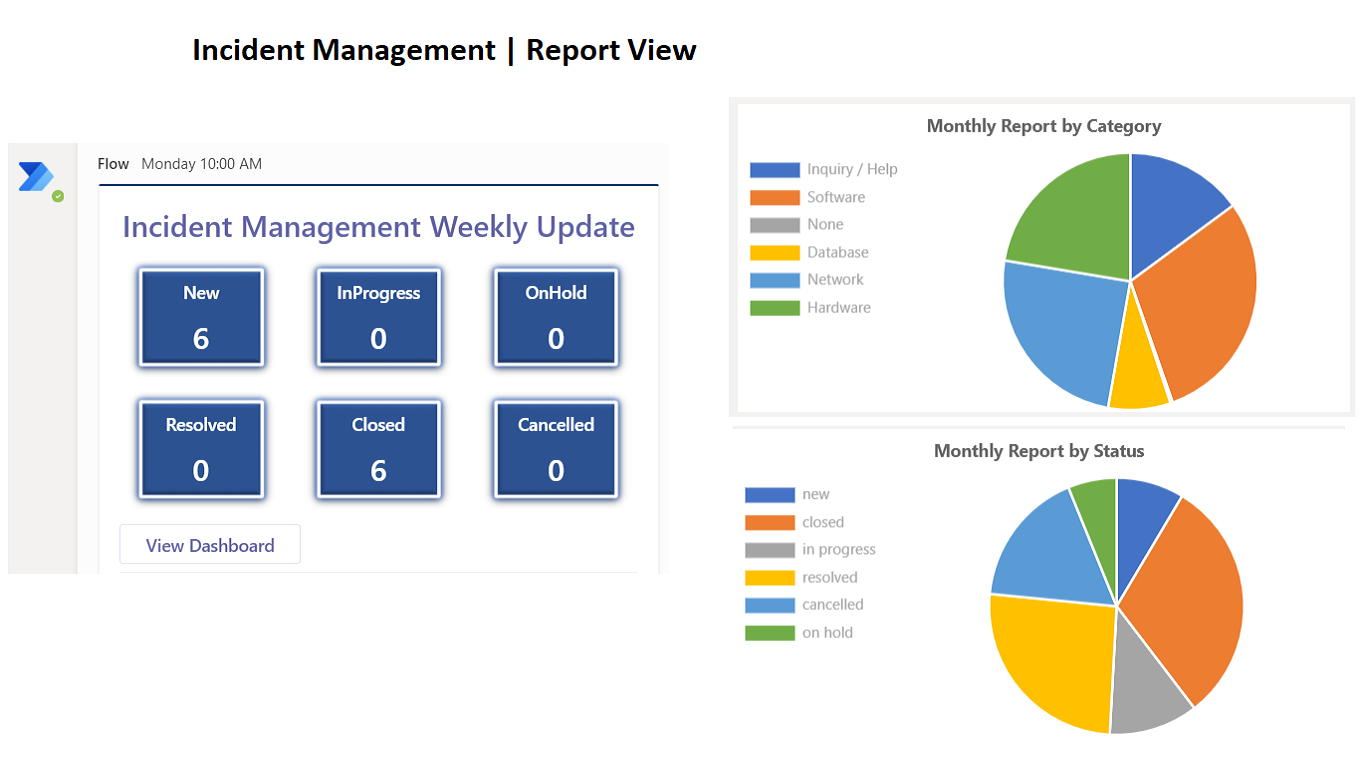
Incident Management | Report View for Management Team
-
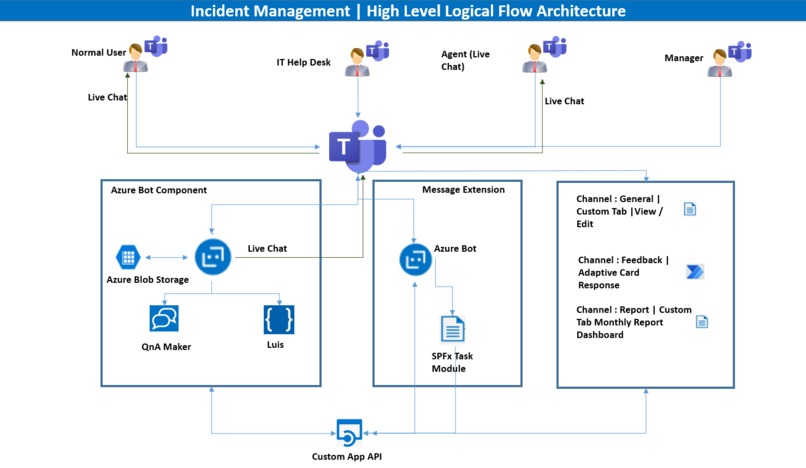
Incident Management | Logical Flow Architecture

Inspiration
Teams helps to expand solution portfolio and the practice. Building MS Teams app for Incident management helps customer productivity by unifying content, data, and workflows. Create value to customers by bringing business use cases to life, allowing users to deploy and adopt new services as part of their natural day today work.
What it does
Incident management apps and solutions for Teams integrate relevant functions helping customers focus in resolving ticket effectively, helps collaborating with user , and make decisions faster. Robust internal chat capability with customizable channels and tags Customizable tabs that can be used for quick access to important files and collective information used by teams Collaborative development platform with seamless integration for monitoring incident management and data visualization.
Incident Management App helps build for different persona i.e. Normal User, Expert (who resolve the ticket), Agent (who will be available for Live Chat), Management (to get KPI i.e. reporting) these kind of users to manage their tickets from a single platform effectively. Users can create, view, search and edit tickets and directly connect with the agents/support person to get the action immediately done.
Incident Management app also enables agents, to manage their slots open for user interaction. Experts can quick resolve the tickets by interacting with bot, swap tickets and take actions
All the actions performed on the tickets will be notified to the respective audience as a messages in channel/ push notifications.
Incident Management App has also analytics on Incidents which gives a pictorial representation of data in many dimensions.
How we built it
MS Teams with Bot framework, Messaging extension, SPFx, Custom tabs, SharePoint Online, Adaptive cards, Power automate. Designed to assist and utilize MS Teams the essential skills and techniques required for managing an incident effectively
Challenges
we ran into Robust internal chat capability for Incident management. Bring in data visualization, analytical and support systems and helps manage incidents, delegate tasks from within Teams and meet SLAs
Accomplishments that we're proud of
Accomplished a platform for Helpdesk and incident management process more effective using MS Teams.
What we learned
Covered 4 areas process, tools, people and continual service improvement.
What's next for Incident Management
Next steps we planned to integrate with external data sources that helps
Built With
- adaptivecards
- azure
- azurestorage
- botframework
- customtabs
- deeplinking
- english
- messgaeextension
- msteams
- pnpjs
- powerautomate
- sharepointonline
- spfx



Log in or sign up for Devpost to join the conversation.