Inspiration
On-call engineers often jump between dashboards, run ad-hoc queries, and manually write incident tickets. We wanted an agent that could investigate production incidents from a single natural-language request, use real Elasticsearch data, and optionally create incident records so we built Incident Co-Pilot for the Elasticsearch Agent Builder Hackathon.
What it does
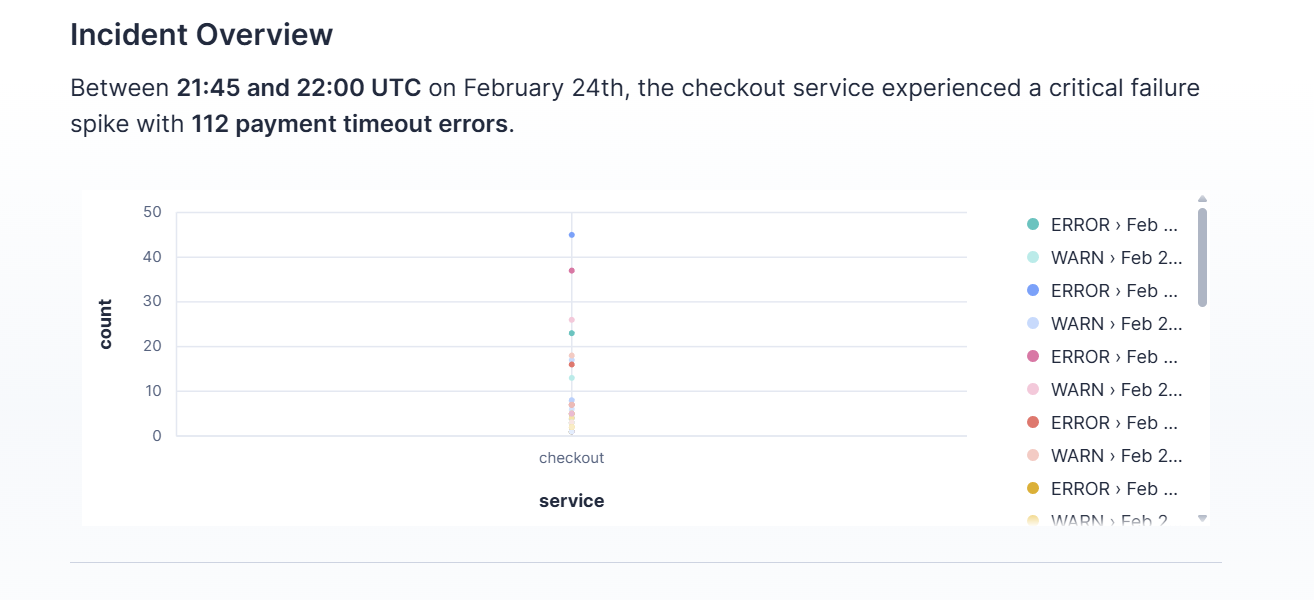
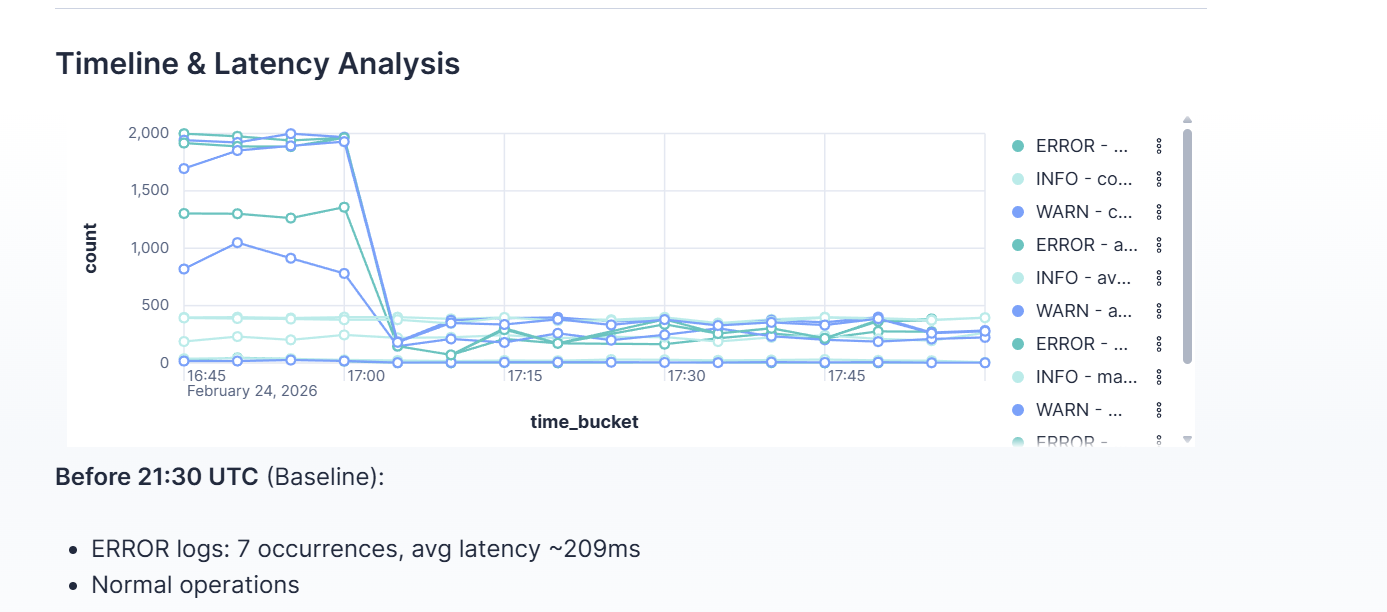
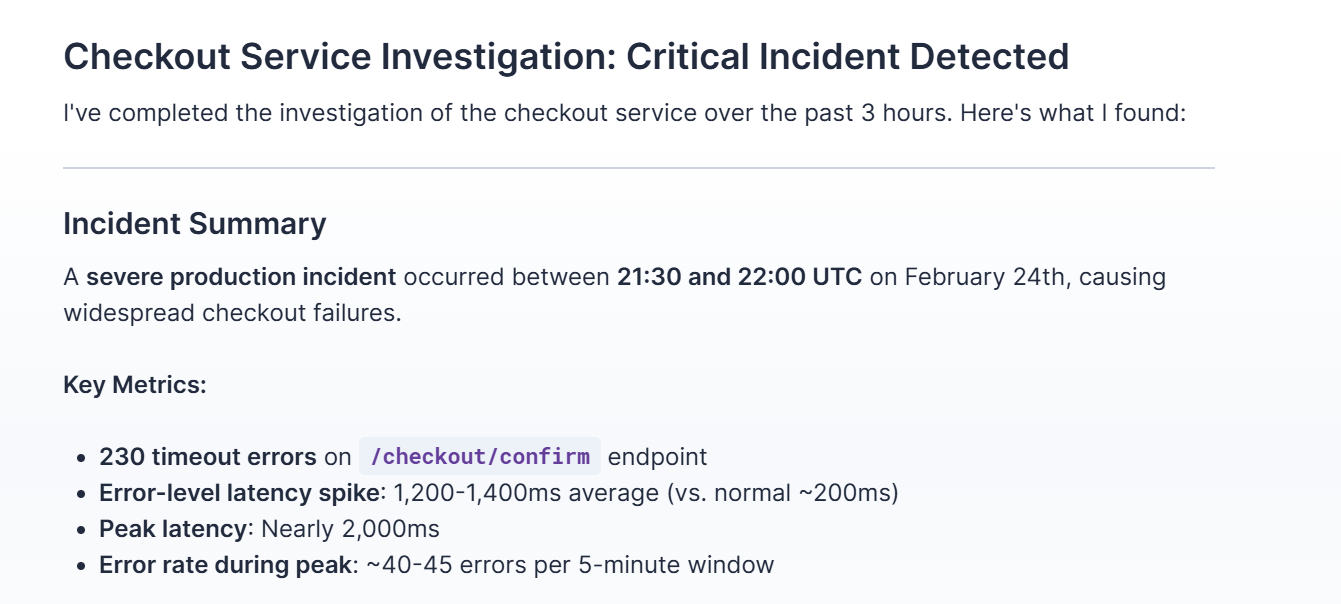
Incident Co-Pilot is a multi-step AI agent that investigates production incidents from chat. You ask something like “Investigate errors on checkout in the last few hours” and the agent:
- Uses ES|QL to aggregate errors and latency by time bucket and service
- Uses Search to pull sample log lines from the
incident-demo-logsindex - Summarizes root cause, impact, timeline, and recommended actions
- Can call a create_incident HTTP tool to open an incident record in Elasticsearch via a small FastAPI backend
The demo uses synthetic logs (checkout, payments, inventory) with a built-in incident window so the agent can show a full investigation and root-cause analysis.
How we built it
- Elasticsearch Serverless: Created a project, defined an index (
incident-demo-logs), and indexed sample logs with a Python script and the Elasticsearch client. - Agent Builder: Configured a custom agent with SRE co-pilot instructions and attached the built-in Search and ES|QL tools, plus a custom create_incident HTTP tool pointing at our API.
- Backend: FastAPI app with
POST /incidentsandGET /incidents/{id}that store and retrieve incidents in Elasticsearch.
Challenges we ran into
- Index naming: Serverless uses a
logstemplate forlogs-*indices (data streams only). We switched toincident-demo-logsso we could use a regular index. - Reaching localhost from the cloud: The agent runs in Elastic Cloud and can’t call
http://localhost:8000. For the full create_incident flow we’d need a tunnel (e.g. ngrok); we focused the demo on the investigation flow, which works entirely in Kibana.
Accomplishments that we're proud of
- The agent reliably chooses ES|QL for aggregations and Search for sample logs, and produces clear incident summaries with metrics, root cause, and next steps.
- We delivered a working multi-step agent that meets the hackathon requirements (Agent Builder + Search + ES|QL + real-world task) and demonstrates time-series–aware incident investigation.
What we learned
- How to configure custom agents and tools in Elastic Agent Builder and how Search and ES|QL fit into an agent’s tool flow.
- ES|QL is well-suited for time-bucketed analytics (error counts, latency percentiles) without writing Elasticsearch query DSL.
What's next for Incident Co-Pilot
- Expose the FastAPI backend via a tunnel or deployment so the agent can create incidents from the cloud.
- Add more tools (e.g. open a Jira ticket, post to Slack) and support multiple log indices or data streams.
- Optionally add a simple UI or Slack/email integration so teams can trigger investigations where they already work.
Built With
- agent
- builder
- elastic
- elasticsearch
- fastapi
- kibana
- python

Log in or sign up for Devpost to join the conversation.