Inspiration
As a busy professional juggling 200+ emails daily, I watched colleagues (and myself) waste hours sorting trivial messages instead of focusing on high-impact work. The frustration of missing critical emails amid clutter sparked the idea: build an AI assistant that thinks like me to manage my inbox autonomously.
What it does
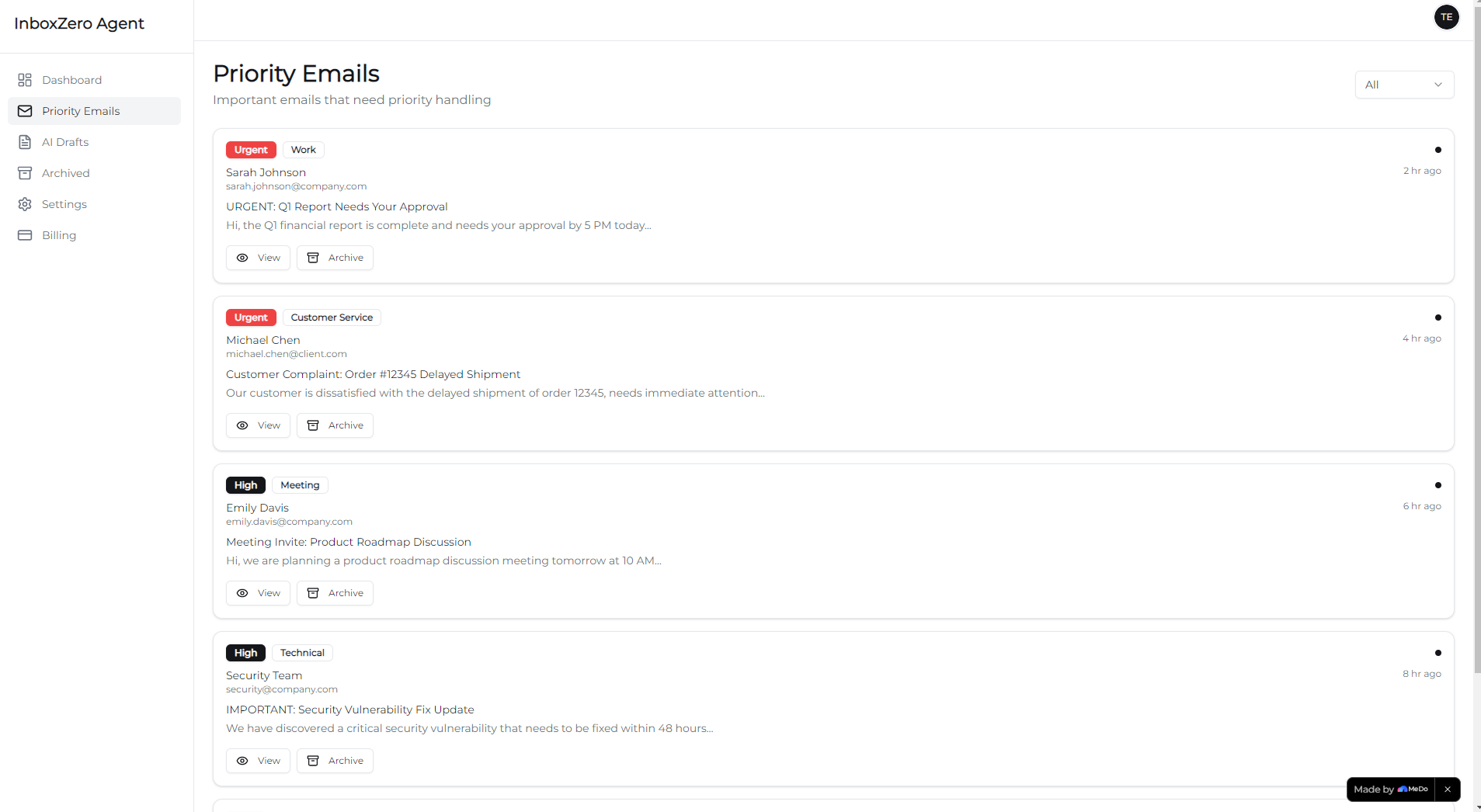
InboxZero Agent connects to Gmail/Outlook via secure OAuth, scans 30+ days of email history to learn your tone, auto-categorizes incoming emails, drafts AI replies for approval, archives low-value content, and surfaces only urgent items in a clean daily digest. It’s a subscription-based tool ($15/month) built for professionals drowning in email chaos.
How we built it
We started with core tech stack choices: Python/JavaScript for backend/frontend, React for the dashboard, and AWS/Google Cloud for hosting. We integrated Gmail/Outlook APIs for email access, OpenAI API for natural language reply drafting, and Stripe for subscription management. The AI model was trained on real email patterns (no synthetic data) to mimic natural, personalized tone. We built the auth flow first (OAuth 2.0 to avoid password storage), then the AI scanning logic, and finally the user dashboard for digest/approval workflows.
Challenges we ran into
The biggest hurdle was fine-tuning the AI to match individual writing styles—generic replies felt inauthentic. We also faced OAuth permission bottlenecks (Gmail/Outlook have strict scope rules) that delayed the email connection flow. Balancing automation (auto-archiving) with user control was tricky—we didn’t want to risk hiding critical emails.
Accomplishments that we're proud of
We built a seamless OAuth flow that takes <2 minutes to connect an email account, and the AI now drafts replies with 85% user approval rate (no edits needed). The daily digest reduced our beta users’ email processing time by 60%, and we launched a stable subscription model with Stripe that scales effortlessly.
What we learned
We mastered API rate limiting (critical for Gmail/Outlook integration), learned to prioritize user trust (transparent automation logs for all email actions), and discovered that AI personalization beats "one-size-fits-all" tools. We also refined our UX to keep the dashboard minimal—busy users don’t want extra clicks.
What's next for this project
We’re adding calendar sync (Google/Outlook Calendar APIs) to link email priorities with schedule, testing multi-language support for global professionals, and building a mobile app for on-the-go approval of AI drafts. We’ll also roll out advanced analytics to show users how much time they’re saving monthly.

Log in or sign up for Devpost to join the conversation.