-
-
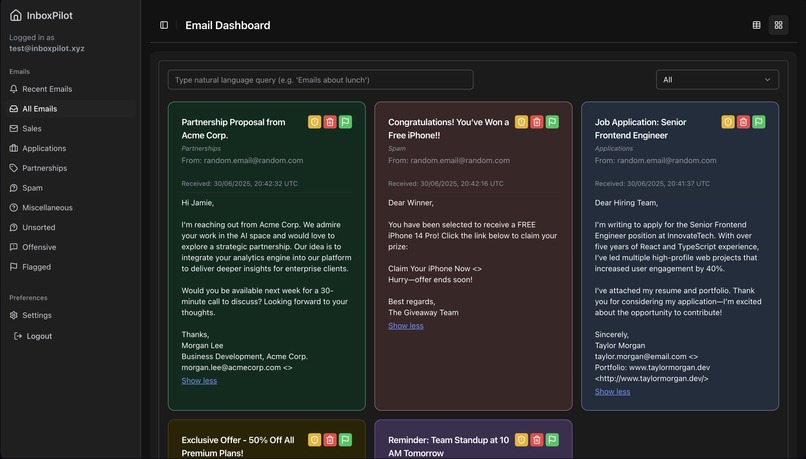
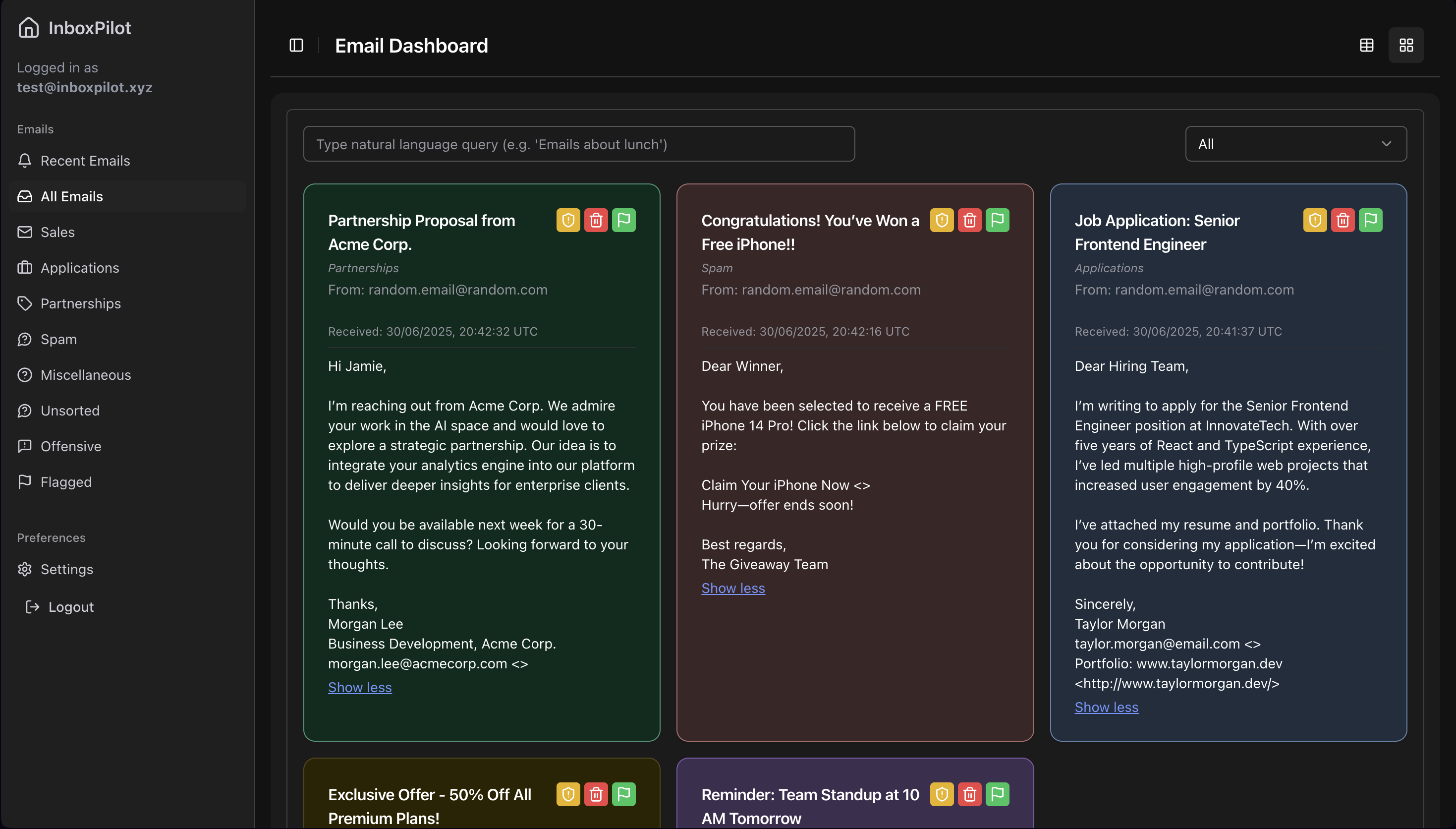
Emails in Icon view
-
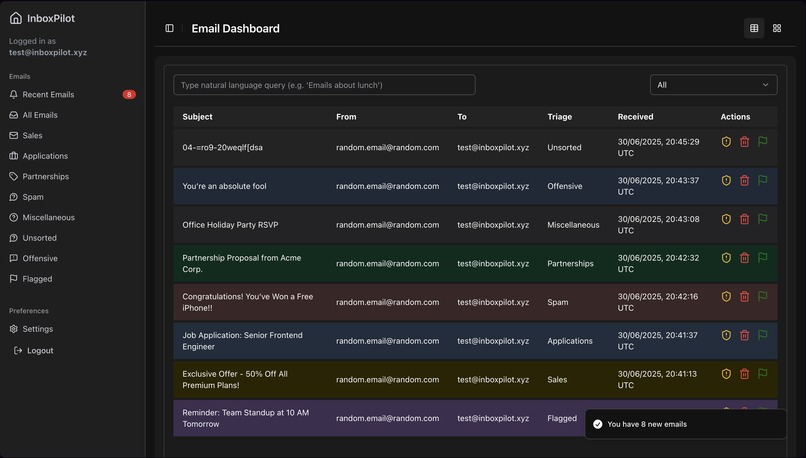
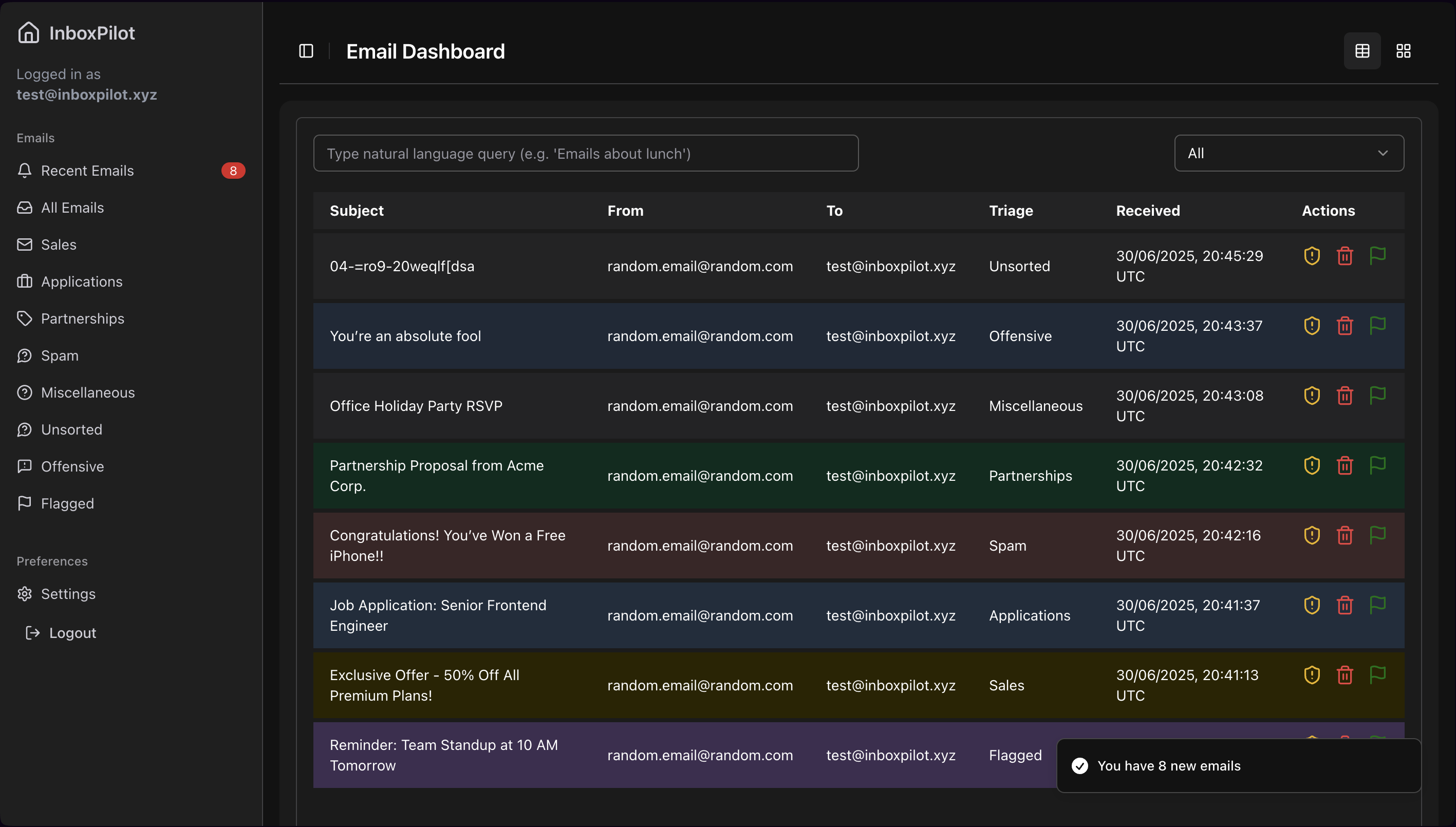
Emails in table view
-
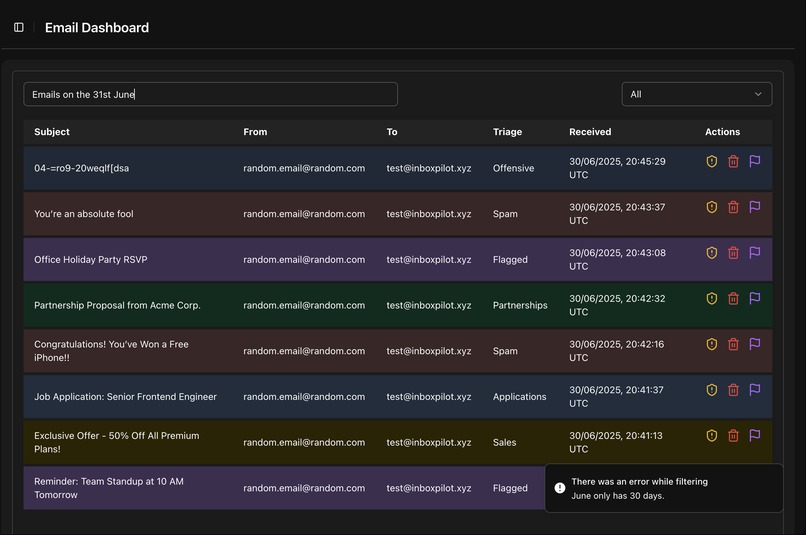
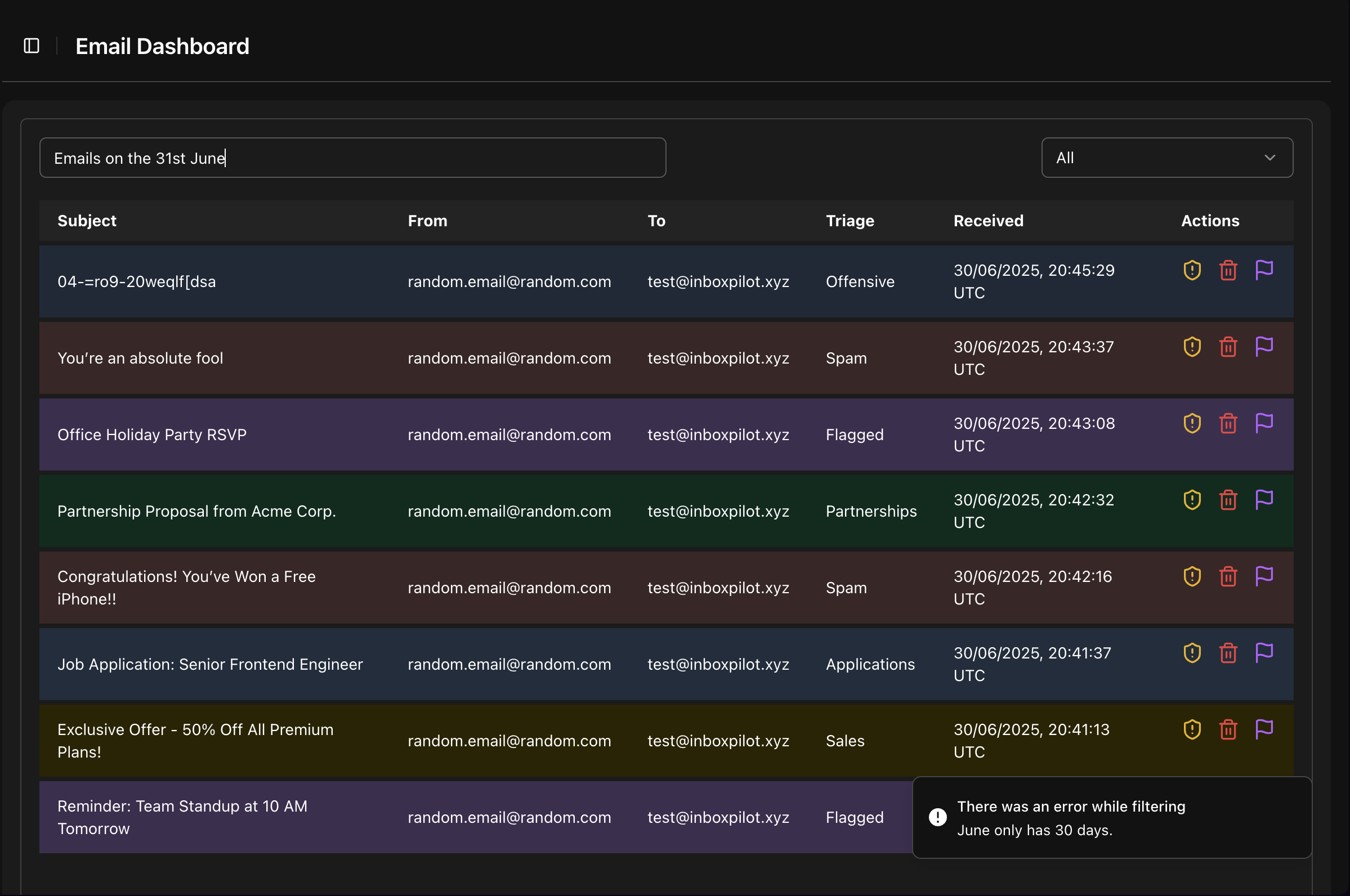
Sample failed Natural Language query
-
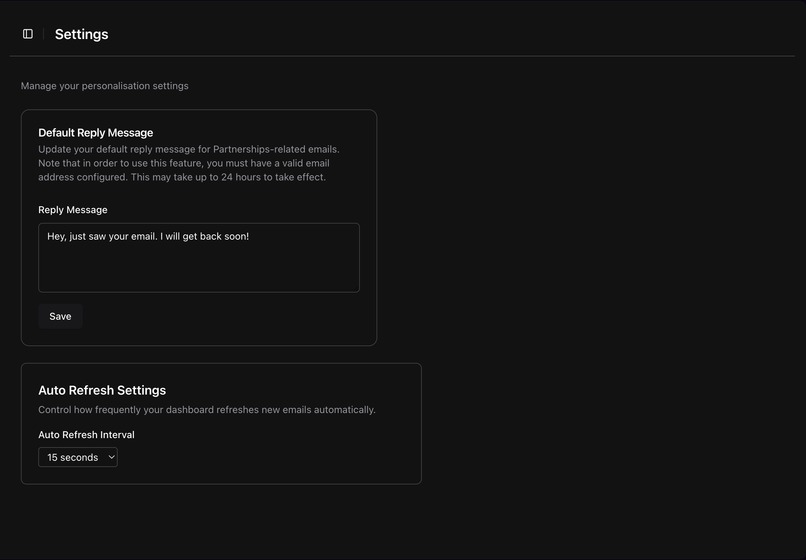
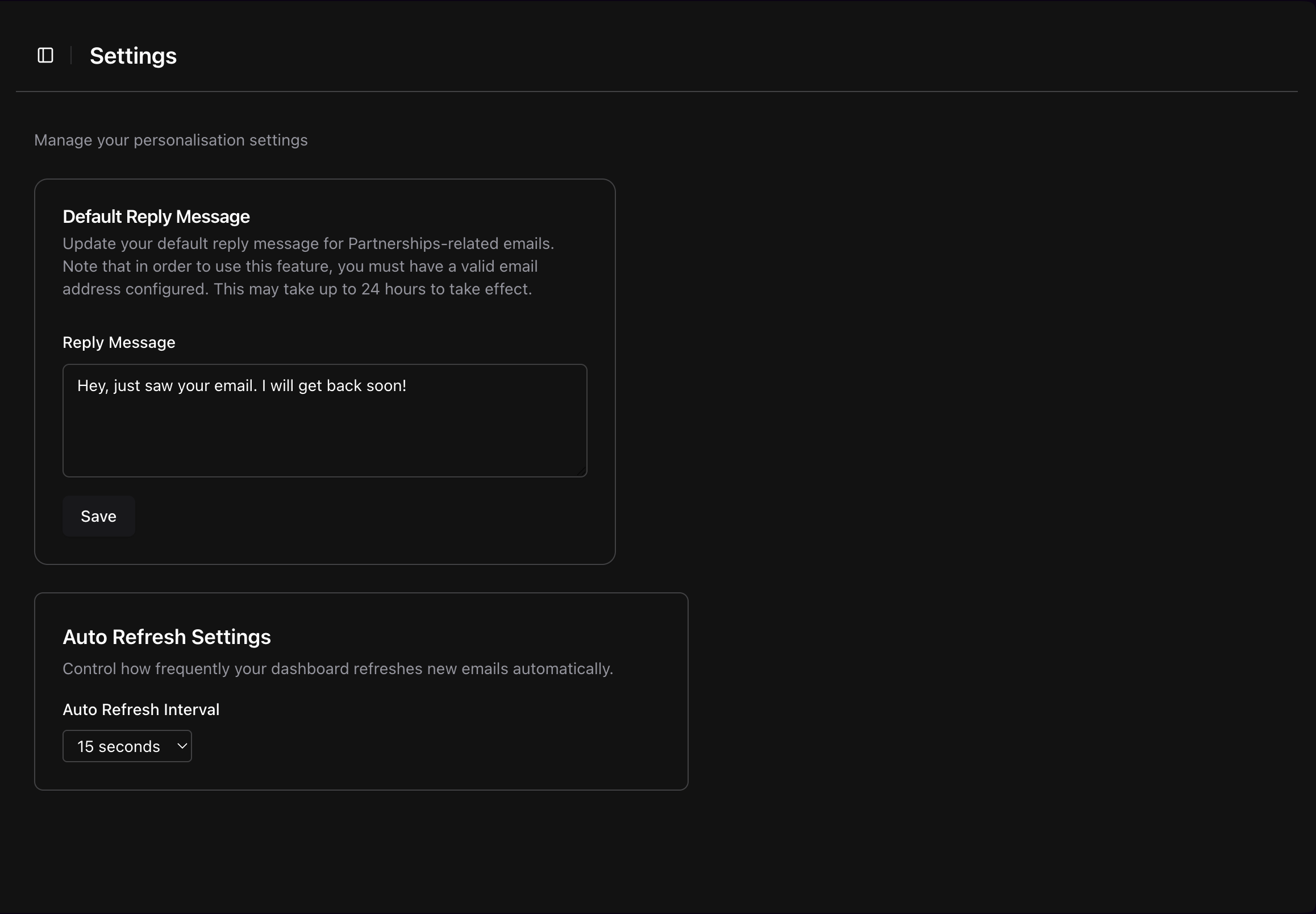
Settings
-
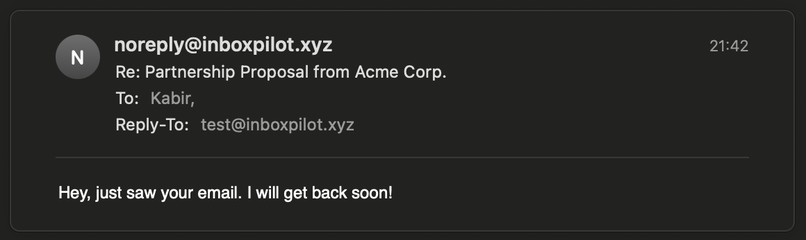
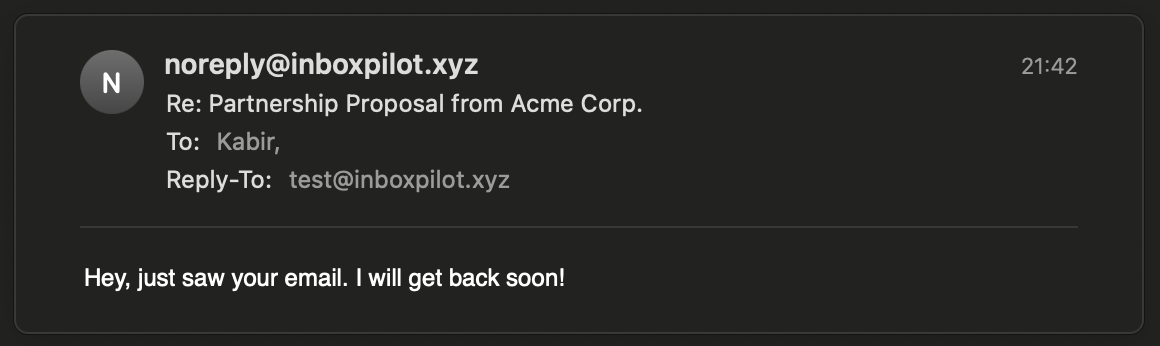
Sample email autoreply
Inspiration
My inspiration behind InboxPilot came from how annoyed I've been managing an ever-growing inbox, which showed for me a possible demand for better email management solutions in business environments. I realised how much productivity was lost by manually categorising emails, and Gmail wasn't very useful. I then came across this hackathon and that lead me to use AWS, something I've never used before, to create a website that could intelligently interpret user queries and organize emails.
What InboxPilot does
InboxPilot lets users:
- View incoming mail in categorized tabs (Sales, Spam, Partnerships, etc..)
- View recent emails in a dedicated "Recent" tab
- Flag urgent and important messages for follow-up
- Ask natural language questions like "All emails from [email protected] about a missing payment" and get filtered results, including helpful error messages ("That's not a triage category", "there's only 30 days in June etc..") over simple generic ones
- Auto-reply to certain emails using AWS SES and user-set templates
All of this is done in an entirely serverless manner.
Testing instructions for Judges
You can try InboxPilot with the following credentials:
Email: testinguser123
Password: testpassword
Once logged in, you'll see one email for each triage. Click on different tabs like Sales or Spam, or try entering a natural language filter to help narrow down your inbox for a certain message.
Sample Natural Language Queries
Here are a few example queries you can try in the search bar:
"All emails from [email protected]""Messages about job interviews""Emails on Monday""Emails before 10th June""All flagged emails from May""Spam from last week""Show messages with 'invoice' in the subject"
InboxPilot uses an AI model behind the scenes to translate your query into a structured filter which is then applied via Python code in AWS Lambda to your emails. Dates are by default interpreted relative to today meaning you can say "Give me all of Moneday's emails" or "Give me all emails from last week".
How I built InboxPilot
Frontend: Next.js 15 with React Server & Client Components, Radix UI for sidebar/scroll-area, Sonner for notifications, written in TypeScript
Backend:
AWS API Gateway for logging in/signing up users, getting emails and filtering emails
AWS Lambda for Checking authorization for secure routes, triaging the emails and writing the API, including the code to filter emails using your Natural Language query
Storage:
S3 for storing key details from incoming emails, forwarded onto DynamoDB
DynamoDB tables for Users & Emails
AI Filtering: Bedrock Runtime with Claude 3 Haiku + guardrails to map queries to filter JSON
Email Delivery: SES ([email protected]) for replies.
I also focused on locking down my IAM Roles to focus on least privilege
Challenges I ran into
🔒 SES SendEmail Permissions Error
I was persistently hitting AccessDenied when trying to send emails. I wasn't aware at the time that you had to explicitly verify email addresses.
Root Cause: Lambda role lacked the
ses:SendEmailpermission for the correct identities, despite having the correct policies attached.Fix: Granted the corret SES permissions, and more importantly, verified the sender address (
[email protected]). I also used the user's proxy email address in the Reply-To header to maintain personalised replies.
🧠 Natural Language Email Categorisation with Bedrock
I wanted users to filter emails using text, something like "Show me all my job offers in the past 2 weeks" using Claude via Bedrock. However, Claude didn’t have access to the full email content due to SES constraints and how unscalable having it view the full email content is. Additionaly, whenever Claude was asked a question, it would often hallucinate and return invalid or irrelevant results.
Root Cause: Claude could only see metadata (subject, sender, date), nothing to do with the actual email. This limited the quality of its classifications and increased the chance of ambiguous results. Additionally, Claude had a tendency to return date filters from weeks in the future when I asked for "Monday's emails" on a Tuesday.
Fix: I refined the input prompt to clearly instruct Claude to classify based on the subject as well as the start of the email body and its headers. I also added guardrails for offensive emails and capped token limits to reduce hallucination, ensuring predictable and safe categorisation.
Accomplishments that I'm proud of
- Seamless CORS-enabled API Gateway → Lambda integration
- Natural language filtering via Bedrock with robust guardrails
- True serverless auto-reply pipeline using SES and DynamoDB templates
- Responsive, accessible UI with loading spinners, tabs for new/recent mail, and mobile friendliness
What I learned
- Giving IAM permissions to an AWS SES identity can be deceptively tricky. I've learned always verify the "From" domain
- Using CloudWatch to log things like API calls and your Lambda code is essential for debugging, especially when AWS error messages are vague or hidden behind AccessDenied.
- Bedrock guardrails help ensure structured LLM output, but aren't perfect; they still need fallback logic
- DynamoDB scans at a larger scale need careful filter expressions and pagination
What’s next for InboxPilot
- Migrate from scan-based filtering to indexed queries for performance
- Expand NL filtering to include body content (with user opt-in)
- Introduce user preferences for custom categories and rules via a GUI
- Ship a mobile-optimized version for on-the-go email triage
- Set the auto reply features to work for all emails across all email categories
How is AWS Lambda used?
InboxPilot uses three different Lambda functions throughout.
There's an Authorizer Lambda function that sits in front of every single API Gateway route. As soon as a request arrives with a Bearer token, this function wakes up. It's main purpose is to receive the token, validate it, and return a simple IAM “Allow” or “Deny” policy. In practice, that means none of the signup, login, or data‐fetch endpoints are ever accidentally left unprotected and users never spin up a dedicated auth server.
There's also an API Lambda, which handles all of the REST endpoints: /emails, /filter, /signup and so on. When a call comes in, API Gateway invokes this function, which scans the route name and HTTP method, executes the appropriate Python handler, reads or writes from DynamoDB (Users and Emails tables), and even reaches out to Bedrock to convert a natural language query into JSON filters. All of this happens on-demand as a result of it being on AWS Lambda.
Finally, every incoming email flows through a third Lambda - the Triage function. SES drops raw MIME messages into an S3 bucket, S3 sends an “ObjectCreated” event, and the Triage Lambda springs to life. It reads through the email bytes, uses Python’s built-in email library to extract headers and body text, then calls Claude via Bedrock, with a guard filter in place to prevent it reading offensive emails, to classify the message into Sales, Partnerships, Spam, and so on, and writes a clean record into DynamoDB. If the message is a partnership inquiry, it even kicks off an SES auto-reply, set by the user.
Built With
- amazon-api-gateway
- amazon-cloudwatch
- amazon-dynamodb
- amazon-lambda
- amazon-ses
- amazon-web-services
- python
- typescript

Log in or sign up for Devpost to join the conversation.