-
-

Logo
-
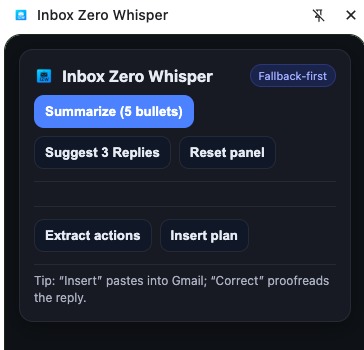
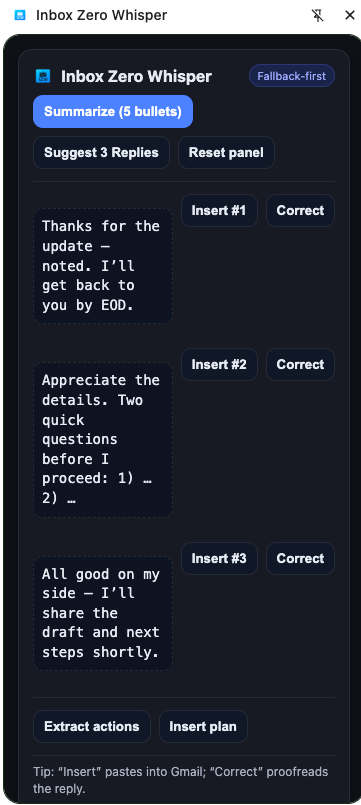
Google Chrome Extension Panel
-
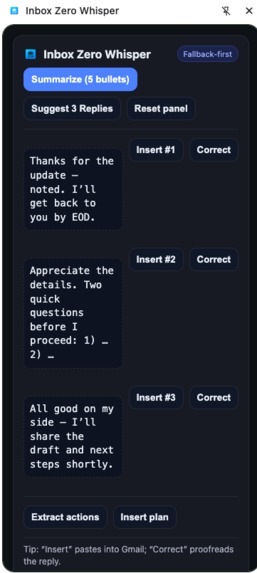
Summarize 5 Bullets Page
-
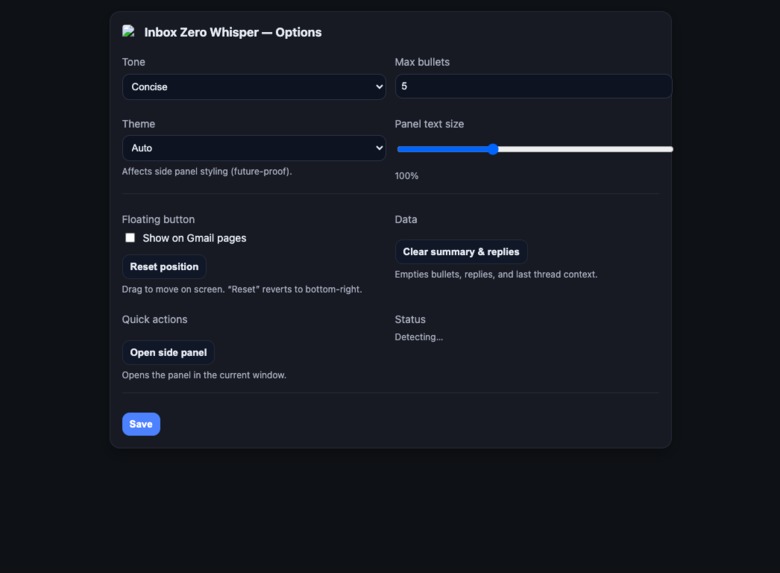
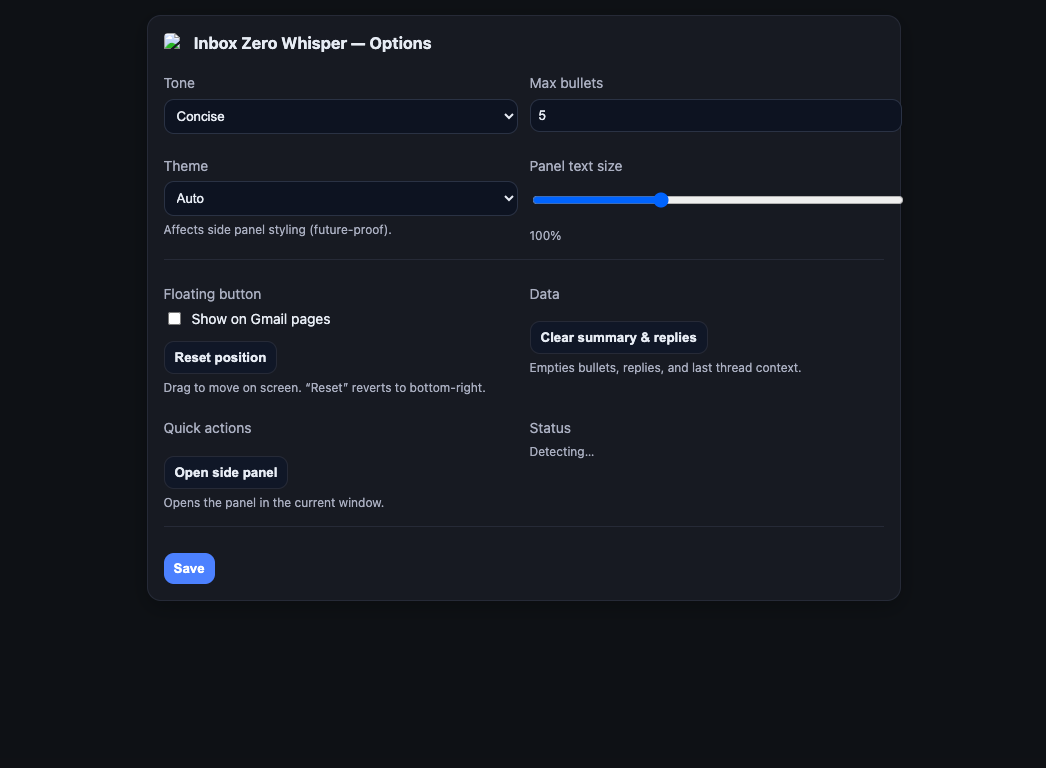
Options Page

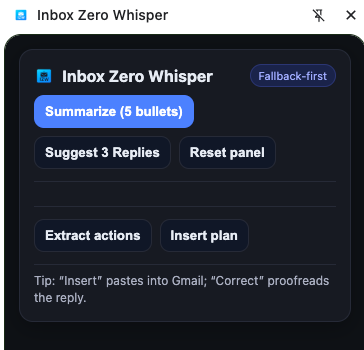
Inbox Zero Whisper — Project Story
Inspiration
Email is where decisions get stuck. Long threads bury asks, deadlines, and context; you lose minutes scanning, then more minutes drafting a reply. We asked: what if the browser itself could summarize and draft—privately, on-device—without any server or API keys? That became Inbox Zero Whisper (IZW): a local-first Gmail copilot that produces 5-bullet TL;DRs, three ready-to-send replies, one-click proofreading, and an action plan extracted from the thread.
What we built
- Chrome Extension (MV3) with a draggable quick button in Gmail and a polished side panel.
Local-first AI via Chrome’s built-in AI (when available): Summarizer / Writer / Proofreader.
- Seamless fallbacks keep the UX working even without built-in AI (offline/dev environments).
Actions from Summary: detect deadlines, requests, next steps, attachments → render checkboxes → Insert plan into Gmail reply.
Privacy by default: no data leaves the device; optional future “Hybrid (Cloud)” is clearly labeled & consent-gated.
What we learned
- On-device AI UX feels instantaneous and private; users notice and trust it.
- SPA integration with Gmail requires resilient DOM extraction and lifecycle handling (hash-based thread routing, stale state guards).
- State hygiene matters: clearing summaries on thread changes prevents subtle UX bugs.
- Design details (draggable, closable quick button; keyboard flow; cache-busting the side panel) dramatically improve perceived quality.
How we built it
Architecture
Content script
- Injects a draggable floating button; extracts thread text; detects SPA thread changes; sends messages to background; inserts text into Gmail’s editable body.
Background (Service Worker)
- Orchestrates built-in AI calls (Summarizer/Writer/Proofreader), stores outputs in
chrome.storage.local, opens the side panel, and resets state for new threads.
- Orchestrates built-in AI calls (Summarizer/Writer/Proofreader), stores outputs in
Side Panel (UI)
- Buttons for Summarize, Suggest 3 Replies, Correct, Reset, Extract actions, Insert plan.
- Adapts to Local (AI) vs Fallback via feature detection.
Options Page
- Tone, max bullets, theme (future-proof), font scale, show/hide/position reset for the floating button, clear data, open side panel.
Gmail page ──(content script: extract, insert, detect thread)──▶ BG SW ──(Chrome AI / fallback)──▶ storage
     ▲                                                                                                 │
     └───────────────(open panel / reset / messages)───────────────────────────────────────────────────┘
                                            ▼
                                    Side Panel UI (render + actions)
Tech stack
- Vite + TypeScript for bundling.
- Manifest V3 extensions: background Service Worker, content scripts, side panel, options.
- Local storage via
chrome.storage.local. - Minimal CSS (system fonts, dark theme), no heavy UI frameworks.
Built-in AI integration
- Feature-detect:
window.ai?.summarizer?.create/writer/proofreader. - When present, call the client-side models; otherwise fall back to naive summarization, canned suggestions, and light proofreading.
Heuristic fallback (example)
If no built-in AI, we still give utility:
// naive 5-bullet summary (every other sentence)
function naiveSummarize5(text: string): string[] {
  const s = text.replace(/\s+/g, ' ').split(/(?<=[.!?])\s/).filter(Boolean);
  const picks = []; for (let i=0; i<s.length && picks.length<5; i+=2) picks.push(s[i].trim());
  return (picks.length ? picks : s.slice(0,5)).map(x => x.trim());
}
Math (time saved)
We estimate personal productivity gains with a simple model: [ \Delta t = t_{\text{manual}} - t_{\text{IZW}} \quad\text{and}\quad \text{Gain}(%) = \frac{\Delta t}{t_{\text{manual}}}\times 100 ] If a 30-message thread costs (t_{\text{manual}}=4\text{ min}) to scan and draft, and IZW takes (t_{\text{IZW}}=40\text{ s}), then: [ \Delta t = 200\text{ s} \quad\Rightarrow\quad \text{Gain} \approx 83% ]
Challenges
- Gmail SPA lifecycle
- The page doesn’t fully reload between threads; older content scripts can become invalid (“extension context invalidated”).
- We fixed this with URL hash watchers, panel resets, and a central message bus in the Service Worker.
- Side panel caching
- Chrome sometimes caches
panel.html; after updates, old UI reappeared. - We added cache-busting (
panel.html?v=${version}) insidePanel.setOptions.
- Insertion reliability
- Gmail’s editor can reject programmatic insertion in edge cases.
- We open Reply programmatically and fall back to clipboard copy with a clear prompt.
- Built-in AI availability
- Some APIs may be behind Early Preview/Origin Trials.
- We built robust feature detection and graceful fallbacks so the product never breaks.
- Action extraction quality
- JSON-structured output from LLMs must be robust; when unavailable, heuristics catch common patterns (“EOD”, polite requests, “next”, file types).
What’s next
- Multimodal: voice compose (mic → Prompt API) and image TL;DR for screenshots/attachments.
- Hybrid (opt-in): full-length threads via a server proxy (with clear Local/Cloud consent and privacy explainer).
- Accessibility & shortcuts:
Cmd/Ctrl+Shift+Yopen panel;1/2/3insert replies;Fproofread; live ARIA status. - Template chips: Follow-up, Nudge, Decline politely, Schedule.
- Better DOM resilience for multiple mail providers.
Why it matters
IZW shows how client-side AI unlocks new UX patterns: instant, private, network-resilient assistance where users already work. The browser becomes the runtime for personal AI—no tabs switching, no vendor lock-in, no quota anxiety—just faster decisions and clearer communication.
Built With
- prettier
- proofreader
- summarize
- typescript
- vite

Log in or sign up for Devpost to join the conversation.