-
-
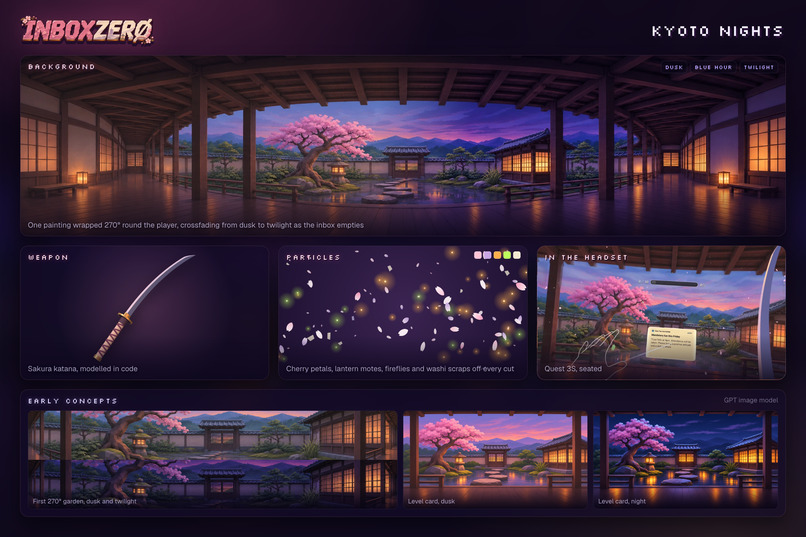
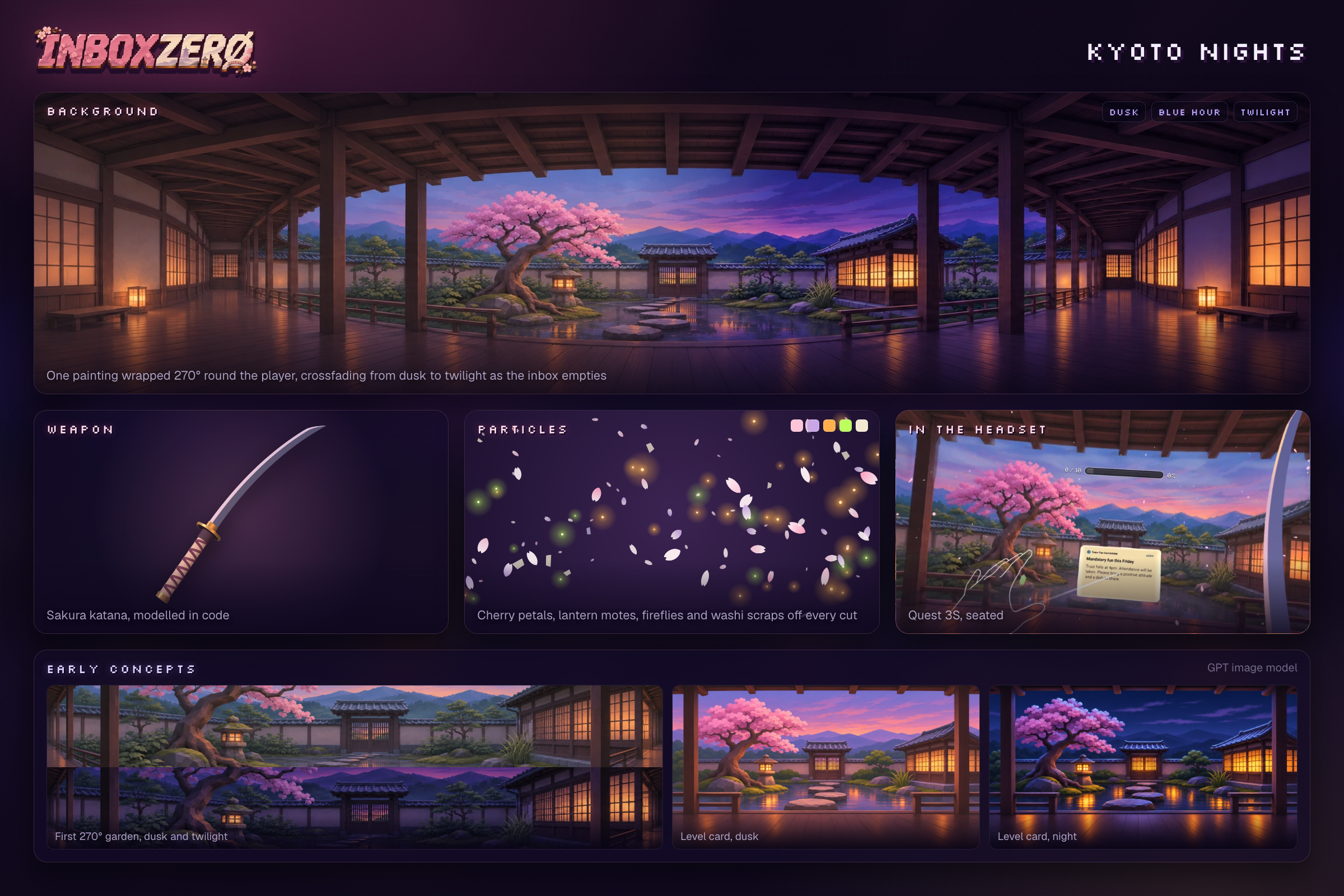
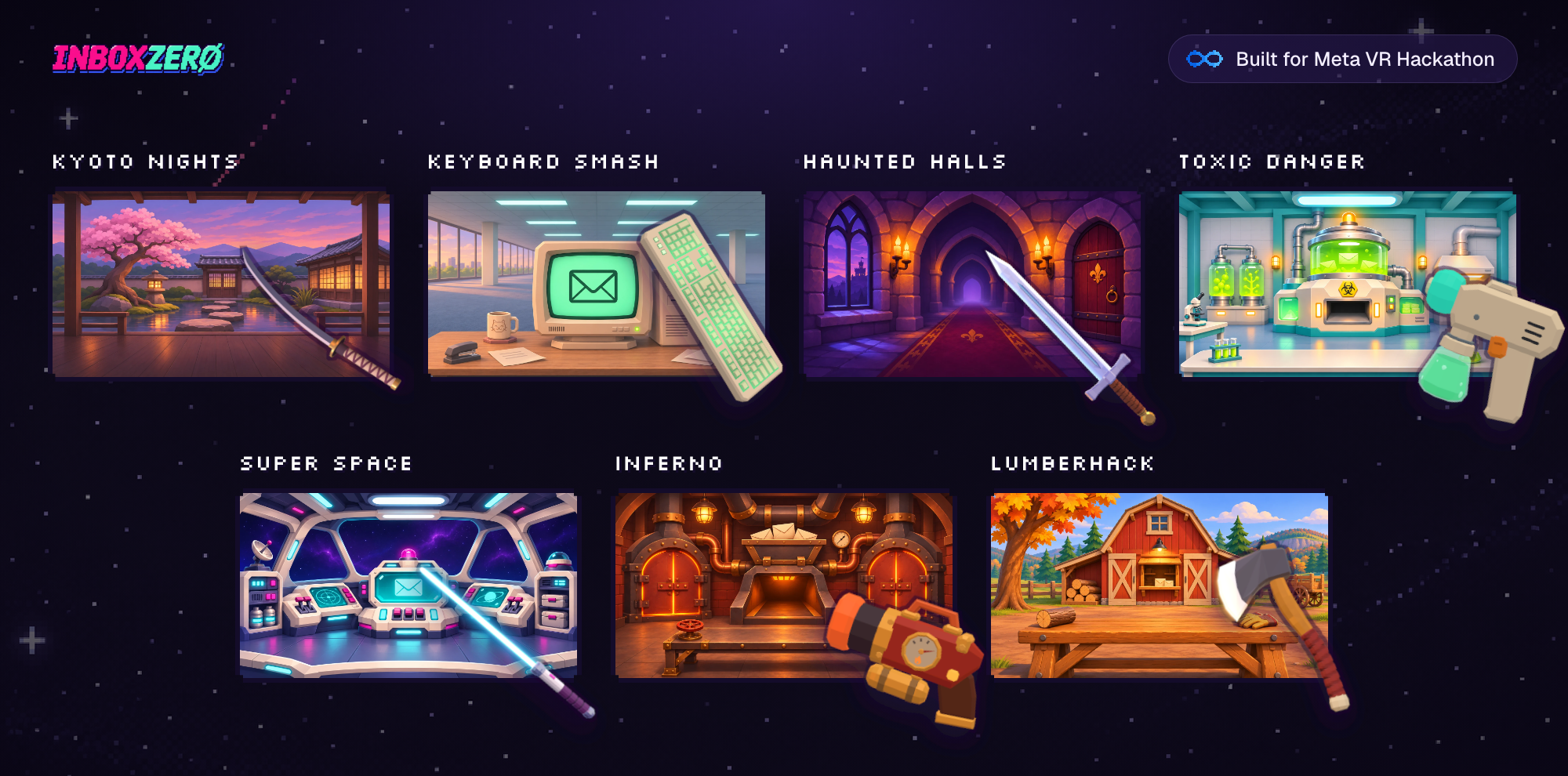
Kyoto Nights
-
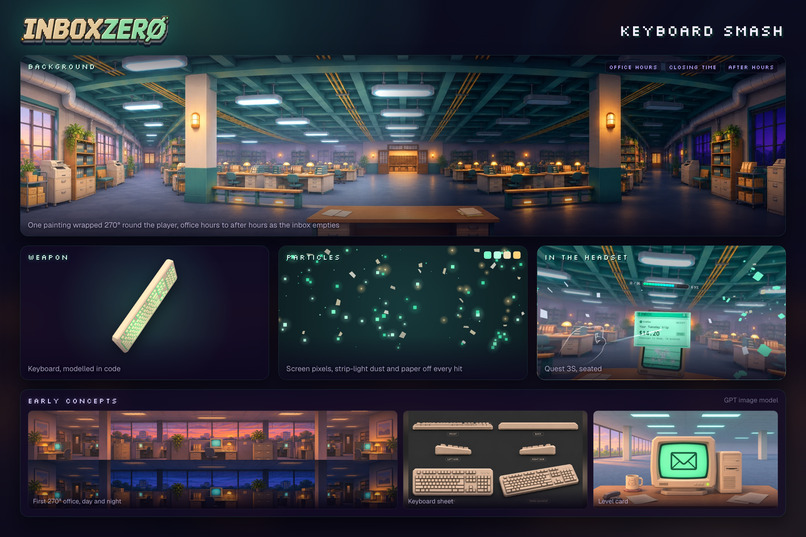
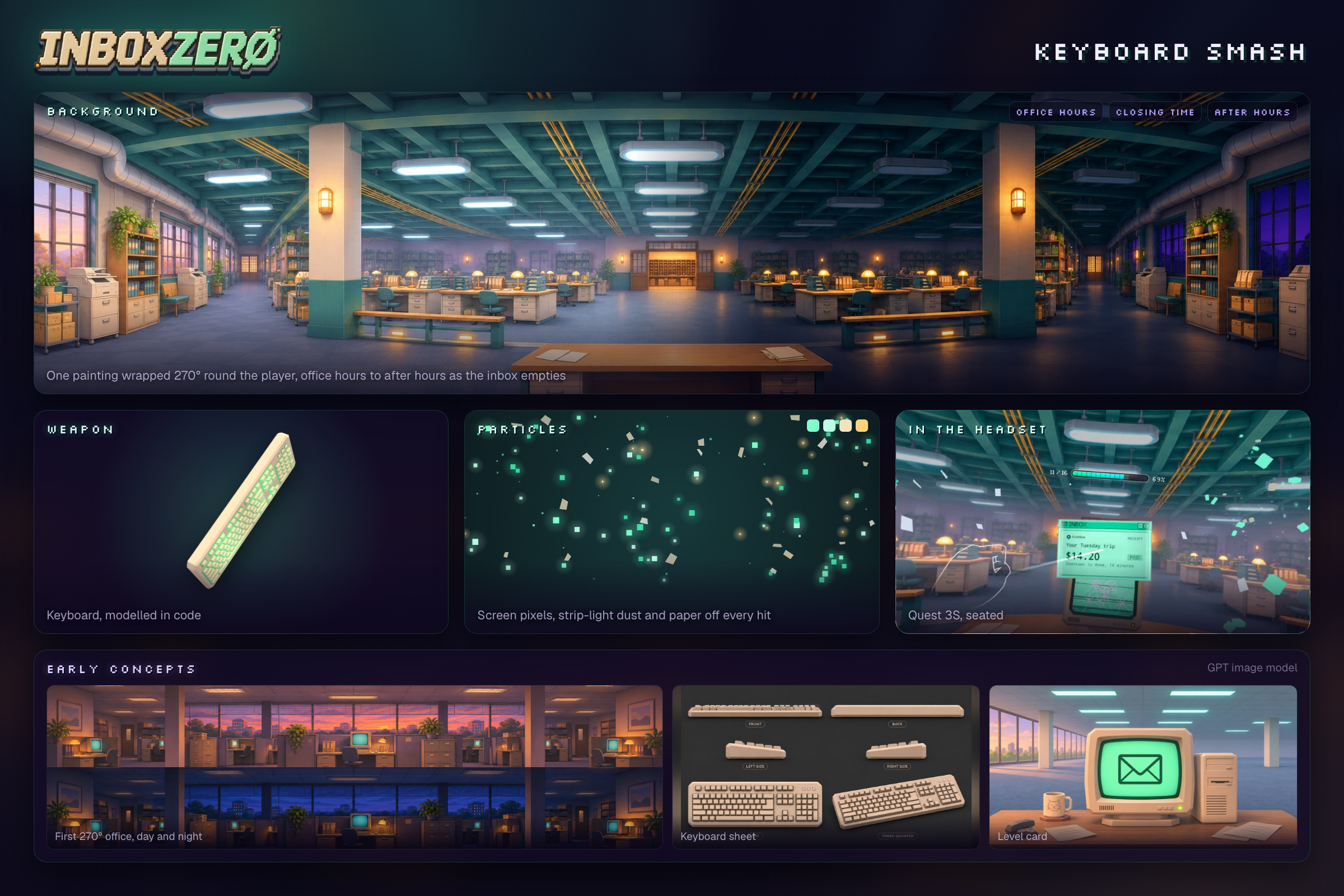
Keyboard Smash
-
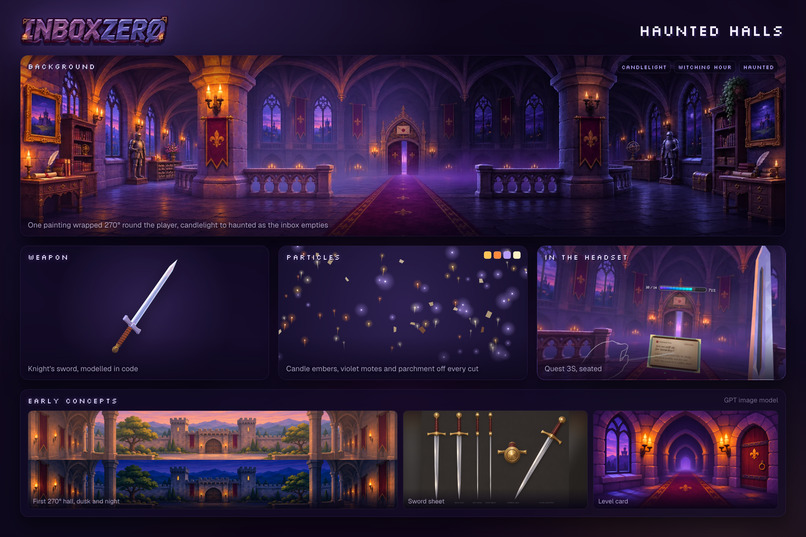
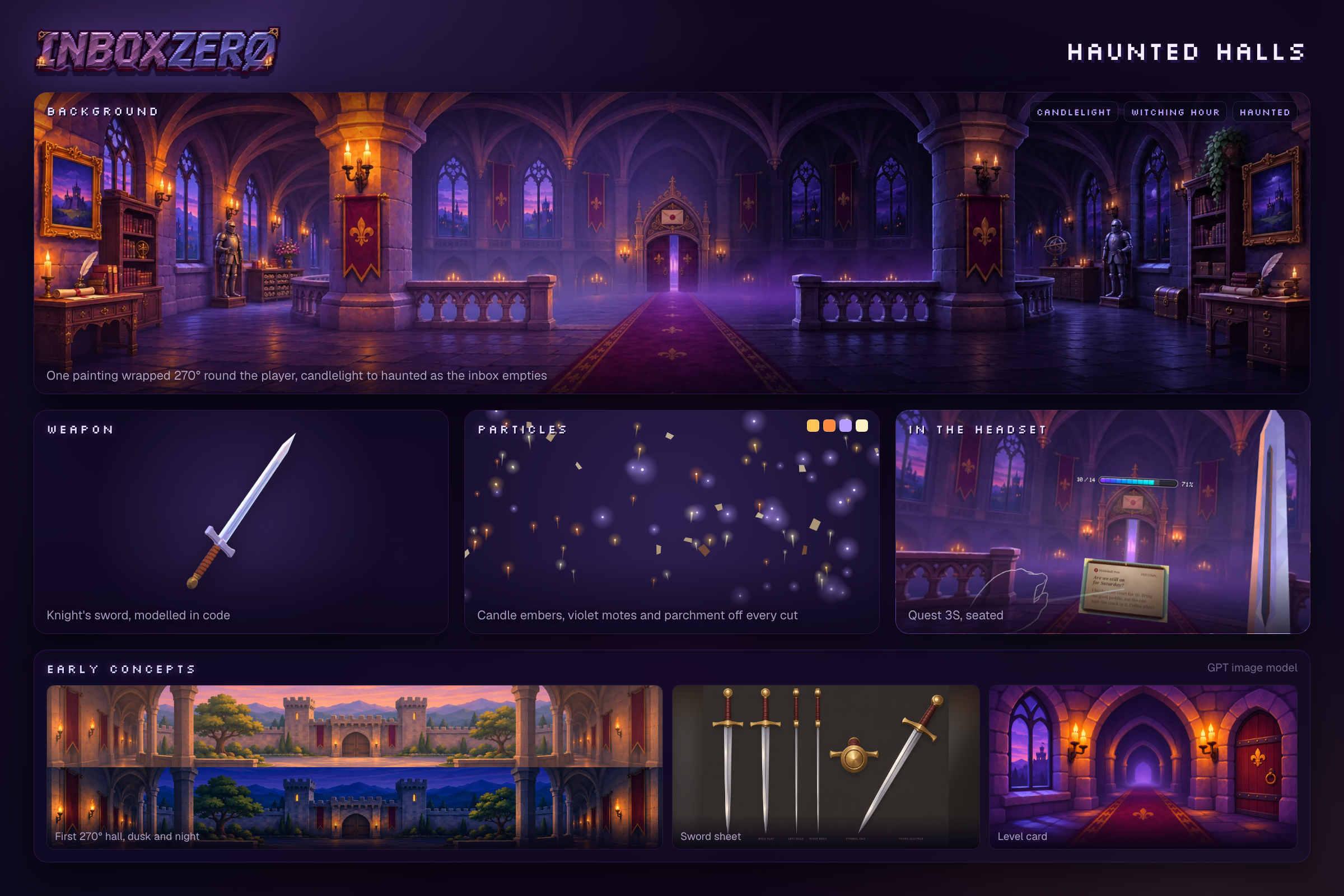
Haunted Halls
-
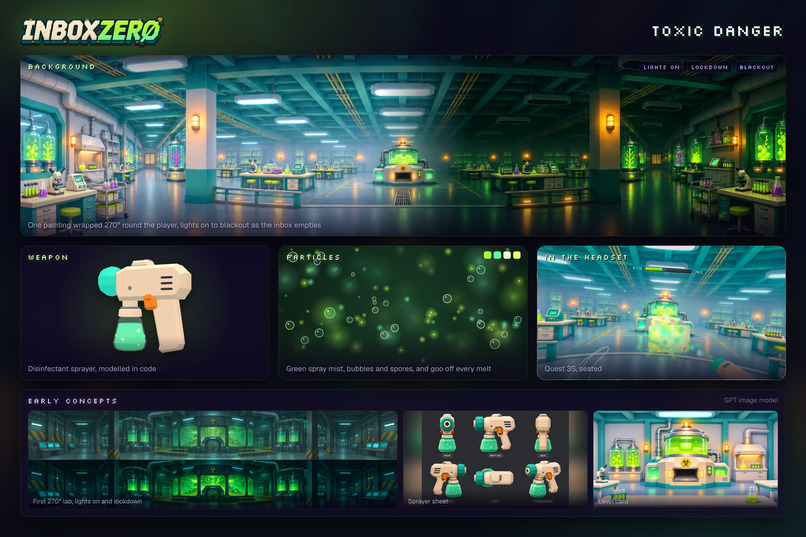
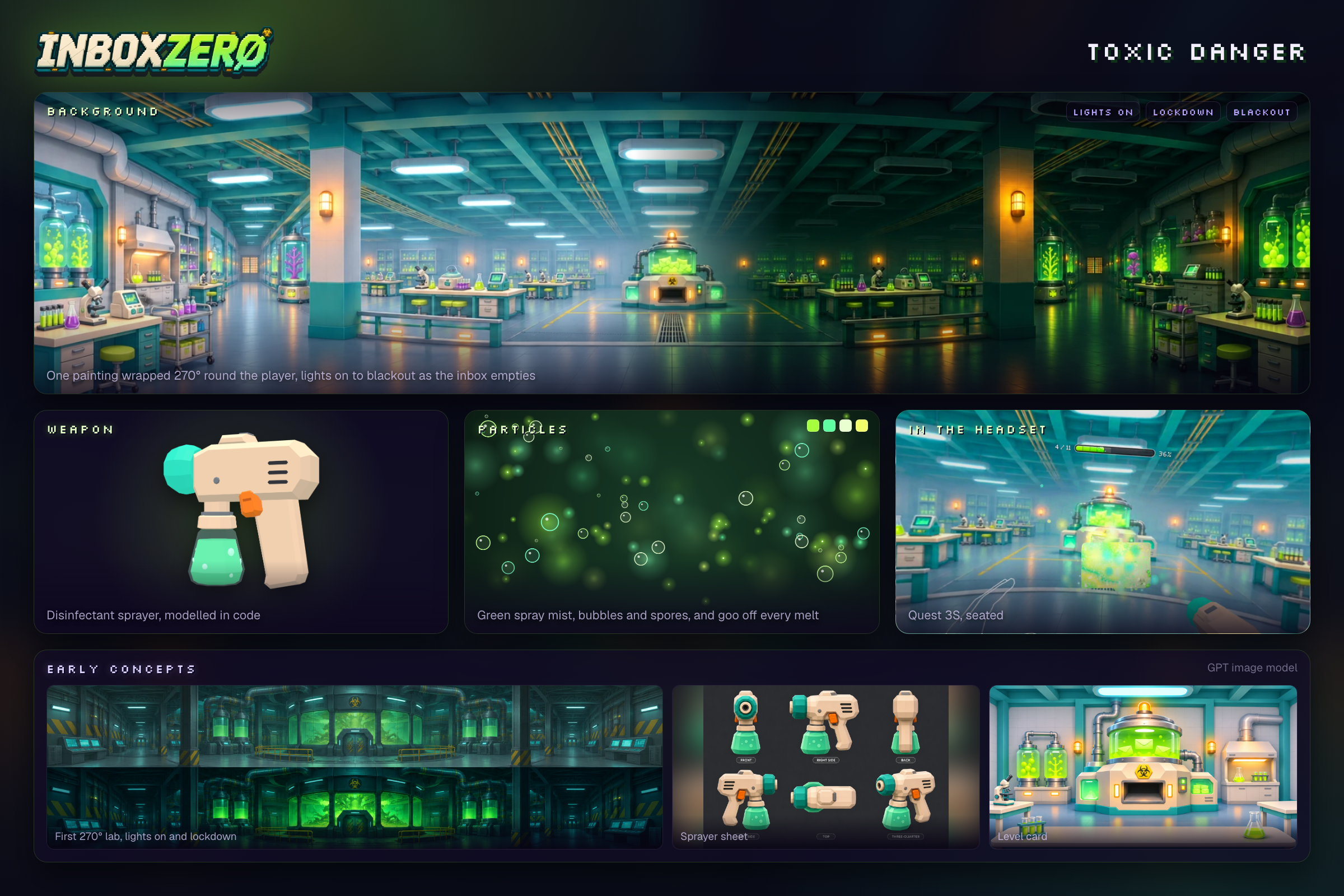
Toxic Danger
-
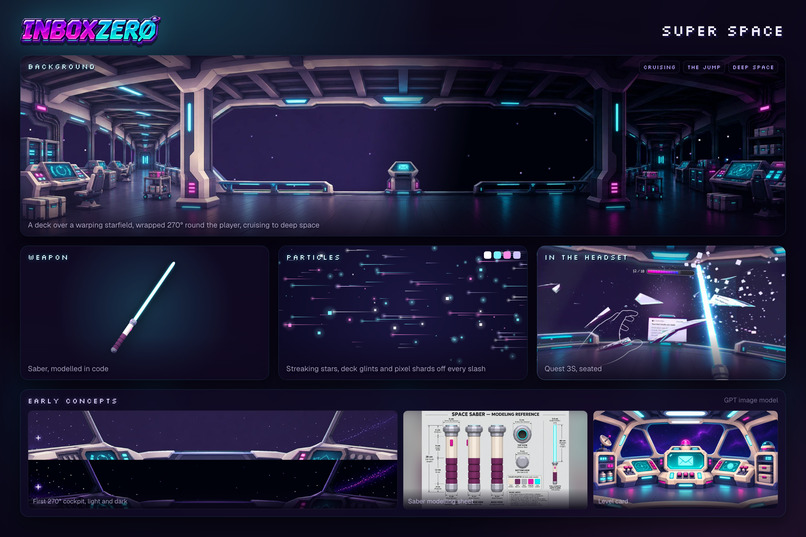
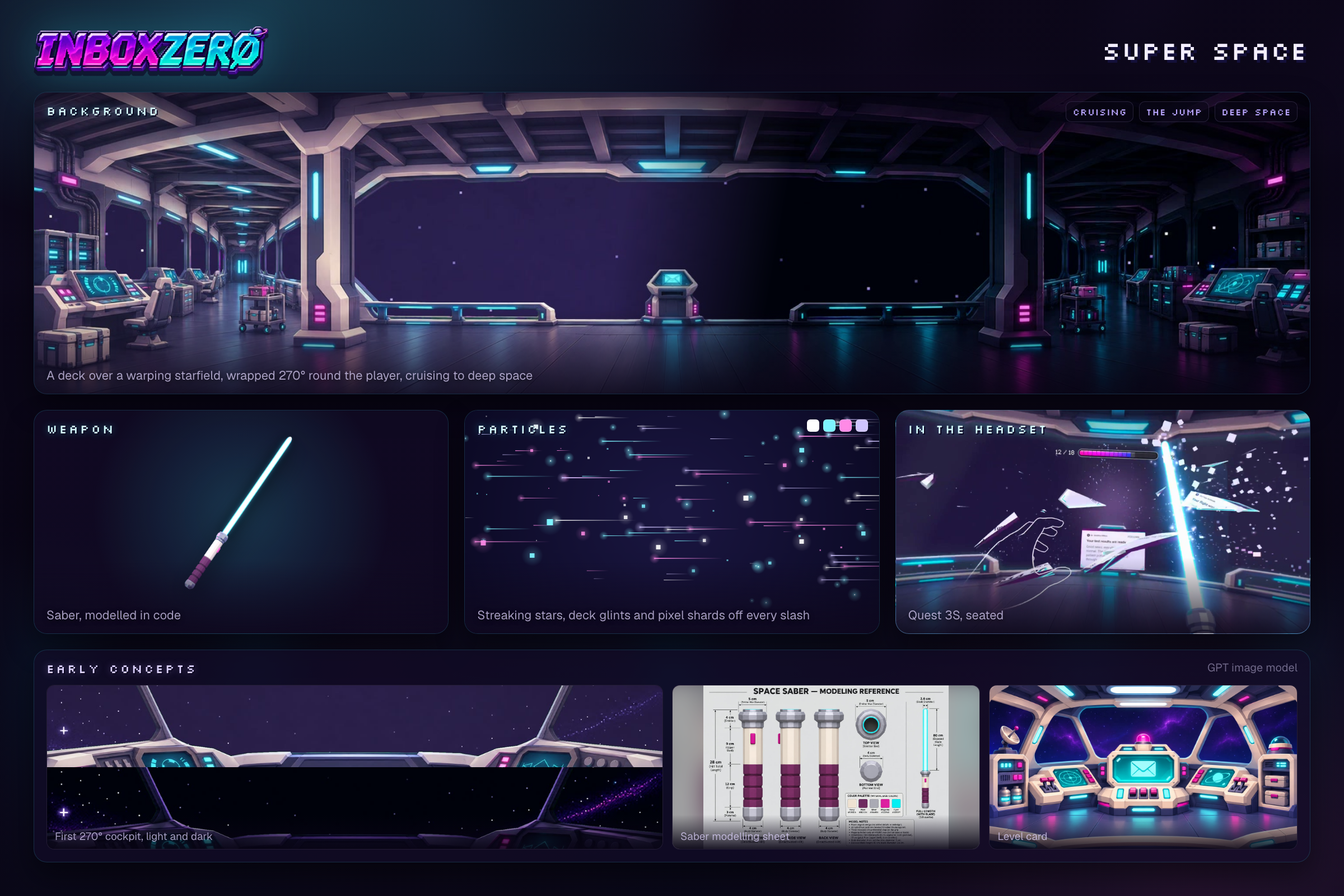
Super Space
-
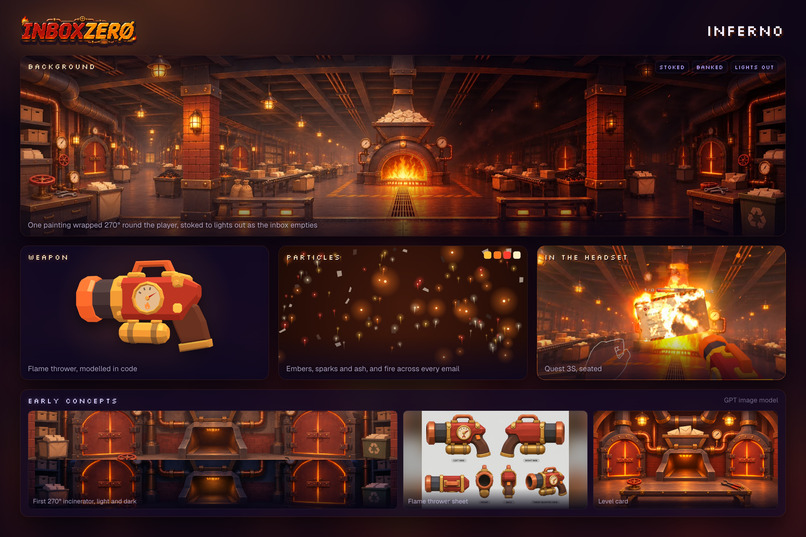
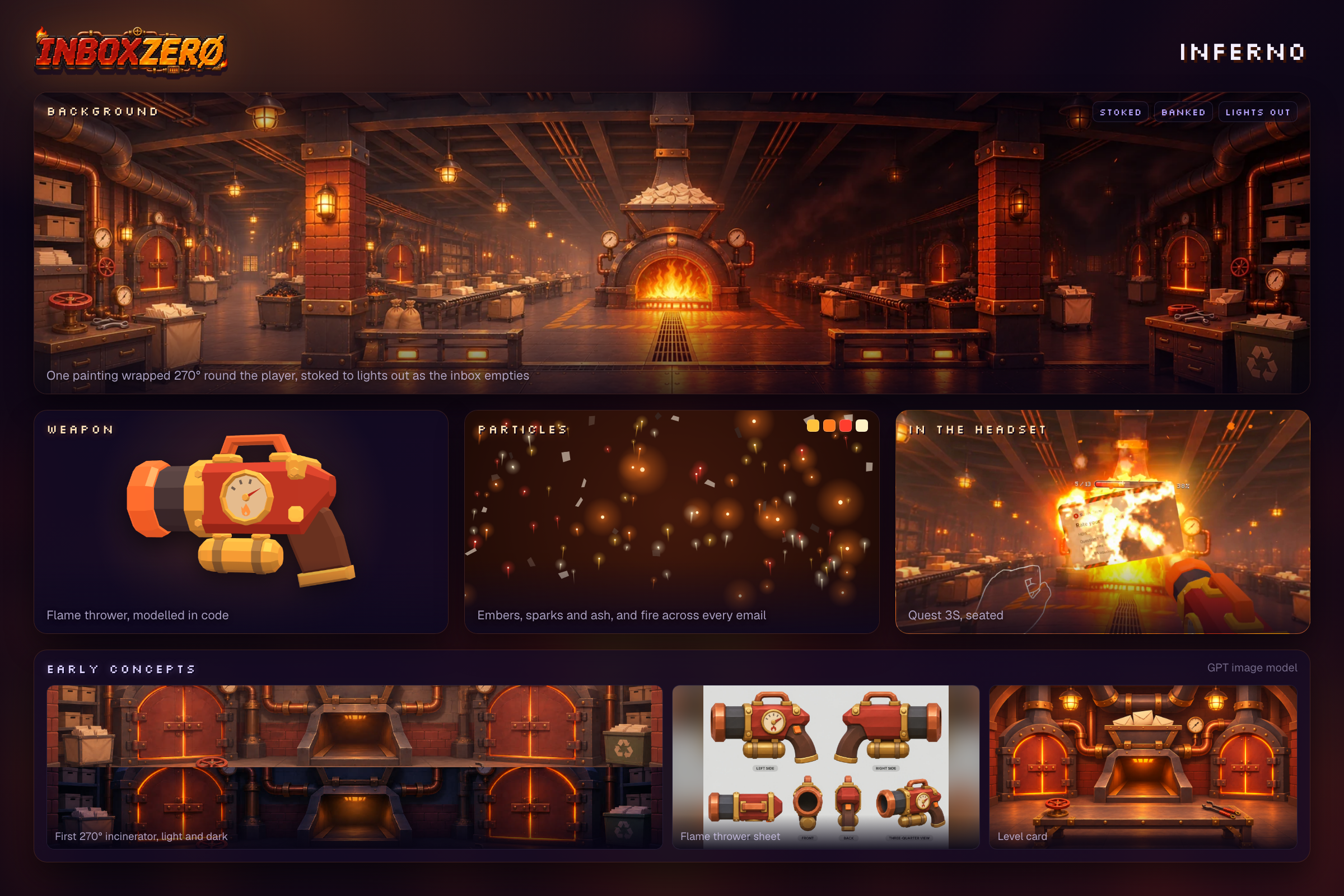
Inferno
-
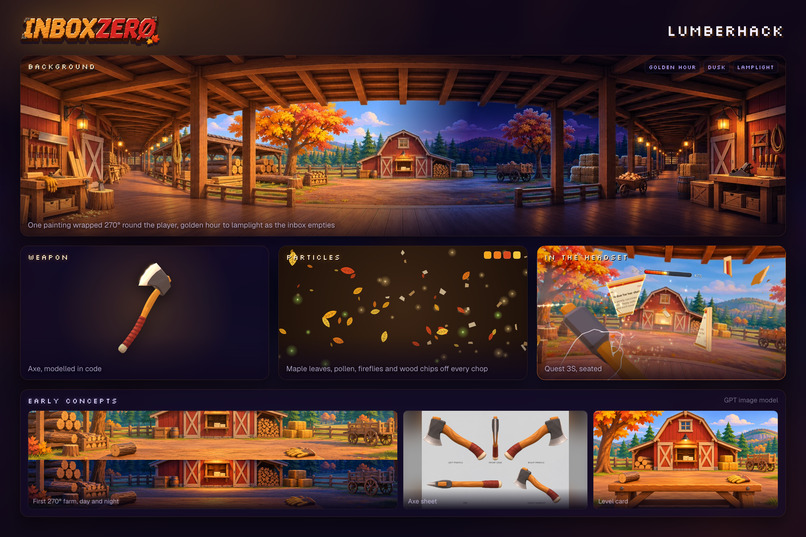
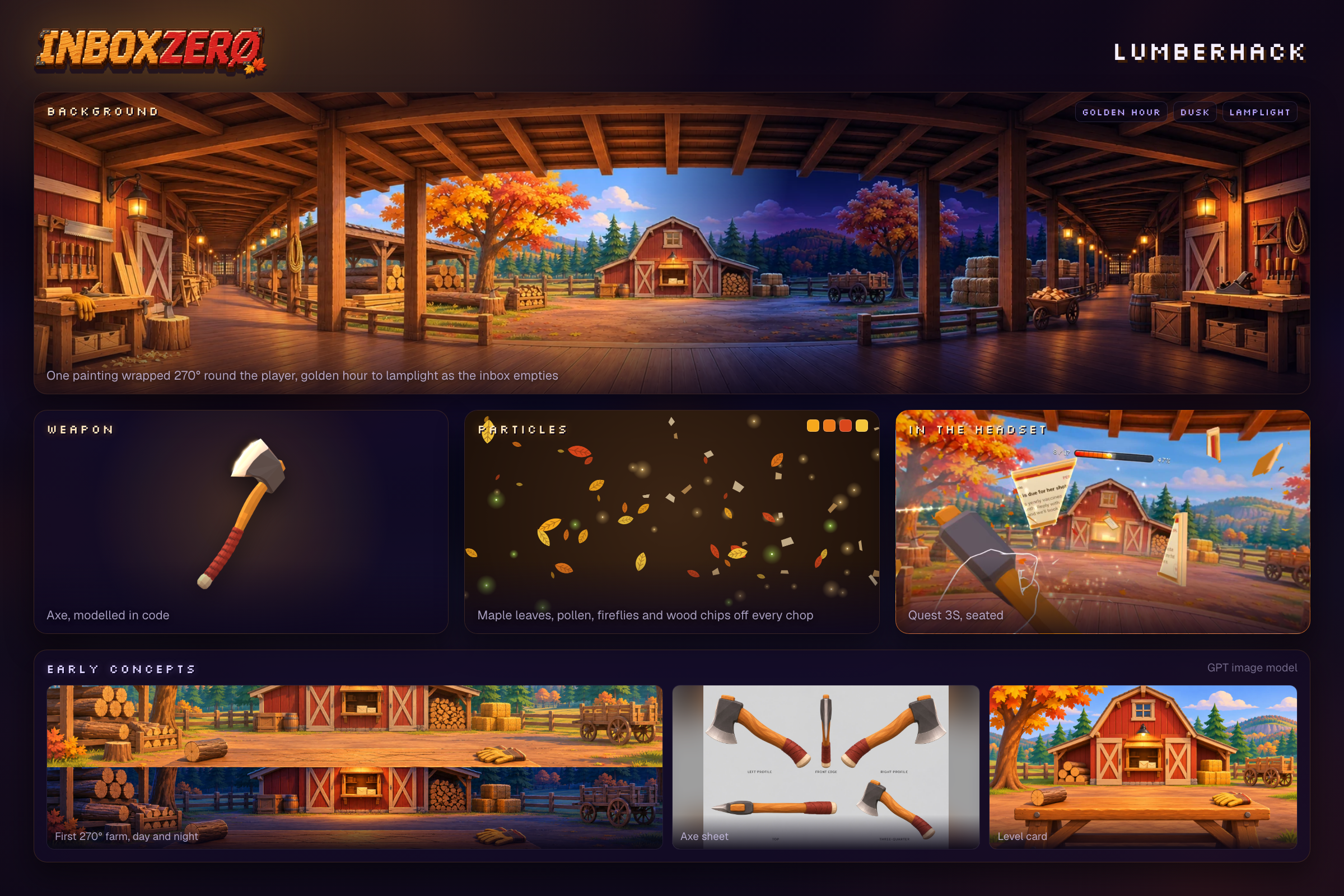
Lumberhack
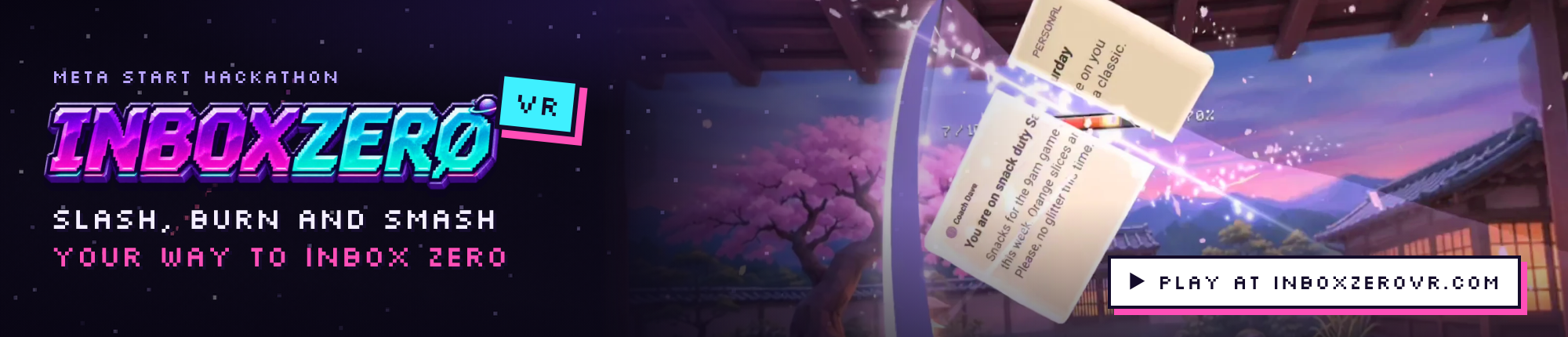
▶ Try it yourself at InboxZeroVR.com · open it on your Meta Quest and play with a demo inbox
Inspiration
Email stresses me out. When unread emails pile up, I ignore them, and ignoring them stresses me out even more. I think a lot of people deal with the same thing.
So I wanted to make a productivity app that feels like a game. What if I could see my emails in a new way and get through them in a few minutes? Something anyone could play every day: load up your latest unread, slice and smash the newsletters and spam, and reply to the real ones.
What it does
Inbox Zero VR turns your unread email into a short VR game on the Meta Quest. Each game has a limit of 20 emails, so you can finish it in a few minutes.
There are two rounds.
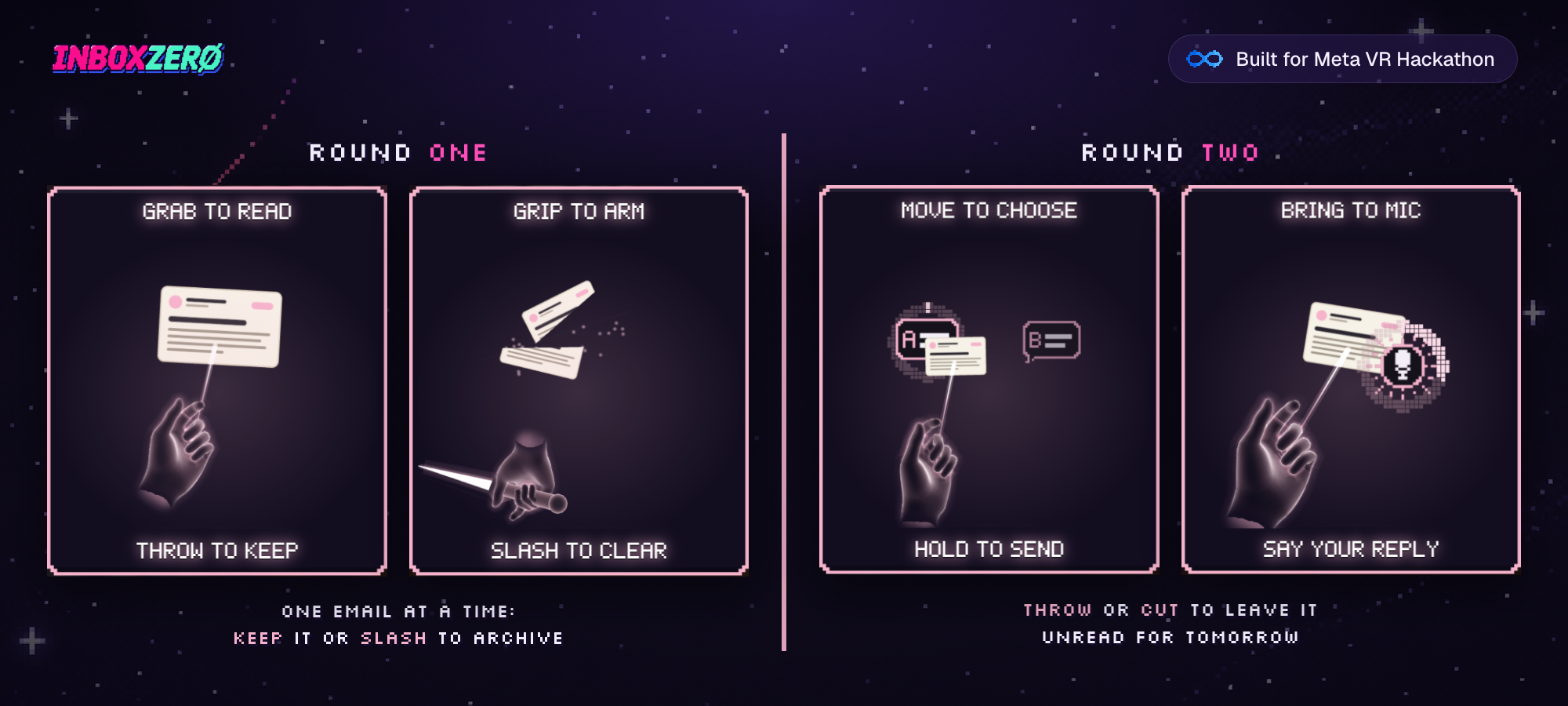
Round 1 is sorting. Close your left hand to grab an email, and it comes closer so you can read it. Throw it to keep it for round two if you want to reply, or smash it into tiny little pieces.
Round 2 is replying. All the emails you kept come back. Use one of the two pre-written replies (just drag and hover to send), or use your mic to say your reply out loud and AI transcribes it to text.
There are 7 levels, each with its own weapon, art, music and sounds: Kyoto Nights (katana), Keyboard Smash (keyboard), Haunted Halls (sword), Toxic Danger (spray), Super Space (saber), Inferno (flame thrower) and LumberHack (axe). Every level ends with a winning celebration, so clearing your inbox feels like you won. Because you did! Email can be scary.
Your inbox comes from your own agent
I first built a way to connect Gmail and do the sorting and summarizing with AI. Then I thought of an even simpler way for anyone to use it. Everybody has their favourite agent, like Meta Muse, and it's already connected to their email. So Inbox Zero VR is an MCP server you give to your agent:
- Your agent fills out the game for you: it summarizes and categorizes your emails and writes the pre-written replies.
- It sends that to Inbox Zero VR, which creates a game and a unique code.
- The code goes back to your agent, and you get a link you open on your Quest.
- When you finish, your agent gets the results (what you replied to, what you archived) and takes action on your inbox like normal.
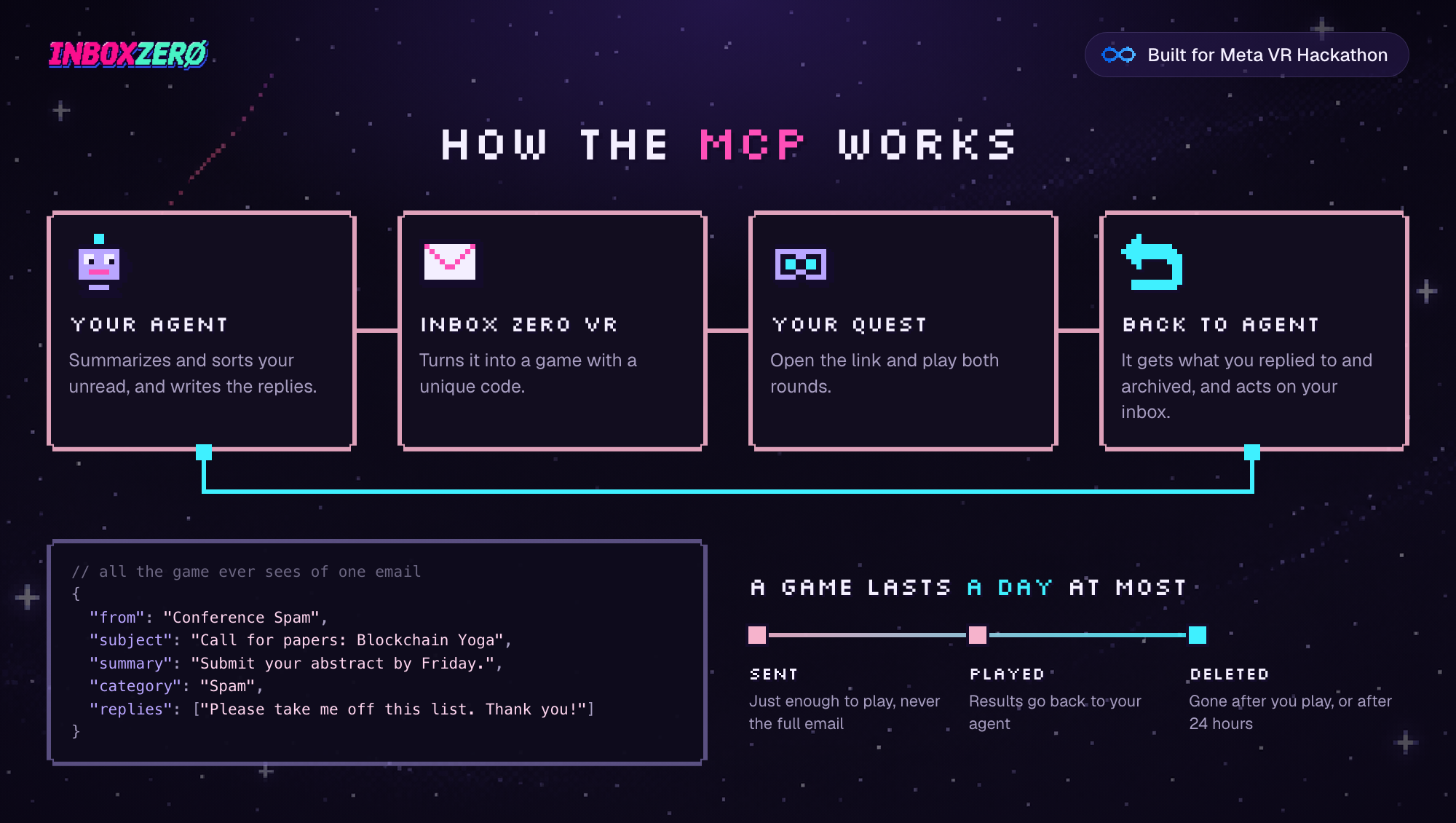
The game only gets a JSON of email summaries: sender name, subject line, type and so on. It never sees the full email. It's stored on my server for 24 hours at most and deleted after you play. Once the results go back to your agent, everything on my end is deleted and forgotten.
This way I avoid expensive AI APIs and privacy issues with players' real inboxes, and you can play without worrying that each slice is a real email going bye bye :)
How I built it
Inbox Zero VR runs in the browser with WebXR and three.js. Each level is a painted image that wraps around the player, with atmosphere particles and a few depth tricks so it feels immersive. Only the weapon, the emails and the particles are real 3D, which keeps it running well on the Quest.
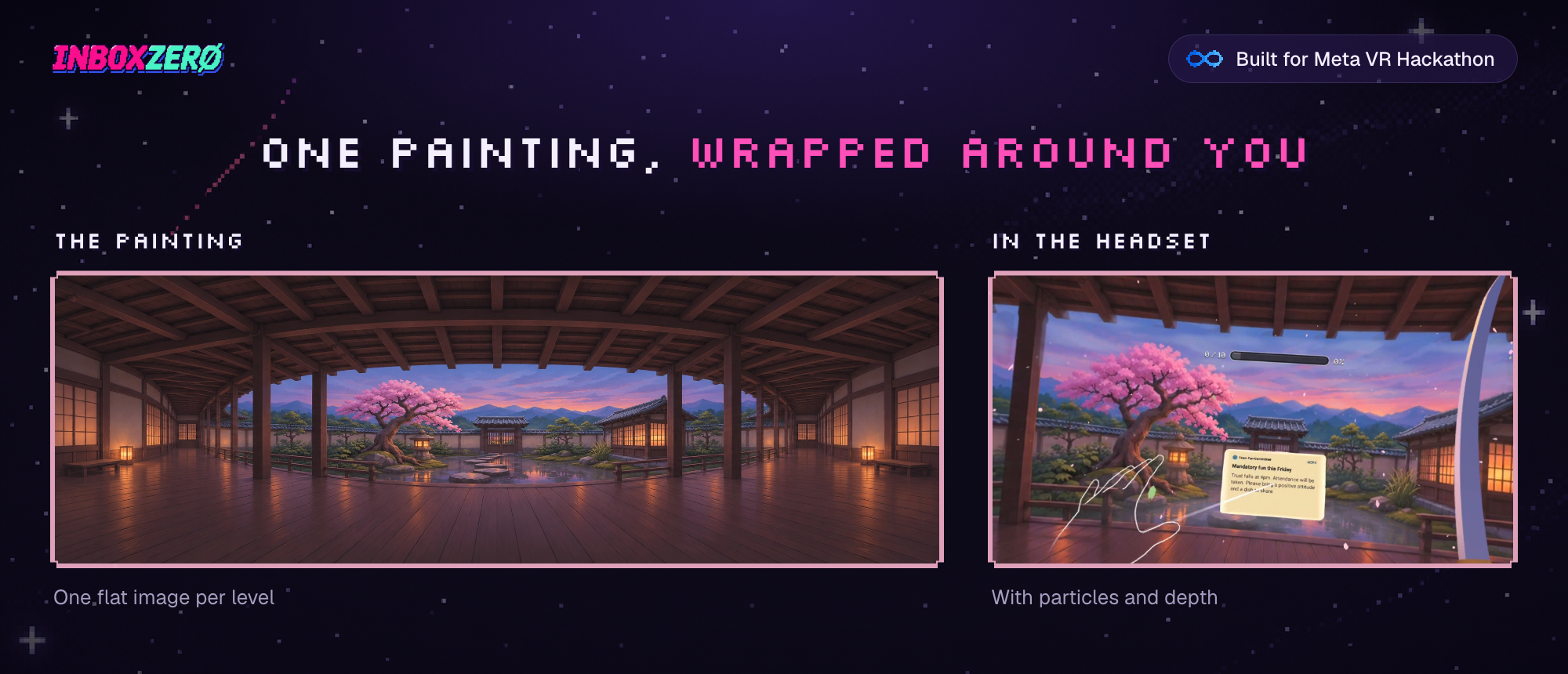
Because it's WebXR, it's instantly available to anyone, with nothing to install. You can go to InboxZeroVR.com right now and play it with a demo inbox.
The email side is an MCP server any agent can use, plus a small server that holds each game until it's played.
Most of the code was written with Opus 5.5, with bits of Fable. The art was designed with GPT Image and the music was made with Suno. I made the sound effects with ElevenLabs, and spoken replies are transcribed with ElevenLabs Scribe.
To get the weapons feeling right, I built my own tuning system that lets me make micro edits while I'm playing, and kept adjusting until it all felt right.
Challenges I ran into
This was my first VR game, and the first game I've made since the early days of Flash.
I built a few versions before this one. The first used Unity and Blender, and it became too slow: too many assets, and hard to test. Then I made a WebXR version with full 3D scenes, but that was hard to optimize too. The wrap-around image is what finally worked.
Most of the challenge was game feel with the hands and weapons. There are 7 weapons and 7 different models, and each one had to sit right in the hand and hit emails in a natural way.
I also didn't want players to move around, so the game is built for sitting down, and that took a lot of work:
- Swings and strikes have extra tolerance for distance, since you can't step towards an email.
- You close your right fist to activate the weapon. Otherwise you'd be hitting every email your hand passes.
- Closing your left fist grabs an email, and it scales towards you so it's easier to read and to hit.
- A line runs from your left hand to the email, so the connection makes sense while it floats in front of you.
- The length of each weapon helps you reach further.
Hand tracking has trouble when you move your hands fast. Controllers are better for faster players who want to control the weapons down to the smallest detail, but the hands work well, and I spent a lot of time tuning the controls for both.
Accomplishments that I'm proud of
- A seated, hands-first VR game where the controls just work. Every choice above was made for that.
- It's replayable as part of a daily routine, a fun way to tackle your email after work, before bed or whenever.
- 7 complete levels, each with its own weapon, music, art and celebration.
- It's playable right now in the browser at InboxZeroVR.com, no install needed.
- The game never sees your full emails, and it forgets everything once you're done.
- It's my first VR game.
What I learned
- On a headset, performance comes first. My full 3D scenes were hard to keep running smoothly, so I switched to a simple trick: one painted image wrapped around you, with particles and a bit of depth. It still feels good to be in, and the game stays smooth.
- Game feel lives in tiny numbers. The only way I got the weapons right was tuning them while playing, which is why I built a tool for it. Even with the tool, this took a long time, so many hours of fiddling.
- Hands and controllers need different things. Hand tracking loses fast movement, while controllers give fast players precise control.
- Letting the player's own agent handle the email made the game simpler, cheaper and more private than connecting Gmail myself. If I'd gone the Gmail route, no one would be able to use it: email permissions are sensitive, and not everyone uses Gmail. MCP lets it work with any email provider, or even text messages, or anything really. It could be a to-do list or groceries. Your agent can send anything in the right shape, and you can chop it up!
What's next for Inbox Zero VR
- Controls for playing in the browser with a mouse and keyboard
- Mobile support, so you can slice and reply with your fingers
- More levels and modes, maybe just a slice and dice mode
- Maybe it needs more fruit? More ninjas?
Built With
- claude
- elevenlabs
- fable
- immersivewebemulator
- quest
- suno
- three.js
- typescript
- vr
- webxr