-
-
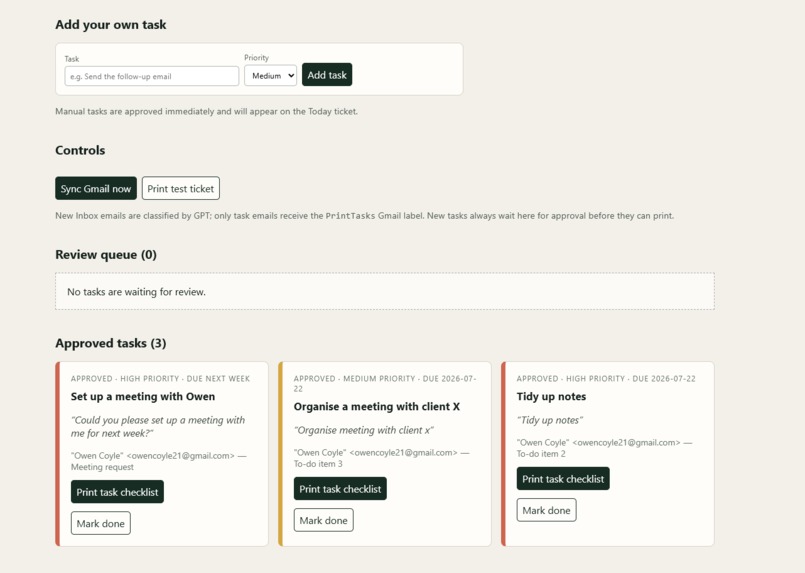
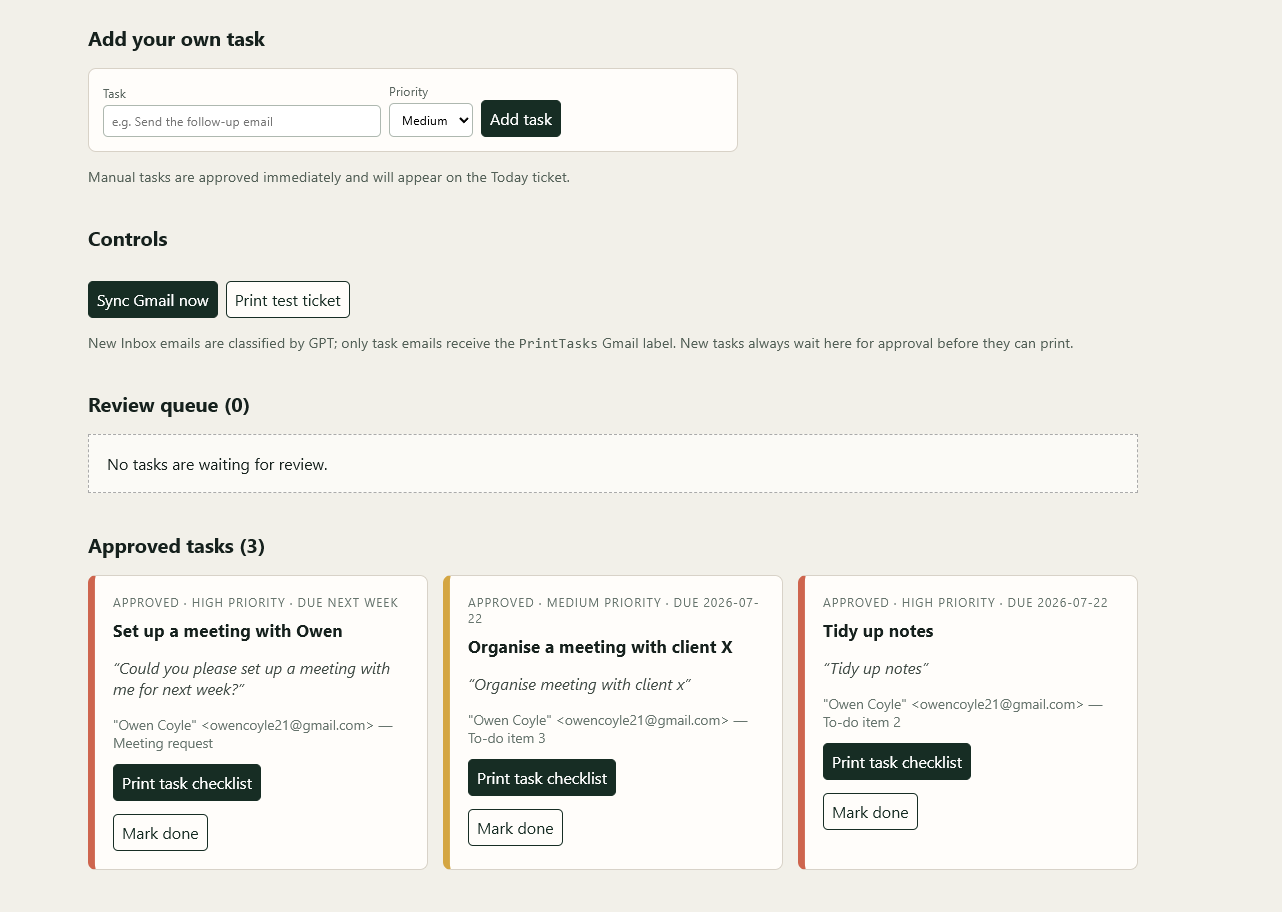
Receipt Dashboard
-

Emails in inbox
-
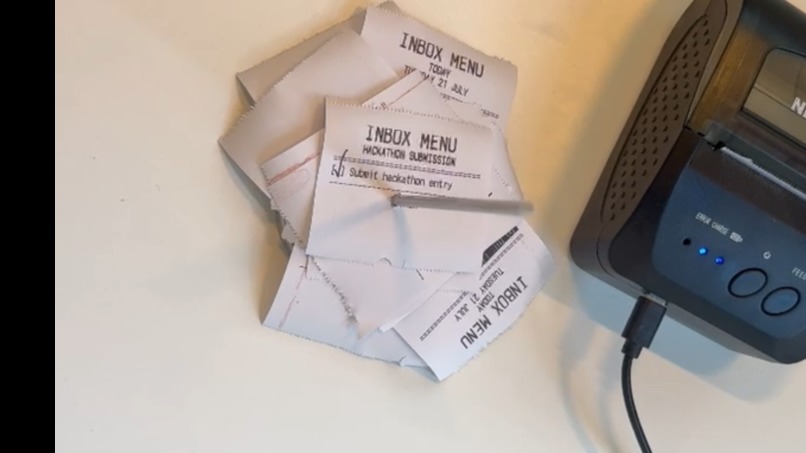
Receipts printed
-
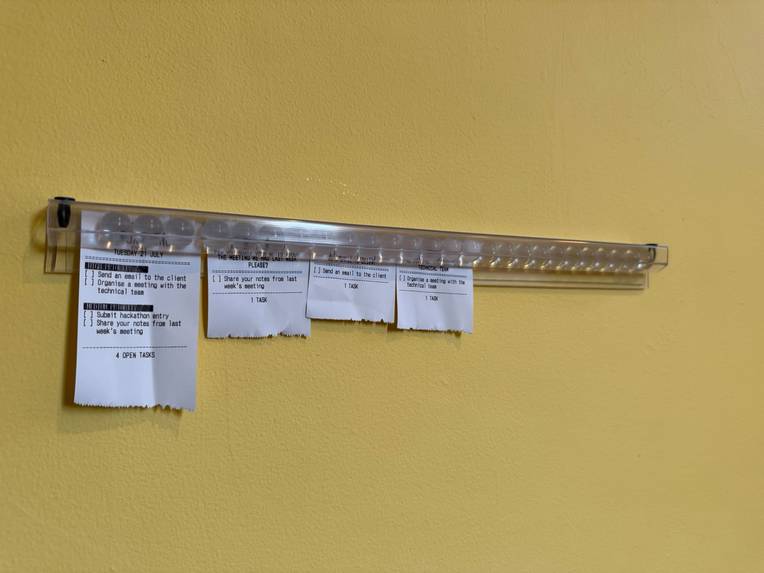
Receipts in a holder

Inspiration
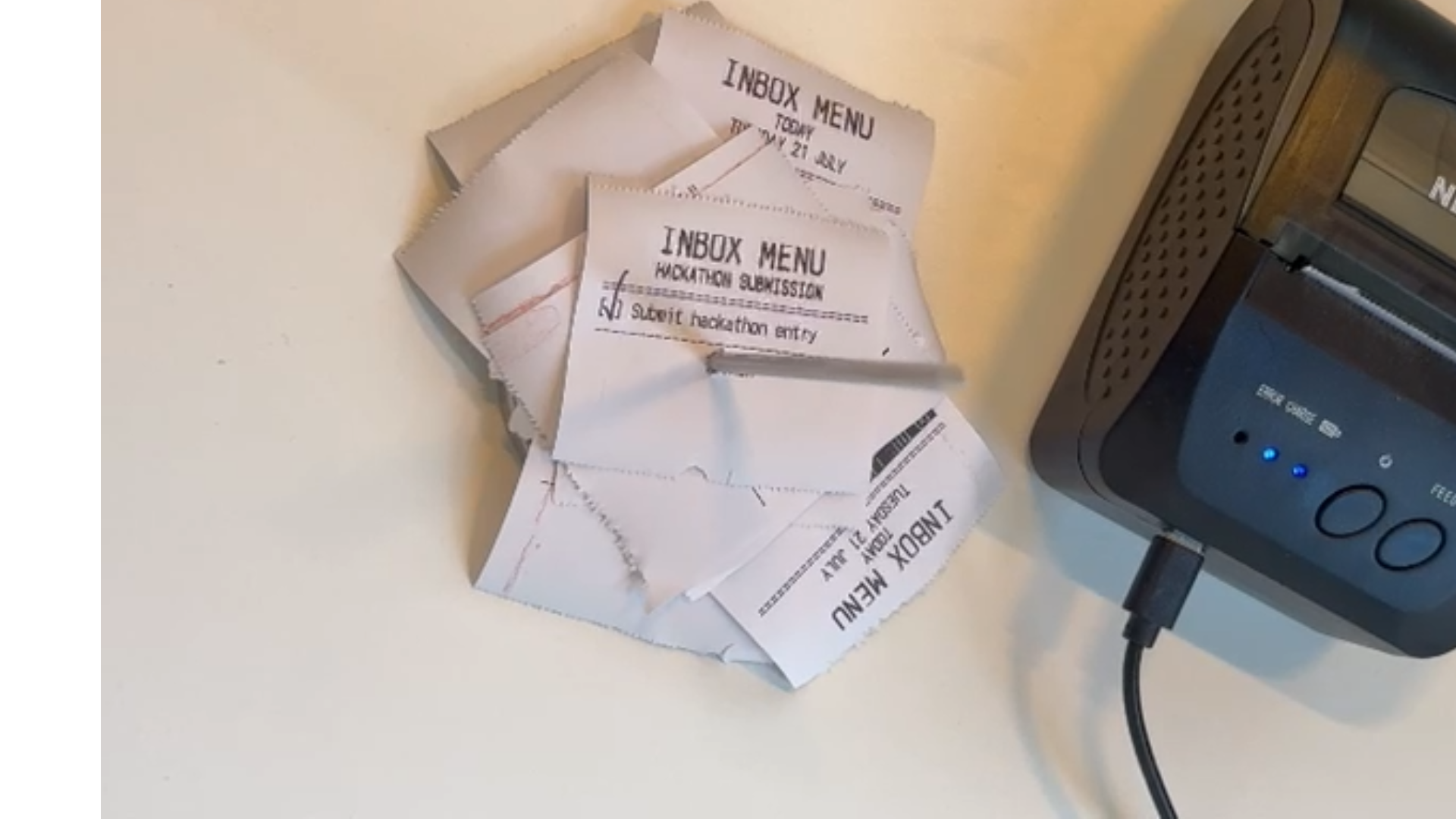
I've never successfully found a to-do system that works for me. Paper systems (post-its / notepads) feel great but clutter the desk and are hard to maintain (not to mention how terrible my handwriting is). Digital apps have a place, but I just stop opening them. They're not 'tactile' enough, and it becomes too easy to ignore. What works, weirdly, is a restaurant kitchen vibe: When an order comes in, a ticket gets printed, and there is real satisfaction in marking it as done. I wanted that for my desk job - and made it!
What it does
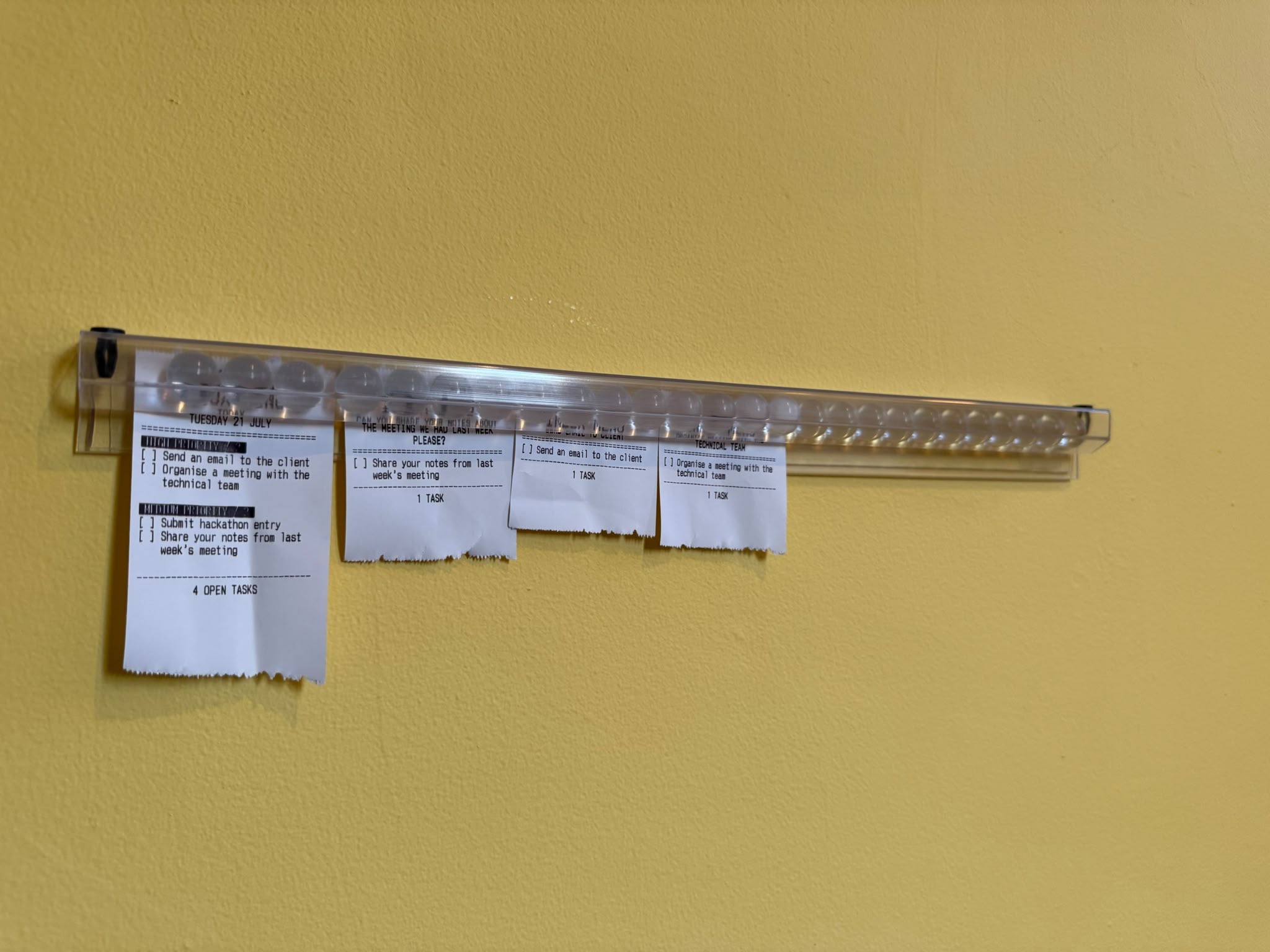
This turns my inbox into printed to-do tickets via a Bluetooth thermal receipt printer. When an email lands in the inbox, GPT-5.6 reads it via OpenAI API, pulls out the actual tasks + due dates, and prints a tidy ticket just seconds later. Each morning, it prints one 'today ticket', which takes everything from the last 24 hours, dedupes it and ranks it so I can most clearly see those tasks that actually matter.
This is in essence, my whole inbox down on paper.
How we built it
I build this by using Codex. It genuinely basically built all of it. I described the printer (which I didn't really know how to use), and it worked out how to print to it. GPT-5.6 does all the thinking, and successfully extracts key tasks and prioritsation from the emails. It watches the inbox through IMAP, so can work independently, and I have a small HTML site built that now runs on my local machine for adding tasks by hand (or monitoring currently active tasks).
I was able to continue building through mobile (Codex on IOS).
It is scheduled to auto start via Windows Task Scheduler.
Challenges we ran into
I was apprehensive about the printer: I had no idea if a receipt printer would require a specific driver or specific system to integrate with in order to be able to print. This turned out to be not an issue.
The other side I had issues with initially was the set up of the Gmail inbox. Unfortunately there are multiple ways to connect to an email inbox through Gmail, and extract the emails. I worked with GPT 5.6 to determine that the easiest way would be to provide an app password - which it was able to guide me through perfectly, faster than I could have Googled (ironically).
Accomplishments that we're proud of
I'm proud of the fact it actually works. I know it sounds silly but I'm genuinely going to use this now. I suspected in the timeframe I would only have a POC level build in place, but it genuinely does what I aimed to do, and it does it well.
And wow - is it satisfying.
What we learned
I learned how much further you can get with Codex, both through utilising GPT 5.6 (I had never tried these newer models until now), and through asking it to 'plan' your build before starting development. This doesn't feel like something I could have built on my own - not without a silly amount of time and effort - but with Codex it was a breeze.
What's next for Inbox on the Menu
I would love to set up some image recognition via raspberry pi against my receipt board / spike. This would mean that the system would be aware of the full lifecycle of the tickets - which are overdue, which are completed fastest etc. It would be cool to then build some analytics into this, to help me understand what best motivates me and what I struggle with.
Speaking of raspberry pi's - I do wonder if i could run this whole system on a Pi rather than my laptop, so it is always running rather than only enabled when my laptop is turned on.
My other spin off idea is reminders through the day to hydrate, or to stand up and stretch my legs. This would add healthy reminders to a typically unhealthy day at work - which could have a bunch of wider application.
Built With
- bluetooth
- codex
- gpt
- html
- imap
- javascript
- pos
- powershell
- python

Log in or sign up for Devpost to join the conversation.