-
-
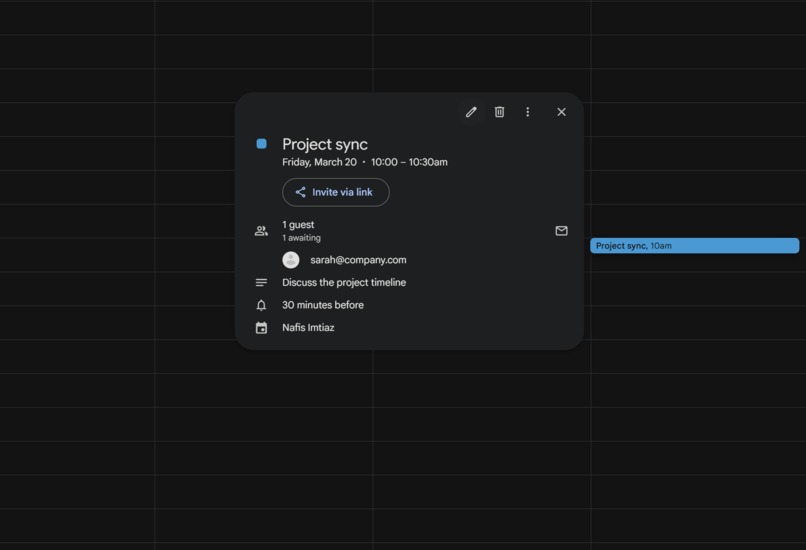
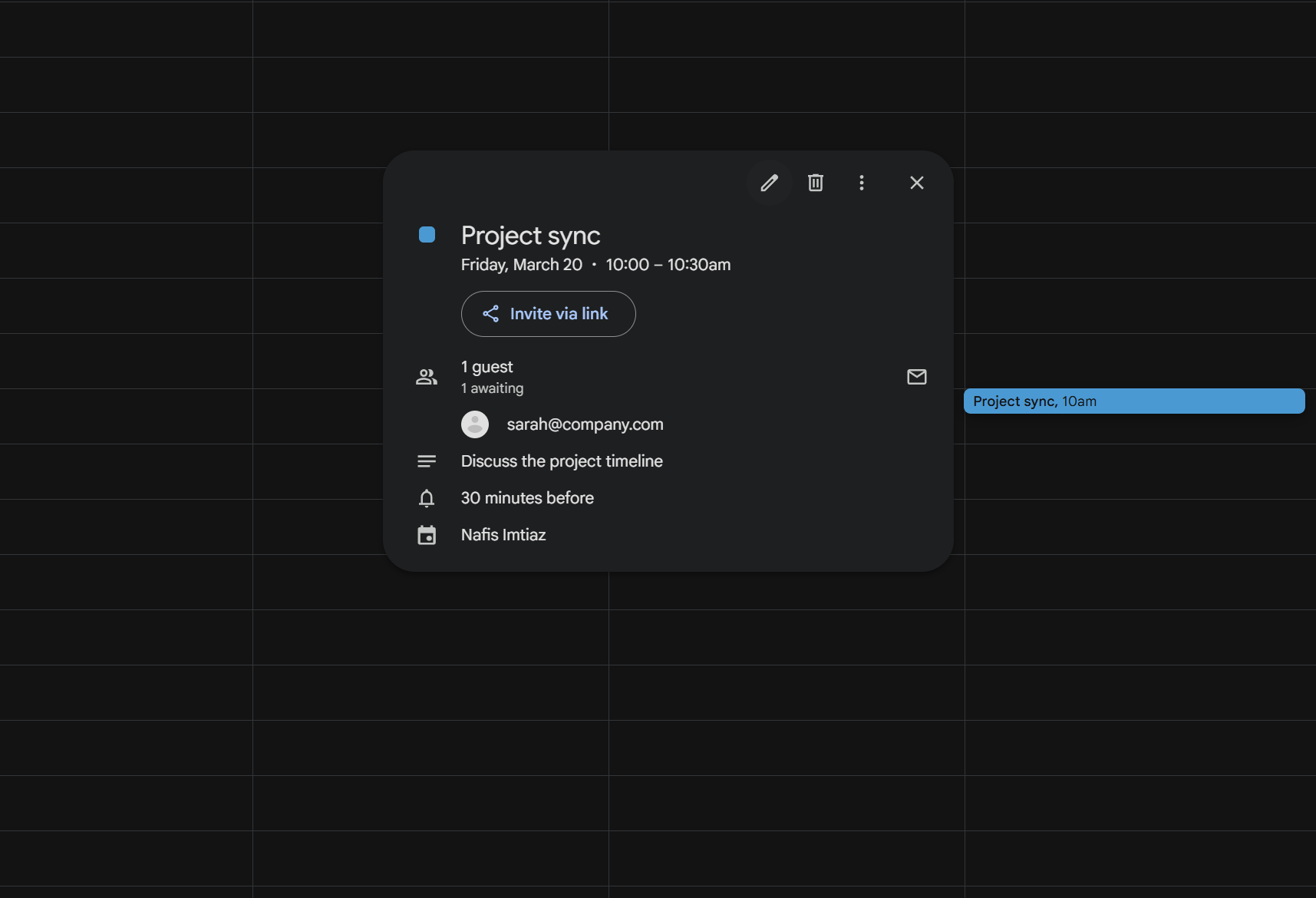
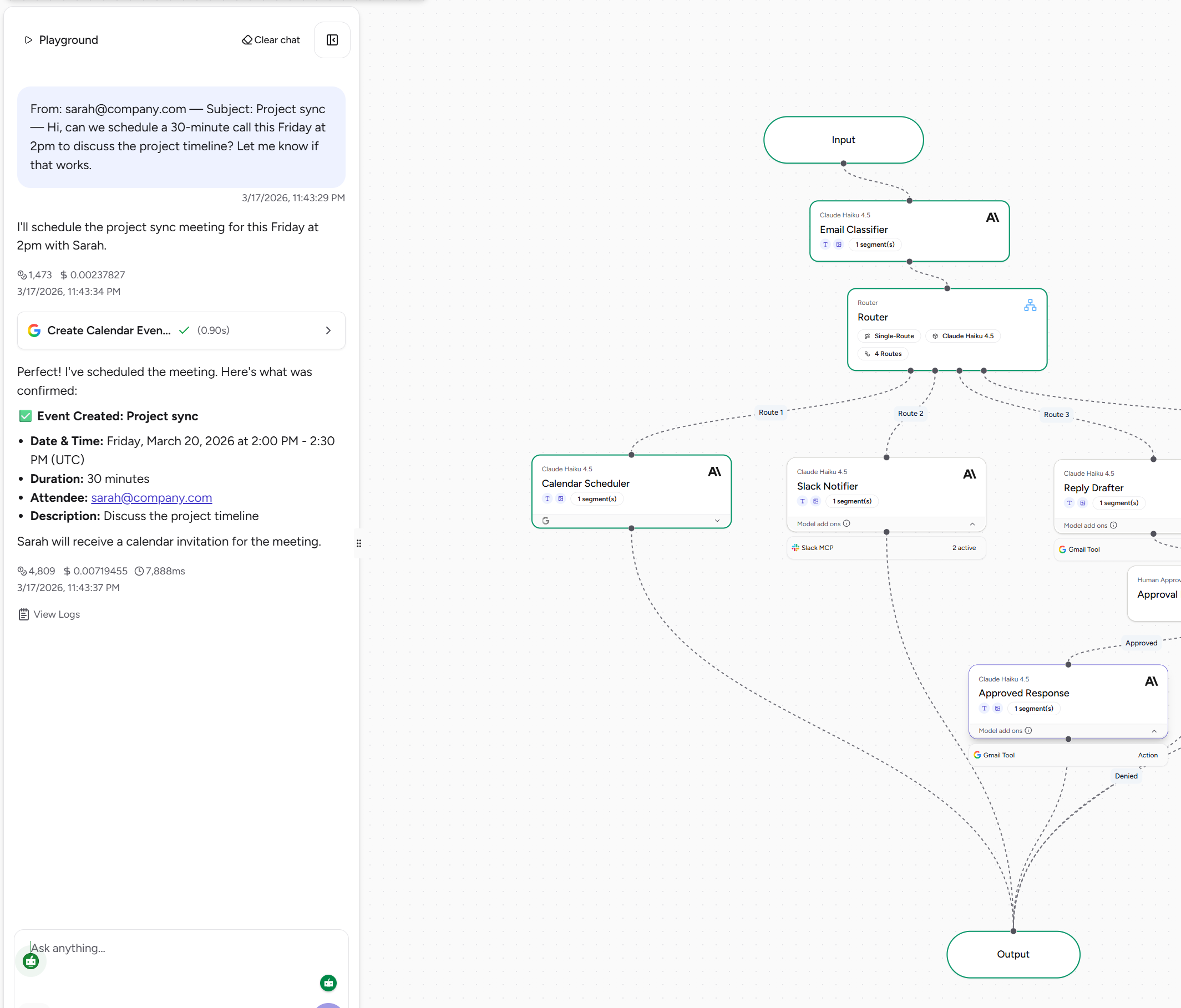
Schedule created from the email request
-
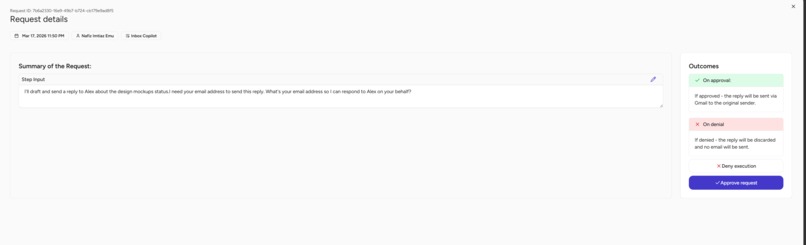
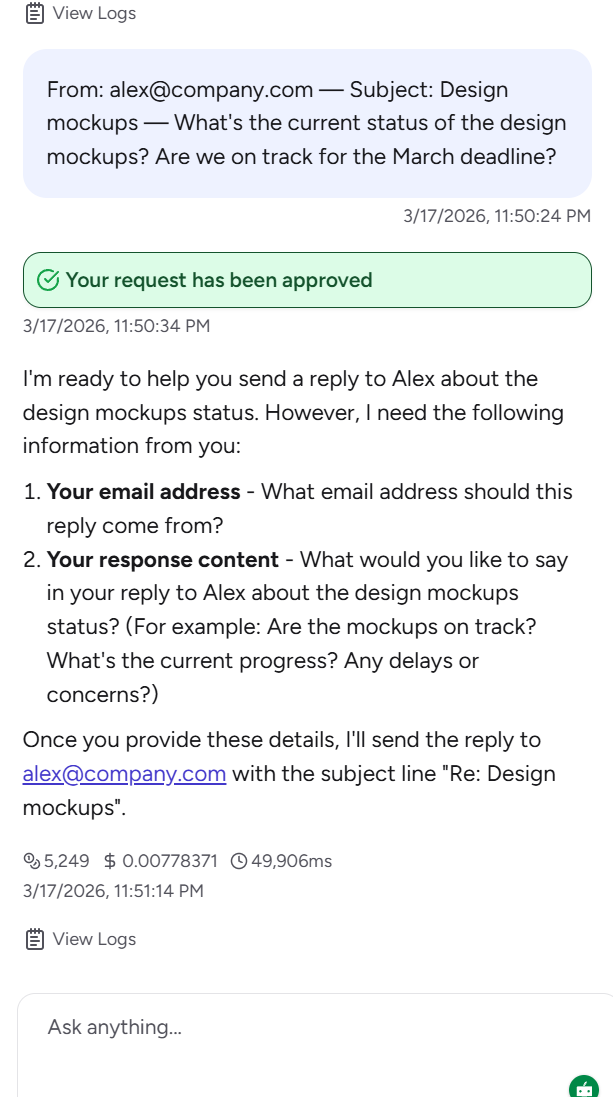
Reply draft preview
-
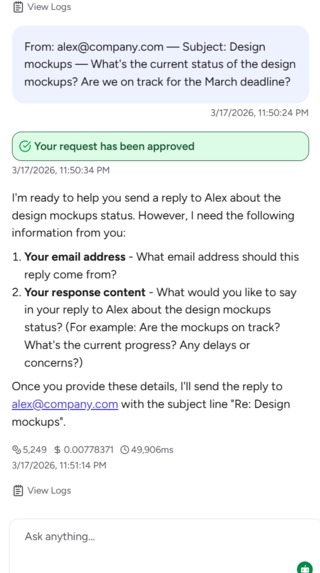
Reply drafter approval execution
-
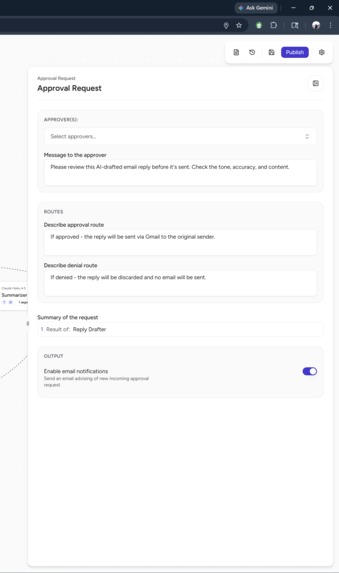
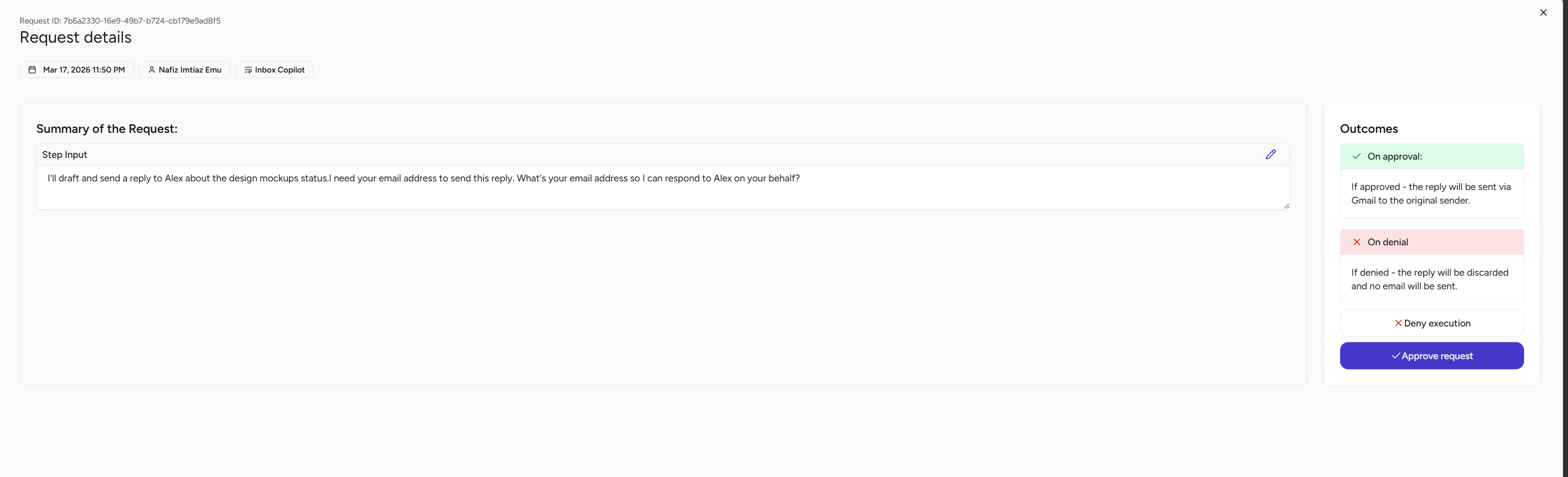
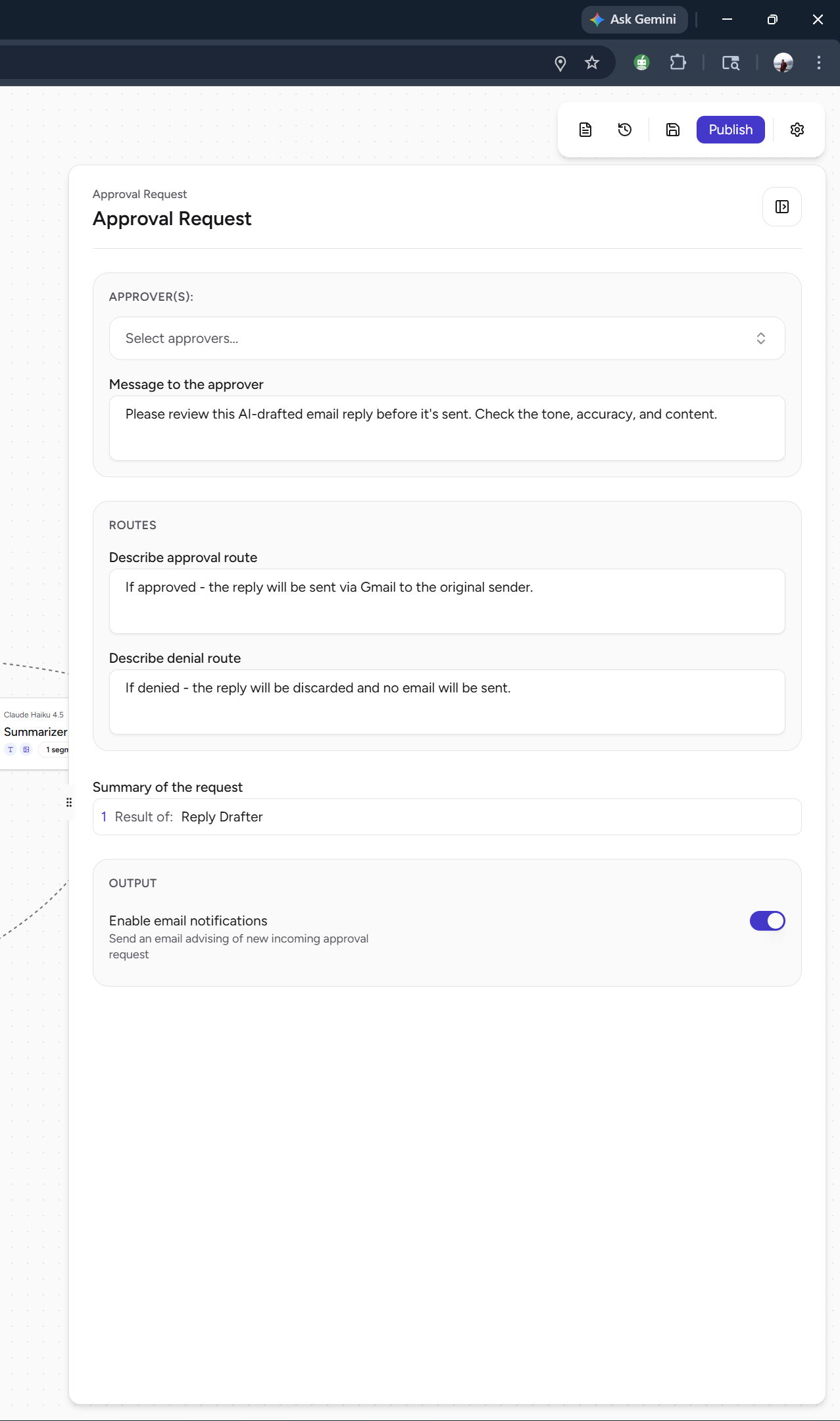
Approval request node
-
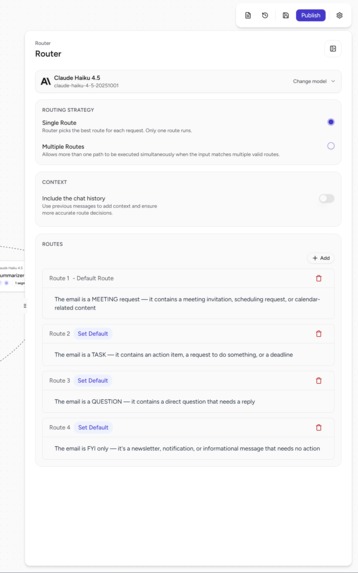
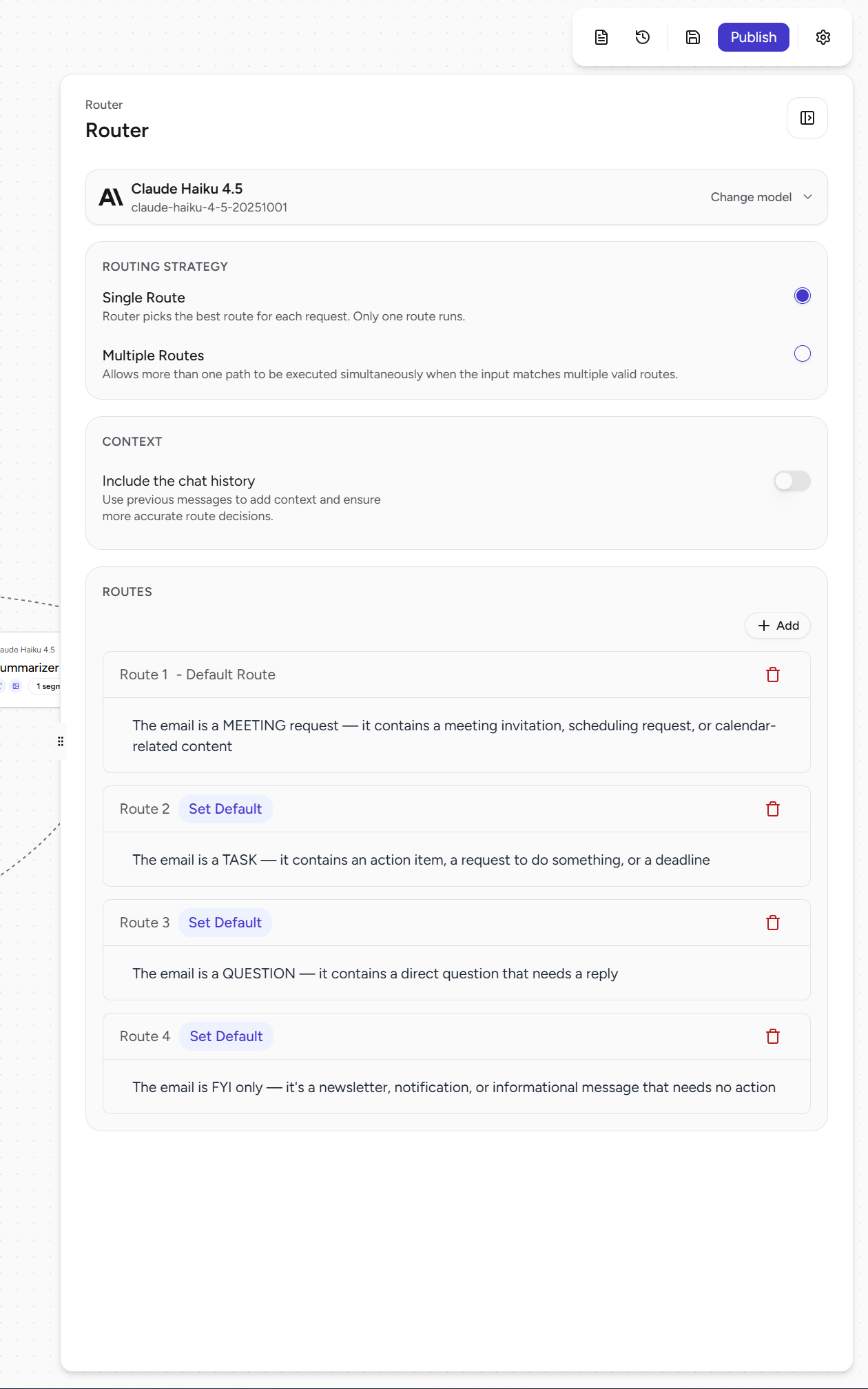
Router - task distribution
-
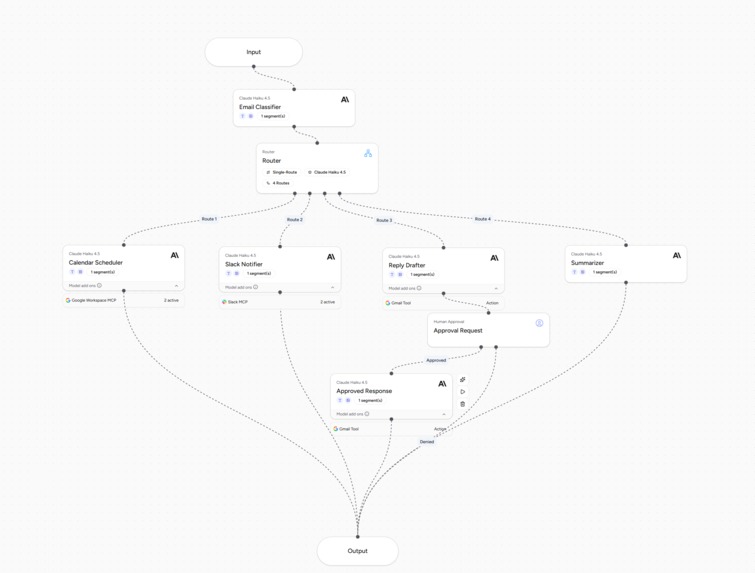
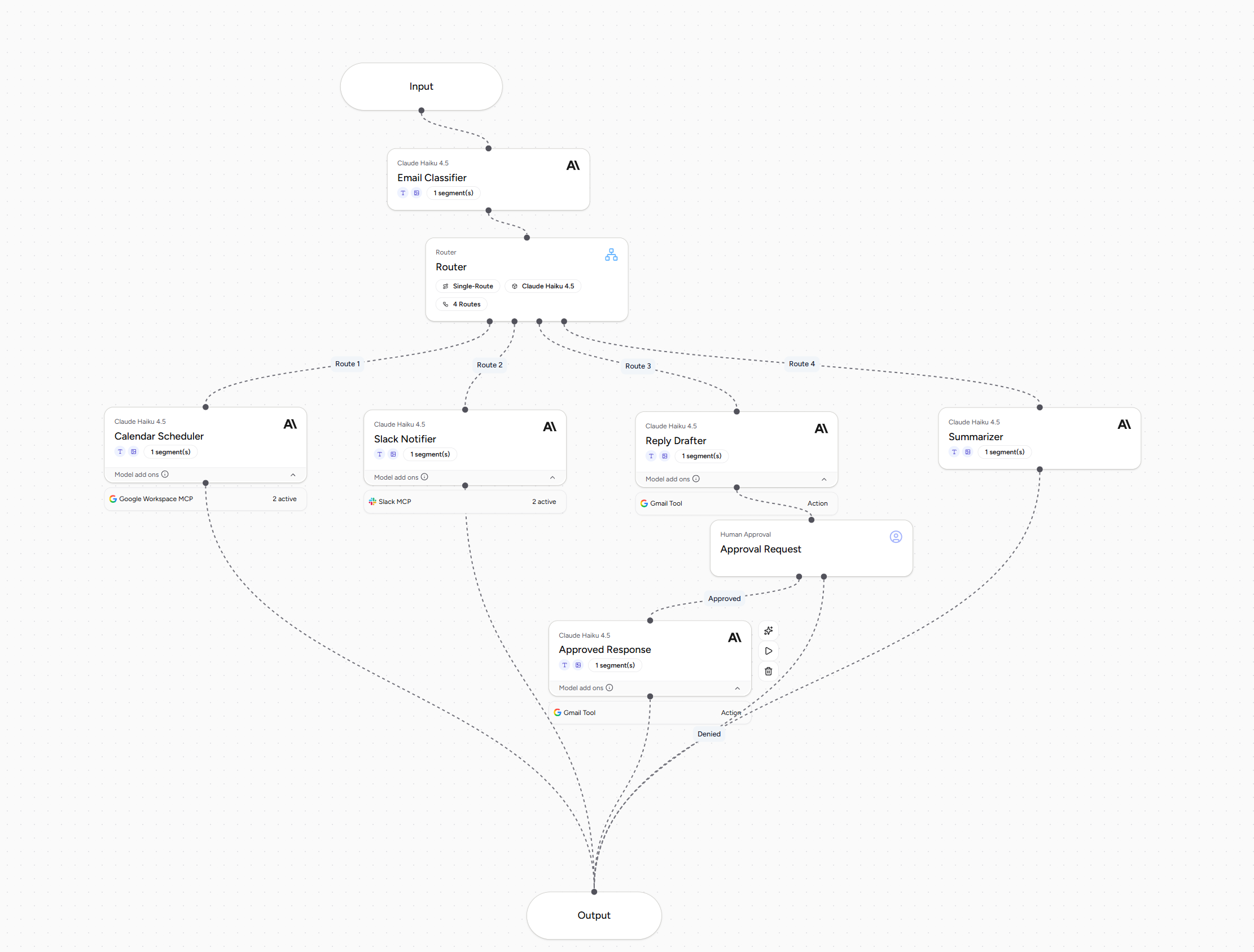
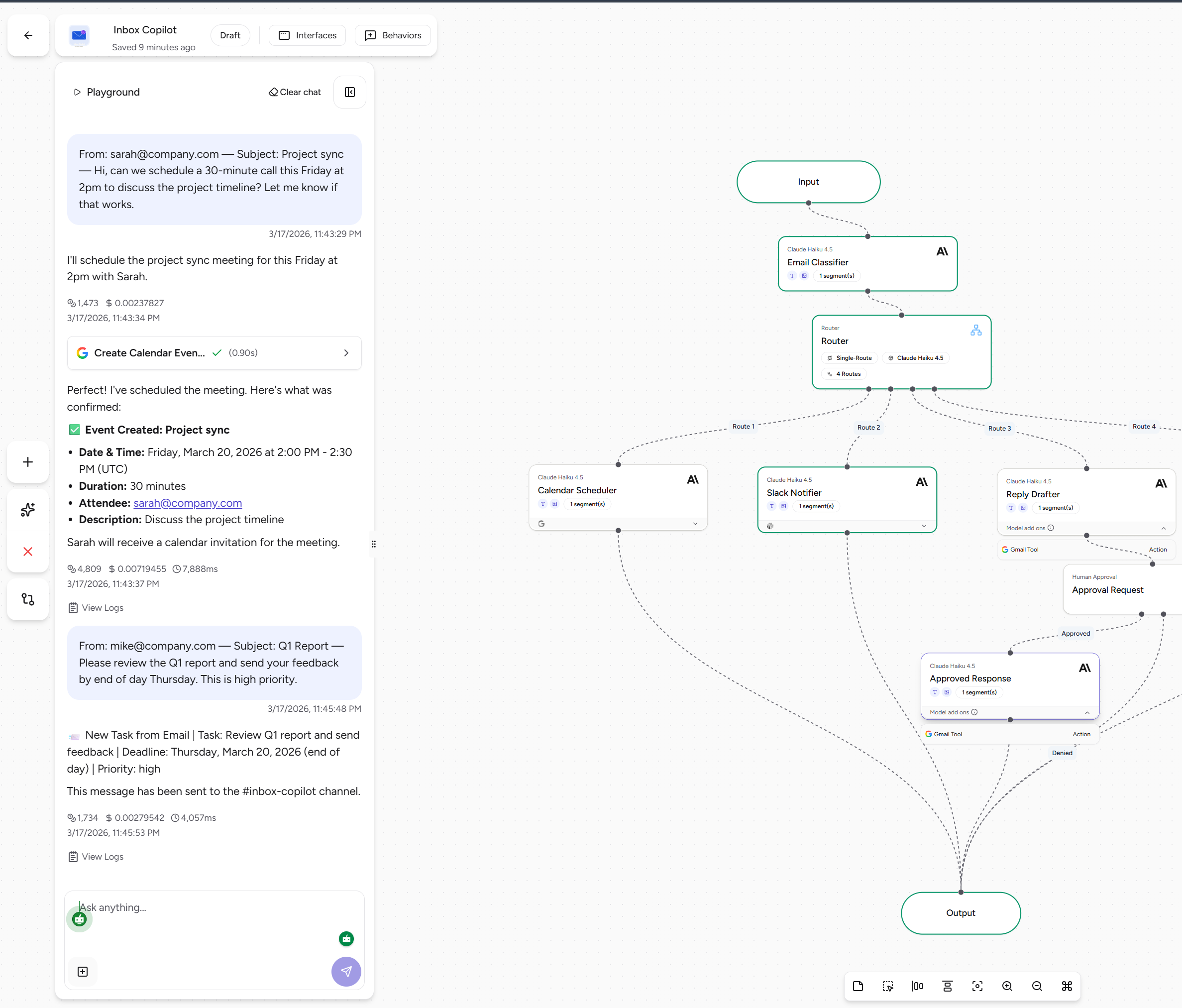
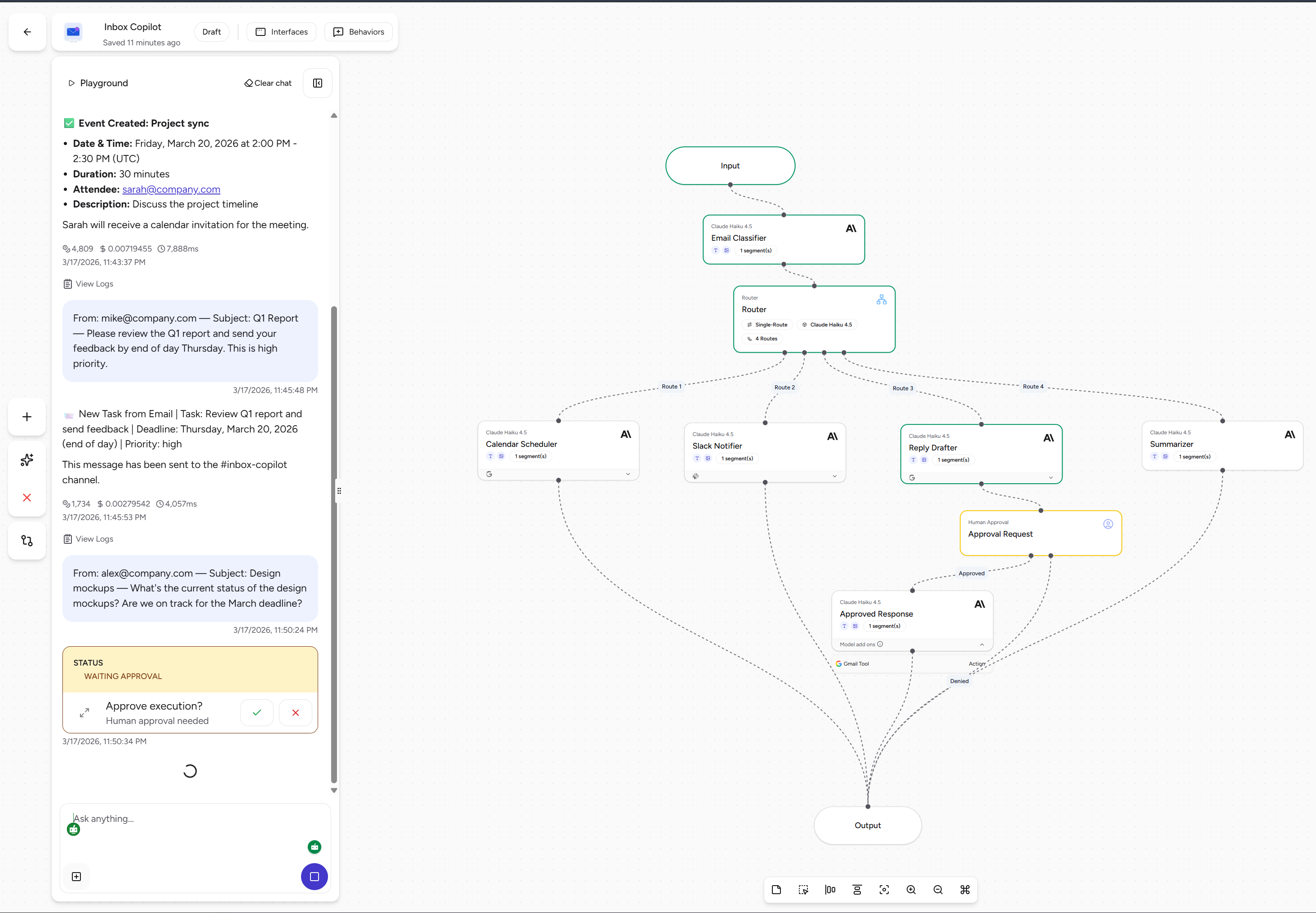
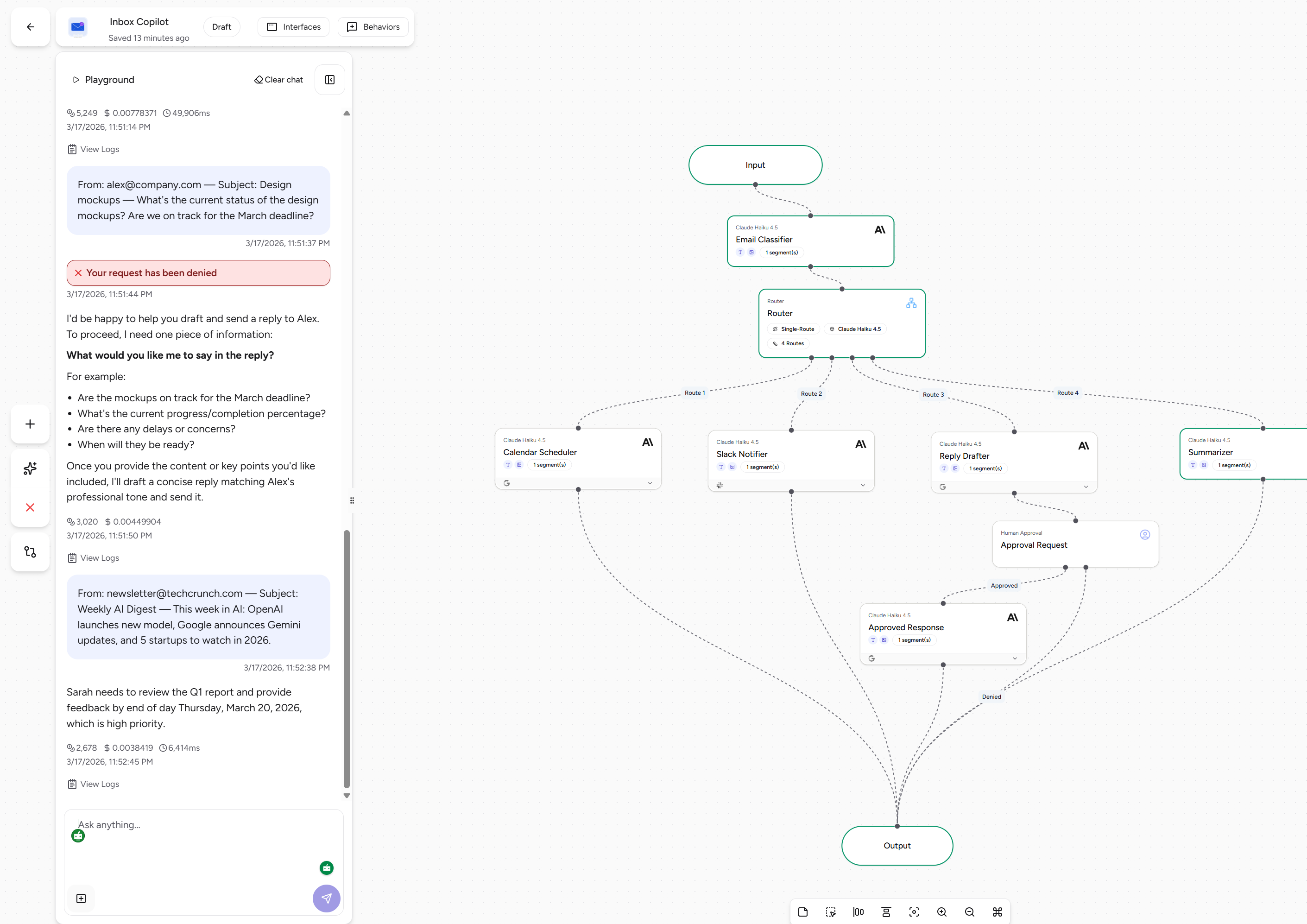
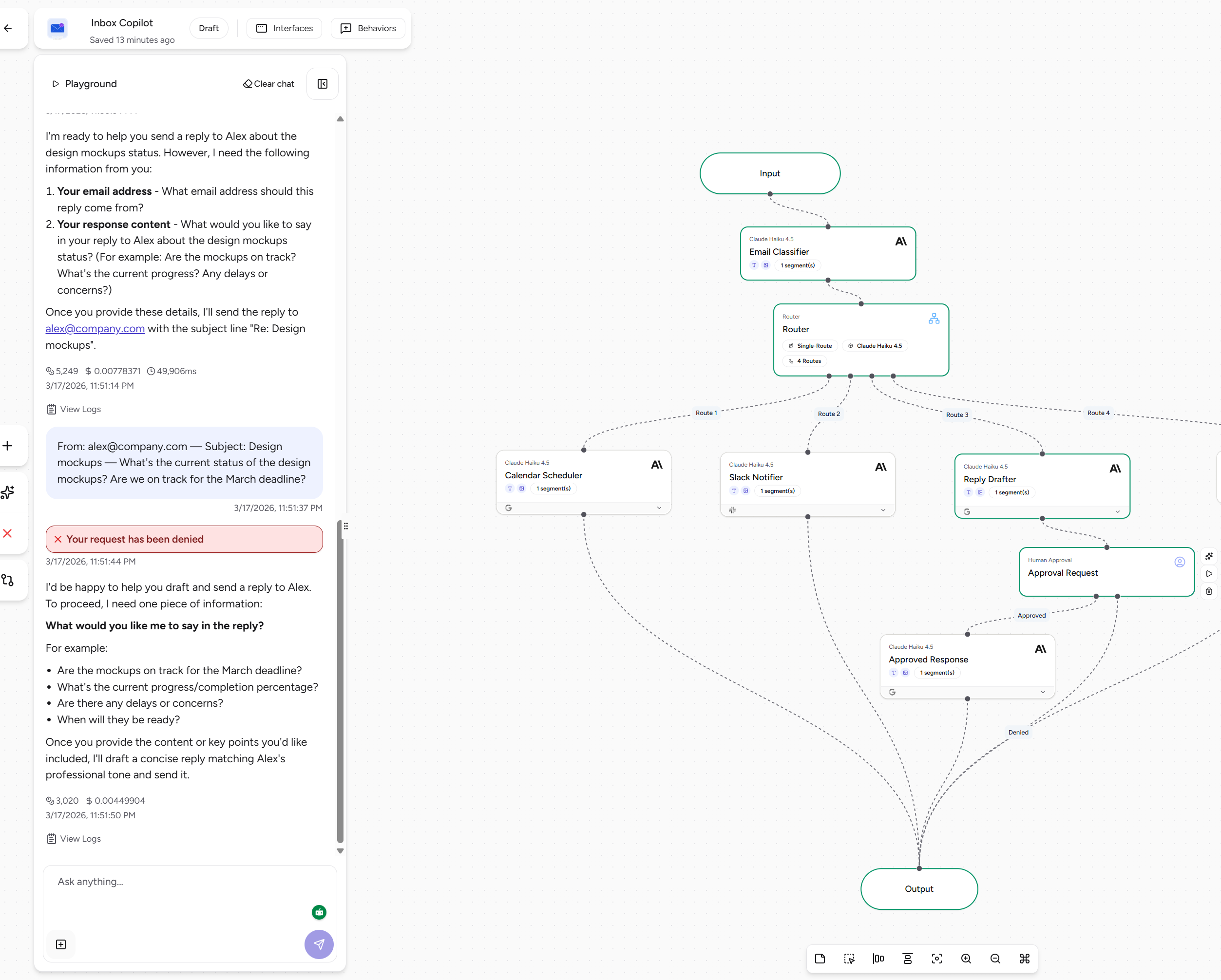
Agent Workflow
-
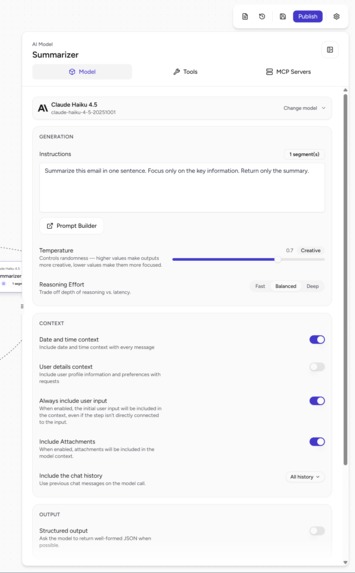
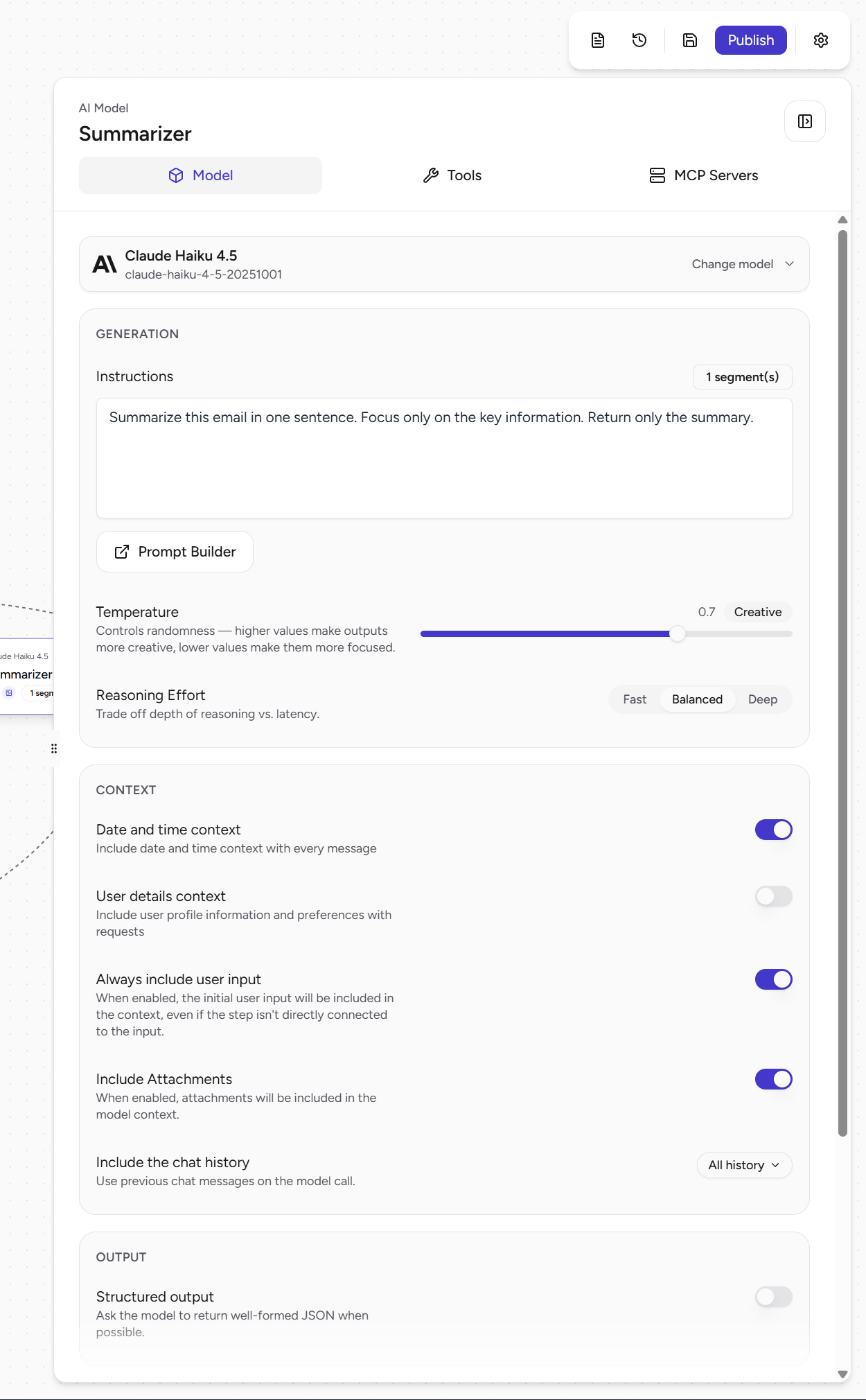
Summarizer AI model prompt
-
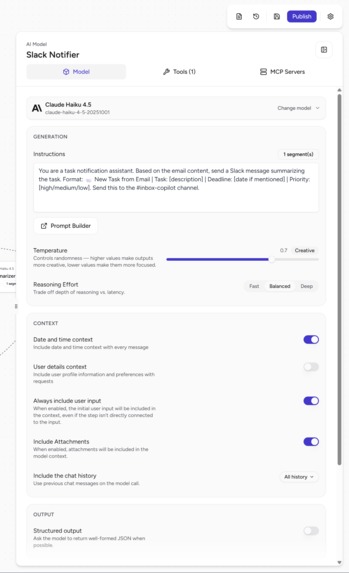
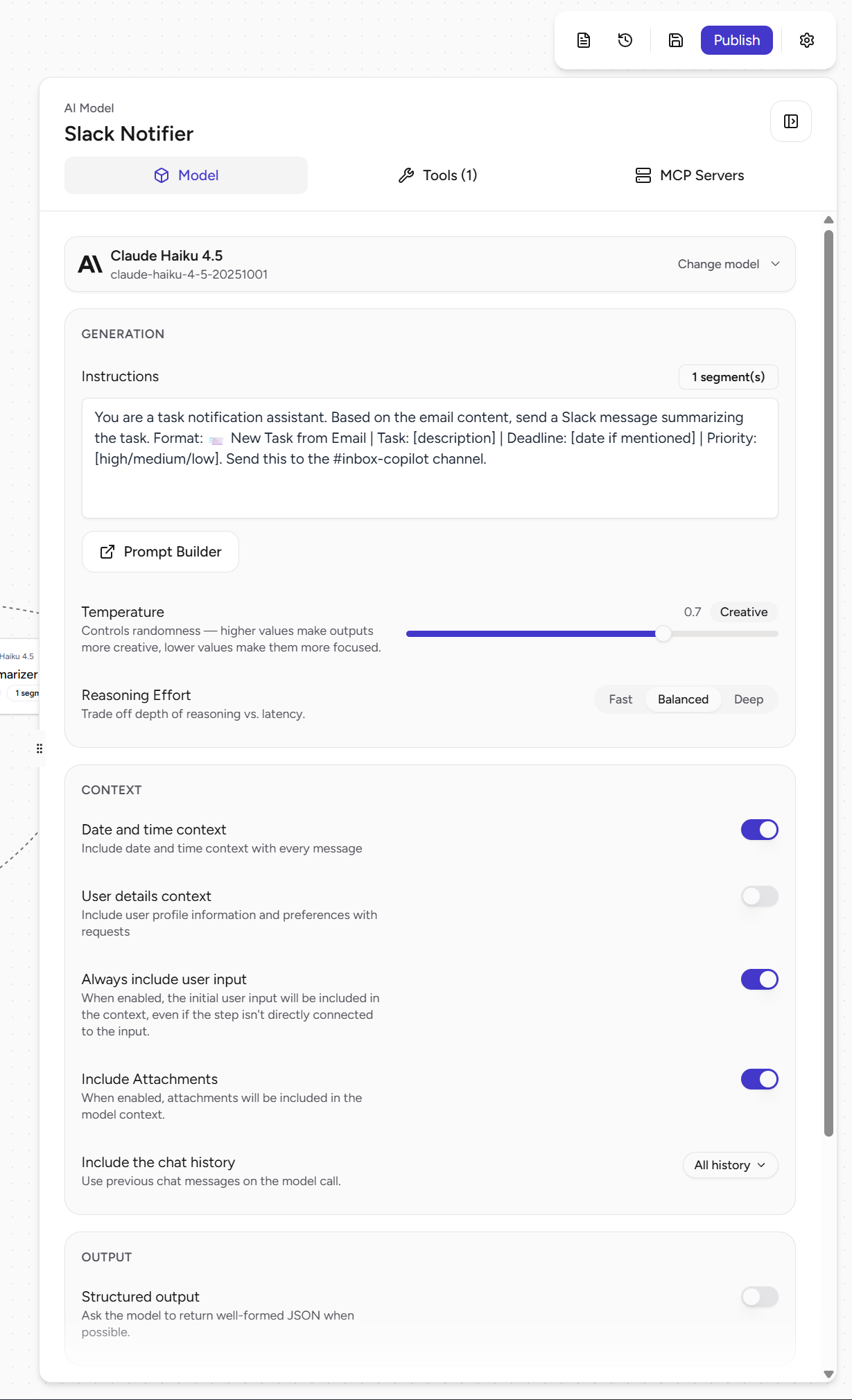
Slack notifier AI model prompt
-
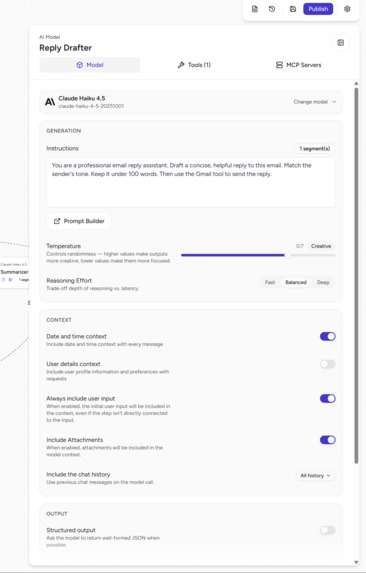
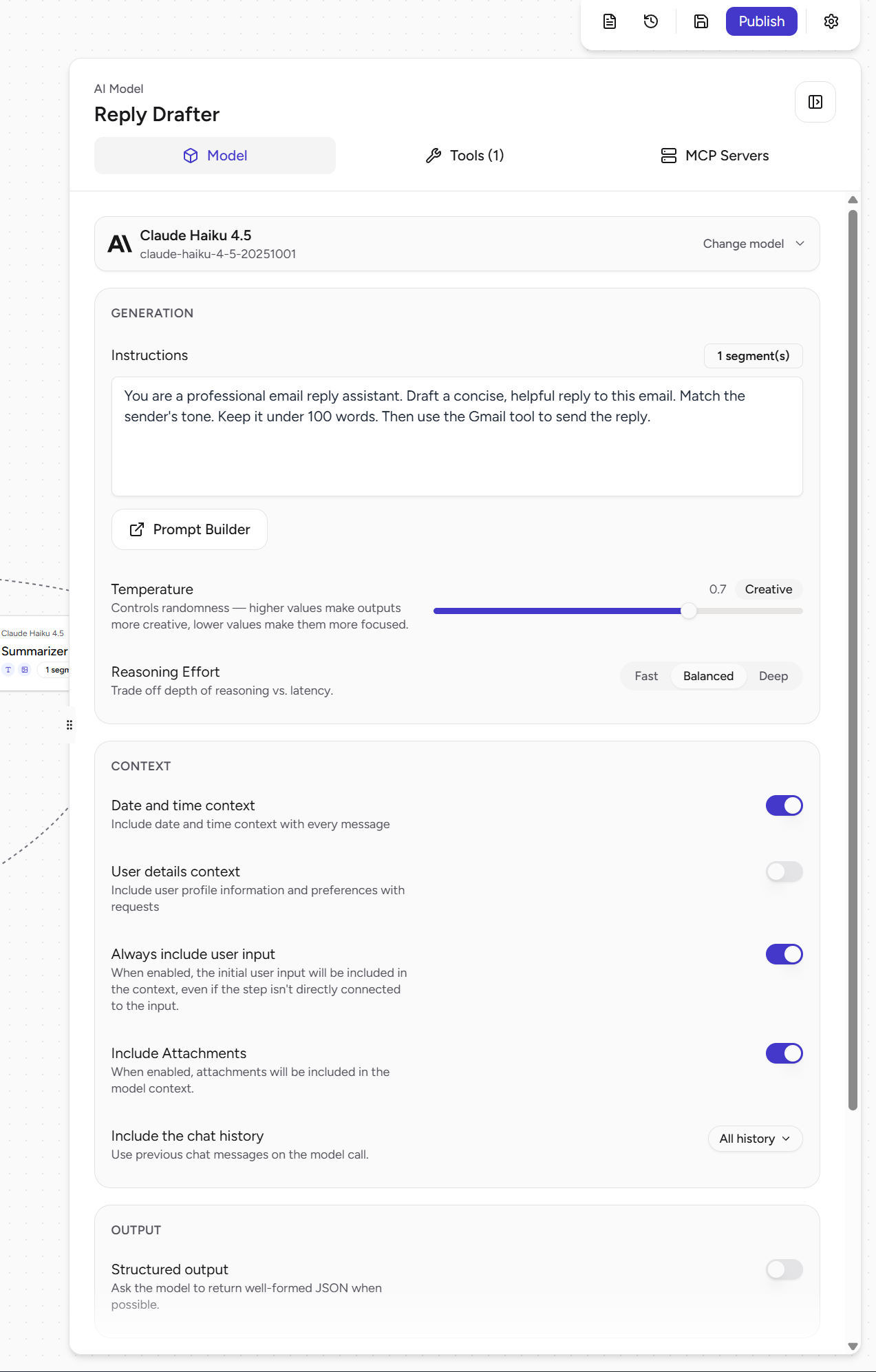
Reply drafter AI model prompt
-
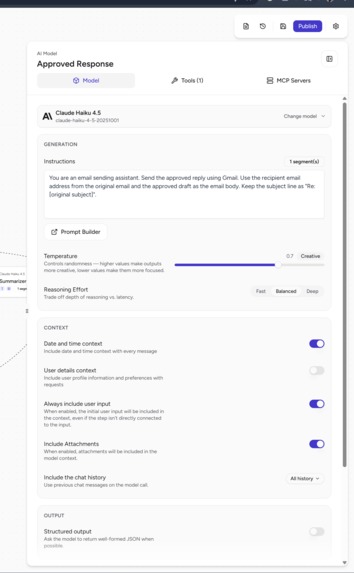
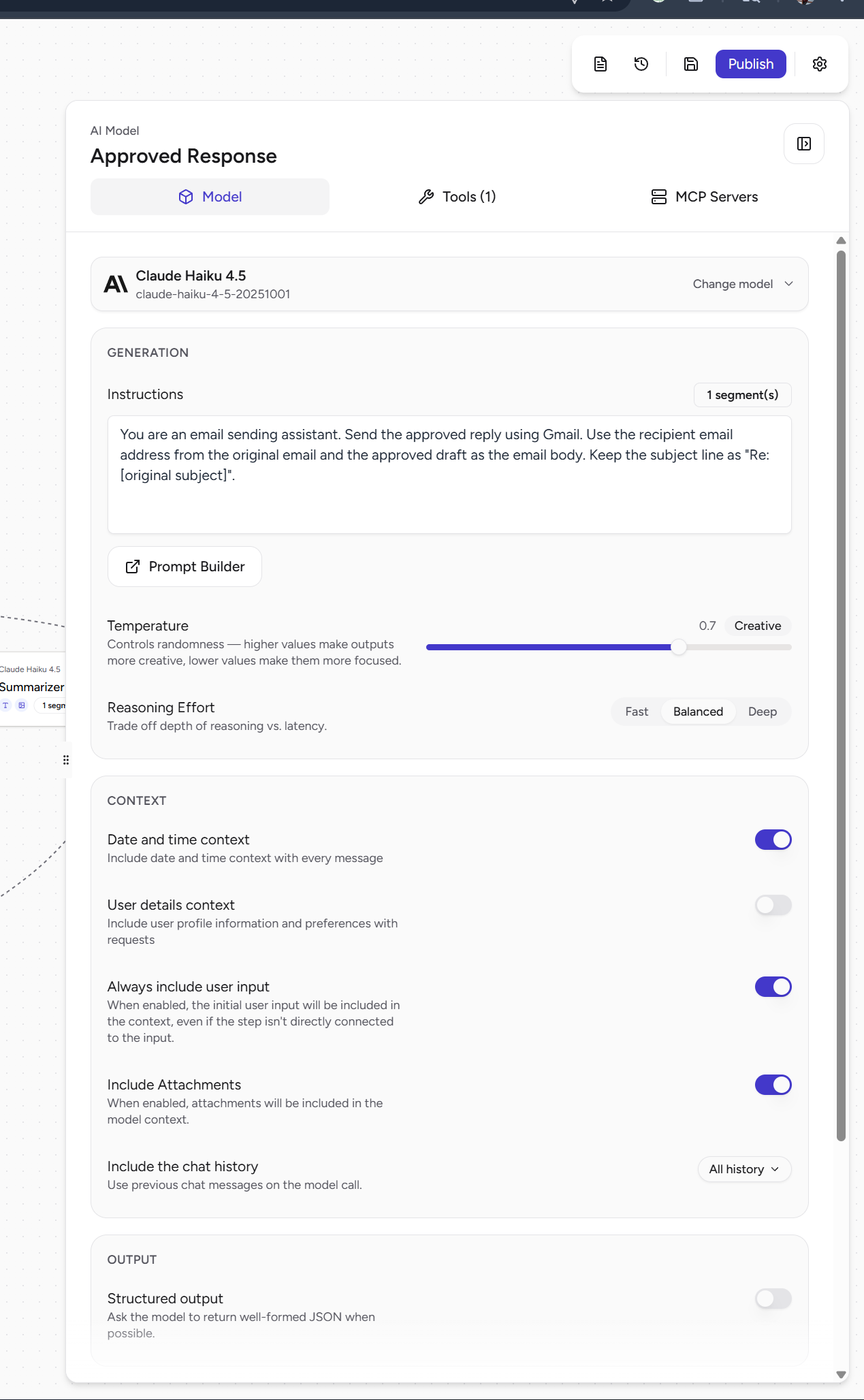
Approved response AI model prompt
-
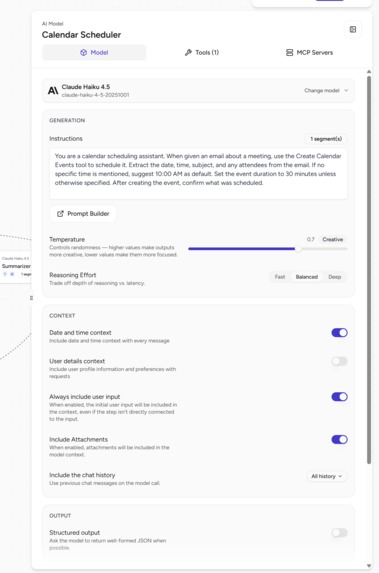
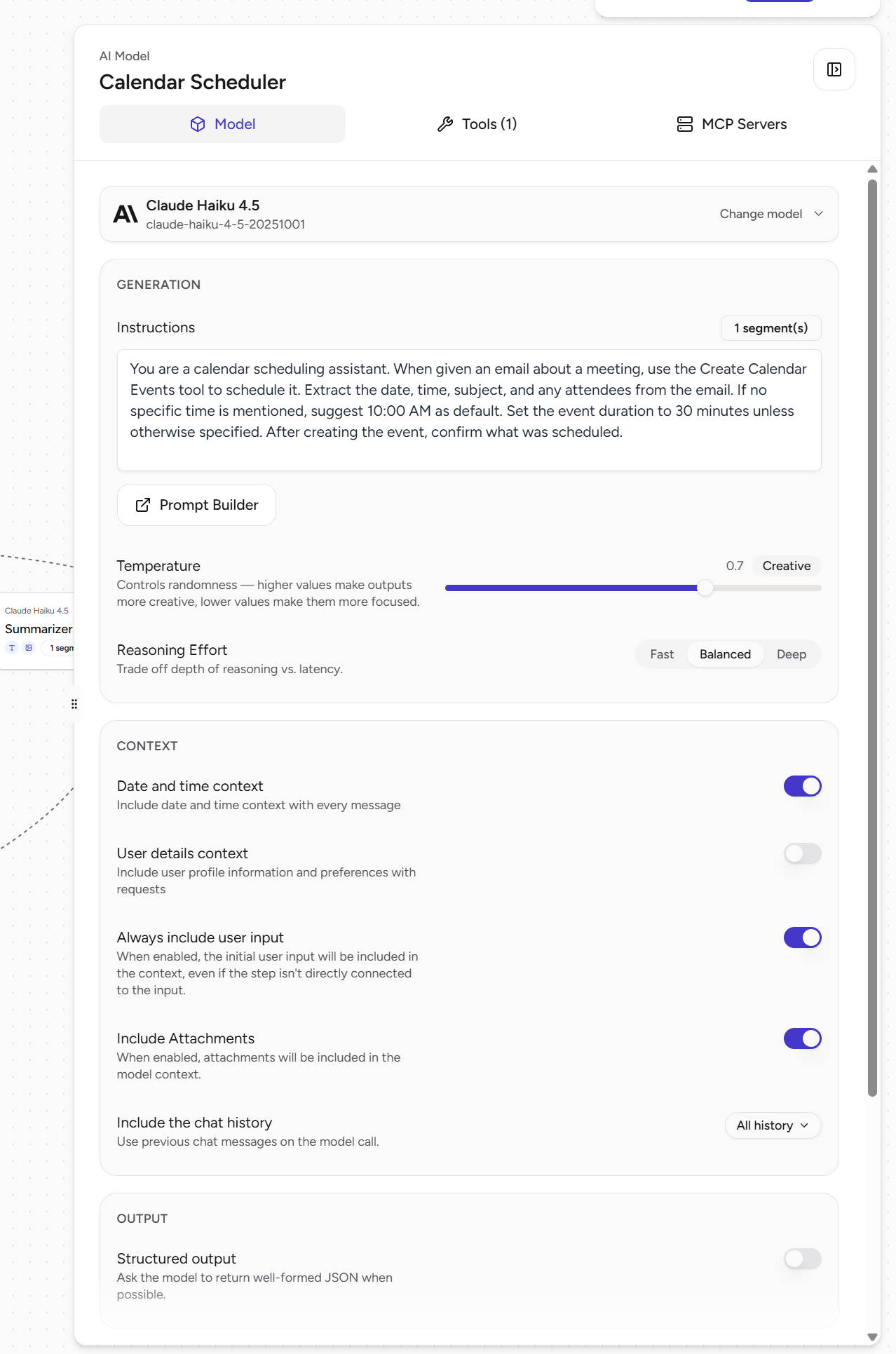
Calendar scheduler AI model prompt
-
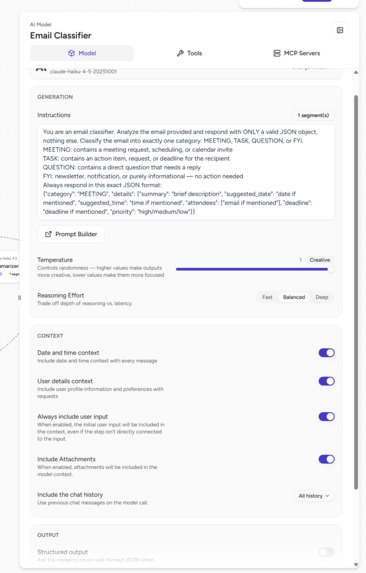
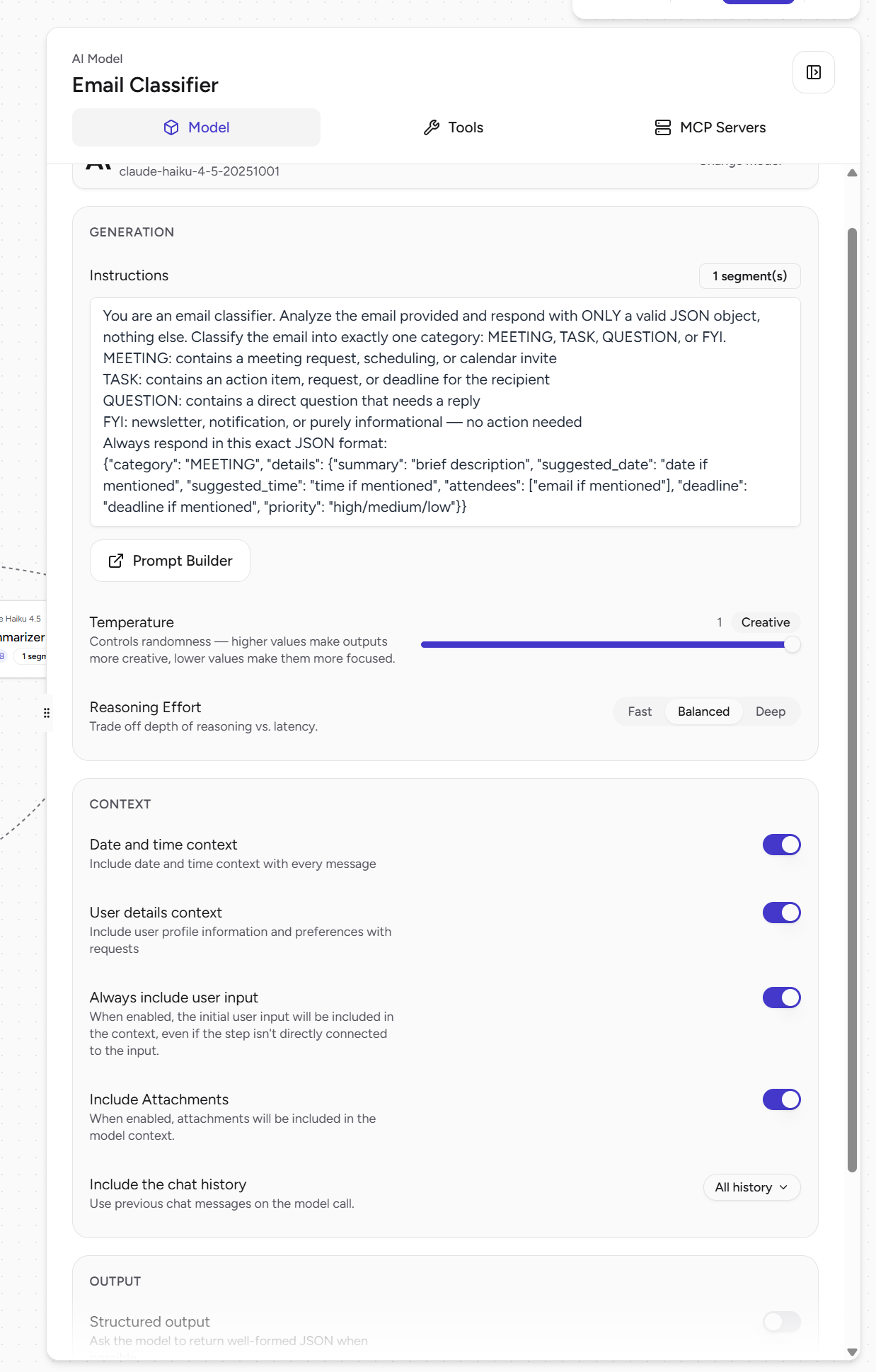
Email Classifier prompt
-
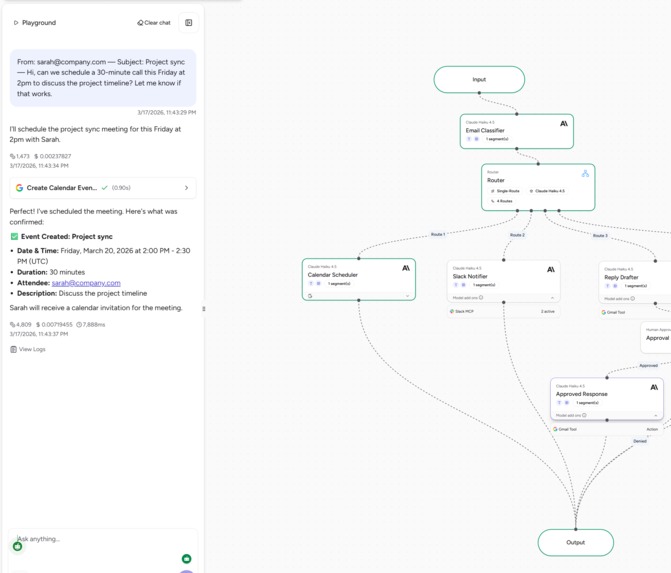
Calendar scheduler workflow
-
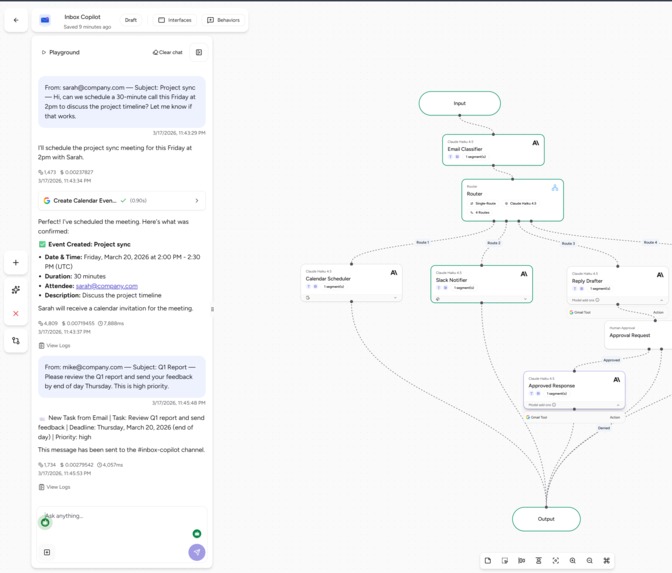
Slack Notifier workflow
-
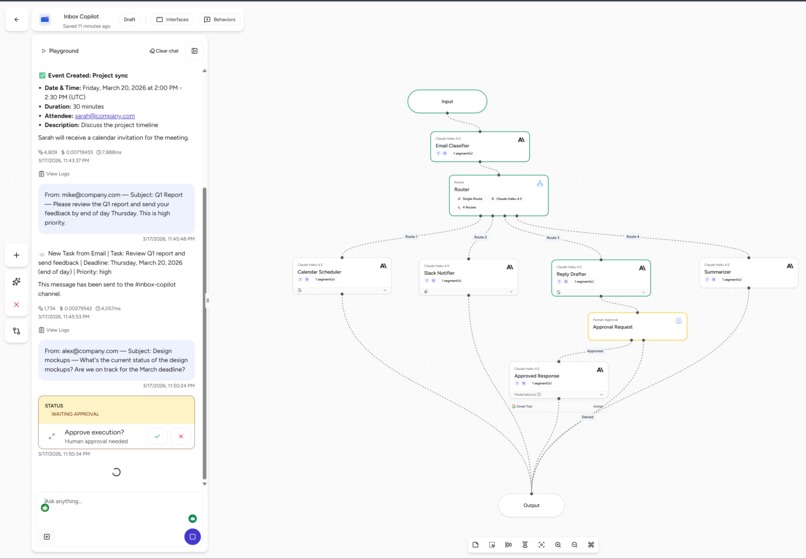
Sending email task - waiting for human response
-
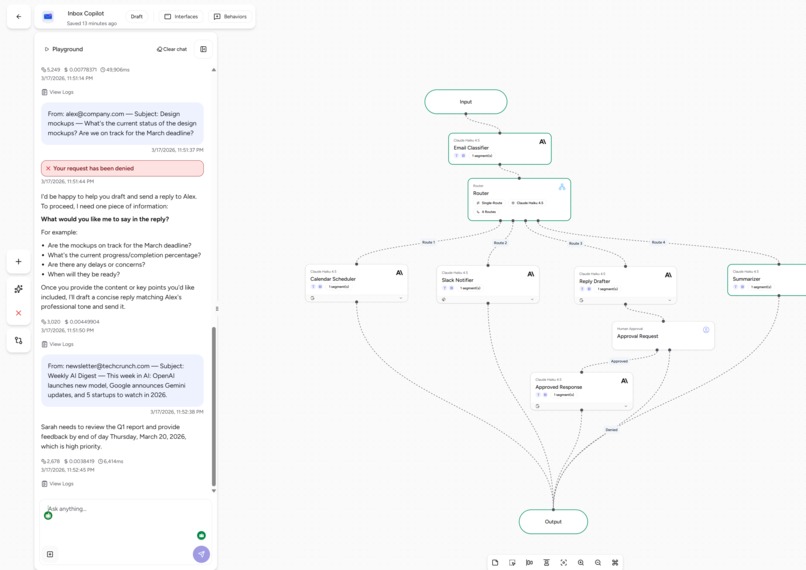
Summarizer task execution
-
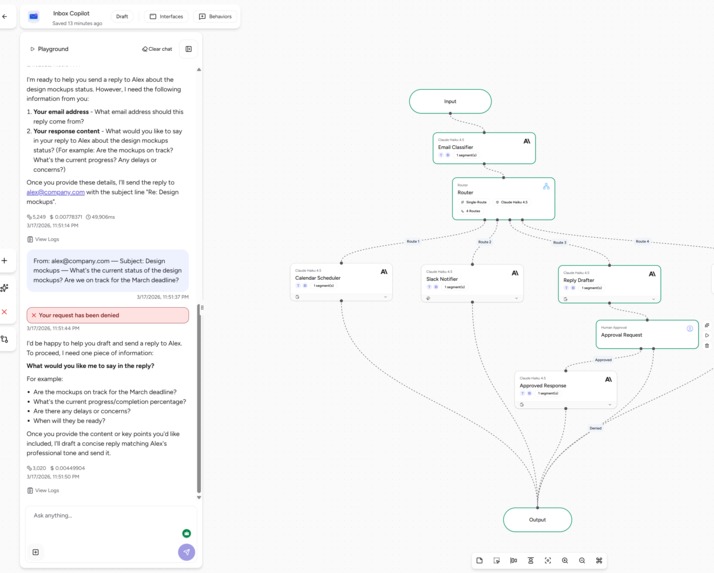
Reply drafter denied execution
Inspiration
I spend way too much time on email. Not the important ones but the sorting. Figuring out which ones need a meeting, which are tasks, and which just need a quick reply. I wanted an AI that could handle the repetitive decisions so I could focus on the work that actually matters.
What it does
Inbox Copilot reads incoming emails and takes action automatically:
- Meeting requests → Creates a Google Calendar event with the right date, time, and attendees
- Tasks and action items → Sends a Slack notification with the deadline and priority
- Questions needing a reply → Drafts a response and waits for human approval before sending
- Newsletters and FYI emails → Summarizes in one sentence and moves on
How we built it
Built entirely on Airia's no-code visual Agent Builder. The workflow uses an AI classifier (Claude Haiku 4.5) to categorize emails, a Router node to direct them to the right branch, and MCP integrations for Gmail, Google Workspace (Calendar), and Slack. The reply branch includes Airia's Human Approval node, so nothing gets sent without review.
Challenges we ran into
Getting the MCP tools to show up correctly in the agent builder took some figuring out. They attach to AI model nodes rather than appearing as standalone canvas nodes. Tuning the classifier prompt to reliably distinguish between tasks and questions was also tricky since many emails contain both.
Accomplishments that we're proud of
All four routes work end-to-end with real integrations. The calendar actually creates events, Slack actually receives notifications, and the human-in-the-loop approval flow works exactly as designed. Built the whole thing in one day with zero code.
What we learned
Airia's platform is surprisingly capable for no-code agent building. The MCP server integration makes it possible to connect real enterprise tools without writing API code. The Router node with AI-powered classification is more reliable than I expected.
What's next for Inbox Copilot
- Automatic email triggering (instead of pasting emails manually) using Airia's Outlook/Gmail data source connectors
- Priority scoring across all emails with a daily digest sent to Slack
- Support for more actions like creating Notion tasks and sending Teams messages
- Multi-language email classification and reply drafting
Built With
- airia
- claude-haiku-4.5
- gmail-api
- google-calendar
- google-workspace-mcp
- slack-mcp

Log in or sign up for Devpost to join the conversation.