Inspiration
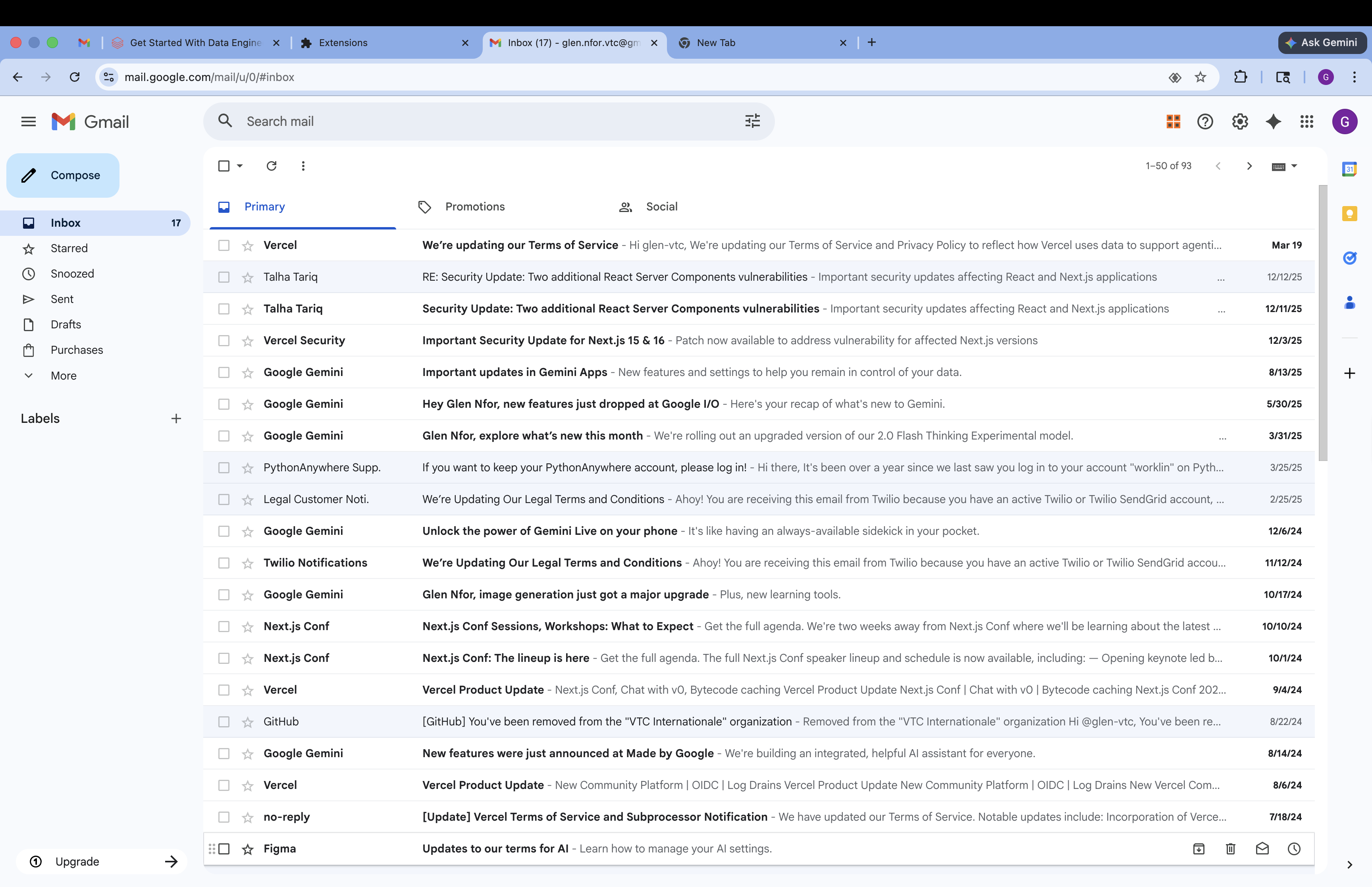
We've all been there — opening Gmail to find 50+ unread emails and spending the next 30 minutes just figuring out which ones actually matter. Traditional inbox management tools either move everything into folders you never check or require you to set up complex rules. We wanted something smarter: an AI that could look at each email and answer the simple question "what should I actually do with this?" — using a framework that already works for productivity: the Eisenhower Matrix.
What it does
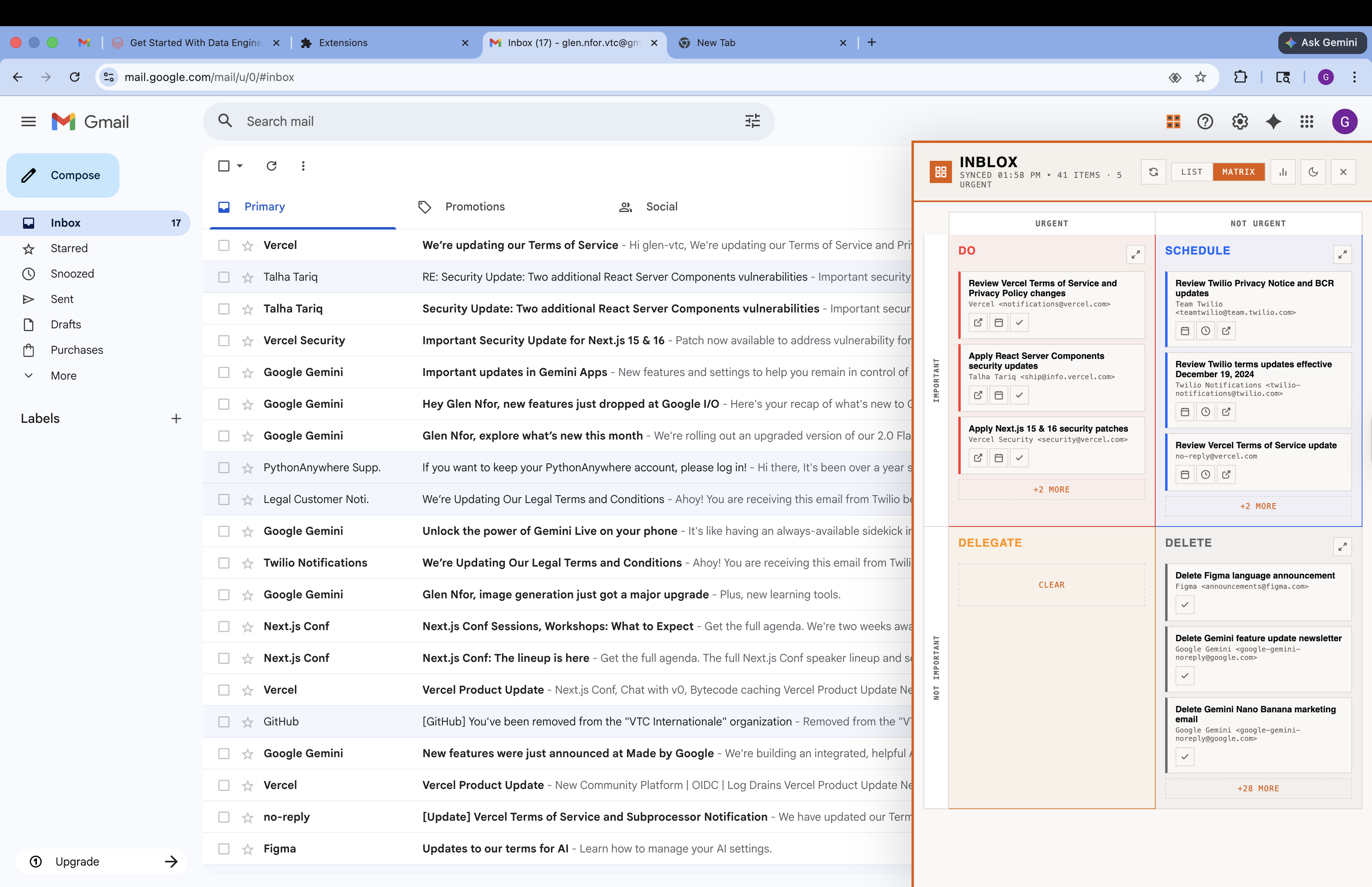
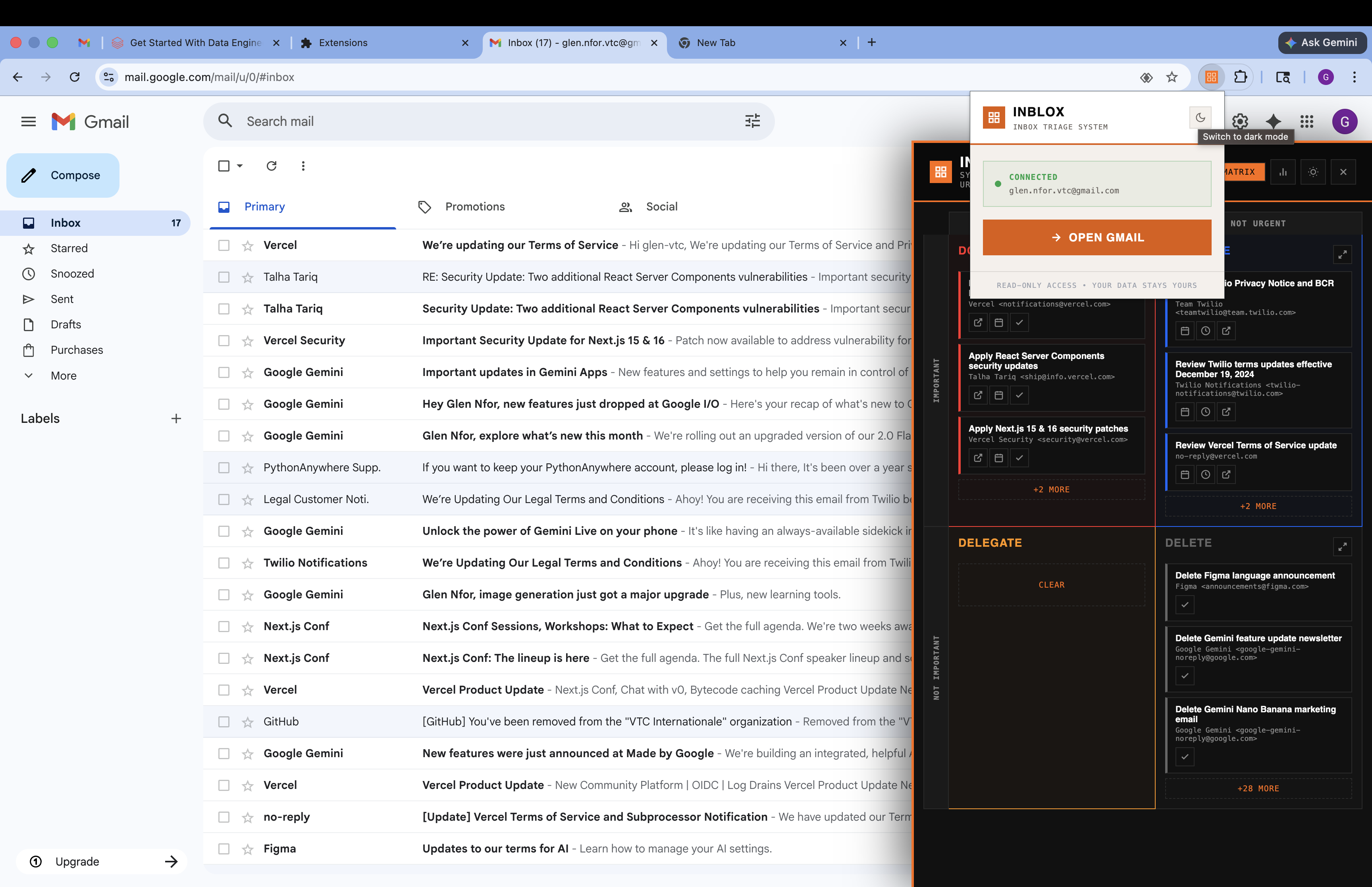
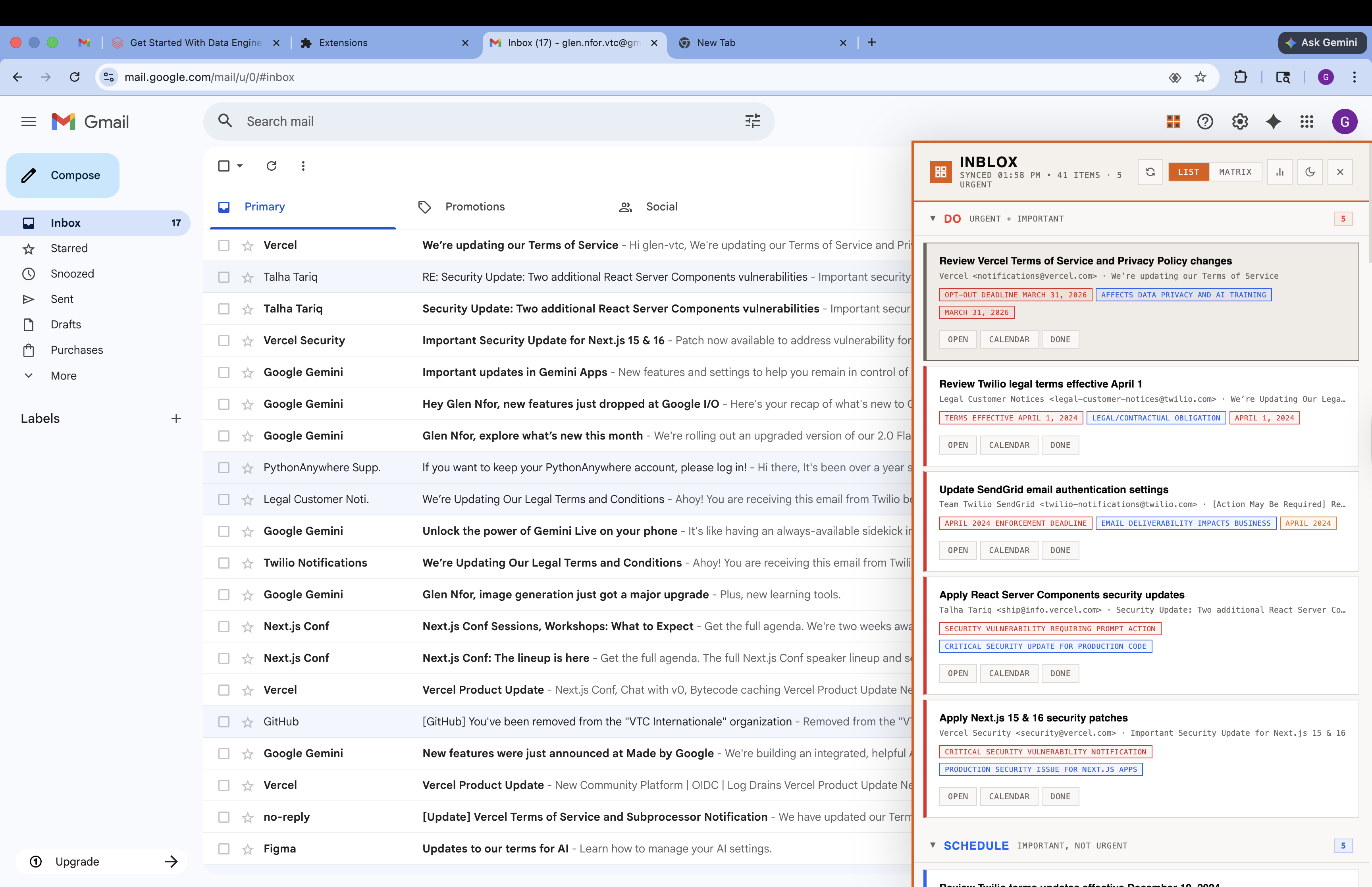
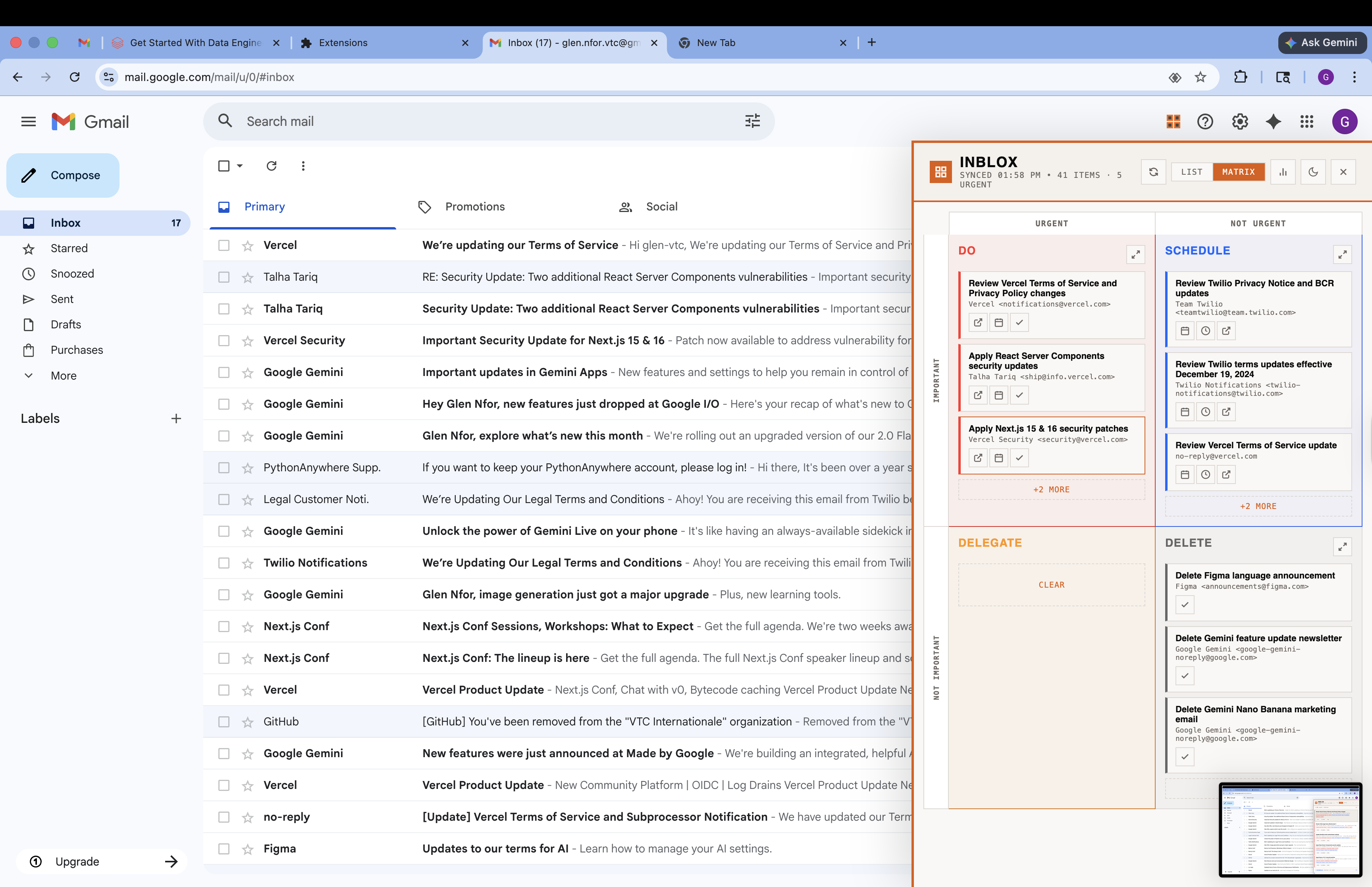
Inblox is a Chrome extension that lives inside your Gmail sidebar. It uses Claude AI to automatically classify every unread email into one of four quadrants:
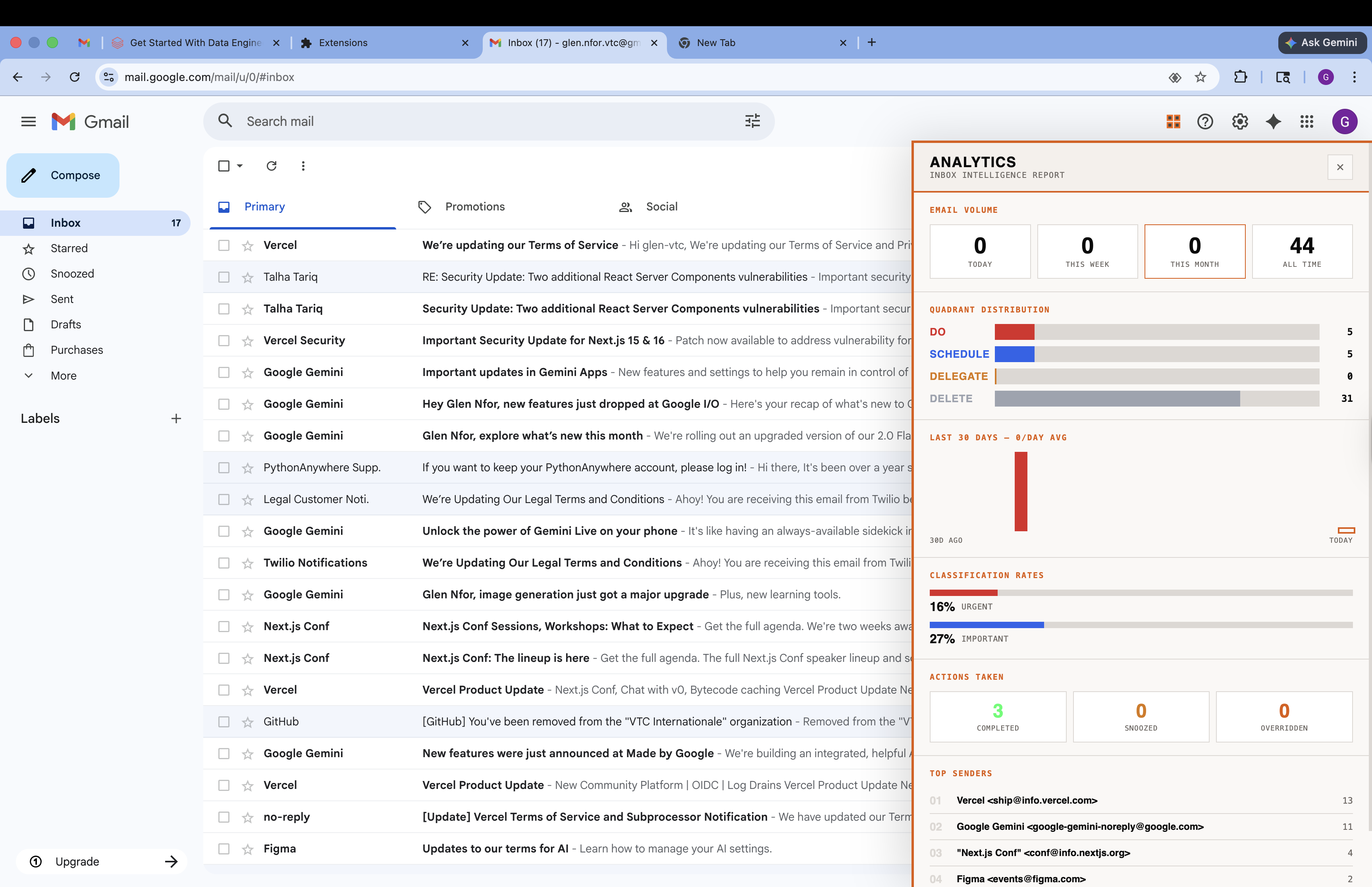
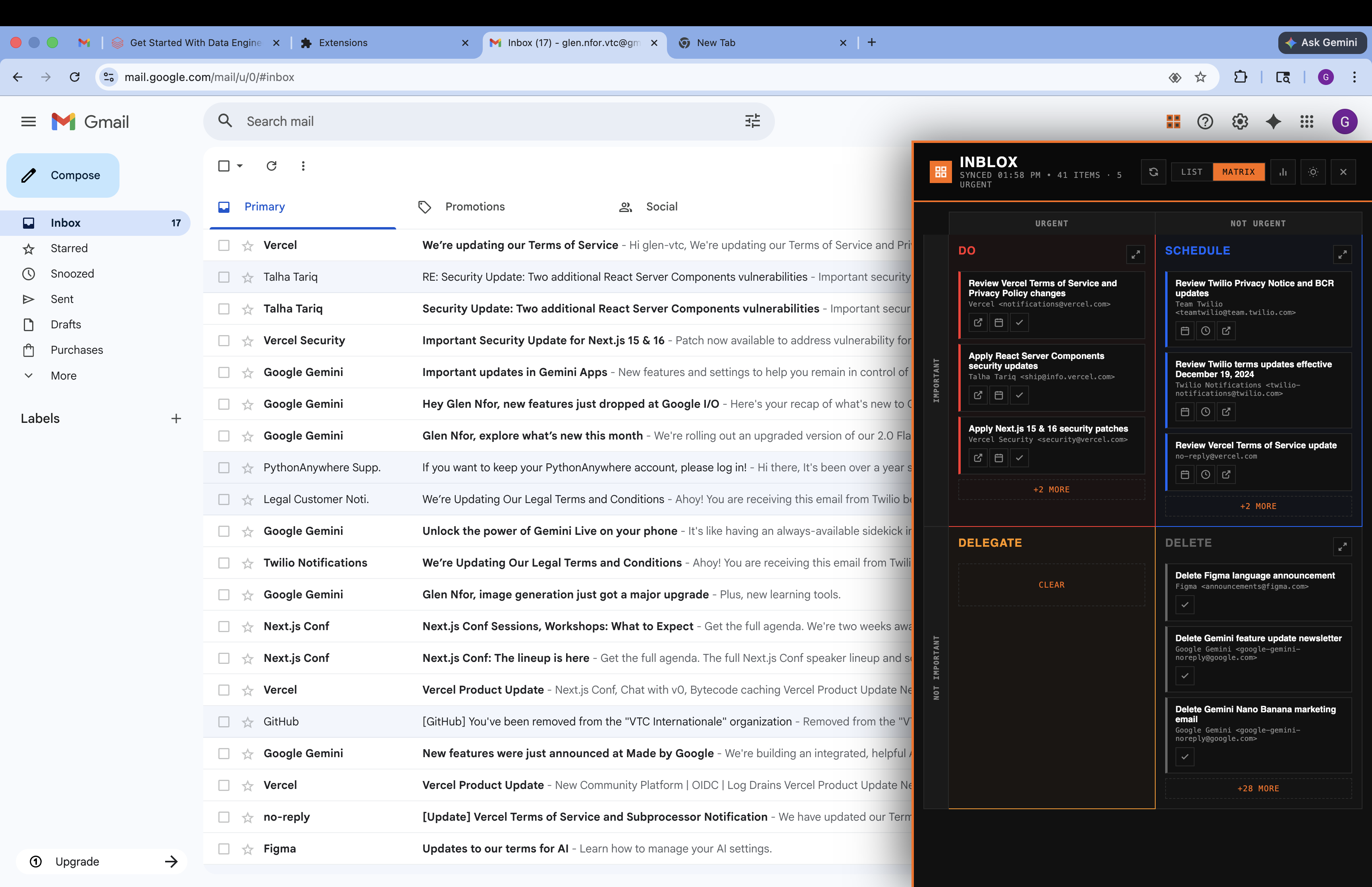
Do — urgent and important, handle now Schedule — important but not urgent, plan for later Delegate — urgent but not important, pass it off Delete — neither urgent nor important, ignore it Users can view their triaged inbox as a grouped list or a drag-and-drop 2x2 matrix. Quick actions let you open an email in Gmail, add something to your calendar, copy a suggested reply, or mark it done — all without leaving the panel. An analytics dashboard tracks your decision patterns over time so you can see where your time actually goes.
How we built it
Inblox is a TypeScript monorepo with three packages:
Web app (Next.js 14) — handles Gmail OAuth, syncs emails via the Gmail API, sends batches of up to 5 emails to Claude Haiku for classification, and stores results in a SQLite database via Prisma. Chrome extension (Vite + React 18) — a Manifest V3 extension that injects a side panel into Gmail's UI using Shadow DOM for style isolation. A background service worker triggers syncs every 2 minutes. Shared package — common TypeScript types shared between the two apps. The sync engine diffs unread Gmail messages against the local database, batches new emails through Claude for classification, and automatically marks items as done when they're read or archived in Gmail. We chose Claude Haiku for its speed and cost efficiency when processing high volumes of emails.
Challenges we ran into
Shadow DOM styling — injecting a React app into Gmail's page without Gmail's styles bleeding in (or ours bleeding out) was tricky. We had to build a full Shadow DOM wrapper and bundle Tailwind inside it. Rate limiting — batching emails through Claude while respecting API rate limits required careful throttling with 15-second delays between batches. Chrome MV3 service workers — Manifest V3 killed persistent background pages. Keeping the sync loop alive with service worker alarms and handling token refresh across wake/sleep cycles took real debugging. OAuth token flow — passing auth tokens securely between the web app (where OAuth happens) and the extension (where the UI lives) required a clean handoff mechanism without exposing tokens in URLs. Accomplishments that we're proud of The entire triage experience happens inside Gmail — no context switching, no separate app to check. Classification feels surprisingly accurate. Claude picks up on subtle cues like deadlines, tone, and sender importance. Drag-and-drop reclassification means the AI isn't a black box — users can override and the system respects it. The analytics view gives users real insight into how they spend their attention, not just their time. What we learned AI is great at subjective judgment calls — urgency and importance are exactly the kind of fuzzy, context-dependent decisions that LLMs handle well. Chrome extension development in MV3 is painful — the migration from MV2 broke a lot of established patterns, and documentation is still catching up. Prompt engineering matters more than model size — we got better results from a well-structured Haiku prompt than from a generic Sonnet one, at a fraction of the cost and latency. What's next for Inblox Learning from user reclassifications — when users drag emails to a different quadrant, feed that back into future prompts for personalized triage. Multi-account support — handle multiple Gmail accounts in a single panel. Suggested replies — go beyond classification and draft context-aware responses for the "Do" quadrant. Team mode — enable the "Delegate" quadrant to actually route emails to teammates with context. Mobile companion — a lightweight PWA for triaging on the go.
Built With
- chrome
- claude
- nextjs
- typescript

Log in or sign up for Devpost to join the conversation.