-
-
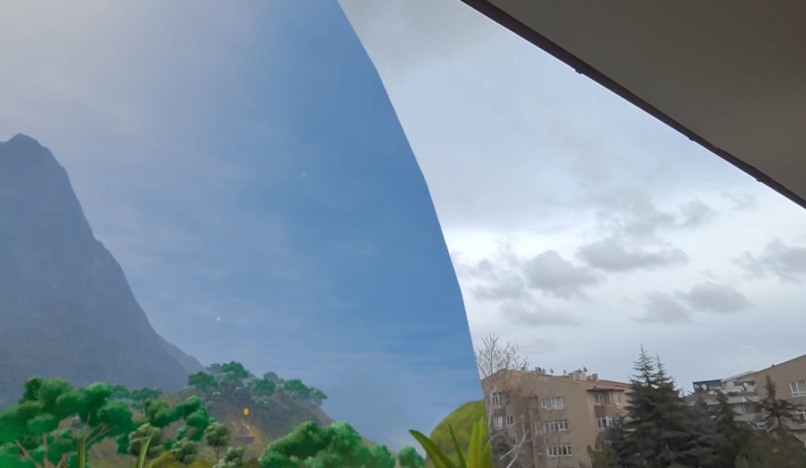
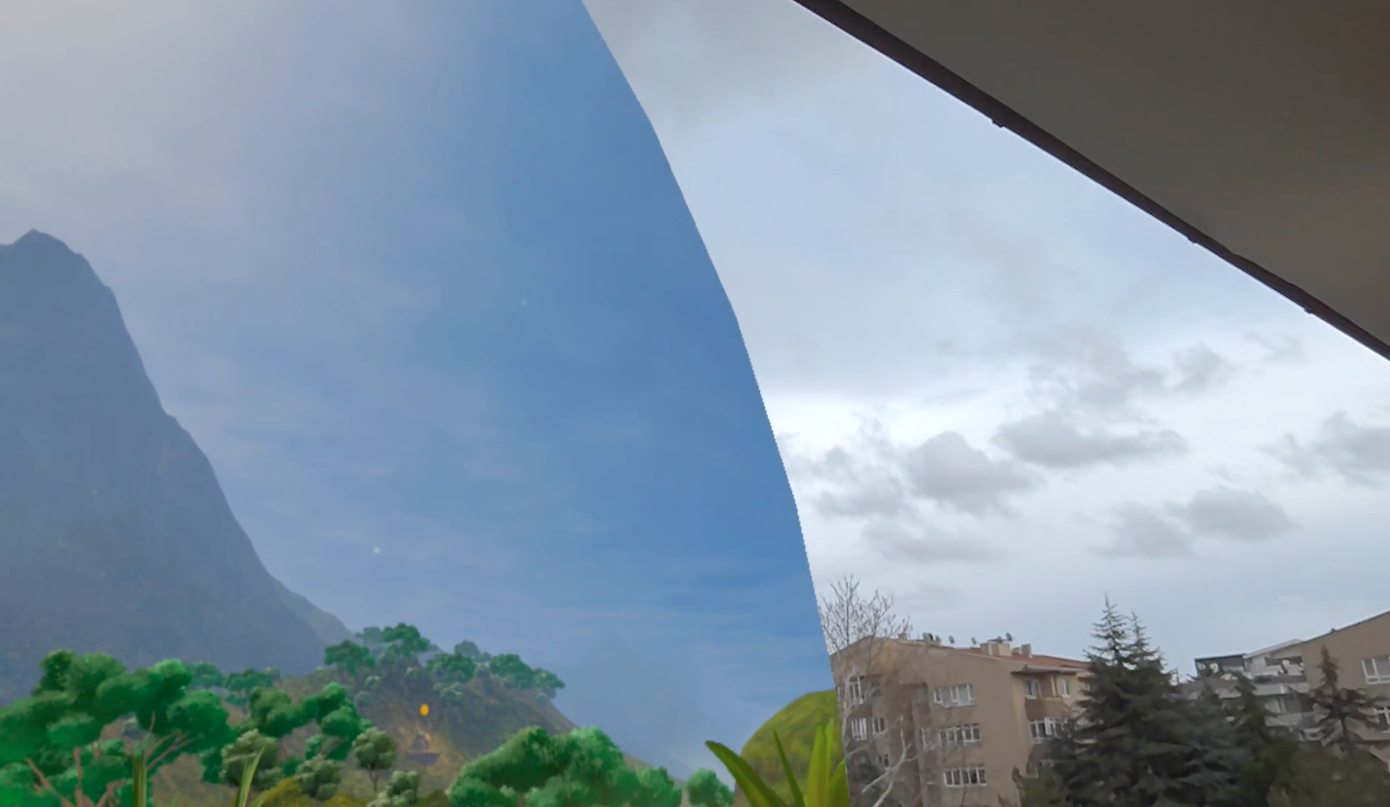
Meditations are displayed inside a wide angle semi-immersive view by default, so that passengers feel safe while still avoiding distractions
-
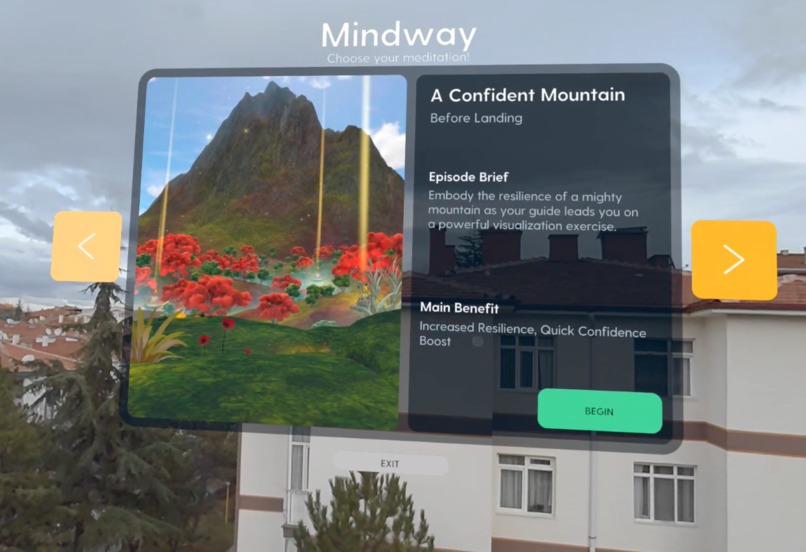
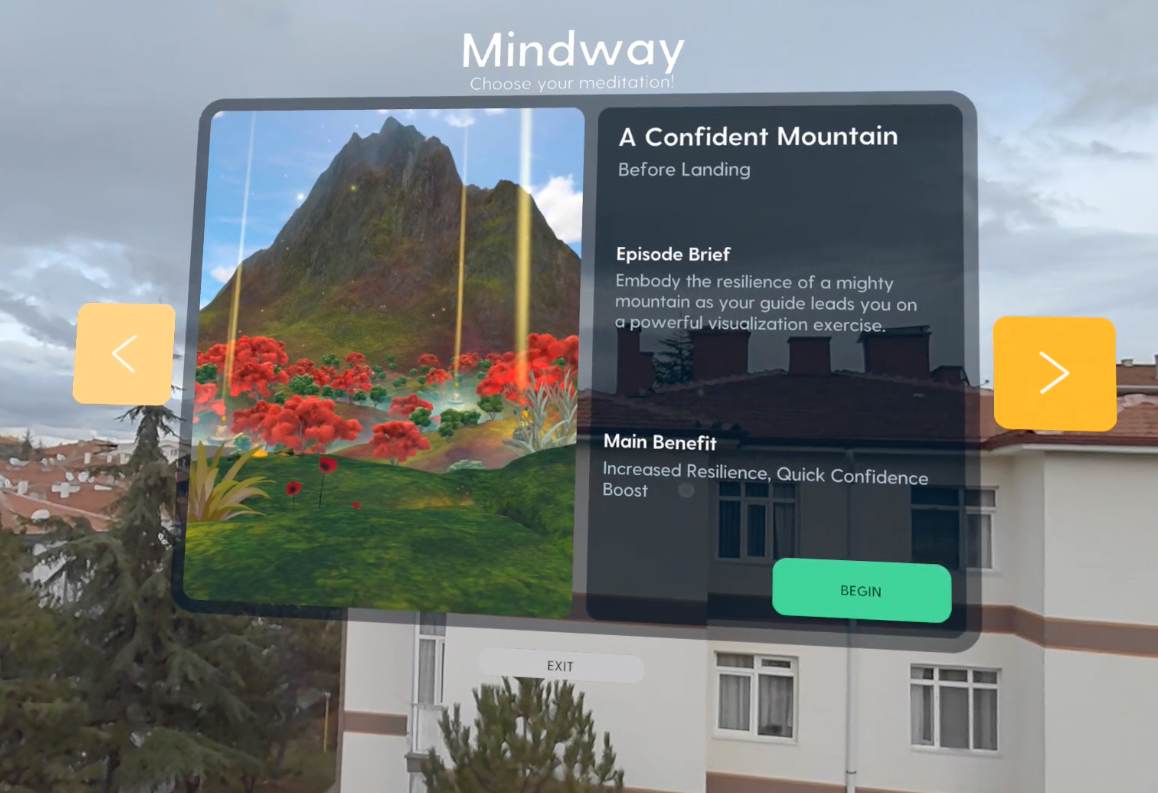
The mixed reality main menu categorizes meditations according to the inflight use case, such as "Before Landing", seen here
-
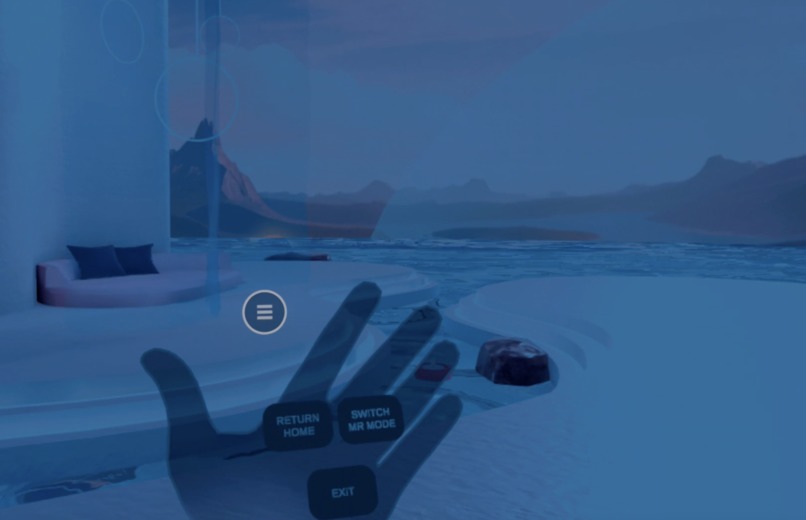
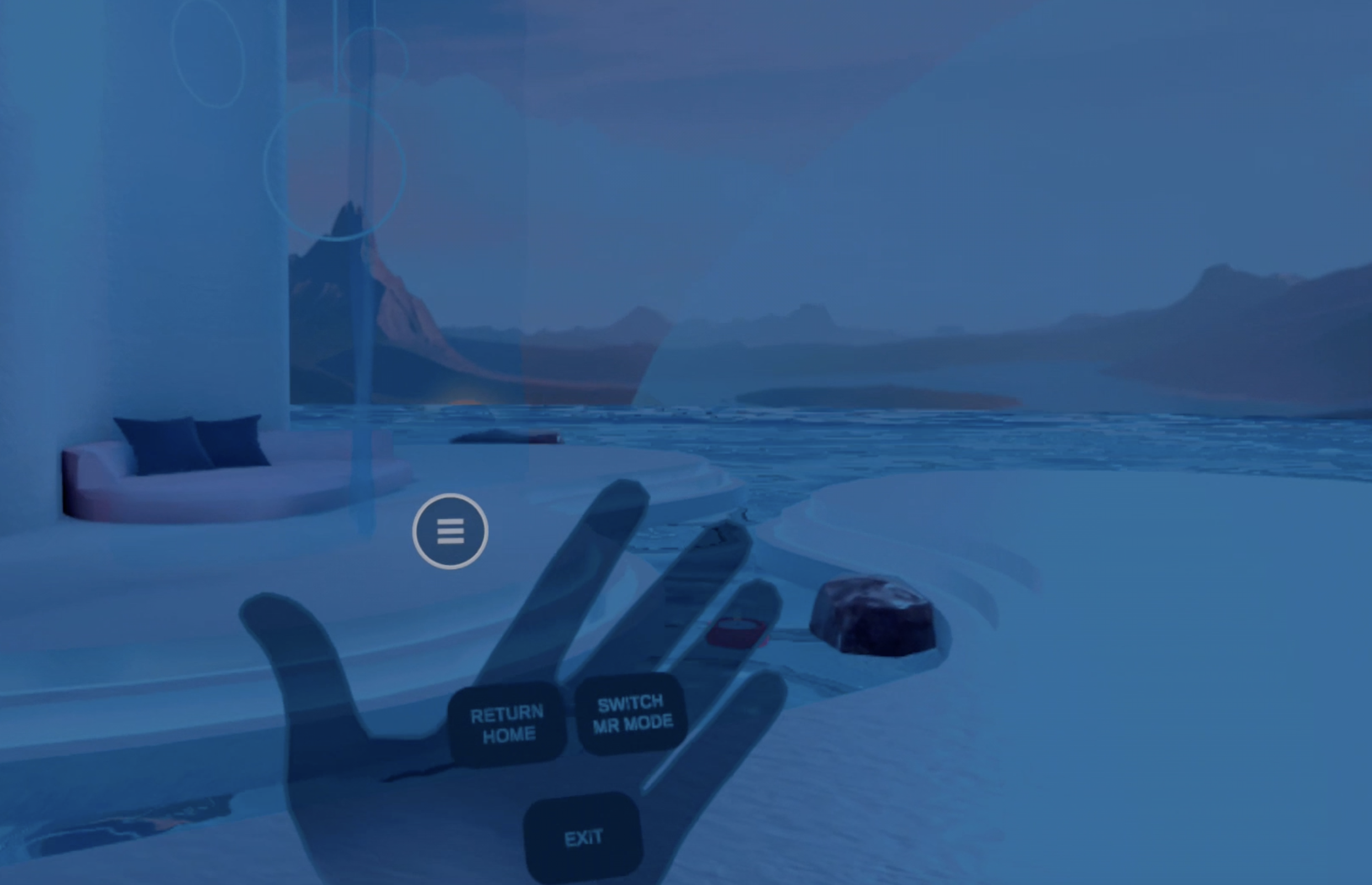
Users control the experience using digital push-buttons designed with first-time VR users in mind
-
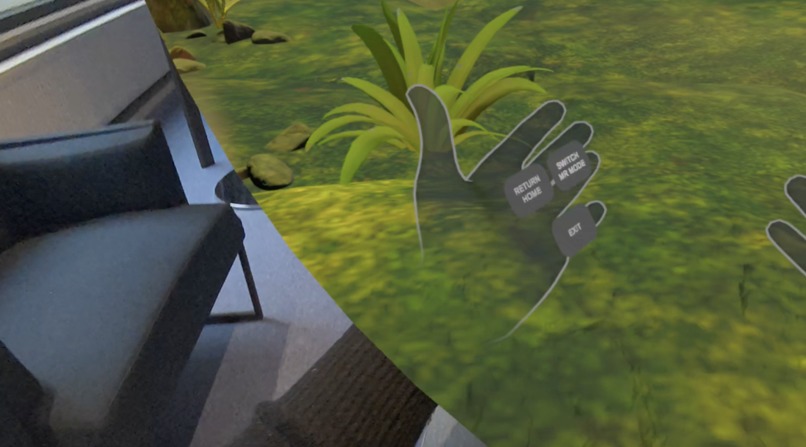
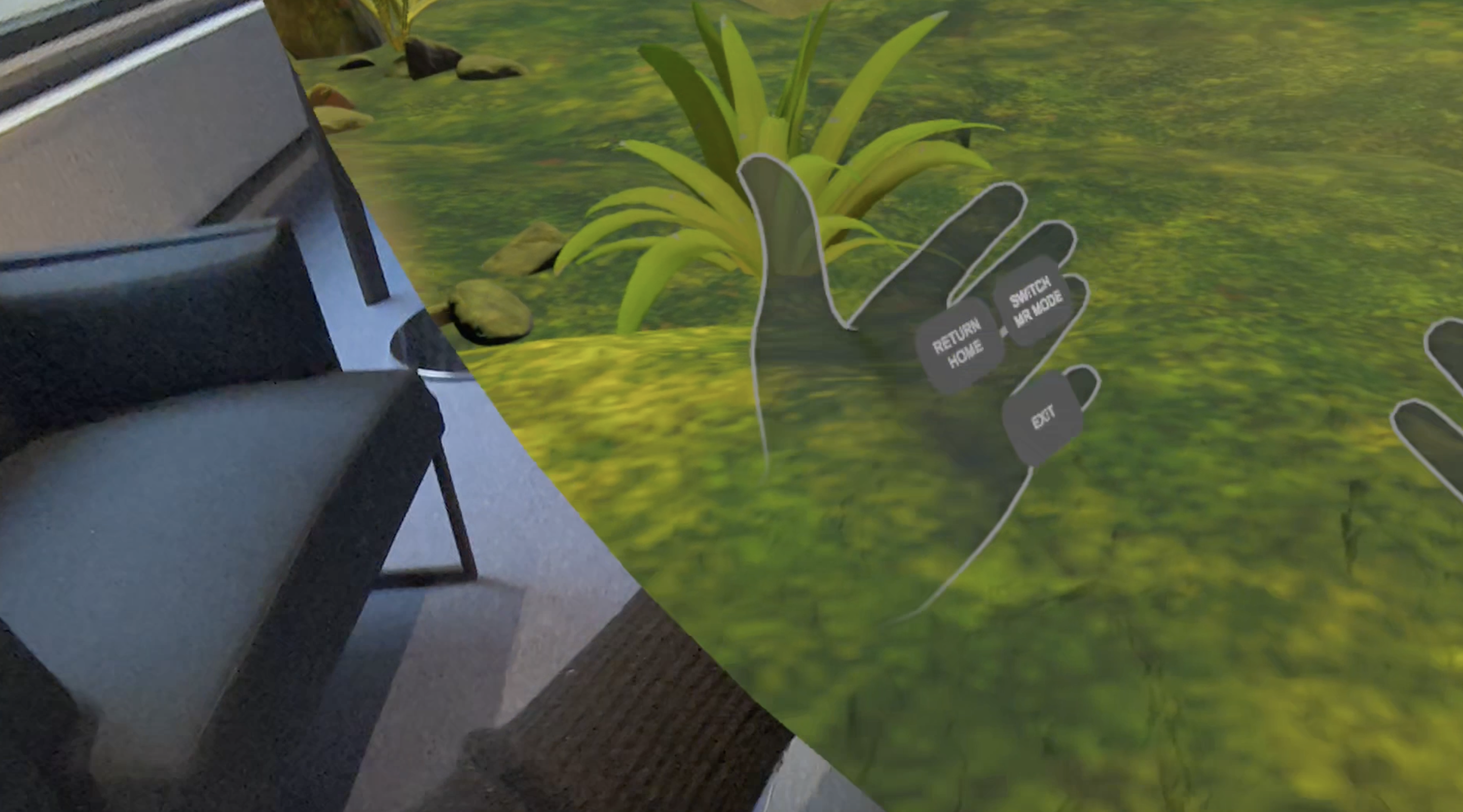
The app runs fully on hand tracking
Inspiration
Seeing the success of our mindfulness app on the Quest store, Mindway, we were approached by an airline who asked if we could develop a fear-of-flying meditation program for use in lounges. We said that we could - but why not aim to have it as an inflight experience instead, complete with not just fear of flying meditations but a full catalogue for takeoff, in-flight, and before landing?
What it does
"Mindway Above Clouds" is a version of Mindway that is built with in-flight usage in mind, in full compliance with aviation security regulations. We made multiple improvements :
- A unique semi-immersive MR mode was added that allows the user to keep an eye on the real world for things like interactions with airplane staff, warning lights etc. The user is able to toggle between semi-immersion and full immersion at will, ensuring they feel safe at all times in-flight.
- We implemented hand-tracking, since having controllers loose in the plane was identified as a potential safety hazard
- We simplified the UI for an audience that is perhaps putting on a headset for the first time, and we redesigned the whole experience to fit within the space between yourself and the front seat, minimizing hand movements and relying instead on the Quest 3's motion tracking capabilities.
In addition, we fully reorganized the menu to categorize meditations according to what an airplane passenger might actually be wanting to get from meditation, including but not limited to:
Enter a Mindful State The Power of Now Discovering Mindful Sensations
Fear of Flying Releasing Anxiety Strong Like a Mountain
Before Landing Start Your Day on a High Note Recover From Burnout Rewiring Your Brain Towards Work Self-Doubt at Work Re-Energizing after Burnout
How we built it
Core Technology Stack: The application was built on Unity 6 (an upgrade from the original build, Unity 2022.3) , leveraging its latest performance enhancements and native XR integration capabilities for the Meta Quest platform. We utilized a comprehensive suite of Meta SDKs, including Meta XR Core SDK, Meta XR Interaction SDK, and Meta XR Interaction SDK Essentials.
We used FMOD for Unity to create a dynamic, spatially-aware audio landscape. This middleware allowed us to carefully blend the soothing meditation tracks with subtle, non-intrusive ambient cabin noises, ensuring the user remains subtly connected to the real world while meditating. Volume management required extensive testing, and the tracks were designed specifically in frequencies that will harmonize with the rumble of the cabin.
Challenges we ran into
One of the primary technical hurdles was the inconsistency between standard Unity Post-Processing effects and the Meta Passthrough layer. We aimed to apply high-quality visual effects, such as Bloom and Color Grading, to our virtual meditation environments. However, the integration between the Unity rendering pipeline and the Passthrough feed resulted in the virtual effects either failing to apply correctly or causing unexpected visual artifacts where the Passthrough and the virtual elements met. This made achieving our desired immersive yet semi-aware experience technically challenging, but we were able to overcome these issues through extensive testing.
In addition a key technical and design challenge was providing users with seamless choice between awareness and complete immersion. The application features real-time toggling between two main modes. Semi-immersive mode relies on Passthrough via the Meta MR Utility Kit and Surface Projected Passthrough for meditation scenes. In Full VR mode, the immersive world completely takes over, shutting off the external passthrough view via a smooth transition.
Accomplishments that we're proud of
We successfully implemented a custom Dynamic Passthrough Projection Mechanism to ensure our rich virtual effects worked seamlessly alongside a clear view of reality. We achieved this by utilizing the Meta XR Core SDK's Surface Projected Passthrough feature, mapping the Passthrough feed onto a custom, real-time, geometric, generated 3D mesh. This custom mesh allows us to dynamically control the Passthrough visibility by mathematically slicing the geometry in real-time. By using this method (User Defined Overlay Passthrough), we apply heavy post-processing effects solely to the virtual environment outside the mesh, while maintaining a crisp, clear, and unaltered view of the cabin inside the projected 'bubble,' resolving the core visual conflict.
What we learned
During this whole process we had to run some significant refactoring on the code, and learned to modernize in line with the latest technical developments - since the original app released in 2023! The complete refactoring included an upgrade to Unity 6, in addition to the implementation of SDKs surrounding tech like hand and movement tracking.
What's next for In-Flight VR Meditation
We're going live in the air in the next few months, and want to focus on implementing user feedback and growing the meditation catalogue.


Log in or sign up for Devpost to join the conversation.