-

Logo
-
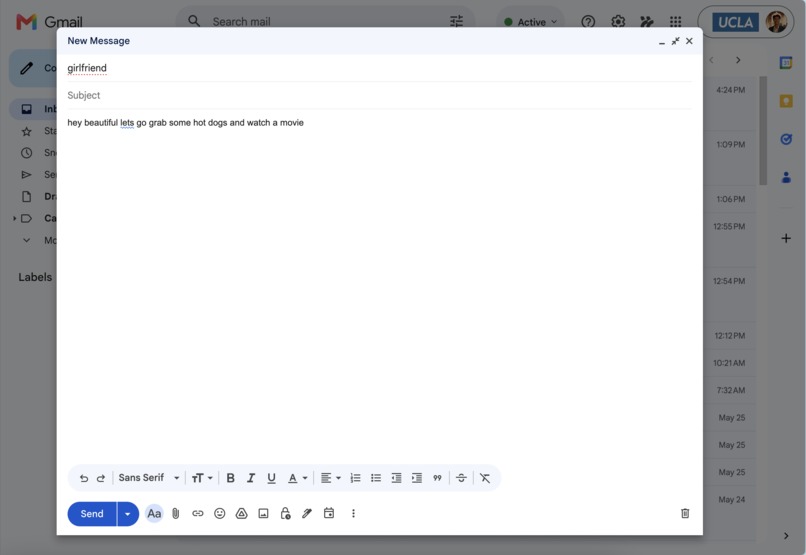
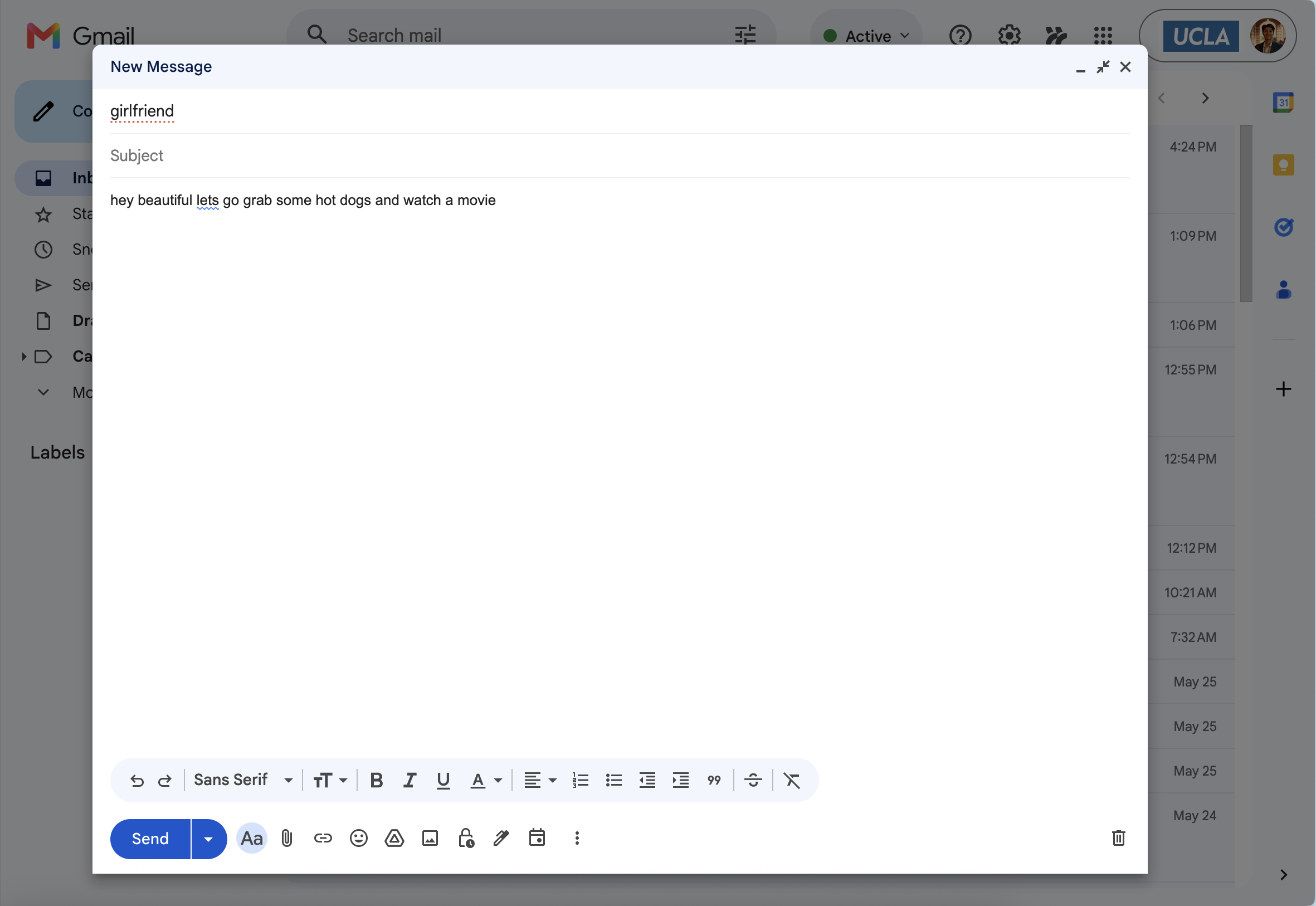
Sample Email (Plain English)
-
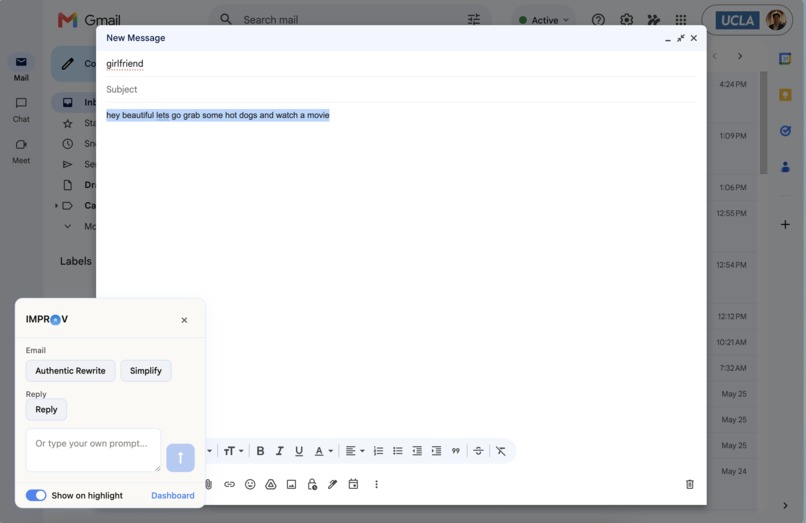
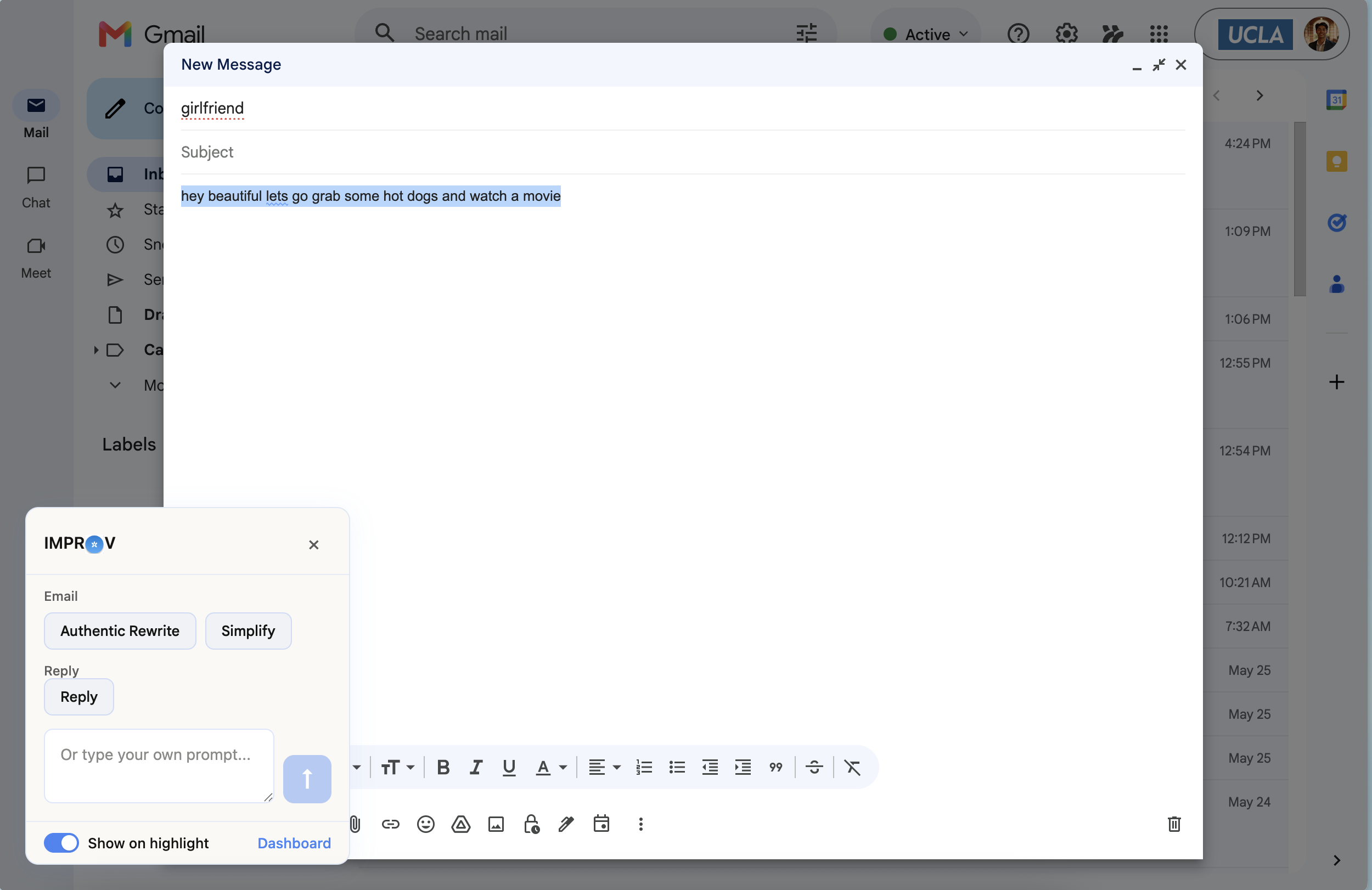
Highlight text triggers IMPROV popup with preset prompts
-
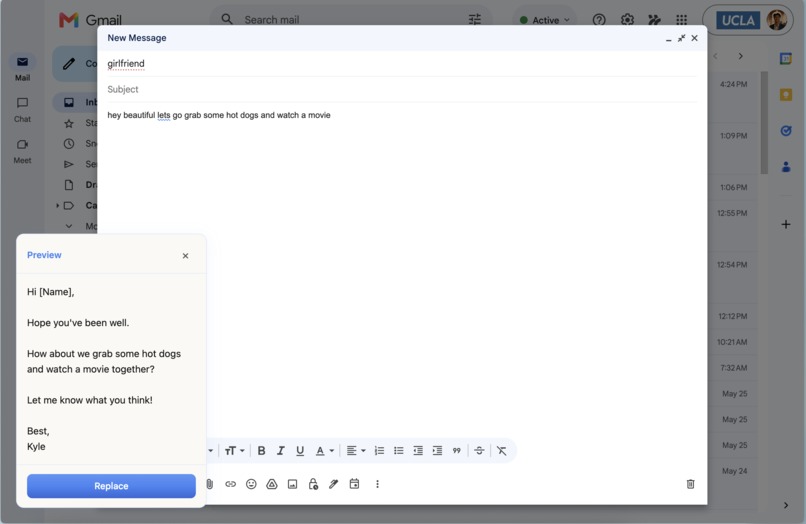
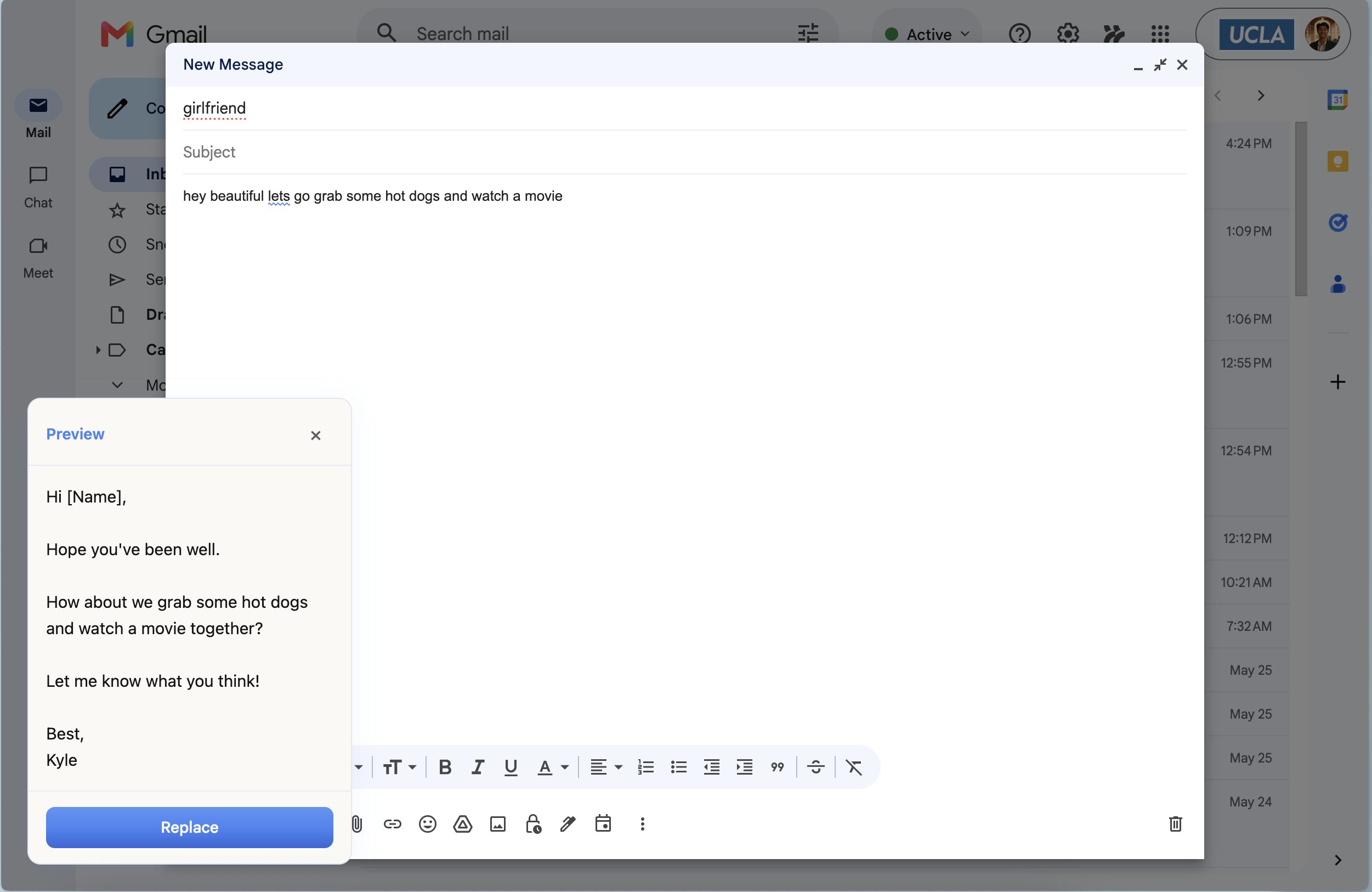
Select the preset prompt and replace the highlighted text
-
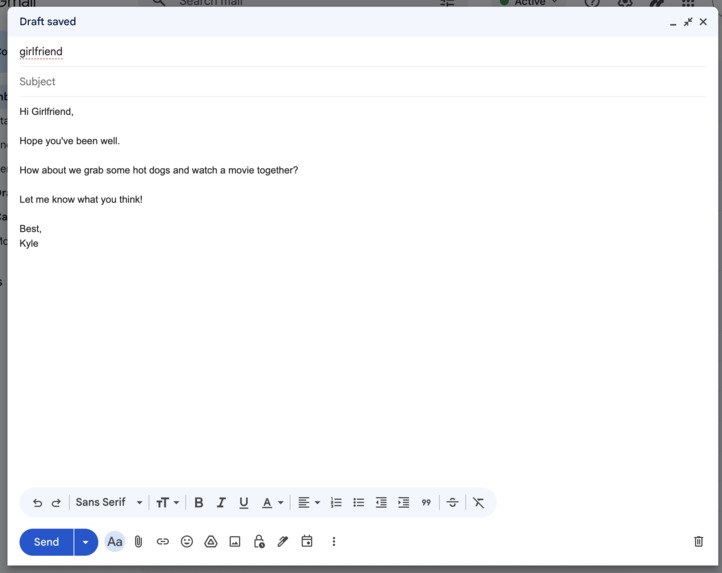
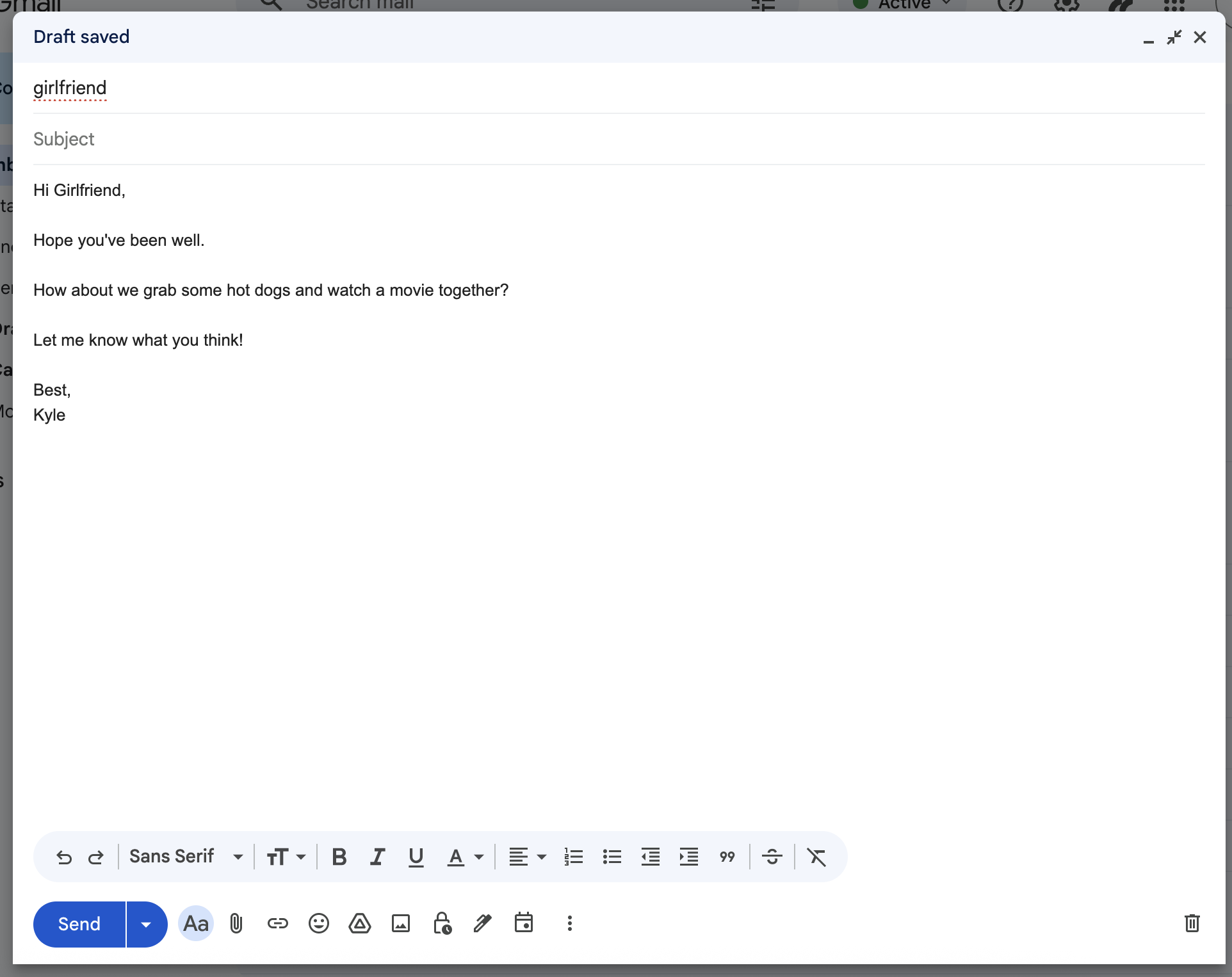
Outcome is an IMPROVed email ready to send

Inspiration
I write hundreds of emails every week. A lot of the time, I’ll write something quickly in plain English, then copy and paste it into ChatGPT with a custom prompt to improve the clarity, tone, and formatting. The problem is that this turns into a repetitive 7-click workflow for almost every email. It felt unnecessary, repetitive, and honestly like something that should already be automated.
What it does
IMPROV is a Chrome extension that lets you rewrite drafted emails directly inside Gmail using your own preset prompts.
You simply draft your reply normally, highlight the text, select one of your saved prompts (examples: “rewrite authentically in my voice” or “formalize for email”), and press enter. The extension instantly replaces the existing draft with the improved version. What used to take 7 clicks now takes 1. There’s also a dashboard where users can create and refine custom prompts, save writing styles, and add personal context about themselves so the rewrites stay consistent with their tone and voice over time.
How we built it
I’m non-technical, so I built this project primarily using Claude Code to help me work through development. This was one of my first times using Claude Code for a Chrome extension project.
The backend uses Supabase, and the rewriting functionality is powered through the ChatGPT API.
Challenges we ran into
Originally, I wanted IMPROV to work across every website. My vision was for it to improve text anywhere: Google Forms, applications, LinkedIn posts, AI prompts, basically any text box on the internet. But browser limitations and the complexity of supporting every platform pushed me to narrow the scope and focus specifically on Gmail first. Long term, I still want to expand beyond email.
Accomplishments that we're proud of
I’m most proud that this is something I genuinely use every single day. Before IMPROV, my workflow looked like this: write the email → highlight text → copy → switch tabs → open ChatGPT → paste → type the same custom prompt I’ve used thousands of times → copy output → switch back to Gmail → paste → fix formatting. Now I just highlight the text, click a preset prompt, and press enter. That’s it. It feels small, but when you write hundreds of emails a week, those saved seconds add up fast.
What we learned
I learned a lot about user experience, mostly because I was the primary user throughout development. Every annoying interaction became immediate feedback, and I got to iterate on the product in real time based on my own workflow. It taught me how important frictionless design really is.
What's next for IMPROV
Next, I want to launch IMPROV on the Chrome Web Store and start letting other people use it. To keep costs low and make the product accessible, users can also enter their own API key and use the extension for free.
Built With
- claude
- openai
- supabase

Log in or sign up for Devpost to join the conversation.